
JustGenius-s/DSH-Desktop
Electron desktop shell for DeepSeek Harness (DSH). Bundles node + pnpm, installs @deepseek-ai/dsh into ~/.dsh/runtime, and serves the dsh web UI in a browser window.
catalog 简介 / catalog descriptioncatalog description:DSH-Desktop
项目介绍Project Overview
DSH-Desktop 是 DeepSeek Harness 的 Electron 桌面壳,集成 node 与 pnpm,首次启动时将 @deepseek-ai/dsh 安装到 ~/.dsh/runtime,并在窗口中加载 dsh web 界面,适用于希望以独立桌面应用方式运行 DSH 的用户。注意:macOS 与 Windows 构建均未签名,首次启动需手动放行 Gatekeeper 或 SmartScreen 警告。
DSH-Desktop is an Electron shell for DeepSeek Harness. It bundles node and pnpm, installs @deepseek-ai/dsh into ~/.dsh/runtime on first launch, and hosts the dsh web UI in a native window. Use it to run DSH as a standalone desktop app with one-click upgrades. Note: macOS and Windows builds are unsigned, so first launch requires manually bypassing Gatekeeper or SmartScreen warnings.
请帮我了解并安装插件:【DSH-Desktop】【https://github.com/JustGenius-s/DSH-Desktop】把上面这条消息直接发给当前会话里的 DSH,让它帮你了解并安装。安装命令不一定准确,发给 DSH 更稳。Send this message to DSH in your current session. CLI install commands may not be accurate across systems — DSH will figure it out for you.
或使用命令行安装(适合开发者)Or use CLI install (for developers)
命令行安装CLI Install
dsh plugin --profile web add github:JustGenius-s/DSH-Desktop把 JustGenius-s/DSH-Desktop 加入你的 DSH 配置(web profile)即可启用。
READMEREADME

English | 简体中文
DSH-Desktop
Electron desktop shell for DeepSeek Harness (DSH). Bundles node + pnpm, installs @deepseek-ai/dsh into ~/.dsh/runtime, and serves the dsh web UI in a browser window.
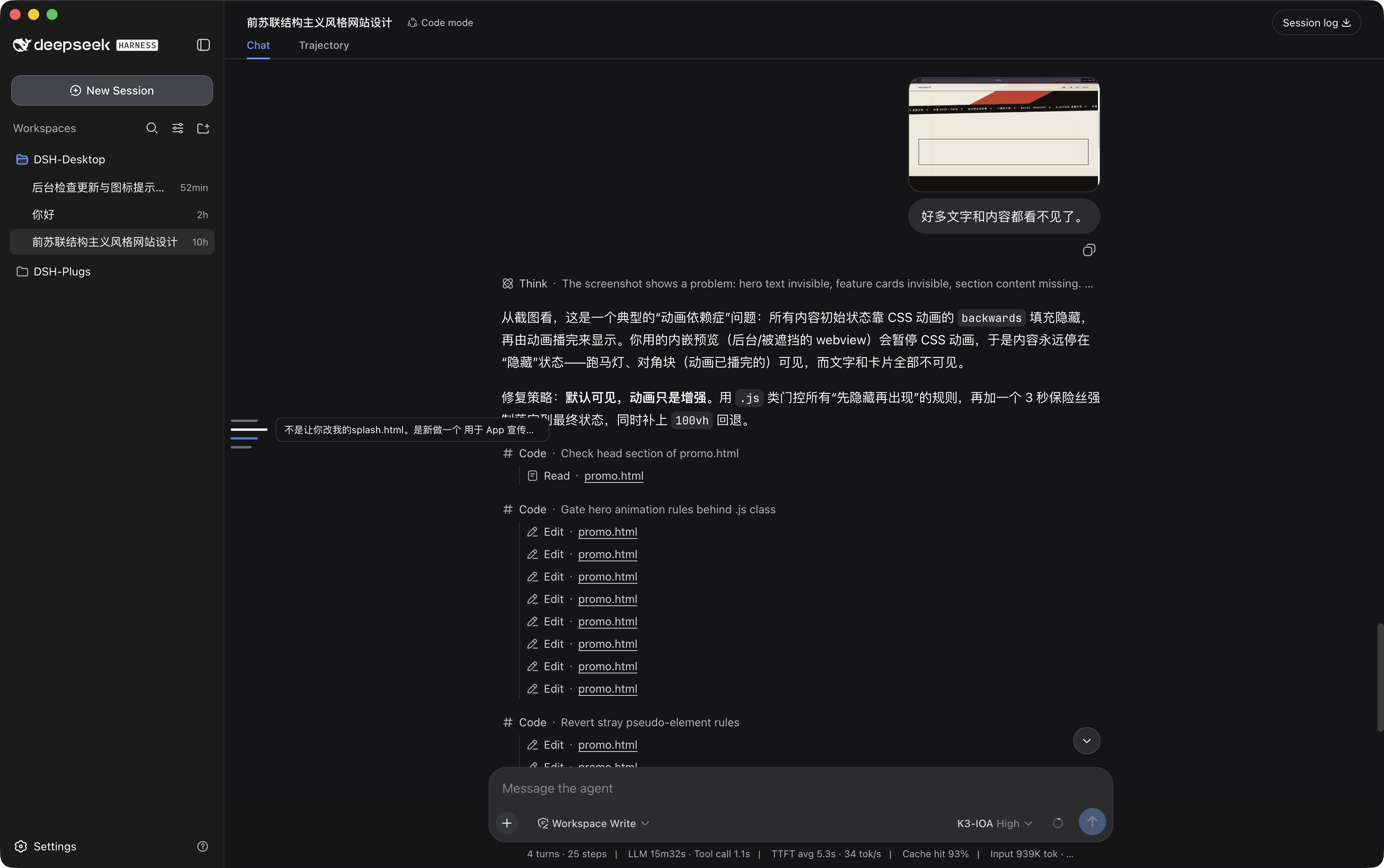
Download & Install
Prebuilt packages are published on GitHub Releases. First launch installs the DSH runtime (~1-2 min).
macOS
- Download
DSH-Desktop-*.dmgfrom the latest release. - Open the
.dmgand dragDSH-Desktop.appinto/Applications. - The app is unsigned, so Gatekeeper blocks the first launch. Right-click the app → Open and confirm, or run:
xattr -dr com.apple.quarantine /Applications/DSH-Desktop.app
Windows
- Download
DSH-Desktop Setup *.exe(installer) orDSH-Desktop-*-win.zip(portable) from the latest release. - Run the installer, or unzip the archive and launch
DSH-Desktop.exe. - The build is unsigned, so SmartScreen may warn. Click More info → Run anyway.
How it works
Electron main process
  ├─ bundled node + pnpm (resources/runtime; repo-root runtime/ in dev)
  ├─ first launch: pnpm installs @deepseek-ai/dsh → ~/.dsh/runtime (upgradeable)
  ├─ spawn  dsh web --host 127.0.0.1 --port <free-port>
  └─ BrowserWindow → http://127.0.0.1:<port>
DSH is installed from npm at runtime, not shipped with the app. Upgrading DSH = detect a newer version on launch → click "Update" → restart. No rebuild or re-signing.
Develop
pnpm install
pnpm collect      # download node + pnpm into runtime/
pnpm start        # first launch installs @deepseek-ai/dsh (~1-2 min)
Dev and packaged behave identically: both use the bundled node and the external ~/.dsh/runtime.
Package
pnpm dist:mac     # macOS dmg + zip
pnpm dist:win     # Windows nsis + zip (run on Windows)
macOS artifacts are unsigned; Gatekeeper blocks first launch. Allow with:
xattr -dr com.apple.quarantine /Applications/DSH-Desktop.app
Runtime dependencies
- node (latest) + pnpm (latest), bundled via
scripts/collect-runtime.mjs @deepseek-ai/dsh(npm latest), installed to~/.dsh/runtime
Desktop plugin API
The shell injects window.dshDesktop into the DSH page (updates / seats / notify / overlays). Plugins should depend on that contract, not on Electron packaging code. See docs/desktop-api.md.
Our plugins
Companion DSH plugins live in DSH-Plugs.
Thanks to
相关推荐Related
-
 nexu-io/open-design
🎨 Best DeepSeek Harness Design Plugin. The open-source Claude Design alternative. 🖥️ Local-first desktop app. 🖼️ Your…
nexu-io/open-design
🎨 Best DeepSeek Harness Design Plugin. The open-source Claude Design alternative. 🖥️ Local-first desktop app. 🖼️ Your…
-
 ruvnet/ruflo
🌊 The original agent meta-harness. Deploy intelligent multi-player swarms, coordinate autonomous workflows, and build c…
ruvnet/ruflo
🌊 The original agent meta-harness. Deploy intelligent multi-player swarms, coordinate autonomous workflows, and build c…
-
 amruthpillai/reactive-resume
A one-of-a-kind resume builder that keeps your privacy in mind. Completely secure, customizable, portable, open-source a…
amruthpillai/reactive-resume
A one-of-a-kind resume builder that keeps your privacy in mind. Completely secure, customizable, portable, open-source a…
-
 esengine/DeepSeek-Reasonix
DeepSeek-native AI coding agent for your terminal. Engineered around prefix-cache stability — leave it running.
esengine/DeepSeek-Reasonix
DeepSeek-native AI coding agent for your terminal. Engineered around prefix-cache stability — leave it running.
-
 volcengine/OpenViking
Self-evolving Context Database for AI Agents. Unify Agent Memory, Knowledge RAG and Skills.
volcengine/OpenViking
Self-evolving Context Database for AI Agents. Unify Agent Memory, Knowledge RAG and Skills.
-
 Molunerfinn/PicGo
:rocket: The Ultimate Image Uploader for Efficient Creators. Supports Obsidian, Typora, VS Code etc. and 60+ image hosti…
Molunerfinn/PicGo
:rocket: The Ultimate Image Uploader for Efficient Creators. Supports Obsidian, Typora, VS Code etc. and 60+ image hosti…
-
 titanwings/distilly
Distilly — Distill how they think into reusable Skills for any Agent or Bot. Formerly Colleague Skill(原同事 Skill).
titanwings/distilly
Distilly — Distill how they think into reusable Skills for any Agent or Bot. Formerly Colleague Skill(原同事 Skill).
-
 titanwings/colleague-skill