Kaiji-Z/dsh-plugin-lookatstudy
dsh 社区插件:将任意 Markdown/文件夹/GitHub 学习仓库转化为 DeepSeek Harness 内的引导式 AI 导师课程(带门控技能树、BKT 掌握度、SM-2 复习)。
Project Overview项目介绍
dsh-plugin-lookatstudy is a native plugin built exclusively for DeepSeek Harness (DSH). It converts any markdown document, local folder, or public GitHub learning repository into a structured guided course directly inside the DSH interface. It ports the full interaction design of the independent LookatStudy learning engine to DSH, turning your DSH agent into a full AI tutor with features like per-concept knowledge tracking, spaced repetition, mastery-driven progression, exam mode, XP and streaks, bilingual lessons, text-to-speech, and rich content rendering. To install the plugin, you can run dsh plugin add dsh-plugin-lookatstudy from npm, or install it from a local gzipped tarball if you built it yourself.
After installation, the plugin adds a dedicated "学习" (Study) row to the DSH sidebar, which opens a full-screen three-column study panel that matches LookatStudy's original design. The panel automatically adapts to DSH's active light or dark theme, and includes a collapsible course rail, rich lesson display area, and built-in notebook. To start learning, you just send a chat command like "import github.com/microsoft/AI-For-Beginners and teach me lesson 1", and the AI tutor will handle the full workflow from there. It is built for learners who want to use DSH's AI capabilities for structured, self-paced AI-guided learning.
The plugin is released under the open source MIT license, and all vendored learning engine code from LookatStudy is also used under the MIT license. It does not require any external core services to work: concept maps are generated with a built-in ELK layout, and diagram assets are loaded from CDN on demand, with silent degradation for offline use. Text-to-speech defaults to Edge TTS, and falls back to the system's built-in speech synthesis if Edge TTS is unavailable. The companion creature feature from original LookatStudy is not ported, and persistent text highlighting is implemented via text search anchors.
这是一个专为 DeepSeek Harness (DSH) 开发的原生插件,能够将任意 markdown 文档、本地文件夹或 GitHub 学习仓库转换为 DSH 内的引导式学习课程。它将 LookatStudy 的交互设计完整整合进 DSH,让 DSH 代理变身 AI 家教,支持概念级知识追踪、掌握度驱动学习进度、间隔重复复习、康奈尔笔记、星级评分考试模式、XP 和连续学习记录、双语课程、文本朗读,还能渲染 KaTeX 数学公式、高亮代码、mermaid 图和概念图。
安装方式非常简单,可直接通过 DSH 命令从 npm 安装,也可以下载压缩包后通过 DSH 命令从本地安装。安装完成后,用户只需在对话中给出发起学习的指令,比如“导入指定学习仓库并开始第一课”,AI 导师就会按照 LookatStudy 的完整学习流程推进,自动拆分知识点概念、记录掌握程度、优先安排薄弱概念的测验和复习。它适合想要依托 DSH 的 AI 能力开展系统化自主学习的用户。
插件使用 MIT 许可证,核心学习引擎模块从同样采用 MIT 许可的 LookatStudy 项目移植而来。它不依赖额外的核心外部服务,概念图使用内置 ELK 布局生成,图表资源默认从 CDN 按需加载,离线环境下会静默降级不影响核心功能。文本朗读默认使用 Edge TTS,失败后会自动回退到系统语音。目前 Companion 生物功能未移植,持久文本高亮通过文本搜索锚点实现。
请帮我安装这个 DSH 插件。安装前先完成【兼容性检查 + 安全性检查】,检查通过再动手。

插件:dsh-plugin-lookatstudy(Kaiji-Z/dsh-plugin-lookatstudy)
仓库:https://github.com/Kaiji-Z/dsh-plugin-lookatstudy
本站详情页:https://www.yhbd.top/plugins/kaiji-z-dsh-plugin-lookatstudy/
本站登记:类型 plugin · 归类 原生 DSH 插件 · 许可证 MIT · ⭐ 14 · 最近提交 2026-09-29 · 主语言 TypeScript

按下面顺序执行,每步先把结论告诉我,再进入下一步:

【1 兼容性检查】
① 我这边:DSH 版本、Node 版本、操作系统、当前 profile(web / desktop)。
② 读它的 README、package.json、插件 manifest,列出它要求的 DSH 版本 / Node 版本 / 操作系统 / 外部依赖 / 需要另外先装的运行时。
③ 逐条比对,结论只写「满足 / 不满足 / 未知」三种;不满足的给出可行替代方案。
④ 检查是否和我已装的插件冲突:命令名重复、skill / tool 重名、端口占用、重复注册的 MCP server。

【2 安全性检查】
① 仓库可信度:和上面「本站登记」是否一致;star / fork 数、创建时间、最近提交,是否归档或长期停更。
② 安装脚本:逐行看 package.json 的 preinstall / install / postinstall,以及 install.sh、setup.ps1 之类脚本。出现 curl|bash、下载后直接执行、混淆代码、访问与插件功能无关的域名,立刻停下来告诉我,不要继续装。
③ 依赖:列出新增依赖,标出无人维护、或与知名包拼写近似的可疑包(typosquatting)。
④ 权限与副作用:它会读写哪些目录、访问哪些域名、需要哪些 DSH 权限(filesystem / network / shell / clipboard 等),以及怎么卸载和回滚。
⑤ 如果它要求 sudo / 管理员权限,或权限明显超出功能所需,先停下来问我。

【3 安装】
上面两步没有「不满足」和「高危项」时才执行;用官方推荐方式安装,不要自行提权。

【4 汇报】
用表格输出:检查项 / 结论 / 依据 / 是否需要我决策。拿不准的一律写「未知」并说明要我怎么确认——不要猜,也不要替我决定。
Send this message to DSH in your current session: it verifies compatibility and security first (answering met / not met / unknown item by item) and only installs once everything checks out — it will stop and ask you if it finds a high-risk item. The box scrolls; the copy is the full prompt. CLI install commands may not be accurate across systems, so DSH is the safer route.把上面这条消息直接发给当前会话里的 DSH:它会先核对兼容性与安全性(逐条给「满足 / 不满足 / 未知」),确认没问题再安装,有高危项会停下来问你。框内可滚动,复制到的是完整提示词;安装命令不一定准确,发给 DSH 更稳。
- 14 stars - an early-stage project星标 14,属于早期项目
DSH walks through these 9 checksDSH 会逐条核对这 9 项
Compatibility兼容性
- DSH, Node, OS and profile requirementsDSH 版本 / Node 版本 / 操作系统 / profile 是否满足要求
- External dependencies and runtimes (Electron / Python / Docker, ...)外部依赖与运行时(Electron / Python / Docker 等)是否齐备
- Conflicts with installed plugins: command names, skill / tool names, ports, duplicate MCP registration与已装插件是否冲突:命令名、skill / tool 重名、端口占用、重复 MCP 注册
Security安全性
- Repo matches the facts registered here; archived or abandoned?仓库是否与页面登记一致,是否归档或长期停更
- Safety of preinstall / install / postinstall and install.sh / setup.ps1preinstall / install / postinstall 与 install.sh、setup.ps1 是否安全
- curl|bash, download-then-execute, obfuscation, unrelated domains → stop immediatelycurl|bash、下载即执行、混淆代码、无关域名 → 立刻停止
- Typosquatting or unmaintained packages among the new dependencies新增依赖里有没有 typosquatting 或无人维护的包
- Requested permissions vs. what the feature actually needs申请了哪些权限、是否超出功能所需(filesystem / network / shell / clipboard)
- Any sudo / admin requirement, plus uninstall and rollback是否要求 sudo / 管理员权限,以及卸载与回滚方式
Anything uncertain must be marked unknown with a note on how to confirm it. This site's signal screen is a static snapshot, not a security audit.拿不准的必须标「未知」并说明要我怎么确认。本站的信号筛查是静态快照,不能替代安全审计。
Or use CLI install (for developers)或使用命令行安装(适合开发者)
CLI Install命令行安装
dsh plugin add dsh-plugin-lookatstudy把 Kaiji-Z/dsh-plugin-lookatstudy 加入你的 DSH 配置(web profile)即可启用。
READMEREADME
dsh-plugin-lookatstudy
English | 简体中文
Turn any markdown document, local folder, or GitHub learning repository into a guided course inside DeepSeek Harness (dsh) — your dsh agent becomes a full AI tutor with the interaction design of LookatStudy: per-concept knowledge tracking, mastery-driven progression, spaced repetition, mastery proposals, friction awareness, learner memory, a Cornell notebook, an in-chat proposal card, exam mode with star grades, XP & streak, bilingual lessons, read-aloud (Edge TTS with a system-voice fallback), and a rich blackboard (KaTeX math, syntax-highlighted code, mermaid diagrams, mindmap & concept-map views). Learning engine modules are vendored from LookatStudy (MIT).
Screenshots
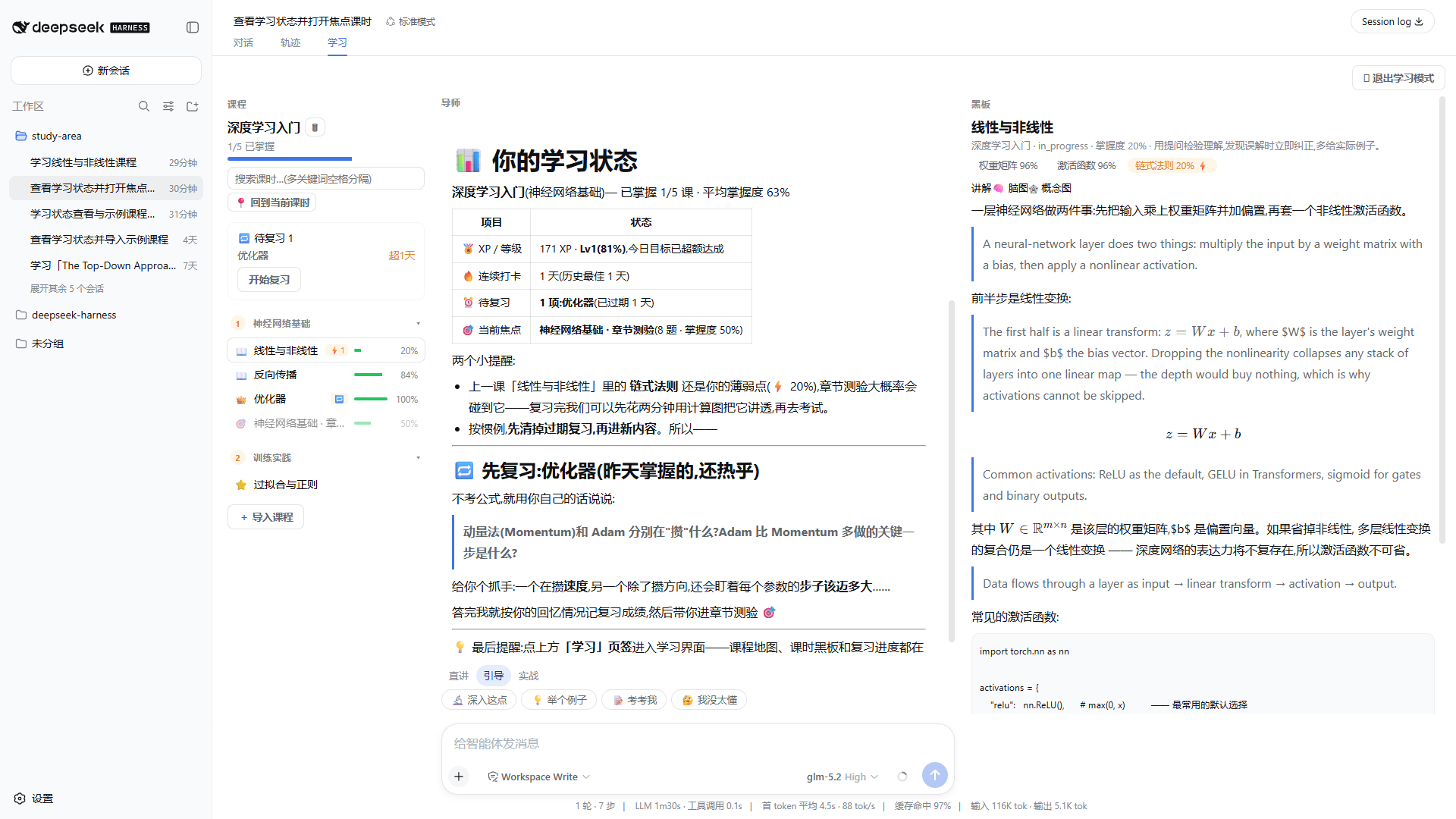
The 学习 panel — LookatStudy's UI 1:1 in the host's light theme (the panel follows the host's dark/light switch live): the floating XP/streak app header, the three-column surface ladder (rail / chat / notebook, depth by color step), 3D push-down buttons, and the chat's typing dots; opened from the sidebar's 学习 row.
| 图 | 说明 |
|---|---|
 |
课程栏 — the course tree as a quiet list (a deliberate deviation from upstream's gamified map): collapsible section heads with done/total counts, lesson rows carrying the status glyph (locked / available / in-progress / mastered crown / purple exam), inline mastery bars, due badges, streaming spinners, and hover tooltips that explain every state; the focused row is brand-edged. |
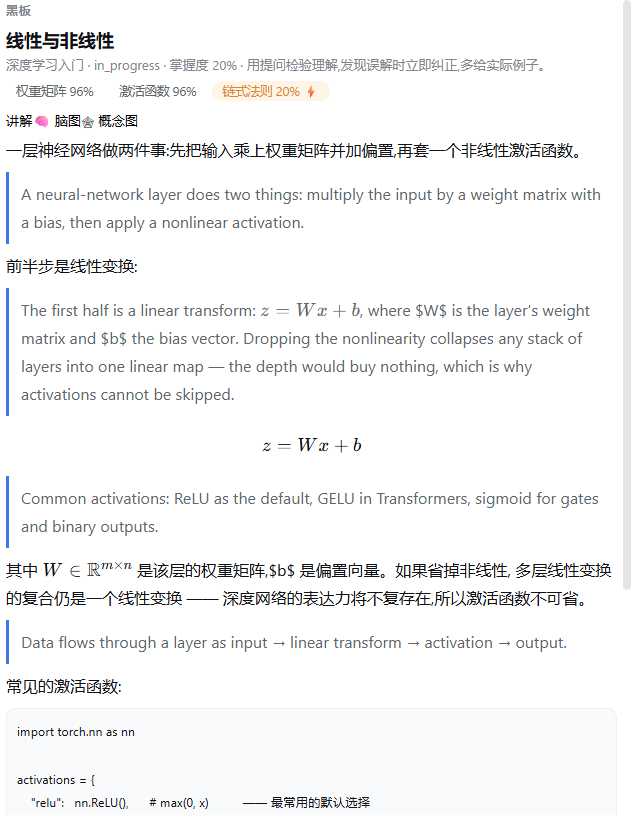 |
讲解 — server-sanitized markdown rendered rich on demand: KaTeX formulas, syntax-highlighted code (shared copy-to-clipboard blocks), mermaid diagrams with a zoomable canvas stage (CDN loaders, silent degrade offline), and the bilingual interleave when a translation exists. |
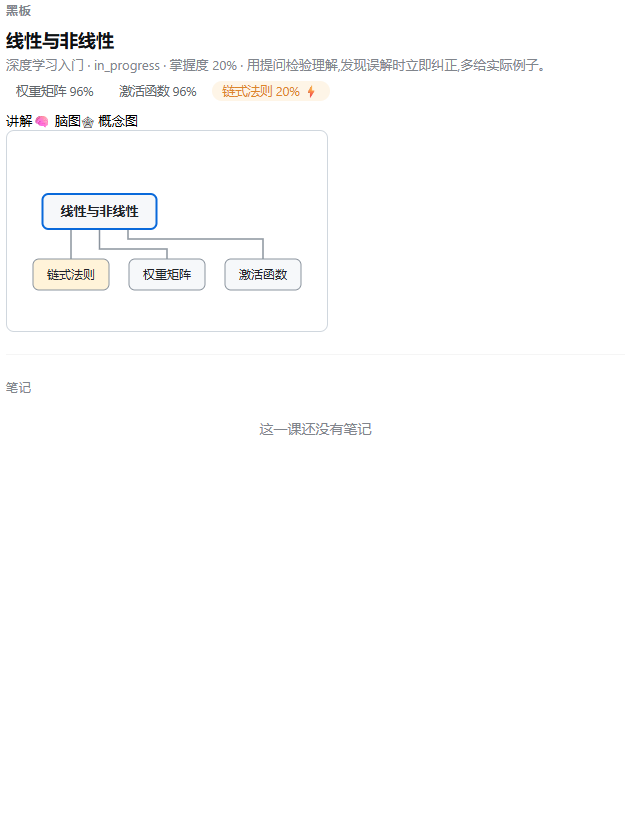 |
🕸 概念图 — the lesson's knowledge components laid out as a draw.io-style concept graph (bundled ELK layout, no external service); weak concepts (mastery <70%) glow amber. |
Showing the opening section of the README — the full document lives in the repository以上为 README 开头摘要,完整文档在仓库内 · View the full README on GitHub →在 GitHub 查看完整 README →
Related相关推荐
-
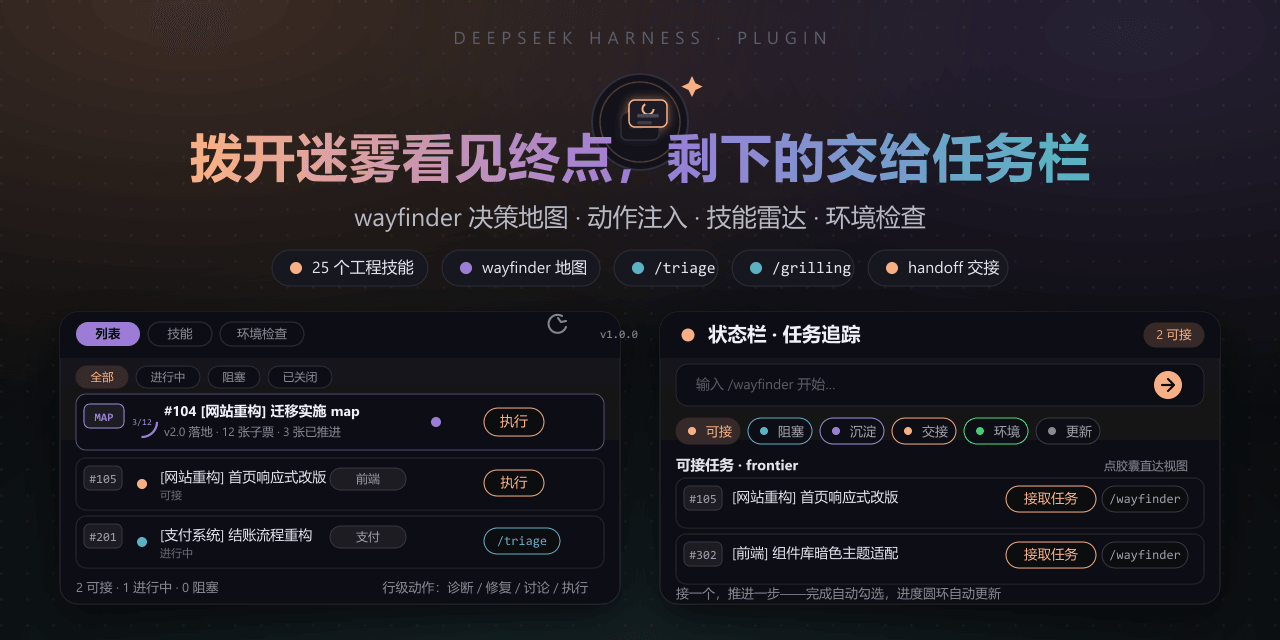 FeatherHunter/dsh-mattpocock-skills-deck
安装即自带mattpocock/skills v1.2.3的25个工程与效率技能,无需手动装技能。300亿token打造。本插件在原始技能之上提供10倍的开发效率。主力支持GitHub issue;Markdown为预览版;GitLab暂不…
FeatherHunter/dsh-mattpocock-skills-deck
安装即自带mattpocock/skills v1.2.3的25个工程与效率技能,无需手动装技能。300亿token打造。本插件在原始技能之上提供10倍的开发效率。主力支持GitHub issue;Markdown为预览版;GitLab暂不…
- kaijia323/create-dsh-plugin 创建、开发、调试、打包 DeepSeek Harness(DSH)插件的 AI 技能。覆盖插件开发的完整流程:最小可加载插件、工具(tool)、事件监听、服务(service)、LLM 适配器(adapter)、插件配置,以及 cordis…
-
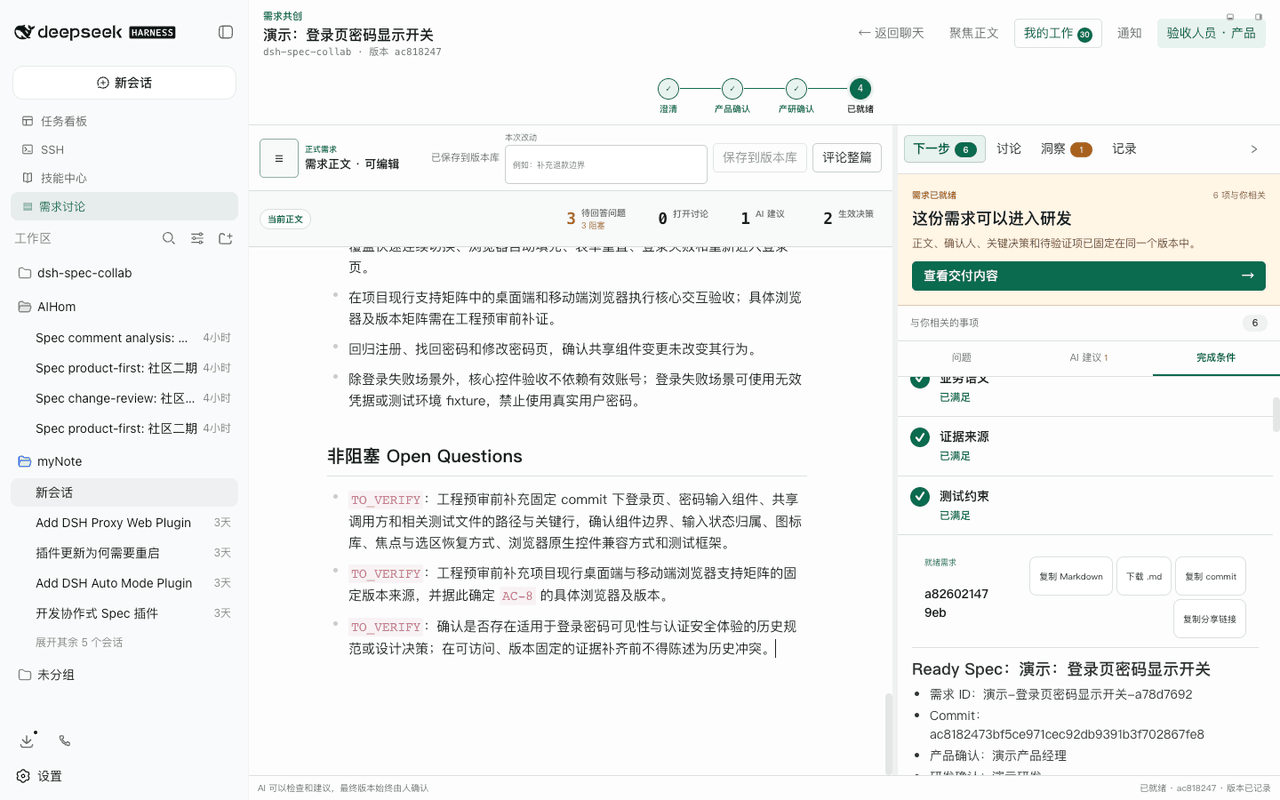 zx490336534/dsh-spec-collab
DeepSeek Harness 的独立双面插件,用于把产品的原始需求澄清为研发和开发 AI 可直接理解的 Ready Spec。产品、研发、产品 AI 与研发 AI 在同一份 Git 版本化 Markdown 上完成初审、逐项回复、二次审…
zx490336534/dsh-spec-collab
DeepSeek Harness 的独立双面插件,用于把产品的原始需求澄清为研发和开发 AI 可直接理解的 Ready Spec。产品、研发、产品 AI 与研发 AI 在同一份 Git 版本化 Markdown 上完成初审、逐项回复、二次审…
- chenjiajungithub/dsh-doc-generator DeepSeekharness agent预设模式文档生成助手
- fz-lyle/dsh-deveco-cli DevEco CLI 将 DevEco Studio 工具链统一封装为一个 CLI,内置 ohpm、hvigor、hdc、emulator、hilog,同时集成 HarmonyOS 技能安装、项目脚手架、本地 HarmonyOS 文档检索和…
-
 chuspeeism/dashi-taskboard
现代化可灵活嵌入的任务面板,支持 Codex、DeepSeek Harness
chuspeeism/dashi-taskboard
现代化可灵活嵌入的任务面板,支持 Codex、DeepSeek Harness
-
 zhoushoujianwork/easyeda-agent
嘉立创EDA专业版(EasyEDA Pro)自动化:给 AI harness 装上画板的「手」—— 一套 typed 原理图/PCB 动作,CLI / Agent Skill / stdio MCP 三形态融合接入。承接嘉立创「不以卖板赚钱…
zhoushoujianwork/easyeda-agent
嘉立创EDA专业版(EasyEDA Pro)自动化:给 AI harness 装上画板的「手」—— 一套 typed 原理图/PCB 动作,CLI / Agent Skill / stdio MCP 三形态融合接入。承接嘉立创「不以卖板赚钱…
-
 Ikalus1988/MisakaNet
📚 A zero-dependency, git-backed micro-lesson library for AI Agents to asynchronously share and search verified debuggin…
Ikalus1988/MisakaNet
📚 A zero-dependency, git-backed micro-lesson library for AI Agents to asynchronously share and search verified debuggin…