keman-ai/dsh-skin-market
Skin marketplace for DeepSeek Harness — search and install community skins from dsh.a2hmarket.ai right in the settings page
项目介绍Project Overview
DSH 皮肤市场是 DeepSeek Harness 的 web profile 插件,在设置页提供皮肤搜索、一键安装、启用/停用与卸载,并显示预构建或源码构建等待成本;适合不想回终端、想图形化管理社区皮肤时使用。需 DSH 0.1.0-rc.6+、Node 20+、pnpm,且安装仅支持本机 loopback 访问。
DSH Skin Market is a DeepSeek Harness web-profile plugin that adds a settings page for searching community skins, one-click installation, and enabling, disabling, or removing installed skins. It shows whether a skin is prebuilt or built from source. Use it when you want to manage DSH skins graphically instead of through terminal commands. It requires DSH 0.1.0-rc.6+, Node 20+, pnpm, and local loopback access for installation.
请帮我了解并安装插件:【dsh-skin-market】【https://github.com/keman-ai/dsh-skin-market】把上面这条消息直接发给当前会话里的 DSH,让它帮你了解并安装。安装命令不一定准确,发给 DSH 更稳。Send this message to DSH in your current session. CLI install commands may not be accurate across systems — DSH will figure it out for you.
或使用命令行安装(适合开发者)Or use CLI install (for developers)
命令行安装CLI Install
dsh plugin --profile web add -w github:keman-ai/dsh-skin-market把 keman-ai/dsh-skin-market 加入你的 DSH 配置(web profile)即可启用。
READMEREADME
DSH Skin Market
Search for skins inside DeepSeek Harness and install them with one click.
Install it once, and changing skins never sends you back to the terminal.
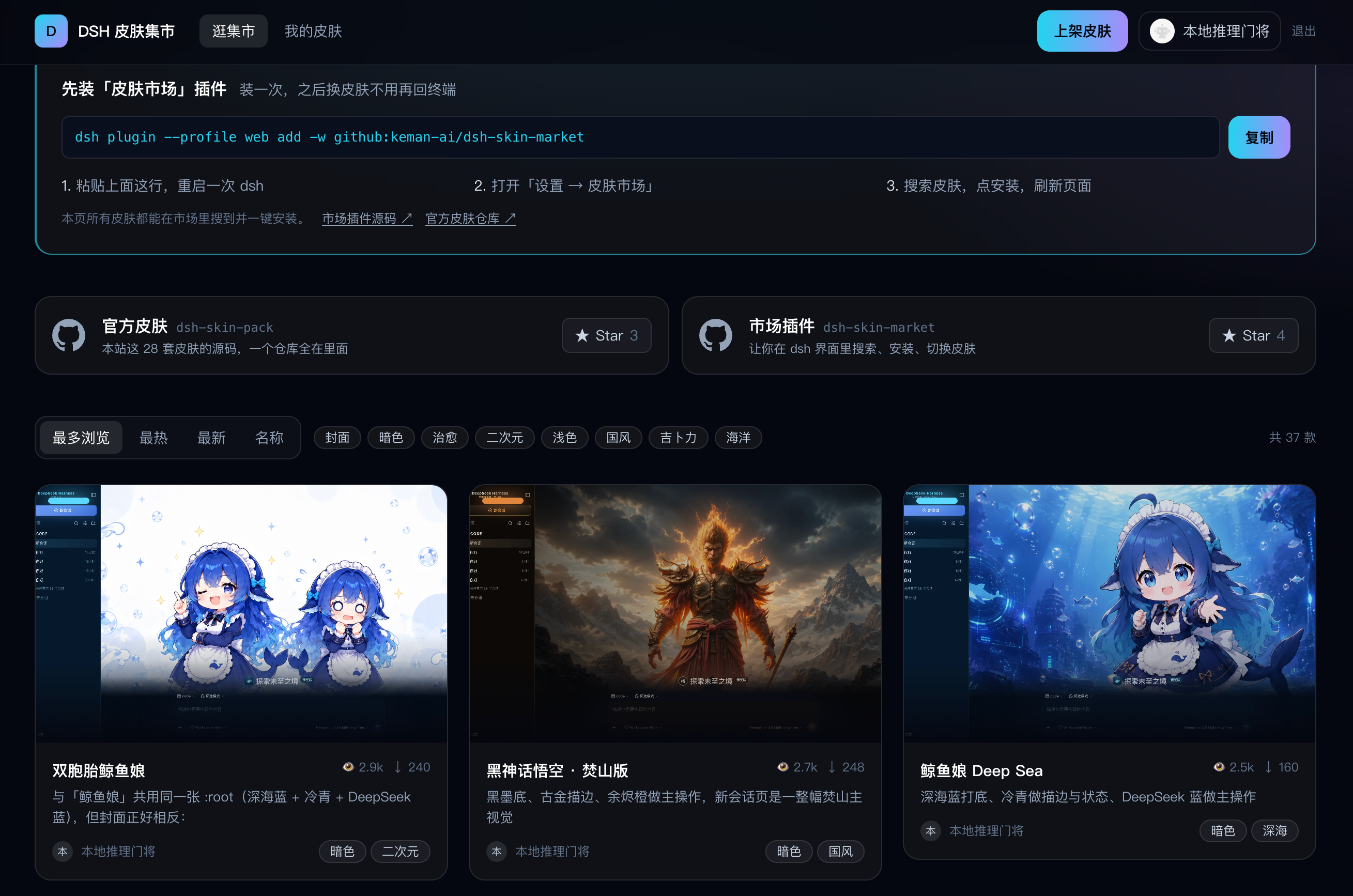
dsh.a2hmarket.ai — where the skin catalog comes from, no login required


English · 简体中文
If this is useful to you, a Star goes a long way
Three tabs
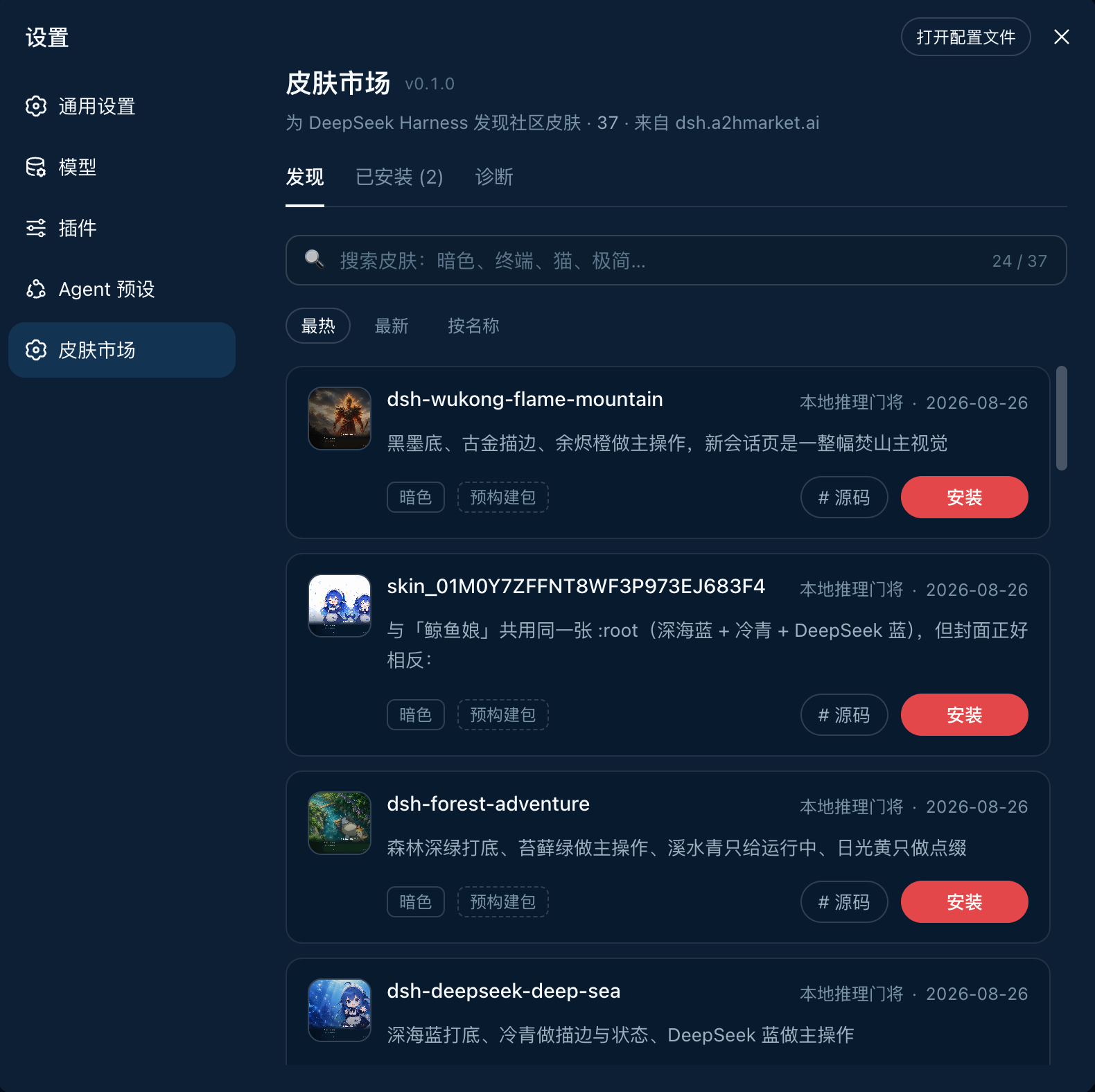
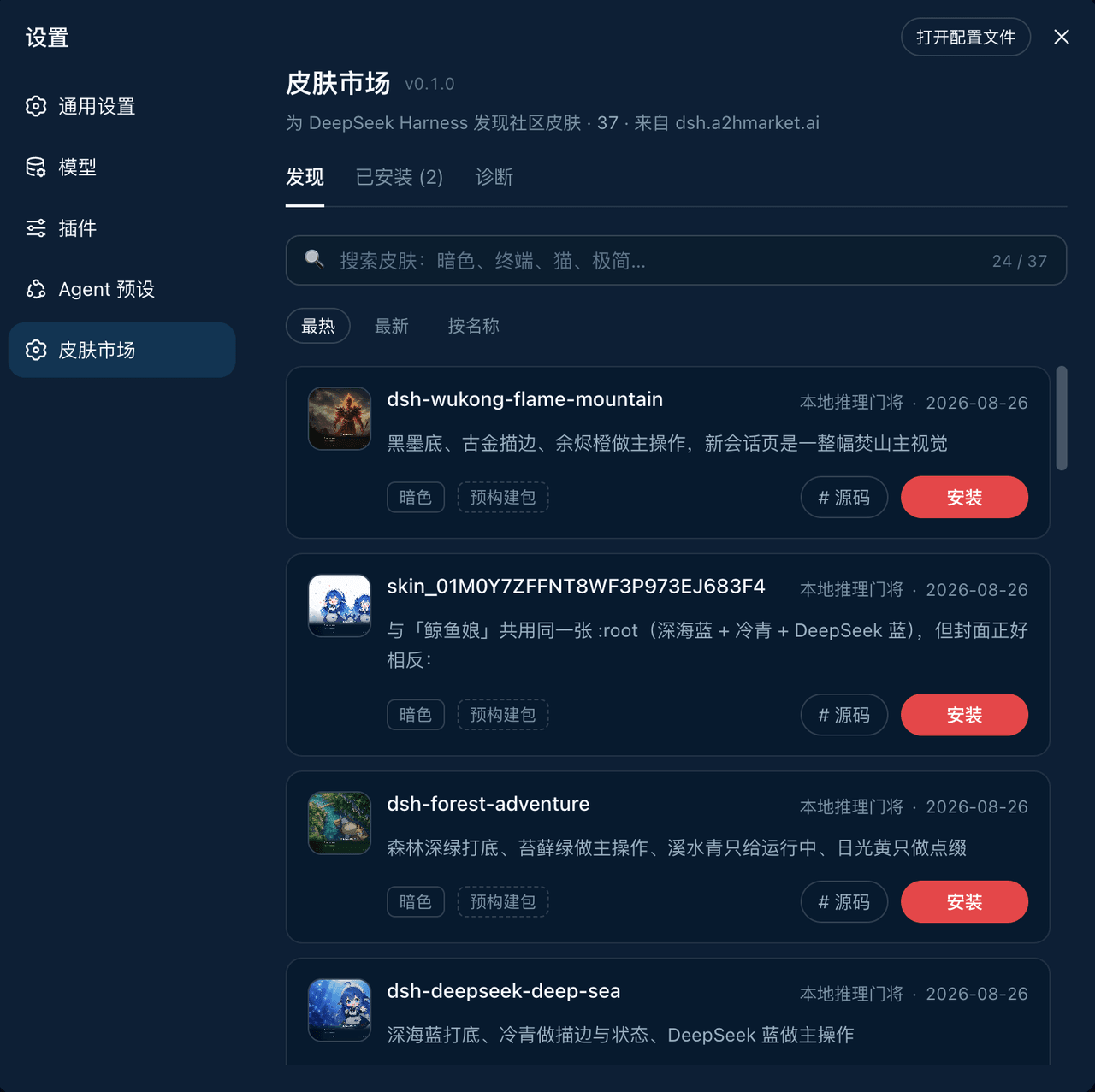
|
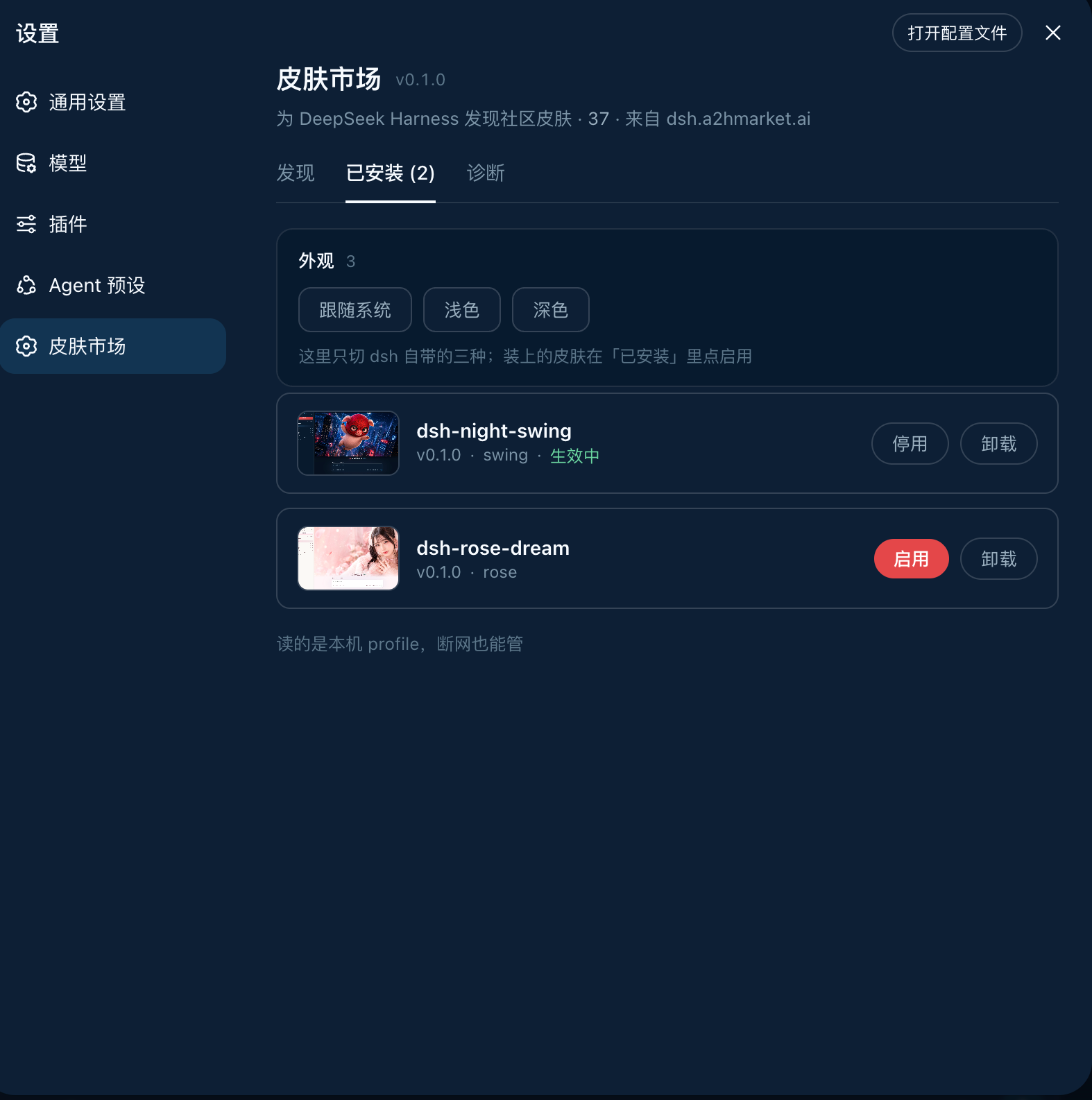
|
DiscoverSearch, sort, install in one click. Each card states whether the skin is a prebuilt package or built from source — so you know whether the click costs seconds or minutes before you make it. |
InstalledVersion, theme id, enable / disable, uninstall. It reads the local profile, so it works offline — even the previews are served locally, with no extra network use. |
Diagnostics · pnpm, the profile path, registry connectivity and the full output of the last install — the first screen to check when something will not install, and far more useful than a screenshot
The source of every official skin on the site lives in dsh-skin-pack.
Install
dsh plugin --profile web add -w github:keman-ai/dsh-skin-market
Restart dsh once, then open Settings → Skin Market.
dsh --profile web
From then on, installing a skin only takes a page refresh — no restart, no commands.
-wis not optional. The profile directory ships apnpm-workspace.yaml, so pnpm reads it as a workspace root and refuses to install (ERR_PNPM_ADDING_TO_ROOT).-wis the "yes, install into the root" declaration, anddsh pluginforwards it to pnpm verbatim. Both pnpm 8 and 10 need it.
The repository ships its build output (lib/) and has no prepare script, so pnpm runs no build script when installing from a git source and you never have to grant allowBuilds.
If you run harness from source, replace both dsh commands above with pnpm dsh inside the harness directory.
Uninstall
dsh plugin --profile web remove dsh-skin-market
Skins installed through the market do not disappear with it — they are independent dependencies in the profile, uninstalled individually from the market's Installed tab.
Requirements
Browsing needs only dsh and a network. Installing is what needs the command-line tools, because installing is fundamentally running pnpm on your behalf.
| Dependency | Requirement | What happens without it |
|---|---|---|
| DeepSeek Harness | 0.1.0-rc.6+ (tested on rc.7) |
Earlier versions lack settings.section and the browser module table, so the plugin cannot mount |
| profile | Must be the web profile | headless / tui bundles have no webServer, so the plugin never activates |
| Node.js | >= 20 (tested on 24) |
dsh's own requirement; the plugin does not raise it |
| pnpm | On PATH (tested on 8.15 and 10) |
Affects installing only. Diagnostics flags it red and the install button reports a clear error, while browsing and search continue |
| git | Only for GitHub-source skins | Most catalog skins now use Release tarballs (no git needed); only a few remain github:owner/repo sources |
| Network | dsh.a2hmarket.ai; also github.com for GitHub-source skins |
An unreachable registry falls back to the cache or bundled snapshot, and the page says so |
| Browser | Installing requires a direct local connection (loopback) | Remote access can browse and search; installing is refused |
The plugin itself has a single runtime dependency: yaml, used to read and write the profile's patch file.
Configuration
No configuration is needed by default. To change something, append a section to the profile's cordis.patch.yml ($DSH_HOME/profiles/web/cordis.patch.yml) overriding this plugin's row by id:
- id: skin-market
  name: dsh-skin-market
  config:
    # Point at a different registry (for a self-hosted catalog). Include the context path.
    catalogOrigin: https://dsh.a2hmarket.ai/dsh-skin
    # Turn this off for a read-only market: browsing and search work, and the install
    # button no longer touches your machine.
    allowInstall: true
Development
pnpm install
pnpm build     # → lib/index.js (host half) + lib/client.js (browser half)
pnpm check     # type check
pnpm test      # unit tests
After changing code, run pnpm build again and restart dsh. When the plugin is installed into a profile with link:, there is no need to add it again.
lib/ is committed on purpose: pnpm does not run build scripts for git sources by default, so a package without build output is missing its entry file and stops dsh from starting. Commit the pnpm build output along with your code changes.
The two halves
| File | Responsibility | |
|---|---|---|
| host | src/index.ts |
Mounts /skin-market/api/* on ctx.webServer: catalog proxy and cache, installed list, install/uninstall (streaming pnpm output over SSE), diagnostics |
| client | src/client/index.ts |
Registers settings.section, renders the list, search and install interactions |
The two halves talk over same-origin HTTP rather than ctx.remote — the remote capability set is fixed at api-remotes build time and third-party plugins cannot add to it.
lib/client.js is CJS in closure-factory form (window.__ModuleLoader__.load({ id, factory })); external dependencies such as React come from the host-injected require via the module table and are not bundled. That shape is dictated by dsh's module table, and tsdown.config.ts reproduces it.
Harness types
types/dsh.d.ts vendors the parts of the harness API we use, transcribed from the 0.1.0-rc.7 source with the origin noted at each site — these modules are all external at runtime, and the @deepseek-ai/dsh-client-* dependency chain on npm is currently incomplete and cannot be installed. When host behaviour disagrees with the declarations, check that file first.
Related
| dsh.a2hmarket.ai | The skin catalog site where authors publish. This plugin's catalog is fetched from it |
| dsh-skin-pack | The source of the official skins, all in one repository |
License
MIT © 2026 Science Roam Limited
If this is useful to you, a Star goes a long way
相关推荐Related
-
 kingOfSoySauce/dsh-skin-market
DeepSeek Harness skin market 皮肤市场 已收录200+DSH 皮肤 完善评分系统加人工审核,有便捷的社区收录入口;有在线页面方便在线浏览,也有插件方便管理本地皮肤
kingOfSoySauce/dsh-skin-market
DeepSeek Harness skin market 皮肤市场 已收录200+DSH 皮肤 完善评分系统加人工审核,有便捷的社区收录入口;有在线页面方便在线浏览,也有插件方便管理本地皮肤
-
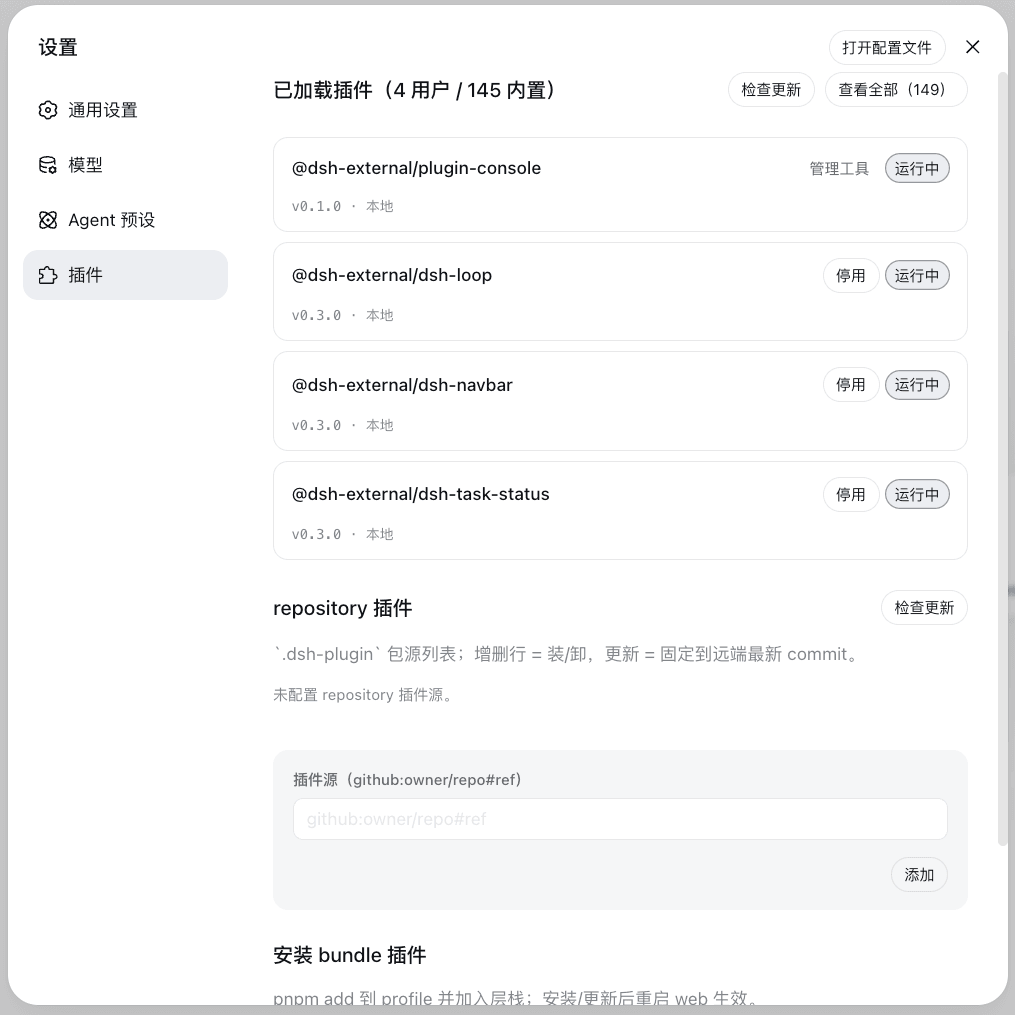 vlln/plugin-registry
DSH 插件生态基建:薄控制台(浏览器面板管理官方 repository 插件,0 patch)+ make-dsh-plugin skill 官方插件开发引导
vlln/plugin-registry
DSH 插件生态基建:薄控制台(浏览器面板管理官方 repository 插件,0 patch)+ make-dsh-plugin skill 官方插件开发引导
-
 FTShare-Lab/dsh_kline
面向 DeepSeek Harness 的交互式 K 线分析插件,支持多市场行情、技术指标、支撑压力位、新闻与基本面分析,并在原生侧栏中直接展示。
FTShare-Lab/dsh_kline
面向 DeepSeek Harness 的交互式 K 线分析插件,支持多市场行情、技术指标、支撑压力位、新闻与基本面分析,并在原生侧栏中直接展示。
-
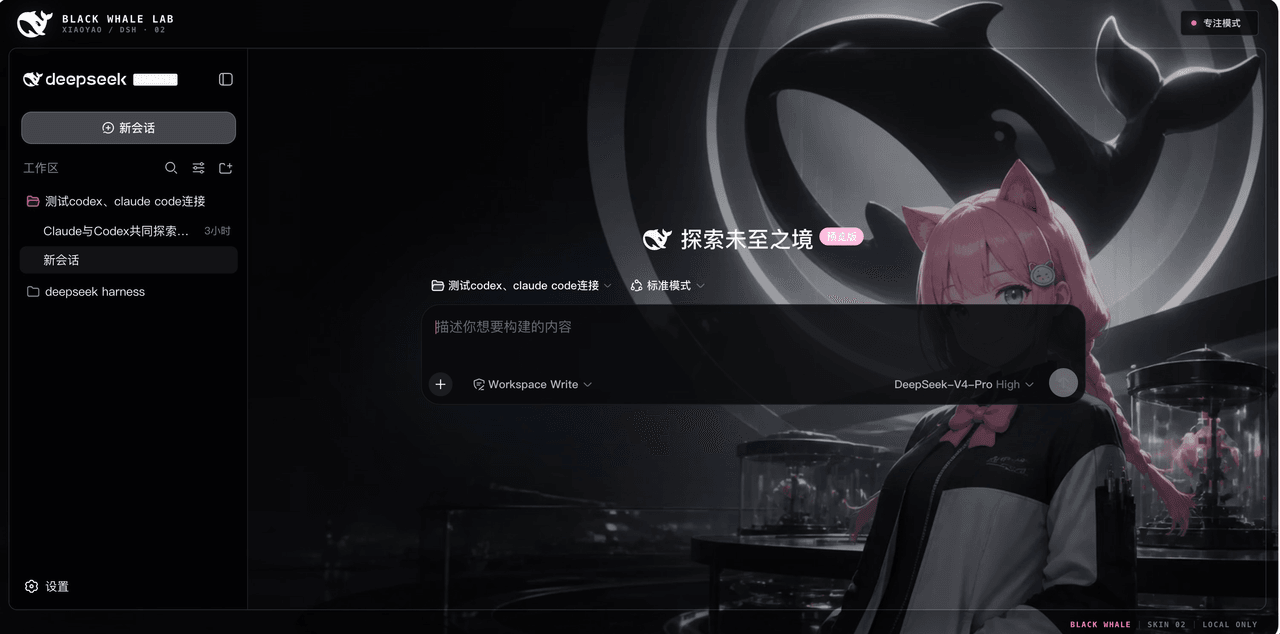 147228/dsh-xiaoyao-skins
夕小瑶 × DeepSeek Harness Web 皮肤合集、安装器与社区创作工具链
147228/dsh-xiaoyao-skins
夕小瑶 × DeepSeek Harness Web 皮肤合集、安装器与社区创作工具链
- vvlife/awesome-deepseek-harness-plugins A curated list of plugins, tools, skins, and extensions for DeepSeek Harness (DSH).
- dshplugin-me/dsh-plugin-radar Find DSH plugins by asking in plain language, then security-scan them before install
- tttnny/my-dsh DeepSeek Harness 插件合集:dsh-client-ui-deepseek-bg(仿 Harness 官网深色皮肤:极光/粒子鲸鱼/星座网格/玻璃拟态/Border Beam/Thinking Orbs)+ dsh-escal…
-
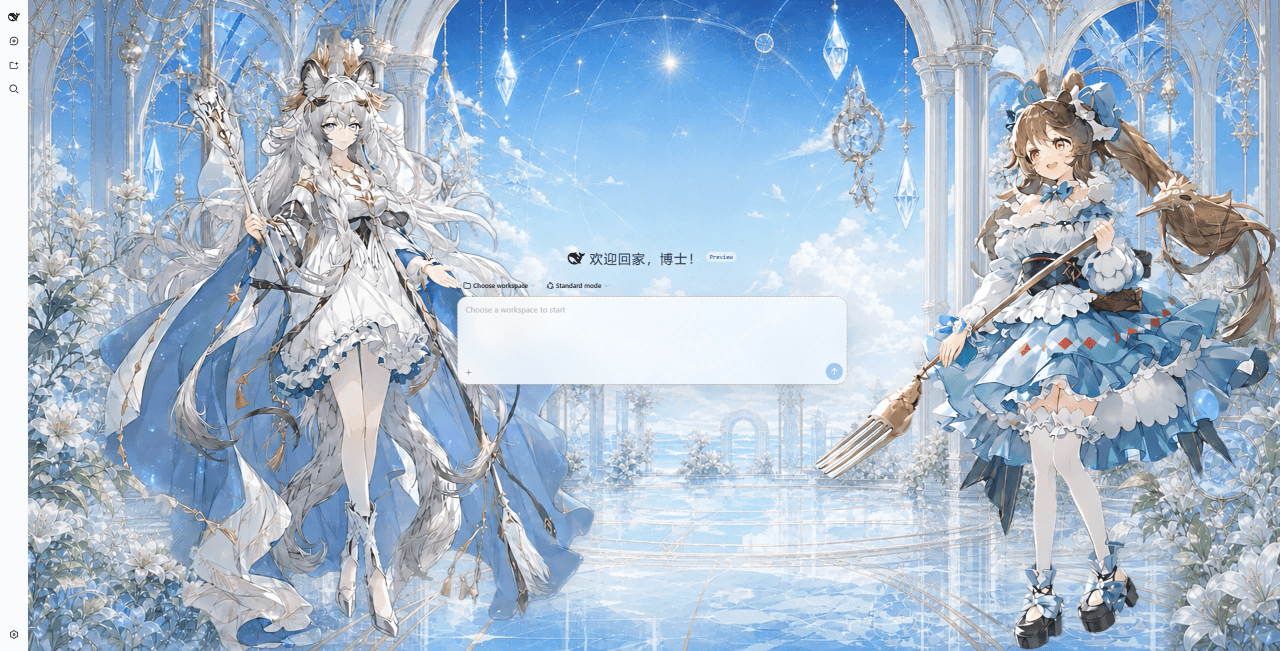 DocJlm/dsh-arknights
DSH Web 明日方舟主题皮肤合集,支持社区创作者提交 PR
DocJlm/dsh-arknights
DSH Web 明日方舟主题皮肤合集,支持社区创作者提交 PR