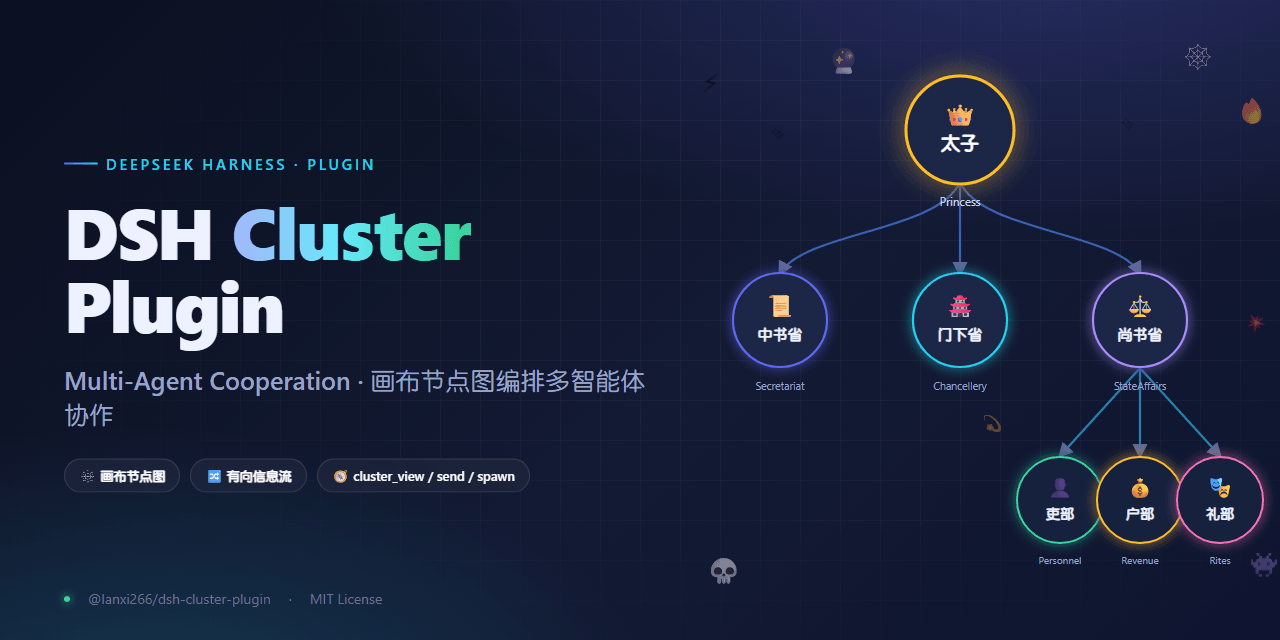
Lanxi26/dsh-cluster
画布式多智能体协作插件 | 基于画布的多智能体协作插件,适用于DeepSeek Harness
项目介绍Project Overview
DSH Cluster 是 DeepSeek Harness 的集群模式插件,用画布节点图编排多智能体协作:节点为智能体,有向边决定消息流向,并提供 cluster_view、cluster_spawn、cluster_send 三个工具。适合搭建单向或双向工作流、隔离信息流、按 single/multi/any 模式复用或新建实例。注意空图默认全开放,且需先安装官方 dsh-base 与 dsh-web-app。
DSH Cluster is a DeepSeek Harness plugin that adds cluster mode: a canvas node-graph for multi-agent collaboration. Nodes are agents with names, personas, and modes; directed edges define allowed message flows, while cluster_view, cluster_spawn, and cluster_send let agents inspect, create, and message instances. Use it to build constrained agent pipelines or workflows. Caveat: an empty graph is fully open, and it requires the official dsh-base and dsh-web-app bundles.
请帮我了解并安装插件:【dsh-cluster】【https://github.com/Lanxi26/dsh-cluster】把上面这条消息直接发给当前会话里的 DSH,让它帮你了解并安装。安装命令不一定准确,发给 DSH 更稳。Send this message to DSH in your current session. CLI install commands may not be accurate across systems — DSH will figure it out for you.
或使用命令行安装(适合开发者)Or use CLI install (for developers)
命令行安装CLI Install
dsh plugin --profile web add @lanxi266/dsh-cluster-plugin把 Lanxi26/dsh-cluster 加入你的 DSH 配置(web profile)即可启用。
READMEREADME
DSH Cluster Plugin
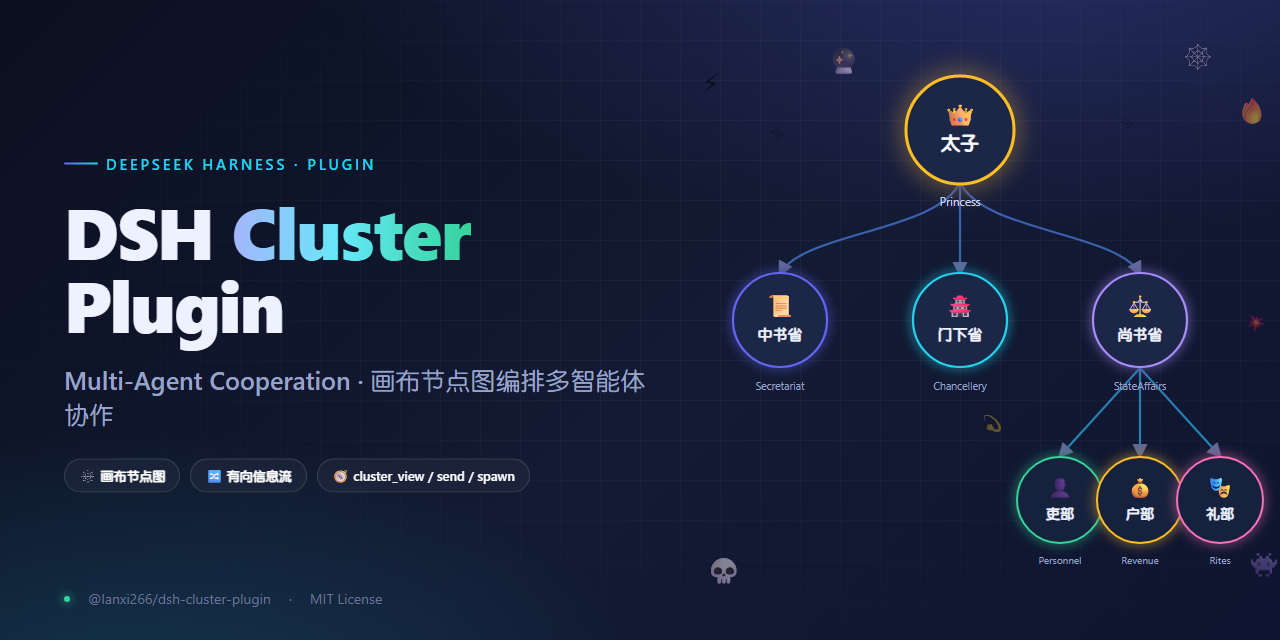
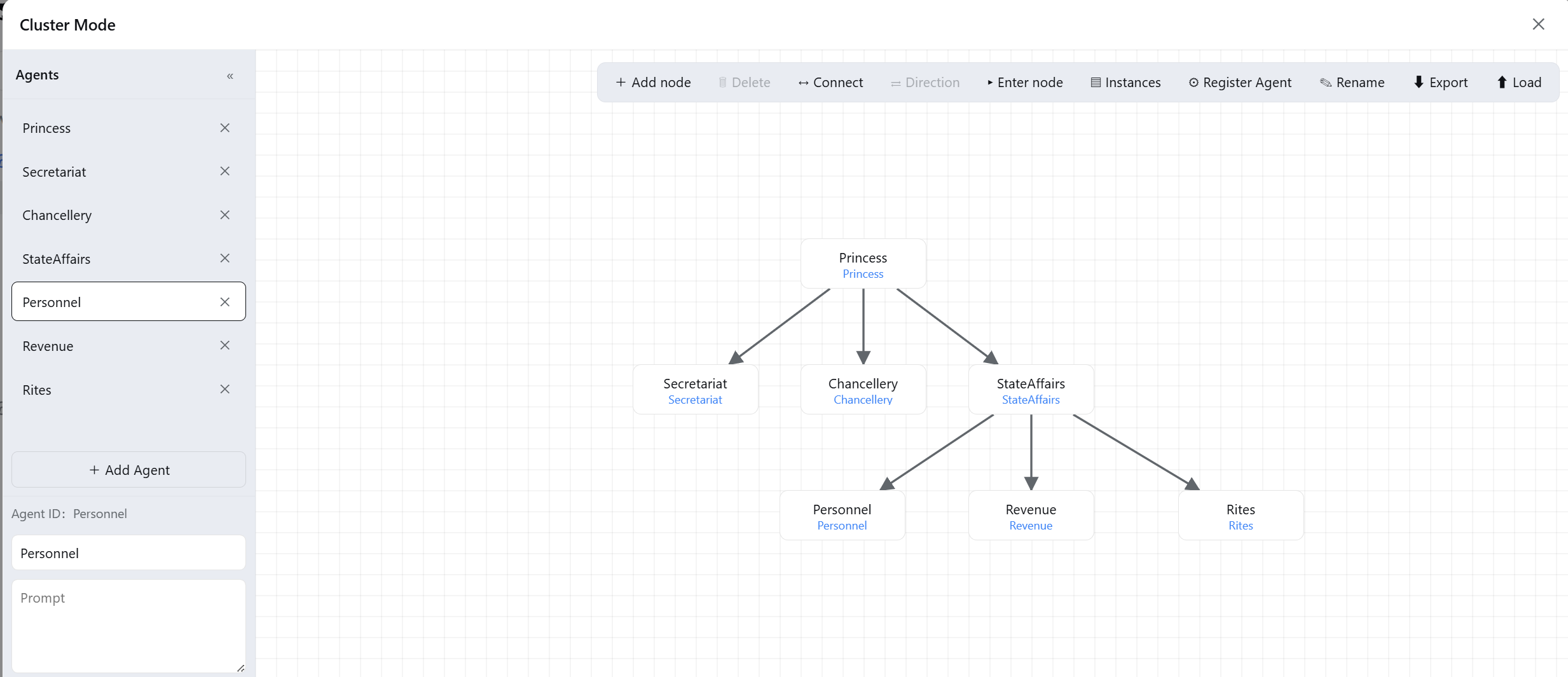
Cluster mode for DeepSeek Harness — a canvas node-graph for orchestrating multi-agent collaboration and information flow. Every node is an agent (with its own name, persona, and mode); the directed edges between nodes decide who can message whom.
The canvas
The three tools
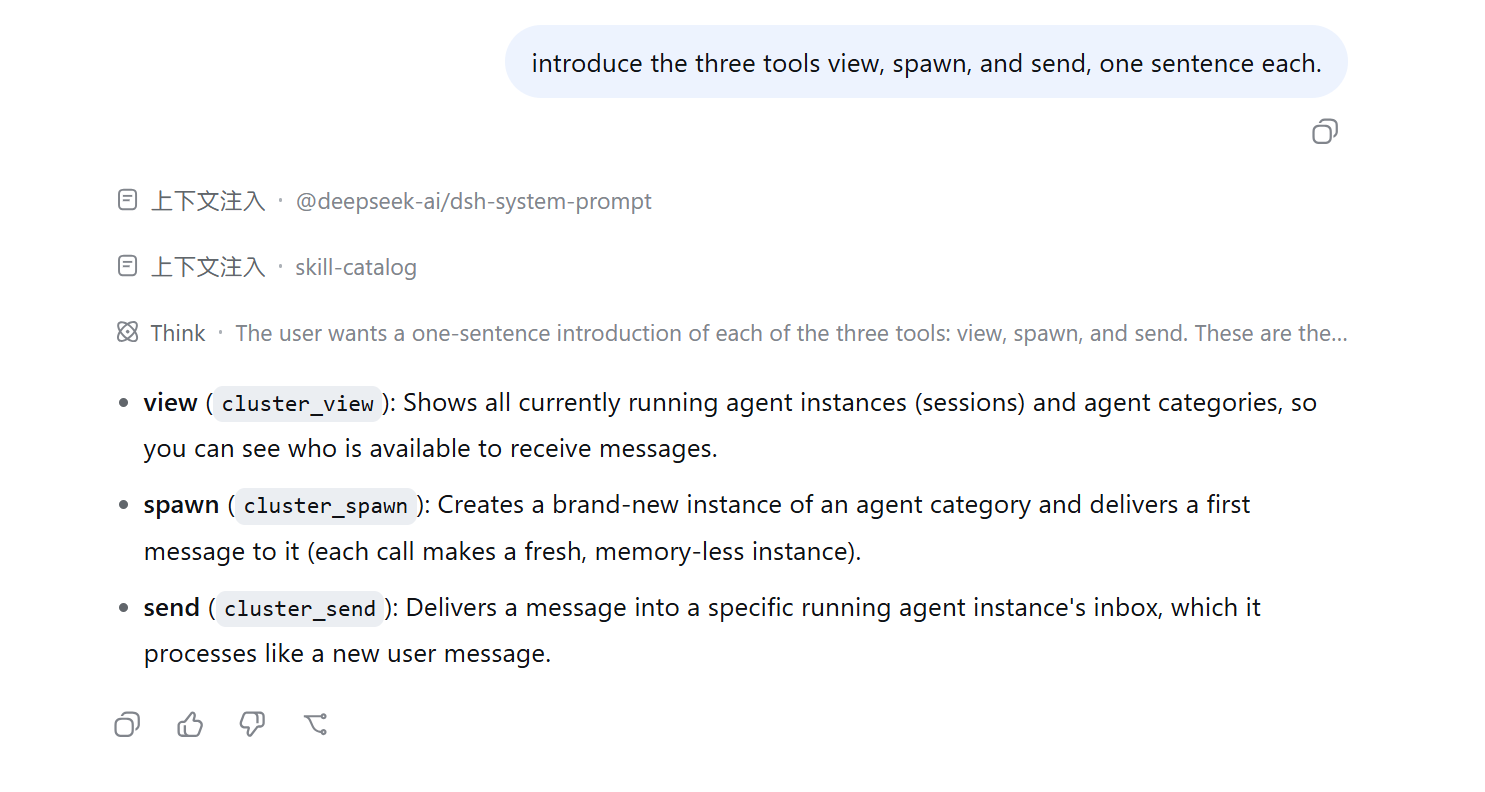
cluster_view— shows all running agent instances (sessions) and agent categories, so you can see who is available to receive messages.cluster_spawn— creates a brand-new instance of an agent category and delivers a first message to it (each call makes a fresh, memory-less instance).cluster_send— delivers a message into a specific running instance's inbox, which it processes like a new user message.
Features
- Canvas node-graph — add nodes, connect edges (one-way / two-way / none), bind agents, rename.
- Agent management — each agent has a
name,prompt(persona),mode, and optionalspace; auto-saved to$DSH_HOME/cluster-agents/<id>/agent.json. - Information-flow constraints — edges are directed and deny-by-default: only declared flows may
cluster_send/cluster_spawn; an empty graph is fully open. - Three agent modes:
single— address it withcluster_send(its most recent running session).multi— address it withcluster_spawn(a fresh instance each time).any— either.
- Export / load — export the graph and agent properties together (
.txtJSON, v2), then load them elsewhere to restore agents and write them back to disk. - Identity space — optionally attach a disk directory to an agent; its persona is told to browse that space first. Since the Agent panel on the canvas is intentionally simple, richer materials — Skills, scripts, long-term memory, personality files,
agent.md, etc. — can live in each agent's own space.
Install
Prerequisite: the profile already has the official @deepseek-ai/dsh-base + @deepseek-ai/dsh-web-app bundles.
dsh plugin --profile web add @lanxi266/dsh-cluster-plugin
Start it:
dsh --profile web web # or `dsh web`
Quick start
- Open dsh web and click the cluster icon in the bottom-left corner to open the canvas.
- In the Agents bar, add an agent (e.g. id
math_teacher), give it a name and persona, pick a mode. - Double-click the canvas to add a node, bind it to an agent, then connect nodes (drag A → B means A can message B).
- Enter a node: the agent receives your persona plus a workflow hint, and uses
cluster_view/cluster_send/cluster_spawnto collaborate. - The last link (whose
cluster_viewshows only itself) is told to produce the final result directly, so the pipeline terminates.
How information flows
- An edge = an allowed flow.
A → Bmeans A can message B; B cannot message A back (unless the edge is two-way). cluster_viewonly shows yourself + your downstream, so a downstream agent cannot see upstream — it can only pass messages further down.- No edges = fully open (handy to try things out before adding constraints).
Packages
| Package | Role |
|---|---|
@lanxi266/dsh-cluster-agent-fs |
Host filesystem service: reads/writes agent.json, persists the graph, exposes the Remote endpoints |
@lanxi266/dsh-tool-cluster |
Host tools: cluster_view / cluster_send / cluster_spawn + persona injection |
@lanxi266/dsh-client-ui-cluster |
Browser canvas: cluster icon, node-graph, agent editor |
@lanxi266/dsh-cluster-plugin |
bundle: just a cordis.patch.yml that inserts the three rows above into a profile |
Requirements
- Node ≥ 22.19 (official DSH requirement)
- Official DSH runtime:
@deepseek-ai/dsh-base,@deepseek-ai/dsh-web-app(the@deepseek-ai/dsh-*series is provided by DSH itself)
License
MIT
Note
The author is a Java programmer, so this project was completed by DeepSeek-V4-Pro-High, costing 36.62 RMB / 5.39 USD (before the price increase). There may be many bugs — please be understanding, and feel free to fix bugs locally with Vibe-Coding. This project is open-sourced under the MIT license.
相关推荐Related
-
 nexu-io/open-design
🎨 Best DeepSeek Harness Design Plugin. The open-source Claude Design alternative. 🖥️ Local-first desktop app. 🖼️ Your…
nexu-io/open-design
🎨 Best DeepSeek Harness Design Plugin. The open-source Claude Design alternative. 🖥️ Local-first desktop app. 🖼️ Your…
-
 freestylefly/awesome-gpt-image-2
Prompt as Code | GPT-Image2 工业级提示词引擎与模板库,530+ 个案例逆向工程,20+ 套工业级模板,并提炼出Skills,持续更新中
freestylefly/awesome-gpt-image-2
Prompt as Code | GPT-Image2 工业级提示词引擎与模板库,530+ 个案例逆向工程,20+ 套工业级模板,并提炼出Skills,持续更新中
-
 anywhere-labs/dsh-desktop
为 DeepSeek Harness (DSH) 插件生态打造的现代化桌面端解决方案。万物皆「插件」,桌面本身也是「插件」。
anywhere-labs/dsh-desktop
为 DeepSeek Harness (DSH) 插件生态打造的现代化桌面端解决方案。万物皆「插件」,桌面本身也是「插件」。
- Nagi-ovo/voyager Enhancement suite for Gemini, AI Studio, Claude & ChatGPT — plus a prompt manager for any web UI, DeepSeek Harness inclu…
-
 walkinglabs/learn-harness-engineering
Harness engineering beginner tutorial, from 0 to 1
walkinglabs/learn-harness-engineering
Harness engineering beginner tutorial, from 0 to 1
-
 awesome-dsh-plugin/awesome-dsh-plugin
A curated list of plugins for DeepSeek Harness (dsh) · DeepSeek Harness 插件精选列表
awesome-dsh-plugin/awesome-dsh-plugin
A curated list of plugins for DeepSeek Harness (dsh) · DeepSeek Harness 插件精选列表
-
 MemTensor/MemOS
Self-evolving memory OS for LLM & AI Agents: ultra-persistent memory, hybrid-retrieval, and cross-task skill reuse, with…
MemTensor/MemOS
Self-evolving memory OS for LLM & AI Agents: ultra-persistent memory, hybrid-retrieval, and cross-task skill reuse, with…
- yjh051108/dsh-routing-suite dsh-routing-suite — injector + router-standard kit: install the runtime injector first, then the task-aware reasoning-mo…