LarryE135/dsh-flash-presets
通过补充强约束抑制模型的过度思考倾向,减少因为过度思考产生的浪费,同时通过调整压缩逻辑高全局注意力
Project Overview项目介绍
DSH Flash 精简 presets is a DSH-native preset repository for the DeepSeek Harness agent runtime, shipping two agent presets tuned for token usage on flash-class routes: flash-lean-ptc-v2 (recommended baseline for DSH 0.2.0, theoretically backwards compatible) and flash-lean-ptc-v1 (the 0.1.7-and-earlier baseline kept for comparison and rollback). The repository ships two install shapes and an installer that selects automatically: on DSH ≥ 0.1.7-rc.1 the presets are inserted as insert: rows into <DSH_HOME>/profiles/<profile>/cordis.patch.yml inside a managed block (the web template hot-reloads after a GUI refresh; other templates need a restart), while older DSH versions receive the legacy directory form presets/legacy-0.1.5/<name>/ copied into <DSH_HOME>/.agent-presets/<name>/. Both presets expose the PTC tool surface (every tool invoked programmatically through run_code) and apply hard behavioural rules plus compaction thresholds: v2 keeps 20k at threshold 0.25 with 12 rules (step budget ≤20, probe sooner, one consolidated verification per deliverable, ship smallest viable artifact first, pack independent calls into one program), while v1 keeps 50k at threshold 0.3 with 14 rules. The non-PTC flash-lean preset has been removed in v0.2.0; users needing it should pull the 0.1.0-generation tags.
The intended workflow is to git clone the repository, run bash scripts/install.sh on Linux, macOS, WSL or Git Bash, or powershell -NoProfile -ExecutionPolicy Bypass -File scripts\install.ps1 on Windows PowerShell 5.1+ or PowerShell 7, with optional flags --profile headless (default web), --legacy, --uninstall, and DSH_HOME=/path/to/.dsh (PowerShell equivalents -Profile, -Legacy, -Uninstall, -DshHome). The installer is idempotent: it first writes a timestamped cordis.patch.yml.bak-<timestamp> backup, then replaces the managed block wholesale so duplicate inserts never appear, and the legacy directory installer renames an existing same-named preset before copying. After install, users run node scripts/verify-presets.mjs (structure, cross-platform regression, install-form autodetection, no third-party deps), node scripts/verify-yaml.mjs (YAML parse plus key-value assertions, needs npm install --no-save js-yaml@4), bash scripts/selftest.sh (19-item end-to-end suite covering version scheme, install/idempotent/uninstall byte-for-byte restoration, legacy, release gating), and node scripts/check-ps1.mjs (PowerShell static review without needing pwsh). The first [安装] 检测到: … line confirms which mechanism is active, or dsh --profile web --dump-config | grep -A3 'id: preset-flash-lean-ptc-v2' checks the combined profile directly. The target audience is DSH users on the v4.1 flash route who run algorithm tasks or long instruction-heavy sessions and want to suppress the model's tendency to overthink while preserving output quality.
Dependencies are minimal: Node must be on PATH because DSH itself requires it; verify-yaml additionally needs js-yaml@4 installed via npm without saving, while verify-presets, selftest.sh, and check-ps1.mjs carry no third-party requirements, and the bash and PowerShell installers share the same Node merger scripts/merge-presets.mjs. CI runs the full verification matrix on ubuntu, windows, and macos for both install mechanisms, and .gitattributes pins *.sh to LF and PowerShell scripts to CRLF so Windows clones still execute install.sh cleanly. BENCH-STD same-batch three-arm comparisons (3 algorithm tasks plus 5 tool probes) show v2 costing 0.13x-0.63x of the stock standard preset on the official track with full marks across every delivered unit, while on the harder USACO 2026 Platinum comparison the lean preset saves about 7% of tokens at the cost of roughly 8% of the score, so users should stick with standard for contest-level tasks and use these presets for everyday lean tasks. Limitations are explicit: the presets target v4.1 flash only and rely on the PTC tool surface, cross-batch comparisons are directional only and not strictly comparable, and the repository is MIT-licensed at version 0.2.0 dated 2026-09-30 with the next published tag inheriting v0.1.0 from the same generation.
pluginClass: native
reason: DSH-specific packaging (dsh-flash-presets), writes into cordis.patch.yml patch layer — built for DSH only.
DSH Flash 精简预设(dsh-flash-presets)是面向 DeepSeek Harness 的 DSH 原生预设仓库,专为 flash 级路由的 token 效率优化而设计,仓库自带两套 agent 预设文件形态,自动按版本对应机制分发:DSH ≥ 0.1.7-rc.1 时把两个预设以 insert 条目写入 <DSH_HOME>/profiles/<profile>/cordis.patch.yml 的托管块,web 模板支持 live reload,刷新 GUI 即可看到,其它模板需要重启;DSH < 0.1.7 时自动回退到复制 presets/legacy-0.1.5/<name>/ 到 <DSH_HOME>/.agent-presets/<name>/ 的旧目录式安装。
典型工作流是 clone 仓库后运行 bash scripts/install.sh(Linux/macOS/WSL/Git Bash)或 powershell -NoProfile -ExecutionPolicy Bypass -File scripts\install.ps1(Windows PowerShell 5.1+/7),安装器会先备份 cordis.patch.yml.bak-时间戳,再整块替换并管理幂等,安装后用 node scripts/verify-presets.mjs、node scripts/verify-yaml.mjs、bash scripts/selftest.sh 与 node scripts/check-ps1.mjs 做结构、YAML 与端到端校验。它面向 v4.1 flash 用户与需要在算法题或长任务中压低 token 与步数、抑制过度思考倾向的使用者,预设集为 flash-lean-ptc-v2(推荐,压缩 0.25/保留 20k、12 条行为硬约束)与 flash-lean-ptc-v1(基线,0.3/50k、14 条规则),两版均基于 PTC 工具面。
依赖方面要求 Node 在 PATH 上(DSH 本身依赖),verify-yaml 需要 npm install --no-save js-yaml@4,verify-presets 无第三方依赖;scripts/install.sh 支持 --profile headless/web、--legacy、--uninstall、DSH_HOME= 自定义路径,PowerShell 端提供对应的 -Profile、-Legacy、-Uninstall、-DshHome 参数。限制方面仅适配 v4.1 flash、preset 内部的 PTC 工具面(所有工具均通过 run_code 编程式调用),non-PTC 的 flash-lean 已在 v0.2.0 移除;高难题侧会出现成本省 7% 但分数掉 8% 的情况(如 USACO 2026 Platinum 对照),仓库为 MIT 许可。
请帮我安装这个 DSH 插件。安装前先完成【兼容性检查 + 安全性检查】,检查通过再动手。

插件:dsh-flash-presets(LarryE135/dsh-flash-presets)
仓库:https://github.com/LarryE135/dsh-flash-presets
本站详情页:https://www.yhbd.top/plugins/larrye135-dsh-flash-presets/
本站登记:类型 plugin · 归类 原生 DSH 插件 · 许可证 MIT · ⭐ 7 · 最近提交 2026-10-02 · 主语言 JavaScript · 未检测到 DSH 插件清单

按下面顺序执行,每步先把结论告诉我,再进入下一步:

【1 兼容性检查】
① 我这边:DSH 版本、Node 版本、操作系统、当前 profile(web / desktop)。
② 读它的 README、package.json、插件 manifest,列出它要求的 DSH 版本 / Node 版本 / 操作系统 / 外部依赖 / 需要另外先装的运行时。
③ 逐条比对,结论只写「满足 / 不满足 / 未知」三种;不满足的给出可行替代方案。
④ 检查是否和我已装的插件冲突:命令名重复、skill / tool 重名、端口占用、重复注册的 MCP server。

【2 安全性检查】
① 仓库可信度:和上面「本站登记」是否一致;star / fork 数、创建时间、最近提交,是否归档或长期停更。
② 安装脚本:逐行看 package.json 的 preinstall / install / postinstall,以及 install.sh、setup.ps1 之类脚本。出现 curl|bash、下载后直接执行、混淆代码、访问与插件功能无关的域名,立刻停下来告诉我,不要继续装。
③ 依赖:列出新增依赖,标出无人维护、或与知名包拼写近似的可疑包(typosquatting)。
④ 权限与副作用:它会读写哪些目录、访问哪些域名、需要哪些 DSH 权限(filesystem / network / shell / clipboard 等),以及怎么卸载和回滚。
⑤ 如果它要求 sudo / 管理员权限,或权限明显超出功能所需,先停下来问我。

【3 安装】
上面两步没有「不满足」和「高危项」时才执行;用官方推荐方式安装,不要自行提权。

【4 汇报】
用表格输出:检查项 / 结论 / 依据 / 是否需要我决策。拿不准的一律写「未知」并说明要我怎么确认——不要猜,也不要替我决定。
Send this message to DSH in your current session: it verifies compatibility and security first (answering met / not met / unknown item by item) and only installs once everything checks out — it will stop and ask you if it finds a high-risk item. The box scrolls; the copy is the full prompt. CLI install commands may not be accurate across systems, so DSH is the safer route.把上面这条消息直接发给当前会话里的 DSH:它会先核对兼容性与安全性(逐条给「满足 / 不满足 / 未知」),确认没问题再安装,有高危项会停下来问你。框内可滚动,复制到的是完整提示词;安装命令不一定准确,发给 DSH 更稳。
- Only 7 stars - very few users, little community feedback星标只有 7,几乎没人在用,遇到问题缺少社区反馈
- No DSH plugin manifest detected - it may only carry the dsh-plugin topic, so the install method must be confirmed on the spot未检测到 DSH 插件清单:可能只是打了 dsh-plugin 话题,安装方式要现场确认
DSH walks through these 9 checksDSH 会逐条核对这 9 项
Compatibility兼容性
- DSH, Node, OS and profile requirementsDSH 版本 / Node 版本 / 操作系统 / profile 是否满足要求
- External dependencies and runtimes (Electron / Python / Docker, ...)外部依赖与运行时(Electron / Python / Docker 等)是否齐备
- Conflicts with installed plugins: command names, skill / tool names, ports, duplicate MCP registration与已装插件是否冲突:命令名、skill / tool 重名、端口占用、重复 MCP 注册
Security安全性
- Repo matches the facts registered here; archived or abandoned?仓库是否与页面登记一致,是否归档或长期停更
- Safety of preinstall / install / postinstall and install.sh / setup.ps1preinstall / install / postinstall 与 install.sh、setup.ps1 是否安全
- curl|bash, download-then-execute, obfuscation, unrelated domains → stop immediatelycurl|bash、下载即执行、混淆代码、无关域名 → 立刻停止
- Typosquatting or unmaintained packages among the new dependencies新增依赖里有没有 typosquatting 或无人维护的包
- Requested permissions vs. what the feature actually needs申请了哪些权限、是否超出功能所需(filesystem / network / shell / clipboard)
- Any sudo / admin requirement, plus uninstall and rollback是否要求 sudo / 管理员权限,以及卸载与回滚方式
Anything uncertain must be marked unknown with a note on how to confirm it. This site's signal screen is a static snapshot, not a security audit.拿不准的必须标「未知」并说明要我怎么确认。本站的信号筛查是静态快照,不能替代安全审计。
Or use CLI install (for developers)或使用命令行安装(适合开发者)
CLI Install命令行安装
dsh plugin --profile web add github:LarryE135/dsh-flash-presets把 LarryE135/dsh-flash-presets 加入你的 DSH 配置(web profile)即可启用。
READMEREADME
DSH Flash 精简预设 — 我问大肥鱼对了错了,她说省了
当前版本:v0.2.0(2026-09-30 · 精简 PTC 预设分 v1/v2 两版,附 8 用例基准数据与端到端自测)

为 DeepSeek Harness(DSH)准备的两个 agent 预设,面向 flash 级路由做 token 效率优化:
flash-lean-ptc-v2— 现行推荐(适配0.2.0版本,理论向下兼容)。PTC 工具面(所有工具经run_code编程式调用)+ 12 条行为硬约束;压缩阈值 0.25 / 保留 20k,并加了步数预算(≤20 步)、少想多试、一次合并验证、先交最小可行产物、PTC 打包指引。flash-lean-ptc-v1— v1 基线(适配0.1.7及以前版本)。同为 PTC 工具面 + 14 条硬约束,压缩阈值 0.3 / 保留 50k;保留用于对照与回退。
前言: 结合AA榜单上的Token efficiency和日常使用不难看出,Deepseek v4.1 flash在有过渡思考倾向的同时,意图理解较差(注意,不是指令遵从度)。在喜闻乐见的MC Benchmark中,作者仅在新的提示词中加上一句“这是一个新项目,不要参考已有的项目”,模型就直接理解为不能选用Three.js这样成熟的技术栈(且完全没有征求我的意见),而是选择自研WebGL引擎,一连开了两个对话都是这样(供应商为官方)。加上v4.1flash能力并不差,容易给人一种“时神时鬼”的感觉。实际使用时除了Linux环境外,v4.1f高度依赖准确的提示词或其他能力更强模型的指导。
特点: 通过卡预算和增加约束的方式避免在所有任务上都进行“雷霆大思考”,对于能力范围内的任务,本预设可以用比标准或PTC预设更低的预算完成任务,且基本维持产出质量,比较适合用于难度不高的日常事务(lean-ptc效果最好)。
BENCH-STD 同批三臂对照(8 用例 = 3 道算法题 + 5 个工具探针;计费输入单位 M tokens)
| 批次 | 用例 | 标准 | 精简·PTC v1 | 精简·PTC v2 |
|---|---|---|---|---|
| ① 官方 | p14833 构造 + p15264 大数据构造 | 61.9M | 37.9M(−39%) | 11.2M(−82%) |
| ② 官方 | p17244 提交答案型(n=3 中位) | 3.9M | 3.7M(−7%) | 2.0M(−50%) |
| ③ 第三方 | p14833 构造 + probe1 批量读取 | 37.6M | 14.3M(−62%) | 7.9M(−79%) |
判分:以上交付单元全部满分(含官方隐藏测试与大数据形态测试)。同批内可比、跨批不可比; 批次③里 p15264 三臂判负或未交付、p17244 的 v2 臂被中途中止,均未计入。
可以看到,在面对明确超出能力的题(竞赛级、需要交付尽可能多部分分),标准预设更值得——它至少保证"写得出、交得上";而本预设适合圈内任务——同批实测省 50–80% 且判分不掉;高难题侧的代价参考:USACO 2026 Platinum 两轮合计,标准 51.5/80 分、51.4M,精简·PTC 47.5/80 分、48.0M(省 7% 成本但掉 8% 分)
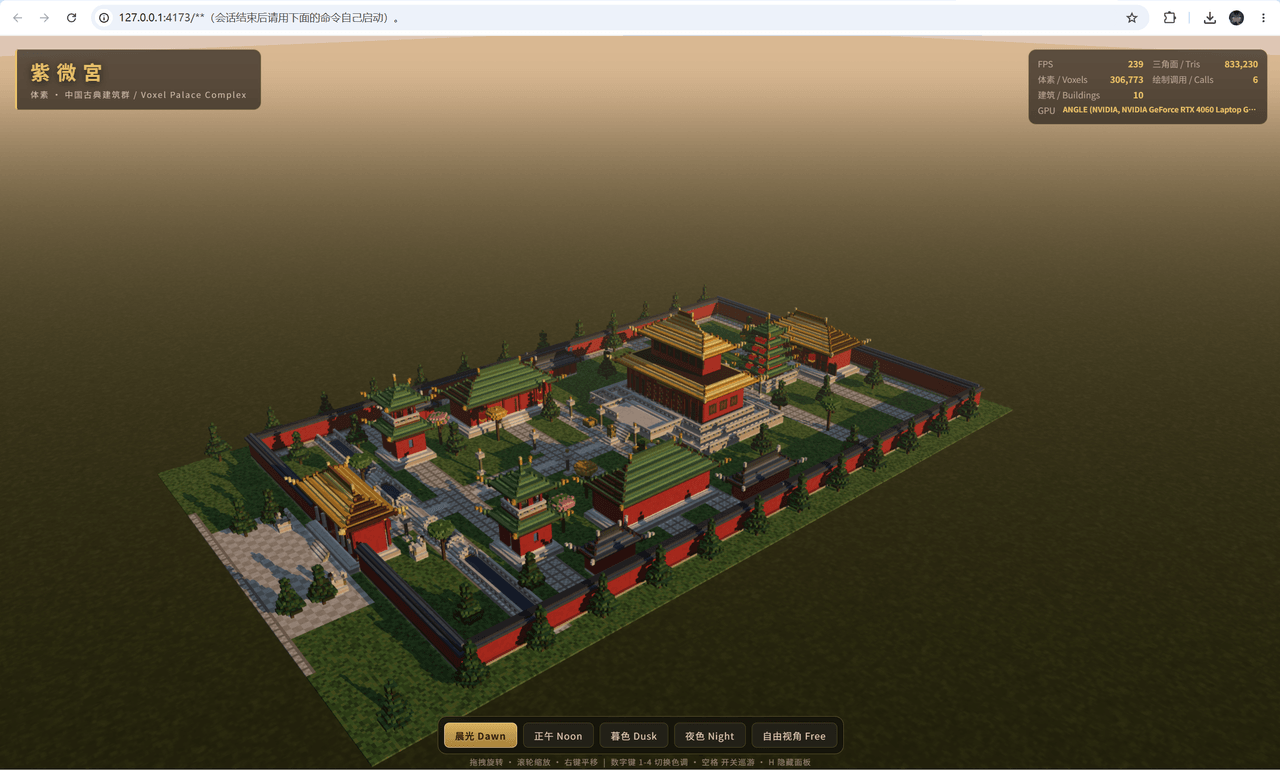
这点对Oneshot样例也有效:
图一使用lean-PTC预设(v1),报告的Token消耗为5.3M,耗时14m37s,42步
图二使用PTC模式,报告的Token消耗为8.3M,耗时40m45s,60步(环境均为WSL,先执行特殊预设,且工具链一致)
Showing the opening section of the README — the full document lives in the repository以上为 README 开头摘要,完整文档在仓库内 · View the full README on GitHub →在 GitHub 查看完整 README →
Related相关推荐
-
 chuspeeism/dashi-taskboard
现代化可灵活嵌入的任务面板,支持 Codex、DeepSeek Harness
chuspeeism/dashi-taskboard
现代化可灵活嵌入的任务面板,支持 Codex、DeepSeek Harness
-
 zhoushoujianwork/easyeda-agent
嘉立创EDA专业版(EasyEDA Pro)自动化:给 AI harness 装上画板的「手」—— 一套 typed 原理图/PCB 动作,CLI / Agent Skill / stdio MCP 三形态融合接入。承接嘉立创「不以卖板赚钱…
zhoushoujianwork/easyeda-agent
嘉立创EDA专业版(EasyEDA Pro)自动化:给 AI harness 装上画板的「手」—— 一套 typed 原理图/PCB 动作,CLI / Agent Skill / stdio MCP 三形态融合接入。承接嘉立创「不以卖板赚钱…
-
 morluto/rea
Reverse engineer anything with agents, from app behavior down to native binaries.
morluto/rea
Reverse engineer anything with agents, from app behavior down to native binaries.
-
 gitroomhq/postiz-agent
Postiz Agents CLI - connect it to Claude / OpenClaw / etc, to schedule social media posts 🤖
gitroomhq/postiz-agent
Postiz Agents CLI - connect it to Claude / OpenClaw / etc, to schedule social media posts 🤖
-
 linhay/harmony-next.skills
Offline HarmonyOS NEXT developer skill library for AI coding assistants. Covers API 12–26 declarations, ArkTS/ArkUI, NDK…
linhay/harmony-next.skills
Offline HarmonyOS NEXT developer skill library for AI coding assistants. Covers API 12–26 declarations, ArkTS/ArkUI, NDK…
-
 yzlnew/infra-skills
A collection of specialized agent skills for AI infrastructure development, enabling Claude Code to write, optimize, and…
yzlnew/infra-skills
A collection of specialized agent skills for AI infrastructure development, enabling Claude Code to write, optimize, and…
-
 liceses/dsh-gitbash-preset
DeepSeek Harness 插件:一键安装「极简模式 (Git Bash)」agent preset —— 把 DSH 自带极简模式中的 bash 调用映射到 Git for Windows 的 bash(MSYS),让 Window…
liceses/dsh-gitbash-preset
DeepSeek Harness 插件:一键安装「极简模式 (Git Bash)」agent preset —— 把 DSH 自带极简模式中的 bash 调用映射到 Git for Windows 的 bash(MSYS),让 Window…
-
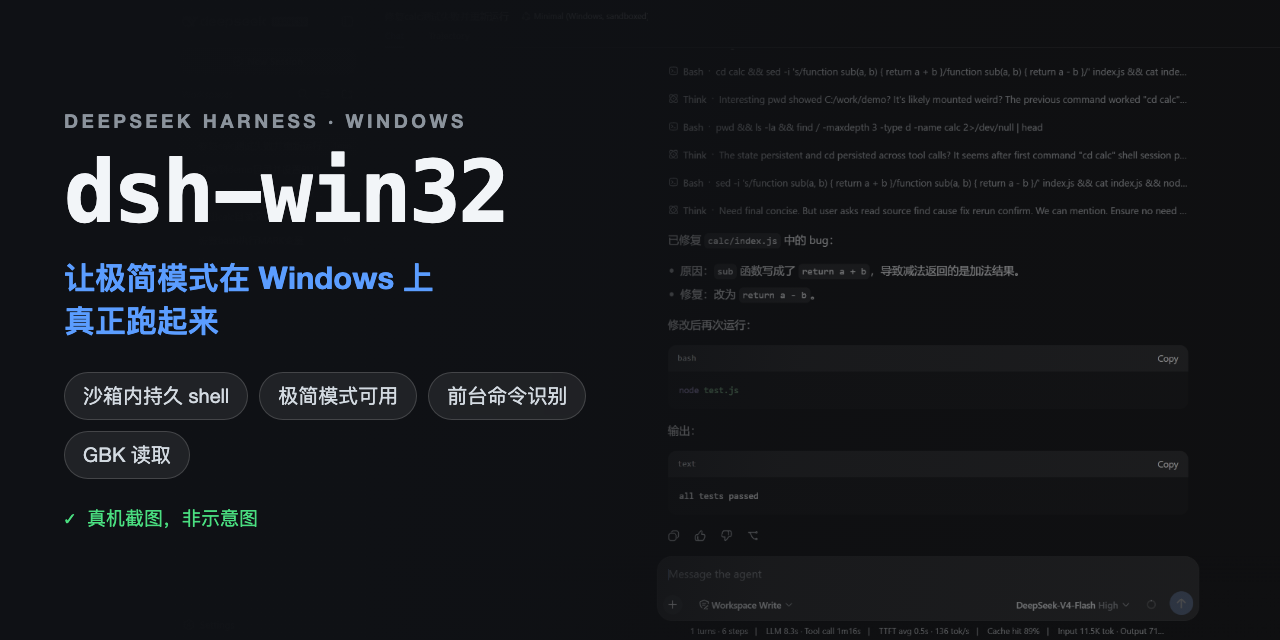 sjh9714/dsh-win32
Fix and diagnose DeepSeek Harness on native Windows. Official PowerShell, Workspace Write, shortcuts, and legacy preset …
sjh9714/dsh-win32
Fix and diagnose DeepSeek Harness on native Windows. Official PowerShell, Workspace Write, shortcuts, and legacy preset …