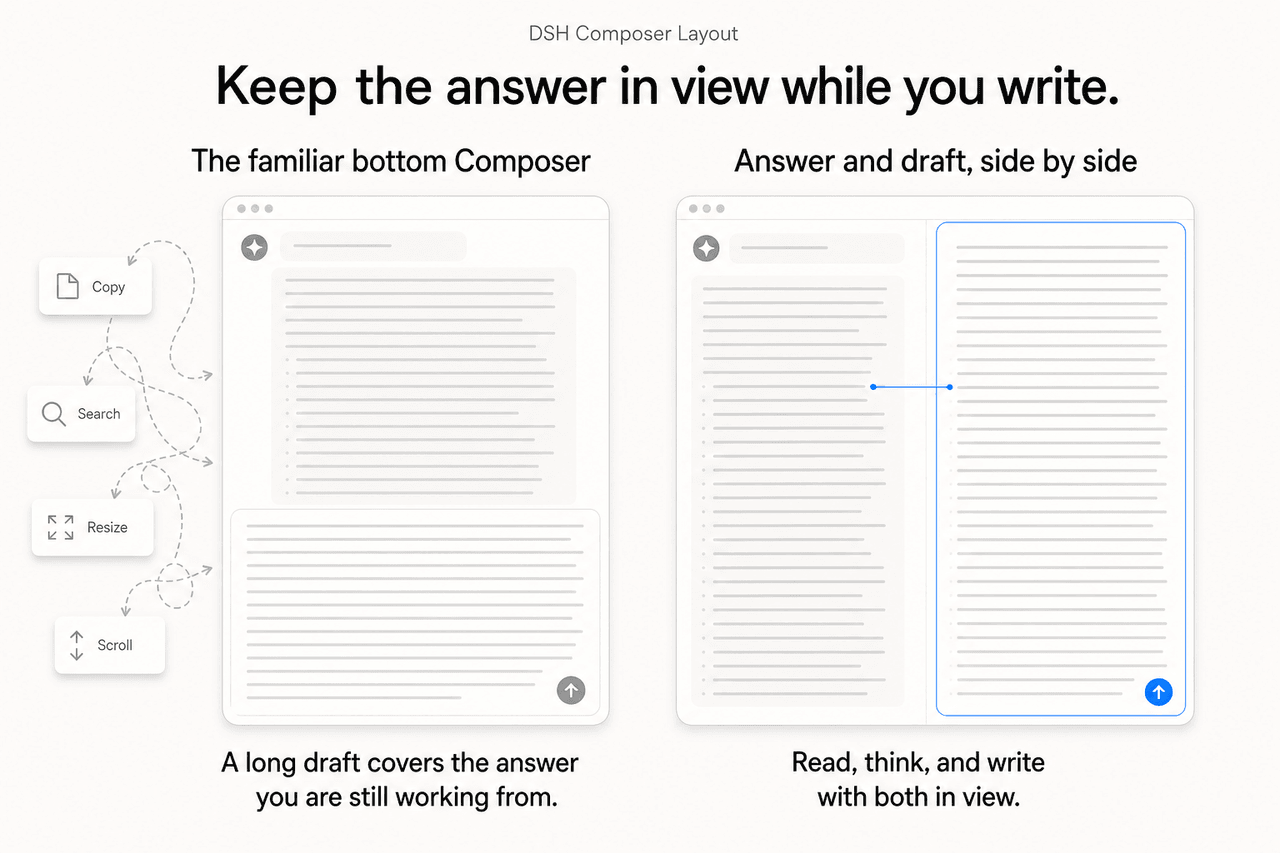
lavapapa/dsh-composer-layout
A DSH Web plugin that keeps long answers and detailed prompts side by side with a dockable Composer.
项目介绍Project Overview
DSH Composer Layout 是一款 DeepSeek Harness Web 插件,让 Composer 在底部或右栏停靠。核心能力是右栏分屏,长答案与草稿并列显示。适用于桌面端长文写作或持续引用上下文的场景。注意:仅 UI 布局插件,不改模型、提示与 token 计算;需 DSH Web 0.1.0-rc.8,启用后须重启 Web profile。
DSH Composer Layout is a DeepSeek Harness Web plugin that docks the Composer at the bottom or in a right-side column. Its core capability is the side-by-side layout, giving long answers and the growing draft separate vertical space. Use it for desktop long-form writing or any task that needs the conversation visible while drafting. It is presentation-only, so it adds no model tools, prompt changes, or token-altering behavior, and the Web profile must be restarted after enabling.
请帮我了解并安装插件:【dsh-composer-layout】【https://github.com/lavapapa/dsh-composer-layout】把上面这条消息直接发给当前会话里的 DSH,让它帮你了解并安装。安装命令不一定准确,发给 DSH 更稳。Send this message to DSH in your current session. CLI install commands may not be accurate across systems — DSH will figure it out for you.
或使用命令行安装(适合开发者)Or use CLI install (for developers)
命令行安装CLI Install
dsh plugin --profile web add dsh-composer-layout@0.1.6把 lavapapa/dsh-composer-layout 加入你的 DSH 配置(web profile)即可启用。
READMEREADME
DSH Composer Layout
English · 简体中文


Keep the answer in view while you write. Dock Composer to the right so the answer and your growing draft can stay side by side.
DeepSeek Harness Web plugin that lets the Composer stay at the bottom or dock in a right-side column. The chat and Composer keep their own space, while the normal DSH model, permission, quota, session, and tool behavior remains intact.
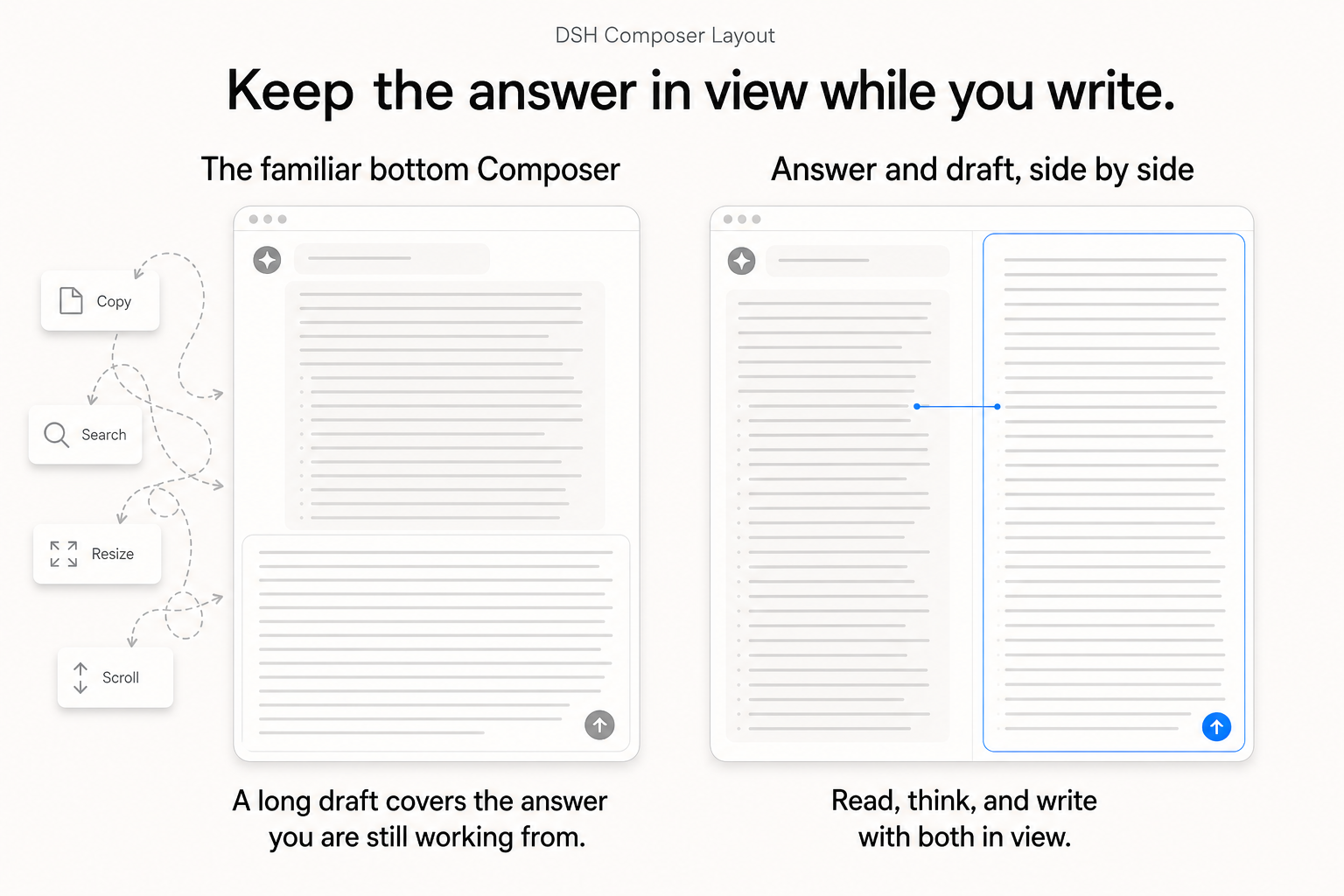
Why a side-by-side Composer?
The familiar bottom Composer works well when both the answer and the next message are short. Once either one grows, they have to compete for the same vertical strip: a long answer pushes the input away, while a long draft hides the material it is supposed to reference. The work then turns into compensation—copy a detail out, resize the input, scroll back to recover context, search for the passage just read, and repeat.
This is especially wasteful on a desktop. Most desktop displays are wide; horizontal room is usually available, while the height shared by a growing answer, a growing draft, and browser chrome is scarce. A vertical layout spends the abundant dimension poorly and makes the constrained one do all the work.
Docking Composer to the right gives reading and writing separate vertical space. The conversation can stay visible as it grows; the draft can become as detailed as the task requires. The important change is simultaneous access: read a passage, think through it, and shape the corresponding part of the next prompt without losing either surface. It is a small layout change that removes a recurring interruption from long-form work.
See it in DSH
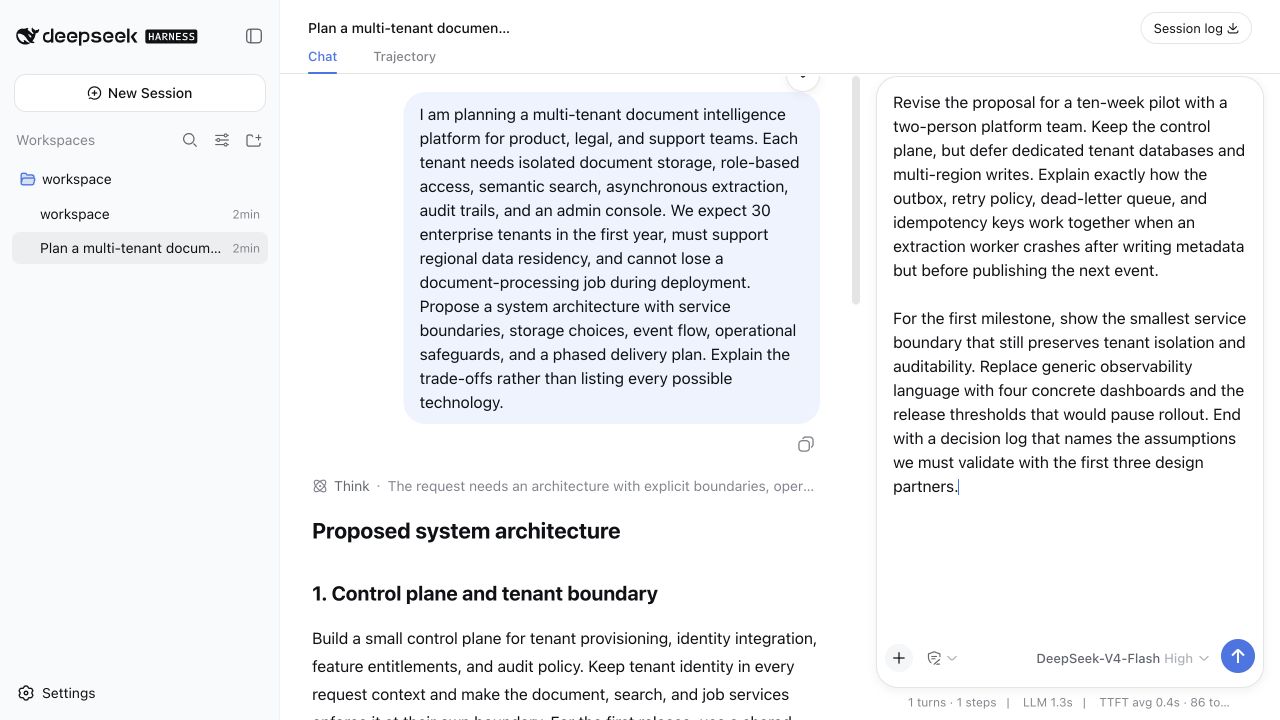
What it adds
- Bottom and right-side Composer placement from Settings → Plugins → Composer Layout.
- A visible docking handle; in the right layout it also resizes the Composer pane.
- Per-session placement and manually resized right-pane width when “Remember this session layout” is enabled.
- When the window cannot fit both columns, temporarily stack the Composer while retaining a layout rail; the remembered right-side layout returns automatically once width is available again.
- In the right-side layout, close slash/reference candidates before another Composer popup opens, so model, access, and context panels do not overlap them.
The plugin is presentation-only: it does not add model-facing tools, change prompts, or alter token accounting.
Install
Install from npm
Once published, npm installs use the same prebuilt package as the GitHub release:
dsh plugin --profile web add dsh-composer-layout@0.1.6
dsh web --profile web
Install directly from GitHub
DSH installs the plugin bundle directly from a GitHub repository; pinning the command to v0.1.6 makes the installed source explicit and repeatable.
dsh plugin --profile web add "github:lavapapa/dsh-composer-layout#v0.1.6"
dsh web --profile web
Then open Settings → Plugins → Composer Layout and select Right side. Restarting the Web profile is required because DSH does not hot-reload profile patches.
The repository ships the prebuilt host and browser artifacts used by this command, so installation does not need an install-time build step. To confirm that DSH added the bundle to the intended profile:
dsh --profile web --dump-config
Release asset and updates
The GitHub Release also contains a .tgz package for an offline or inspected install:
dsh plugin --profile web add /path/to/dsh-composer-layout-0.1.6.tgz
dsh web --profile web
For a later version, remove the installed package, then add the new npm version, tag, or release asset:
dsh plugin --profile web remove dsh-composer-layout
dsh plugin --profile web add dsh-composer-layout@0.1.6
# or: dsh plugin --profile web add "github:lavapapa/dsh-composer-layout#v0.1.6"
dsh web --profile web
The plugin requires the 0.1.0-rc.8 DSH Web package line. Version 0.1.6 was built and checked against DSH Web 0.1.1-rc.2.
Development
The repository intentionally commits the generated lib/ artifacts used by GitHub installs. The plugin owns its implementation under src/; run pnpm typecheck, pnpm build, and pnpm test before publishing. Each release is also checked in a clean matching DSH checkout.
Related links
License
MIT. See LICENSE.
相关推荐Related
-
 ruvnet/ruflo
🌊 The original agent meta-harness. Deploy intelligent multi-player swarms, coordinate autonomous workflows, and build c…
ruvnet/ruflo
🌊 The original agent meta-harness. Deploy intelligent multi-player swarms, coordinate autonomous workflows, and build c…
-
 amruthpillai/reactive-resume
A one-of-a-kind resume builder that keeps your privacy in mind. Completely secure, customizable, portable, open-source a…
amruthpillai/reactive-resume
A one-of-a-kind resume builder that keeps your privacy in mind. Completely secure, customizable, portable, open-source a…
-
 volcengine/OpenViking
Self-evolving Context Database for AI Agents. Unify Agent Memory, Knowledge RAG and Skills.
volcengine/OpenViking
Self-evolving Context Database for AI Agents. Unify Agent Memory, Knowledge RAG and Skills.
-
 Molunerfinn/PicGo
:rocket: The Ultimate Image Uploader for Efficient Creators. Supports Obsidian, Typora, VS Code etc. and 60+ image hosti…
Molunerfinn/PicGo
:rocket: The Ultimate Image Uploader for Efficient Creators. Supports Obsidian, Typora, VS Code etc. and 60+ image hosti…
-
 titanwings/colleague-skill
将冰冷的离别化为温暖的 Skill,欢迎加入数字生命1.0!Transforming cold farewells into warm skills? It's giving rebirth era. Welcome to Digital …
titanwings/colleague-skill
将冰冷的离别化为温暖的 Skill,欢迎加入数字生命1.0!Transforming cold farewells into warm skills? It's giving rebirth era. Welcome to Digital …
-
 nocobase/nocobase
NocoBase is an open-source AI + no-code platform for building business systems fast. Instead of generating everything fr…
nocobase/nocobase
NocoBase is an open-source AI + no-code platform for building business systems fast. Instead of generating everything fr…
-
 Tencent/WeKnora
Open-source LLM knowledge platform: turn raw documents into a queryable RAG, an autonomous reasoning agent, and a self-m…
Tencent/WeKnora
Open-source LLM knowledge platform: turn raw documents into a queryable RAG, an autonomous reasoning agent, and a self-m…
- Nagi-ovo/voyager Enhancement suite for Gemini, AI Studio, Claude & ChatGPT — plus a prompt manager for any web UI, DeepSeek Harness inclu…