LeemanCheung/dsh-skin-studio
本地安全令牌的DSH主题生成器、编辑器、审计器和导出器
项目介绍Project Overview
dsh-skin-studio 是本地优先的 DSH 皮肤工作室,可在设置页编辑、审计、预览、保存并导入导出 --dsw-alias-* 明暗主题;支持图片取色、WCAG AA 检查、锁定令牌、撤销重做和 .dshskin JSON。需要定制或分享 DSH 主题时使用。注意:导入仅解析受校验 JSON,远程 CRUD 面向同一可信 DSH Web 组合,并非授权边界。
dsh-skin-studio is a local-first DSH Skin Studio for creating, auditing, previewing, persisting, importing, and exporting semantic --dsw-alias-* light/dark themes. It offers token editing, image palette sampling, WCAG AA checks, locks, undo/redo, and strict .dshskin JSON. Use it when customizing or sharing DSH themes. Caveat: imports are parsed as validated JSON only, and Host remotes trust clients in the same DSH Web composition rather than providing an authorization boundary.
请帮我了解并安装插件:【dsh-skin-studio】【https://github.com/LeemanCheung/dsh-skin-studio】把上面这条消息直接发给当前会话里的 DSH,让它帮你了解并安装。安装命令不一定准确,发给 DSH 更稳。Send this message to DSH in your current session. CLI install commands may not be accurate across systems — DSH will figure it out for you.
或使用命令行安装(适合开发者)Or use CLI install (for developers)
命令行安装CLI Install
dsh plugin --profile web add github:LeemanCheung/dsh-skin-studio把 LeemanCheung/dsh-skin-studio 加入你的 DSH 配置(web profile)即可启用。
READMEREADME
dsh-skin-studio
English | 中文
A local-first DSH Skin Studio for creating, auditing, previewing, persisting, importing, and exporting semantic --dsw-alias-* light/dark themes.
Screenshot
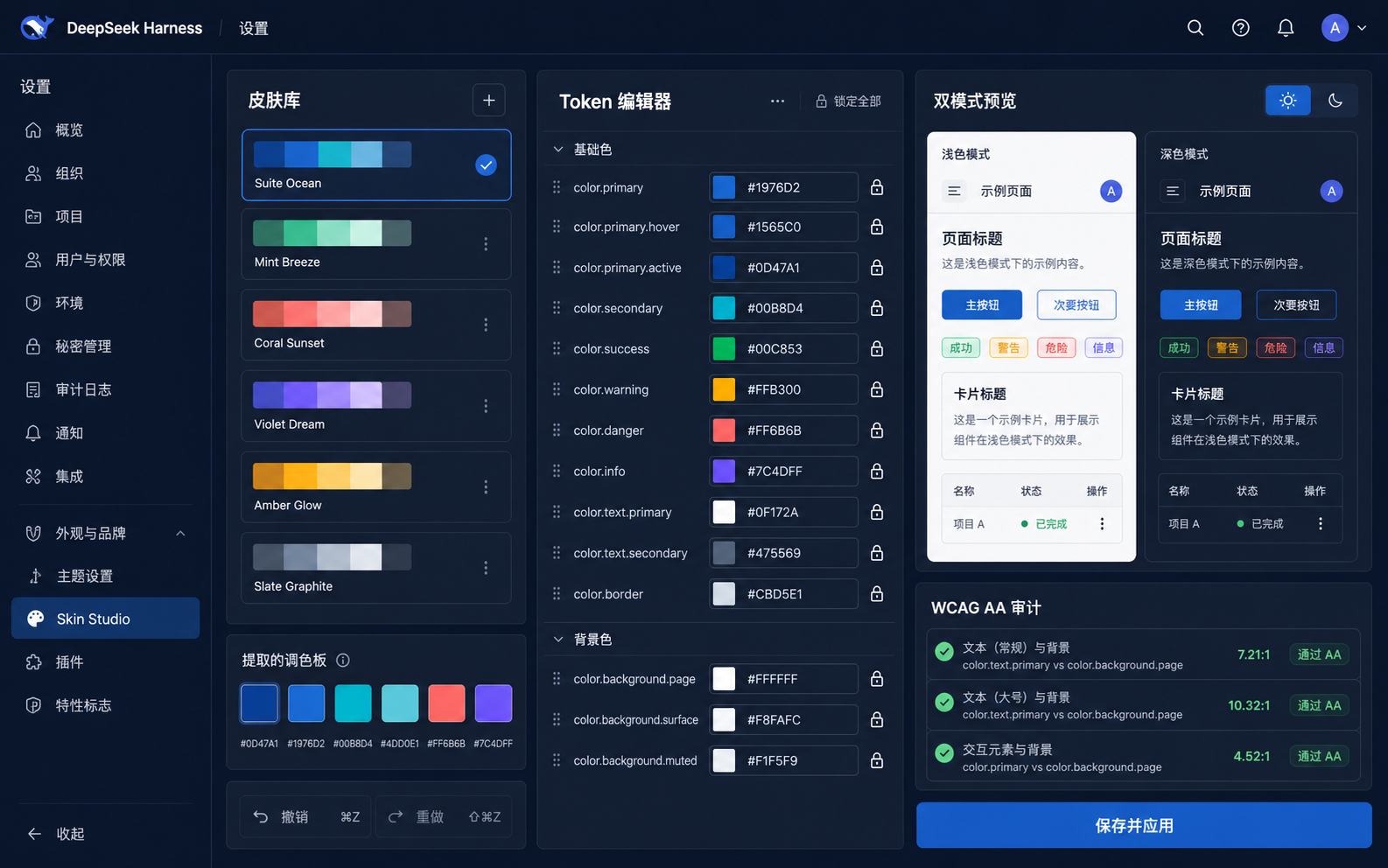
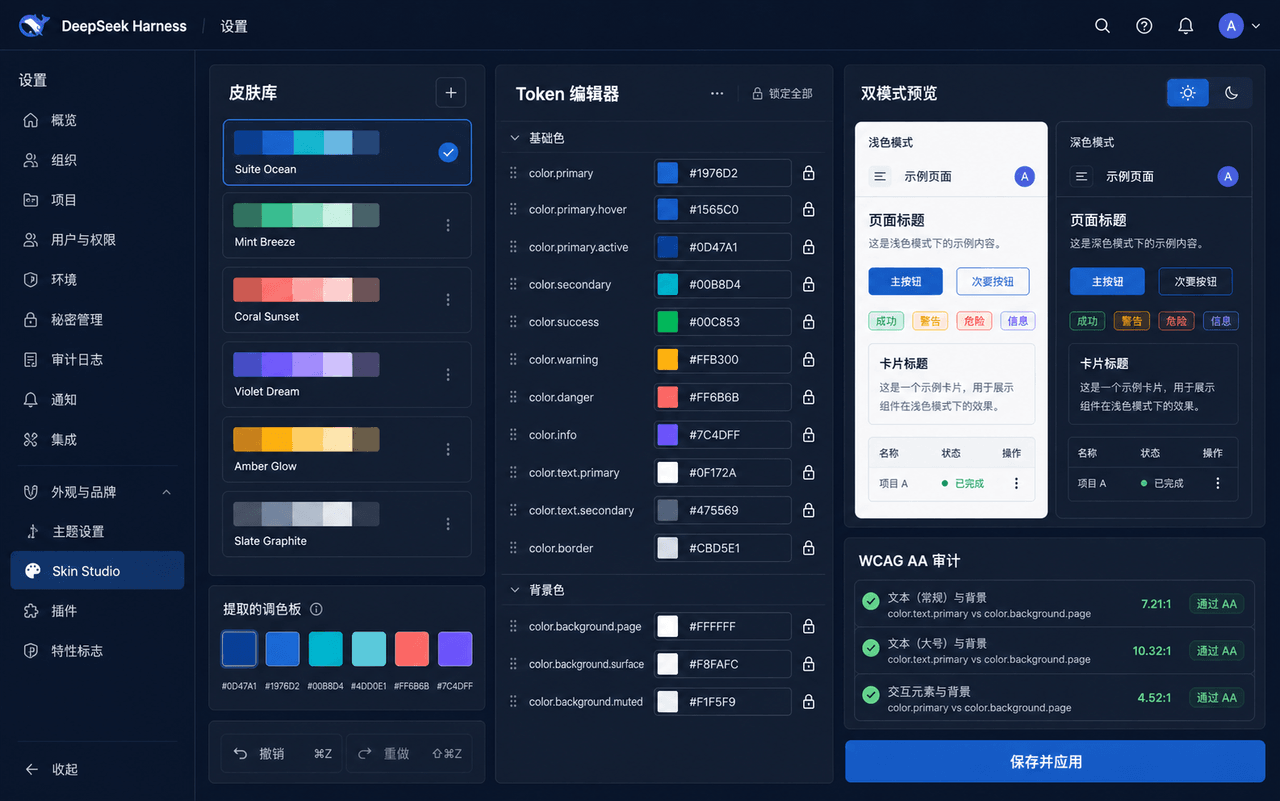
Generated with GPT Image from the implemented Client layout and feature set; runtime appearance follows the active DSH theme and viewport.
Features
- Settings → Skin Studio responsive library, semantic-token editor, and dual light/dark preview with six presets, locks, undo/redo, delete confirmation, and manual colour controls.
- PNG/JPEG/WebP palette sampling bounded to 10 MB and 40 megapixels, with 128px downsampling and up to six selectable OKLab k-means swatches; automatic derivation always preserves locked tokens.
- WCAG AA audit for body, secondary, and brand-button pairs, with correction of unlocked derived tokens.
- Durable Host CRUD and active-skin state through
storageDomainand generated Typert Remotes; Save & Apply persists the current draft before replacing the reversible override. - Strict
.dshskinJSON export/import, Stop Preview, generated Client entry source with a declared theme dependency, and a local PNG share card.
Data and security
dshskin/v1 accepts at most 100 KB, 128 semantic tokens, strict metadata, six-digit hex colours, unique locks that refer to existing tokens, and requires the current DSH core background, label, brand, and border tokens. Import parses plain JSON, refuses to overwrite an existing skin with the same id, and rejects unknown fields, prototype keys, deep or oversized values, invalid token names, scripts, CSS selectors, URLs, imports, expressions, and external fonts. Imported data is never executed.
Typert Remote methods are intended for clients mounted in the same trusted DSH Web composition. They are not an authorization layer for untrusted browser plugins.
Install
dsh plugin --profile web add github:LeemanCheung/dsh-skin-studio
Restart the existing DSH Web process and refresh its page.
Model Experience
This plugin adds no model prompt, tools, messages, token usage, or KV-cache content. Palette analysis and theme previews run in the browser; validated skins persist on the Host.
Known limitations
The generated plugin source is text for explicit user export; Skin Studio never installs or executes it. Image sampling downsizes decoded pixels to 128px and uses one decoded frame, so animation and image metadata are not preserved. Remote CRUD is shared with trusted clients in the same composition rather than scoped to one browser package identity.
Development
From the repository root run corepack pnpm typecheck, corepack pnpm test, corepack pnpm build, and corepack pnpm pack:check.
MIT. See LICENSE.
相关推荐Related
-
 nexu-io/open-design
🎨 Best DeepSeek Harness Design Plugin. The open-source Claude Design alternative. 🖥️ Local-first desktop app. 🖼️ Your…
nexu-io/open-design
🎨 Best DeepSeek Harness Design Plugin. The open-source Claude Design alternative. 🖥️ Local-first desktop app. 🖼️ Your…
-
 freestylefly/awesome-gpt-image-2
Prompt as Code | GPT-Image2 工业级提示词引擎与模板库,530+ 个案例逆向工程,20+ 套工业级模板,并提炼出Skills,持续更新中
freestylefly/awesome-gpt-image-2
Prompt as Code | GPT-Image2 工业级提示词引擎与模板库,530+ 个案例逆向工程,20+ 套工业级模板,并提炼出Skills,持续更新中
-
 anywhere-labs/dsh-desktop
为 DeepSeek Harness (DSH) 插件生态打造的现代化桌面端解决方案。万物皆「插件」,桌面本身也是「插件」。
anywhere-labs/dsh-desktop
为 DeepSeek Harness (DSH) 插件生态打造的现代化桌面端解决方案。万物皆「插件」,桌面本身也是「插件」。
- Nagi-ovo/voyager Enhancement suite for Gemini, AI Studio, Claude & ChatGPT — plus a prompt manager for any web UI, DeepSeek Harness inclu…
-
 walkinglabs/learn-harness-engineering
Harness engineering beginner tutorial, from 0 to 1
walkinglabs/learn-harness-engineering
Harness engineering beginner tutorial, from 0 to 1
-
 awesome-dsh-plugin/awesome-dsh-plugin
A curated list of plugins for DeepSeek Harness (dsh) · DeepSeek Harness 插件精选列表
awesome-dsh-plugin/awesome-dsh-plugin
A curated list of plugins for DeepSeek Harness (dsh) · DeepSeek Harness 插件精选列表
-
 MemTensor/MemOS
Self-evolving memory OS for LLM & AI Agents: ultra-persistent memory, hybrid-retrieval, and cross-task skill reuse, with…
MemTensor/MemOS
Self-evolving memory OS for LLM & AI Agents: ultra-persistent memory, hybrid-retrieval, and cross-task skill reuse, with…
- yjh051108/dsh-routing-suite dsh-routing-suite — injector + router-standard kit: install the runtime injector first, then the task-aware reasoning-mo…