lhh010/dsh-file-trace
DSH Web UI 文件追踪插件:记录并查看模型读取/写入/编辑的每个文件,带行号内容、终端风逐行 diff(红删绿增蓝改)与 hunk 上下文折叠;支持 present 交付文件查看(Markdown 渲染 / KaTeX / Mermaid / 图片)。适配至 dsh 0.2.0-rc.2,纯客户端零核心改动。
Project Overview项目介绍
dsh-file-trace is a native half-plugin for the DeepSeek Harness (DSH) Web client that tracks every file read, write, and edit performed by the model during a conversation, surfacing them through a "文件追踪" (File Trace) button injected into the session title bar via the conversation.session.header.utilities slot. Its compatibility is explicitly pinned to dsh-v0.1.2-alpha.1 ~ dsh-v0.2.0-rc.2, with the current release #v0.3.23 declaring support up to dsh-v0.2.0-rc.2 and gating updates through a root-level compatibility.json mapping each plugin tag to the exact DSH versions it has been verified against. Installation is performed with dsh plugin --profile web add '@dsh-external/dsh-file-trace@github:lhh010/dsh-file-trace#v0.3.23' (or a local link: path for development), followed by appending a - insert: id: dsh-file-trace block to $DSH_HOME/profiles/web/cordis.patch.yml; the patch hot-reloads without restarting DSH, but a hard browser refresh (Ctrl/Cmd+Shift+R) is required after the first install.
Typical workflow: clicking the title-bar button opens a draggable, resizable floating window whose list is grouped by file path and sorted newest-first, each entry carrying running/error markers and a timestamp plus payload size; selecting a read entry shows the actual file contents with real line numbers (Markdown files gain a "阅读 / 原文" toggle that switches into Obsidian-style rendering with lazily-loaded Mermaid diagrams and KaTeX math), selecting a write entry renders either a full all-green addition or a genuine del/add diff, and selecting an edit entry reconstructs the file using earlier in-window reads/writes of the same path, retaining ±3 lines of context around each hunk and folding unchanged runs of ≥3 lines. Dragging the window to the right edge snaps it into a full-height right rail that auto-shifts the main conversation pane aside, and the window's position, size, font scale, and redaction toggle all persist in localStorage.
Limits, dependencies, and first-run caveats: the plugin makes zero changes to DSH core and derives all data from views.get('chat').legacy snapshots, so it only covers operations visible in the currently loaded chat window and auto-catches up as the user scrolls and pages; diffing is line-level LCS with intra-line character highlighting, syntax colouring is regex-based without a parse tree, and editing reconstruction falls back to the model's old_string/new_string fragment when no earlier in-window read/write of that file exists. The redaction layer (sensitive paths such as .env, *secret*, *credential*, *token*, *api-key*, plus content patterns like api_key:, Bearer , sk-, AKIA, and PEM headers) is a display-only convenience for screenshots and sharing — it never touches the on-disk session log. Mermaid nodes whose unquoted labels happen to contain a redacted secret will fail to parse and fall back to source code, which is avoided by always quoting node labels. pnpm 11 may block node-pty build scripts on first install, requiring pnpm approve-builds --all inside ~/.dsh/profiles/web before re-running the install command. The licence is BSD-3-Clause, and no plugin release exists for DSH 0.1.1-rc.2 or older.
dsh-file-trace 是面向 DSH(DeepSeek Harness)Web 客户端的原生文件追踪 half 插件,作用域明确锁定 dsh-v0.1.2-alpha.1 ~ dsh-v0.2.0-rc.2,随版本演进而发版(当前 #v0.3.23,并通过根目录 compatibility.json 做精确版本门控)。它通过会话标题栏 conversation.session.header.utilities 槽位注入「文件追踪」入口,纯外观依赖 DataView 快照派生,不修改 DSH 核心;安装命令为 dsh plugin --profile web add '@dsh-external/dsh-file-trace@github:lhh010/dsh-file-trace#v0.3.23',并在 $DSH_HOME/profiles/web/cordis.patch.yml 中追加 - insert: id: dsh-file-trace 的 cordis 插件声明,热重载即可生效;首次安装若 pnpm 11 拦截 node-pty 等构建脚本,需在 ~/.dsh/profiles/web 下执行 pnpm approve-builds --all,装完须硬刷新浏览器(Ctrl/Cmd+Shift+R)。
典型使用流程:会话中点击标题栏「文件追踪」按钮(带操作数徽标)打开浮动窗口,窗口按文件分组列出全部读写编辑操作(最新在前,含运行中与出错标记、载荷大小);点击读取操作查看带真实行号的内容(Markdown 文件可在阅读/原文间切换,启用 Obsidian 风格渲染与懒加载 Mermaid、KaTeX),点击写入操作查看全量新增或真实 del/add,点击编辑操作查看保留 ±3 行上下文并自动折叠未变化区域的 hunk diff;窗口可拖拽、可调宽高,拖到屏幕右缘释放自动吸附为全高右侧栏并使主对话避让。脱敏层覆盖 .env、*secret*、api_key:、Bearer 、sk-、AKIA、PEM 头等敏感模式,作用于渲染视图而不改会话日志字节。该插件适合需要在 DSH 会话内审阅模型对文件系统改动、定位未预期写入或复现失败编辑链路的开发者与审计场景。
依赖与运行边界:零 DSH 核心源码改动,纯浏览器 half 插件;构建链路需 pnpm,安装时可能因 node-pty 构建脚本被拦截。功能仅覆盖当前加载窗口内、与 Chat 视图一致的操作,翻页加载后自动补全;行级 diff + 行内字符级高亮,语法高亮为正则分词(无语法树),复杂构造可能不完全精确;Mermaid 在无引号节点标签含被脱敏密钥时会因语法破坏而回退源码,节点加引号可规避;编辑的完整重建依赖窗口内同一文件更早的写入/读取。许可证为 BSD-3-Clause;DSH 0.1.1-rc.2 及更早版本无对应可用插件版本。
请帮我安装这个 DSH 插件。安装前先完成【兼容性检查 + 安全性检查】,检查通过再动手。

插件:dsh-file-trace(lhh010/dsh-file-trace)
仓库:https://github.com/lhh010/dsh-file-trace
本站详情页:https://www.yhbd.top/plugins/lhh010-dsh-file-trace/
本站登记:类型 client · 归类 原生 DSH 插件 · 许可证 BSD-3-Clause · ⭐ 2 · 最近提交 2026-09-30 · 主语言 JavaScript

按下面顺序执行,每步先把结论告诉我,再进入下一步:

【1 兼容性检查】
① 我这边:DSH 版本、Node 版本、操作系统、当前 profile(web / desktop)。
② 读它的 README、package.json、插件 manifest,列出它要求的 DSH 版本 / Node 版本 / 操作系统 / 外部依赖 / 需要另外先装的运行时。
③ 逐条比对,结论只写「满足 / 不满足 / 未知」三种;不满足的给出可行替代方案。
④ 检查是否和我已装的插件冲突:命令名重复、skill / tool 重名、端口占用、重复注册的 MCP server。

【2 安全性检查】
① 仓库可信度:和上面「本站登记」是否一致;star / fork 数、创建时间、最近提交,是否归档或长期停更。
② 安装脚本:逐行看 package.json 的 preinstall / install / postinstall,以及 install.sh、setup.ps1 之类脚本。出现 curl|bash、下载后直接执行、混淆代码、访问与插件功能无关的域名,立刻停下来告诉我,不要继续装。
③ 依赖:列出新增依赖,标出无人维护、或与知名包拼写近似的可疑包(typosquatting)。
④ 权限与副作用:它会读写哪些目录、访问哪些域名、需要哪些 DSH 权限(filesystem / network / shell / clipboard 等),以及怎么卸载和回滚。
⑤ 如果它要求 sudo / 管理员权限,或权限明显超出功能所需,先停下来问我。

【3 安装】
上面两步没有「不满足」和「高危项」时才执行;用官方推荐方式安装,不要自行提权。

【4 汇报】
用表格输出:检查项 / 结论 / 依据 / 是否需要我决策。拿不准的一律写「未知」并说明要我怎么确认——不要猜,也不要替我决定。
Send this message to DSH in your current session: it verifies compatibility and security first (answering met / not met / unknown item by item) and only installs once everything checks out — it will stop and ask you if it finds a high-risk item. The box scrolls; the copy is the full prompt. CLI install commands may not be accurate across systems, so DSH is the safer route.把上面这条消息直接发给当前会话里的 DSH:它会先核对兼容性与安全性(逐条给「满足 / 不满足 / 未知」),确认没问题再安装,有高危项会停下来问你。框内可滚动,复制到的是完整提示词;安装命令不一定准确,发给 DSH 更稳。
- Only 2 stars - very few users, little community feedback星标只有 2,几乎没人在用,遇到问题缺少社区反馈
- Desktop client: installation downloads an executable - verify the publisher and checksums桌面客户端:安装会下载可执行文件,请核对发布者与校验和
DSH walks through these 9 checksDSH 会逐条核对这 9 项
Compatibility兼容性
- DSH, Node, OS and profile requirementsDSH 版本 / Node 版本 / 操作系统 / profile 是否满足要求
- External dependencies and runtimes (Electron / Python / Docker, ...)外部依赖与运行时(Electron / Python / Docker 等)是否齐备
- Conflicts with installed plugins: command names, skill / tool names, ports, duplicate MCP registration与已装插件是否冲突:命令名、skill / tool 重名、端口占用、重复 MCP 注册
Security安全性
- Repo matches the facts registered here; archived or abandoned?仓库是否与页面登记一致,是否归档或长期停更
- Safety of preinstall / install / postinstall and install.sh / setup.ps1preinstall / install / postinstall 与 install.sh、setup.ps1 是否安全
- curl|bash, download-then-execute, obfuscation, unrelated domains → stop immediatelycurl|bash、下载即执行、混淆代码、无关域名 → 立刻停止
- Typosquatting or unmaintained packages among the new dependencies新增依赖里有没有 typosquatting 或无人维护的包
- Requested permissions vs. what the feature actually needs申请了哪些权限、是否超出功能所需(filesystem / network / shell / clipboard)
- Any sudo / admin requirement, plus uninstall and rollback是否要求 sudo / 管理员权限,以及卸载与回滚方式
Anything uncertain must be marked unknown with a note on how to confirm it. This site's signal screen is a static snapshot, not a security audit.拿不准的必须标「未知」并说明要我怎么确认。本站的信号筛查是静态快照,不能替代安全审计。
Or use CLI install (for developers)或使用命令行安装(适合开发者)
CLI Install命令行安装
dsh plugin --profile web add '@dsh-external/dsh-file-trace@github:lhh010/dsh-file-trace#v0.3.26'把 lhh010/dsh-file-trace 加入你的 DSH 配置(web profile)即可启用。
READMEREADME
@dsh-external/dsh-file-trace
兼容 DSH
dsh-v0.1.2-alpha.1 ~ dsh-v0.2.1-alpha.1(当前v0.3.26声明支持dsh-v0.2.0-rc.2;版本对照见下方表格与compatibility.json) DSH Web UI 文件追踪插件:像 Codex / Claude Code 一样记录并查看模型读取、写入、编辑的每一个文件。会话标题栏工具区出现「文件追踪」按钮(带操作数徽标),点击打开浮动窗口,按文件分组列出全部操作,点选任意操作查看带行号的内容或逐行 diff。零核心改动,纯浏览器 half 插件。
English | 简体中文
你的 DSH 版本决定装哪个插件版本(装错会崩:常见症状
useConversation is not a function)
- DSH 0.1.2-alpha.1 ~ 0.2.1-alpha.1:装新版(下方默认命令,当前
#v0.3.26;各 DSH 版本对应的插件 tag 见版本对应表)- 更旧的 DSH(0.1.1-rc.2 及以前):无可用版本
安装(profile 模式)
# 方式一:git 依赖固定 tag(公开镜像,推荐;也可用 github:lhh010/dsh-file-trace)
dsh plugin --profile web add '@dsh-external/dsh-file-trace@github:lhh010/dsh-file-trace#v0.3.26'

# 方式二:本地 link(开发;克隆的仓库构建产物已入库,改源码后需 pnpm run build)
git clone https://github.com/lhh010/dsh-file-trace.git
cd dsh-file-trace && pnpm install
dsh plugin --profile web add link:/path/to/dsh-file-trace
配置行($DSH_HOME/profiles/web/cordis.patch.yml,热重载,无需重启):
- insert:
    - id: dsh-file-trace
      name: '@dsh-external/dsh-file-trace'
安装提示:pnpm 11 首次安装可能拦截 node-pty 等构建脚本——在
~/.dsh/profiles/web下执行pnpm approve-builds --all放行后重跑安装命令;装完硬刷新浏览器(Ctrl/Cmd+Shift+R)。
智能版本门控更新提示 / DSH-gated update chip
更新浮标会结合当前运行的 DSH 版本(宿主端从 dsh 安装清单读取)与仓库根的 compatibility.json(版本→支持的 DSH 列表,精确匹配)判定提示形态:
- 最新版支持当前 DSH → 正常「新版本 vX 可用,点击更新」;
- 最新版需要更高 DSH、但存在支持当前 DSH 的中间新版 → 提示更新到中间版,并注明「另有 vX 需更高 DSH」;
- 最新版需要更高 DSH、且当前 DSH 无任何可用新版 → 琥珀色信息条:「新版本 vX 支持更高 DSH 版本,当前 DSH vY 暂不可用」,不提供直接升级。
兼容数据拉取失败或无该版本条目时,自动回退为旧的普通升级提示(离线安全)。发版时需同步维护 compatibility.json(与版本表/变更记录同一步骤新增一行)。
提示词安装(让 DSH 自己装)
把下面这段提示词发给任意一个 DSH 会话,模型会替你完成安装:
帮我安装 dsh-file-trace 插件(DSH 文件追踪:记录并查看模型读写编辑的文件与 diff),步骤:
- 执行
dsh plugin --profile web add '@dsh-external/dsh-file-trace@github:lhh010/dsh-file-trace#v0.3.12'(首次可能被 pnpm 11 拦截 node-pty 构建脚本而失败)- 在
~/.dsh/profiles/web下执行pnpm approve-builds --all(放行构建脚本)- 再执行一次第 1 步的安装命令
- 完成后在
~/.dsh/profiles/web/cordis.patch.yml追加 - insert 插件行(id: dsh-file-trace,name: '@dsh-external/dsh-file-trace'),并提醒我硬刷新浏览器(Ctrl/Cmd+Shift+R) 遇到报错先查 https://github.com/lhh010/dsh-file-trace README 的已知限制。
Showing the opening section of the README — the full document lives in the repository以上为 README 开头摘要,完整文档在仓库内 · View the full README on GitHub →在 GitHub 查看完整 README →
Related相关推荐
- Icather/dsh-clean-desktop-shell DSH 纯净桌面壳:双击像普通软件一样一键启动,后端活性实时监测 + 托盘快捷启停,零视觉改造。Clean desktop shell for DSH — one-click launch like a normal app, live b…
-
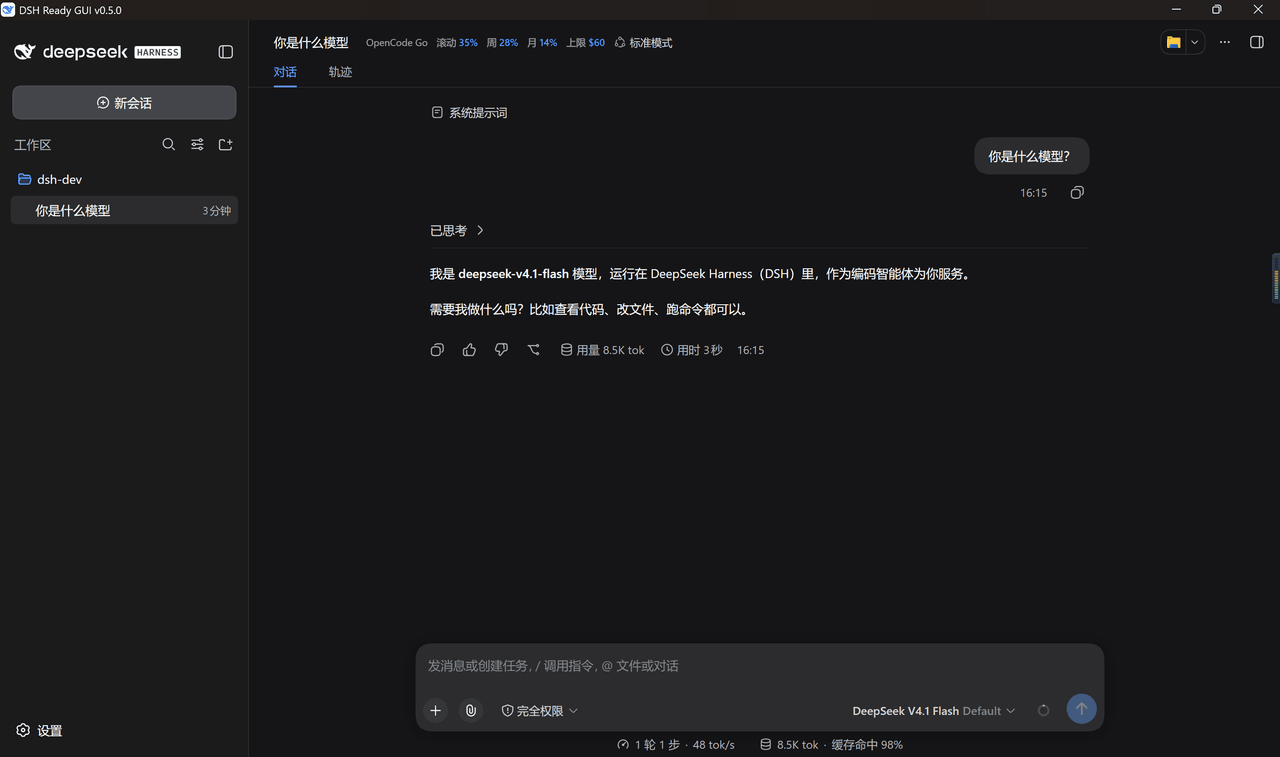 itchenshi/dsh-ready-gui
DeepSeek Harness 桌面壳:内嵌 Web UI、引擎自动保持最新、预置 4 个插件、插件装坏能自愈。另有 Linux AppImage / zip 产物(CI 构建,未实机验证)。
itchenshi/dsh-ready-gui
DeepSeek Harness 桌面壳:内嵌 Web UI、引擎自动保持最新、预置 4 个插件、插件装坏能自愈。另有 Linux AppImage / zip 产物(CI 构建,未实机验证)。
- 3911ee/dsh-workspace-explorer VS Code 风格双栏资源管理器。左侧多工作区文件树:语言着色 SVG 图标、行内重命名、新建文件/文件夹;右侧编辑器可拖拽缩放,行号 + 状态栏,语法高亮(函数/关键字/注释/字符串分色,支持 10 种语言)
- omdsh-dev/dsh-file-trace DSH Web UI 文件追踪插件:记录并查看模型读取/写入/编辑的每个文件,带行号内容、终端风逐行 diff(红删绿增蓝改)与 hunk 上下文折叠;支持 present 交付文件查看(Markdown 渲染 / KaTeX / Merm…
-
 nexu-io/open-design
🎨 Best DeepSeek Harness Design Plugin. The open-source Claude Design alternative. 🖥️ Local-first desktop app. 🖼️ Your…
nexu-io/open-design
🎨 Best DeepSeek Harness Design Plugin. The open-source Claude Design alternative. 🖥️ Local-first desktop app. 🖼️ Your…
-
 Devin-AXIS/iPolloWork
Enterprise-grade, local-first Agent Workbench for people and agent teams. A unified multi-engine workspace for Codex Har…
Devin-AXIS/iPolloWork
Enterprise-grade, local-first Agent Workbench for people and agent teams. A unified multi-engine workspace for Codex Har…
-
 EthanYoQ/AI-Novel-Writer
AI 小说创作软件:把灵感、角色、世界观、大纲、章节写作、审稿和修稿组织成可控流程;提供 Windows/macOS 桌面版,支持本地和在线模型。AI Novel Writing Software: Organizes inspiratio…
EthanYoQ/AI-Novel-Writer
AI 小说创作软件:把灵感、角色、世界观、大纲、章节写作、审稿和修稿组织成可控流程;提供 Windows/macOS 桌面版,支持本地和在线模型。AI Novel Writing Software: Organizes inspiratio…
-
 ysr666/dsh-vision-router
Eyes for text-only DeepSeek Harness agents: built-in free vision chain (no key) + pixel-level vision tools (Q&A, groundi…
ysr666/dsh-vision-router
Eyes for text-only DeepSeek Harness agents: built-in free vision chain (no key) + pixel-level vision tools (Q&A, groundi…