lhuans/dsh-genui
GenUI for DeepSeek Harness: interactive charts, forms, calculators, dashboards, and mini apps rendered inline in assistant replies, with actions that flow back to the model.
Project Overview项目介绍
dsh-genui is a plugin for DeepSeek Harness that turns text replies into interactive interfaces—charts, forms, calculators, and other components—rendered live in the conversation. User interactions flow back to the model, enabling multi-turn workflows. Use it when answers benefit from visualization, input collection, or built-in tools. Installation requires one command plus a DSH restart; existing sessions will not pick it up.
dsh-genui 是 DeepSeek Harness 的插件,让模型回复从纯文本升级为可点击的界面(图表、表单、计算器等),用户操作自动回流对话驱动下一步。适合需要数据可视化、收集信息或交互式工具的场景。安装需一条命令并重启 DSH,老会话不会生效。
请帮我了解并安装插件:【dsh-genui】【https://github.com/lhuans/dsh-genui】Send this message to DSH in your current session. CLI install commands may not be accurate across systems — DSH will figure it out for you.把上面这条消息直接发给当前会话里的 DSH,让它帮你了解并安装。安装命令不一定准确,发给 DSH 更稳。
Or use CLI install (for developers)或使用命令行安装(适合开发者)
CLI Install命令行安装
dsh plugin --profile web add dsh-genui把 lhuans/dsh-genui 加入你的 DSH 配置(web profile)即可启用。
READMEREADME
dsh-genui
English · 简体中文
Turn DeepSeek Harness replies from a wall of text into an interface you can actually click.
You ask the AI to run a calculation and get back a formula. You ask it to file a request and get eight Markdown bullets. You ask about last week's traffic and get numbers lined up as plain text.
Nothing is wrong — but you still do the work yourself: copy, paste, do the math in your head, then type another message saying "I'll take the second one."
dsh-genui is a plugin for DeepSeek Harness (DSH). Install it, ask the same questions, and the answer grows a real interface: calculator keys you can press, dropdowns you can pick from, charts with actual axes. Whatever you click or fill in flows back into the conversation, and the AI picks up from there.
One command to install. No changes to DSH source.
Three real examples
All three screenshots are from a live DSH session — not mockups.
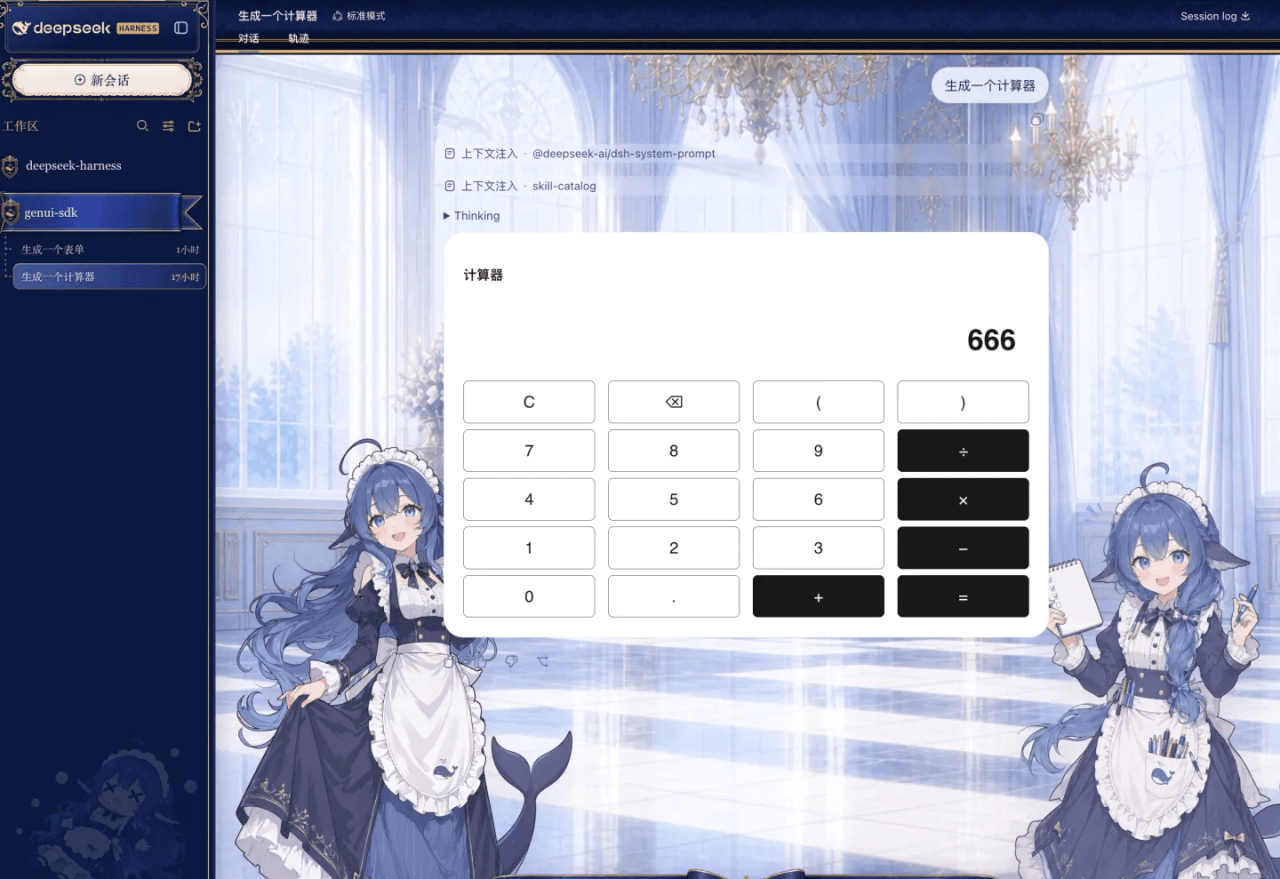
"Generate a calculator"
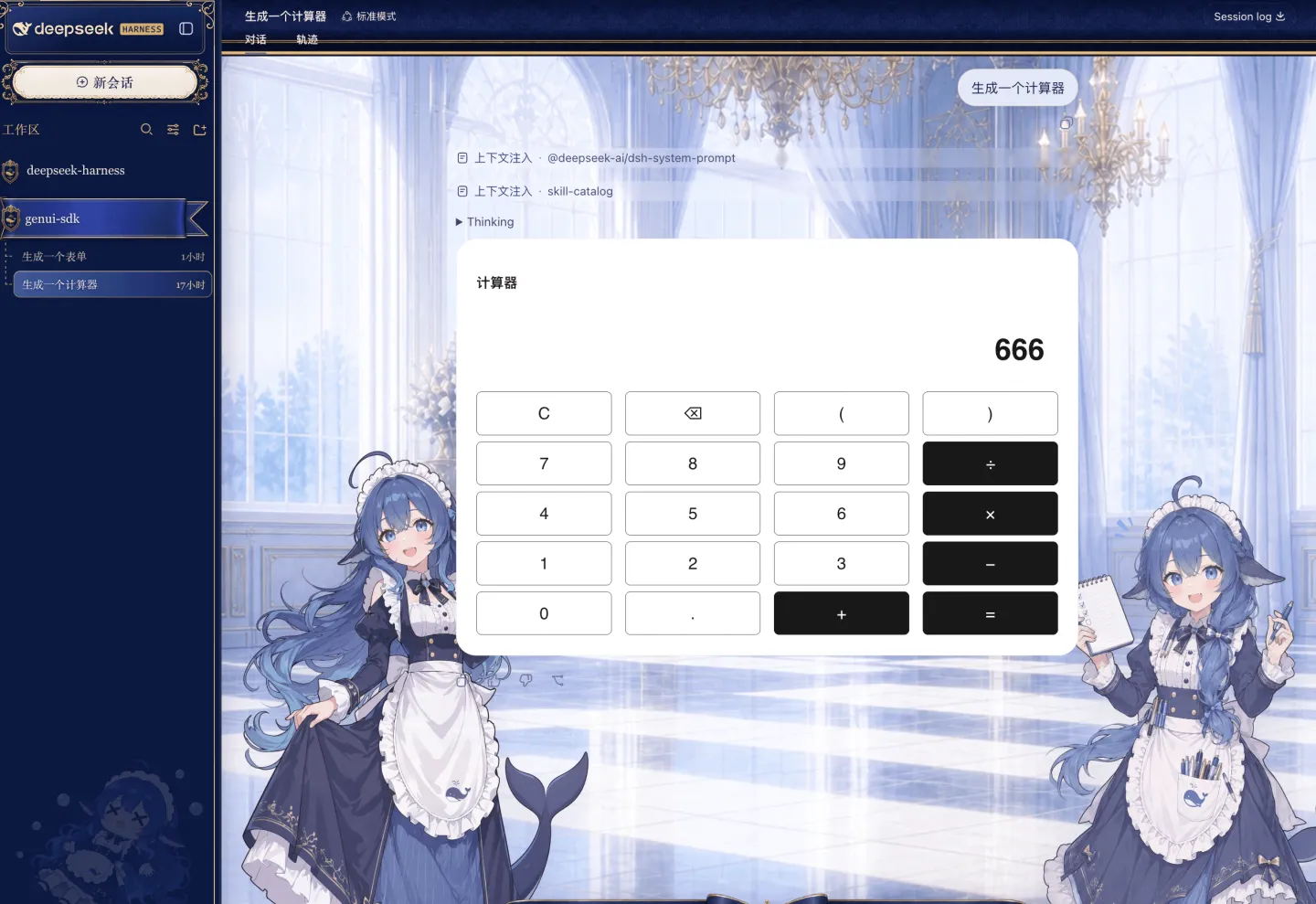
Digits, operators, parentheses, backspace, clear — every key works. That 666 was typed on the keypad, not written into the text by the model.
"Generate a form"
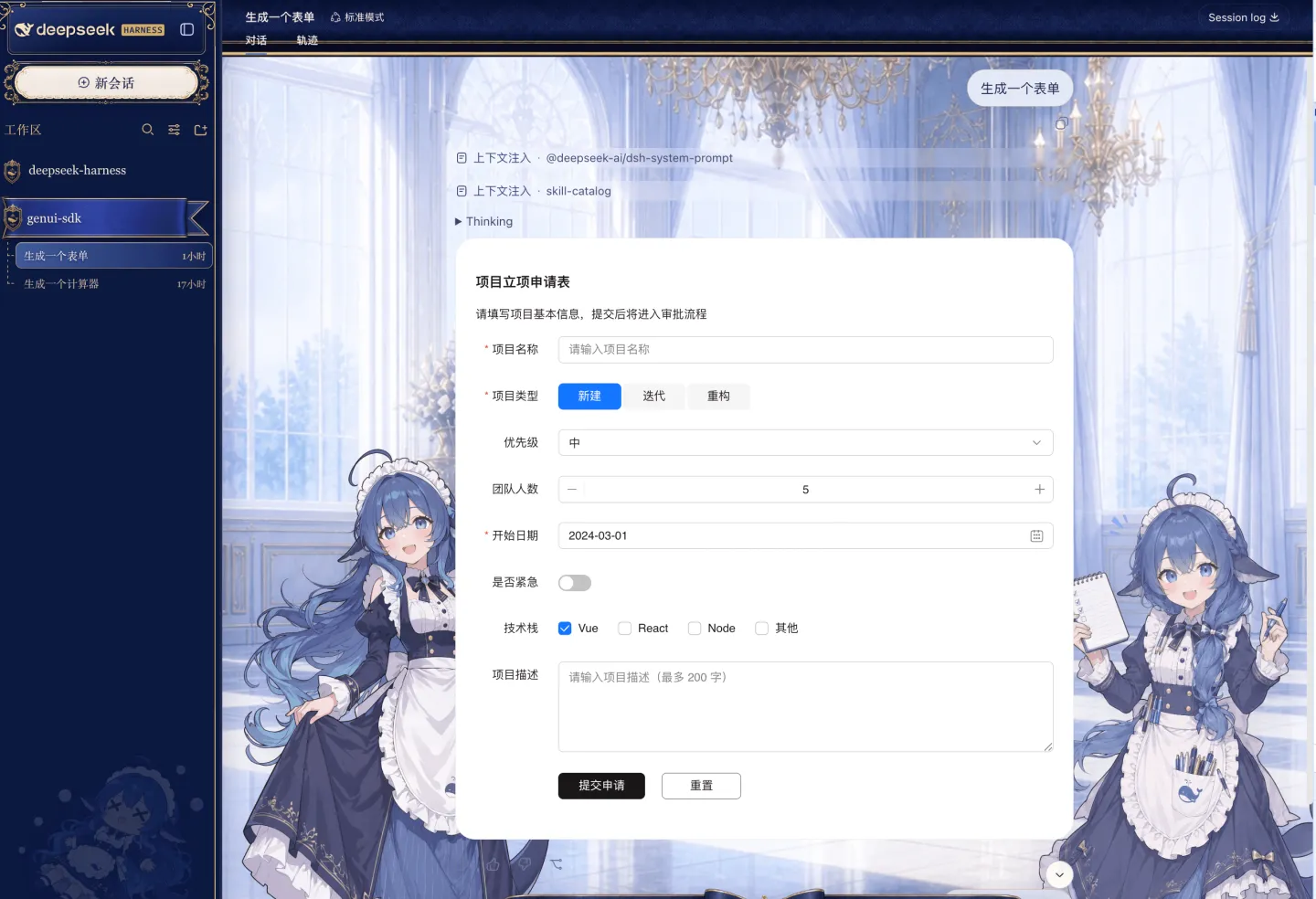
One sentence produces a full project proposal form: required-field validation, radio group, dropdown, headcount stepper, date picker, toggle, checkboxes, long text.
Hit Submit and your answers go back into the conversation, so the AI can rank the priority, draft a schedule, or write the proposal for you.
"Show the last 7 days of traffic as a line chart"
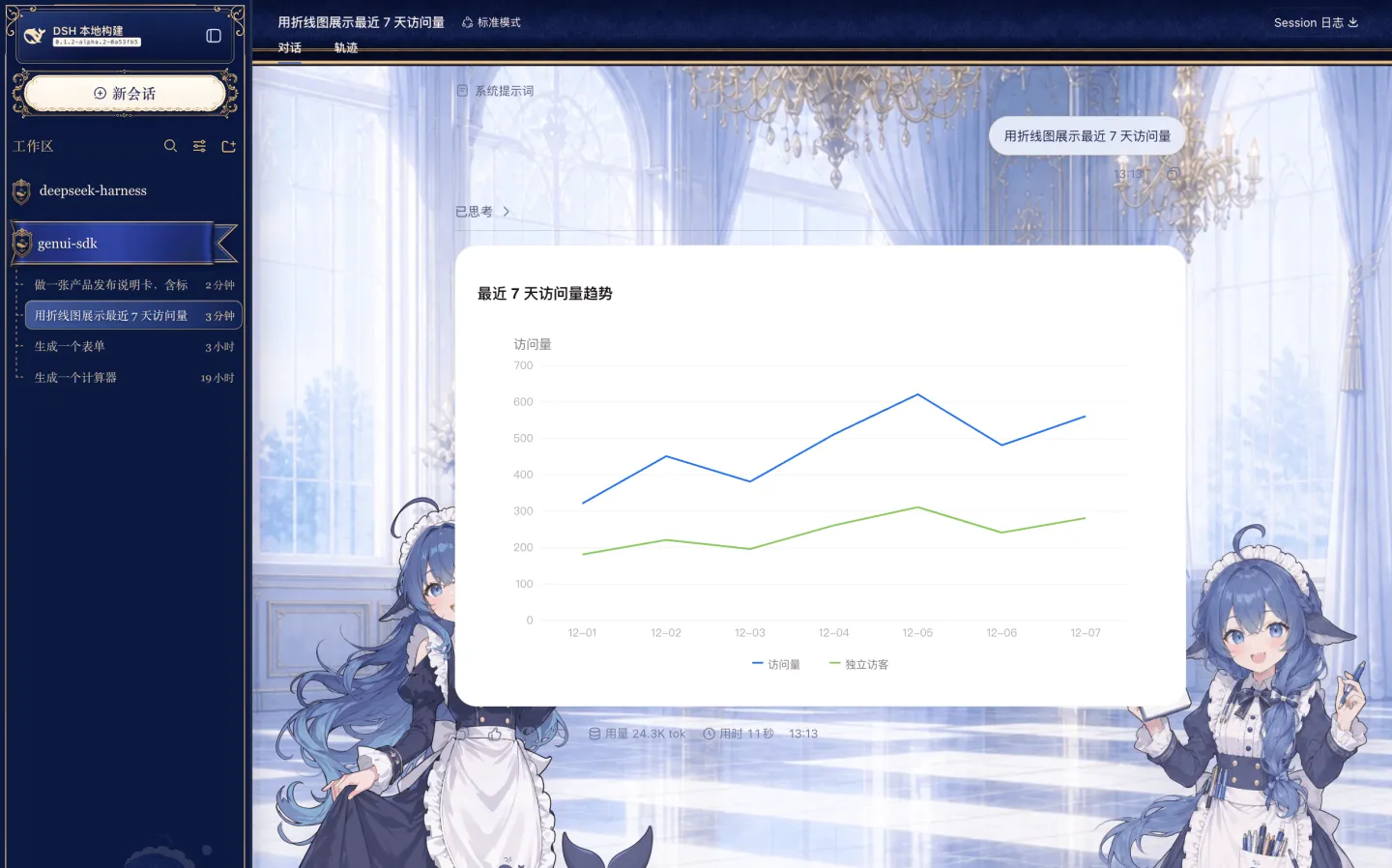
Two series, legend, axes, gridlines — a rendered chart, not ASCII art.
Before and after
| Situation | Plain chat | With dsh-genui |
|---|---|---|
| You need a tool | The AI hands you code to run yourself | The tool appears in the reply, usable right away |
| Collecting input | "Please provide the following 8 items", typed one by one | One form: pick, fill, submit |
| Reading data | Text tables, trends left to imagination | Lines, bars, pies — the trend is obvious |
| Making a choice | You reply "option B" | Click a button, the choice carries into the next turn |
| Setup cost | — | One dsh plugin add, no source changes |
What you can ask for
Just talk normally. You never write JSON or learn a syntax. Each category below includes a prompt you can copy as-is.
Data: charts
Bar, line, pie, ring, radar, gauge, funnel, scatter, waterfall, and other common chart types.
"Chart revenue for the last three quarters as bars, and mark year-over-year growth"
"Show the order split by channel as a pie chart"
"Build a conversion funnel: 100k impressions, 8k clicks, 600 orders, 520 payments"
Good for weekly reports, retros, review decks, and anytime you'd rather not open a spreadsheet.
Input: forms
Text fields, textareas, dropdowns, radios, checkboxes, toggles, number steppers, date pickers, search boxes, transfer lists. Submitted values return to the conversation automatically.
"Make a time-off request form with leave type, start and end date, days, and reason"
"Build a survey asking which features people use most and how satisfied they are"
"Give me a customer intake form, phone number required"
Much nicer than being interrogated over eight turns — fill it in once and you're done.
Tools: little apps
The fun category. One sentence, and the AI builds you something that actually works.
"Generate a calculator"
"Make a BMI calculator — enter height and weight, get the result"
"Build a currency converter between USD and CNY"
"Give me a to-do list for today with checkboxes"
"Make a raffle picker for the team, I'll paste the names next"
Structure: tables, lists, layout
Tables (with paging and search), tree views, timelines, breadcrumbs, tabs, collapsible panels, cards, carousels, tooltips.
"Put these options in a comparison table: price, timeline, risk"
"Lay out the project milestones on a timeline"
"Split the frontend, backend, and QA schedules into tabs"
Flow: multi-turn interaction
Interactions travel back to the model, so you can build "you click, I continue" flows.
"Give me three options as cards — expand whichever one I click"
"Walk me through a setup wizard, then generate the config file"
"Quiz me with five multiple-choice questions and grade my answers"
One more thing
When you're not sure what to ask for, just say "answer me with an interface" and let the AI decide whether a chart, a table, or a form fits best.
Install
Prerequisites
- Node.js installed
pnpminstalled (DSH uses it to manage plugins). If you don't have it, runcorepack enableornpm i -g pnpm, then open a new terminal and check thatpnpm -vprints a version- DSH running:
npx @deepseek-ai/dsh web, default athttp://127.0.0.1:3080
Option 1: let the AI install it (easiest if you avoid the terminal)
The DSH assistant can run shell commands. Open a conversation and tell it:
Install the dsh-genui plugin from npm into the web profile: run
dsh plugin --profile web add dsh-genui
It will run the command in front of you, possibly asking you to approve it. Then follow the restart steps below.
Option 2: run it yourself
In a new terminal:
dsh plugin --profile web add dsh-genui
This pulls from the public npm registry — no npm account, no cloning the repo.
Restart afterwards (don't skip this)
DSH locks in its plugin set at startup, so nothing changes in the UI until you restart.
- Go back to the terminal running DSH and press
Ctrl+C - Start it again:
dsh web - Refresh the browser
- Start a new conversation
GenUI authoring prompt
GenUI authoring starts on by default and remembers your last choice across DSH restarts. Use the sparkle button in the composer tool row if you want to turn the authoring guidance off. Card rendering stays installed either way.
Check that it worked
In the new conversation, say:
Generate a calculator
If a working calculator appears in the reply, you're set. If you only see a code block, the plugin isn't active — see the FAQ below.
To verify before restarting:
dsh --profile web --dump-config
You should see a dsh-genui layer in the output.
Uninstall
dsh plugin --profile web remove dsh-genui
This also requires a restart to take effect.
FAQ
Still showing a code block after installing?
Nine times out of ten you skipped the restart or you're still in an old session. Run through all four steps: stop, restart, refresh, new conversation.
pnpm not found on PATH?
DSH needs pnpm to manage plugins. Run corepack enable (or npm i -g pnpm), then open a new terminal — PATH won't update in the old one.
The AI doesn't use interfaces on its own?
If the sparkle toggle is off, the model has no GenUI authoring guidance. Turn it back on, then say something like "give me a form / chart / interface."
Does this change how DSH normally works?
No. Questions that don't need an interface get regular text answers, exactly as before.
Does it uninstall cleanly?
Yes. Run dsh plugin remove, restart, and DSH is back to its original state with no leftover config.
How it works
In short: the model no longer writes only text — it also writes a description of an interface, and the browser renders that description into real components.
A bit more detail: the plugin adds a prompt section teaching the model to emit structured JSON (inside a schemaJson code block) when an interface would help. The composer sparkle toggle controls that section and is enabled by default. The DSH web client picks up the JSON and hands it to a renderer. It's streaming, so the interface appears as the model writes it — no waiting for the full reply.
The components come from OpenTiny GenUI SDK and the OpenTiny Vue library — OpenTiny's generative-UI stack, a spec plus rendering engine for letting LLMs produce interfaces. dsh-genui wires that into the DSH conversation flow.
On safety: the model can only use whitelisted components. It cannot inject HTML or scripts, so nothing strange ends up in your conversation.
Links
- Changelog: https://github.com/lhuans/dsh-genui/releases
- npm package: https://www.npmjs.com/package/dsh-genui
- OpenTiny GenUI SDK: https://github.com/opentiny/genui-sdk
- DeepSeek Harness: https://github.com/deepseek-ai/deepseek-harness
License: MIT
DSH handles agents, sessions, and tools. dsh-genui adds the last piece: replies you can click, not just read.
One command, one restart, then say "generate a calculator" — thirty seconds to see the difference.
Related相关推荐
-
 theBigGavin/marketingdashboard
面向金融与产业研究的一屏式实时行情大屏:A股/港股/美股指数、大宗商品、美债收益率、板块热点、主力资金流、7×24 快讯、产业链自选股、AI 大模型 Token 追踪。A real-time market research cockpit …
theBigGavin/marketingdashboard
面向金融与产业研究的一屏式实时行情大屏:A股/港股/美股指数、大宗商品、美债收益率、板块热点、主力资金流、7×24 快讯、产业链自选股、AI 大模型 Token 追踪。A real-time market research cockpit …
-
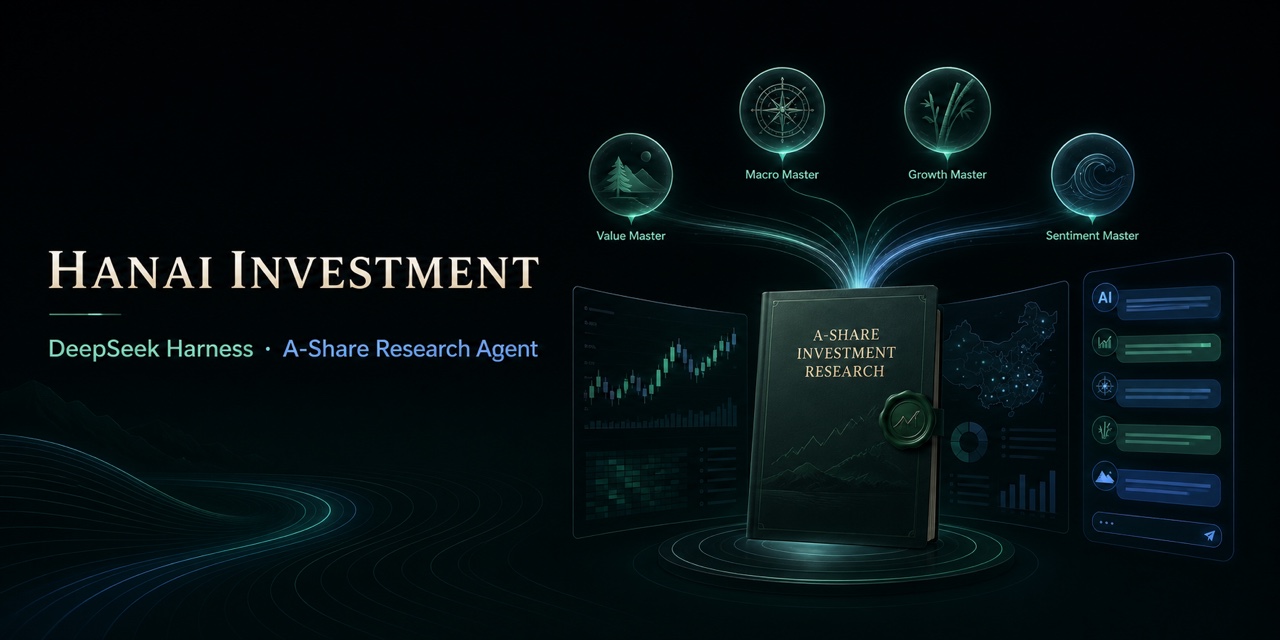 hancao97/hanai-investment-dsh
Local-first A-share research workbench for DeepSeek Harness: market dashboards, watchlists, valuation, four investor age…
hancao97/hanai-investment-dsh
Local-first A-share research workbench for DeepSeek Harness: market dashboards, watchlists, valuation, four investor age…
-
 maddogfinance/dsh-trading
Trading research workbench for DeepSeek Harness (dsh): typed market-data seam, deterministic indicators, interactive cha…
maddogfinance/dsh-trading
Trading research workbench for DeepSeek Harness (dsh): typed market-data seam, deterministic indicators, interactive cha…
-
 lehhair/dsh-diff-viewer
DSH Web GUI PiUI-style diff viewer plugin: replaces the stock DiffBlock for write/edit tool calls via ui-tool diff-card …
lehhair/dsh-diff-viewer
DSH Web GUI PiUI-style diff viewer plugin: replaces the stock DiffBlock for write/edit tool calls via ui-tool diff-card …
- PerryLink/dsh-data-quality DeepSeek Harness plugin: deterministic data profiling, cleaning, and verification (dsh-data-quality)
- seed-forge/harness-ai-kit Package manager for AI agent assets — 42 skills, 5 CLIs, 1 plugin. Skills for AI/LLM agent engineering, eval-driven dev,…
-
 TencentCloud/tencentcloud-agentobs-sdk-dsh
tencentcloud-agentobs-sdk-dsh 是一个 DeepSeek Harness (DSH) 可观测插件,直接将 GenAI trace 数据上报到腾讯云日志服务 (CLS)。 它观察 DSH 原生的 session、…
TencentCloud/tencentcloud-agentobs-sdk-dsh
tencentcloud-agentobs-sdk-dsh 是一个 DeepSeek Harness (DSH) 可观测插件,直接将 GenAI trace 数据上报到腾讯云日志服务 (CLS)。 它观察 DSH 原生的 session、…
- sfeng49/ashare-agent 基于 DeepSeek Harness + AKShare 的本地 A 股 AI Agent 工作台:数据获取 / 每日晨报 / 交易复盘三大技能,只做分析、不做交易。