Ln1m/dsh-side-suite
DSH left column suite: file tree, file opener, tools tab, LAN services, long-running tasks · DSH 左栏家族:文件树 / 文件打开 / 工具 Tab / 局域网服务 / 长期任务
Project Overview项目介绍
dsh-side-suite is a sidebar suite built specifically for DeepSeek Harness (DSH), distributed as five independent npm packages housed in one repository. The packages are dsh-files-tree (left-rail file tab plus @-file picker in the input area), dsh-files-open (opens any local file in the right pane), dsh-extensions-panel (left-rail Tools tab with toggle cards), dsh-lan-services (scans ports 3090~3099 for local services, lists titles and LAN URLs, and offers one-click start/stop), and dsh-lt-tasks (multi-window long-running task manager where one task equals one persistent folder). Installation goes through dsh plugin --profile web add file:… for each package, with prebuilt tarballs available from the GitHub Releases page and a one-shot Windows PowerShell installer script (install.ps1) that installs the entire suite at once.
Typical workflow: install the prerequisite dsh-vk-suite first, then add whichever sidebar packages you need so they appear inside the DSH web instance left rail. Together they deliver file browsing, @-triggered references, local file previews, LAN service discovery with start/stop controls, and cross-window persistent task sessions. The suite targets DSH desktop and self-hosted users who need local file collaboration, centralized intranet service management, and traceable long-running conversations, especially researchers, operators, and anyone running parallel multi-window sessions.
Dependencies are Node packages loaded via the DSH plugin mechanism, with no standalone runtime; a DSH web instance is mandatory. Known limits include a possible UNABLE_TO_VERIFY_LEAF_SIGNATURE error caused by mainland-China TLS certificate injection, worked around by exporting $env:NODE_OPTIONS='--use-system-ca' before installing; the license is MIT; and after installation the web instance must be restarted for the sidebar modules to appear.
dsh-side-suite 是面向 DeepSeek Harness(DSH)的左栏侧边套件,按目录拆分为五个独立 npm 包:dsh-files-tree(左栏文件 Tab 与输入区 @ 文件选择)、dsh-files-open(在右栏直接打开本机文件)、dsh-extensions-panel(左栏工具 Tab 卡片开关)、dsh-lan-services(扫描 3090~3099 端口局域网服务并提供一键启停)以及 dsh-lt-tasks(以持久文件夹为单元的多窗口长期任务管理)。安装统一通过 dsh plugin --profile web add file:… 命令加载本地包,也可从 Release 直接下载 .tgg 包安装,整族可由仓库根目录的 install.ps1 一键安装,前置依赖为同作者的 dsh-vk-suite。安装完成后需重启 web 实例,每个子目录附有独立 README。
典型使用流程:先部署 dsh-vk-suite 作为前置,再按需装入文件树、文件打开、工具面板、局域网服务与长期任务五个模块,使其在 DSH web 实例左栏中分别提供文件浏览、@ 触发、本机文件预览、局域网服务发现与控制、跨窗口任务持久化能力。该套件适用于需要本地文件协作、内网服务集中管理以及长时间任务会话留痕的 DSH 桌面端或自托管用户,特别是研究、运维和需要多窗口并行的场景。
依赖方面,整族以 Node 包形式分发并通过 DSH 插件机制加载,无独立运行入口,须配合 DSH web 端使用。已知限制包括:国内网络环境下可能触发 UNABLE_TO_VERIFY_LEAF_SIGNATURE,需先设置 $env:NODE_OPTIONS='--use-system-ca' 再装;MIT 许可;首次安装后须重启 web 实例方可生效。
请帮我安装这个 DSH 插件。安装前先完成【兼容性检查 + 安全性检查】,检查通过再动手。

插件:dsh-side-suite(Ln1m/dsh-side-suite)
仓库:https://github.com/Ln1m/dsh-side-suite
本站详情页:https://www.yhbd.top/plugins/ln1m-dsh-side-suite/
本站登记:类型 plugin · 归类 原生 DSH 插件 · 许可证 MIT · ⭐ 2 · 最近提交 2026-09-29 · 主语言 JavaScript · 未检测到 DSH 插件清单

按下面顺序执行,每步先把结论告诉我,再进入下一步:

【1 兼容性检查】
① 我这边:DSH 版本、Node 版本、操作系统、当前 profile(web / desktop)。
② 读它的 README、package.json、插件 manifest,列出它要求的 DSH 版本 / Node 版本 / 操作系统 / 外部依赖 / 需要另外先装的运行时。
③ 逐条比对,结论只写「满足 / 不满足 / 未知」三种;不满足的给出可行替代方案。
④ 检查是否和我已装的插件冲突:命令名重复、skill / tool 重名、端口占用、重复注册的 MCP server。

【2 安全性检查】
① 仓库可信度:和上面「本站登记」是否一致;star / fork 数、创建时间、最近提交,是否归档或长期停更。
② 安装脚本:逐行看 package.json 的 preinstall / install / postinstall,以及 install.sh、setup.ps1 之类脚本。出现 curl|bash、下载后直接执行、混淆代码、访问与插件功能无关的域名,立刻停下来告诉我,不要继续装。
③ 依赖:列出新增依赖,标出无人维护、或与知名包拼写近似的可疑包(typosquatting)。
④ 权限与副作用:它会读写哪些目录、访问哪些域名、需要哪些 DSH 权限(filesystem / network / shell / clipboard 等),以及怎么卸载和回滚。
⑤ 如果它要求 sudo / 管理员权限,或权限明显超出功能所需,先停下来问我。

【3 安装】
上面两步没有「不满足」和「高危项」时才执行;用官方推荐方式安装,不要自行提权。

【4 汇报】
用表格输出:检查项 / 结论 / 依据 / 是否需要我决策。拿不准的一律写「未知」并说明要我怎么确认——不要猜,也不要替我决定。
Send this message to DSH in your current session: it verifies compatibility and security first (answering met / not met / unknown item by item) and only installs once everything checks out — it will stop and ask you if it finds a high-risk item. The box scrolls; the copy is the full prompt. CLI install commands may not be accurate across systems, so DSH is the safer route.把上面这条消息直接发给当前会话里的 DSH:它会先核对兼容性与安全性(逐条给「满足 / 不满足 / 未知」),确认没问题再安装,有高危项会停下来问你。框内可滚动,复制到的是完整提示词;安装命令不一定准确,发给 DSH 更稳。
- Only 2 stars - very few users, little community feedback星标只有 2,几乎没人在用,遇到问题缺少社区反馈
- No DSH plugin manifest detected - it may only carry the dsh-plugin topic, so the install method must be confirmed on the spot未检测到 DSH 插件清单:可能只是打了 dsh-plugin 话题,安装方式要现场确认
DSH walks through these 9 checksDSH 会逐条核对这 9 项
Compatibility兼容性
- DSH, Node, OS and profile requirementsDSH 版本 / Node 版本 / 操作系统 / profile 是否满足要求
- External dependencies and runtimes (Electron / Python / Docker, ...)外部依赖与运行时(Electron / Python / Docker 等)是否齐备
- Conflicts with installed plugins: command names, skill / tool names, ports, duplicate MCP registration与已装插件是否冲突:命令名、skill / tool 重名、端口占用、重复 MCP 注册
Security安全性
- Repo matches the facts registered here; archived or abandoned?仓库是否与页面登记一致,是否归档或长期停更
- Safety of preinstall / install / postinstall and install.sh / setup.ps1preinstall / install / postinstall 与 install.sh、setup.ps1 是否安全
- curl|bash, download-then-execute, obfuscation, unrelated domains → stop immediatelycurl|bash、下载即执行、混淆代码、无关域名 → 立刻停止
- Typosquatting or unmaintained packages among the new dependencies新增依赖里有没有 typosquatting 或无人维护的包
- Requested permissions vs. what the feature actually needs申请了哪些权限、是否超出功能所需(filesystem / network / shell / clipboard)
- Any sudo / admin requirement, plus uninstall and rollback是否要求 sudo / 管理员权限,以及卸载与回滚方式
Anything uncertain must be marked unknown with a note on how to confirm it. This site's signal screen is a static snapshot, not a security audit.拿不准的必须标「未知」并说明要我怎么确认。本站的信号筛查是静态快照,不能替代安全审计。
Or use CLI install (for developers)或使用命令行安装(适合开发者)
CLI Install命令行安装
dsh plugin --profile web add "https://github.com/Ln1m/dsh-side-suite/releases/download/v0.1.2/dsh-files-tree-0.1.2.tgz"把 Ln1m/dsh-side-suite 加入你的 DSH 配置(web profile)即可启用。
READMEREADME
dsh-side-suite
中文 | English
左栏家族:文件树、文件打开、工具 Tab、局域网服务、长期任务
前置:先装 dsh-vk-suite。
包
| 目录 | 作用 |
|---|---|
dsh-files-tree |
左栏文件 Tab,以及输入区 @ 文件选择 |
dsh-files-open |
在右栏打开任意本机文件 |
dsh-extensions-panel |
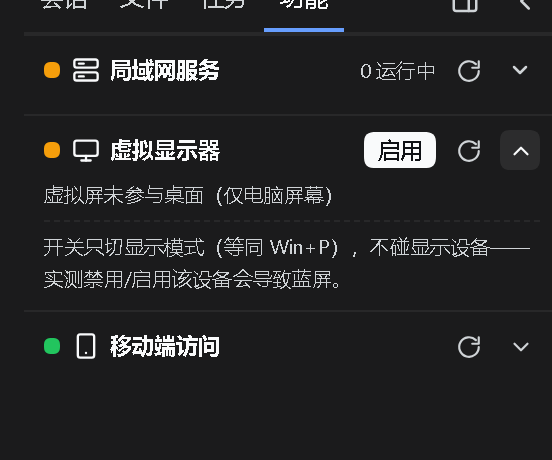
左栏「工具」Tab:局域网服务与移动端访问的开关卡片 |
dsh-lan-services |
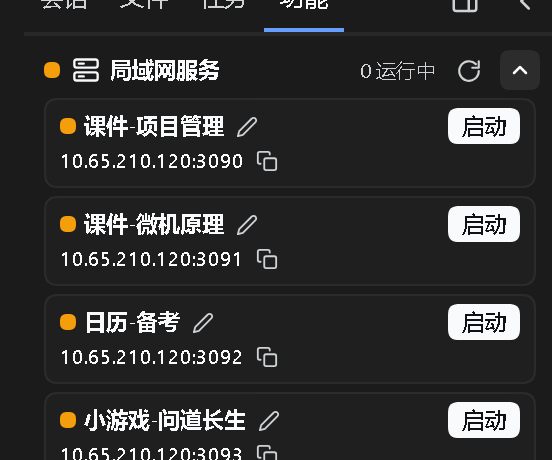
探测 3090~3099 端口的本地服务,列出标题与局域网网址,一键启停 |
dsh-lt-tasks |
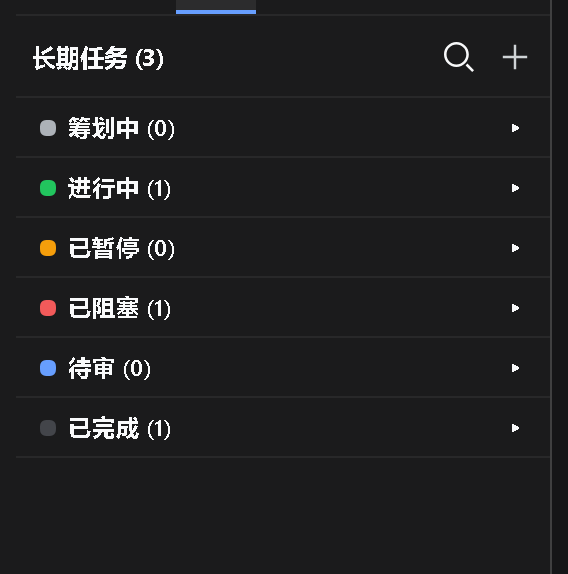
多窗口长期任务管理:一个任务 = 一个持久文件夹 |
版本线
| 版本 | 对应 DSH | 说明 |
|---|---|---|
v0.1.2 |
0.1.7 | 本机 0.1.7 线继续开发的功能(本次同步) |
v0.1.0 |
0.1.6 | 0.1.6 线的最后一版,保留可用、不再更新 |
装
# 只装其中一个包
dsh plugin --profile web add file:<本仓库>/dsh-files-tree
整族一次装完(Windows PowerShell):
./install.ps1
不克隆仓库、直接从 Release 装(一行一个包):
dsh plugin --profile web add "https://github.com/Ln1m/dsh-side-suite/releases/download/v0.1.2/dsh-files-tree-0.1.2.tgz"
dsh plugin --profile web add "https://github.com/Ln1m/dsh-side-suite/releases/download/v0.1.2/dsh-files-open-0.1.2.tgz"
dsh plugin --profile web add "https://github.com/Ln1m/dsh-side-suite/releases/download/v0.1.2/dsh-extensions-panel-0.1.2.tgz"
dsh plugin --profile web add "https://github.com/Ln1m/dsh-side-suite/releases/download/v0.1.2/dsh-lan-services-0.1.2.tgz"
dsh plugin --profile web add "https://github.com/Ln1m/dsh-side-suite/releases/download/v0.1.2/dsh-lt-tasks-0.7.1.tgz"
装的时候若报 UNABLE_TO_VERIFY_LEAF_SIGNATURE(国内出口证书注入,Node 默认不读系统证书库),先执行 $env:NODE_OPTIONS='--use-system-ca' 再装。
装完重启 web 实例。每个包目录里还有它自己的 README。
界面
许可
MIT
Related相关推荐
-
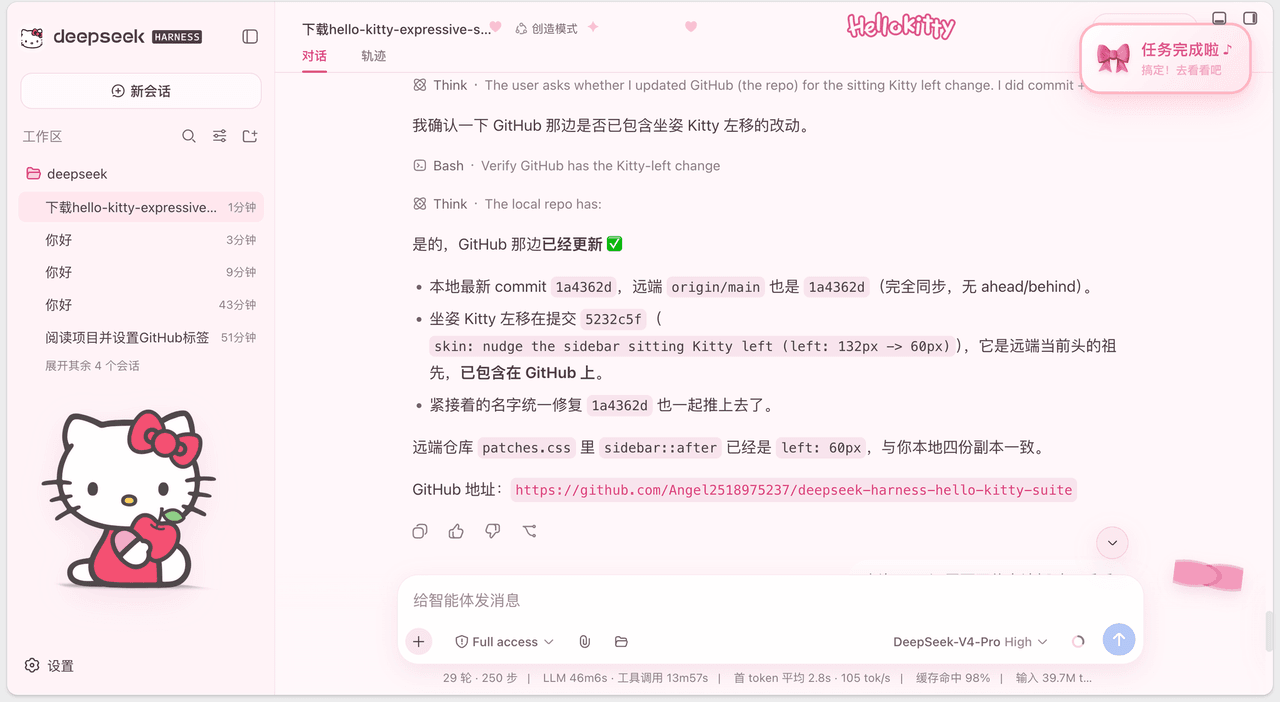 Angel2518975237/deepseek-harness-hello-kitty-suite
💗 一套给 DeepSeek Harness 的粉色 Hello Kitty 主题皮肤 + 任务完成/提问提醒插件(Sweetheart Workspace Expressive skin & Hello Kitty Task-Done …
Angel2518975237/deepseek-harness-hello-kitty-suite
💗 一套给 DeepSeek Harness 的粉色 Hello Kitty 主题皮肤 + 任务完成/提问提醒插件(Sweetheart Workspace Expressive skin & Hello Kitty Task-Done …
-
 117BS/dsh-perlica-ding
「我们不是理想的陈述者,而是理想的践行者。」 佩丽卡主题 DeepSeek Harness 分级任务提示音插件:计划出方案 / 任务完成 / 需要你回应 / 出错四档提示音,普通问答静音,音效可自定义。 Perlica-themed tie…
117BS/dsh-perlica-ding
「我们不是理想的陈述者,而是理想的践行者。」 佩丽卡主题 DeepSeek Harness 分级任务提示音插件:计划出方案 / 任务完成 / 需要你回应 / 出错四档提示音,普通问答静音,音效可自定义。 Perlica-themed tie…
-
 whiteguo233/dsh-openbiliclaw
OpenBiliClaw 是本地运行的跨平台个性化内容推荐 Agent,持续理解你的兴趣并主动找内容。本仓库是它的 DeepSeek Harness 插件:DSH 界面常驻第四栏(推荐/内容库/对话/画像/设置),注册 22 个 Agent…
whiteguo233/dsh-openbiliclaw
OpenBiliClaw 是本地运行的跨平台个性化内容推荐 Agent,持续理解你的兴趣并主动找内容。本仓库是它的 DeepSeek Harness 插件:DSH 界面常驻第四栏(推荐/内容库/对话/画像/设置),注册 22 个 Agent…
-
 hanshanyike/dsh-yolo
把对话里说过的重要事情,变成持续可跟进的计划。 为 deepseek-harness 打造的个人助手:从对话中整理事项、跟踪变化,并在需要时提醒你。
hanshanyike/dsh-yolo
把对话里说过的重要事情,变成持续可跟进的计划。 为 deepseek-harness 打造的个人助手:从对话中整理事项、跟踪变化,并在需要时提醒你。
-
 Smalldy/godot-bridge
DSH (DeepSeek Harness) plugin that launches and drives a running Godot 4.x game through its in-game TCP interaction serv…
Smalldy/godot-bridge
DSH (DeepSeek Harness) plugin that launches and drives a running Godot 4.x game through its in-game TCP interaction serv…
-
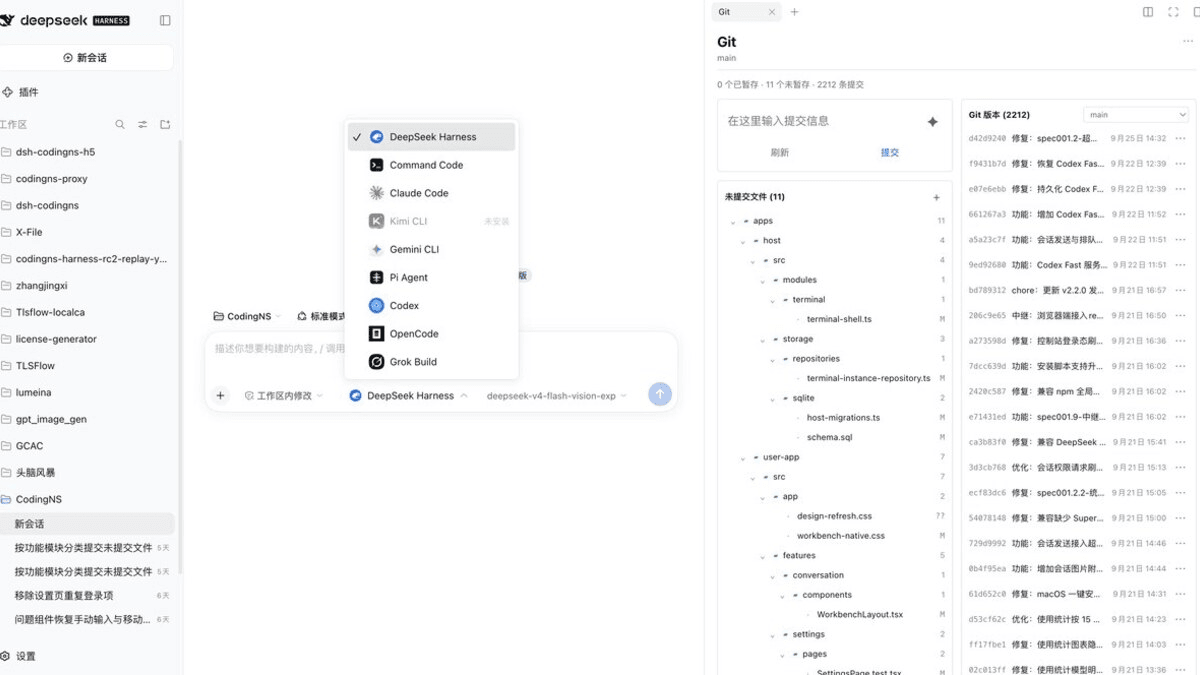 jingyi0605/Codingns4DSH
把外部 Agent CLI、持久终端、工作区调试和远程访问,装进 DSH 原生界面。
jingyi0605/Codingns4DSH
把外部 Agent CLI、持久终端、工作区调试和远程访问,装进 DSH 原生界面。
-
 fuhefei/dsh-sentinel
Condition-driven wakeup for DeepSeek Harness: durable file/command/http/process/webhook watches that wake the agent, wit…
fuhefei/dsh-sentinel
Condition-driven wakeup for DeepSeek Harness: durable file/command/http/process/webhook watches that wake the agent, wit…
-
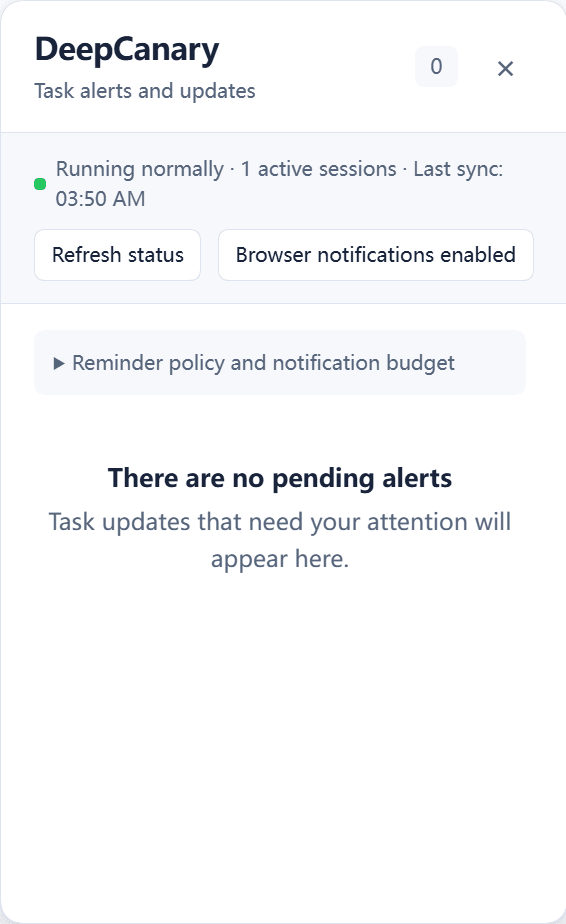 Oscar-Williams/dsh-deepcanary
Know when your DeepSeek Harness tasks need you. Local alerts, quiet notifications, and a task inbox.
Oscar-Williams/dsh-deepcanary
Know when your DeepSeek Harness tasks need you. Local alerts, quiet notifications, and a task inbox.