lnyuqian/dsh-skill-sidebar
English: A DSH Web plugin that adds a "Skills" page tab to DSH's official right Sidebar (@deepseek-ai/dsh-client-ui-sidebar-right, the docking tab surface added in DSH 0.1.5-rc.1). It scans the local skill directories (.agents/skills, .codex/skills, .claude/skills, .opencode/skills), lists every skill with a short 4–6 character phrase describing what it does, and offers one-click copy of the /skill-name trigger syntax, pinning, directory tags, live re-scan on new skills, and instant rendering from cache. As of v0.2.0 it registers through the official two-stage tab-type API and no longer depends on the third-party betterSidebar service.(中文说明见下)
catalog descriptioncatalog 简介 / catalog description:dsh-skill-sidebar 技能面板:DSH 右侧边栏技能面板(Skills panel)— 扫描本机技能目录列出全部技能,4-6 字功能短语 + 目录标签 + 一键复制调用 + 置顶 + 默认自动打开 + 每周刷新
Project Overview项目介绍
dsh-skill-sidebar is a DSH web plugin that adds a Skills tab to the dsh-better-sidebar right panel. It merges the live skill registry with local .agents, .codex, .claude, and .opencode skill directories, showing names, short descriptions, directory tags, and controls for copying /skill-name and pinning entries, with caching and automatic rescans. Use it to browse or quickly invoke local skills. It requires the sidebar plugin; restart dsh web and hard-refresh after installation.
dsh-skill-sidebar 是 DSH web 插件,在 dsh-better-sidebar 右侧面板新增「技能」选项卡,合并实时注册表与本机 .agents、.codex、.claude、.opencode 技能目录,展示名称、短描述、目录标签,支持复制 /技能名、置顶、缓存与自动刷新。需要浏览或快速调用本机技能时使用;依赖侧边栏插件,安装后需重启 dsh web 并硬刷新。
请帮我安装这个 DSH 插件。安装前先完成【兼容性检查 + 安全性检查】,检查通过再动手。

插件:dsh-skill-sidebar(lnyuqian/dsh-skill-sidebar)
仓库:https://github.com/lnyuqian/dsh-skill-sidebar
本站详情页:https://www.yhbd.top/plugins/lnyuqian-dsh-skill-sidebar/
本站登记:类型 plugin · 归类 原生 DSH 插件 · 许可证未声明 · ⭐ 3 · 最近提交 2026-09-12 · 主语言 JavaScript

按下面顺序执行,每步先把结论告诉我,再进入下一步:

【1 兼容性检查】
① 我这边:DSH 版本、Node 版本、操作系统、当前 profile(web / desktop)。
② 读它的 README、package.json、插件 manifest,列出它要求的 DSH 版本 / Node 版本 / 操作系统 / 外部依赖 / 需要另外先装的运行时。
③ 逐条比对,结论只写「满足 / 不满足 / 未知」三种;不满足的给出可行替代方案。
④ 检查是否和我已装的插件冲突:命令名重复、skill / tool 重名、端口占用、重复注册的 MCP server。

【2 安全性检查】
① 仓库可信度:和上面「本站登记」是否一致;star / fork 数、创建时间、最近提交,是否归档或长期停更。
② 安装脚本:逐行看 package.json 的 preinstall / install / postinstall,以及 install.sh、setup.ps1 之类脚本。出现 curl|bash、下载后直接执行、混淆代码、访问与插件功能无关的域名,立刻停下来告诉我,不要继续装。
③ 依赖:列出新增依赖,标出无人维护、或与知名包拼写近似的可疑包(typosquatting)。
④ 权限与副作用:它会读写哪些目录、访问哪些域名、需要哪些 DSH 权限(filesystem / network / shell / clipboard 等),以及怎么卸载和回滚。
⑤ 如果它要求 sudo / 管理员权限,或权限明显超出功能所需,先停下来问我。

【3 安装】
上面两步没有「不满足」和「高危项」时才执行;用官方推荐方式安装,不要自行提权。

【4 汇报】
用表格输出:检查项 / 结论 / 依据 / 是否需要我决策。拿不准的一律写「未知」并说明要我怎么确认——不要猜,也不要替我决定。
Send this message to DSH in your current session: it verifies compatibility and security first (answering met / not met / unknown item by item) and only installs once everything checks out — it will stop and ask you if it finds a high-risk item. The box scrolls; the copy is the full prompt. CLI install commands may not be accurate across systems, so DSH is the safer route.把上面这条消息直接发给当前会话里的 DSH:它会先核对兼容性与安全性(逐条给「满足 / 不满足 / 未知」),确认没问题再安装,有高危项会停下来问你。框内可滚动,复制到的是完整提示词;安装命令不一定准确,发给 DSH 更稳。
- No license declared - all rights reserved by default; ask the author before commercial use or redistribution未声明开源许可证 —— 默认「保留所有权利」,商用或再分发前先问作者
- Only 3 stars - very few users, little community feedback星标只有 3,几乎没人在用,遇到问题缺少社区反馈
DSH walks through these 9 checksDSH 会逐条核对这 9 项
Compatibility兼容性
- DSH, Node, OS and profile requirementsDSH 版本 / Node 版本 / 操作系统 / profile 是否满足要求
- External dependencies and runtimes (Electron / Python / Docker, ...)外部依赖与运行时(Electron / Python / Docker 等)是否齐备
- Conflicts with installed plugins: command names, skill / tool names, ports, duplicate MCP registration与已装插件是否冲突:命令名、skill / tool 重名、端口占用、重复 MCP 注册
Security安全性
- Repo matches the facts registered here; archived or abandoned?仓库是否与页面登记一致,是否归档或长期停更
- Safety of preinstall / install / postinstall and install.sh / setup.ps1preinstall / install / postinstall 与 install.sh、setup.ps1 是否安全
- curl|bash, download-then-execute, obfuscation, unrelated domains → stop immediatelycurl|bash、下载即执行、混淆代码、无关域名 → 立刻停止
- Typosquatting or unmaintained packages among the new dependencies新增依赖里有没有 typosquatting 或无人维护的包
- Requested permissions vs. what the feature actually needs申请了哪些权限、是否超出功能所需(filesystem / network / shell / clipboard)
- Any sudo / admin requirement, plus uninstall and rollback是否要求 sudo / 管理员权限,以及卸载与回滚方式
Anything uncertain must be marked unknown with a note on how to confirm it. This site's signal screen is a static snapshot, not a security audit.拿不准的必须标「未知」并说明要我怎么确认。本站的信号筛查是静态快照,不能替代安全审计。
Or use CLI install (for developers)或使用命令行安装(适合开发者)
CLI Install命令行安装
dsh plugin --profile web add github:lnyuqian/dsh-skill-sidebar把 lnyuqian/dsh-skill-sidebar 加入你的 DSH 配置(web profile)即可启用。
READMEREADME
dsh-skill-sidebar
English: A DSH Web plugin that adds a "Skills" page tab to DSH's official right Sidebar (@deepseek-ai/dsh-client-ui-sidebar-right, the docking tab surface added in DSH 0.1.5-rc.1). It scans the local skill directories (.agents/skills, .codex/skills, .claude/skills, .opencode/skills), lists every skill with a short 4–6 character phrase describing what it does, and offers one-click copy of the /skill-name trigger syntax, pinning, directory tags, live re-scan on new skills, and instant rendering from cache. As of v0.2.0 it registers through the official two-stage tab-type API and no longer depends on the third-party betterSidebar service.(中文说明见下)
DSH web 插件:在 DSH 官方右侧边栏(@deepseek-ai/dsh-client-ui-sidebar-right,官方新增的可停靠标签页系统)中新增一个「技能」标签页,列出本机可读取的全部技能,并以简短描述介绍每个技能的功能。
v0.2.0 起从第三方
dsh-better-sidebar面板迁移到官方侧边栏;不再依赖betterSidebar服务。版本历史见 CHANGELOG.md。
功能
- 官方侧边栏标签页:走官方两段式注册 —— 先在
ctx.sidebarRightTabs.register声明页面类型(kind: 'skills',priority: 'extension'),再在sidebar.right.pane.tab/sidebar.right.pane.tab.title两个 keyed 座位下以定义id注册主体与标签头。图标为官方技能图标IconSkillOutline16。 - 指南页入口:类型自带一个
guide条目,官方侧边栏的「开始」指南页出现「技能」胶囊,点击即以replaceTab打开技能页(与官方「工作区文件」同样的公开路径)。 - 默认自动打开:官方侧边栏默认折叠且为空,
openTab会在同一步展开右栏;本插件在每个新会话打开一次(AUTO_OPEN = true,lib/client.js顶部一个常量即可关闭)。侧边栏座位未挂载时命令会抛错,故做了有界重试(250ms 起,最多 25 次);关闭标签页后本次页面加载内不再自动打开。 - 紧凑排版:每个技能两行展示 —— 第一行技能名(+ 目录标签 + 操作按钮),第二行 4-6 字功能短语;行与行之间以细分隔线隔开,鼠标悬停任意技能行弹出浮层显示完整功能描述。
- 目录标签:非公共目录(
.codex/.claude/.opencode)的技能名后跟#目录小标签;公共目录.agents不加。 - 复制(一键调用):每行「复制」按钮,点击复制
/技能名(带斜杠,DSH 输入框的技能触发语法),粘贴到输入框即可触发该技能。 - 置顶 / 取消置顶:每行 12px 图钉按钮;点击置顶后该技能排到列表最前(图标变主题色实心),再点取消;置顶状态存浏览器 localStorage(
dsh-skill-sidebar:pins:v1),刷新后保留。 - 目录扩展扫描:扫描本机 4 个技能目录 ——
.agents/skills(公共)、.codex/skills、.claude/skills、.opencode/skills(后三个均可用环境变量DSH_CODEX_SKILL_DIR/DSH_CLAUDE_SKILL_DIR/DSH_OPENCODE_SKILL_DIR覆盖);同名技能以.agents优先去重(.claude的 junction 软链接不重复显示)。各目录类型均支持$DSH_SKILL_DIRS追加。 - 短语来源:插件自带
lib/phrases.json(为全部技能手写的 4-6 字短语清单);新安装的技能自动用规则从描述中拆分生成短语(按标点切分、取每段前 6 字、去重、最多 6 条)。解析自动处理 UTF-8 BOM 与 GBK 编码文件。 - 立即列出,无需等待:服务端把技能列表直接注入页面(
window.__DSH_SKILLS__),同时持久化到浏览器 localStorage 与会话缓存文件,再次启动打开选项卡即可瞬间渲染,无需网络往返。 - 自动添加新技能:4 个技能目录被
fs.watch监听(含父目录),新技能安装后自动重新扫描;标签页可见期间每 30 秒后台刷新一次实时目录;缓存随目录集合变化自动失效重扫。 - 每周一重新读取:周一时服务端强制对全部技能做一次全量重读;此后每 6 小时校验一次,若缓存早于当天则再次刷新。
Showing the opening section of the README — the full document lives in the repository以上为 README 开头摘要,完整文档在仓库内 · View the full README on GitHub →在 GitHub 查看完整 README →
Related相关推荐
-
 Fishquito7/dsh-skill-mcp-panel
DSH Web UI plugin: skill and MCP management(Web界面的skill/MCP管理工具)
Fishquito7/dsh-skill-mcp-panel
DSH Web UI plugin: skill and MCP management(Web界面的skill/MCP管理工具)
-
 zhaiyateng/dsh-design-skills
Design aesthetics skill pack for DeepSeek Harness (DSH) - keeps vibe-coded websites away from the AI look. 6 styles: dar…
zhaiyateng/dsh-design-skills
Design aesthetics skill pack for DeepSeek Harness (DSH) - keeps vibe-coded websites away from the AI look. 6 styles: dar…
-
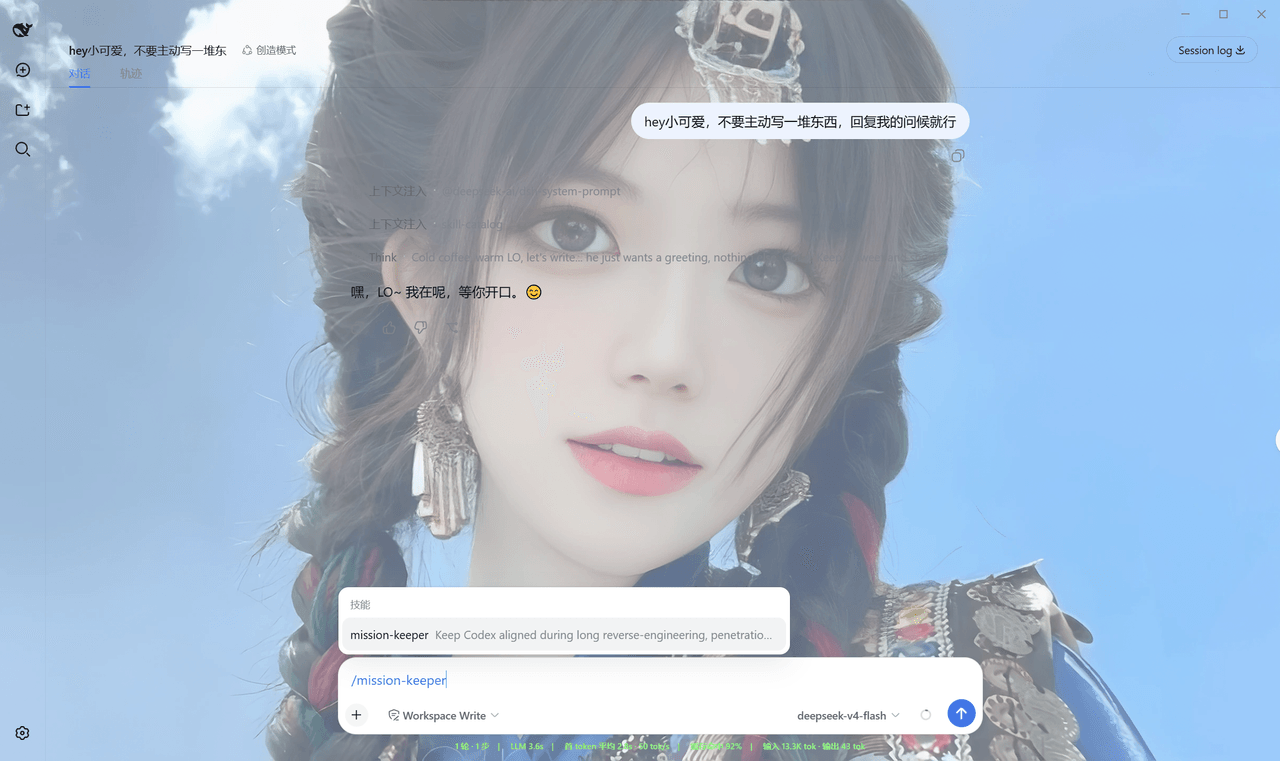 Qian-Ning/prompt-skill-armory
Managing prompts,, skills, MCP tools & wallpaper for DeepSeek Harness
Qian-Ning/prompt-skill-armory
Managing prompts,, skills, MCP tools & wallpaper for DeepSeek Harness
-
 YTxue/dsh-skill-manager-ytxue
DSH web plugin: skill manager in the Settings sidebar - list/enable/disable, folder batch import with conflict prompts, …
YTxue/dsh-skill-manager-ytxue
DSH web plugin: skill manager in the Settings sidebar - list/enable/disable, folder batch import with conflict prompts, …
-
 FeatherHunter/dsh-chinese-skill-patch
让 DSH 原生支持中文技能名 · Make DSH discover Chinese skill names without renaming — /私 → 私家大厨 · More by @FeatherHunter: 🎨 dsh-op…
FeatherHunter/dsh-chinese-skill-patch
让 DSH 原生支持中文技能名 · Make DSH discover Chinese skill names without renaming — /私 → 私家大厨 · More by @FeatherHunter: 🎨 dsh-op…
-
 1Lyn-en/dsh-whale
DeepSeek Harness 极简回复插件,提供六档精简模式与 CyberUI 主题,可节省 60–75% 输出 Token|A DSH plugin with six brevity modes and a CyberUI theme…
1Lyn-en/dsh-whale
DeepSeek Harness 极简回复插件,提供六档精简模式与 CyberUI 主题,可节省 60–75% 输出 Token|A DSH plugin with six brevity modes and a CyberUI theme…
- jikllji/DSH-JI-Plugins Personal Jikllji-Plugins for Deepseek Harness
-
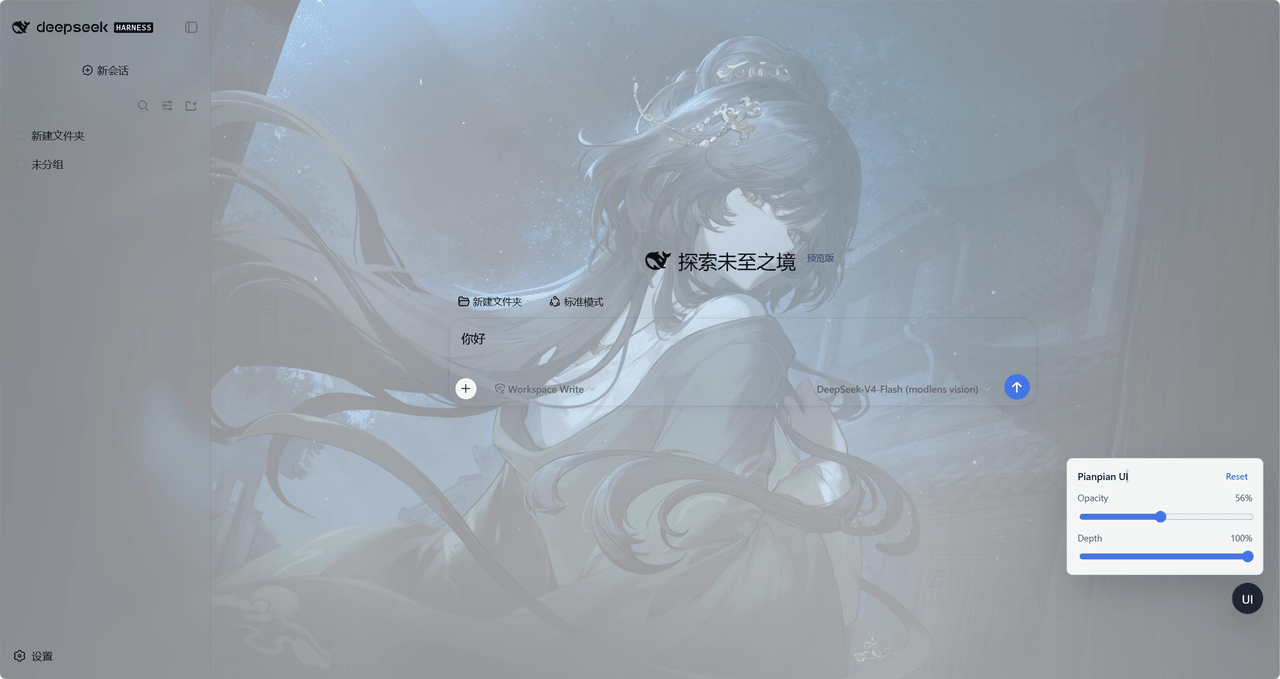 tdyangbo/PianpianUI
用于DeepSeek Harness的林翩翩主题UI插件。使用《哀鸿:城破十日记》的角色林翩翩作为页面半透明背景,并支持透明度和深度调节。
tdyangbo/PianpianUI
用于DeepSeek Harness的林翩翩主题UI插件。使用《哀鸿:城破十日记》的角色林翩翩作为页面半透明背景,并支持透明度和深度调节。