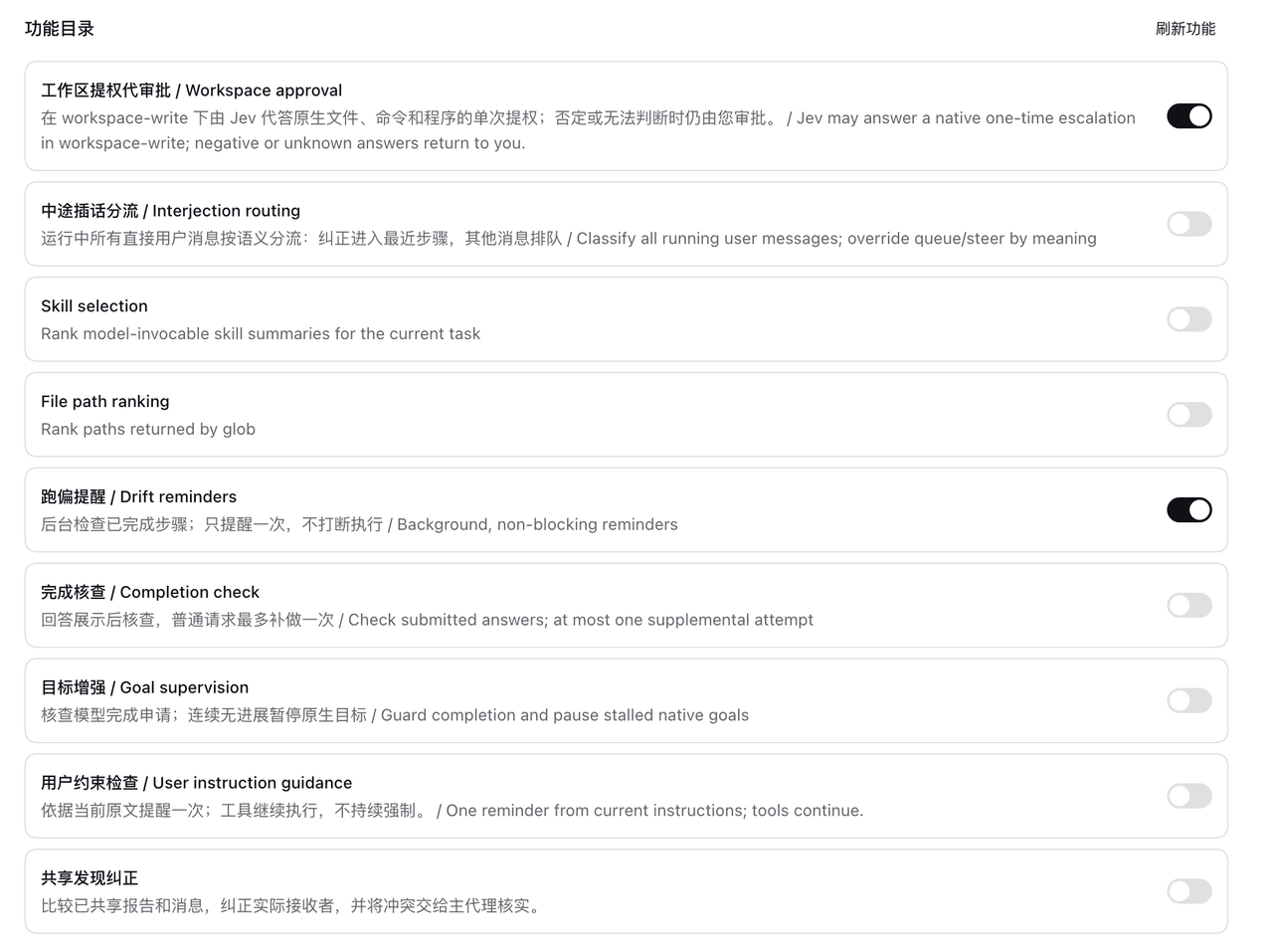
luobosibing2/dsh-jev-plugin
Native DeepSeek Harness (DSH) plugin integrating TypeSafe Jev as a System One decision layer for agent selection, supervision, corrections, and approvals.
Project Overview项目介绍
deepseek-harness-jev is a Cordis plugin built specifically for DeepSeek Harness (DSH), wiring TypeSafe AI's Jev into DSH as a System One adjudication tier that hooks existing extension points such as agent/pre-step, tools/execute, tools/post-execute, tools/pre-execute, approval/request, session/event, agent/turn-stopping, and tools/result. After installation through the DSH Web UI (Plugins → Add plugin with the GitHub URL) or by pnpm run build followed by dsh plugin --profile jev add <tarball>, the plugin automatically invokes Jev at each extension point to judge skill catalogs, globbed file paths, tool results, and single-operation approval requests, then writes the decision back into the host's main flow. The integration relies solely on public Cordis and DSH plugin APIs; the upstream DSH binary is never patched or redistributed, and a separate Jev connection (endpoint, model, API key) is configured independently from the main DSH model.
Typical usage targets live DSH 0.1.7-rc.2 Web root sessions where an operator wants Jev to rank DSH-skill catalogs and glob results, emit drift and instruction reminders between model steps, supervise native goal completion, route interjections, surface shared-finding corrections, filter long or test logs, and answer eligible single-operation escalations inside workspace-write. The main model still plans, generates answers, and calls native DSH tools; Jev only supplies additional judgments and nonblocking nudges or, in the approval case, a single affirmative answer while any non-affirmative result falls back to the human approver. Eleven features are individually toggled from one Jev settings page, share profile-scoped settings, decision records, and operation receipts, and all ship disabled by default; child-agent corrections do not propagate every feature into that child.
Dependencies include DSH 0.1.7-rc.2 or newer Web runtime, Node.js plus pnpm for the build pipeline, and a separately provisioned Jev connection. The package is MIT-licensed, ships a development tarball that excludes fixtures and tests, and explicitly warns that it is an early-stage community plugin against DSH 0.1.7-rc.2 whose APIs and judgments carry no correctness guarantee. First-run caveats include restarting after enablement, validating the install contents when upgrading, never re-running --from-default-profile on an existing profile, checking the branch-status document before switching to historical split branches such as codex/jev-native-web-execution or codex/jev-tool-output-admission, and noting that workspace-approval and related QA fixtures live under packages/jev/tests/.
deepseek-harness-jev 是面向 DeepSeek Harness(DSH)原生开发的 Cordis 插件,把 TypeSafe AI 的 Jev 作为 System One 决策层接入 DSH 现有扩展点。插件在 agent/pre-step、tools/execute、tools/post-execute、tools/pre-execute、approval/request、session/event、agent/turn-stopping、tools/result 等位置自动调用 Jev,对技能目录、文件 glob、工具结果与单步审批做判定后回写到主流程。安装方式为 DSH Web 端“Plugins → Add plugin”粘贴仓库地址,也可用 pnpm run build 生成 tarball 通过 dsh plugin --profile jev add 命令安装。
典型工作流是用户在 DSH Web 根会话中开启若干独立 Jev 功能(技能排序、文件排序、漂移提醒、完成校验、目标监督、指令引导、插话路由、共享结论纠错、长日志准入、测试日志准入、工作区审批),由 DSH 配置的主模型继续规划与生成,Jev 提供额外决策与提醒但不影响主模型归属。该项目面向需要在 DSH 中引入 TypeSafe AI 类型安全判定,又希望保持各功能可单独禁用、并对子代理可分级覆盖的工程用户。
依赖方面要求 DSH 0.1.7-rc.2 或更高 Web 端、Node.js 与 pnpm 构建工具链,以及一个独立的 Jev 连接配置(端点、模型、API 密钥);所有功能在全新安装时默认关闭,必须在 Jev 设置页显式启用。第一次运行前需重启当前 profile、检查 bundle-migrate 状态,且记得运行 pnpm exec vitest 验证;该项目为社区独立项目,采用 MIT 协议发布。
请帮我安装这个 DSH 插件。安装前先完成【兼容性检查 + 安全性检查】,检查通过再动手。

插件:dsh-jev-plugin(luobosibing2/dsh-jev-plugin)
仓库:https://github.com/luobosibing2/dsh-jev-plugin
本站详情页:https://www.yhbd.top/plugins/luobosibing2-dsh-jev-plugin/
本站登记:类型 plugin · 归类 原生 DSH 插件 · 许可证 MIT · ⭐ 95 · 最近提交 2026-10-03 · 主语言 JavaScript

按下面顺序执行,每步先把结论告诉我,再进入下一步:

【1 兼容性检查】
① 我这边:DSH 版本、Node 版本、操作系统、当前 profile(web / desktop)。
② 读它的 README、package.json、插件 manifest,列出它要求的 DSH 版本 / Node 版本 / 操作系统 / 外部依赖 / 需要另外先装的运行时。
③ 逐条比对,结论只写「满足 / 不满足 / 未知」三种;不满足的给出可行替代方案。
④ 检查是否和我已装的插件冲突:命令名重复、skill / tool 重名、端口占用、重复注册的 MCP server。

【2 安全性检查】
① 仓库可信度:和上面「本站登记」是否一致;star / fork 数、创建时间、最近提交,是否归档或长期停更。
② 安装脚本:逐行看 package.json 的 preinstall / install / postinstall,以及 install.sh、setup.ps1 之类脚本。出现 curl|bash、下载后直接执行、混淆代码、访问与插件功能无关的域名,立刻停下来告诉我,不要继续装。
③ 依赖:列出新增依赖,标出无人维护、或与知名包拼写近似的可疑包(typosquatting)。
④ 权限与副作用:它会读写哪些目录、访问哪些域名、需要哪些 DSH 权限(filesystem / network / shell / clipboard 等),以及怎么卸载和回滚。
⑤ 如果它要求 sudo / 管理员权限,或权限明显超出功能所需,先停下来问我。

【3 安装】
上面两步没有「不满足」和「高危项」时才执行;用官方推荐方式安装,不要自行提权。

【4 汇报】
用表格输出:检查项 / 结论 / 依据 / 是否需要我决策。拿不准的一律写「未知」并说明要我怎么确认——不要猜,也不要替我决定。
Send this message to DSH in your current session: it verifies compatibility and security first (answering met / not met / unknown item by item) and only installs once everything checks out — it will stop and ask you if it finds a high-risk item. The box scrolls; the copy is the full prompt. CLI install commands may not be accurate across systems, so DSH is the safer route.把上面这条消息直接发给当前会话里的 DSH:它会先核对兼容性与安全性(逐条给「满足 / 不满足 / 未知」),确认没问题再安装,有高危项会停下来问你。框内可滚动,复制到的是完整提示词;安装命令不一定准确,发给 DSH 更稳。
- This site's static screen found no obvious risk signal (stars, license, activity, manifest)本站静态筛查没发现明显风险信号(星标、许可证、更新活跃度、清单完整度)
DSH walks through these 9 checksDSH 会逐条核对这 9 项
Compatibility兼容性
- DSH, Node, OS and profile requirementsDSH 版本 / Node 版本 / 操作系统 / profile 是否满足要求
- External dependencies and runtimes (Electron / Python / Docker, ...)外部依赖与运行时(Electron / Python / Docker 等)是否齐备
- Conflicts with installed plugins: command names, skill / tool names, ports, duplicate MCP registration与已装插件是否冲突:命令名、skill / tool 重名、端口占用、重复 MCP 注册
Security安全性
- Repo matches the facts registered here; archived or abandoned?仓库是否与页面登记一致,是否归档或长期停更
- Safety of preinstall / install / postinstall and install.sh / setup.ps1preinstall / install / postinstall 与 install.sh、setup.ps1 是否安全
- curl|bash, download-then-execute, obfuscation, unrelated domains → stop immediatelycurl|bash、下载即执行、混淆代码、无关域名 → 立刻停止
- Typosquatting or unmaintained packages among the new dependencies新增依赖里有没有 typosquatting 或无人维护的包
- Requested permissions vs. what the feature actually needs申请了哪些权限、是否超出功能所需(filesystem / network / shell / clipboard)
- Any sudo / admin requirement, plus uninstall and rollback是否要求 sudo / 管理员权限,以及卸载与回滚方式
Anything uncertain must be marked unknown with a note on how to confirm it. This site's signal screen is a static snapshot, not a security audit.拿不准的必须标「未知」并说明要我怎么确认。本站的信号筛查是静态快照,不能替代安全审计。
Or use CLI install (for developers)或使用命令行安装(适合开发者)
CLI Install命令行安装
dsh plugin --profile web add github:luobosibing2/dsh-jev-plugin把 luobosibing2/dsh-jev-plugin 加入你的 DSH 配置(web profile)即可启用。
READMEREADME
deepseek-harness-jev
Native DeepSeek Harness (DSH) plugin integrating TypeSafe Jev as a System One decision layer.
deepseek-harness-jev connects DeepSeek Harness (DSH) to Jev by TypeSafe AI for agent skill and file selection, task supervision, shared-finding corrections, tool-output filtering, single-operation approval assistance, and historical stage navigation. Its 12 features are individually configurable from one Jev settings page and are all disabled by default.
The main model continues to plan, generate answers, and call native tools. The plugin automatically invokes enabled Jev judgments at DSH extension points for skill catalogs, agent lifecycle, tool results, and approvals, then applies results according to each feature. DSH configures the main model; Jev has a separate connection. Integration uses public Cordis / DSH plugin APIs without modifying the host source.
This is an independent community project, not an official DeepSeek or Jev release. It is an early-stage plugin tested with DSH 0.1.7-rc.2; its APIs and model judgments are not a correctness guarantee.
The Chinese feature website explains each DSH integration point, the information sent to Jev, and the observed test cases and limits.
What is included?
The following features are in main. Every feature is independently disabled by default. Installing the package does not enable them.
| Feature | What it does |
|---|---|
| Skill selection | Ranks skill names and summaries before catalog publication. The main agent still loads the original skill. |
| File ranking | Ranks the original glob path results without another filesystem scan or file-content read. |
| Drift reminders | Checks progress between model steps and can deliver one nonblocking reminder. |
| Completion checks | Reviews the visible final answer against recorded evidence and can request at most one supplemental attempt. |
| Goal supervision | Checks native goal completion and pauses after a configurable run of rounds without progress. |
| Instruction guidance | Reads current user instructions and applicable agent rules, then supplies a nonblocking reminder when needed. |
| Interjection routing | Routes a running user's correction to the next step; queues other messages for a later turn. |
| Shared-finding corrections | Compares reports and messages already shared, then sends corrections to affected recipients. |
| Long-log admission | Can remove clearly unneeded progress or repeated notices after a command returns, with an original-output recovery reference. |
| Test-log admission | Protects failures, summaries, named and slow tests while judging whether ordinary passing details are needed. |
| Workspace approval | In workspace-write, can answer eligible native single-operation escalation requests; non-affirmative answers return to human approval. |
| Stage navigation | Classifies complete recorded model steps on request, then links consecutive stages to their original trajectory evidence. |
Showing the opening section of the README — the full document lives in the repository以上为 README 开头摘要,完整文档在仓库内 · View the full README on GitHub →在 GitHub 查看完整 README →
Related相关推荐
- Yts1919/dsh-vision-complete 给 DeepSeek 补上「眼睛和耳朵」的多模态视觉插件:看图 / OCR / 物体检测 / 视频理解 / 语音转写 / 截图直读,一键安装(DSH 插件)。
-
 988hj7tczd-oss/dsh-computer-use
Cross-platform Computer Use plugin for DeepSeek Harness: observable desktop automation with an isolated virtual cursor, …
988hj7tczd-oss/dsh-computer-use
Cross-platform Computer Use plugin for DeepSeek Harness: observable desktop automation with an isolated virtual cursor, …
- MrmoLabs/dsh-mermaid Render Mermaid code blocks as SVG diagrams in DeepSeek Harness Web, with diagram/code switching, streaming support, dark…
-
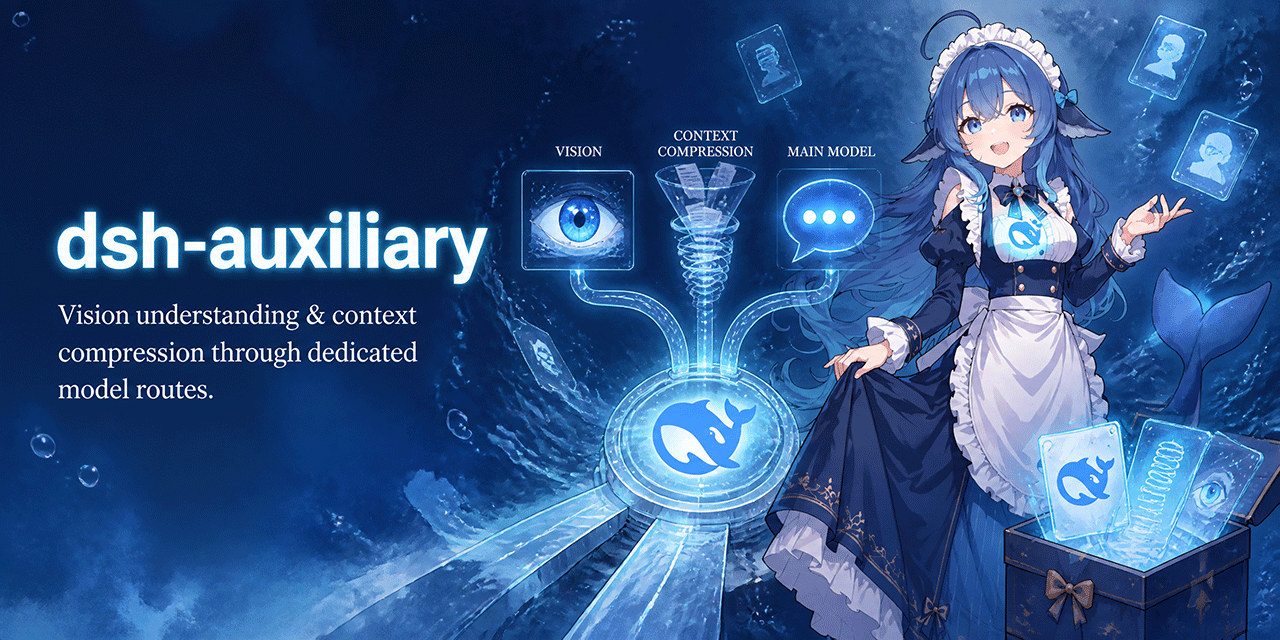 dsh-plugins/dsh-auxiliary
Auxiliary models for DeepSeek Harness: vision understanding and context compression through dedicated model routes. Deep…
dsh-plugins/dsh-auxiliary
Auxiliary models for DeepSeek Harness: vision understanding and context compression through dedicated model routes. Deep…
- lhh010/dsh-bash-encoding DSH bash 输出编码自动识别插件:替换 ctx.bash,自管 spawn 收集原始字节,自动检测 UTF-16LE/UTF-8/GBK 等编码并正确解码,修复 WSL/Windows 下 bash 工具的中文乱码。
- Machine-126/dsh-alert-sound Notification sound + Chinese voice alerts for the DeepSeek Harness web GUI (approval / answer / completion / error), wit…
-
 dttxorg/deepseekeyes
Auditable vision and cross-platform Computer Use runtime for DeepSeek Harness — strict evidence, health-checked failover…
dttxorg/deepseekeyes
Auditable vision and cross-platform Computer Use runtime for DeepSeek Harness — strict evidence, health-checked failover…
- lcestou/dsh-oh-my-claude Claude Code CLI as an LLM provider for dsh (DeepSeek Harness): live model list, per-session resume, approval relay, imag…