luodeb/dsh-web-auth-gateway
DeepSeek Harness Web 的身份验证反向代理网关插件
Project Overview项目介绍
DSH Web Auth Gateway is a standalone reverse-proxy plugin that fronts DeepSeek Harness Web on a loopback port, gating pages, API calls, and WebSocket upgrades behind a login page with scrypt-hashed passwords, HttpOnly SameSite=Strict cookies, and in-memory sessions; first access requires creating an administrator account. Use it for multi-user setups or remote access. Caveat: the upstream DSH port must stay bound to 127.0.0.1 or the gateway is bypassable, sessions vanish on restart, and remote use demands a TLS proxy.
DSH Web 认证网关是一款独立反向代理插件,在 127.0.0.1 的独立端口提供登录页,通过 scrypt 哈希与 HttpOnly、SameSite=Strict 的内存会话守护页面、API 与 WebSocket;首次访问需创建管理员。适用于多用户部署或需要远程访问的场景。注意上游端口必须绑定 127.0.0.1,否则网关可被绕过;远程访问需前置 TLS 反代或安全隧道,且会话随 DSH 重启失效。
请帮我了解并安装插件:【dsh-web-auth-gateway】【https://github.com/luodeb/dsh-web-auth-gateway】Send this message to DSH in your current session. CLI install commands may not be accurate across systems — DSH will figure it out for you.把上面这条消息直接发给当前会话里的 DSH,让它帮你了解并安装。安装命令不一定准确,发给 DSH 更稳。
Or use CLI install (for developers)或使用命令行安装(适合开发者)
CLI Install命令行安装
dsh plugin --profile web add github:luodeb/dsh-web-auth-gateway把 luodeb/dsh-web-auth-gateway 加入你的 DSH 配置(web profile)即可启用。
READMEREADME
dsh-web-auth-gateway
A standalone authentication reverse-proxy gateway plugin for DeepSeek Harness Web.
The plugin serves a login page on a separate loopback port. After authentication, it proxies the complete DSH Web surface, including normal pages, plugin assets, API requests, and WebSocket upgrades.
Features
- First-run administrator account creation
- scrypt salted password hashing; plaintext passwords are never stored
- HttpOnly and SameSite=Strict session cookie
- Server-side in-memory sessions
- HTTP, API, and WebSocket authentication gate
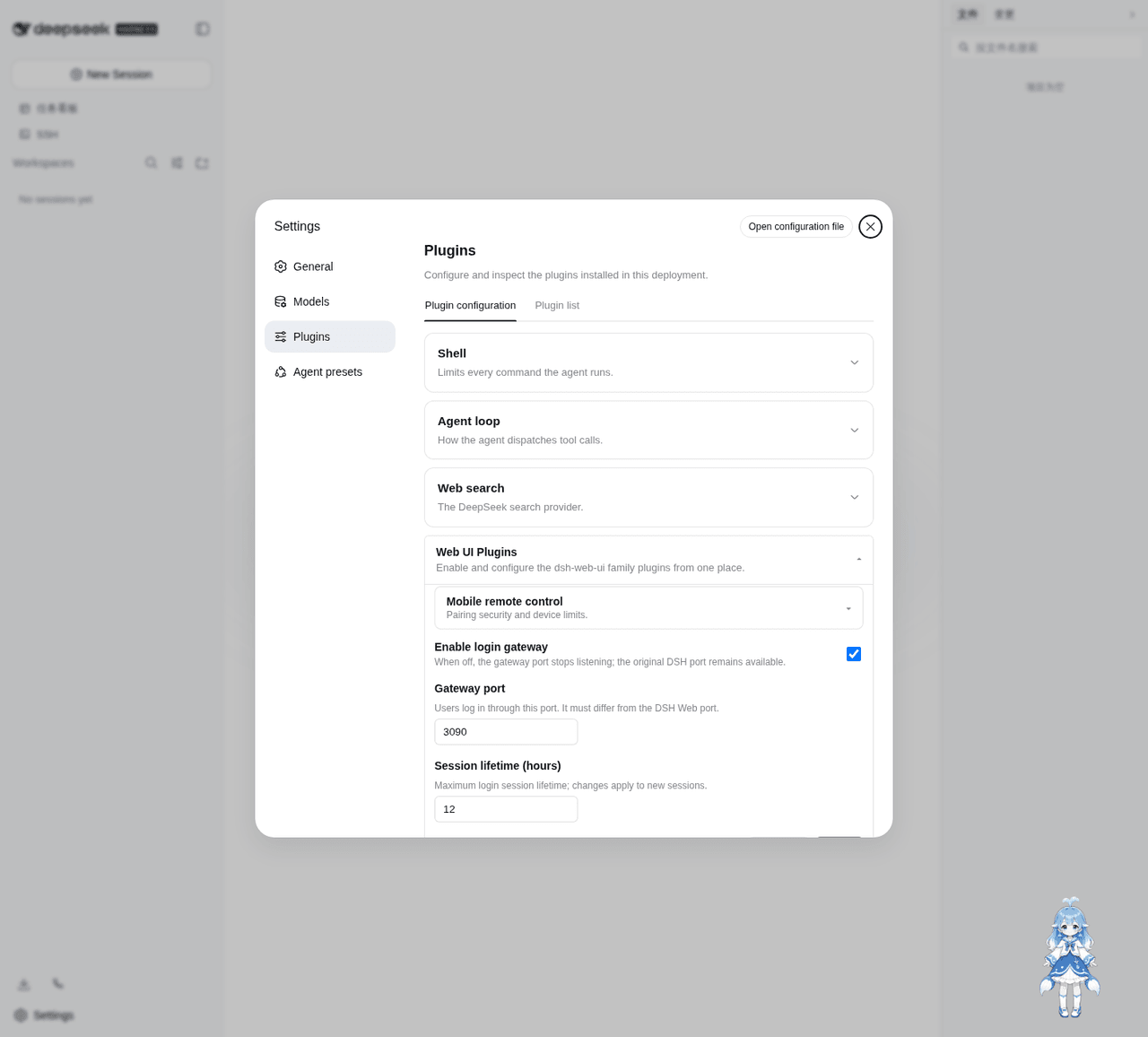
- Settings card under
Settings > Plugins > Web UI Plugins - Configurable gateway port and session lifetime
- Official
@deepseek-ai/*NPM SDK only - No changes to DeepSeek Harness source code
Install
Requires Node.js 22 or newer and DeepSeek Harness.
dsh plugin --profile web add github:luodeb/dsh-web-auth-gateway
Restart DSH Web:
dsh web --host 127.0.0.1 --port 3080
Then open:
http://127.0.0.1:3090
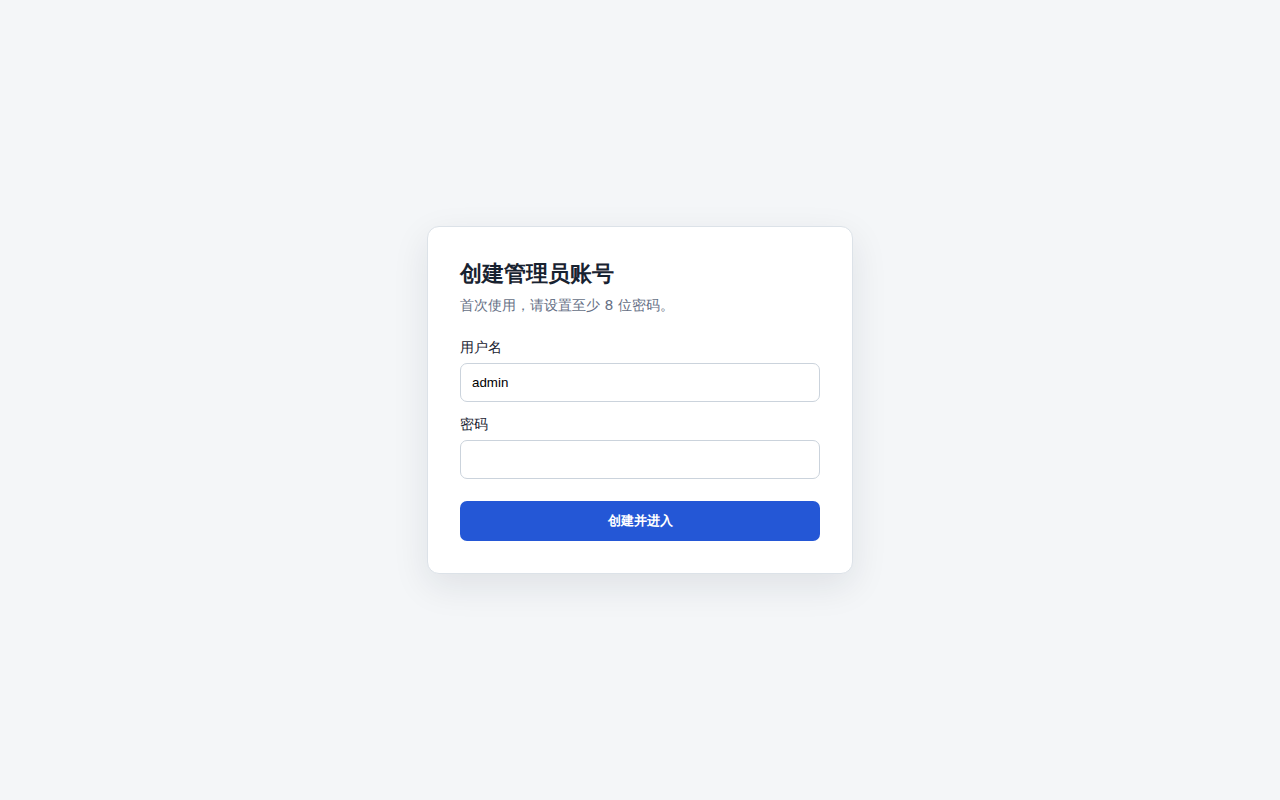
On first access, create the administrator account. Later visits require that account.
Settings
Open Settings > Plugins > Web UI Plugins > Login gateway.
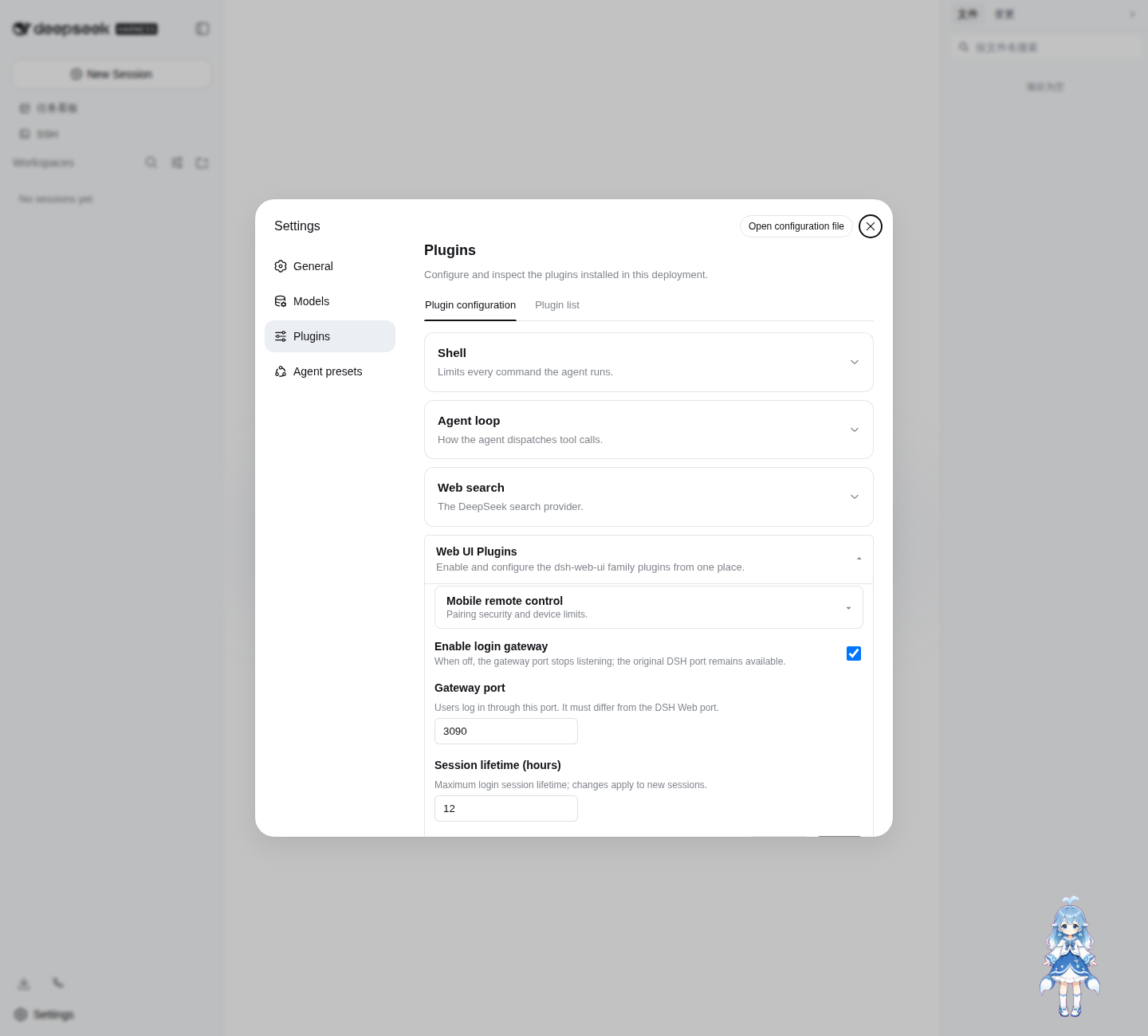
Defaults:
enabled: true
port: 3090
sessionTtlHours: 12
Settings are persisted through the official DSH Settings service in ~/.dsh/settings.yaml.
Login page
The password credential is stored at:
~/.dsh/web-auth-gateway/credential.json
The file contains only the username, random salt, and scrypt password hash. Its mode is 0600.
Security boundary
The original DSH Web port must remain bound to 127.0.0.1 or another trusted interface. If the upstream port is exposed to untrusted clients, they can bypass the gateway.
This plugin currently listens on 127.0.0.1. Use a TLS reverse proxy or a secure tunnel in front of the gateway for remote access. Do not expose plaintext HTTP directly to an untrusted network.
Sessions are stored in memory and are invalidated when DSH restarts.
Development
corepack enable
pnpm install
pnpm build
pnpm typecheck
pnpm test
Install the local checkout into the Web profile:
dsh plugin --profile web add link:$(pwd)
License
BSD-3-Clause
Related相关推荐
-
 xmanrui/dsh-im
通过扫码或机器人凭据把IM机器人接入DeepSeek Harness(支持飞书、微信、钉钉、企业微信、QQ、Slack、Telegram、Discord和WhatsApp)。 Connect IM bots to DeepSeek Harn…
xmanrui/dsh-im
通过扫码或机器人凭据把IM机器人接入DeepSeek Harness(支持飞书、微信、钉钉、企业微信、QQ、Slack、Telegram、Discord和WhatsApp)。 Connect IM bots to DeepSeek Harn…
- cpj-dev/dsh-plugin-cc Bridge Deepseek-harness into Claude Code for review, critique, delegation, and session import.
-
 tencent-connect/dsh-qqbot
让 QQ Bot 接入 DeepSeek Harness(dsh)的官方插件
tencent-connect/dsh-qqbot
让 QQ Bot 接入 DeepSeek Harness(dsh)的官方插件
-
 flymysql/dsh-remote
Remote-work assistant for DeepSeek Harness (DSH): connect SSH (key or password), pick a remote workspace, operate with r…
flymysql/dsh-remote
Remote-work assistant for DeepSeek Harness (DSH): connect SSH (key or password), pick a remote workspace, operate with r…
-
 whiteguo233/dsh-openbiliclaw
OpenBiliClaw 是本地运行的跨平台个性化内容推荐 Agent,持续理解你的兴趣并主动找内容。本仓库是它的 DeepSeek Harness 插件:DSH 界面常驻第四栏(推荐/内容库/对话/画像/设置),注册 22 个 Agent…
whiteguo233/dsh-openbiliclaw
OpenBiliClaw 是本地运行的跨平台个性化内容推荐 Agent,持续理解你的兴趣并主动找内容。本仓库是它的 DeepSeek Harness 插件:DSH 界面常驻第四栏(推荐/内容库/对话/画像/设置),注册 22 个 Agent…
-
 hanshanyike/dsh-yolo
把对话里说过的重要事情,变成持续可跟进的计划。 为 deepseek-harness 打造的个人助手:从对话中整理事项、跟踪变化,并在需要时提醒你。
hanshanyike/dsh-yolo
把对话里说过的重要事情,变成持续可跟进的计划。 为 deepseek-harness 打造的个人助手:从对话中整理事项、跟踪变化,并在需要时提醒你。
-
 omdsh-dev/dsh-lark
Lark/Feishu IM bot channel for DeepSeek Harness | 飞书 DeepSeek Harness (DSH)插件
omdsh-dev/dsh-lark
Lark/Feishu IM bot channel for DeepSeek Harness | 飞书 DeepSeek Harness (DSH)插件
-
 AX1202/ax-feishu-bridge
飞书/Lark 机器人桥接,同时支持 Pi 和 DeepSeek Harness(DSH)双平台,随时随地远程与你的编程助手对话
AX1202/ax-feishu-bridge
飞书/Lark 机器人桥接,同时支持 Pi 和 DeepSeek Harness(DSH)双平台,随时随地远程与你的编程助手对话