mapan0424/deepseek-harness-insights
DeepSeek Harness 非官方使用情况洞察插件
项目介绍Project Overview
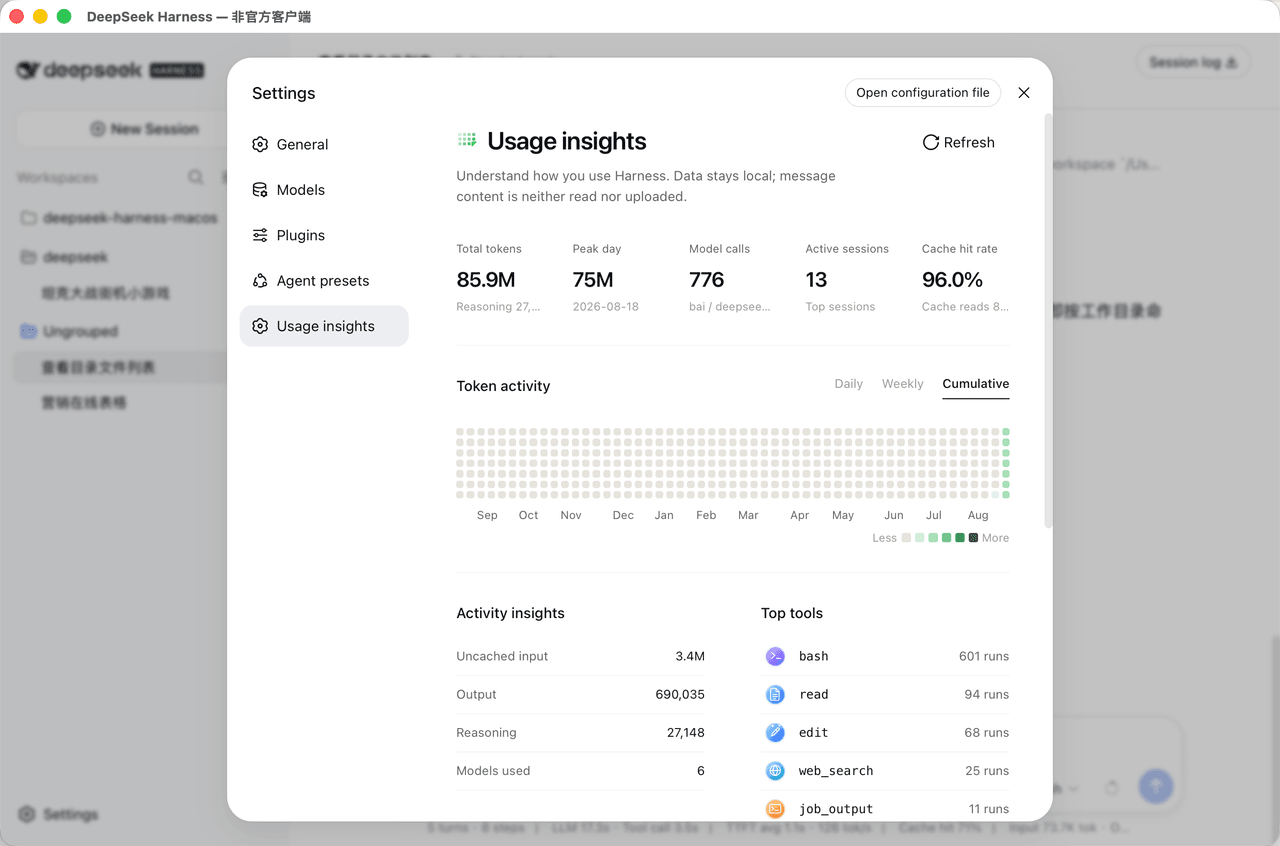
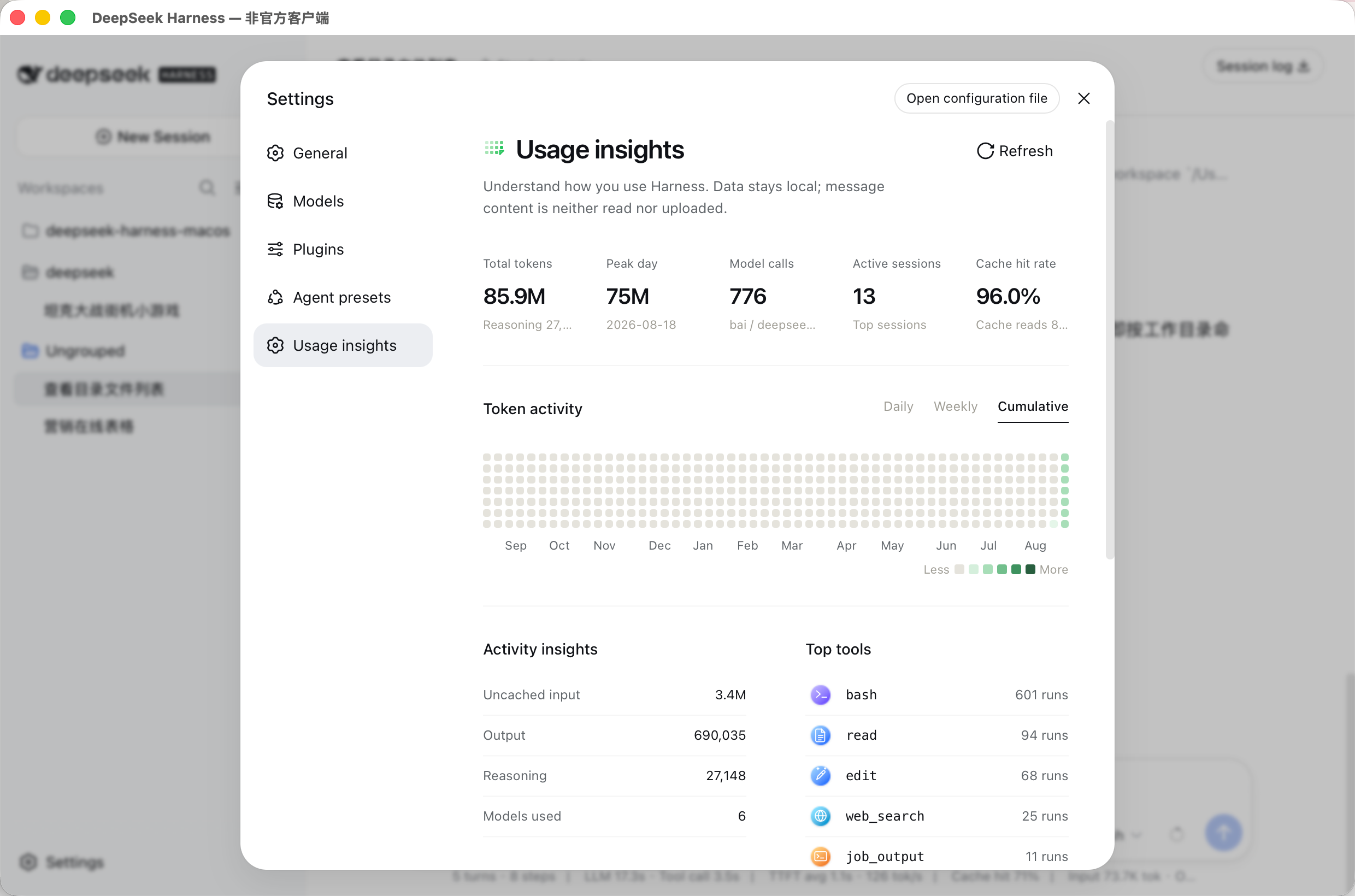
Harness Insights 是随附的 Cordis 插件,为 DeepSeek Harness 增加本地优先的“用量洞察”设置页,展示 Token 活动、模型用量、会话、缓存命中率、活动分布和常用工具。需要在不改上游源码时查看本地用量可用它;它仅 Web 端、面向 0.1.1-rc.2,且为非官方社区插件。
Harness Insights is a bundled Cordis plugin for DeepSeek Harness that adds a local-first “Usage insights” settings page. It shows token activity, model usage, active sessions, cache hit rate, activity breakdown, and frequently used tools without modifying upstream Harness source. Use it to inspect local usage metadata. It is web-only, targets Harness 0.1.1-rc.2, and is an unofficial community plugin.
请帮我了解并安装插件:【deepseek-harness-insights】【https://github.com/mapan0424/deepseek-harness-insights】把上面这条消息直接发给当前会话里的 DSH,让它帮你了解并安装。安装命令不一定准确,发给 DSH 更稳。Send this message to DSH in your current session. CLI install commands may not be accurate across systems — DSH will figure it out for you.
或使用命令行安装(适合开发者)Or use CLI install (for developers)
命令行安装CLI Install
dsh plugin --profile demo add @anarkhgatsby/deepseek-harness-insights把 mapan0424/deepseek-harness-insights 加入你的 DSH 配置(web profile)即可启用。
READMEREADME
Harness Insights
A bundled Cordis plugin for DeepSeek Harness. It adds a local-first Usage insights settings page without modifying upstream Harness source.
Published package: @anarkhgatsby/deepseek-harness-insights.
Preview
The plugin adds a Usage insights page under Harness settings, with token activity, model usage, active sessions, cache hit rate, activity breakdown, and the most frequently used tools.
Install as a Harness bundle
The package follows the official Harness bundle manifest and can be installed
into a profile with dsh plugin:
dsh plugin --profile demo add @anarkhgatsby/deepseek-harness-insights
dsh --profile demo
To remove it later:
dsh plugin --profile demo remove @anarkhgatsby/deepseek-harness-insights
The plugin is web-only and targets the 0.1.1-rc.2 Harness projection and
client APIs. It is an independent, unofficial community plugin and is not
published by DeepSeek.
For local development, the same bundle can be installed from a checkout:
dsh plugin --profile demo add ./packages/harness-insights
The package also retains its dsh.client metadata so the browser entry is
loaded with the required Harness client services.
Data boundary
Harness Insights folds only structured session metadata:
assistant/message.data.usageassistant/message.data.message.source.provider/modeltool/call.data.name- event timestamps and session projection identity
It does not request session history in the browser, store message content, read API keys, or upload usage data. Historical aggregation runs through Harness's official sessionProjectionCache.coldSnapshot() path and persists only the projection checkpoint owned by Harness.
Packaging
The package is developed independently under packages/harness-insights and copied into each bundled runtime at build time. Harness Desktop deploys its tiny pure-JavaScript runtime copy to the standard out-of-tree plugin root under $DSH_HOME/node_modules and loads it through a --patch overlay.
The plugin contains no architecture-specific native modules and is shared by macOS arm64, macOS x86_64, and Windows x86_64 builds.
Tool icon assets
assets/tool-icons contains the project-provided Codex-style Harness tool icon set: 26 matching SVG pairs for light and dark interfaces. The build embeds the optimized pairs into the client bundle; the UI switches them through Harness's body[data-ds-dark-theme] contract without its own theme preference.
相关推荐Related
-
 nexu-io/open-design
🎨 Best DeepSeek Harness Design Plugin. The open-source Claude Design alternative. 🖥️ Local-first desktop app. 🖼️ Your…
nexu-io/open-design
🎨 Best DeepSeek Harness Design Plugin. The open-source Claude Design alternative. 🖥️ Local-first desktop app. 🖼️ Your…
-
 freestylefly/awesome-gpt-image-2
Prompt as Code | GPT-Image2 工业级提示词引擎与模板库,530+ 个案例逆向工程,20+ 套工业级模板,并提炼出Skills,持续更新中
freestylefly/awesome-gpt-image-2
Prompt as Code | GPT-Image2 工业级提示词引擎与模板库,530+ 个案例逆向工程,20+ 套工业级模板,并提炼出Skills,持续更新中
-
 anywhere-labs/dsh-desktop
为 DeepSeek Harness (DSH) 插件生态打造的现代化桌面端解决方案。万物皆「插件」,桌面本身也是「插件」。
anywhere-labs/dsh-desktop
为 DeepSeek Harness (DSH) 插件生态打造的现代化桌面端解决方案。万物皆「插件」,桌面本身也是「插件」。
- Nagi-ovo/voyager Enhancement suite for Gemini, AI Studio, Claude & ChatGPT — plus a prompt manager for any web UI, DeepSeek Harness inclu…
-
 walkinglabs/learn-harness-engineering
Harness engineering beginner tutorial, from 0 to 1
walkinglabs/learn-harness-engineering
Harness engineering beginner tutorial, from 0 to 1
-
 awesome-dsh-plugin/awesome-dsh-plugin
A curated list of plugins for DeepSeek Harness (dsh) · DeepSeek Harness 插件精选列表
awesome-dsh-plugin/awesome-dsh-plugin
A curated list of plugins for DeepSeek Harness (dsh) · DeepSeek Harness 插件精选列表
-
 MemTensor/MemOS
Self-evolving memory OS for LLM & AI Agents: ultra-persistent memory, hybrid-retrieval, and cross-task skill reuse, with…
MemTensor/MemOS
Self-evolving memory OS for LLM & AI Agents: ultra-persistent memory, hybrid-retrieval, and cross-task skill reuse, with…
- yjh051108/dsh-routing-suite dsh-routing-suite — injector + router-standard kit: install the runtime injector first, then the task-aware reasoning-mo…