meme-dog/dsh-plugin-finder
在代理中查找并审计 DeepSeek Harness (DSH) 插件——实时 `dsh-plugin` 主题搜索与源审计,附带从试用至生产的安装计划。
Project Overview项目介绍
Searches GitHub for community DSH plugins within a session, sorted by stars, with one-click install commands. Includes pre-install auditing that scans for dangerous patterns and generates rollback plans. Use it to discover and evaluate plugins. Note: the tool is read-only; install commands require explicit execution.
在会话内搜索GitHub上社区DSH插件,按star排序并附一键安装命令。支持安装前审查,扫描危险模式并生成回滚计划。适合发现和评估插件时使用。注意:工具只读,安装命令需显式执行。
请帮我安装这个 DSH 插件。安装前先完成【兼容性检查 + 安全性检查】,检查通过再动手。

插件:dsh-plugin-finder(meme-dog/dsh-plugin-finder)
仓库:https://github.com/meme-dog/dsh-plugin-finder
本站详情页:https://www.yhbd.top/plugins/meme-dog-dsh-plugin-finder/
本站登记:类型 plugin · 归类 原生 DSH 插件 · 许可证 MIT · ⭐ 2 · 最近提交 2026-08-14 · 主语言 JavaScript

按下面顺序执行,每步先把结论告诉我,再进入下一步:

【1 兼容性检查】
① 我这边:DSH 版本、Node 版本、操作系统、当前 profile(web / desktop)。
② 读它的 README、package.json、插件 manifest,列出它要求的 DSH 版本 / Node 版本 / 操作系统 / 外部依赖 / 需要另外先装的运行时。
③ 逐条比对,结论只写「满足 / 不满足 / 未知」三种;不满足的给出可行替代方案。
④ 检查是否和我已装的插件冲突:命令名重复、skill / tool 重名、端口占用、重复注册的 MCP server。

【2 安全性检查】
① 仓库可信度:和上面「本站登记」是否一致;star / fork 数、创建时间、最近提交,是否归档或长期停更。
② 安装脚本:逐行看 package.json 的 preinstall / install / postinstall,以及 install.sh、setup.ps1 之类脚本。出现 curl|bash、下载后直接执行、混淆代码、访问与插件功能无关的域名,立刻停下来告诉我,不要继续装。
③ 依赖:列出新增依赖,标出无人维护、或与知名包拼写近似的可疑包(typosquatting)。
④ 权限与副作用:它会读写哪些目录、访问哪些域名、需要哪些 DSH 权限(filesystem / network / shell / clipboard 等),以及怎么卸载和回滚。
⑤ 如果它要求 sudo / 管理员权限,或权限明显超出功能所需,先停下来问我。

【3 安装】
上面两步没有「不满足」和「高危项」时才执行;用官方推荐方式安装,不要自行提权。

【4 汇报】
用表格输出:检查项 / 结论 / 依据 / 是否需要我决策。拿不准的一律写「未知」并说明要我怎么确认——不要猜,也不要替我决定。
Send this message to DSH in your current session: it verifies compatibility and security first (answering met / not met / unknown item by item) and only installs once everything checks out — it will stop and ask you if it finds a high-risk item. The box scrolls; the copy is the full prompt. CLI install commands may not be accurate across systems, so DSH is the safer route.把上面这条消息直接发给当前会话里的 DSH:它会先核对兼容性与安全性(逐条给「满足 / 不满足 / 未知」),确认没问题再安装,有高危项会停下来问你。框内可滚动,复制到的是完整提示词;安装命令不一定准确,发给 DSH 更稳。
- Only 2 stars - very few users, little community feedback星标只有 2,几乎没人在用,遇到问题缺少社区反馈
DSH walks through these 9 checksDSH 会逐条核对这 9 项
Compatibility兼容性
- DSH, Node, OS and profile requirementsDSH 版本 / Node 版本 / 操作系统 / profile 是否满足要求
- External dependencies and runtimes (Electron / Python / Docker, ...)外部依赖与运行时(Electron / Python / Docker 等)是否齐备
- Conflicts with installed plugins: command names, skill / tool names, ports, duplicate MCP registration与已装插件是否冲突:命令名、skill / tool 重名、端口占用、重复 MCP 注册
Security安全性
- Repo matches the facts registered here; archived or abandoned?仓库是否与页面登记一致,是否归档或长期停更
- Safety of preinstall / install / postinstall and install.sh / setup.ps1preinstall / install / postinstall 与 install.sh、setup.ps1 是否安全
- curl|bash, download-then-execute, obfuscation, unrelated domains → stop immediatelycurl|bash、下载即执行、混淆代码、无关域名 → 立刻停止
- Typosquatting or unmaintained packages among the new dependencies新增依赖里有没有 typosquatting 或无人维护的包
- Requested permissions vs. what the feature actually needs申请了哪些权限、是否超出功能所需(filesystem / network / shell / clipboard)
- Any sudo / admin requirement, plus uninstall and rollback是否要求 sudo / 管理员权限,以及卸载与回滚方式
Anything uncertain must be marked unknown with a note on how to confirm it. This site's signal screen is a static snapshot, not a security audit.拿不准的必须标「未知」并说明要我怎么确认。本站的信号筛查是静态快照,不能替代安全审计。
Or use CLI install (for developers)或使用命令行安装(适合开发者)
CLI Install命令行安装
dsh plugin --profile web add github:meme-dog/dsh-plugin-finder把 meme-dog/dsh-plugin-finder 加入你的 DSH 配置(web profile)即可启用。
READMEREADME
dsh-plugin-finder
在会话内搜索 GitHub 上的社区 DeepSeek Harness (DSH) 插件,按 star 排序,每个结果带一键安装命令。
灵感来自 OpenClaw / Claude Code 时代的 skills.sh 与
npx skill:让 agent 自己发现生态插件,而不是靠人肉翻列表。
功能
search_dsh_plugins:实时搜索 GitHub 公开dsh-plugintopic(约 1000+ 仓库),排除官方 deepseek-ai 组织- 按 star 排序,返回:插件名、star 数、最近更新时间、简介、issue 数
- 每个结果附带可直接执行的安装命令:
dsh plugin --profile web add github:<owner>/<repo>
audit_dsh_plugin:安装前审查仓库- 下载源码到工作区沙盒
<workspace>/.dsh-plugin-cache/<owner>__<name>/(限 50MB;缓存 24h,可传refresh: true强制重下) - 解压后体积守卫:超过 200MB 自动清理并报错(防压缩炸弹)
- 检测
dsh.bundle安装清单与cordis.patch.yml - 扫描 7 类危险模式:进程执行 / 动态执行 / 密钥与环境变量 / 文件写入删除 / 网络访问 / 危险命令 / 动态导入
- 输出入口源码摘录 + "试用 → 转正式" 安装计划(含回滚步骤)
- 下载源码到工作区沙盒
- 结果内存缓存 5 分钟,减少匿名 GitHub API 限流压力
- 纯只读:不安装、不修改任何插件或配置
安装
dsh plugin --profile web add github:meme-dog/dsh-plugin-finder
安装后重启 dsh web 生效。重启后直接对 agent 说:
- "找找有没有微信通知插件"
- "有什么 TUI 插件?"
- "审查一下 / 这个插件再装"
agent 会自动调用 search_dsh_plugins / audit_dsh_plugin 工具。
用法(作为动态插件试跑)
在会话内通过 cordis_define / cordis_run 注册,重启后失效;适合先体验。
工作原理
| 层 | 说明 |
|---|---|
| 数据源 | GitHub Search API q=topic:dsh-plugin -org:deepseek-ai <keywords>&sort=stars |
| 传输 | ctx.shell + curl(本部署禁用 fetch provider 以防御 SSRF;curl 走与 bash 工具相同的沙箱/审批链路) |
| 缓存 | 按 (query, limit) 内存缓存 5 分钟 |
| 插件形态 | 标准 out-of-tree bundle:package.json 声明 dsh.bundle.patch,cordis.patch.yml 插入一行 |
安全
- 工具只做只读 GET 请求,不执行任何安装动作
- 返回的安装命令需要你/agent 显式执行;安装第三方插件前请审阅源码
- 沙箱拒绝网络请求时会明确报错,不会静默降级
后续可扩展
- 合并 awesome-dsh-plugin 精选列表的中文简介(数据文件就绪后)
-
--verify冒烟测试:检查目标仓库是否声明dsh.bundlemanifest - 按类别过滤(TUI / 记忆 / 通知 / 整活…)
- 检查插件 npm 是否已发布,优先给 npm 安装命令
License
MIT
Related相关推荐
- PerryLink/dsh-research-report Verifiable research-report engine for DeepSeek Harness: content-addressed evidence ledger (claim-snapshot binding, tampe…
- ADWMC/helm-d DeepSeek Harness 破甲一体化安全分析插件:Android · Web · Native · Protocol · Malware · AI-Security 全领域聚合(9 bundle + 1 preset)
-
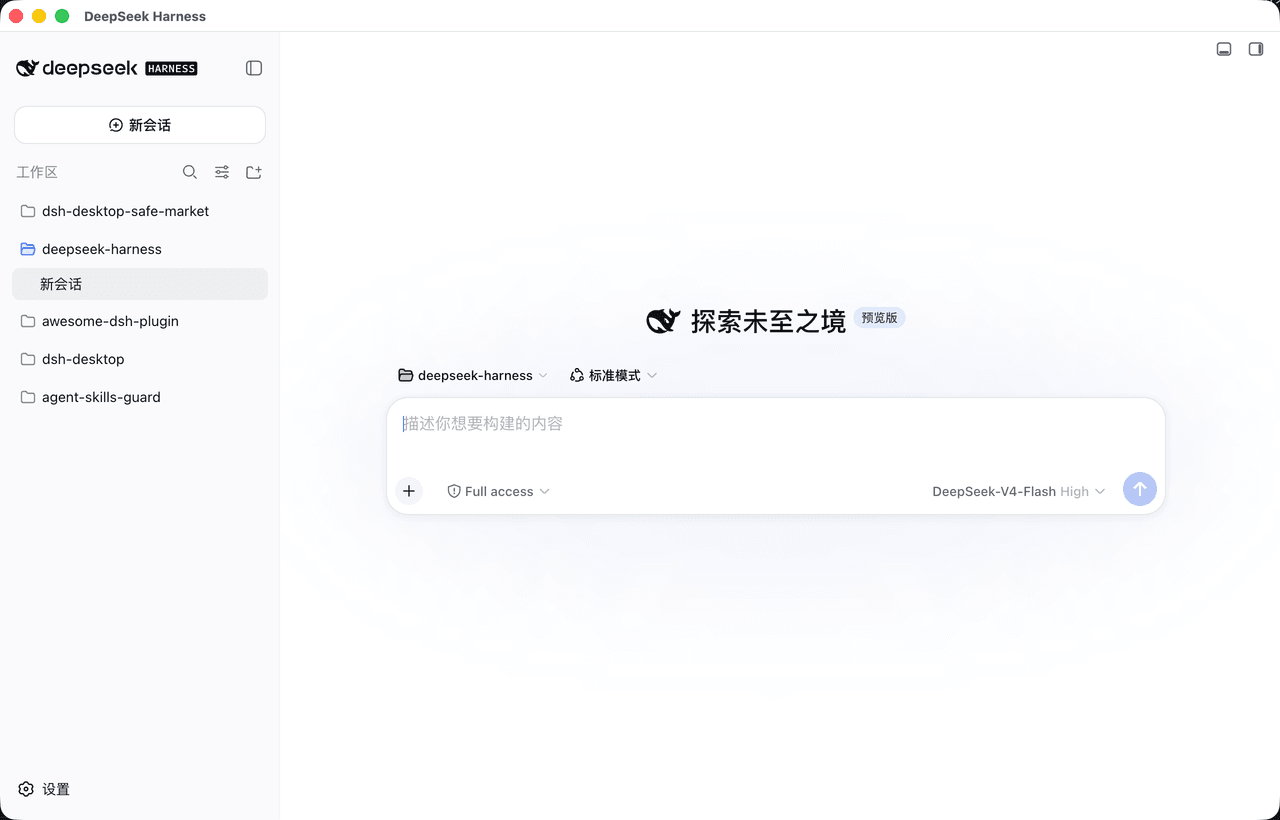 bruc3van/dsh-desktop
一款主打安全且更尊重开发者的开源 DeepSeek Harness 桌面客户端。官方 Web UI ,长任务常驻托盘,支持通知推送;内置安全市场,600+精选插件支持安装审查。
bruc3van/dsh-desktop
一款主打安全且更尊重开发者的开源 DeepSeek Harness 桌面客户端。官方 Web UI ,长任务常驻托盘,支持通知推送;内置安全市场,600+精选插件支持安装审查。
-
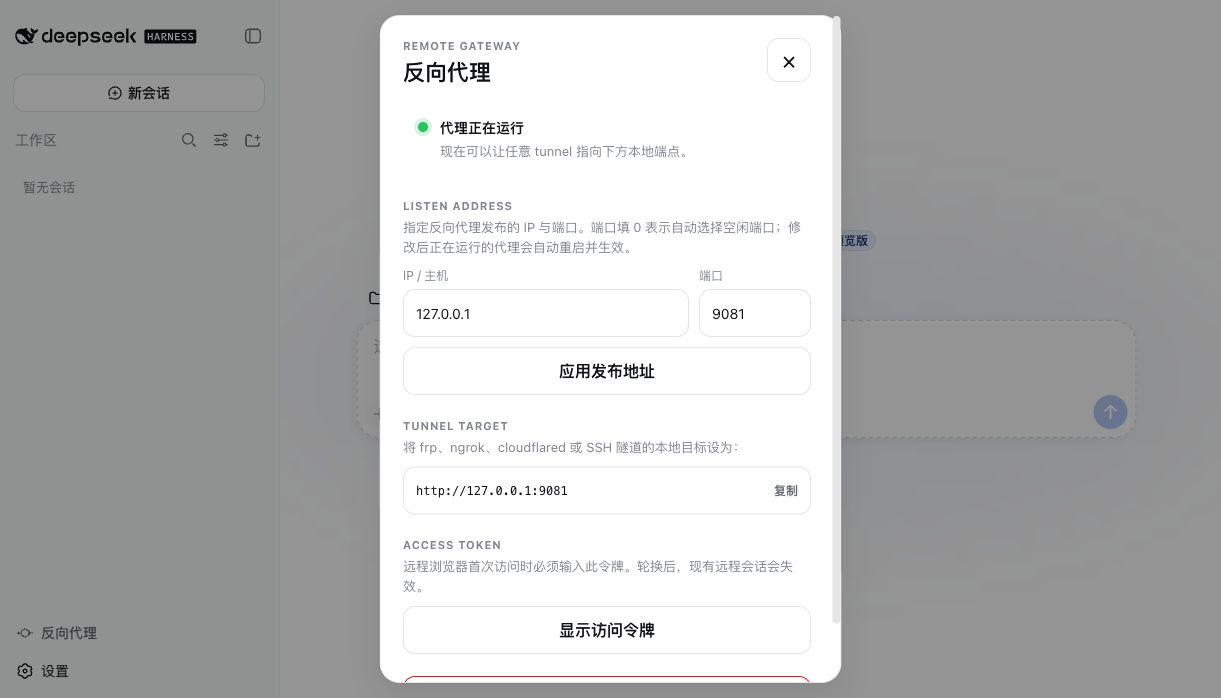 JUANWANG-BUAA/dsh-full-remote
Auditable, token-gated DeepSeek Harness remote gateway: mobile QR access, per-device sessions, Host/Origin rewrite, sett…
JUANWANG-BUAA/dsh-full-remote
Auditable, token-gated DeepSeek Harness remote gateway: mobile QR access, per-device sessions, Host/Origin rewrite, sett…
- Ed-Marcavage/awesome-security-agent-harnesses AI agents for pentesting, code audit, fuzzing, vulnerability discovery, and reverse engineering — harnesses, sandboxes, …
- cccakeee/awesome-dsh-plugins A curated, evidence-led directory of DeepSeek Harness (DSH) plugins: verified loadable extensions, skills, and permissio…
-
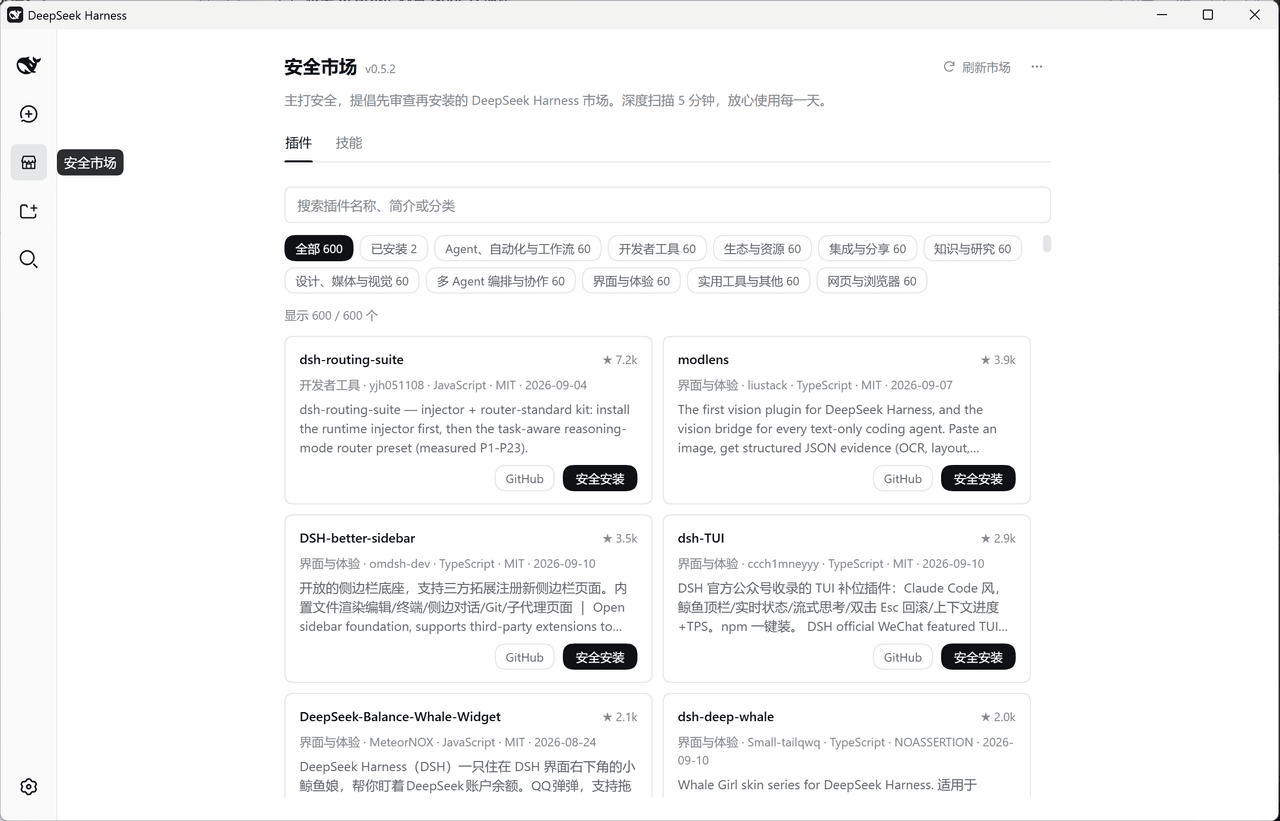 bruc3van/safer-dsh-market
主打安全,提倡先审查再安装的DeepSeek Harness市场。深度扫描 5 分钟,放心使用每一天。
bruc3van/safer-dsh-market
主打安全,提倡先审查再安装的DeepSeek Harness市场。深度扫描 5 分钟,放心使用每一天。
-
 HubaKing/dsh-community-plugins
DeepSeek Harness (dsh) plugin pack: one skill + two audit tools. dsh_plugin_audit offline-checks installed plugins again…
HubaKing/dsh-community-plugins
DeepSeek Harness (dsh) plugin pack: one skill + two audit tools. dsh_plugin_audit offline-checks installed plugins again…