memorax-ai/dsh-turn-fold
Codex-style completed-turn folding for DeepSeek Harness, powered by dsh-harmony.
Project Overview项目介绍
dsh-turn-fold is a native dsh-harmony provider built by memorax-ai specifically for the DeepSeek Harness WebUI, and it exists exclusively to add Codex Desktop-style turn folding to DSH conversations. It is installed by running dsh plugin --profile web add github:memorax-ai/dsh-turn-fold and then confirming each of the three source patches reports bound via dsh harmony status --profile web; the provider ships as a bundle-manifest and never modifies any installed DSH file on disk.
During an active turn the summary bar stays visible while native thinking, notes, commands, and tool calls keep streaming, and from the second item onward consecutive reasoning, context injections, and tool activity collapse into a single compact group. When the turn settles, known agent activity — including context injections — moves into one disclosure immediately before the final answer, with configurable metrics defaulting to wall time, tool-call count, and input/output tokens that render only when the loaded turn carries enough data. The final answer is located through the structural turn-tail.closing.finalNode reference rather than finish_reason or DOM position, and completed, stopped, and interrupted turns all collapse while keeping distinct status labels for the latter two.
Targets are pinned to DSH 0.1.0-rc.8 through 0.1.1-rc.2 (patching @deepseek-ai/dsh-client-ui-conversation) and to DSH 0.1.2-alpha.5 through the 0.1.6 line including prereleases (patching @deepseek-ai/dsh-client-ui-chat), so each selector must still match exactly once or the plugin fails closed without altering an uncertain compiled shape. The test suite runs with node test/run.cjs after npm install and covers completed, split-activity, post-closing, partial-history, failed, interrupted, open, accessibility, localization, settings, and state-retention cases against both supported shapes; release ships through GitHub Actions and npm Trusted Publishing via OIDC under an MIT license, and real-bundle compatibility is exercised by pointing DSH_TURN_FOLD_UPSTREAM_ROOT at an isolated DSH install before npm test.
dsh-turn-fold 是 memorax-ai 为 DSH(DeepSeek Harness)WebUI 打造的原生 Provider,隶属 dsh-harmony 生态,专为对话界面引入 Codex Desktop 风格的回合折叠体验。安装方式是在终端执行 dsh plugin --profile web add github:memorax-ai/dsh-turn-fold,再用 dsh harmony status --profile web 确认三条 Source Patch 全部 bound 即可生效,已安装的 DSH 源文件不会被改动。
在折叠回合中,顶部摘要栏始终保持可见,原生思考、注释、命令与工具调用继续流式输出;从第二条起相邻的推理、上下文注入和工具活动会合并进同一紧凑分组;回合收束后,代理活动(含上下文注入)统一折叠到最终回答前的一个 disclosure 中,可配置指标默认为耗时、工具调用数和输入/输出 Token。最终回答通过 turn-tail.closing.finalNode 定位,不依赖 finish_reason 或 DOM 位置。
依赖方面,插件针对 DSH 0.1.0-rc.8–0.1.1-rc.2 命中 @deepseek-ai/dsh-client-ui-conversation,对 0.1.2-alpha.5–0.1.6 转向 @deepseek-ai/dsh-client-ui-chat;任何选择器若不唯一匹配即失败关闭,绝不勉强改写。测试通过 node test/run.cjs 覆盖完整、拆分活动、回答后、失败、中断、未完成等回合,以及无障碍、本地化与状态记忆;license 为 MIT,发布走 GitHub Actions 加 npm Trusted Publishing(OIDC)。
请帮我安装这个 DSH 插件。安装前先完成【兼容性检查 + 安全性检查】,检查通过再动手。

插件:dsh-turn-fold(memorax-ai/dsh-turn-fold)
仓库:https://github.com/memorax-ai/dsh-turn-fold
本站详情页:https://www.yhbd.top/plugins/memorax-ai-dsh-turn-fold/
本站登记:类型 plugin · 归类 原生 DSH 插件 · 许可证 MIT · ⭐ 13 · 最近提交 2026-09-28 · 主语言 JavaScript

按下面顺序执行,每步先把结论告诉我,再进入下一步:

【1 兼容性检查】
① 我这边:DSH 版本、Node 版本、操作系统、当前 profile(web / desktop)。
② 读它的 README、package.json、插件 manifest,列出它要求的 DSH 版本 / Node 版本 / 操作系统 / 外部依赖 / 需要另外先装的运行时。
③ 逐条比对,结论只写「满足 / 不满足 / 未知」三种;不满足的给出可行替代方案。
④ 检查是否和我已装的插件冲突:命令名重复、skill / tool 重名、端口占用、重复注册的 MCP server。

【2 安全性检查】
① 仓库可信度:和上面「本站登记」是否一致;star / fork 数、创建时间、最近提交,是否归档或长期停更。
② 安装脚本:逐行看 package.json 的 preinstall / install / postinstall,以及 install.sh、setup.ps1 之类脚本。出现 curl|bash、下载后直接执行、混淆代码、访问与插件功能无关的域名,立刻停下来告诉我,不要继续装。
③ 依赖:列出新增依赖,标出无人维护、或与知名包拼写近似的可疑包(typosquatting)。
④ 权限与副作用:它会读写哪些目录、访问哪些域名、需要哪些 DSH 权限(filesystem / network / shell / clipboard 等),以及怎么卸载和回滚。
⑤ 如果它要求 sudo / 管理员权限,或权限明显超出功能所需,先停下来问我。

【3 安装】
上面两步没有「不满足」和「高危项」时才执行;用官方推荐方式安装,不要自行提权。

【4 汇报】
用表格输出:检查项 / 结论 / 依据 / 是否需要我决策。拿不准的一律写「未知」并说明要我怎么确认——不要猜,也不要替我决定。
Send this message to DSH in your current session: it verifies compatibility and security first (answering met / not met / unknown item by item) and only installs once everything checks out — it will stop and ask you if it finds a high-risk item. The box scrolls; the copy is the full prompt. CLI install commands may not be accurate across systems, so DSH is the safer route.把上面这条消息直接发给当前会话里的 DSH:它会先核对兼容性与安全性(逐条给「满足 / 不满足 / 未知」),确认没问题再安装,有高危项会停下来问你。框内可滚动,复制到的是完整提示词;安装命令不一定准确,发给 DSH 更稳。
- 13 stars - an early-stage project星标 13,属于早期项目
DSH walks through these 9 checksDSH 会逐条核对这 9 项
Compatibility兼容性
- DSH, Node, OS and profile requirementsDSH 版本 / Node 版本 / 操作系统 / profile 是否满足要求
- External dependencies and runtimes (Electron / Python / Docker, ...)外部依赖与运行时(Electron / Python / Docker 等)是否齐备
- Conflicts with installed plugins: command names, skill / tool names, ports, duplicate MCP registration与已装插件是否冲突:命令名、skill / tool 重名、端口占用、重复 MCP 注册
Security安全性
- Repo matches the facts registered here; archived or abandoned?仓库是否与页面登记一致,是否归档或长期停更
- Safety of preinstall / install / postinstall and install.sh / setup.ps1preinstall / install / postinstall 与 install.sh、setup.ps1 是否安全
- curl|bash, download-then-execute, obfuscation, unrelated domains → stop immediatelycurl|bash、下载即执行、混淆代码、无关域名 → 立刻停止
- Typosquatting or unmaintained packages among the new dependencies新增依赖里有没有 typosquatting 或无人维护的包
- Requested permissions vs. what the feature actually needs申请了哪些权限、是否超出功能所需(filesystem / network / shell / clipboard)
- Any sudo / admin requirement, plus uninstall and rollback是否要求 sudo / 管理员权限,以及卸载与回滚方式
Anything uncertain must be marked unknown with a note on how to confirm it. This site's signal screen is a static snapshot, not a security audit.拿不准的必须标「未知」并说明要我怎么确认。本站的信号筛查是静态快照,不能替代安全审计。
Or use CLI install (for developers)或使用命令行安装(适合开发者)
CLI Install命令行安装
dsh plugin --profile web add github:memorax-ai/dsh-turn-fold把 memorax-ai/dsh-turn-fold 加入你的 DSH 配置(web profile)即可启用。
READMEREADME
dsh-turn-fold
English | 简体中文

A dsh-harmony provider that adds Codex-Desktop-style turn folding to the DSH WebUI conversation.
https://github.com/user-attachments/assets/3c9dfdcf-a454-4750-9edf-76771ed5a9a6
During a turn, the summary bar remains visible while native thinking, notes, commands, and tool calls keep streaming. Consecutive reasoning, context injections, and tool activity share one compact group from the second item onward. When a turn settles, known Agent activity, including context injection, moves into one disclosure immediately before the final answer. Its configurable metrics default to wall time, tool-call count, and input/output tokens, and appear only when the loaded turn contains enough data to calculate them without guessing.
The final answer is located through turn-tail.closing.finalNode, not
finish_reason or DOM position. Completed, stopped, and interrupted turns fold,
with distinct status labels for the latter two. A turn remains expanded when
DSH marks its closing branch unavailable, when any later node follows the
closing answer, or while the user has keyboard focus or an active text selection
inside its activity. Failed, max-token, closing-less, and open turns also stay
expanded so errors and unfinished work are never hidden.
Expanding reuses the original native node renderers, so tool details, copy, and file links keep working. Open turns are remembered per session and turn while the WebUI remains loaded. The disclosure has keyboard-visible focus, accessible state and action labels, responsive wrapping, reduced-motion handling, and a short open/close transition that unmounts the activity after it closes.
How it works
Three shape-guarded Source Patches run in memory against the compiled browser
bundle. For DSH 0.1.0-rc.8 through 0.1.1-rc.2, they target
@deepseek-ai/dsh-client-ui-conversation; for DSH 0.1.2-alpha.5 through the
0.1.7 line (including prereleases), they follow the renderer into @deepseek-ai/dsh-client-ui-chat.
Installed DSH files are never modified. Every selector must still match exactly
once, so an incompatible compiled shape fails closed instead of modifying an
uncertain target.
Showing the opening section of the README — the full document lives in the repository以上为 README 开头摘要,完整文档在仓库内 · View the full README on GitHub →在 GitHub 查看完整 README →
Related相关推荐
-
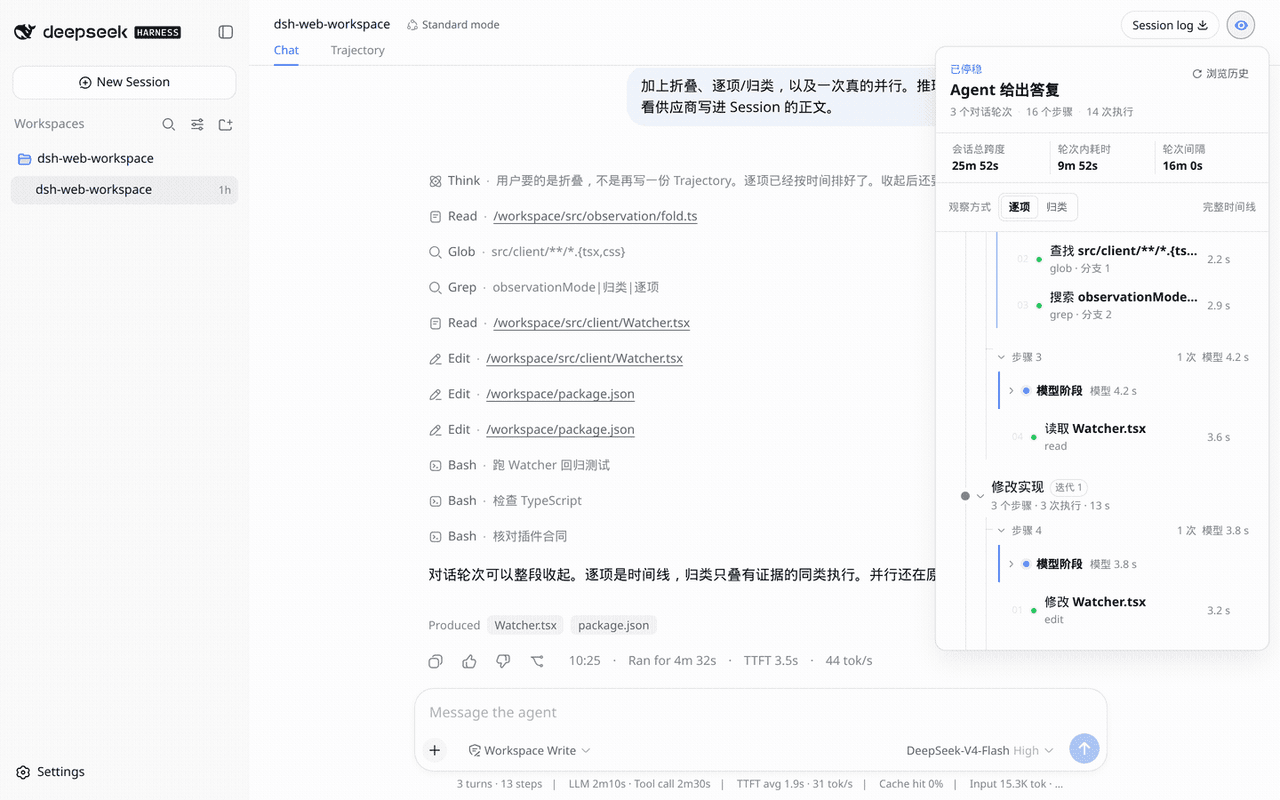 aa2246740/dsh-watcher
Read-only Agent work-path observer for DeepSeek Harness
aa2246740/dsh-watcher
Read-only Agent work-path observer for DeepSeek Harness
-
 fredalxin/dsh-solo-thinking
Solo-style isolated brainstorm branches and Handoffs for DeepSeek Harness
fredalxin/dsh-solo-thinking
Solo-style isolated brainstorm branches and Handoffs for DeepSeek Harness
-
 better-er/dsh-pause
「DSH·暂停」:agent 完成一轮工具交互、正要发出下一次模型请求之前暂停,保持输入框可用,人类按回车放行并可携带补充文字;不打断任何在途 API 调用。
better-er/dsh-pause
「DSH·暂停」:agent 完成一轮工具交互、正要发出下一次模型请求之前暂停,保持输入框可用,人类按回车放行并可携带补充文字;不打断任何在途 API 调用。
-
 SakalioLabs/dsh-code-ide
DeepSeek Harness的 IDE插件,以最小破坏性的方式增加代码审阅能力
SakalioLabs/dsh-code-ide
DeepSeek Harness的 IDE插件,以最小破坏性的方式增加代码审阅能力
- photon-hq/dsh-imessage Photon-hosted iMessage transport and settings UI for DeepSeek Harness
-
 lilwhich/dsh-plugin-gather
for better dsh
lilwhich/dsh-plugin-gather
for better dsh
-
 asukasec/dsh-message-preview
Right-side user-message navigator for the DeepSeek Harness Web UI.
asukasec/dsh-message-preview
Right-side user-message navigator for the DeepSeek Harness Web UI.
-
 czm15053/dsh-peer-link