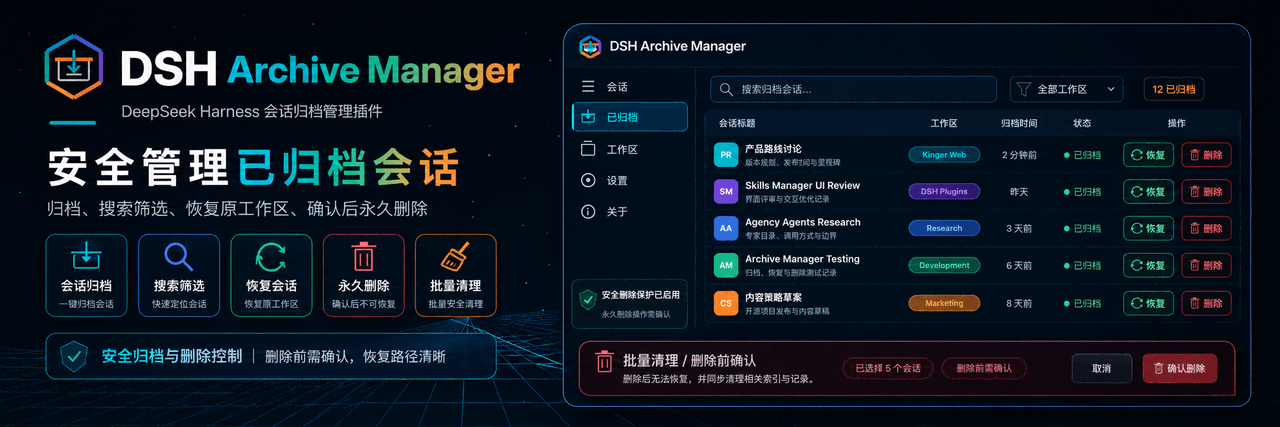
MichengAI/dsh-archive-manager
DSH 归档管理器是基于 DeepSeek Harness 的归档会话管理插件。
项目介绍Project Overview
DSH Archive Manager 是 DeepSeek Harness 的社区插件,用于归档、检索、还原与彻底删除会话。它通过侧边栏菜单归档会话,在“设置 → Archived”中按工作区搜索与筛选,支持一键还原或确认后永久删除,并立即清理已删除会话在侧边栏的显示。需通过 DSH profile 安装,安装或升级后须重启 DSH Web 并硬刷新浏览器,删除操作不可撤销。
DSH Archive Manager is a community plugin for DeepSeek Harness that archives, searches, restores, and permanently deletes sessions. It archives sessions from the sidebar menu, exposes a Settings → Archived page with workspace filtering, supports one-click unarchive, and confirms before permanent deletion while instantly removing unloaded entries from sidebars. Install it through the DSH profile rather than copying files; after install or upgrade, restart DSH Web and hard-refresh the browser. Deletion is irreversible once confirmed.
请帮我了解并安装插件:【dsh-archive-manager】【https://github.com/MichengAI/dsh-archive-manager】把上面这条消息直接发给当前会话里的 DSH,让它帮你了解并安装。安装命令不一定准确,发给 DSH 更稳。Send this message to DSH in your current session. CLI install commands may not be accurate across systems — DSH will figure it out for you.
或使用命令行安装(适合开发者)Or use CLI install (for developers)
命令行安装CLI Install
dsh plugin --profile web add @michengai/dsh-archive-manager@latest --registry=https://registry.npmjs.org/把 MichengAI/dsh-archive-manager 加入你的 DSH 配置(web profile)即可启用。
READMEREADME
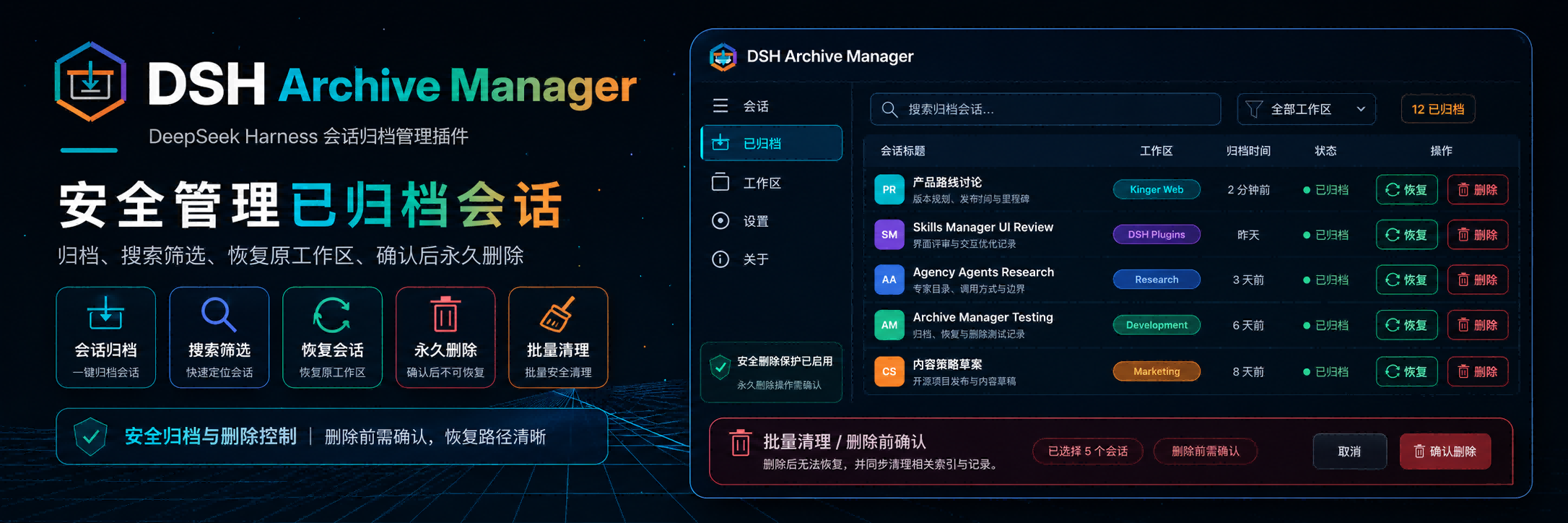
DSH Archive Manager
Safely manage archived sessions in DeepSeek Harness
简体中文 · Changelog · Apache-2.0





DSH Archive Manager is a community-maintained DeepSeek Harness (DSH) plugin, not an official DeepSeek AI product.
Features
- Archive a session from the sidebar session menu.
- Search archived chats, sort them by update time, creation time, or title, and filter them by workspace in Settings → Archived.
- Restore a session to its original workspace with Unarchive.
- Restore or permanently delete every archived chat in a project group.
- Restore all archived chats from the page header.
- Permanently delete a confirmed session, its workspace association, archive marker, and projection cache.
- Delete all archived chats after confirmation, including child agents.
- Remove unloaded deleted sessions from connected sidebars immediately.
- Paste one sentence into DSH, Codex, or WorkBuddy and let that agent install the plugin locally.
Screenshots
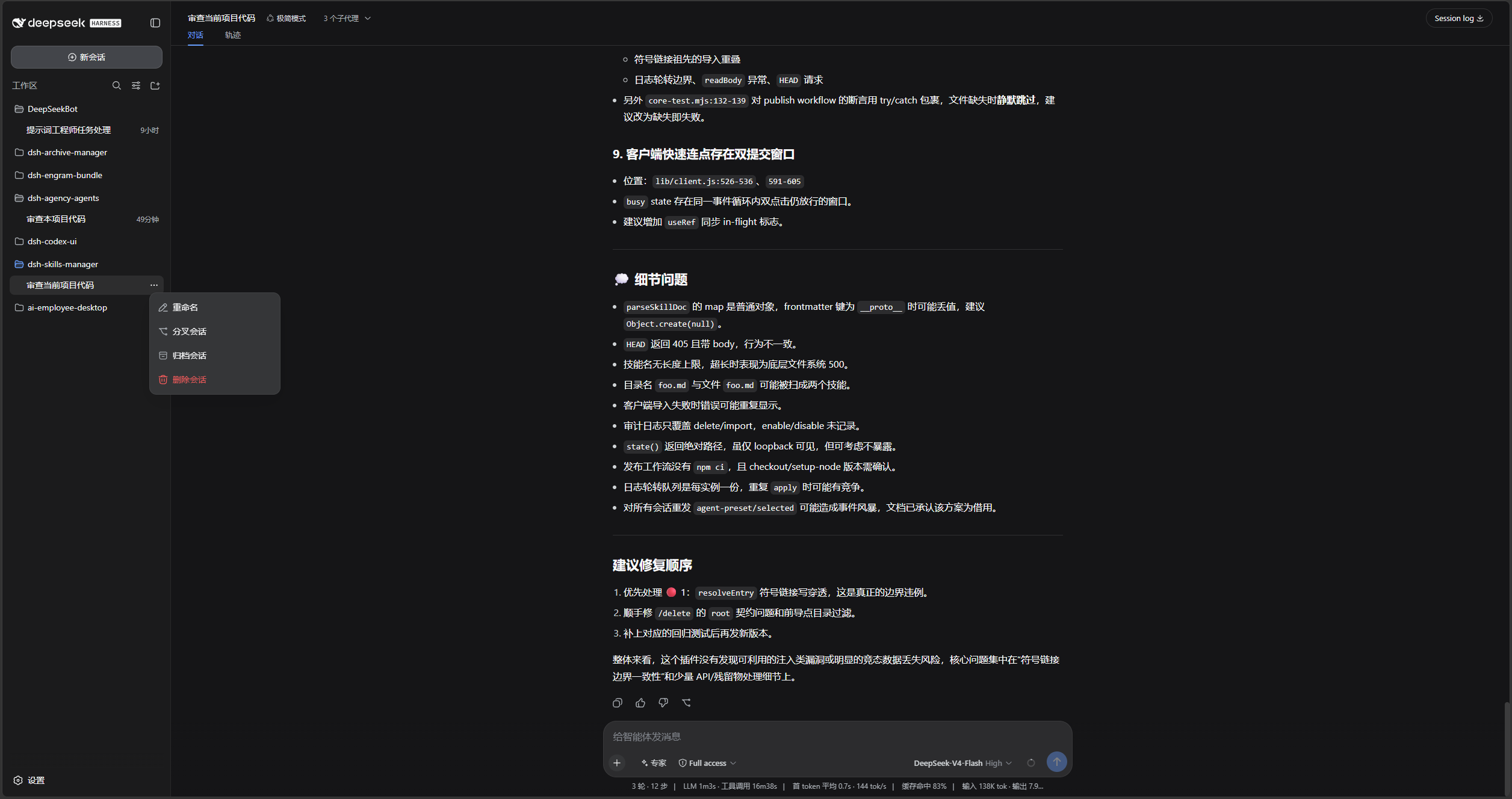
Open the sidebar session menu and choose Archive session:
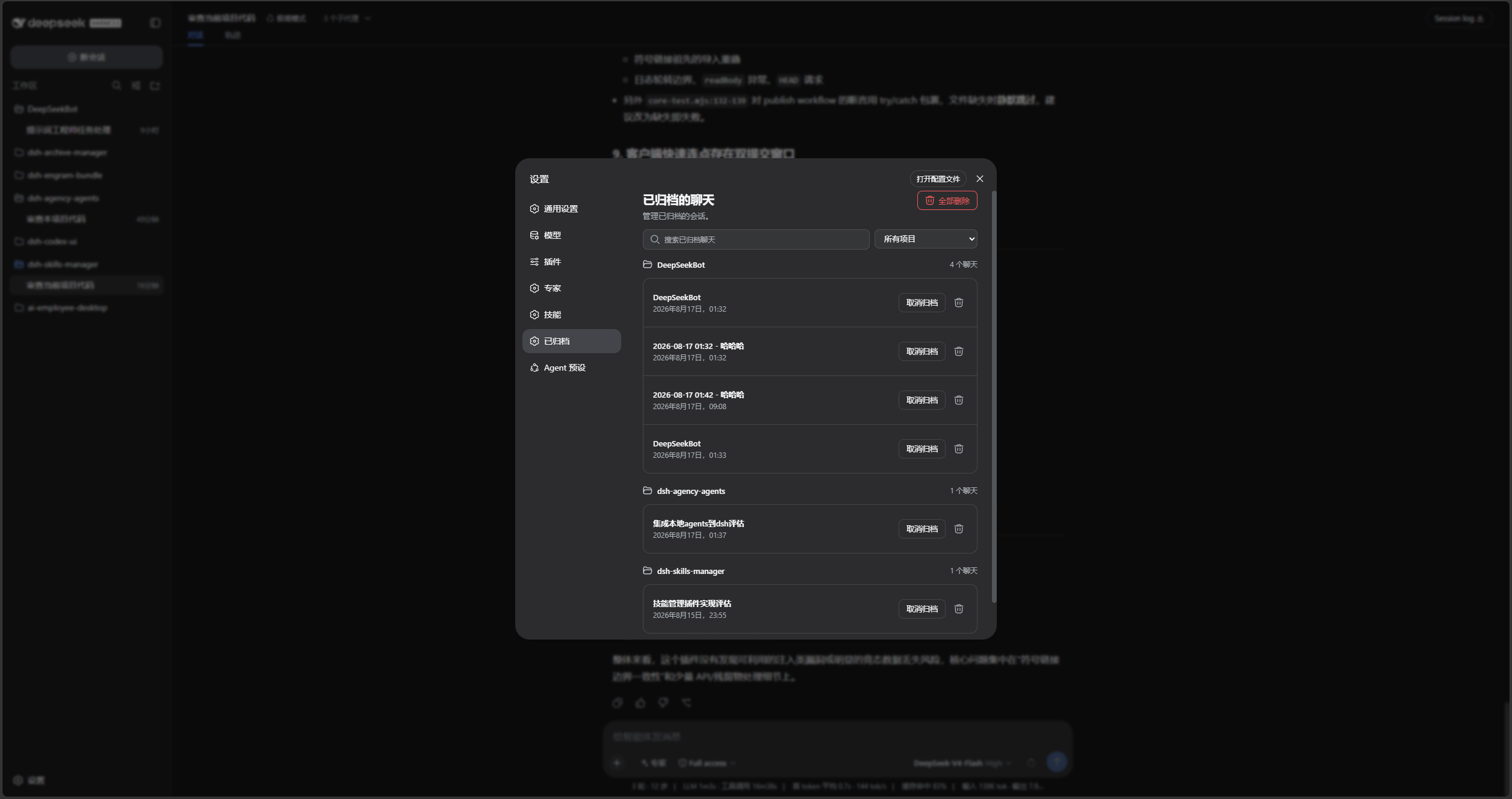
Search, sort, filter by project, unarchive, or permanently delete chats in Settings → Archived:
DSH product ecosystem
This product can be installed independently or used through the desktop app or Web suite. They share the same DSH core but serve different ways of working:
| Product | Relationship to this product |
|---|---|
| DeepSeek Harness | The host runtime that provides models, sessions, tools, and the plugin system |
| DSH Codex Desktop | A ready-to-install desktop product with this product and the other five feature products built in |
| DSH Codex Suite | A one-click suite for existing DSH Web environments that installs this product and the other five feature products |
| Six feature products | Codex UI · IM Connect · Automation · Skills Manager · Archive Manager · Agency Agents |
Prerequisites
- A working DeepSeek Harness Web installation with
dshavailable in PowerShell. - Examples use the
webprofile; replace it with the target profile. - Source installation and development require Node.js 22+ and pnpm. npm installation does not require running
pnpm installseparately.
Installation
dsh plugin add forwards to pnpm add in the profile directory. Without a version and official registry, a local mirror or minimum-release-age policy can leave you on an older build.
Ask another agent to install it
This plugin runs inside DeepSeek Harness Web. Copy one of the sentences below into DSH, Codex, or WorkBuddy and let that agent install it into your local web profile.
From npm:
Install the latest DSH plugin @michengai/dsh-archive-manager into my local web profile using the official npm registry: dsh plugin --profile web add @michengai/dsh-archive-manager@latest --registry=https://registry.npmjs.org/. Then run dsh --profile web --dump-config, confirm archive-manager is mounted, and remind me to restart DSH Web and hard-refresh the browser.
From source:
Install the DSH plugin from source at https://github.com/MichengAI/dsh-archive-manager: clone it, run pnpm install --frozen-lockfile and pnpm build, then run dsh plugin --profile web add . from that directory. Do not copy lib by itself. Then run dsh --profile web --dump-config, confirm archive-manager is mounted, and remind me to restart DSH Web and hard-refresh the browser.
| Product | How to use it |
|---|---|
| DSH | Send one of the sentences above to the current session. |
| Codex | Send one of the sentences above to Codex and let it install locally. |
| WorkBuddy | Send one of the sentences above to WorkBuddy; for a source install you can also paste https://github.com/MichengAI/dsh-archive-manager. |
Codex and WorkBuddy only install the plugin. After that, open DSH Web and use Settings → Archived.
You can also run the same npm command yourself:
dsh plugin --profile web add @michengai/dsh-archive-manager@latest --registry=https://registry.npmjs.org/
If dsh is not on PATH, replace the leading dsh with npx --yes @deepseek-ai/dsh.
Install the latest package from the official npm registry
Run this from any PowerShell directory:
[Console]::OutputEncoding = [System.Text.Encoding]::UTF8
$OutputEncoding = [System.Text.Encoding]::UTF8
dsh plugin --profile web add @michengai/dsh-archive-manager@latest --registry=https://registry.npmjs.org/
dsh --profile web --dump-config
To pin a release, replace @latest with a specific version such as @x.y.z.
The configuration output should contain workspace-archive-manager and ui-workspace-archive-manager. Restart DSH Web and hard-refresh the browser. Do not copy client files manually: the Settings page and archive menu need the mounted plugin.
Install from source
Use this for debugging or unpublished changes. The cloned directory becomes the plugin source path:
[Console]::OutputEncoding = [System.Text.Encoding]::UTF8
$OutputEncoding = [System.Text.Encoding]::UTF8
Set-Location D:\Repository\deepseek-harness-plugin
git clone https://github.com/MichengAI/dsh-archive-manager.git
Set-Location .\dsh-archive-manager
pnpm install --frozen-lockfile
pnpm build
dsh plugin --profile web add .
dsh --profile web --dump-config
Restart DSH Web and hard-refresh the browser. dsh plugin ... add . reads the package metadata and cordis.patch.yml; do not install by copying lib directly.
Usage
- Open the sidebar session menu and choose Archive session.
- Open Settings → Archived to inspect sessions by workspace.
- Search by title, sort by update time, creation time, or title, or filter the list by project.
- Select Unarchive to restore one session, or select Restore all in the page header.
- Open a project heading's action menu to restore or delete all of that project's archived chats.
- Use the delete icon to remove one session permanently, then confirm the deletion. It cannot be undone.
If the entry is missing after installation or upgrade, restart DSH Web and hard-refresh the browser. It is located directly after Connectors in Settings.
Data handling limits
- Deletion always requires confirmation.
- It removes the session directory, workspace records, archive set, and projection cache.
- A live session finishes writing before cleanup to prevent data truncation.
- The plugin replaces DSH’s default workspace and projection services. Install through the DSH profile instead of manually composing the patch.
Secondary development
This repository has no src directory. lib is directly maintained runtime source, which is its current layout rather than the recommended layout for new plugins. New plugins should prefer src built to lib.
- lib\index.js: host service entry point.
- lib\workspace.js: archived-session and workspace service.
- lib\projcache.js: session projection cache.
- lib\client.js: Settings page and archive UI.
test\*.test.mjs: host, client, Remote, and styling coverage.
After changing the runtime source, validate, test, and install from the local directory:
[Console]::OutputEncoding = [System.Text.Encoding]::UTF8
$OutputEncoding = [System.Text.Encoding]::UTF8
pnpm build
pnpm test
pnpm pack:check
dsh plugin --profile web add .
pnpm build validates package integrity; it does not compile lib into another directory.
Validation
[Console]::OutputEncoding = [System.Text.Encoding]::UTF8
$OutputEncoding = [System.Text.Encoding]::UTF8
pnpm build
pnpm test
pnpm pack:check
prepublishOnly runs the build check and tests before publishing.
License
Licensed under Apache License 2.0.
Changelog
See CHANGELOG.md for retained release notes.
相关推荐Related
-
 nexu-io/open-design
🎨 Best DeepSeek Harness Design Plugin. The open-source Claude Design alternative. 🖥️ Local-first desktop app. 🖼️ Your…
nexu-io/open-design
🎨 Best DeepSeek Harness Design Plugin. The open-source Claude Design alternative. 🖥️ Local-first desktop app. 🖼️ Your…
-
 ruvnet/ruflo
🌊 The original agent meta-harness. Deploy intelligent multi-player swarms, coordinate autonomous workflows, and build c…
ruvnet/ruflo
🌊 The original agent meta-harness. Deploy intelligent multi-player swarms, coordinate autonomous workflows, and build c…
-
 amruthpillai/reactive-resume
A one-of-a-kind resume builder that keeps your privacy in mind. Completely secure, customizable, portable, open-source a…
amruthpillai/reactive-resume
A one-of-a-kind resume builder that keeps your privacy in mind. Completely secure, customizable, portable, open-source a…
-
 esengine/DeepSeek-Reasonix
DeepSeek-native AI coding agent for your terminal. Engineered around prefix-cache stability — leave it running.
esengine/DeepSeek-Reasonix
DeepSeek-native AI coding agent for your terminal. Engineered around prefix-cache stability — leave it running.
-
 volcengine/OpenViking
Self-evolving Context Database for AI Agents. Unify Agent Memory, Knowledge RAG and Skills.
volcengine/OpenViking
Self-evolving Context Database for AI Agents. Unify Agent Memory, Knowledge RAG and Skills.
-
 Molunerfinn/PicGo
:rocket: The Ultimate Image Uploader for Efficient Creators. Supports Obsidian, Typora, VS Code etc. and 60+ image hosti…
Molunerfinn/PicGo
:rocket: The Ultimate Image Uploader for Efficient Creators. Supports Obsidian, Typora, VS Code etc. and 60+ image hosti…
-
 titanwings/distilly
Distilly — Distill how they think into reusable Skills for any Agent or Bot. Formerly Colleague Skill(原同事 Skill).
titanwings/distilly
Distilly — Distill how they think into reusable Skills for any Agent or Bot. Formerly Colleague Skill(原同事 Skill).
-
 titanwings/colleague-skill