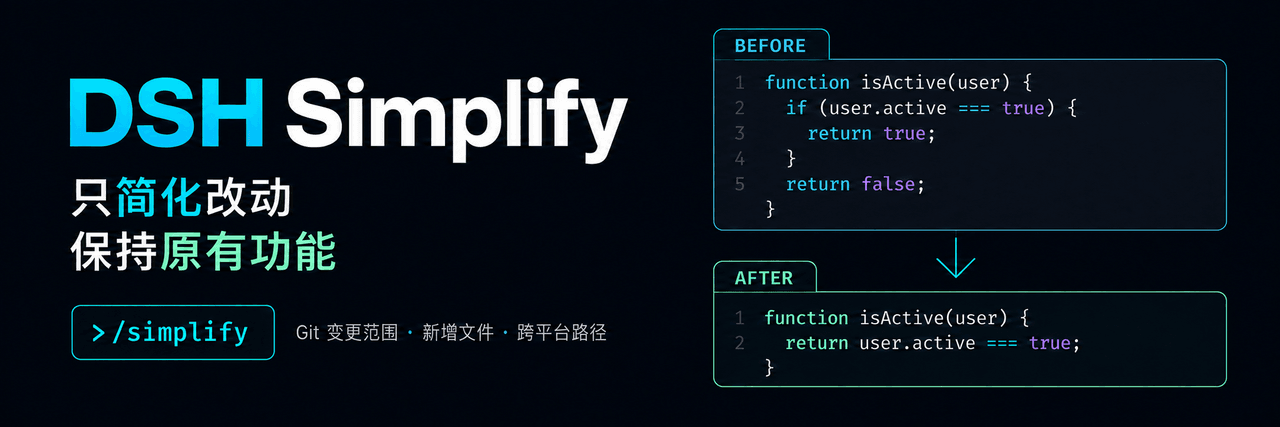
MichengAI/dsh-simplify
DSH Simplify — 为 DeepSeek Harness 提供限定 Git 变更范围的代码简化,支持未跟踪文件、跨平台路径与可靠的 Git 异常处理 · Git-scoped code simplification with untracked-file support, cross-platform paths, and reliable Git error handling for DeepSeek Harness
Project Overview项目介绍
DSH Simplify is a community-maintained DeepSeek Harness plugin authored by MichengAI that exposes a /simplify slash command for the current Agent session. The command asks the Agent to tidy up recently changed code in a Git project while preserving observable behavior, and it ships a bundle-manifest alongside its npm distribution under the @michengai/dsh-simplify scope. The repository is explicitly branded as a DSH Web Plugin, depends on the DeepSeek Harness runtime, and only functions inside an environment where the dsh CLI plus the commands and subprocess services are available, covering both DSH Web and any desktop app that bundles DSH Web.
Typical users run /simplify after a coding pass when they want the Agent to clean up a diff without reshaping semantics. The plugin scopes the review to Git changes — workspace changes by default, staged files, a specific commit, or explicit paths — and reviews brand-new files in full even in repositories without an initial commit. When the working tree is already clean it falls back to the latest commit. The command packages the scope, context, and editing instructions into a queued task for the Agent, after which the developer is expected to read the resulting diff and reply. Any other plugin that registers /simplify must be disabled before installation to avoid command collisions.
Runtime prerequisites are Node.js 22.19 or newer with Git on PATH, plus host peer dependencies in the 0.1.0-rc.8 through 0.1.7-rc.1 range. The current 0.1.9 release installs via dsh plugin --profile web add @michengai/dsh-simplify (substitute the real profile) and uninstalls with dsh plugin --profile web remove @michengai/dsh-simplify, after which DSH should be reloaded manually. Scope prompts are capped at 128 KiB, oversized prompts must be narrowed by selecting files or directories, staged-file checks revalidate the index, HEAD, and SHA-256 hashes, and uninstall does not revert edits already applied by the Agent. The project is licensed under Apache-2.0, development requires running npm run check followed by npm pack --dry-run, and CI on Windows, Linux, and macOS publishes stable releases through npm Trusted Publishing plus a matching GitHub Release.
DSH Simplify 是 MichengAI 维护的 DeepSeek Harness 原生插件,通过 /simplify 命令让当前会话的 Agent 在保持行为不变的前提下整理近期 Git 变更的代码。仓库自带 bundle-manifest 清单,以 @michengai/dsh-simplify 包名发布在 npm,徽章明确标注 DSH Web Plugin,仅在已安装 DeepSeek Harness 且 dsh 可用的环境中运行,可同时用于 DSH Web 与内嵌 DSH Web 的桌面应用。
典型用法是在完成一轮编码后输入 /simplify,插件按工作区变更(默认)、已暂存文件、某次提交或指定路径限定范围,全新仓库也会从零审阅未跟踪文件;工作区干净时回退到最近一次提交。命令把范围、上下文与编辑要求打包成任务下发给 Agent,开发者需自行核对返回的 diff 与说明。该插件适合希望减少手动重构、让 Agent 协助清理 PR 改动、但又不希望改变外部行为的 DeepSeek Harness 用户,使用前需停用其它注册 /simplify 的插件。
依赖方面要求 Node.js ≥ 22.19、Git 在 PATH 上,并把 commands、subprocess 服务提供给宿主,宿主对等依赖需落在 0.1.0-rc.8 至 0.1.7-rc.1 之间。当前版本 0.1.9 通过 dsh plugin --profile web add @michengai/dsh-simplify 安装,提示词超 128 KiB 会失败,过大请改用文件或子目录限定;卸载不会回滚 Agent 已写入的改动。许可证为 Apache-2.0,开发需先 npm run check 再 npm pack --dry-run,并设置 DSH_RUNTIME_ROOT 指向真实 DSH 运行时。
请帮我安装这个 DSH 插件。安装前先完成【兼容性检查 + 安全性检查】,检查通过再动手。

插件:dsh-simplify(MichengAI/dsh-simplify)
仓库:https://github.com/MichengAI/dsh-simplify
本站详情页:https://www.yhbd.top/plugins/michengai-dsh-simplify/
本站登记:类型 plugin · 归类 原生 DSH 插件 · 许可证 Apache-2.0 · ⭐ 2 · 最近提交 2026-09-30 · 主语言 JavaScript

按下面顺序执行,每步先把结论告诉我,再进入下一步:

【1 兼容性检查】
① 我这边:DSH 版本、Node 版本、操作系统、当前 profile(web / desktop)。
② 读它的 README、package.json、插件 manifest,列出它要求的 DSH 版本 / Node 版本 / 操作系统 / 外部依赖 / 需要另外先装的运行时。
③ 逐条比对,结论只写「满足 / 不满足 / 未知」三种;不满足的给出可行替代方案。
④ 检查是否和我已装的插件冲突:命令名重复、skill / tool 重名、端口占用、重复注册的 MCP server。

【2 安全性检查】
① 仓库可信度:和上面「本站登记」是否一致;star / fork 数、创建时间、最近提交,是否归档或长期停更。
② 安装脚本:逐行看 package.json 的 preinstall / install / postinstall,以及 install.sh、setup.ps1 之类脚本。出现 curl|bash、下载后直接执行、混淆代码、访问与插件功能无关的域名,立刻停下来告诉我,不要继续装。
③ 依赖:列出新增依赖,标出无人维护、或与知名包拼写近似的可疑包(typosquatting)。
④ 权限与副作用:它会读写哪些目录、访问哪些域名、需要哪些 DSH 权限(filesystem / network / shell / clipboard 等),以及怎么卸载和回滚。
⑤ 如果它要求 sudo / 管理员权限,或权限明显超出功能所需,先停下来问我。

【3 安装】
上面两步没有「不满足」和「高危项」时才执行;用官方推荐方式安装,不要自行提权。

【4 汇报】
用表格输出:检查项 / 结论 / 依据 / 是否需要我决策。拿不准的一律写「未知」并说明要我怎么确认——不要猜,也不要替我决定。
Send this message to DSH in your current session: it verifies compatibility and security first (answering met / not met / unknown item by item) and only installs once everything checks out — it will stop and ask you if it finds a high-risk item. The box scrolls; the copy is the full prompt. CLI install commands may not be accurate across systems, so DSH is the safer route.把上面这条消息直接发给当前会话里的 DSH:它会先核对兼容性与安全性(逐条给「满足 / 不满足 / 未知」),确认没问题再安装,有高危项会停下来问你。框内可滚动,复制到的是完整提示词;安装命令不一定准确,发给 DSH 更稳。
- Only 2 stars - very few users, little community feedback星标只有 2,几乎没人在用,遇到问题缺少社区反馈
DSH walks through these 9 checksDSH 会逐条核对这 9 项
Compatibility兼容性
- DSH, Node, OS and profile requirementsDSH 版本 / Node 版本 / 操作系统 / profile 是否满足要求
- External dependencies and runtimes (Electron / Python / Docker, ...)外部依赖与运行时(Electron / Python / Docker 等)是否齐备
- Conflicts with installed plugins: command names, skill / tool names, ports, duplicate MCP registration与已装插件是否冲突:命令名、skill / tool 重名、端口占用、重复 MCP 注册
Security安全性
- Repo matches the facts registered here; archived or abandoned?仓库是否与页面登记一致,是否归档或长期停更
- Safety of preinstall / install / postinstall and install.sh / setup.ps1preinstall / install / postinstall 与 install.sh、setup.ps1 是否安全
- curl|bash, download-then-execute, obfuscation, unrelated domains → stop immediatelycurl|bash、下载即执行、混淆代码、无关域名 → 立刻停止
- Typosquatting or unmaintained packages among the new dependencies新增依赖里有没有 typosquatting 或无人维护的包
- Requested permissions vs. what the feature actually needs申请了哪些权限、是否超出功能所需(filesystem / network / shell / clipboard)
- Any sudo / admin requirement, plus uninstall and rollback是否要求 sudo / 管理员权限,以及卸载与回滚方式
Anything uncertain must be marked unknown with a note on how to confirm it. This site's signal screen is a static snapshot, not a security audit.拿不准的必须标「未知」并说明要我怎么确认。本站的信号筛查是静态快照,不能替代安全审计。
Or use CLI install (for developers)或使用命令行安装(适合开发者)
CLI Install命令行安装
dsh plugin --profile web add @michengai/dsh-simplify@0.1.11 --registry=https://registry.npmjs.org/把 MichengAI/dsh-simplify 加入你的 DSH 配置(web profile)即可启用。
READMEREADME
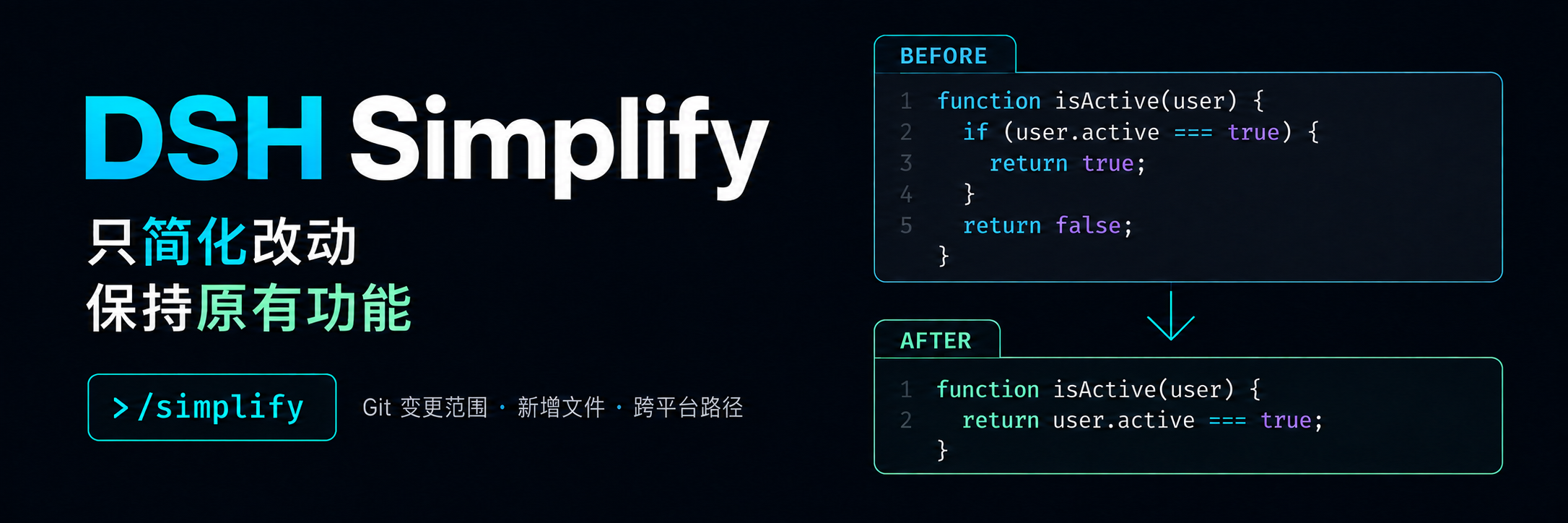
DSH Simplify
Simplify recently changed code in DeepSeek Harness while preserving behavior.
简体中文 · Installation · Usage · Troubleshooting · Changelog · Apache-2.0




DSH Simplify is a community-maintained DeepSeek Harness plugin, not an official DeepSeek AI product. Enter
/simplifyin the current session to ask the Agent to improve code within your Git changes while preserving behavior. Supports DSH Web and desktop apps that include DSH Web.
Command messages and prompts are in Simplified Chinese.
Features
After a round of coding, use /simplify to ask the current Agent to improve the clarity of your changes while preserving behavior.
- Focus on your changes: use the Git change scope to keep the request centered on relevant code.
- Include new files: review new files in full, including repositories without an initial commit.
- Choose the right scope: review workspace changes by default, or select staged changes, a commit, or paths.
- Review after committing: when the workspace is clean, the default mode can review the most recent commit.
- Stop when the scope is unreliable: conflicts, file changes, or read failures return a reason so you can fix the issue and retry.
The command queues a simplification task. Check the Agent’s subsequent response and actual diff to confirm edits and validation are complete.
DSH product ecosystem
For a desktop workbench, download DSH Codex Desktop. Existing DeepSeek Harness installations can add plugins as needed by following each project's README. Below are 11 first-party plugins; consult the corresponding desktop release notes and bundled catalog for what that version includes.
Showing the opening section of the README — the full document lives in the repository以上为 README 开头摘要,完整文档在仓库内 · View the full README on GitHub →在 GitHub 查看完整 README →
Related相关推荐
-
 esengine/DeepSeek-Reasonix
A reliable coding agent for complex software engineering tasks.
esengine/DeepSeek-Reasonix
A reliable coding agent for complex software engineering tasks.
-
 strukto-ai/mirage
The World's First Virtual Terminal for AI Agents
strukto-ai/mirage
The World's First Virtual Terminal for AI Agents
-
 chuspeeism/dashi-taskboard
现代化可灵活嵌入的任务面板,支持 Codex、DeepSeek Harness
chuspeeism/dashi-taskboard
现代化可灵活嵌入的任务面板,支持 Codex、DeepSeek Harness
-
 Aisland-SJL/dsh-worktable
🖥️ Agent-project workbench for DeepSeek Harness — sidebar app drawer + dockable split workspace + a live control room w…
Aisland-SJL/dsh-worktable
🖥️ Agent-project workbench for DeepSeek Harness — sidebar app drawer + dockable split workspace + a live control room w…
-
 ccch1mneyyy/working-activity
Lively Working-line extension for pi CLI and DSH
ccch1mneyyy/working-activity
Lively Working-line extension for pi CLI and DSH
-
 zhoushoujianwork/easyeda-agent
嘉立创EDA专业版(EasyEDA Pro)自动化:给 AI harness 装上画板的「手」—— 一套 typed 原理图/PCB 动作,CLI / Agent Skill / stdio MCP 三形态融合接入。承接嘉立创「不以卖板赚钱…
zhoushoujianwork/easyeda-agent
嘉立创EDA专业版(EasyEDA Pro)自动化:给 AI harness 装上画板的「手」—— 一套 typed 原理图/PCB 动作,CLI / Agent Skill / stdio MCP 三形态融合接入。承接嘉立创「不以卖板赚钱…
-
 pulseaiclub/phi
a coding agent, rpc plugin, sub-agents, hashline edits, and mcp
pulseaiclub/phi
a coding agent, rpc plugin, sub-agents, hashline edits, and mcp
-
 Ikalus1988/MisakaNet
📚 A zero-dependency, git-backed micro-lesson library for AI Agents to asynchronously share and search verified debuggin…
Ikalus1988/MisakaNet
📚 A zero-dependency, git-backed micro-lesson library for AI Agents to asynchronously share and search verified debuggin…