multica-ai/dsh-multica-runtime
支持Multica上的dsh运行时。
Project Overview项目介绍
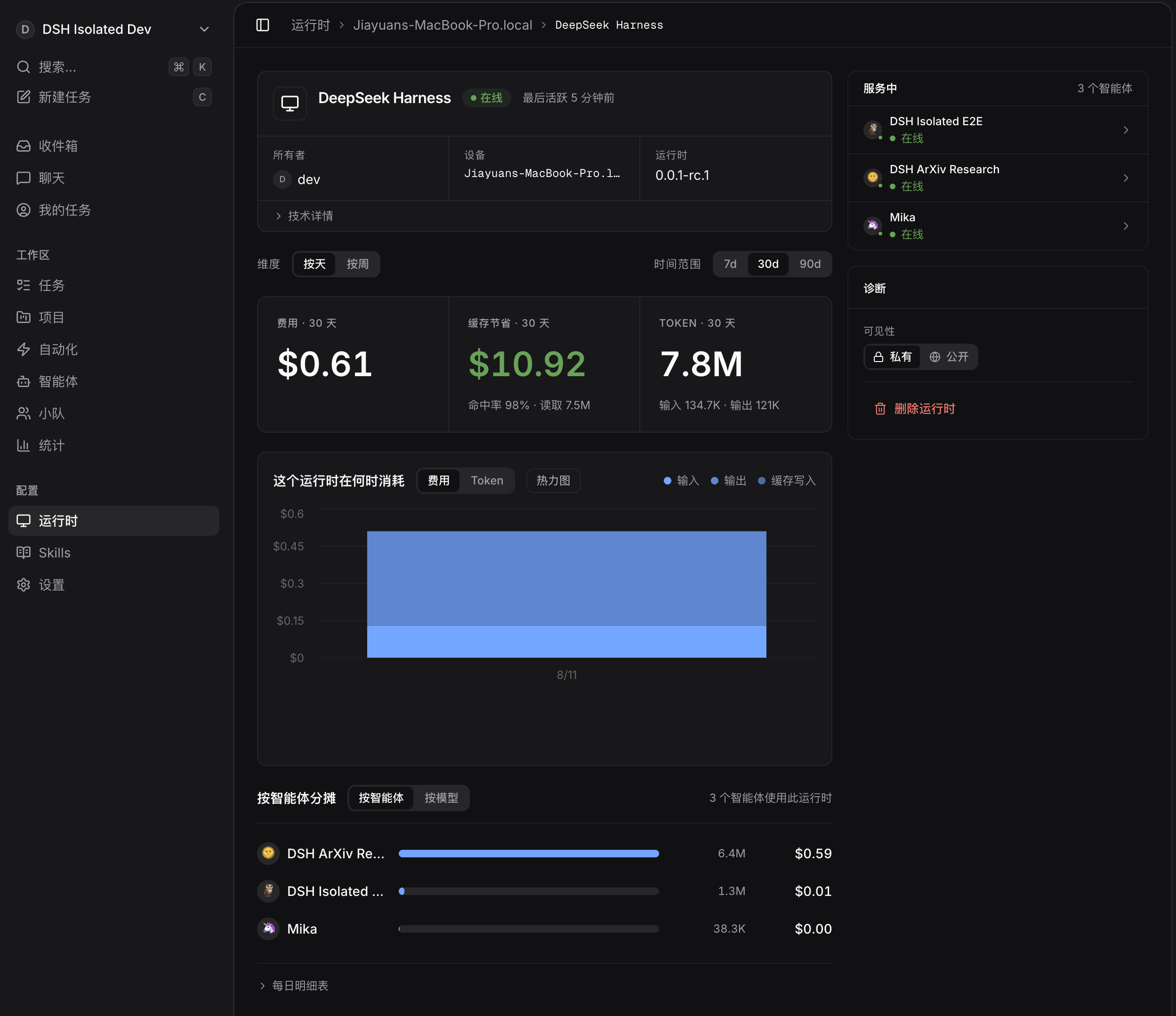
This is a native DSH plugin that acts as a private out-of-tree runtime bridge between Multica and DeepSeek Harness. It builds on @deepseek-ai/dsh-base and exposes a versioned JSONL protocol over stdio, so no modifications to the core DeepSeek Harness codebase are required to use it. This repository only contains the Multica integration layer, and does not vendor or redistribute any source code from the core DeepSeek Harness project. To install a local development build, you first run pnpm install, pnpm check, and pnpm build to get a working bundle, then use the DSH CLI to add it to your Multica profile.
After installation, you need to run a probe command to let Multica discover the runtime. Multica will only recognize the profile if the dsh --profile multica --probe command returns protocol version 1. For users that have DSH installed in a non-standard location, you can set the MULTICA_DSH_PATH environment variable to point to your DSH launcher executable. It supports key features like model discovery, durable session resume, cooperative cancellation and translating Multica MCP configuration to DSH client formats. This plugin is built for developers that want to integrate Multica capabilities into their existing DSH development workflow.
This plugin is currently validated against version @deepseek-ai/dsh@0.1.0-rc.6 and the matching family of @deepseek-ai/dsh-* public npm packages. It disables DSH telemetry by default, keeps all protocol output on stdout and sends all diagnostic logs to stderr to avoid protocol interference. The repository has a strict privacy rule: never commit API keys, MCP secrets, session logs or any other sensitive information to source control. DSH reads the DEEPSEEK_API_KEY at process runtime and the key should never be stored in this repository anyway. The local .local/ directory is ignored by git to prevent any sensitive development files from being accidentally committed.
这是一个专为 DeepSeek Harness (DSH) 构建的原生插件,作为 Multica 与 DSH 之间的私有树外运行时桥接器。它基于 @deepseek-ai/dsh-base 构建,通过标准输入输出暴露版本化的 JSONL 协议,无需对 DeepSeek Harness 本身进行修改即可工作,支持将 Multica 的规范 MCP 配置转换为 DSH 可用的 stdio 或可流 HTTP 客户端格式。
开发人员完成本地代码拉取和构建后,可以通过 DSH 命令行将该插件安装到自己的 Multica 配置 profile 中。安装完成后,需要运行 dsh --profile multica --probe 让 Multica 发现该运行时,只有探测返回协议版本 1 后才能正常启用功能。如果是非标准 DSH 安装,还需要配置环境变量指向 DSH 启动路径。它适合需要将 Multica 能力与 DSH 开发工作流结合的开发人员使用。
该插件当前验证适配版本为 @deepseek-ai/dsh@0.1.0-rc.6 及同系列匹配的 DSH 包,开发依赖 pnpm 包管理器进行安装、检查和构建。它默认禁用 DSH 的遥测功能,仅通过协议输出内容,诊断信息输出到标准错误。本地开发时不要提交 API 密钥、MCP 密文等敏感信息到仓库,.local/ 目录已经被忽略不会被纳入版本控制。
请帮我安装这个 DSH 插件。安装前先完成【兼容性检查 + 安全性检查】,检查通过再动手。

插件:dsh-multica-runtime(multica-ai/dsh-multica-runtime)
仓库:https://github.com/multica-ai/dsh-multica-runtime
本站详情页:https://www.yhbd.top/plugins/multica-ai-dsh-multica-runtime/
本站登记:类型 plugin · 归类 原生 DSH 插件 · 许可证未声明 · ⭐ 66 · 最近提交 2026-08-14 · 主语言 TypeScript

按下面顺序执行,每步先把结论告诉我,再进入下一步:

【1 兼容性检查】
① 我这边:DSH 版本、Node 版本、操作系统、当前 profile(web / desktop)。
② 读它的 README、package.json、插件 manifest,列出它要求的 DSH 版本 / Node 版本 / 操作系统 / 外部依赖 / 需要另外先装的运行时。
③ 逐条比对,结论只写「满足 / 不满足 / 未知」三种;不满足的给出可行替代方案。
④ 检查是否和我已装的插件冲突:命令名重复、skill / tool 重名、端口占用、重复注册的 MCP server。

【2 安全性检查】
① 仓库可信度:和上面「本站登记」是否一致;star / fork 数、创建时间、最近提交,是否归档或长期停更。
② 安装脚本:逐行看 package.json 的 preinstall / install / postinstall,以及 install.sh、setup.ps1 之类脚本。出现 curl|bash、下载后直接执行、混淆代码、访问与插件功能无关的域名,立刻停下来告诉我,不要继续装。
③ 依赖:列出新增依赖,标出无人维护、或与知名包拼写近似的可疑包(typosquatting)。
④ 权限与副作用:它会读写哪些目录、访问哪些域名、需要哪些 DSH 权限(filesystem / network / shell / clipboard 等),以及怎么卸载和回滚。
⑤ 如果它要求 sudo / 管理员权限,或权限明显超出功能所需,先停下来问我。

【3 安装】
上面两步没有「不满足」和「高危项」时才执行;用官方推荐方式安装,不要自行提权。

【4 汇报】
用表格输出:检查项 / 结论 / 依据 / 是否需要我决策。拿不准的一律写「未知」并说明要我怎么确认——不要猜,也不要替我决定。
Send this message to DSH in your current session: it verifies compatibility and security first (answering met / not met / unknown item by item) and only installs once everything checks out — it will stop and ask you if it finds a high-risk item. The box scrolls; the copy is the full prompt. CLI install commands may not be accurate across systems, so DSH is the safer route.把上面这条消息直接发给当前会话里的 DSH:它会先核对兼容性与安全性(逐条给「满足 / 不满足 / 未知」),确认没问题再安装,有高危项会停下来问你。框内可滚动,复制到的是完整提示词;安装命令不一定准确,发给 DSH 更稳。
- No license declared - all rights reserved by default; ask the author before commercial use or redistribution未声明开源许可证 —— 默认「保留所有权利」,商用或再分发前先问作者
DSH walks through these 9 checksDSH 会逐条核对这 9 项
Compatibility兼容性
- DSH, Node, OS and profile requirementsDSH 版本 / Node 版本 / 操作系统 / profile 是否满足要求
- External dependencies and runtimes (Electron / Python / Docker, ...)外部依赖与运行时(Electron / Python / Docker 等)是否齐备
- Conflicts with installed plugins: command names, skill / tool names, ports, duplicate MCP registration与已装插件是否冲突:命令名、skill / tool 重名、端口占用、重复 MCP 注册
Security安全性
- Repo matches the facts registered here; archived or abandoned?仓库是否与页面登记一致,是否归档或长期停更
- Safety of preinstall / install / postinstall and install.sh / setup.ps1preinstall / install / postinstall 与 install.sh、setup.ps1 是否安全
- curl|bash, download-then-execute, obfuscation, unrelated domains → stop immediatelycurl|bash、下载即执行、混淆代码、无关域名 → 立刻停止
- Typosquatting or unmaintained packages among the new dependencies新增依赖里有没有 typosquatting 或无人维护的包
- Requested permissions vs. what the feature actually needs申请了哪些权限、是否超出功能所需(filesystem / network / shell / clipboard)
- Any sudo / admin requirement, plus uninstall and rollback是否要求 sudo / 管理员权限,以及卸载与回滚方式
Anything uncertain must be marked unknown with a note on how to confirm it. This site's signal screen is a static snapshot, not a security audit.拿不准的必须标「未知」并说明要我怎么确认。本站的信号筛查是静态快照,不能替代安全审计。
Or use CLI install (for developers)或使用命令行安装(适合开发者)
CLI Install命令行安装
dsh plugin --profile web add github:multica-ai/dsh-multica-runtime把 multica-ai/dsh-multica-runtime 加入你的 DSH 配置(web profile)即可启用。
READMEREADME
Multica DSH Runtime
Private, out-of-tree runtime bridge between Multica and the public
DeepSeek Harness. It exposes
a versioned JSONL protocol over stdio and composes over
@deepseek-ai/dsh-base. It does not require changes to DeepSeek Harness.
Privacy
- This repository contains only the Multica integration layer. It does not vendor or redistribute DeepSeek Harness source code.
- Never commit API keys, MCP secrets, session logs, or generated profiles.
- DSH telemetry is disabled by the bundle patch.
- stdout is protocol-only; diagnostics go to stderr.
Local development
The DSH packages used by this plugin are public npm packages. This checkout is
currently validated against @deepseek-ai/dsh@0.1.0-rc.6 and its matching
@deepseek-ai/dsh-* package family.
pnpm install
pnpm check
pnpm build
Install the local bundle into a DSH profile after building it:
dsh plugin --profile multica add /absolute/path/to/multica-dsh-runtime
The plugin supports:
dsh --profile multica --probe
dsh --profile multica --list-models
dsh --profile multica --stdio
Multica discovers the profile only after --probe returns protocol version 1.
For a non-standard DSH installation, point the daemon at its launcher:
export MULTICA_DSH_PATH=/absolute/path/to/dsh
The runtime contract includes:
- model and thinking-level discovery from DSH itself;
- committed text, reasoning, tool, result, and token-usage events;
- cooperative cancellation and durable session resume;
- canonical Multica MCP configuration translated to DSH stdio or streamable-HTTP clients;
- per-runtime/agent session roots supplied by the Multica daemon;
- headless one-shot approvals, with no interactive question surface.
- narrowly forwards only Multica's server-minted
mat_task token into DSH's otherwise credential-scrubbed shell, so in-taskmulticacommands retain task attribution without exposing model-provider credentials.
The local .local/ tree is ignored. It may hold an isolated DSH home and a
development launcher, but neither belongs in source control.
DEEPSEEK_API_KEY is read by DSH's credential provider at process runtime. It
must not be stored in this repository.
Related相关推荐
- JustGenius-s/DSH-Plugs DSH Plugins Cellection
-
 HuanLinOTO/dsh-plugin-interpreters
暴露 run_python/run_node 工具,通过 stdin 执行代码返回 stdout/stderr/exit,含解释器路径配置卡 | Exposes run_python/run_node tools that execute …
HuanLinOTO/dsh-plugin-interpreters
暴露 run_python/run_node 工具,通过 stdin 执行代码返回 stdout/stderr/exit,含解释器路径配置卡 | Exposes run_python/run_node tools that execute …
-
 chipweaver/veripower
An open-source agent flow from natural language spec through Verilog RTL and UVM verification to front-end signoff on co…
chipweaver/veripower
An open-source agent flow from natural language spec through Verilog RTL and UVM verification to front-end signoff on co…
- timwhitez/dsh-self-evolving Evidence-first, crash-resumable self-evolution engine for DeepSeek Harness and Harbor.
- chenkai2/dsh-daemon dsh daemon: register the DeepSeek Harness web server (dsh web) as an auto-start, self-healing background service (Launch…
-
 esengine/DeepSeek-Reasonix
A reliable coding agent for complex software engineering tasks.
esengine/DeepSeek-Reasonix
A reliable coding agent for complex software engineering tasks.
-
 strukto-ai/mirage
The World's First Virtual Terminal for AI Agents
strukto-ai/mirage
The World's First Virtual Terminal for AI Agents
-
 chuspeeism/dashi-taskboard
现代化可灵活嵌入的任务面板,支持 Codex、DeepSeek Harness
chuspeeism/dashi-taskboard
现代化可灵活嵌入的任务面板,支持 Codex、DeepSeek Harness