NakamuraIA/dsh-plugin-speech
Read assistant replies aloud in DeepSeek Harness: text-to-speech providers with streaming playback.
Project Overview项目介绍
This is a read-aloud text-to-speech plugin for DeepSeek Harness. It streams audio as it is generated, playing assistant replies immediately without waiting for full audio generation. Use it when you prefer listening to DeepSeek Harness replies instead of reading. The default Edge TTS endpoint is not an official supported API, so availability is best-effort.
这是DeepSeek Harness的语音朗读插件,支持文本转语音边生成边播放助手回复,可在不想逐字阅读助手回复时使用。默认的Microsoft Edge TTS接口并非微软官方支持的API,可用性不做保证。
请帮我了解并安装插件:【dsh-plugin-speech】【https://github.com/NakamuraIA/dsh-plugin-speech】Send this message to DSH in your current session. CLI install commands may not be accurate across systems — DSH will figure it out for you.把上面这条消息直接发给当前会话里的 DSH,让它帮你了解并安装。安装命令不一定准确,发给 DSH 更稳。
Or use CLI install (for developers)或使用命令行安装(适合开发者)
CLI Install命令行安装
dsh plugin --profile web add github:NakamuraIA/dsh-plugin-speech把 NakamuraIA/dsh-plugin-speech 加入你的 DSH 配置(web profile)即可启用。
READMEREADME
dsh-plugin-speech
English | 中文
Read assistant replies aloud in DeepSeek Harness, with the audio streamed while it is still being generated.
What it does
Each finished assistant message gets a play control in its action row. Press it and the reply is spoken through a text-to-speech service; press it again and it stops. A settings row in General owns the service, the voice, and the tuning.
The reply is sent in one request and the audio is played as it arrives, so speech starts on the first frames instead of waiting for the whole file. The equivalent of watching an answer stream in, for audio.
Providers
| Service | Key needed | Voices |
|---|---|---|
| Microsoft Edge (default) | no | the service publishes its full catalog, every language it serves |
Adding a provider means adding one folder under src/providers/ and one line in src/providers/registry.ts — the settings screen builds its fields from what the provider declares.
Requirements
- A DeepSeek Harness Web surface (
dsh web), version0.1.5-rc.2or newer. - Network access to the speech service. Nothing else: there is no model to download, and the Edge provider needs no account.
Install
Add the package to your harness checkout:
pnpm add -w @nakamuraia/dsh-plugin-speechInstalling from GitHub works the same way, if you would rather track the source:
pnpm add -w github:NakamuraIA/dsh-plugin-speechCopy
speech.patch.ymlnext to the checkout and start the Web surface with it:dsh web --patch ./speech.patch.yml
The patch adds one Loader row. The row name is the package name and also the browser module id the built bundle registers under, so the two stay in step — do not rename one without the other.
Settings
Settings opens on General, where a Read aloud row owns:
- Service — which provider speaks.
- Language and Voice — the catalog entry to use.
- Speed, Volume, Pitch — sent to the service with every request.
- Skip code — leave fenced code and inline code out of the reading.
- Test voice — speaks a sample through the settings on screen, saved or not.
Code blocks, tables, and pasted spreadsheets are never read; links keep their label and lose their target; emoji, quotes, and standalone symbols are dropped. Sentence punctuation is kept, because the voice uses it for pauses.
How it works
browser                    host                        service
───────                    ────                        ───────
click ─ ▶ POST /speech/speak { text }
                           select provider from
                           the durable settings
                           ────────────────────────── ▶ synthesize
        ◀ ─ audio bytes stream back ─ ─ ─ ─ ─ ─ ─ ─ ─ ┘
play as they arrive
Synthesis lives on the host because a browser cannot hold an API key and cannot reach most services across CORS. The browser only posts text and plays bytes.
Development
The source is developed inside a DeepSeek Harness checkout, where the type packages and the client build preset live; this repository carries the source and the built artifacts. To rebuild, copy src/ into packages/client/ui-speech/ of a checkout, rename the package there, and run its build.
License
MIT. The Edge provider drives Microsoft's read-aloud endpoint through msedge-tts (MIT); that endpoint is not a documented, supported Microsoft API, so treat availability as best effort.
Related相关推荐
-
 ysr666/dsh-vision-router
Eyes for text-only DeepSeek Harness agents: built-in free vision chain (no key) + pixel-level vision tools (Q&A, groundi…
ysr666/dsh-vision-router
Eyes for text-only DeepSeek Harness agents: built-in free vision chain (no key) + pixel-level vision tools (Q&A, groundi…
-
 Mars-Sea/dsh-commandcode-provider
Command Code provider plugin for DeepSeek Harness (dsh). Adds Command Code model access, live model catalog, plan-aware …
Mars-Sea/dsh-commandcode-provider
Command Code provider plugin for DeepSeek Harness (dsh). Adds Command Code model access, live model catalog, plan-aware …
-
 franksong2702/dsh-codex-connect
Use openai-codex models and image generation via ChatGPT OAuth for DeepSeek Harness.
franksong2702/dsh-codex-connect
Use openai-codex models and image generation via ChatGPT OAuth for DeepSeek Harness.
-
 Stormycry-cryp/dsh-AuthInOne
Self-contained DeepSeek Harness (DSH) plugin for Provider/Auth login, model switching, image fallback, token/cost analyt…
Stormycry-cryp/dsh-AuthInOne
Self-contained DeepSeek Harness (DSH) plugin for Provider/Auth login, model switching, image fallback, token/cost analyt…
-
 labring/sealos-skills
AI agent skills for Sealos — deploy any project, provision databases, object storage & more with one command. Works with…
labring/sealos-skills
AI agent skills for Sealos — deploy any project, provision databases, object storage & more with one command. Works with…
-
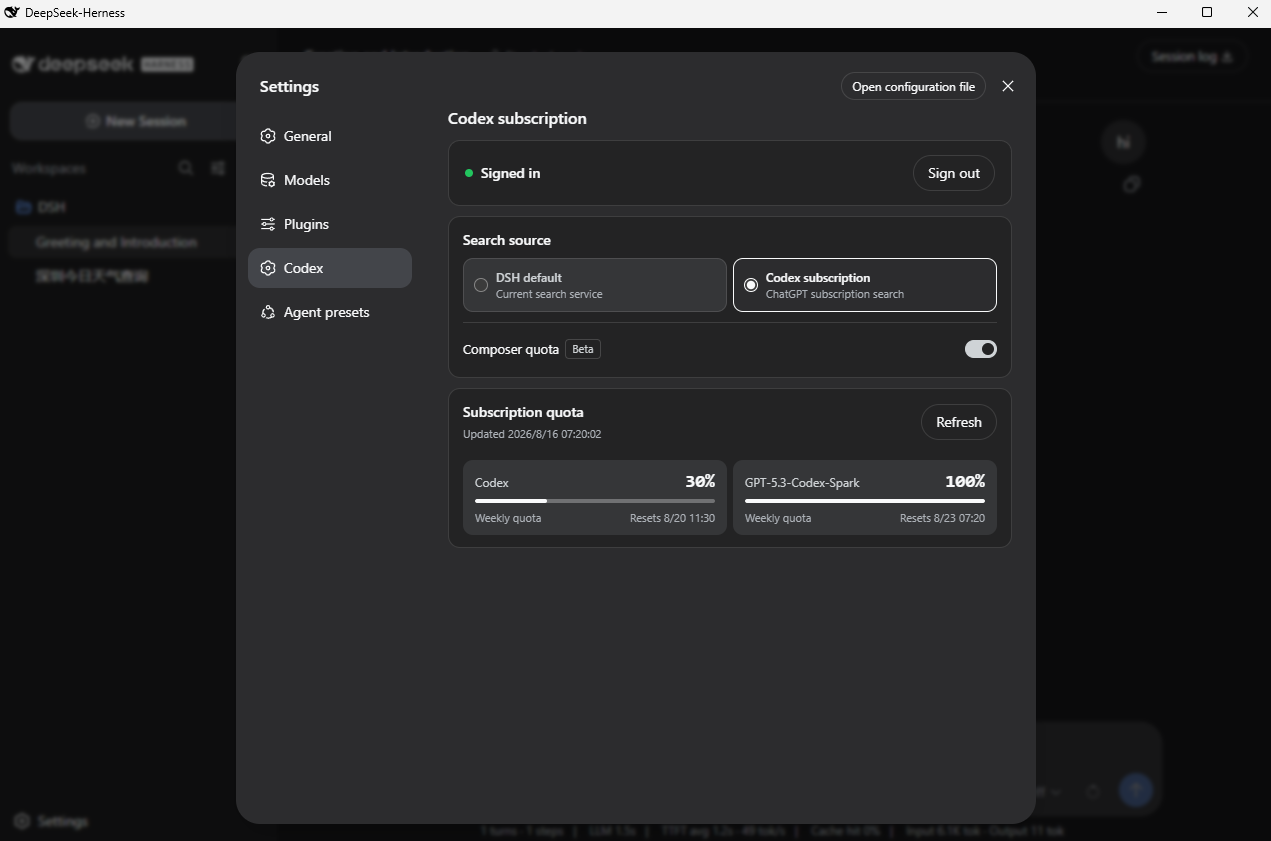 WSL043/dsh-codex-subscription
把 ChatGPT / Codex 订阅接入 DeepSeek Harness:OAuth、模型、额度、搜索和图片生成,无需 API Key 或 Codex CLI。
WSL043/dsh-codex-subscription
把 ChatGPT / Codex 订阅接入 DeepSeek Harness:OAuth、模型、额度、搜索和图片生成,无需 API Key 或 Codex CLI。
-
 BlockRunAI/dsh-clawrouter
A safety gate for DeepSeek Harness: a stronger model reviews dangerous tool calls before they run. Plus vision and Block…
BlockRunAI/dsh-clawrouter
A safety gate for DeepSeek Harness: a stronger model reviews dangerous tool calls before they run. Plus vision and Block…
-
 MJorgin/dsh-media-skills
Free image reading & generation for DeepSeek Harness (rc.7 / rc.8 / v0.1.1-rc.1 / rc.2 / v0.1.2-alpha.3) — paste-image r…
MJorgin/dsh-media-skills
Free image reading & generation for DeepSeek Harness (rc.7 / rc.8 / v0.1.1-rc.1 / rc.2 / v0.1.2-alpha.3) — paste-image r…