nanshan1995/DSH-Plugin-Market
DeepSeek Harness 插件市场:精选目录 + GitHub 实时浏览、中英翻译搜索、安装前静态安全审计闸门。
Project Overview项目介绍
This is a DSH-native plugin that adds a full-featured community plugin marketplace to DeepSeek Harness. It pulls the live list of DSH plugins from the GitHub dsh-plugin topic, supports sorting by star count or updated date, and loads results 50 per page with pagination. To install it, you need a working DeepSeek Harness instance, and the marketplace detects if pnpm is available and offers to install it automatically if missing. You can install this plugin via the DSH CLI command dsh plugin --profile web add github:nanshan1995/DSH-Plugin-Market. It supports all three major desktop platforms: macOS, Windows, and Linux.
When you browse the marketplace, you can view each plugin's full README directly in-app, with automatic encoding repair for common misencoded Chinese text and support for switching between language versions of the README. Every install or update goes through a static security audit that blocks high-risk patterns like dynamic code execution, credential access, and install scripts by default. If a plugin is blocked by the audit, you can choose to either cancel the install or force it at your own risk. You can also save plugins to a personal favorites list that persists across DeepSeek Harness restarts.
This plugin requires a DeepSeek Harness installation that supports the native plugin API, and Windows users need Windows 10 1803 or newer to support the bundled tar extraction required for the audit step. It is released under the open-source MIT license, and is free to use, modify, and redistribute. The static audit provided only checks for basic high-risk static patterns, and does not guarantee complete plugin safety. The author accepts no liability for any issues arising from installed third-party plugins.
这是一个专为 DeepSeek Harness 开发的原生插件市场插件,支持浏览、搜索并一键安装 GitHub dsh-plugin 话题下的公开社区插件。列表可按星数或更新时间排序,分页加载,同时支持用户收藏个人偏好插件,收藏列表会保存在用户本地配置中,重启后依然保留。还支持跨语言搜索,内置同义词库,可通过宿主模型提供实时LLM翻译。
用户浏览插件时可直接在市场内查看插件README,支持自动检测并修复常见的中文编码错误,支持切换README显示语言,带内存缓存机制保证加载速度。安装任何插件前都会先对下载的构件做静态安全审计,默认拦截含高风险行为(如动态执行、凭证访问、安装脚本)的插件,用户可自行选择强制安装或取消安装。
本插件需要已安装运行 DeepSeek Harness 和 pnpm,支持全平台(macOS/Windows/Linux),Windows 要求版本 10 1803 以上,工具链会自动检测适配。遵循MIT许可协议免费使用,静态审计仅做基础风险检查,不提供安全担保,作者不对插件使用产生的问题负责。
请帮我安装这个 DSH 插件。安装前先完成【兼容性检查 + 安全性检查】,检查通过再动手。

插件:DSH-Plugin-Market(nanshan1995/DSH-Plugin-Market)
仓库:https://github.com/nanshan1995/DSH-Plugin-Market
本站详情页:https://www.yhbd.top/plugins/nanshan1995-dsh-plugin-market/
本站登记:类型 plugin · 归类 原生 DSH 插件 · 许可证 MIT · ⭐ 3 · 最近提交 2026-08-16 · 主语言 JavaScript

按下面顺序执行,每步先把结论告诉我,再进入下一步:

【1 兼容性检查】
① 我这边:DSH 版本、Node 版本、操作系统、当前 profile(web / desktop)。
② 读它的 README、package.json、插件 manifest,列出它要求的 DSH 版本 / Node 版本 / 操作系统 / 外部依赖 / 需要另外先装的运行时。
③ 逐条比对,结论只写「满足 / 不满足 / 未知」三种;不满足的给出可行替代方案。
④ 检查是否和我已装的插件冲突:命令名重复、skill / tool 重名、端口占用、重复注册的 MCP server。

【2 安全性检查】
① 仓库可信度:和上面「本站登记」是否一致;star / fork 数、创建时间、最近提交,是否归档或长期停更。
② 安装脚本:逐行看 package.json 的 preinstall / install / postinstall,以及 install.sh、setup.ps1 之类脚本。出现 curl|bash、下载后直接执行、混淆代码、访问与插件功能无关的域名,立刻停下来告诉我,不要继续装。
③ 依赖:列出新增依赖,标出无人维护、或与知名包拼写近似的可疑包(typosquatting)。
④ 权限与副作用:它会读写哪些目录、访问哪些域名、需要哪些 DSH 权限(filesystem / network / shell / clipboard 等),以及怎么卸载和回滚。
⑤ 如果它要求 sudo / 管理员权限,或权限明显超出功能所需,先停下来问我。

【3 安装】
上面两步没有「不满足」和「高危项」时才执行;用官方推荐方式安装,不要自行提权。

【4 汇报】
用表格输出:检查项 / 结论 / 依据 / 是否需要我决策。拿不准的一律写「未知」并说明要我怎么确认——不要猜,也不要替我决定。
Send this message to DSH in your current session: it verifies compatibility and security first (answering met / not met / unknown item by item) and only installs once everything checks out — it will stop and ask you if it finds a high-risk item. The box scrolls; the copy is the full prompt. CLI install commands may not be accurate across systems, so DSH is the safer route.把上面这条消息直接发给当前会话里的 DSH:它会先核对兼容性与安全性(逐条给「满足 / 不满足 / 未知」),确认没问题再安装,有高危项会停下来问你。框内可滚动,复制到的是完整提示词;安装命令不一定准确,发给 DSH 更稳。
- Only 3 stars - very few users, little community feedback星标只有 3,几乎没人在用,遇到问题缺少社区反馈
DSH walks through these 9 checksDSH 会逐条核对这 9 项
Compatibility兼容性
- DSH, Node, OS and profile requirementsDSH 版本 / Node 版本 / 操作系统 / profile 是否满足要求
- External dependencies and runtimes (Electron / Python / Docker, ...)外部依赖与运行时(Electron / Python / Docker 等)是否齐备
- Conflicts with installed plugins: command names, skill / tool names, ports, duplicate MCP registration与已装插件是否冲突:命令名、skill / tool 重名、端口占用、重复 MCP 注册
Security安全性
- Repo matches the facts registered here; archived or abandoned?仓库是否与页面登记一致,是否归档或长期停更
- Safety of preinstall / install / postinstall and install.sh / setup.ps1preinstall / install / postinstall 与 install.sh、setup.ps1 是否安全
- curl|bash, download-then-execute, obfuscation, unrelated domains → stop immediatelycurl|bash、下载即执行、混淆代码、无关域名 → 立刻停止
- Typosquatting or unmaintained packages among the new dependencies新增依赖里有没有 typosquatting 或无人维护的包
- Requested permissions vs. what the feature actually needs申请了哪些权限、是否超出功能所需(filesystem / network / shell / clipboard)
- Any sudo / admin requirement, plus uninstall and rollback是否要求 sudo / 管理员权限,以及卸载与回滚方式
Anything uncertain must be marked unknown with a note on how to confirm it. This site's signal screen is a static snapshot, not a security audit.拿不准的必须标「未知」并说明要我怎么确认。本站的信号筛查是静态快照,不能替代安全审计。
Or use CLI install (for developers)或使用命令行安装(适合开发者)
CLI Install命令行安装
dsh plugin --profile web add dsh-plugin-market把 nanshan1995/DSH-Plugin-Market 加入你的 DSH 配置(web profile)即可启用。
READMEREADME
DSH-Plugin-Market · Plugin Market
English | 中文



Plugin market inside DeepSeek Harness: browse, search, one-click install — every install/update passes a static security audit gate first.
Features
- Live community browse of the GitHub
dsh-plugintopic (ranked by stars / latest, paginated) plus a personal My Favorites list (☆-save, survives restarts) - Cross-language search: Chinese queries find English plugins and vice versa — built-in thesaurus plus real-time LLM translation via the host model
- Pre-install audit of the exact published artifact (dynamic exec, credential access, install scripts are hard-blocked); when blocked, the audit card offers "Install anyway" (forced download, at your own risk) and "Cancel" side by side
- In-flight ops (installing / updating / uninstalling / audit-blocked awaiting decision) are pinned to the top of the lists with live progress
- Official design language (
--dsw-alias-*tokens); audit results in the official "request approval" pill style - Update checks, one-click updates (audited too), uninstall with arm/confirm on the same button (click 卸载 → the button becomes 确认卸载? → click again to run; clicking anywhere else reverts it), hot mounting, log export, self-service pnpm setup
- Git links for every installed plugin: each Installed row resolves its repository from
package.json(repository/ GitHubhomepage), thegithub:spec, or a scan of the shipped README — the spec text and a "Source" button open the repo - In-market README viewer: HTML tables/images render, relative image links point to raw; switch language by clicking the in-README language links (e.g. 中文) — the dialog reloads that file in place; a ↻ button force-refreshes; READMEs that shipped double-encoded (UTF-8 mis-decoded as GB18030, e.g.
——→鈥斺€) are detected and restored (a "encoding repaired" badge shows; spots already destroyed upstream render as?); cache is memory-only, 30-min TTL with a size cap - Cross-platform: macOS / Windows / Linux (toolchain auto-detected per platform: fnm / Volta / Homebrew / scoop / %APPDATA%\npm…; Windows uses tar.exe / curl.exe / cmd-compatible spawns)
- Network-adaptive: README and audit downloads auto-detect the local proxy (env vars → parallel probe of common local proxy ports → direct fallback; proxy failure retries direct), machines without a proxy reach the direct path after at most one probe timeout (~1.2s) — nothing is hardcoded
Showing the opening section of the README — the full document lives in the repository以上为 README 开头摘要,完整文档在仓库内 · View the full README on GitHub →在 GitHub 查看完整 README →
Related相关推荐
-
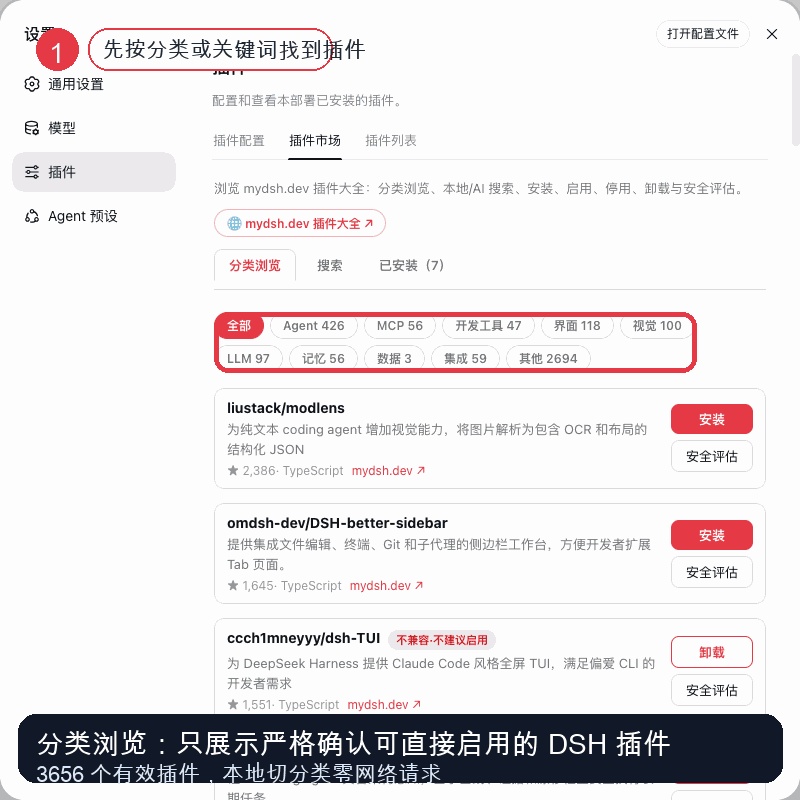 uluckystar/dsh-plugin-market
DSH 插件市场:在设置页浏览 mydsh.dev 插件大全(5596 候选 / 3656 有效),分类/AI 搜索、一键安装启用停用卸载、安全评估与自动重启。非官方社区 mydsh.dev 出品
uluckystar/dsh-plugin-market
DSH 插件市场:在设置页浏览 mydsh.dev 插件大全(5596 候选 / 3656 有效),分类/AI 搜索、一键安装启用停用卸载、安全评估与自动重启。非官方社区 mydsh.dev 出品
-
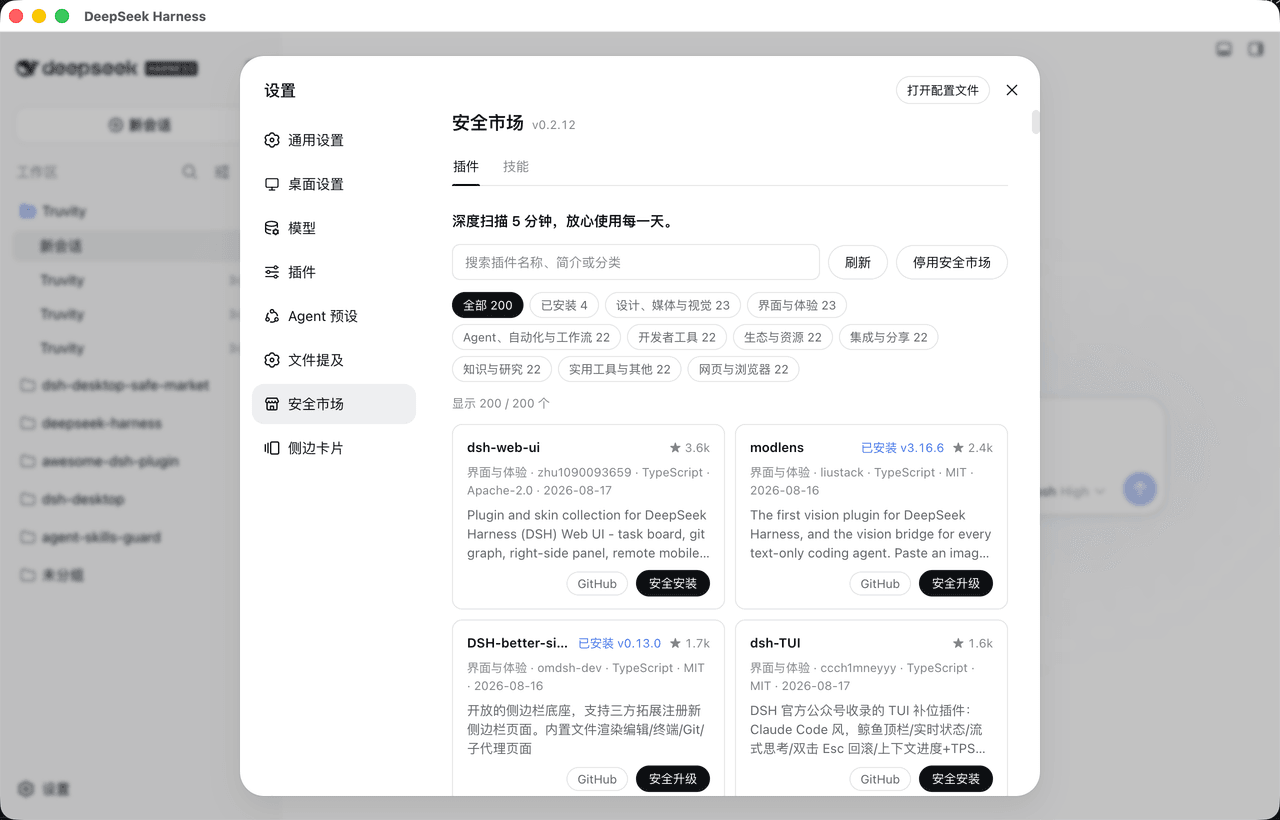 bruc3van/awesome-dsh-plugin
30 秒找到真正适合你的 DeepSeek Harness插件。每天自动抓取 GitHub 上的 `dsh-plugin` 项目并逐个复核:真实插件分类收录,蹭标签项目剔除。通过场景化分类、精选推荐、热度排行和图文导览,帮你快速看懂每个插件…
bruc3van/awesome-dsh-plugin
30 秒找到真正适合你的 DeepSeek Harness插件。每天自动抓取 GitHub 上的 `dsh-plugin` 项目并逐个复核:真实插件分类收录,蹭标签项目剔除。通过场景化分类、精选推荐、热度排行和图文导览,帮你快速看懂每个插件…
- PerryLink/dsh-research-report Verifiable research-report engine for DeepSeek Harness: content-addressed evidence ledger (claim-snapshot binding, tampe…
-
 leenkcool/Blue-Whale-Harness
🐋 DeepSeek Harness 插件总目录 · The catalog of DSH plugins:1958 个仓库 / 1819 个真插件(Skills · MCP · Tools · UI · Orchestration),中…
leenkcool/Blue-Whale-Harness
🐋 DeepSeek Harness 插件总目录 · The catalog of DSH plugins:1958 个仓库 / 1819 个真插件(Skills · MCP · Tools · UI · Orchestration),中…
-
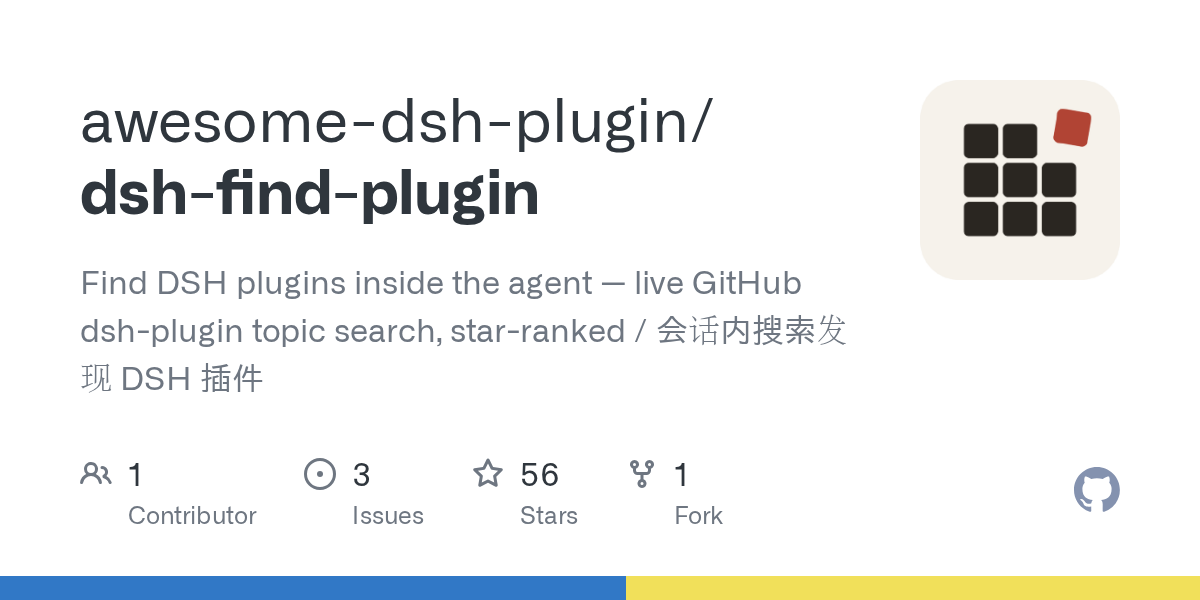 awesome-dsh-plugin/dsh-find-plugin
Find DSH plugins inside the agent — live GitHub dsh-plugin topic search, star-ranked / 会话内搜索发现 DSH 插件
awesome-dsh-plugin/dsh-find-plugin
Find DSH plugins inside the agent — live GitHub dsh-plugin topic search, star-ranked / 会话内搜索发现 DSH 插件
- dshplugin/dsh-plugin-hub DeepSeek Harness 社区内置插件市场(dsh-plugin)— 搜索插件、下载并安装 10000+ 人工精选社区插件,每日更新、完全免费。内置在 Harness「设置 → 插件中心」,无需离开应用即可浏览、搜索、安装各类 AI…
- ADWMC/helm-d DeepSeek Harness 破甲一体化安全分析插件:Android · Web · Native · Protocol · Malware · AI-Security 全领域聚合(9 bundle + 1 preset)
-
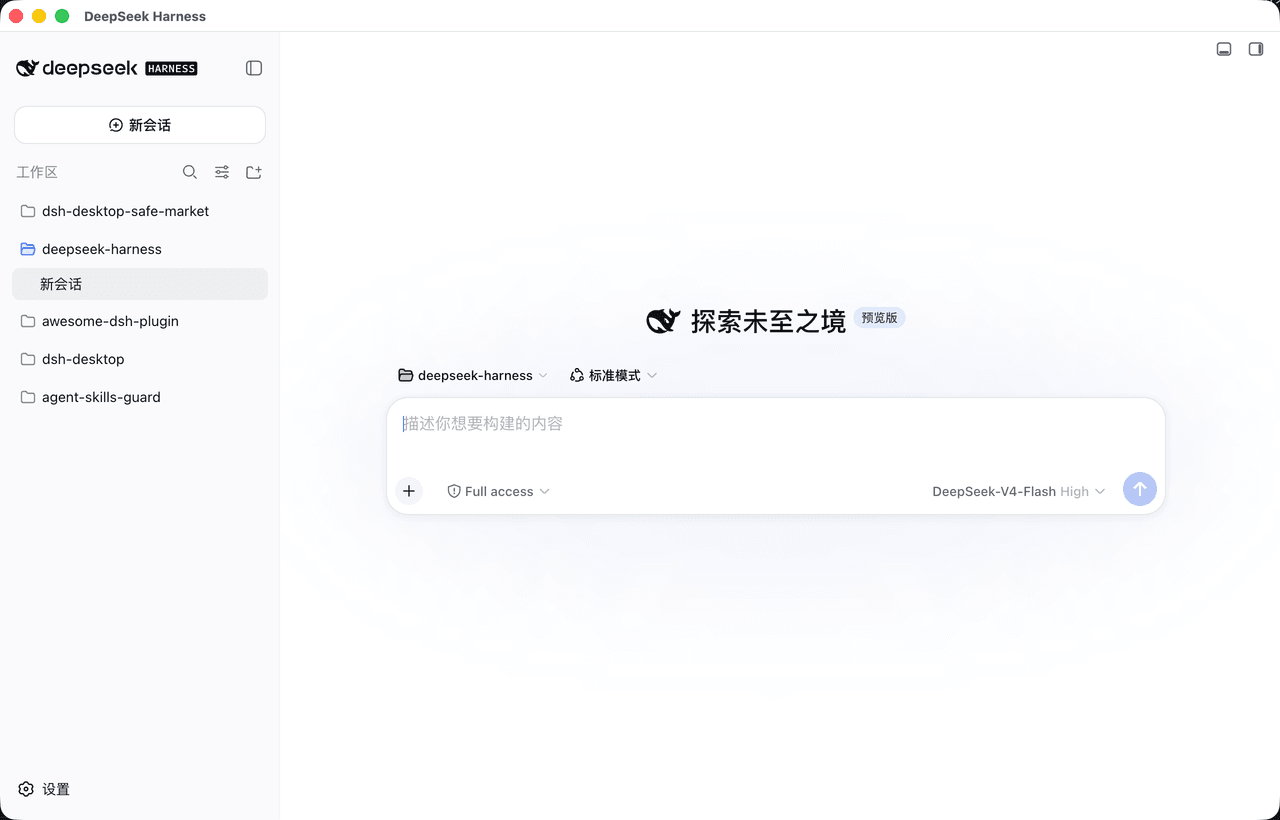 bruc3van/dsh-desktop
一款主打安全且更尊重开发者的开源 DeepSeek Harness 桌面客户端。官方 Web UI ,长任务常驻托盘,支持通知推送;内置安全市场,600+精选插件支持安装审查。
bruc3van/dsh-desktop
一款主打安全且更尊重开发者的开源 DeepSeek Harness 桌面客户端。官方 Web UI ,长任务常驻托盘,支持通知推送;内置安全市场,600+精选插件支持安装审查。