nguyenduclong-ict/dsh-session-progress
Project Overview项目介绍
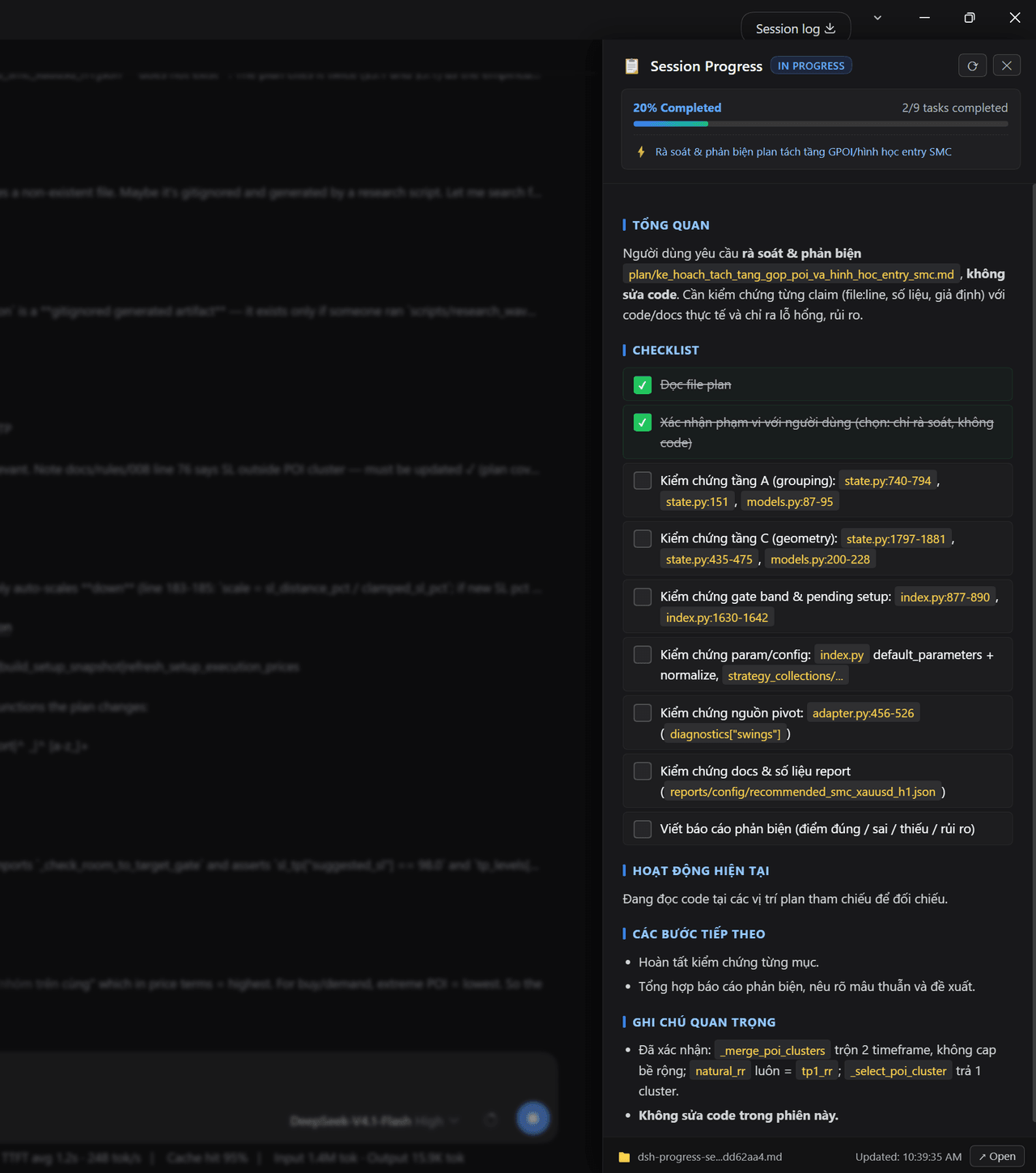
This is a real-time session progress and task tracking plugin for DeepSeek Harness (DSH). It visualizes overall completion status, active subtasks and upcoming milestones without sifting through long conversation logs. Use it for long-running complex agentic sessions. Restart DSH after installation to activate.
这是DeepSeek Harness(DSH)的实时会话进度与任务跟踪插件,可可视化展示会话整体完成进度、活跃子任务和后续里程碑,无需翻阅大量对话日志。适用于长时间运行的复杂智能体会话,安装后需重启DSH才能激活。
请帮我了解并安装插件:【dsh-session-progress】【https://github.com/nguyenduclong-ict/dsh-session-progress】Send this message to DSH in your current session. CLI install commands may not be accurate across systems — DSH will figure it out for you.把上面这条消息直接发给当前会话里的 DSH,让它帮你了解并安装。安装命令不一定准确,发给 DSH 更稳。
Or use CLI install (for developers)或使用命令行安装(适合开发者)
CLI Install命令行安装
dsh plugin --profile web add https://github.com/nguyenduclong-ict/dsh-session-progress把 nguyenduclong-ict/dsh-session-progress 加入你的 DSH 配置(web profile)即可启用。
READMEREADME
dsh-session-progress
1. Purpose & Overview
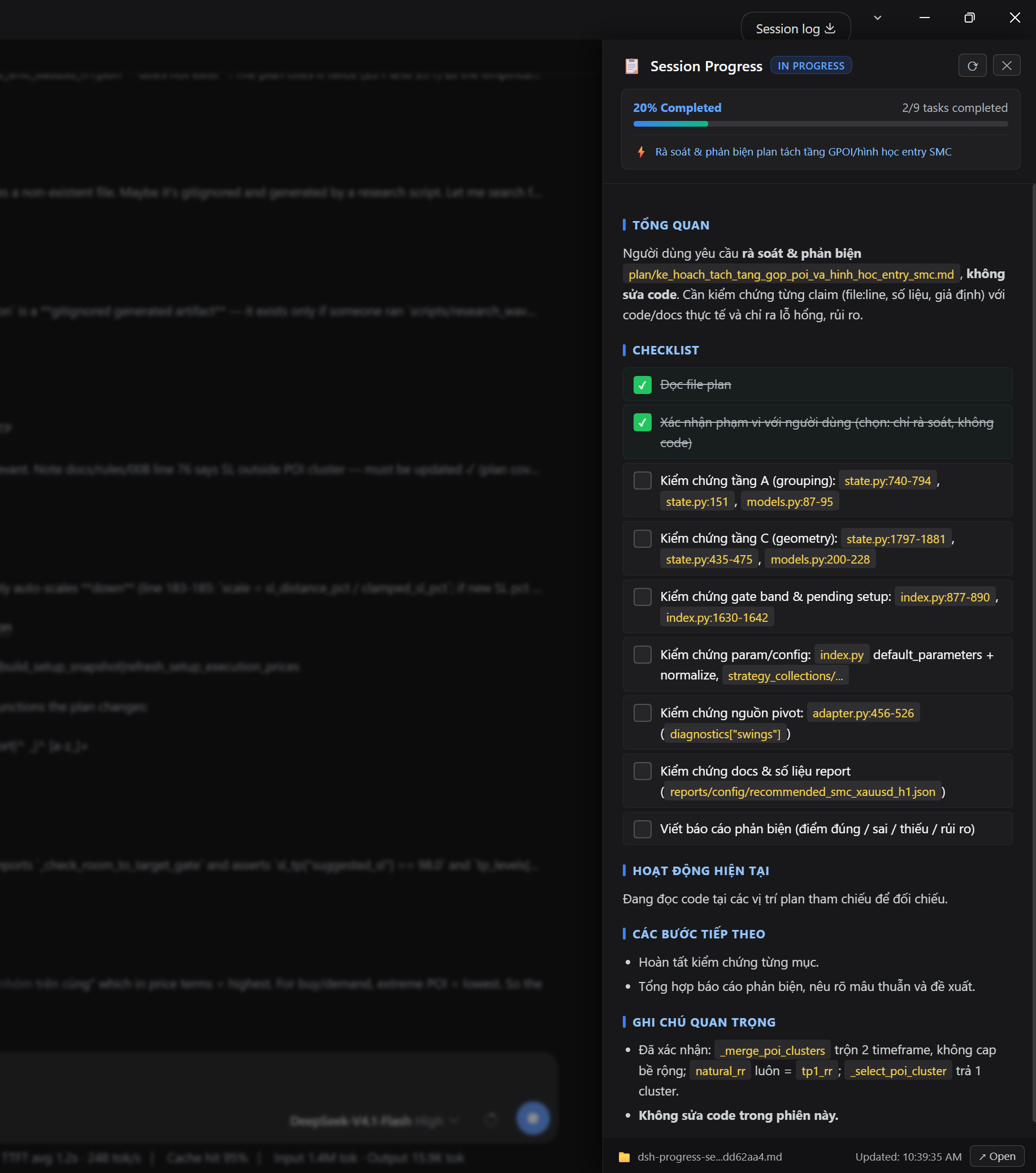
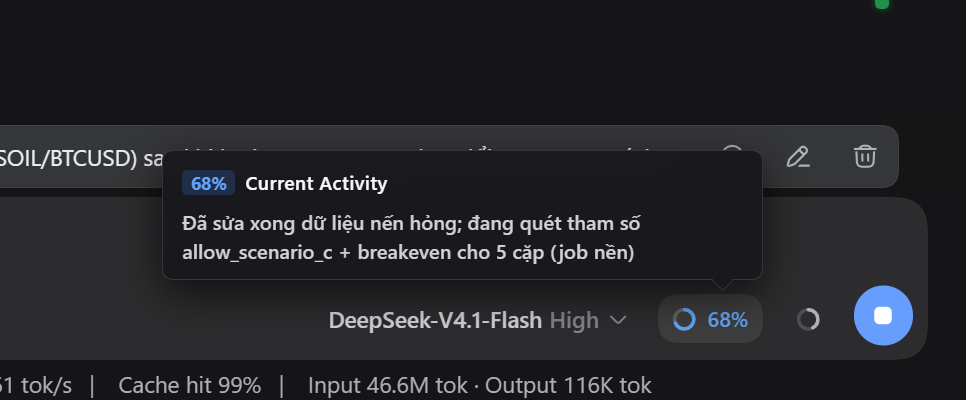
dsh-session-progress is a real-time session progress and task tracking plugin for DeepSeek Harness (DSH / DSH Desktop).
In long-running or complex agentic sessions, it is often challenging for users to quickly determine the overall completion status, active subtasks, or upcoming milestones without sifting through extensive conversation logs.
2. Installation Guide
For DSH Desktop
Windows (PowerShell)
cd "$env:APPDATA\dsh-desktop\harness\profiles\web"
& "$env:APPDATA\dsh-desktop\harness\.desktop-bin\pnpm.cmd" add https://github.com/nguyenduclong-ict/dsh-session-progress
macOS (Terminal)
cd "$HOME/Library/Application Support/dsh-desktop/harness/profiles/web"
"$HOME/Library/Application Support/dsh-desktop/harness/.desktop-bin/pnpm" add https://github.com/nguyenduclong-ict/dsh-session-progress
Linux (Terminal)
cd "$HOME/.config/dsh-desktop/harness/profiles/web"
"$HOME/.config/dsh-desktop/harness/.desktop-bin/pnpm" add https://github.com/nguyenduclong-ict/dsh-session-progress
Note: Restart DSH Desktop after installation to activate the plugin.
For DSH CLI (Standalone)
Run the following command in your terminal:
dsh plugin --profile web add https://github.com/nguyenduclong-ict/dsh-session-progress
Or install directly within your Cordis workspace profile:
pnpm add https://github.com/nguyenduclong-ict/dsh-session-progress
License
MIT © nguyenduclong-ict
Related相关推荐
-
 liangmianya/dsh-synapse
A visual, non-linear conversation workspace plugin for DeepSeek Harness ; A canvas-based session explorer and branching …
liangmianya/dsh-synapse
A visual, non-linear conversation workspace plugin for DeepSeek Harness ; A canvas-based session explorer and branching …
-
 alaliqing/claude-paper
📖 Cross-agent research paper toolkit for Claude Code, Codex, OpenCode, and DeepSeek Harness—quick summaries, deep study…
alaliqing/claude-paper
📖 Cross-agent research paper toolkit for Claude Code, Codex, OpenCode, and DeepSeek Harness—quick summaries, deep study…
-
 omdsh-dev/dsh-annotation
DSH Web 选中批注插件:选文字→批注→回车随消息发送;气泡隐藏批注块(零闪烁);回复按 Annotation N 逐条对照(可悬浮芯片)。官方 bundle,零核心改动
omdsh-dev/dsh-annotation
DSH Web 选中批注插件:选文字→批注→回车随消息发送;气泡隐藏批注块(零闪烁);回复按 Annotation N 逐条对照(可悬浮芯片)。官方 bundle,零核心改动
-
 Anionex/dsh-turn-rewind
deepseek harness对话和代码状态回退插件 | DSH — rewind conversation and workspace state, powered by a persistent Change Ledger
Anionex/dsh-turn-rewind
deepseek harness对话和代码状态回退插件 | DSH — rewind conversation and workspace state, powered by a persistent Change Ledger
-
 hanshenmesen/dsh-turn-delete
Delete one complete turn from a DeepSeek Harness session without deleting the session
hanshenmesen/dsh-turn-delete
Delete one complete turn from a DeepSeek Harness session without deleting the session
-
 qkycir-123/dsh-run2skill
Automatically turn successful DeepSeek Harness sessions into reusable, reviewable Agent Skills.
qkycir-123/dsh-run2skill
Automatically turn successful DeepSeek Harness sessions into reusable, reviewable Agent Skills.
-
 Tyan66666/billion-context-dsh
Model-driven context management (Active Context Pruning / ACP) for the DeepSeek Harness — the model decides when and wha…
Tyan66666/billion-context-dsh
Model-driven context management (Active Context Pruning / ACP) for the DeepSeek Harness — the model decides when and wha…
-
 PKUfudawei/dsh-capability-menu
Unified capability menu for DeepSeek Harness: manage exposure level (context footprint) and execution mode of MCP tools …
PKUfudawei/dsh-capability-menu
Unified capability menu for DeepSeek Harness: manage exposure level (context footprint) and execution mode of MCP tools …