nicolas-zhao-4/dsh-reply-nav
a history navigator for deepseek-harness
Project Overview项目介绍
dsh-reply-nav is a client-side plugin for DeepSeek Harness that adds a right-side timeline navigation bar grouped by user turns in long conversations. It supports hover previews of rendered Markdown replies, click-to-scroll jumping to the target turn, and auto-highlighting the active turn. Use it when dense tool calls fragment a single turn and make context hard to locate. Note: it covers only explicit assistant reply text and excludes thinking/reasoning and tool calls; the UI depends on shell.overlay registration, so check the browser console if the bar is missing.
dsh-reply-nav 是 DeepSeek Harness 的浏览器端插件,在长对话右侧按用户回合渲染导航条,支持悬停预览渲染后的 Markdown 回复并点击跳转至对应回合,当前回合自动高亮。适用于多工具调用导致单回合被拆散、难以快速定位上下文的场景。注意:插件仅覆盖 assistant 的显式回复文本,排除 thinking/reasoning 与 tool calls;UI 加载依赖刷新页面与 shell.overlay 注册,若导航条未出现需检查浏览器控制台。
请帮我了解并安装插件:【dsh-reply-nav】【https://github.com/nicolas-zhao-4/dsh-reply-nav】Send this message to DSH in your current session. CLI install commands may not be accurate across systems — DSH will figure it out for you.把上面这条消息直接发给当前会话里的 DSH,让它帮你了解并安装。安装命令不一定准确,发给 DSH 更稳。
Or use CLI install (for developers)或使用命令行安装(适合开发者)
CLI Install命令行安装
dsh plugin --profile web add github:nicolas-zhao-4/dsh-reply-nav把 nicolas-zhao-4/dsh-reply-nav 加入你的 DSH 配置(web profile)即可启用。
READMEREADME
dsh-reply-nav
让长对话,变成一条可导航的时间线。
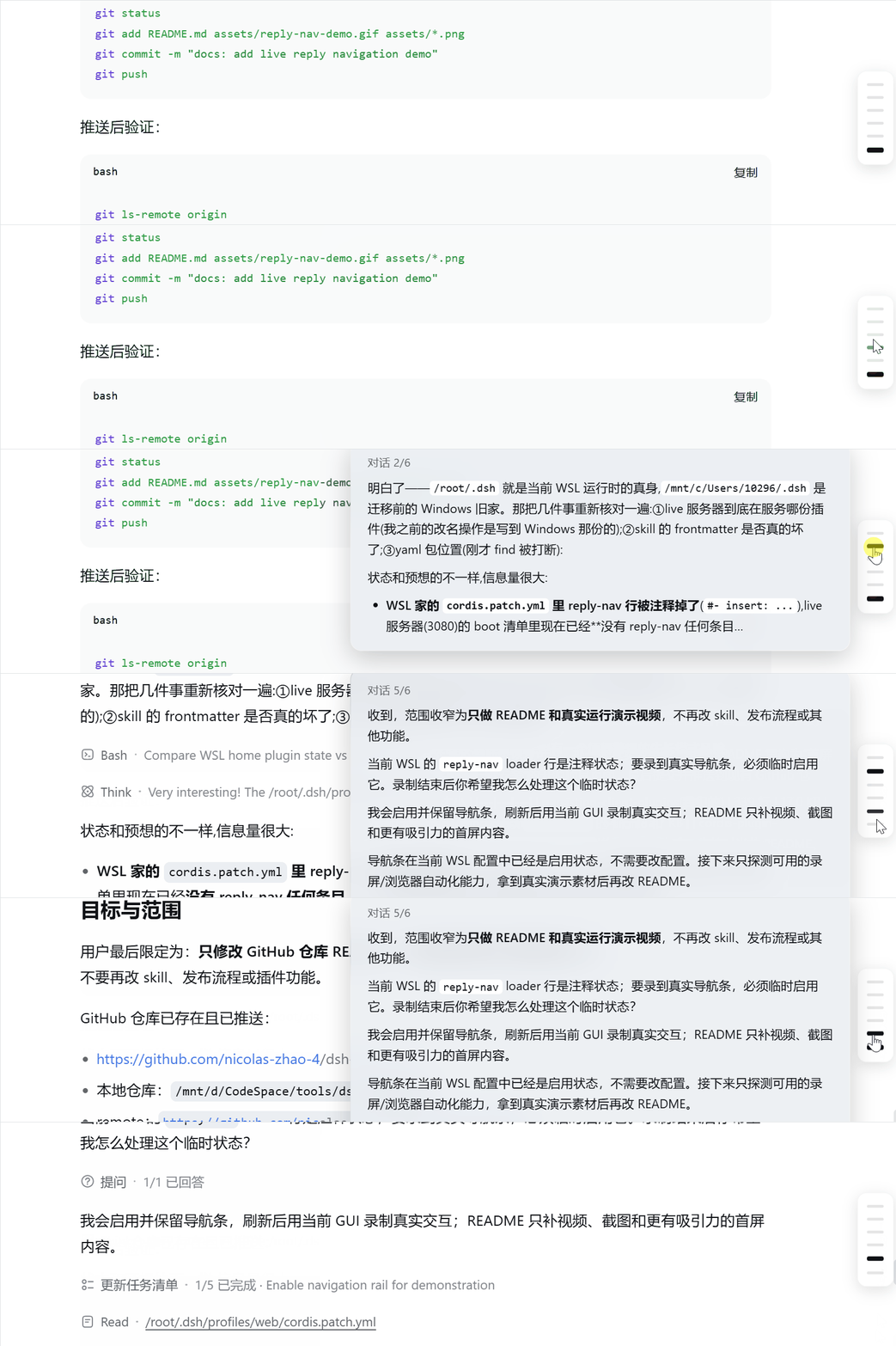
在 DeepSeek Harness 的长对话右侧,按用户回合显示导航条:悬停即可预览显式回复,点击即可跳转。工具调用再多,也不会把一个回合拆成一堆难以定位的步骤。
为什么值得用
- 一条横杠 = 一轮对话:按用户消息导航,而不是按工具拆分的 assistant step 导航
- 悬停即预览:显示渲染后的 Markdown 回复,快速判断这一轮是否值得回看
- 点击即跳转:滚动到对应回合,当前回合自动高亮
- 轻量且无侵入:纯客户端、无后端、无构建步骤,跟随 DSH 主题
30 秒安装
git clone https://github.com/nicolas-zhao-4/dsh-reply-nav.git
cd dsh-reply-nav
powershell -ExecutionPolicy Bypass -File ./install.ps1
刷新 DSH Web 页面即可。Linux/macOS 使用 ./install.sh。
安装方式
一键脚本(推荐)
脚本会把插件复制到 <profile>/node_modules/,并幂等地写入 cordis.patch.yml。默认 profile 为 web。
手动安装
将 package.json 和 lib/ 复制到 ~/.dsh/profiles/<profile>/node_modules/dsh-reply-nav/,然后在 cordis.patch.yml 添加:
- insert:
    - id: reply-nav
      name: dsh-reply-nav
npm/GitHub
cd ~/.dsh/profiles/<profile>
npm i --no-save --package-lock=false github:nicolas-zhao-4/dsh-reply-nav
然后添加上面的 patch 并刷新页面。
包含与排除
- 包含:显式回复文本、Markdown 预览、回合级跳转
- 排除:thinking/reasoning、tool calls
验证与排错
- 刷新页面后,长对话右侧应出现导航条
- 确认
http://127.0.0.1:3080/plugins/dsh-reply-nav/client.js返回200 - “设置里已激活”只代表 Node 侧加载成功;UI 未出现时请查看浏览器控制台
原理
插件通过 shell.overlay 注册浮层 UI;客户端从 DSH session snapshot 中聚合每个用户回合的 assistant 显式文本,渲染为预览并绑定跳转。全部 UI 位于 lib/client.js,修改后刷新页面即可生效。
许可证
MIT
Related相关推荐
-
 loster12520/dsh-btw
deepseek harness版btw插件
loster12520/dsh-btw
deepseek harness版btw插件
- zljr/dsh-share
- nekogpt/dsh-ui-quote-selection Codex-style select-to-quote for DeepSeek Harness Web: quote any chat text into the composer as a native reference chip.
-
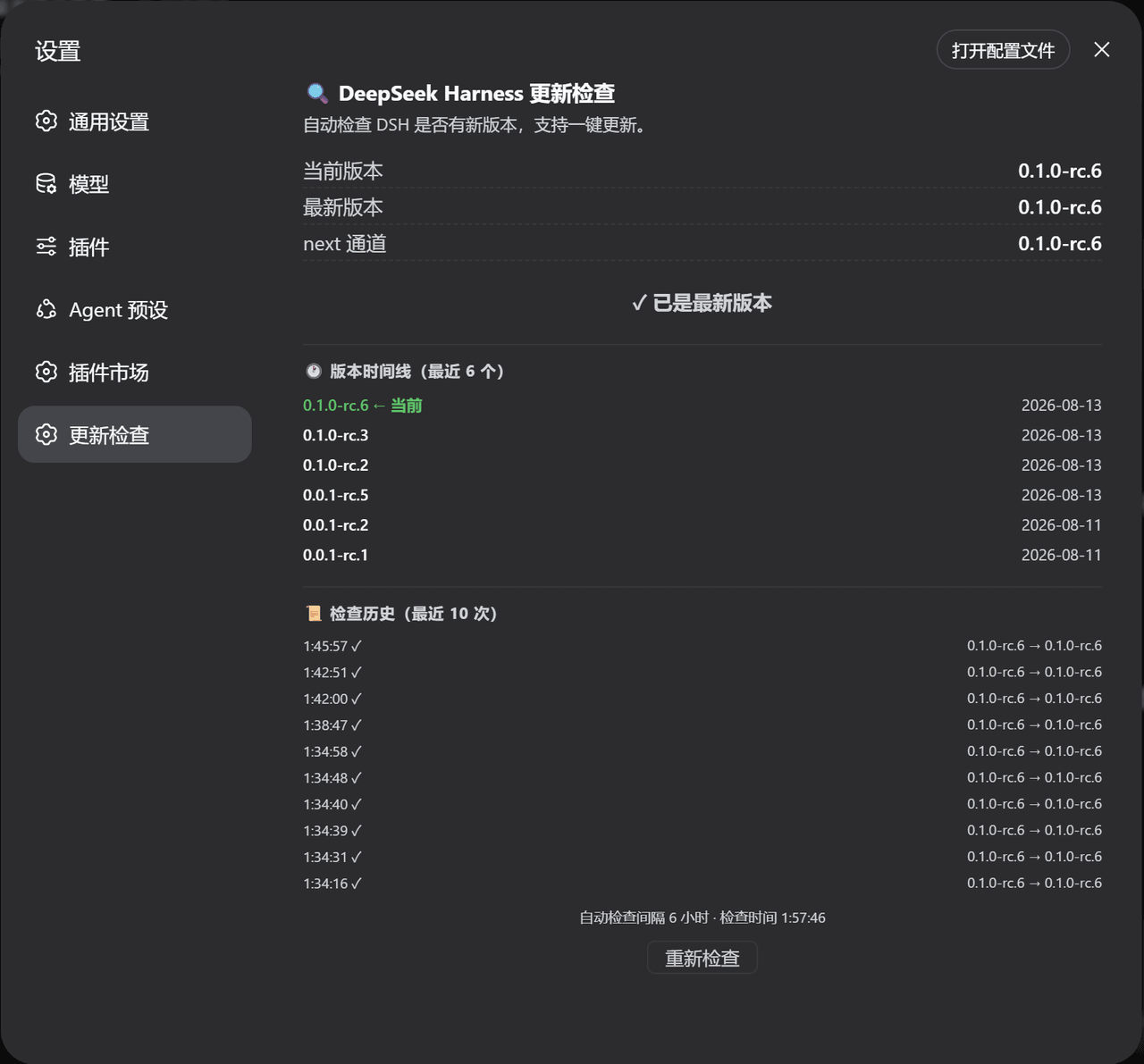 duntansen/dsh-update-checker
DSH web plugin: check DeepSeek Harness updates from Settings (dsh --version vs npm latest/next) | DSH Web 插件:在设置页自检 Deep…
duntansen/dsh-update-checker
DSH web plugin: check DeepSeek Harness updates from Settings (dsh --version vs npm latest/next) | DSH Web 插件:在设置页自检 Deep…
-
 liangmianya/dsh-synapse
A visual, non-linear conversation workspace plugin for DeepSeek Harness ; A canvas-based session explorer and branching …
liangmianya/dsh-synapse
A visual, non-linear conversation workspace plugin for DeepSeek Harness ; A canvas-based session explorer and branching …
-
 alaliqing/claude-paper
📖 Cross-agent research paper toolkit for Claude Code, Codex, OpenCode, and DeepSeek Harness—quick summaries, deep study…
alaliqing/claude-paper
📖 Cross-agent research paper toolkit for Claude Code, Codex, OpenCode, and DeepSeek Harness—quick summaries, deep study…
-
 omdsh-dev/dsh-annotation
DSH Web 选中批注插件:选文字→批注→回车随消息发送;气泡隐藏批注块(零闪烁);回复按 Annotation N 逐条对照(可悬浮芯片)。官方 bundle,零核心改动
omdsh-dev/dsh-annotation
DSH Web 选中批注插件:选文字→批注→回车随消息发送;气泡隐藏批注块(零闪烁);回复按 Annotation N 逐条对照(可悬浮芯片)。官方 bundle,零核心改动
-
 Anionex/dsh-turn-rewind
deepseek harness对话和代码状态回退插件 | DSH — rewind conversation and workspace state, powered by a persistent Change Ledger
Anionex/dsh-turn-rewind
deepseek harness对话和代码状态回退插件 | DSH — rewind conversation and workspace state, powered by a persistent Change Ledger