ningbonb/dsh-client-ui-brand
Custom product name and logo branding for DeepSeek Harness Web 自定义 DeepSeek Harness Web 端 logo 和产品名称
项目介绍Project Overview
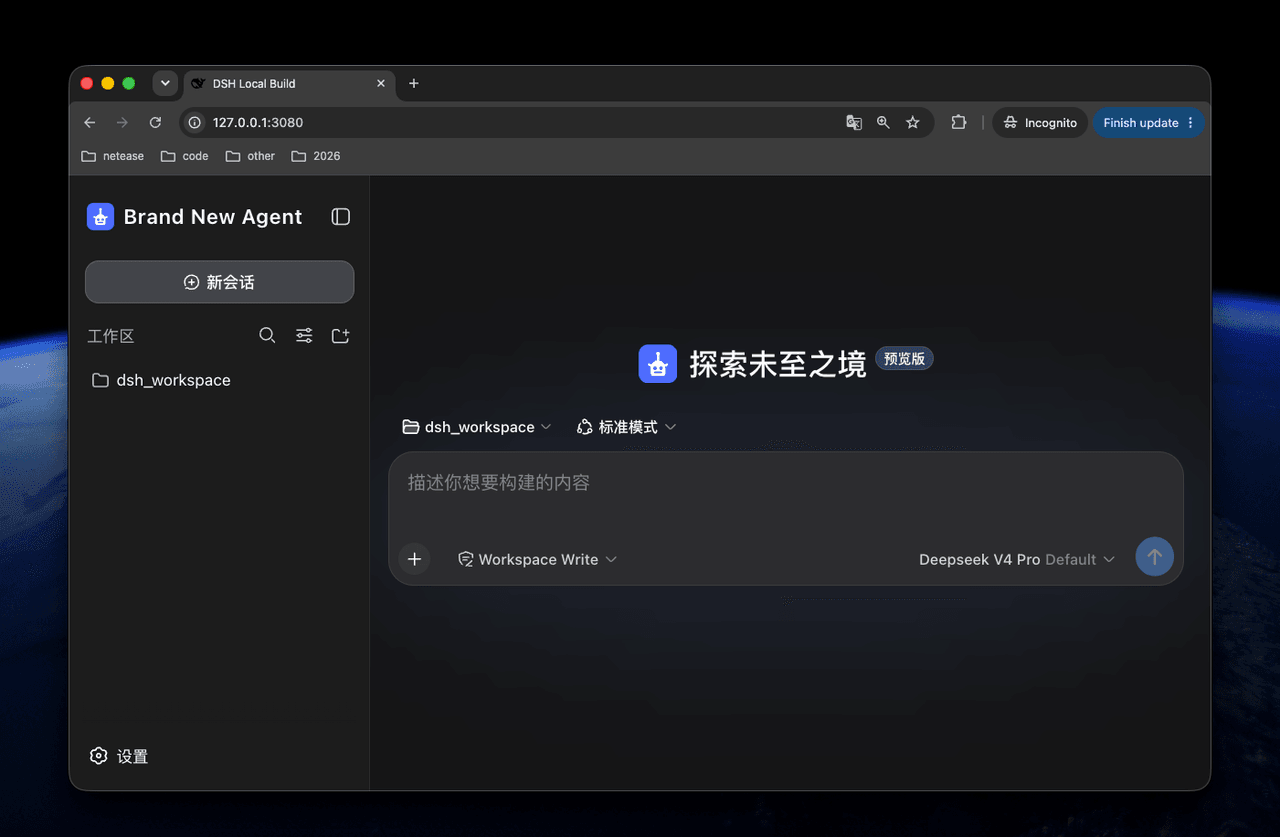
dsh-client-ui-brand 是一个 DeepSeek Harness 品牌插件,可在不改源码的情况下自定义 Web 端侧边栏展开后的产品名称,以及侧边栏和空会话中的产品标识;支持远程 URL 或本地图片配置。适合需要替换产品名与 Logo 的白标场景。注意:浏览器标题、favicon、PWA 元数据及空会话标语无法通过本插件修改。
dsh-client-ui-brand is a DeepSeek Harness plugin that customizes the Web UI product name and logo without modifying DSH source code. It changes the expanded sidebar product name and the product mark in the sidebar and empty conversation, using either a remote logo URL or a served local image. Use it for white-label branding of the DSH Web interface. Browser title, favicon, PWA metadata, and the empty-conversation slogan are not configurable.
请帮我了解并安装插件:【dsh-client-ui-brand】【https://github.com/ningbonb/dsh-client-ui-brand】把上面这条消息直接发给当前会话里的 DSH,让它帮你了解并安装。安装命令不一定准确,发给 DSH 更稳。Send this message to DSH in your current session. CLI install commands may not be accurate across systems — DSH will figure it out for you.
或使用命令行安装(适合开发者)Or use CLI install (for developers)
命令行安装CLI Install
dsh plugin --profile web add dsh-client-ui-brand把 ningbonb/dsh-client-ui-brand 加入你的 DSH 配置(web profile)即可启用。
READMEREADME
English | 中文
dsh-client-ui-brand
This is a simple DeepSeek Harness plugin. It customizes the product name and logo without changing DeepSeek Harness source code.
Preview
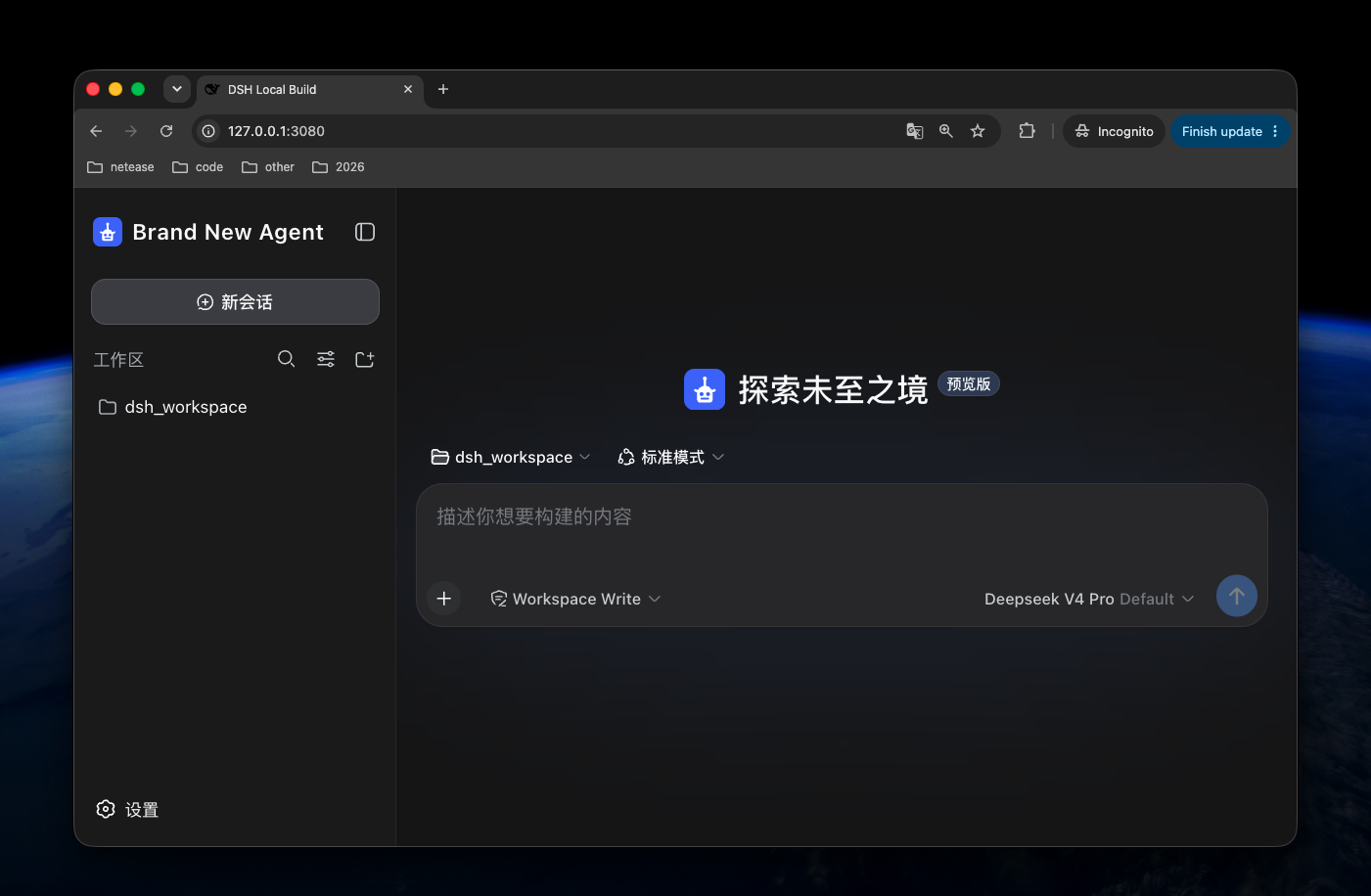
What it changes
- product name in the expanded sidebar;
- product mark in the sidebar and empty conversation.
Browser title, favicon, and PWA metadata are not configurable through this plugin. They require a branded Web Shell build.
DSH Core does not currently provide an accepted slot for the empty-conversation slogan. This plugin therefore cannot change it without an intrusive modification; it can support the slogan when DSH Core exposes that slot.
Install
Install the published package into the Web profile:
dsh plugin --profile web add dsh-client-ui-brand
Restart the DSH Web process after installation.
Configure
Add a later Web profile patch, usually at:
$DSH_HOME/profiles/web/cordis.patch.yml
The installed bundle already uses Brand New Agent and its default Agent mark. Every configuration field is optional. Add this later profile patch only when overriding the defaults:
- id: dsh-client-ui-brand
  config:
    productName: Acme Agent
    logoUrl: https://cdn.example.com/branding/acme-agent.svg
    logoAlt: Acme Agent logo
Configuration fields
| Field | Default | Description |
|---|---|---|
productName |
Brand New Agent |
Sidebar product name. |
logoUrl |
Not set | HTTPS URL, same-origin absolute path, or data:image/... URL for the logo. |
logoPath |
Not set | Absolute path to one local logo image served by DSH. |
logoAlt |
productName |
Accessible logo text. |
Configure either logoUrl or logoPath, not both.
Local logo
- id: dsh-client-ui-brand
  config:
    productName: Acme Agent
    logoPath: /absolute/path/to/acme-agent-logo.svg
    logoAlt: Acme Agent logo
The local file is exposed only through the fixed route:
/plugins/dsh-client-ui-brand/brand-logo
For safety, the path must be an absolute, non-symlink regular file with a
gif, jpeg, jpg, png, svg, or webp extension. The route accepts only
GET and HEAD, never accepts a request-controlled file path, returns 404
when the configured file cannot be read, and sends no-store and nosniff
headers.
License
MIT
相关推荐Related
-
 nexu-io/open-design
🎨 Best DeepSeek Harness Design Plugin. The open-source Claude Design alternative. 🖥️ Local-first desktop app. 🖼️ Your…
nexu-io/open-design
🎨 Best DeepSeek Harness Design Plugin. The open-source Claude Design alternative. 🖥️ Local-first desktop app. 🖼️ Your…
-
 freestylefly/awesome-gpt-image-2
Prompt as Code | GPT-Image2 工业级提示词引擎与模板库,530+ 个案例逆向工程,20+ 套工业级模板,并提炼出Skills,持续更新中
freestylefly/awesome-gpt-image-2
Prompt as Code | GPT-Image2 工业级提示词引擎与模板库,530+ 个案例逆向工程,20+ 套工业级模板,并提炼出Skills,持续更新中
-
 anywhere-labs/dsh-desktop
为 DeepSeek Harness (DSH) 插件生态打造的现代化桌面端解决方案。万物皆「插件」,桌面本身也是「插件」。
anywhere-labs/dsh-desktop
为 DeepSeek Harness (DSH) 插件生态打造的现代化桌面端解决方案。万物皆「插件」,桌面本身也是「插件」。
- Nagi-ovo/voyager Enhancement suite for Gemini, AI Studio, Claude & ChatGPT — plus a prompt manager for any web UI, DeepSeek Harness inclu…
-
 walkinglabs/learn-harness-engineering
Harness engineering beginner tutorial, from 0 to 1
walkinglabs/learn-harness-engineering
Harness engineering beginner tutorial, from 0 to 1
-
 awesome-dsh-plugin/awesome-dsh-plugin
A curated list of plugins for DeepSeek Harness (dsh) · DeepSeek Harness 插件精选列表
awesome-dsh-plugin/awesome-dsh-plugin
A curated list of plugins for DeepSeek Harness (dsh) · DeepSeek Harness 插件精选列表
-
 MemTensor/MemOS
Self-evolving memory OS for LLM & AI Agents: ultra-persistent memory, hybrid-retrieval, and cross-task skill reuse, with…
MemTensor/MemOS
Self-evolving memory OS for LLM & AI Agents: ultra-persistent memory, hybrid-retrieval, and cross-task skill reuse, with…
- yjh051108/dsh-routing-suite dsh-routing-suite — injector + router-standard kit: install the runtime injector first, then the task-aware reasoning-mo…