No-PRM/dsh-explorer
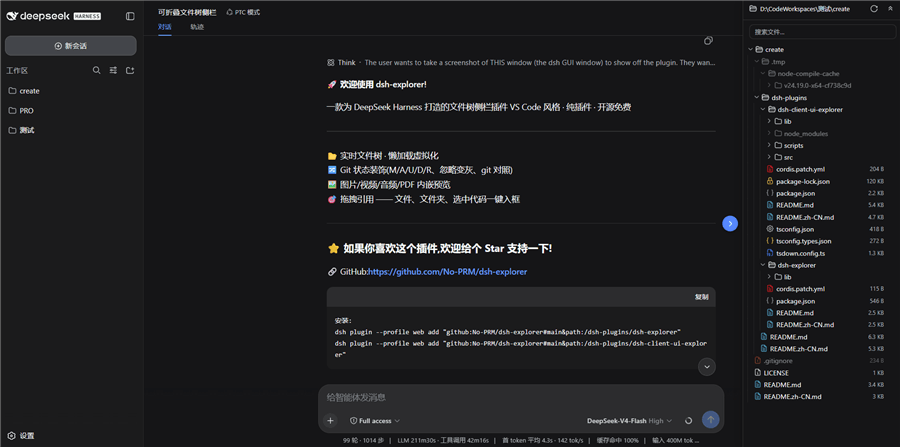
A file-tree sidebar for the DeepSeek Harness web UI. A blue round button on the right edge opens a drawer with the current workspace's files — lazy-loaded and virtualized, so even big directories stay responsive.
catalog 简介 / catalog descriptioncatalog description:DSH plugin: VS Code-style file-tree explorer (git decorations, preview, diff, drag-to-reference); install via dsh plugin --profile web add.
项目介绍Project Overview
dsh-explorer 为 DeepSeek Harness 网页界面提供文件树侧边栏。核心能力:在右侧抽屉中以懒加载与虚拟化方式浏览工作区文件,内置 Git 状态显示、行内 diff 预览,以及将文件拖入聊天输入框生成引用标签。适用于在 dsh 内直接查看、改动并引用本地代码。注意:需同时安装主机端 dsh-explorer 与前端 dsh-client-ui-explorer 两个包,并重启 dsh。
dsh-explorer adds a file-tree sidebar to the DeepSeek Harness web UI. It opens a right-side drawer showing the current workspace, lazy-loaded and virtualized for large directories, with Git status indicators, inline diff previews, and drag-to-insert file references into the chat input. Use it when working inside dsh to browse, inspect, and reference local code without leaving the UI. Note: both the host package dsh-explorer and the UI package dsh-client-ui-explorer must be installed, followed by a dsh restart.
请帮我了解并安装插件:【dsh-explorer】【https://github.com/No-PRM/dsh-explorer】把上面这条消息直接发给当前会话里的 DSH,让它帮你了解并安装。安装命令不一定准确,发给 DSH 更稳。Send this message to DSH in your current session. CLI install commands may not be accurate across systems — DSH will figure it out for you.
或使用命令行安装(适合开发者)Or use CLI install (for developers)
命令行安装CLI Install
dsh plugin --profile web add "github:No-PRM/dsh-explorer#main&path:/dsh-plugins/dsh-explorer"把 No-PRM/dsh-explorer 加入你的 DSH 配置(web profile)即可启用。
READMEREADME
dsh-explorer
A file-tree sidebar for the DeepSeek Harness web UI. A blue round button on the right edge opens a drawer with the current workspace's files — lazy-loaded and virtualized, so even big directories stay responsive.
The plugins only add UI and a few read-only routes. Nothing in the shipped dsh packages is touched, so dsh updates shouldn't break anything.
Install (two commands — monorepo)
dsh plugin --profile web add "github:No-PRM/dsh-explorer#main&path:/dsh-plugins/dsh-explorer"
dsh plugin --profile web add "github:No-PRM/dsh-explorer#main&path:/dsh-plugins/dsh-client-ui-explorer"
# restart dsh
What you get
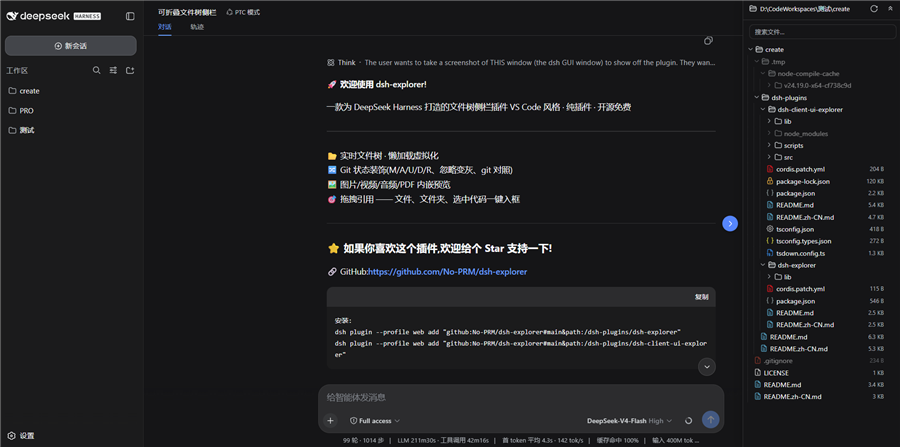
- A right-side drawer (drag the edge to resize) with a floating blue toggle; open state and width are remembered
- VS Code-style indent guides, hover highlights the active line
- Git status at a glance: M/A/U/D/R letters in a right-aligned column, tinted filenames, dirty dots on folders, struck-through rows for deleted files, gitignored entries dimmed
- Modified files get a git diff view (HEAD vs working tree, side-by-side) right in the preview
- Click a file to preview it — text opens in CodeMirror (Ctrl+F gives a VS Code-like find bar), images/video/audio/PDF play inline
- Drag any file/folder (or selected code from the preview) into the chat input — inserts an XML-tagged reference (
<reference path="…" lines="…" />) and shows a removable chip above the composer - Search (skips .git and node_modules), expand/collapse-all, auto-refresh every 1.2 s
Two packages
| package | what it does |
|---|---|
dsh-explorer |
Host side (Node). Serves the read-only /filetree/* API: directory listing, file read, search, git status, raw media streaming. No dependencies. |
dsh-client-ui-explorer |
Browser side (TS/TSX). The toggle, the drawer, and everything you see. |
Both follow the official dsh plugin contract. Wiring and deployment details live in dsh-plugins/README.md.
Install
You need both halves. Bundle install (monorepo — one command per package):
dsh plugin --profile web add "github:No-PRM/dsh-explorer#main&path:/dsh-plugins/dsh-explorer"
dsh plugin --profile web add "github:No-PRM/dsh-explorer#main&path:/dsh-plugins/dsh-client-ui-explorer"
# restart dsh
(Dev machine: keep the junction + cordis.patch.yml insert-row setup — don't run the bundle commands in the same profile.)
Manual (dev, no restart): copy the two packages into the profile's node_modules and add them to its cordis.patch.yml:
- insert:
    - id: filetree
      name: dsh-explorer-v1
    - id: ui-filetree
      name: dsh-client-ui-explorer
Restart dsh — or bump the host package name (v8, v9…) to avoid the restart. The browser bundle is self-contained; no npm install needed to run it. Full steps: dsh-plugins/README.md.
Development
cd dsh-plugins/dsh-client-ui-explorer
npm run dev        # watch + sync into the running profile
npm run bundle     # one-shot minified build
npm run types      # generate lib/types/*.d.ts
npm run typecheck
Host changes go into dsh-plugins/dsh-explorer/lib/index.js; copy it into the profile under a bumped package name to reload without restarting.
Docs
- dsh-plugins — architecture, install, deploy (中文: README.zh-CN.md)
- dsh-client-ui-explorer (中文: README.zh-CN.md)
- dsh-explorer (中文: README.zh-CN.md)
MIT
相关推荐Related
-
 nexu-io/open-design
🎨 Best DeepSeek Harness Design Plugin. The open-source Claude Design alternative. 🖥️ Local-first desktop app. 🖼️ Your…
nexu-io/open-design
🎨 Best DeepSeek Harness Design Plugin. The open-source Claude Design alternative. 🖥️ Local-first desktop app. 🖼️ Your…
-
 esengine/DeepSeek-Reasonix
DeepSeek-native AI coding agent for your terminal. Engineered around prefix-cache stability — leave it running.
esengine/DeepSeek-Reasonix
DeepSeek-native AI coding agent for your terminal. Engineered around prefix-cache stability — leave it running.
-
 Molunerfinn/PicGo
:rocket: The Ultimate Image Uploader for Efficient Creators. Supports Obsidian, Typora, VS Code etc. and 60+ image hosti…
Molunerfinn/PicGo
:rocket: The Ultimate Image Uploader for Efficient Creators. Supports Obsidian, Typora, VS Code etc. and 60+ image hosti…
-
 titanwings/colleague-skill
将冰冷的离别化为温暖的 Skill,欢迎加入数字生命1.0!Transforming cold farewells into warm skills? It's giving rebirth era. Welcome to Digital …
titanwings/colleague-skill
将冰冷的离别化为温暖的 Skill,欢迎加入数字生命1.0!Transforming cold farewells into warm skills? It's giving rebirth era. Welcome to Digital …
-
 tt-a1i/archify
Agent skill for beautiful, verifiable architecture, workflow, sequence, data-flow, and lifecycle diagrams—self-contained…
tt-a1i/archify
Agent skill for beautiful, verifiable architecture, workflow, sequence, data-flow, and lifecycle diagrams—self-contained…
-
 YaoApp/yao
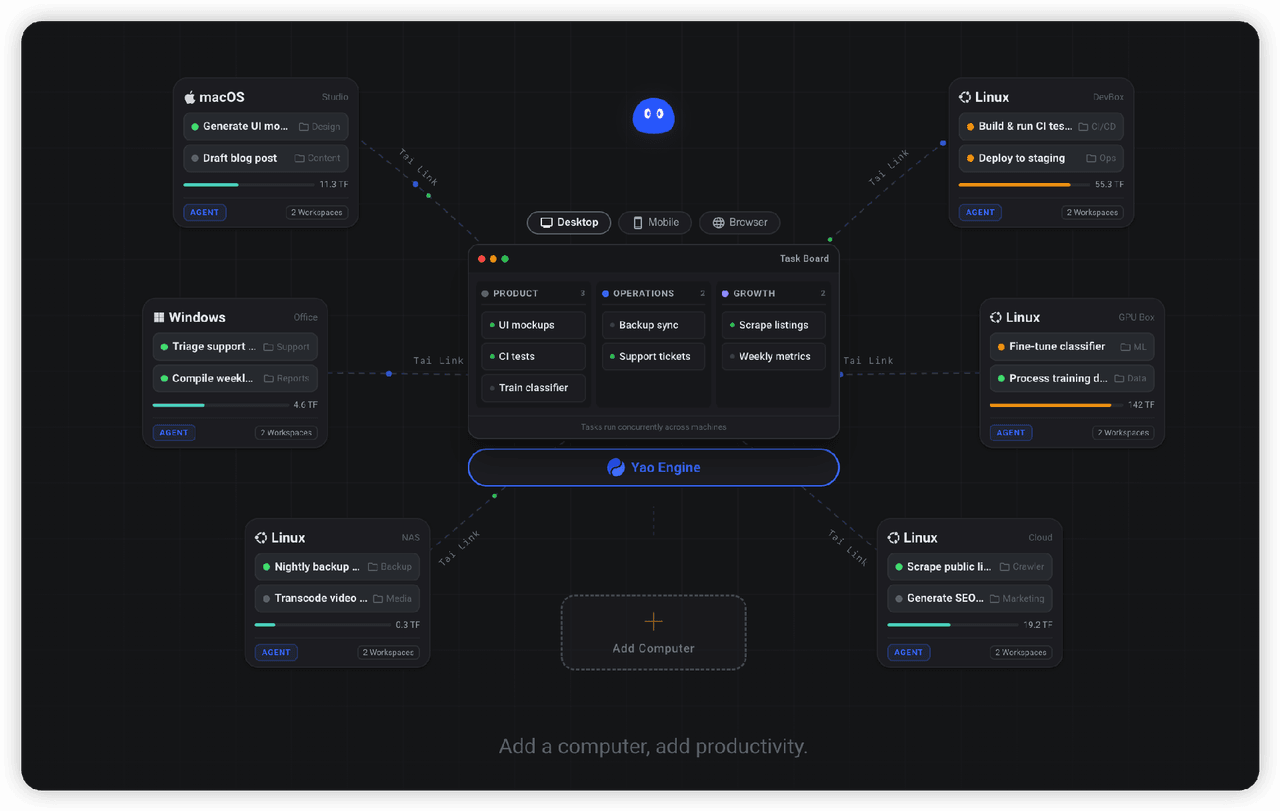
✨ All your agents and workspaces in one place, on every device you own. Track tasks on a board, accessible from desktop,…
YaoApp/yao
✨ All your agents and workspaces in one place, on every device you own. Track tasks on a board, accessible from desktop,…
-
 zhu1090093659/dsh-web-ui
Plugin and skin collection for DeepSeek Harness (DSH) Web UI - task board, git graph, right-side panel, remote mobile UI…
zhu1090093659/dsh-web-ui
Plugin and skin collection for DeepSeek Harness (DSH) Web UI - task board, git graph, right-side panel, remote mobile UI…
-
 Q00/ouroboros
Agent OS: the agent gets smarter on its own. We just hold the line: the grading command and expected result never make i…
Q00/ouroboros
Agent OS: the agent gets smarter on its own. We just hold the line: the grading command and expected result never make i…