
nutshellai-tech/mobius
The first self-evolving open-source Agent OS, connecting your team, AI agents, devices, and compute
项目介绍Project Overview
该插件为 Mobius,已迁移至 mobius-system/mobius,原仓库不再维护。其核心能力是提供原仓库的镜像与迁移指引,便于用户更新远程地址。适用于仍引用旧仓库的项目接入。建议尽快切换至新仓库以获取后续更新与支持。
This plugin is Mobius, which has migrated to mobius-system/mobius, and the original repository is no longer maintained. Its core capability is providing a mirror and migration guide for the original repo, helping users update their remote URL. Use it when integrating projects still referencing the old repository. Note: switch to the new repository promptly to receive future updates and support.
请帮我了解并安装插件:【mobius】【https://github.com/nutshellai-tech/mobius】把上面这条消息直接发给当前会话里的 DSH,让它帮你了解并安装。安装命令不一定准确,发给 DSH 更稳。Send this message to DSH in your current session. CLI install commands may not be accurate across systems — DSH will figure it out for you.
或使用命令行安装(适合开发者)Or use CLI install (for developers)
命令行安装CLI Install
dsh plugin --profile web add github:nutshellai-tech/mobius把 nutshellai-tech/mobius 加入你的 DSH 配置(web profile)即可启用。
READMEREADME
 Mobius
The first self-evolving open-source Agent OS
One system to connect your team, AI agents, devices, and compute




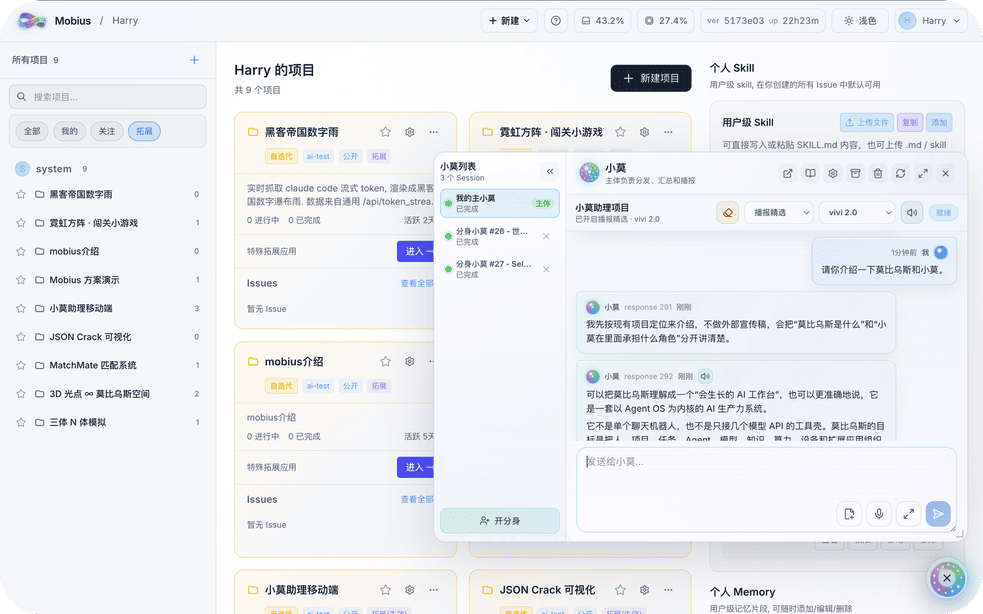
Building a perfect AI system once and for all is like finding the end of a Mobius strip — impossible by design.
Mobius is the world's first self-evolving open-source Agent OS. Not a fixed toolbox — a growing productivity system that connects projects, teams, models, devices, compute, and apps into one traceable workspace.
News
- 2026-08-09 — Windows one-key install: a single PowerShell command installs the Mobius TUI on a fresh Windows machine.
- 2026-08-02 — Easy Mode: an optional clutter-free layout (cross-project recent sessions + JSONL + floating input). First-time users choose between Easy and Normal mode and can switch anytime.
- 2026-08-02 — TUI released: connect to Mobius from any terminal with the TUI, and use Mobius the way you use Codex.
- 2026-07-26 — Search improvements: results stream in via SSE with case/whole-word matching; clicking a result jumps to the exact JSONL card.
- 2026-07-14 — Code Conversation v2 workspace mode: a 3-pane layout (file browser + built-in CodeMirror editor with syntax highlighting and in-place saving + chat).
Self-Evolving
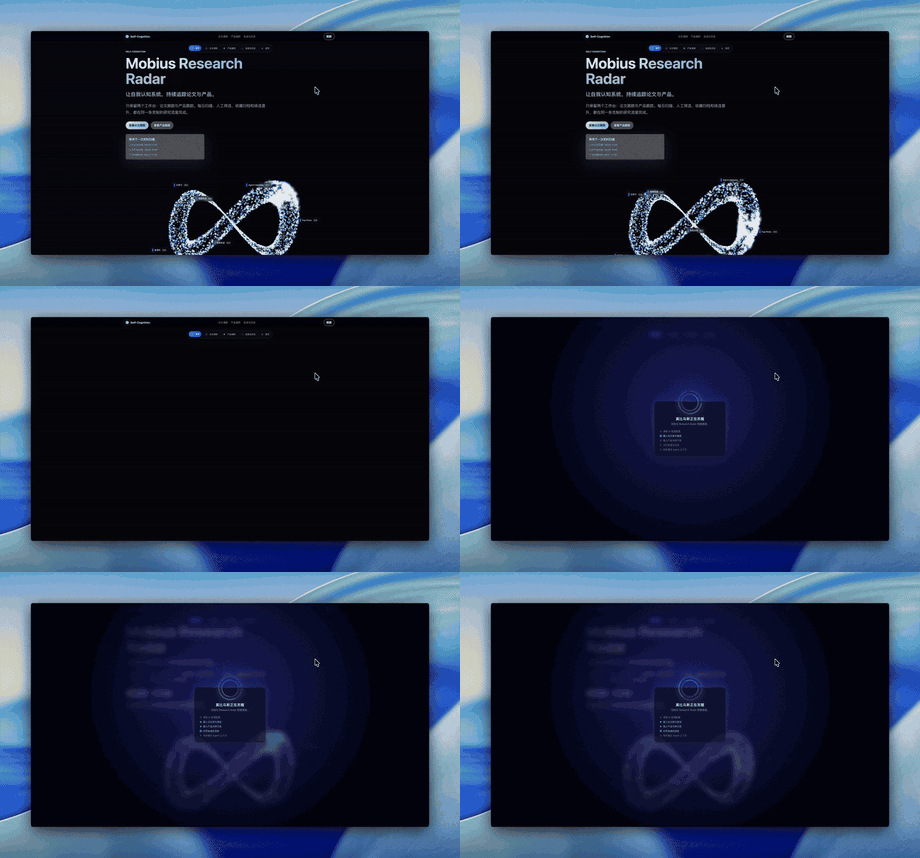
Mobius rewrites itself from your input. Send a change request, a screenshot, or a reference link — Mobius turns them into real code, UI, plugins, or workflow updates, without interrupting your work. Each iteration quietly replaces another plank on the Ship of Theseus, in the background.
Serve Every Scenario and Project
- Serve every scenario — switch to the most convenient interface for the task at hand
- Manage all projects — one overview where you can watch every agent working for you
Auto Research
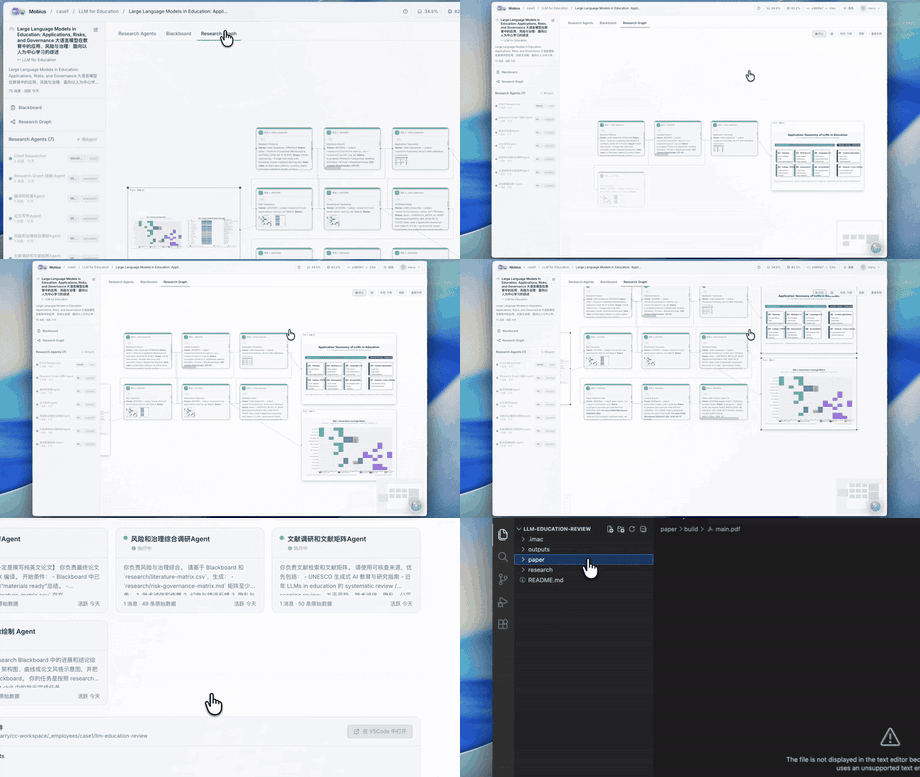
Mobius orchestrates multiple agents into an autonomous research pipeline — reading papers, extracting methods, running experiments, and surfacing results. A research goal becomes a multi-agent system, not a single Q&A.
XiaoMo
XiaoMo is the natural-language interface to the entire system. Talk to it: create projects, split tasks, launch agents, track progress. Anything clickable, XiaoMo can do; things the UI cannot do, XiaoMo handles too. It supports voice input, multiple devices (Web, PC, mobile), and configurable reminders.
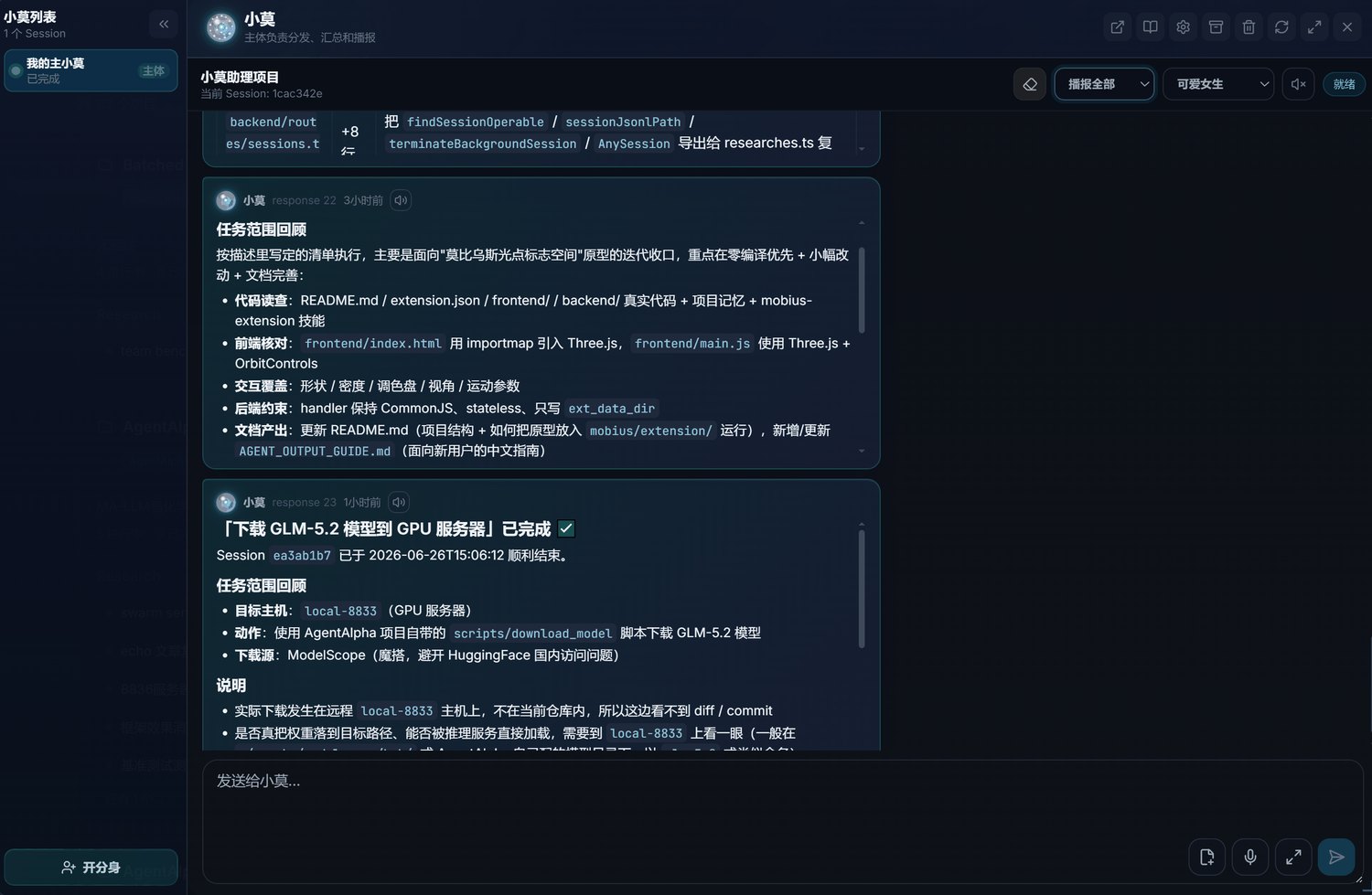
On the web. Zero install — open a browser on any device and the full Mobius workspace is ready instantly.
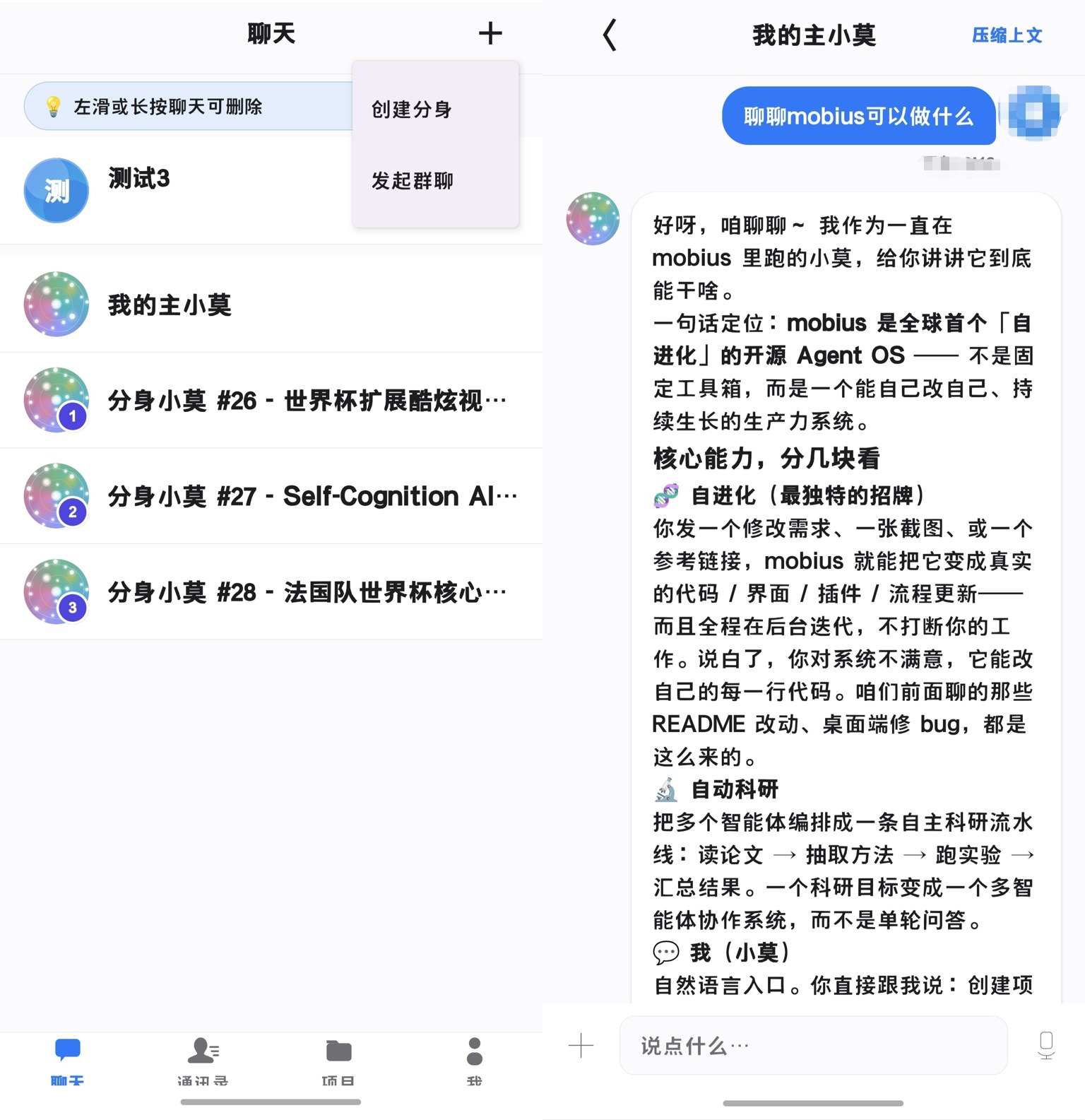
On your phone. XiaoMo goes wherever you go — chat with your agents, track progress, and approve decisions from anywhere. The iOS and Android apps are now fully available.
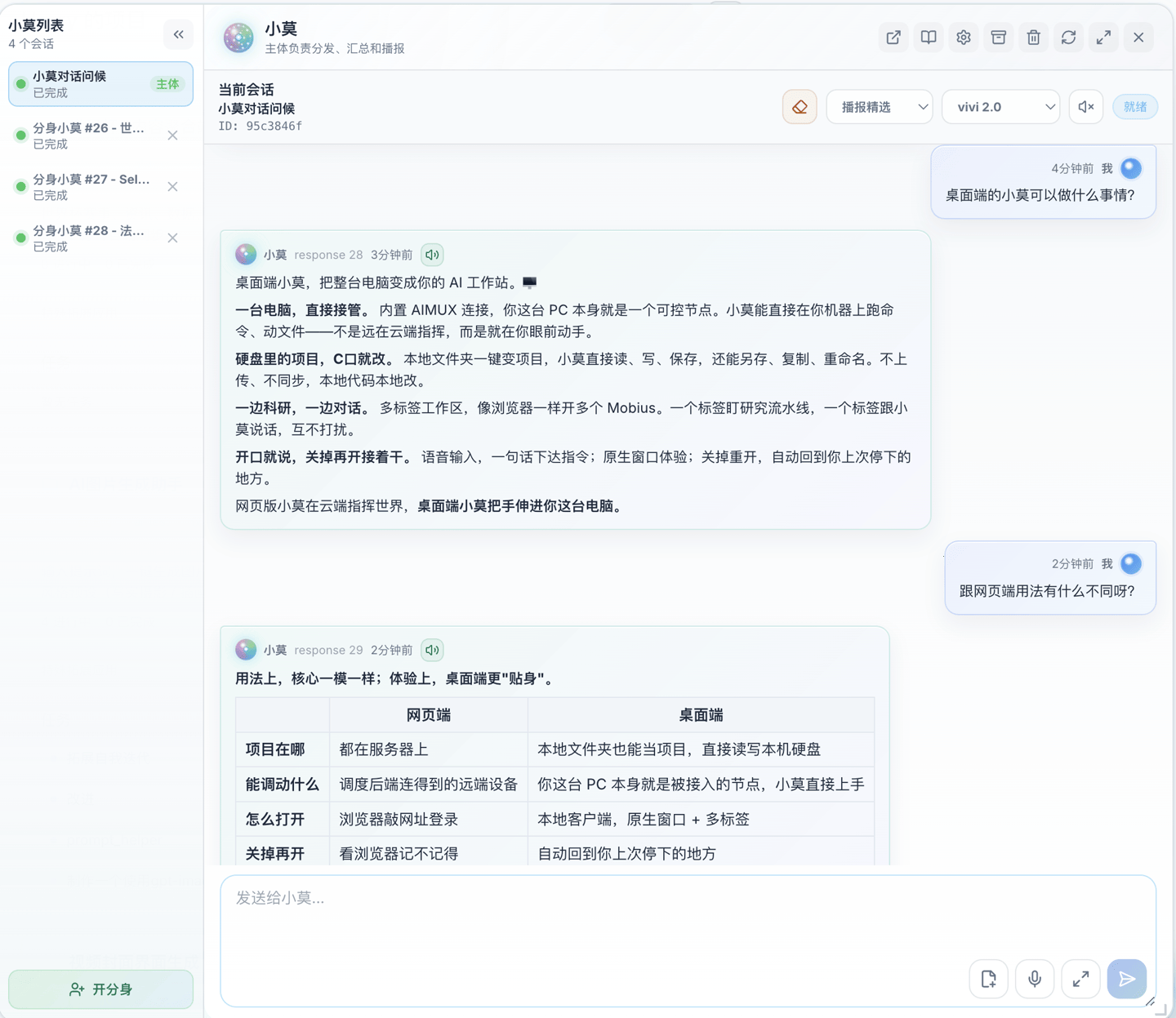
On your desktop. A native app that turns your PC into a Mobius workstation — read and write local project files directly, enroll this machine as a controllable node, and run multi-tab workflows. Available now on Windows, macOS, and Linux.
The demos on this page were produced by XiaoMo itself, recorded with zero human involvement.
Any Model, Any Agent
Mobius is model-agnostic. GPT, Claude, GLM-5.2, Codex — all serve as execution engines inside the same project. Choose by task type, cost, or performance.
Connect Everything
Mobius schedules browsers, terminals, GPU clusters, embedded boards, cloud servers, and workstations — all inside the same task network.
Reach your resources through SSH, AIMUX, and controllable proxies:
Team Collaboration
Human members, AI agents, tasks, and deliverables in one view. Leads see who is doing what, where each agent is, what needs confirmation, and where risks exist — no more fragmented communication.
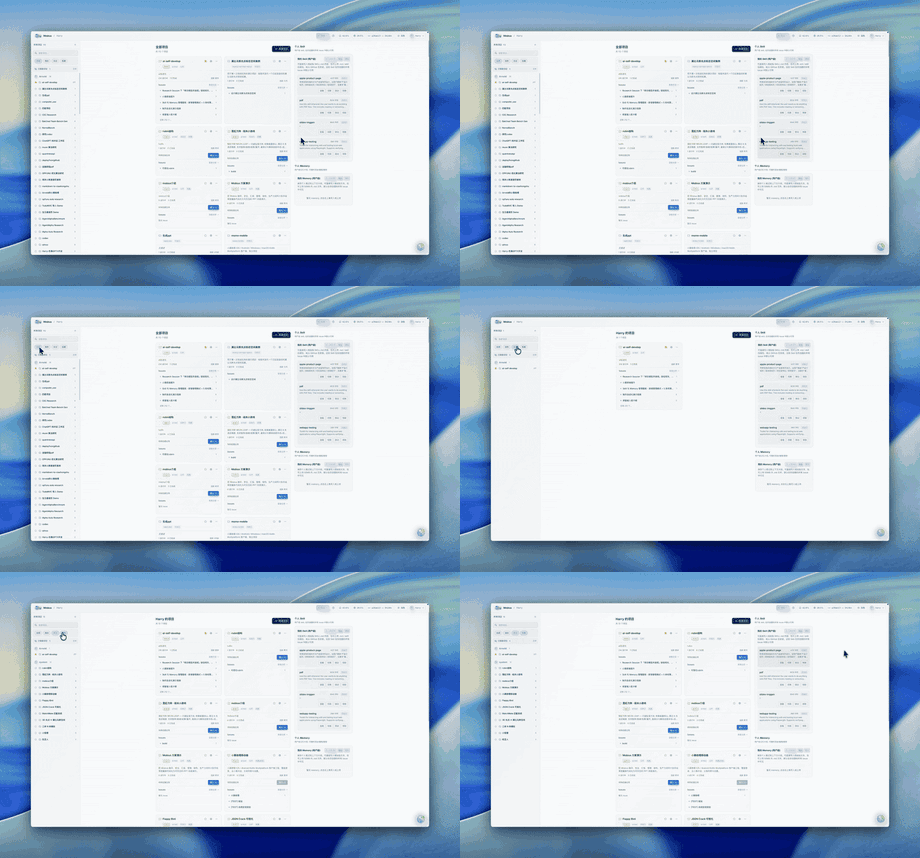
Self-Incubating Extensions
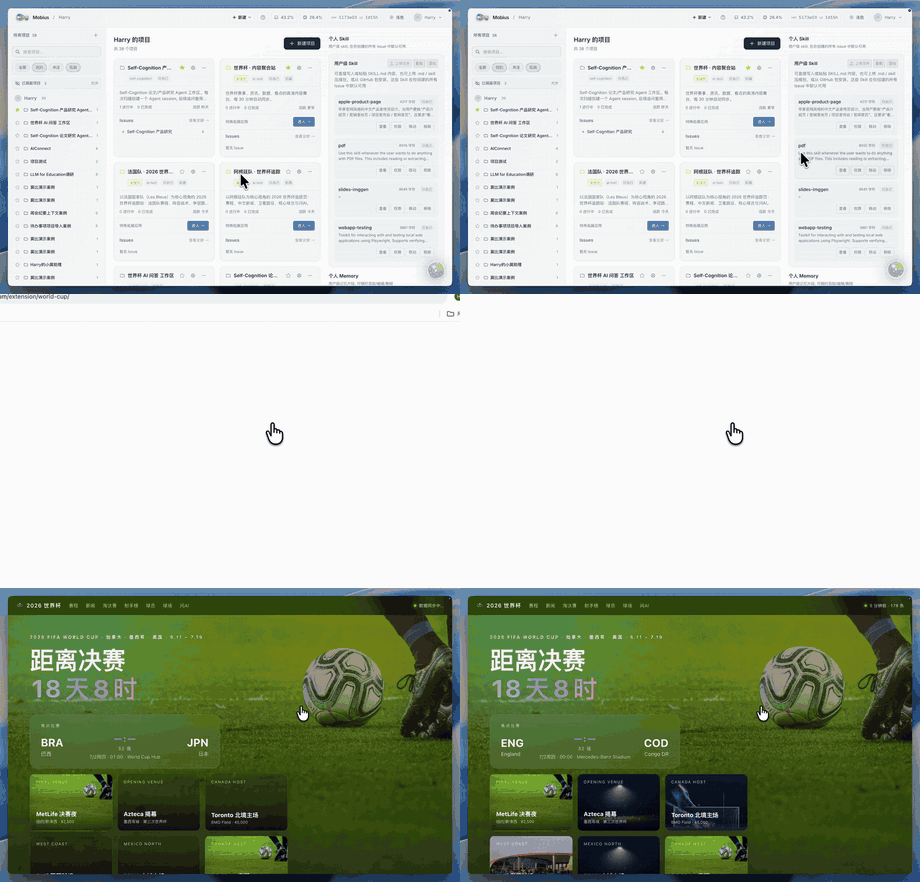
Mobius ships with built-in extensions and grows new ones from your needs — financial dashboards, PPT generators, research workbenches, live portals. Each extension comes with a frontend, backend handler, data directory, and an invocation entry point, ready to keep evolving.
|
Immersive Web Experiences Turn visual ideas into runnable extension apps. 
|
Financial News Wall Track live market narratives. 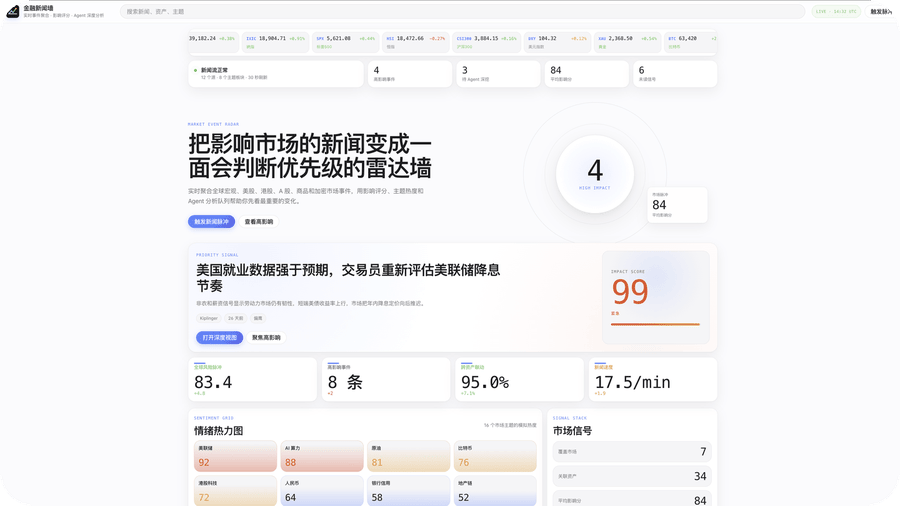
|
|
World Cup Portal Data-rich sports portal. 
|
PPT Maker Presentations from topics and materials. 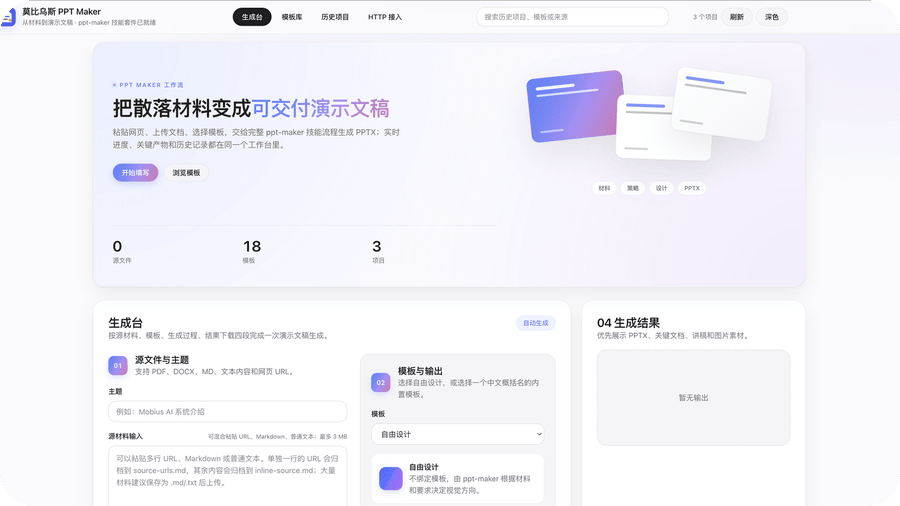
|
Quick Start
Full deployment guide at Docs.
Containers (recommended)
# 1. Clone the repo (tip: fork first, then clone — after self-evolution you can commit directly to your own repo)
git clone https://github.com/mobius-system/mobius.git && cd mobius

# 2. Generate config (random keys/passwords; you may configure manually to skip this)
python3 conf_prepare.py --docker && python3 conf_check.py --docker

# 3. Build the images (the base image is environment only, no code)
docker build -t mobius-system-base:latest -f deploy/Dockerfile .
docker build -t mobius-system-exe:latest .

# 4. Launch
docker compose up
Direct (Linux / macOS)
# 1. Install prerequisites (tmux, git, etc.)
sudo apt install tmux python3 git curl proxychains openssh-server build-essential

# 2. Install coding agents (either works; installing both is recommended)
npm install -g @anthropic-ai/claude-code @openai/codex

# 3. Clone the repo (tip: fork first, then clone — after self-evolution you can commit directly to your own repo)
git clone https://github.com/mobius-system/mobius.git && cd mobius

# 4. Generate and check config (copies .env.default to .env with random passwords)
python3 conf_prepare.py && python3 conf_check.py

# 5. Install dependencies (frontend + backend)
cd ./mobius && npm install && cd ./frontend && npm install && cd ../..

# 6. Run
python3 start.py
Roadmap
What we are building next:
- Mobile App — XiaoMo and full Agent control on iOS and Android
- Desktop App — a native connector that brings PC devices (Windows, macOS, Linux) into Mobius
- Extension Market — discover, share, and install community-built extensions
- i18n & Multi-language — localize the interface and documentation into more languages
Contribution
Issues, plugins, docs, bug reports, use cases — all welcome. If you believe AI systems should keep evolving instead of remaining static tools, join us.
相关推荐Related
-
 nexu-io/open-design
🎨 Best DeepSeek Harness Design Plugin. The open-source Claude Design alternative. 🖥️ Local-first desktop app. 🖼️ Your…
nexu-io/open-design
🎨 Best DeepSeek Harness Design Plugin. The open-source Claude Design alternative. 🖥️ Local-first desktop app. 🖼️ Your…
-
 ruvnet/ruflo
🌊 The original agent meta-harness. Deploy intelligent multi-player swarms, coordinate autonomous workflows, and build c…
ruvnet/ruflo
🌊 The original agent meta-harness. Deploy intelligent multi-player swarms, coordinate autonomous workflows, and build c…
-
 amruthpillai/reactive-resume
A one-of-a-kind resume builder that keeps your privacy in mind. Completely secure, customizable, portable, open-source a…
amruthpillai/reactive-resume
A one-of-a-kind resume builder that keeps your privacy in mind. Completely secure, customizable, portable, open-source a…
-
 esengine/DeepSeek-Reasonix
DeepSeek-native AI coding agent for your terminal. Engineered around prefix-cache stability — leave it running.
esengine/DeepSeek-Reasonix
DeepSeek-native AI coding agent for your terminal. Engineered around prefix-cache stability — leave it running.
-
 volcengine/OpenViking
Self-evolving Context Database for AI Agents. Unify Agent Memory, Knowledge RAG and Skills.
volcengine/OpenViking
Self-evolving Context Database for AI Agents. Unify Agent Memory, Knowledge RAG and Skills.
-
 Molunerfinn/PicGo
:rocket: The Ultimate Image Uploader for Efficient Creators. Supports Obsidian, Typora, VS Code etc. and 60+ image hosti…
Molunerfinn/PicGo
:rocket: The Ultimate Image Uploader for Efficient Creators. Supports Obsidian, Typora, VS Code etc. and 60+ image hosti…
-
 titanwings/distilly
Distilly — Distill how they think into reusable Skills for any Agent or Bot. Formerly Colleague Skill(原同事 Skill).
titanwings/distilly
Distilly — Distill how they think into reusable Skills for any Agent or Bot. Formerly Colleague Skill(原同事 Skill).
-
 titanwings/colleague-skill