omdsh-dev/dsh-notification
DeepSeek Harness完成时的桌面通知,支持按结果分别控制,以及包含/排除关键词规则。
项目介绍Project Overview
dsh-notification 为 DeepSeek Harness Web GUI 提供桌面系统通知。核心能力:会话完成一轮后,浏览器通过 Notification API 弹出提醒,并支持按结果类型开关及关键字(标题/回复/工具名)包含/排除规则。适用于长时间任务中切走标签页、需及时知道完成的场景。注意:页面必须保持打开状态,且规则仅匹配最近一轮,回复正文受 maxBodyChars 限制。
dsh-notification adds desktop system alerts to the DeepSeek Harness web GUI. Core capability: when a session finishes a turn, the browser fires a Notification API alert, with per-outcome toggles and include/exclude keyword rules matched against the session title, last reply text, and tool names. Use it when you switch tabs during long tasks and need to know when DSH completes. Caveat: the page must stay open, and rules only inspect the most recent turn, with the reply body capped by maxBodyChars.
请帮我了解并安装插件:【dsh-notification】【https://github.com/omdsh-dev/dsh-notification】把上面这条消息直接发给当前会话里的 DSH,让它帮你了解并安装。安装命令不一定准确,发给 DSH 更稳。Send this message to DSH in your current session. CLI install commands may not be accurate across systems — DSH will figure it out for you.
或使用命令行安装(适合开发者)Or use CLI install (for developers)
命令行安装CLI Install
dsh plugin --profile web add https://github.com/omdsh-dev/dsh-notification/archive/refs/tags/v0.1.3.tar.gz把 omdsh-dev/dsh-notification 加入你的 DSH 配置(web profile)即可启用。
READMEREADME
dsh-notification
Desktop notifications for the DeepSeek Harness web GUI. When a session finishes a turn, the browser shows a system notification (via the Notification API), so you can switch tabs and still know when DSH is done. Per-outcome toggles and include/exclude keyword rules control exactly which completions notify.
No harness change is needed: the host contributes a session projection (a bounded summary of each session's last completed turn), and the client watches the session list's completion reminder and applies its own persisted preferences.
host:  notification projection (last turn's reason/text/tools) --session/projection--> browser
client: session list completion reminder (live, dedup) + persisted settings
        -> permission + current-session visibility gate
        -> new Notification("DSH finished", { body: "deploy done" })
Install
dsh plugin --profile web add https://github.com/omdsh-dev/dsh-notification/archive/refs/tags/v0.1.3.tar.gz
Restart the web server so the host half and the served client bundle pick up the plugin. The default dsh web profile has the required client composition (the session list, the settings shell, and locale).
The settings section lives under Settings > Notifications.
Settings
| Setting | Default | Effect |
|---|---|---|
| Enable notifications | on | Master switch; off stops every notification while keeping rules. |
| Notify on completed / error / aborted / blocked / token limit | completed + error on, rest off | Which turn-end reasons notify (the host projection reports the reason). |
| Keyword rules | none | Include/exclude filters matched against the session title, the turn's reply text, and its tool names. Include rules: at least one must match. Exclude rules: a match suppresses. Rules support literal or regex matching with an optional case-sensitive flag. |
| Require manual dismiss | off | The notification stays until dismissed. |
| Only notify when the task is out of view | on | Suppress a notification only when its session is currently in view. A completion still notifies while the page is hidden or while another session/workspace is open. Turn it off to notify even for the session being watched. Notifications for the same session replace each other. |
Preferences persist in the browser (localStorage). The section also grants browser permission and sends a test notification.
Configuration
Host-side tunables live on the plugin row in cordis.yml:
- id: dsh-notification
  name: dsh-notification
  config:
    maxBodyChars: 400      # projection body budget; longer replies are ellipsized host-side
Model experience
| Aspect | Effect |
|---|---|
| Token cost | None — notifications are UI-only and never enter a request. |
| Tool calls | None — the model gets no new tool. |
| Session log | Unchanged — the projection reads the existing log and adds no events. |
| Prompt | Unchanged — no system-prompt section is registered. |
Permission boundary
- The host folds a pure projection over the session log (turn reason, bounded reply text, tool names) and the projection seam delivers it to the browser; the plugin writes nothing to the log and registers no model-facing tools.
- The client watches the session list's completion reminder (a live "finished while not selected" edge the runtime already computes) and shows a notification only when the user has granted Notification permission.
- Rule matching runs client-side against the projected content; the reply body never exceeds
maxBodyChars.
Development
pnpm install            # links the sibling dsh checkout for build and tests
pnpm run check          # typecheck + tests + build
pnpm run test           # vitest (host projection + composition, client decision/runner/helpers/section)
pnpm run build          # esbuild host/client/invariant bundles + tsc declarations
The repo expects the harness checkout at ../dsh for the dev-time link: resolutions. The composition spec boots the real SessionStore and SessionProjectionRegistry and proves the fold.
Known limitations
- Notifications require the page to be open (the browser shows them while it is hidden, but not after the tab is closed) and Notification permission granted; a denied site permission cannot be overridden from inside the page.
- Notifications fire once per finished turn (a running→idle edge on any session); a completion that happened while the page was disconnected is not re-notified on reconnect.
- The rule subject is the session title plus the last turn's reply text and tool names — earlier turns are not matched.
- Notification body is a flat text snippet; the click action only focuses the window (no deep link to the turn).
License
MIT
相关推荐Related
-
 nexu-io/open-design
🎨 Best DeepSeek Harness Design Plugin. The open-source Claude Design alternative. 🖥️ Local-first desktop app. 🖼️ Your…
nexu-io/open-design
🎨 Best DeepSeek Harness Design Plugin. The open-source Claude Design alternative. 🖥️ Local-first desktop app. 🖼️ Your…
-
 esengine/DeepSeek-Reasonix
DeepSeek-native AI coding agent for your terminal. Engineered around prefix-cache stability — leave it running.
esengine/DeepSeek-Reasonix
DeepSeek-native AI coding agent for your terminal. Engineered around prefix-cache stability — leave it running.
- Nagi-ovo/voyager Enhancement suite for Gemini, AI Studio, Claude & ChatGPT — plus a prompt manager for any web UI, DeepSeek Harness inclu…
-
 anywhere-labs/deepseek-harness-desktop
为 DeepSeek Harness (DSH) 插件生态打造的现代化桌面端解决方案。万物皆「插件」,桌面本身也是「插件」。
anywhere-labs/deepseek-harness-desktop
为 DeepSeek Harness (DSH) 插件生态打造的现代化桌面端解决方案。万物皆「插件」,桌面本身也是「插件」。
-
 YaoApp/yao
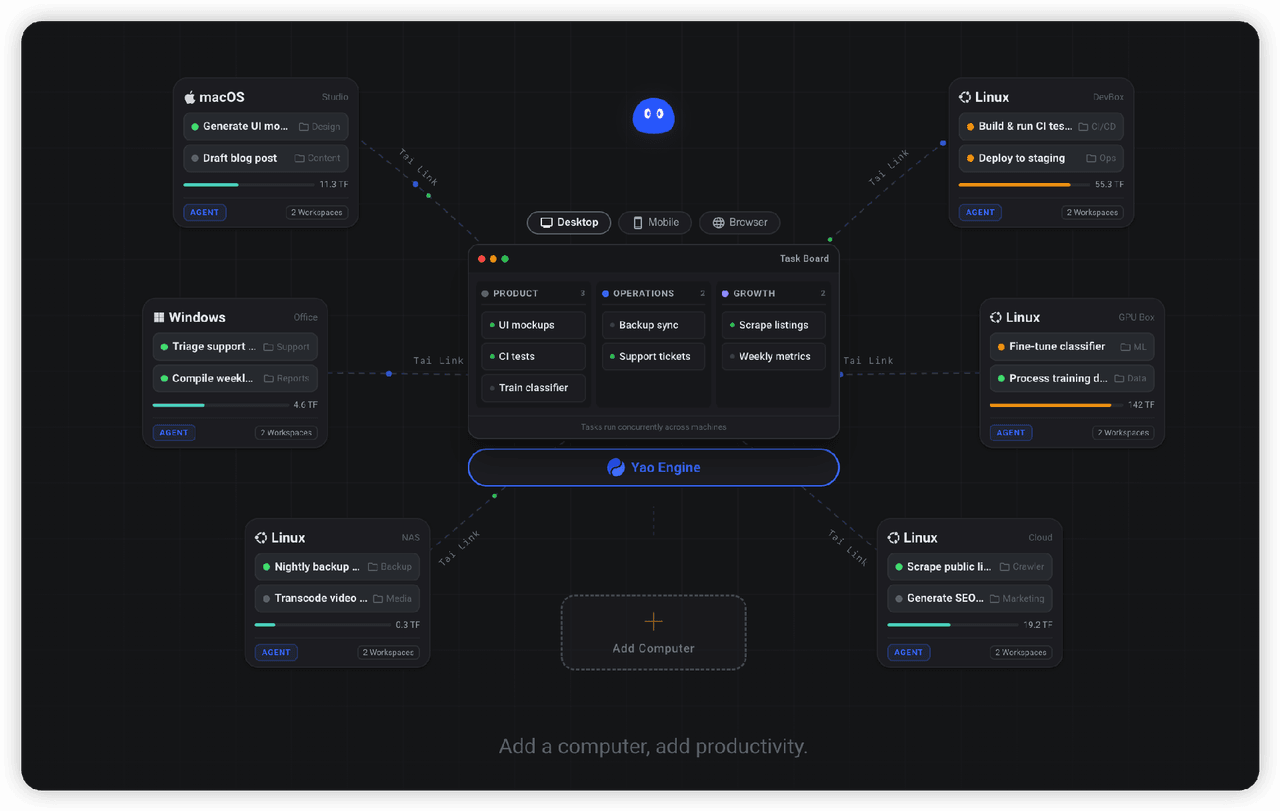
✨ All your agents and workspaces in one place, on every device you own. Track tasks on a board, accessible from desktop,…
YaoApp/yao
✨ All your agents and workspaces in one place, on every device you own. Track tasks on a board, accessible from desktop,…
-
 zhu1090093659/dsh-web-ui
Plugin and skin collection for DeepSeek Harness (DSH) Web UI - task board, git graph, right-side panel, remote mobile UI…
zhu1090093659/dsh-web-ui
Plugin and skin collection for DeepSeek Harness (DSH) Web UI - task board, git graph, right-side panel, remote mobile UI…
-
 Devin-AXIS/iPolloWork
Enterprise-grade, local-first Agent Workbench for people and agent teams. A unified multi-engine workspace for Codex Har…
Devin-AXIS/iPolloWork
Enterprise-grade, local-first Agent Workbench for people and agent teams. A unified multi-engine workspace for Codex Har…
-
 edison7009/EchoBird
One-click install + model switch:Claude Code,Codex CLI (OpenAI), Grok Build (xAI), DeepSeek Harness, Kimi Code (Moonshot…
edison7009/EchoBird
One-click install + model switch:Claude Code,Codex CLI (OpenAI), Grok Build (xAI), DeepSeek Harness, Kimi Code (Moonshot…