omdsh-dev/dsh-tool-encoding
DSH编码/哈希工具插件:base64/base64url/url/hex编解码、md5/sha1/sha256/sha512哈希、UUID生成,零依赖
Project Overview项目介绍
This is a native encoding and hashing plugin built exclusively for DeepSeek Harness (DSH). It provides a full set of encoding and decoding tools for UTF-8 text, covering base64, base64url, URL, and hex formats, along with cryptographic hashing and UUID v4 generation. Unlike relying on external shell commands to handle common encoding tasks, this plugin is implemented as pure functions with zero dependencies, eliminating pain points like quote escaping errors, cross-platform command inconsistencies, and unnecessary process overhead. It also runs safely without using eval or new Function calls, adhering to strict security best practices.
DSH agent developers and end users can call this plugin for frequent daily encoding tasks. Common use cases include decoding JWT payloads from API responses, constructing URL query parameters, generating file integrity hashes, and creating random UUIDs for session or resource identifiers. The plugin enforces strict input validation: it checks for valid UTF-8 encoding, rejects non-canonical base64 that can cause mapping collisions, and throws consistent, clearly prefixed error messages for invalid inputs. This makes debugging much easier than troubleshooting opaque, inconsistent errors from shell commands.
The plugin is compatible with DSH version 0.1.5-rc.1, and can be installed in one step using the DSH plugin management CLI, directly pulling from the public GitHub repository. It supports both interactive web profiles and headless profiles for automated batch tasks, and can also be installed from a locally built npm tarball for development testing. It is released under the open source MIT license, has 41 comprehensive test cases covering standard compliance and edge input scenarios, and has documented known limitations around binary encoding, HMAC support, and full URL form encoding.
这是一款专为 DeepSeek Harness (DSH) 开发的原生编码哈希工具插件,支持UTF-8文本的base64、base64url、URL、hex编解码,同时提供哈希计算与UUID生成功能。它采用零依赖、零进程、纯函数实现,没有eval或不安全构造函数调用,解决了使用shell命令处理编码时常见的转义错误、跨平台不一致等问题。
DSH开发者或Agent用户在日常处理API响应JWT负载解析、拼接URL查询参数、校验文件完整性、生成随机UUID时,都可以直接调用这个工具完成操作。相比调用外部shell命令,它速度更快,不会出现转义错误,且严格遵循相关标准规范,对非法输入有明确的错误提示,降低了调试成本。
本插件采用MIT许可协议,兼容DSH 0.1.5-rc.1版本,可通过DSH插件管理命令直接从GitHub安装,同时支持web和headless两种运行配置。项目包含41个测试用例覆盖标准合规性与边界场景,当前已知限制包括暂不支持任意二进制非可打印字节编解码,哈希不支持HMAC,仅提供component级URL编码。
请帮我安装这个 DSH 插件。安装前先完成【兼容性检查 + 安全性检查】,检查通过再动手。

插件:dsh-tool-encoding(omdsh-dev/dsh-tool-encoding)
仓库:https://github.com/omdsh-dev/dsh-tool-encoding
本站详情页:https://www.yhbd.top/plugins/omdsh-dev-dsh-tool-encoding/
本站登记:类型 plugin · 归类 原生 DSH 插件 · 许可证 MIT · ⭐ 4 · 最近提交 2026-09-10 · 主语言 TypeScript

按下面顺序执行,每步先把结论告诉我,再进入下一步:

【1 兼容性检查】
① 我这边:DSH 版本、Node 版本、操作系统、当前 profile(web / desktop)。
② 读它的 README、package.json、插件 manifest,列出它要求的 DSH 版本 / Node 版本 / 操作系统 / 外部依赖 / 需要另外先装的运行时。
③ 逐条比对,结论只写「满足 / 不满足 / 未知」三种;不满足的给出可行替代方案。
④ 检查是否和我已装的插件冲突:命令名重复、skill / tool 重名、端口占用、重复注册的 MCP server。

【2 安全性检查】
① 仓库可信度:和上面「本站登记」是否一致;star / fork 数、创建时间、最近提交,是否归档或长期停更。
② 安装脚本:逐行看 package.json 的 preinstall / install / postinstall,以及 install.sh、setup.ps1 之类脚本。出现 curl|bash、下载后直接执行、混淆代码、访问与插件功能无关的域名,立刻停下来告诉我,不要继续装。
③ 依赖:列出新增依赖,标出无人维护、或与知名包拼写近似的可疑包(typosquatting)。
④ 权限与副作用:它会读写哪些目录、访问哪些域名、需要哪些 DSH 权限(filesystem / network / shell / clipboard 等),以及怎么卸载和回滚。
⑤ 如果它要求 sudo / 管理员权限,或权限明显超出功能所需,先停下来问我。

【3 安装】
上面两步没有「不满足」和「高危项」时才执行;用官方推荐方式安装,不要自行提权。

【4 汇报】
用表格输出:检查项 / 结论 / 依据 / 是否需要我决策。拿不准的一律写「未知」并说明要我怎么确认——不要猜,也不要替我决定。
Send this message to DSH in your current session: it verifies compatibility and security first (answering met / not met / unknown item by item) and only installs once everything checks out — it will stop and ask you if it finds a high-risk item. The box scrolls; the copy is the full prompt. CLI install commands may not be accurate across systems, so DSH is the safer route.把上面这条消息直接发给当前会话里的 DSH:它会先核对兼容性与安全性(逐条给「满足 / 不满足 / 未知」),确认没问题再安装,有高危项会停下来问你。框内可滚动,复制到的是完整提示词;安装命令不一定准确,发给 DSH 更稳。
- Only 4 stars - very few users, little community feedback星标只有 4,几乎没人在用,遇到问题缺少社区反馈
DSH walks through these 9 checksDSH 会逐条核对这 9 项
Compatibility兼容性
- DSH, Node, OS and profile requirementsDSH 版本 / Node 版本 / 操作系统 / profile 是否满足要求
- External dependencies and runtimes (Electron / Python / Docker, ...)外部依赖与运行时(Electron / Python / Docker 等)是否齐备
- Conflicts with installed plugins: command names, skill / tool names, ports, duplicate MCP registration与已装插件是否冲突:命令名、skill / tool 重名、端口占用、重复 MCP 注册
Security安全性
- Repo matches the facts registered here; archived or abandoned?仓库是否与页面登记一致,是否归档或长期停更
- Safety of preinstall / install / postinstall and install.sh / setup.ps1preinstall / install / postinstall 与 install.sh、setup.ps1 是否安全
- curl|bash, download-then-execute, obfuscation, unrelated domains → stop immediatelycurl|bash、下载即执行、混淆代码、无关域名 → 立刻停止
- Typosquatting or unmaintained packages among the new dependencies新增依赖里有没有 typosquatting 或无人维护的包
- Requested permissions vs. what the feature actually needs申请了哪些权限、是否超出功能所需(filesystem / network / shell / clipboard)
- Any sudo / admin requirement, plus uninstall and rollback是否要求 sudo / 管理员权限,以及卸载与回滚方式
Anything uncertain must be marked unknown with a note on how to confirm it. This site's signal screen is a static snapshot, not a security audit.拿不准的必须标「未知」并说明要我怎么确认。本站的信号筛查是静态快照,不能替代安全审计。
Or use CLI install (for developers)或使用命令行安装(适合开发者)
CLI Install命令行安装
dsh plugin --profile web add github:omdsh-dev/dsh-tool-encoding把 omdsh-dev/dsh-tool-encoding 加入你的 DSH 配置(web profile)即可启用。
READMEREADME
dsh-tool-encoding
DSH 编码/哈希工具插件 —— UTF-8 文本的 base64/base64url/url/hex 编解码 + 哈希 + UUID。零依赖、零进程、纯函数。
包名:
@deepseek-ai/dsh-tool-encoding(独立 bundle,非 monorepo 集成形态);lib/产物由仓库内npm run build(tsc)生成并随仓库提交。

动机
Agent 处理编码/哈希是日常高频操作:查看 API 响应里的 base64 字段(JWT payload)、构造 query 参数、校验文件完整性(sha256)、生成 UUID。当前做法 bash -c "echo ... | base64" 的问题:进程开销、引号转义地狱(base64 串嵌进 bash 命令再嵌进 JSON 参数,双层转义错误率极高)、跨平台工具命名不一致(md5 vs md5sum vs shasum -a 256)。
安全模型
无 eval、无 new Function。所有操作是 Buffer/node:crypto/TextDecoder/encodeURIComponent 的纯函数组合:
- UTF-8 完整性:解码用 fatal 模式(
TextDecoder('utf-8', { fatal: true })),非法字节抛encoding: invalid UTF-8 output;合法 U+FFFD/控制字符不误伤(00NUL、0a换行、efbfbdU+FFFD 均合法,ff非法) - base64 严格校验:无空白、
=仅末尾且 ≤2、长度必须为 4 的倍数、RFC 4648 canonical unused bits(Zh==等非 canonical 编码拒绝,防多串映射同文本) - 孤立 surrogate 统一拒绝:所有文本输入过
String.prototype.isWellFormed(),避免静默替换与 URIError 行为不一致 - 字节上限:输入 1 MB / 输出 4 MB(各 1,000,000 / 4,000,000 字节,
Buffer.byteLength;输出上限为分配前预估 + 最终检查的保险丝) - 哈希算法白名单:
Object.hasOwn查表(md5/sha1/sha256/sha512) - 错误统一
encoding:前缀,不透传底层URIError/TypeError
架构
DSH Agent
    │ ctx.tools.register()
    ▼
src/index.ts(Cordis 插件入口 + action 分发 + 独立校验)
    │
    ▼
src/encoding.ts
    ├── b64Encode/b64Decode — 标准 base64(严格校验)
    ├── b64UrlEncode/b64UrlDecode — base64url(canonical 无 padding,解码兼容)
    ├── urlEncode/urlDecode — component 语义(URIError 包装)
    ├── hexEncode/hexDecode — UTF-8 字节 hex(fatal 解码)
    ├── digest — 白名单哈希
    ├── newUuid — crypto.randomUUID()
    └── validateUnicode/assertInputBytes/decodeUtf8Strict — 校验器
工具声明
ctx.tools.register(defineTool({
  name: 'encoding',
  parameters: {
    action: {
      type: 'string', required: true,
      enum: ['base64_encode','base64_decode','base64url_encode','base64url_decode',
             'url_encode','url_decode','hex_encode','hex_decode','hash','uuid'],
    },
    input:     { type: 'string', description: 'Input string for encode/decode/hash' },
    algorithm: { type: 'string', enum: ['md5','sha1','sha256','sha512'], description: 'For hash' },
  },
  output: { schema: { type: 'json' }, render: (_a, v) => [{ type: 'text', text: JSON.stringify(v) }] },
  execute: (args) => Promise.resolve(executeAction(args.action, args) as JsonValue),
  timeoutMs: 1000,
}))
Showing the opening section of the README — the full document lives in the repository以上为 README 开头摘要,完整文档在仓库内 · View the full README on GitHub →在 GitHub 查看完整 README →
Related相关推荐
-
 Bin-hy/dsh
源码级拆解 DeepSeek Harness · 面向 Agent 开发者的中文学习资料
Bin-hy/dsh
源码级拆解 DeepSeek Harness · 面向 Agent 开发者的中文学习资料
- xx-hub/dsh-craft-your-textbook
-
 anweat/dsh-restart
-
 Starfie1d1272/dsh-builtin-toggles
Evidence-backed built-in capability inspector with fail-closed controls for DeepSeek Harness Web.
Starfie1d1272/dsh-builtin-toggles
Evidence-backed built-in capability inspector with fail-closed controls for DeepSeek Harness Web.
- omdsh-dev/dsh-tool-time DSH 时间工具插件:严格 ISO 8601 解析、IANA 时区转换、UTC 日历运算、固定时长差,零依赖
- Yee-h/dsh-zen-proxy dsh plugin: in-process proxy that injects official OpenCode Zen client headers, enabling Zen free models in dsh without …
- cyberlieflife/dsh-model-thinking DSH (DeepSeek Harness) web plugin: thinking intensity / reasoning effort settings for custom OpenAI-compatible (pi-ai) m…
-
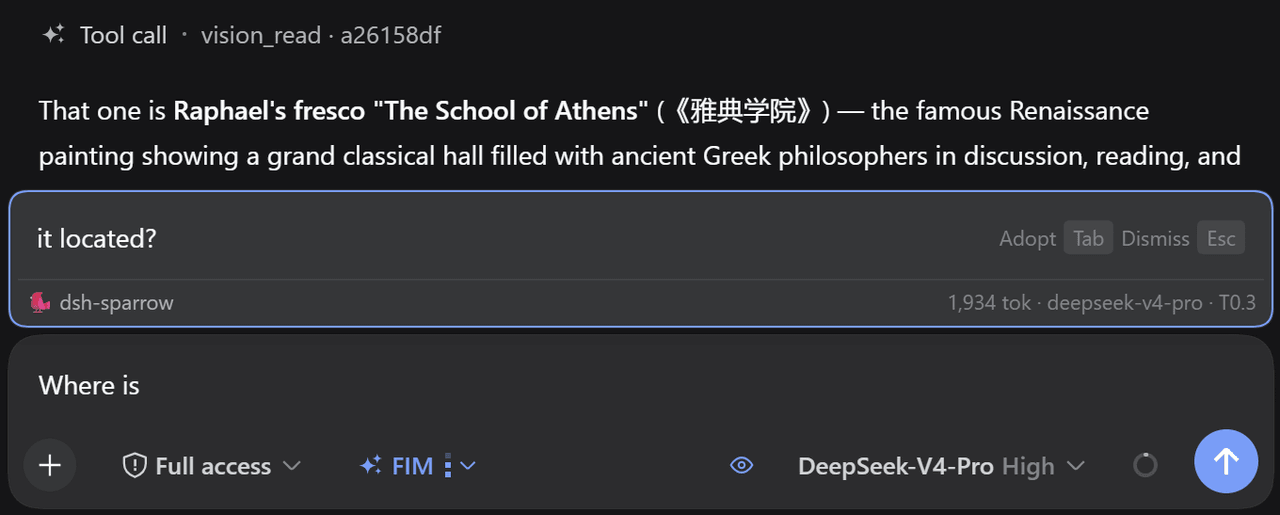 peiyucn/dsh-sparrow
A collection of small DeepSeek Harness (DSH) web plugins.
peiyucn/dsh-sparrow
A collection of small DeepSeek Harness (DSH) web plugins.