openma-ai/Martty
deepseek-harness-tui before. Self-Improvement TUI Plugin of DeepSeek Harness. Everything Here Is Also A Plugin. dsh-tui
项目介绍Project Overview
Martty 是 DSH 优先的 Agent TUI 客户端,基于 Cordis 插件体系驱动界面、主题、Slot 与命令,也支持接入其他兼容 ACP 的 agent。它能在终端中呈现流式回复、推理、工具调用、subagent、Plan、token 用量与持久化会话,并支持图片附件、Markdown 渲染、回合排队与即时 steer。适用于在终端中直接驱动 agent 或在 DSH 独立 profile 中作为 UI 组件运行。注意:默认连接 DSH,接入其他 ACP server 需调整 agent 或 stream 配置;包含 code.host 的双向 Package 须由 Harness 升级管理,无法自动 promote。
Martty is a DSH-first Agent TUI client whose interface, themes, slots, and commands are assembled from Cordis plugins, while also accepting any ACP-compatible agent. It renders streaming replies, reasoning, tool calls, subagents, Plans, token usage, and persistent sessions in the terminal, with image attachments, Markdown rendering, queued follow-ups, and instant steer. Use it to drive an agent directly in the terminal or run it as the UI half of a dedicated DSH profile. Caveat: the default connection targets DSH; pointing it at another ACP server requires adjusting the agent or stream configuration, and bidirectional Packages containing code.host must be promoted by the Harness, not via an automatic one-step command.
请帮我了解并安装插件:【Martty】【https://github.com/openma-ai/Martty】把上面这条消息直接发给当前会话里的 DSH,让它帮你了解并安装。安装命令不一定准确,发给 DSH 更稳。Send this message to DSH in your current session. CLI install commands may not be accurate across systems — DSH will figure it out for you.
或使用命令行安装(适合开发者)Or use CLI install (for developers)
命令行安装CLI Install
dsh plugin --profile martty add martty@latest把 openma-ai/Martty 加入你的 DSH 配置(web profile)即可启用。
READMEREADME
Martty
DSH-first Agent TUI,使用与 DSH 同款的 Cordis 插件能力,也可连接其他兼容 ACP agent。





快速开始
全局安装后直接启动:
npm install --global martty
martty
不想安装到全局,可以直接运行:
npx --yes martty
Martty 内置 ACP 连接层,默认启动并连接 DSH。已有 DSH 环境时,也可以把 Martty 安装到独立 profile,交给 DSH 管理插件和升级:
npm install --global @deepseek-ai/dsh
dsh plugin --profile martty add martty@latest
dsh --profile martty
只想看界面,可以运行:
martty --demo
martty --demo-skin
Agent UI
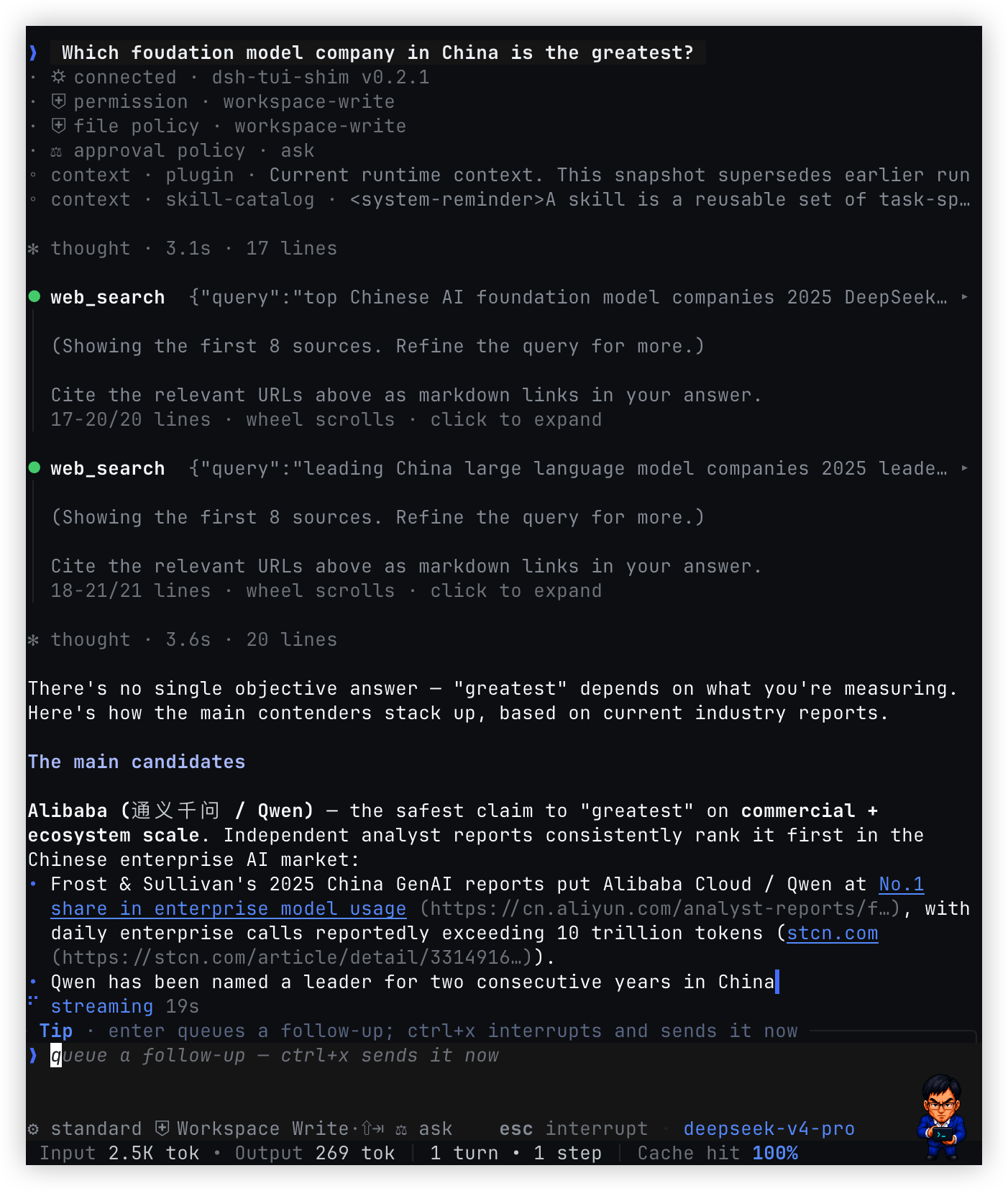
Martty 在终端中呈现完整的 agent 工作过程,包括流式回复、推理、工具调用、 subagent、Plan、token 用量和持久化会话。图片可以从文件或剪贴板加入 prompt; 工具输出、Markdown、代码块和图片预览都使用终端原生交互。
回合运行时可以继续排队消息,也可以立即 steer 当前 agent。会话通过 /new、
/resume 和 --session-id 管理,workspace、模型、权限和界面选择会随会话恢复。
常用操作:
| 按键 / 命令 | 行为 |
|---|---|
enter |
发送消息;composer 为空且 Queue 非空时立即发送队首 |
ctrl+x |
立即 steer 当前 agent |
alt+↑ |
选择任意 Queue 条目;↑/↓ 移动,enter 编辑,ctrl+d 删除 |
↓ · ←/→ · enter |
空输入时展开 Agent 导航、移动并打开;esc 折叠 |
esc |
中断当前回合并保留草稿 |
/ |
打开命令与参数候选 |
/model · /agent |
选择模型和 Agent Preset |
/permission · shift+tab |
选择或轮换权限模式 |
/image <path> · /clip |
添加本地图片或剪贴板图片 |
!cmd |
在 workspace 的会话级本地 shell 中执行命令 |
/help · /keys |
查看命令与快捷键 |
插件系统
Martty 的界面不是一组写死的开关。UI、主题、Slot、命令、Overlay 和 Session 视图 都由 Cordis Plugin 组合,并随 Plugin 生命周期一起加载和卸载。这套插件系统也是 Martty 的自进化路径:Agent 可以读取当前能力,创建新的界面 Plugin,并在运行中继续 观察和修改。
一个 Cordis Plugin Package 可以包含两个部分:
Cordis Plugin Package
├── code.host       # 可选,运行在 Host Cordis tree
└── code.client     # 可选,运行在 Martty Client Cordis tree
只包含 code.host 是 Host-only,只包含 code.client 是 Client-only,两者都有就是
双向 Plugin。双向 Plugin 仍是一个 Plugin run;Client half 可以通过
host.call(method, args) 调用同一 run 的 Host half。
四个 Plugin 视图
| 视图 | 显示什么 |
|---|---|
/ui |
UI Plugin 列表,例如 Martty 与 DeepSeek;选择后切换整套 UI 组合 |
/theme |
Theme Plugin 列表;选择后切换配色及该 Plugin 的其他能力 |
/plugins |
当前已经加载的静态 Plugin,只读 |
/cordis-plugins |
Cordis 模式刚创建的临时 Plugin;可随 run 停止、替换或回收 |
/ui 和 /theme 是视图,不是 Plugin 类型。列表中的 Plugin 可以是 Client-only,
也可以是同时带有 Host half 与 Client half 的双向 Plugin。
Theme Plugin 与明暗模式彼此独立。使用 /theme 选择 Theme Plugin,使用
/theme toggle 或 ctrl+t 切换当前 Theme Plugin 的 dark/light 变体。输入
/theme 时,上拉候选会把 toggle 与 Theme Plugin 分区显示。
六个 Slot
带有 Client half 的 Plugin 可以通过 tuiSlots.register 向六个位置提供界面内容:
| Slot | 类型 | 位置与用途 |
|---|---|---|
welcome.hero |
single · root | 欢迎页品牌区 |
welcome.info |
single · root | 欢迎页版本、模型、workspace 与 session 信息 |
chrome.right |
list · root | 主界面右栏,适合监控面板和持续状态 |
conversation.input.dock |
list · session | 输入框上方,适合 Plan、任务和 Goal 摘要 |
conversation.navigation.dock |
list · session | composer 内部、输入区与模式行之间,适合 Agent、branch 与 session 导航 |
conversation.composer.dock |
list · session | composer 外层底部,适合 token、耗时等紧凑统计 |
节点类型、更新和卸载生命周期见 Plugin API:tuiSlots,
字段定义见 tui-node.v0.schema.json。
创建 Plugin
Creator 可以检查当前 Host 与 Client 暴露的 Service、Slot 和 Schema,再生成
code.host、code.client 或双向 Package。Client-only Artifact 可以保存到
$MARTTY_HOME/plugins/<artifact-id>/plugin.json;包含 code.host 的 Package
由当前 Harness 管理。
自进化过程是一个可观察的闭环:
inspect → generate → run → observe → update / rollback → save
Creator 先读取真实 API,再运行生成的 Plugin。装载错误、Schema 错误和绘制结果都能 反馈到下一次修改;满意后再保存,不满意可以更新、停止或回滚。Plugin 只能使用公开的 Service 和语义节点,不能直接操作 TTY、raw mode 或终端坐标。
从临时 Plugin 升级为常驻 Plugin
Cordis 模式里的 Plugin 默认只属于当前进程。验证完成后,可以把它升级为重启后仍会 加载的常驻 Plugin:
临时 Plugin → 验证当前 Package → 保存或打包 → 启动时加载
可用 /liang on、/liang off 显式控制。缺省关闭,/liang on 召唤。
Client-only Plugin 可以直接走短路径:
cordis_define → cordis_run → tui_plugin_save → $MARTTY_HOME/plugins
Martty 会在下次启动时重新发现这个 Artifact。包含 code.host 的 Host-only 或双向
Plugin 不能写进 .martty;Creator 先用 cordis_inspect_self 读取已经验证的 Package
源码,再把它整理成普通 Cordis npm Package 或本地 Package,安装进 profile:
dsh plugin --profile martty add <package-or-path>
安装后的 Package 随 profile 启动,由 Harness 管理 Host half,并把 Client entry 交给
Martty。当前没有把任意动态 Package 一键转换为静态 Package 的 promote 命令;升级
会显式经过保存或打包,避免把一次临时 run 自动写入长期配置。
安装第三方 Package:
dsh plugin --profile martty add <package-or-path>
完整的 API、生命周期与示例见 插件开发文档。
连接其他 ACP agent
Martty 的 ACP client 是内置的。默认配置连接 DSH;连接其他 ACP server 时,只需 修改 agent 或 stream 配置,不需要替换 Martty 的 ACP 层。
Standalone 模式可以指定启动命令:
DSH_TUI_AGENT="<acp-command> [args...]" martty
Cordis 嵌入场景可以使用 config.agent: { command, args } 启动 ACP server,或使用
config.stream 接入调用方已有的标准管道。单次运行也可以使用 --agent 与重复的
--agent-arg 覆盖启动命令。
只实现标准 ACP 的 agent 可以正常使用会话、认证、prompt、permission、配置与
session/update。支持 DSH Cordis 扩展的 agent 还可以提供动态 Plugin、Client 能力
发现和 Package RPC。
配置示例见 Agent 接入。
运行架构
dsh --profile martty 启动两个进程。DSH Host 进程运行 Base Cordis tree、ACP Plugin
和 Agent;独立的 Martty Client 进程运行 UI、Theme、Slot、Overlay 与 Session Service。
两边通过 ACP 通信,不共享 Plugin Fiber 或 Service 对象。
Rust/ratatui painter 由 Martty Client 驱动并独占用户 TTY。ACP 使用 Client 进程的 stdin/stdout;用户 TTY 使用 fd 3/4,两条通道互不混用。
架构细节与 Mermaid 源文件:
| 文档 | 内容 |
|---|---|
| 运行架构 | Host、Client、ACP 与 painter 的边界 |
| Plugin API | Service、Slot、Overlay、生命周期与 Package RPC |
| 运行时 Mermaid | DSH-first 双进程数据流 |
| Plugin Mermaid | Host half、Client half 与 Plugin 视图 |
| ACP 连接 Mermaid | 默认 DSH 与其他 ACP server 的连接方式 |
| 迁移计划 | 已完成能力与后续阶段 |
从源码构建
需要 Rust stable 和 Node.js 18+:
make rust-test
node --test scripts/package-native.test.mjs
bash scripts/build-npm.sh
开发环境使用:
make tui-test
GitHub Actions 会构建 macOS arm64/x64、Linux arm64/x64 和 Windows x64 原生二进制, 再将它们打包进 npm 发布物。
项目结构
| 路径 | 内容 |
|---|---|
src/ |
Rust TUI、输入、绘制、ACP 状态与会话生命周期 |
npm/ |
Cordis Client、内置 ACP、Plugin Runner、CLI 与原生二进制入口 |
scripts/ |
构建、打包、协议校验与资源生成 |
assets/ |
Logo、截图与界面资产 |
docs/ |
架构、Plugin API、Schema、迁移与 Agent 接入文档 |
从旧包名迁移
旧的 DeepSeek Harness TUI 包名为 @openma/deepseek-harness-tui,旧 profile 通常叫
tui。迁移到 Martty:
dsh plugin --profile tui remove @openma/deepseek-harness-tui
dsh plugin --profile martty add martty@latest
旧配置和会话数据会在首次启动时复制到 Martty 路径,不会删除原数据。
License
MIT。Martty 与 DeepSeek、xAI 无关联。
相关推荐Related
-
 nexu-io/open-design
🎨 Best DeepSeek Harness Design Plugin. The open-source Claude Design alternative. 🖥️ Local-first desktop app. 🖼️ Your…
nexu-io/open-design
🎨 Best DeepSeek Harness Design Plugin. The open-source Claude Design alternative. 🖥️ Local-first desktop app. 🖼️ Your…
-
 amruthpillai/reactive-resume
A one-of-a-kind resume builder that keeps your privacy in mind. Completely secure, customizable, portable, open-source a…
amruthpillai/reactive-resume
A one-of-a-kind resume builder that keeps your privacy in mind. Completely secure, customizable, portable, open-source a…
-
 esengine/DeepSeek-Reasonix
DeepSeek-native AI coding agent for your terminal. Engineered around prefix-cache stability — leave it running.
esengine/DeepSeek-Reasonix
DeepSeek-native AI coding agent for your terminal. Engineered around prefix-cache stability — leave it running.
-
 anywhere-labs/deepseek-harness-desktop
为 DeepSeek Harness (DSH) 插件生态打造的现代化桌面端解决方案。万物皆「插件」,桌面本身也是「插件」。
anywhere-labs/deepseek-harness-desktop
为 DeepSeek Harness (DSH) 插件生态打造的现代化桌面端解决方案。万物皆「插件」,桌面本身也是「插件」。
-
 walkinglabs/learn-harness-engineering
Harness engineering beginner tutorial, from 0 to 1
walkinglabs/learn-harness-engineering
Harness engineering beginner tutorial, from 0 to 1
-
 YaoApp/yao
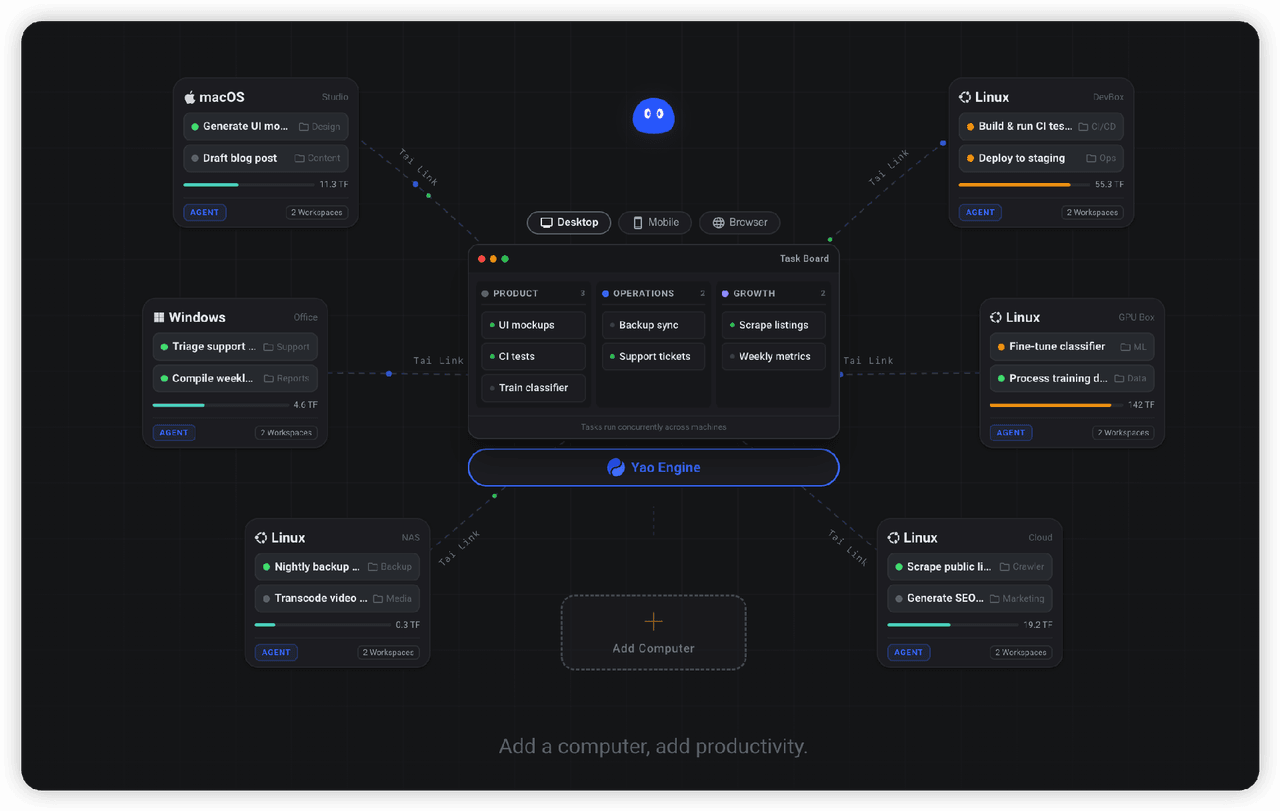
✨ All your agents and workspaces in one place, on every device you own. Track tasks on a board, accessible from desktop,…
YaoApp/yao
✨ All your agents and workspaces in one place, on every device you own. Track tasks on a board, accessible from desktop,…
- yjh051108/dsh-routing-suite dsh-routing-suite — injector + router-standard kit: install the runtime injector first, then the task-aware reasoning-mo…
-
 Devin-AXIS/iPolloWork
Enterprise-grade, local-first Agent Workbench for people and agent teams. A unified multi-engine workspace for Codex Har…
Devin-AXIS/iPolloWork
Enterprise-grade, local-first Agent Workbench for people and agent teams. A unified multi-engine workspace for Codex Har…