
openrect/dsh-community-installer
Clean Windows installer and auto-update companion for DeepSeek Harness (DSH), with lightweight online and offline setups.
项目介绍Project Overview
DSH Community Installer 是非官方 Windows 安装与更新伴侣,把官方 @deepseek-ai/dsh 包装入私有 Node.js 运行时,通过托盘在本机启动服务、打开 Web UI,并检查、确认后安全更新 DSH。适合想在 Windows 上免改系统 Node、干净安装或管理 DSH 的用户。注意:项目未获 DeepSeek 认可,Windows 安装包当前未签名,可能触发 SmartScreen。
DSH Community Installer is an unofficial Windows installer and update companion for DeepSeek Harness. It installs the official DSH npm package into a private Node.js runtime, runs the local service from a tray, opens the Web UI, and checks for confirmed, validated updates with rollback. Use it to set up or maintain DSH on Windows without changing system Node.js. Caveat: it is community-made, not DeepSeek-endorsed, and Windows builds are currently unsigned.
请帮我了解并安装插件:【dsh-community-installer】【https://github.com/openrect/dsh-community-installer】把上面这条消息直接发给当前会话里的 DSH,让它帮你了解并安装。安装命令不一定准确,发给 DSH 更稳。Send this message to DSH in your current session. CLI install commands may not be accurate across systems — DSH will figure it out for you.
或使用命令行安装(适合开发者)Or use CLI install (for developers)
命令行安装CLI Install
dsh plugin --profile web add github:openrect/dsh-community-installer把 openrect/dsh-community-installer 加入你的 DSH 配置(web profile)即可启用。
READMEREADME

DSH Community Installer - Unofficial
A clean Windows installer and update companion for DeepSeek Harness (DSH), the open-source plugin-based agent harness.



English · 中文
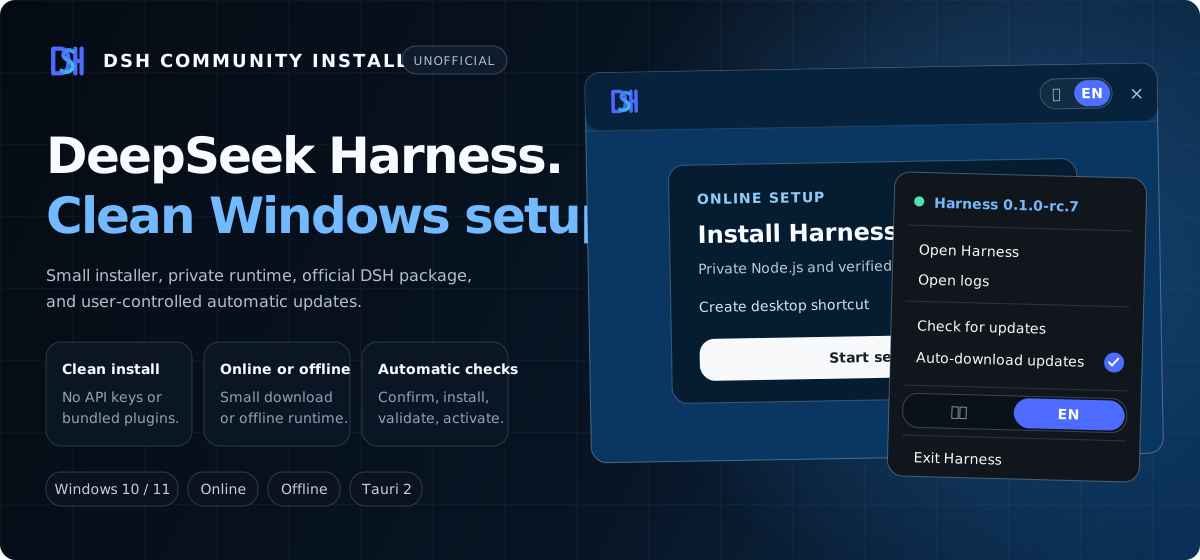
≈ 3.8 MB online setup · Private Node.js runtime · Official DSH package · Automatic update checks
DeepSeek Harness, ready on Windows
DeepSeek Harness (dsh) is DeepSeek AI's open-source, plugin-based agent harness for building and running agents. Models, tools, skills, sessions, sandboxes, storage, loops, scheduling, and the UI are composed as plugins.
The official quick start is npx @deepseek-ai/dsh web. This project installs the same official npm package into a private Windows runtime, manages the local service from a lightweight tray, and opens the upstream Web UI in your default browser. It does not change your system Node.js installation or upstream DSH data.
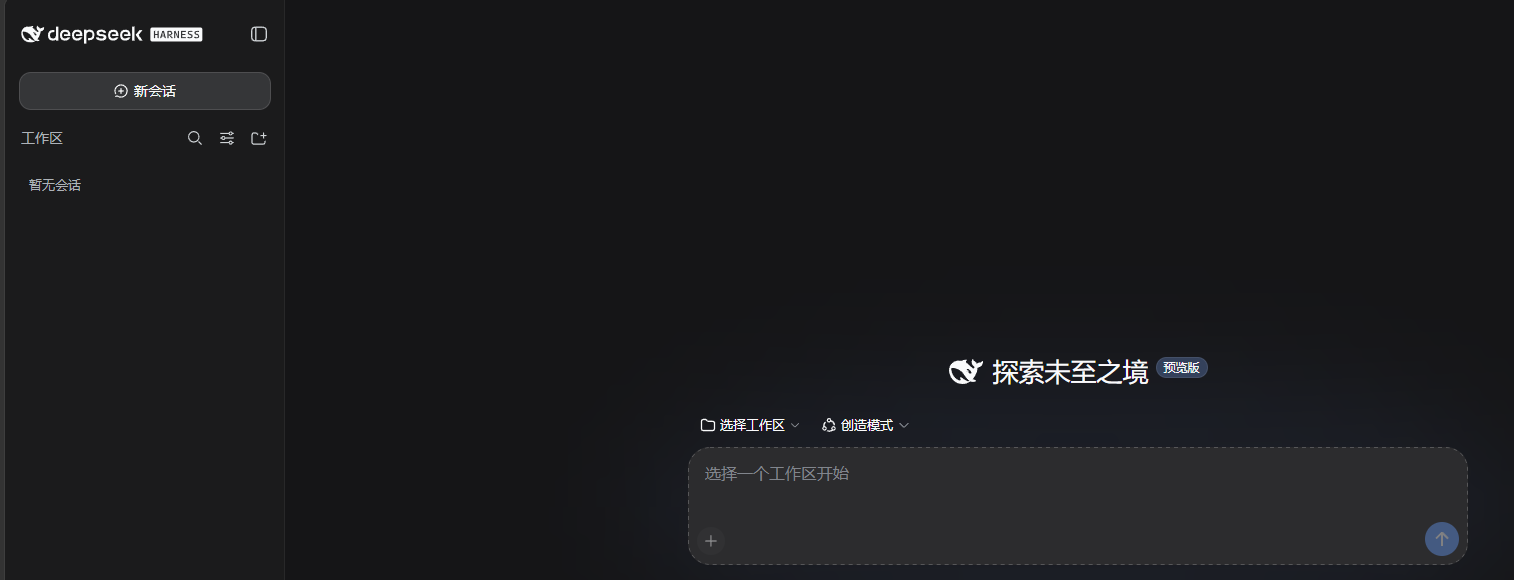
DeepSeek Harness main workspace
Why this installer
| Clean by default | Installs upstream DSH without API keys or third-party plugins, and leaves the system Node.js installation and %USERPROFILE%\.dsh untouched. |
| Small online setup | The Windows installer is about 3.8 MB. It uses the system WebView2 runtime and downloads only the pinned runtime components during first setup. |
| Self-contained runtime | DSH runs with a private, verified Node.js 24.19.0 environment under %LOCALAPPDATA%\DSHCommunityInstaller. |
| Updates without reinstalling | Automatic checks are enabled by default. A new version is downloaded only after confirmation, validated separately, and activated without replacing a working version first. |
Download
| Platform | Edition | Approx. size | Download |
|---|---|---|---|
| Windows 10/11 x64 | Online — recommended | 3.8 MB | DSH-Community-Setup-0.4.6-Windows-x64.exe |
| Windows 10/11 x64 | Offline | 95 MB | DSH-Community-Offline-Setup-0.4.6-Windows-x64.exe |
| macOS | Online | — | Coming soon |
| macOS | Offline | — | Coming soon |
Choose the online edition for normal use. It installs DSH with a private Node.js runtime and pinned pnpm through Corepack. The offline edition carries the same prepared runtime for machines that cannot reach the Node.js distribution or npm registry. Both editions require Microsoft Edge WebView2, which is normally present on Windows 10/11. Sizes are rounded and may change slightly between releases.
How it works
- The online setup installs the newest compatible official DSH release from npm. The offline setup imports its pinned runtime seed and can update when it later has network access.
- The lightweight Tauri tray starts Harness only on
127.0.0.1:3080, captures logs, and opens the upstream interface in the default browser. - Update checks distinguish installer releases from DSH releases. After confirmation, DSH is installed in a fresh directory, validated, and atomically activated with rollback on failure.
The tray also provides English/Chinese switching, logs, manual update checks, and a single clear exit action. Uninstall removes the private runtime and logs while preserving upstream DSH settings and sessions.
Automatic updates, under your control
- Automatic checks: enabled by default and run when Harness starts; the tray also offers a manual check at any time.
- Future DSH releases: checks the official npm
latestandnextchannels and selects the highest version compatible with the bundled Node.js runtime. - No silent installation: when an update is available, the installer asks first and starts the download only after confirmation.
- Safe activation: the new DSH version is installed with private pnpm, shown with live progress, validated, and then switched atomically. A failed candidate leaves the current version available.
- Installer updates: the Windows controller checks its own signed update feed separately from upstream DSH updates.
This makes the project both a DeepSeek Harness Windows installer and a small DSH update manager; routine upstream releases do not require downloading the full installer again.
Project status
[!IMPORTANT] This is an unofficial community project. It is not affiliated with, authorized by, or endorsed by DeepSeek.
DSH,DeepSeek Harness, and@deepseek-ai/dshidentify the compatible upstream software.
[!WARNING] Windows builds are currently unsigned. SmartScreen may show an unknown-publisher warning. Verify the SHA-256 supplied with the GitHub Release; do not disable SmartScreen or security software.
Build
Install Node.js, pnpm, the Rust MSVC toolchain, and the Windows build tools, then run:
pnpm install --frozen-lockfile
pnpm build:online
pnpm build:offline
pnpm test runs the frontend and Rust tests plus release consistency checks. pnpm release prepares both installers, SHA-256 files, and signed Tauri updater artifacts.
License
MIT. Upstream components retain their own licenses; see third-party notices and security policy.
相关推荐Related
-
 nexu-io/open-design
🎨 Best DeepSeek Harness Design Plugin. The open-source Claude Design alternative. 🖥️ Local-first desktop app. 🖼️ Your…
nexu-io/open-design
🎨 Best DeepSeek Harness Design Plugin. The open-source Claude Design alternative. 🖥️ Local-first desktop app. 🖼️ Your…
-
 freestylefly/awesome-gpt-image-2
Prompt as Code | GPT-Image2 工业级提示词引擎与模板库,530+ 个案例逆向工程,20+ 套工业级模板,并提炼出Skills,持续更新中
freestylefly/awesome-gpt-image-2
Prompt as Code | GPT-Image2 工业级提示词引擎与模板库,530+ 个案例逆向工程,20+ 套工业级模板,并提炼出Skills,持续更新中
-
 anywhere-labs/dsh-desktop
为 DeepSeek Harness (DSH) 插件生态打造的现代化桌面端解决方案。万物皆「插件」,桌面本身也是「插件」。
anywhere-labs/dsh-desktop
为 DeepSeek Harness (DSH) 插件生态打造的现代化桌面端解决方案。万物皆「插件」,桌面本身也是「插件」。
- Nagi-ovo/voyager Enhancement suite for Gemini, AI Studio, Claude & ChatGPT — plus a prompt manager for any web UI, DeepSeek Harness inclu…
-
 walkinglabs/learn-harness-engineering
Harness engineering beginner tutorial, from 0 to 1
walkinglabs/learn-harness-engineering
Harness engineering beginner tutorial, from 0 to 1
-
 awesome-dsh-plugin/awesome-dsh-plugin
A curated list of plugins for DeepSeek Harness (dsh) · DeepSeek Harness 插件精选列表
awesome-dsh-plugin/awesome-dsh-plugin
A curated list of plugins for DeepSeek Harness (dsh) · DeepSeek Harness 插件精选列表
-
 MemTensor/MemOS
Self-evolving memory OS for LLM & AI Agents: ultra-persistent memory, hybrid-retrieval, and cross-task skill reuse, with…
MemTensor/MemOS
Self-evolving memory OS for LLM & AI Agents: ultra-persistent memory, hybrid-retrieval, and cross-task skill reuse, with…
- yjh051108/dsh-routing-suite dsh-routing-suite — injector + router-standard kit: install the runtime injector first, then the task-aware reasoning-mo…