ParticleLight/dsh-browser-plus
Enhanced shared browser for DeepSeek Harness: visible + AI-driven WebContentsView, ego-style page chrome, operation trail, JS dialog auto-accept, per-task windows & spaces, Electron 42.x pinned
项目介绍Project Overview
dsh-browser-plus 是面向 DSH 的 EGO 风格可视化浏览器插件,基于 dsh-browser 扩展。它在真实 Electron WebContentsView 窗口中提供 CDP 操控、任务隔离、人机协同与玻璃化任务/轨迹面板,适合需要边观察边由 Agent 接管的多任务浏览器自动化场景。注意:默认自动接受 alert/confirm/prompt,对话会被记入 browser_history。
dsh-browser-plus is an EGO-style visual browser plugin for DSH, built on dh-browser. It runs in a real Electron WebContentsView window, exposing CDP control, isolated task views, human-agent collaboration, and glassy task/timeline panels for observable multi-task browser automation. Use it when agents must drive pages while users watch and intervene. Caveat: alert, confirm, and prompt are auto-accepted, with details recorded in browser_history.
请帮我了解并安装插件:【dsh-browser-plus】【https://github.com/ParticleLight/dsh-browser-plus】把上面这条消息直接发给当前会话里的 DSH,让它帮你了解并安装。安装命令不一定准确,发给 DSH 更稳。Send this message to DSH in your current session. CLI install commands may not be accurate across systems — DSH will figure it out for you.
或使用命令行安装(适合开发者)Or use CLI install (for developers)
命令行安装CLI Install
dsh plugin --profile web add github:ParticleLight/dsh-browser-plus把 ParticleLight/dsh-browser-plus 加入你的 DSH 配置(web profile)即可启用。
READMEREADME
dsh-browser-plus
专为 DeepSeek Harness(DSH)打造的 EGO 风格可视化 Agent 浏览器。基于 dsh-browser 构建,支持人机协同操作:用户可以在真实页面中操作,Agent 也能同步执行、接管和恢复任务。浏览器支持多任务流并行管理与切换,并完整记录 Agent 的操作轨迹;任务流和操作轨迹均配备独立的可视化菜单面板,让任务状态、页面缩略图与操作过程一目了然。
基于 MIT 许可的 dsh-browser 代码基础持续开发,并由 ParticleLight 独立维护。

为何使用它
浏览器自动化不应躲在用户看不见的进程里。dsh-browser-plus 把浏览器窗口留在用户眼前,同时让 agent 获得可靠的 CDP 操作能力。
- 真实可见:Electron
WebContentsView,不是 headless relay。 - 任务隔离:所有 DSH session 共享一个可见窗口,但各自保留隔离的任务视图、标签与历史;页面任务管理器切换可见视图,
browser_space命名浏览器任务。 - 人机协作:页面工具栏、书签、任务工作区与操作轨迹都在真实页面上运行。
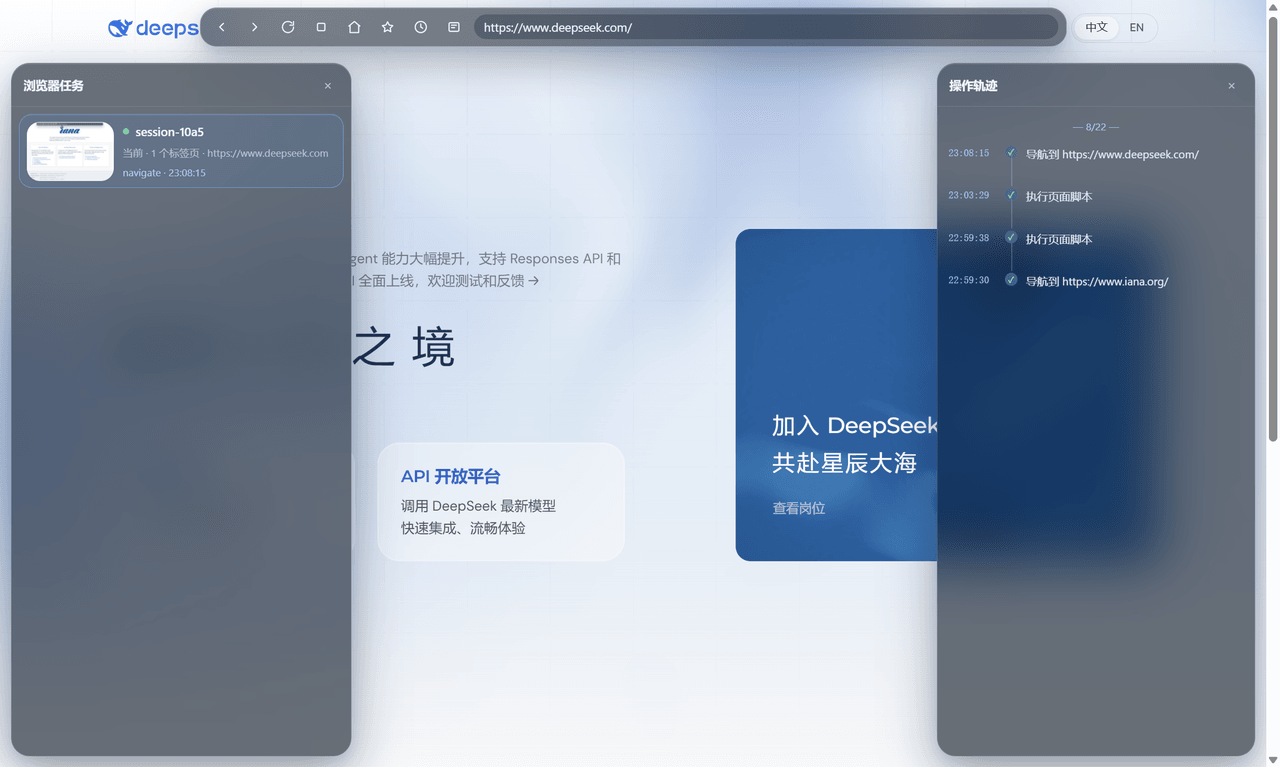
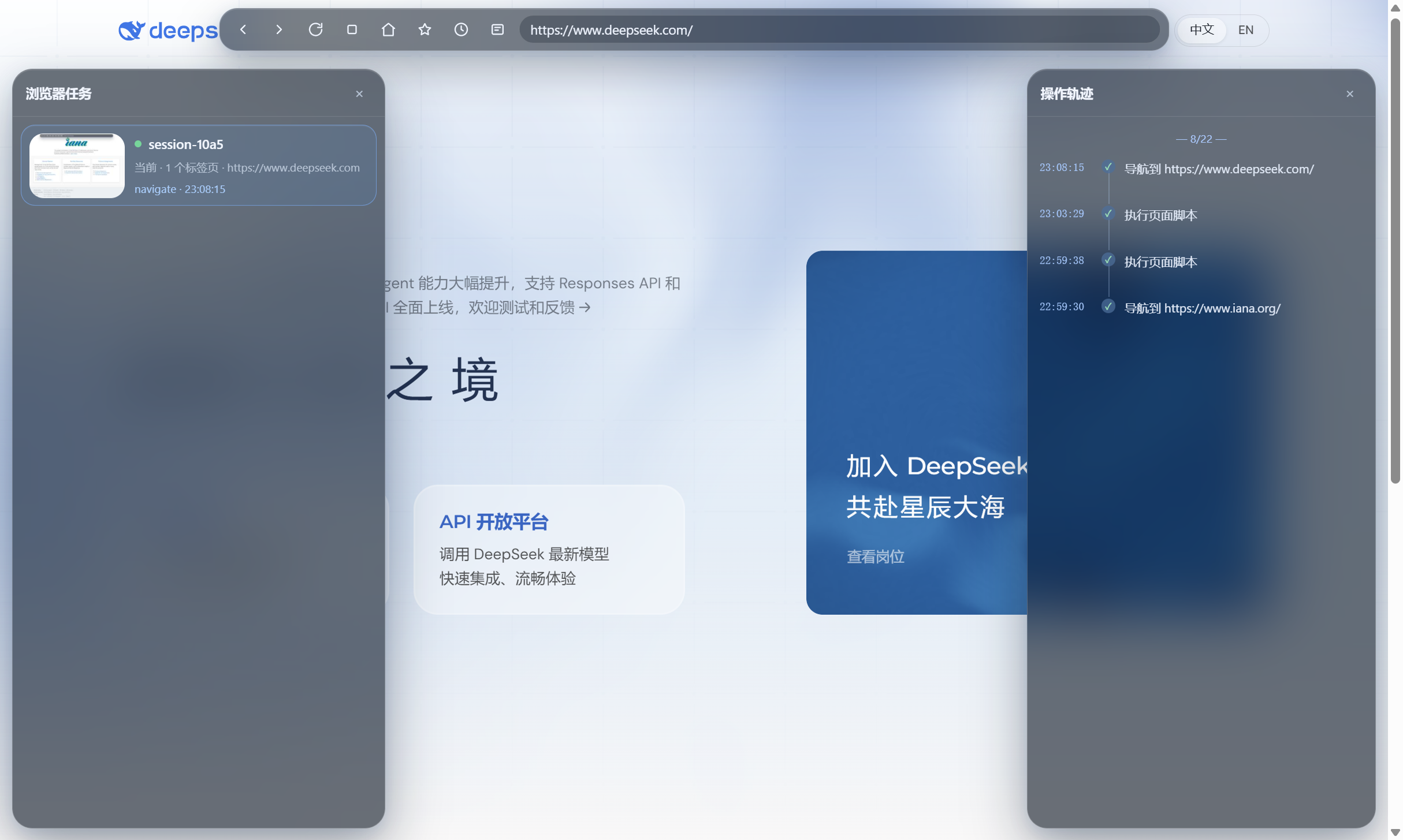
- 玻璃工作区:任务与操作轨迹是彼此独立的半透明玻璃面板,可同时打开;选择任务会切换可见任务视图及其操作轨迹。每项任务显示最近一次可见页面缩略图;后台任务保留最后图像,周期定时器不会强制显示或捕获它们。
- 真实输入:键盘、鼠标、hover、双击和文件选择都走 CDP,而不是
element.click()伪事件。 - 恢复能力:child 回收后会重新物化相同会话的视图;恢复后的首张截图等待 compositor 稳定。
- 稳定基线:固定 Electron 42.9.3;43.4.1 的 compositor 故障会被 resolver 拒绝。
安装
dsh plugin --profile web add github:ParticleLight/dsh-browser-plus
已有浏览器 bundle 时,先阅读迁移指南,然后重启 DSH Web。
主要能力
| 场景 | 工具 |
|---|---|
| 打开与读取 | browser_open、browser_snapshot、browser_content、browser_screenshot |
| 页面交互 | browser_click、browser_press_key、browser_double_click、browser_hover、browser_type |
| 表单与文件 | browser_fill、browser_upload_file、browser_wait_for |
| 任务与标签 | browser_list_tabs、browser_switch_tab、browser_close_tab、browser_space |
| 登录与恢复 | browser_auth、browser_reset_session、browser_history |
快照元素带有 loc=,能可靠回到同一个控件;页面级脚本会自动过滤浏览器自身 chrome。
工作方式
browser_* tools
  -> BrowserRuntime (ctx.browser seam)
  -> ElectronBrowserProvider (CDP)
  -> RemoteElectronViewHost (loopback JSON-RPC)
  -> host-main.js (BrowserWindow + WebContentsView)
页面 chrome 和任务管理器通过 closed Shadow DOM 注入,而不是第二个 Electron view;后台任务更新自己的隔离视图,不会抢走用户当前可见页面。
alert、confirm、prompt 会自动接受,避免页面卡死;下一次页面操作会把详情记到 browser_history 的 dialog 条目。
可靠性规则
- 不 reparent 可见
WebContentsView。 - CDP capture 回退只临时处理同一窗口的 sibling,并保证恢复。
- child 恢复后,native 和 full-page capture 都只等待一次 compositor settle。
- 对话框、截图、动态等待和 child recovery 均有回归测试与真实 SOAK 覆盖。
完整运行时检查见 SOAK-CHECKLIST。
开发
npm install
npm run build
node --test test/host-composition.test.mjs test/page-chrome.test.mjs test/provider-actions.test.mjs
贡献方式见 CONTRIBUTING.md。更完整的使用说明在 docs。
License
相关推荐Related
-
 ruvnet/ruflo
🌊 The original agent meta-harness. Deploy intelligent multi-player swarms, coordinate autonomous workflows, and build c…
ruvnet/ruflo
🌊 The original agent meta-harness. Deploy intelligent multi-player swarms, coordinate autonomous workflows, and build c…
-
 amruthpillai/reactive-resume
A one-of-a-kind resume builder that keeps your privacy in mind. Completely secure, customizable, portable, open-source a…
amruthpillai/reactive-resume
A one-of-a-kind resume builder that keeps your privacy in mind. Completely secure, customizable, portable, open-source a…
-
 volcengine/OpenViking
Self-evolving Context Database for AI Agents. Unify Agent Memory, Knowledge RAG and Skills.
volcengine/OpenViking
Self-evolving Context Database for AI Agents. Unify Agent Memory, Knowledge RAG and Skills.
-
 Molunerfinn/PicGo
:rocket: The Ultimate Image Uploader for Efficient Creators. Supports Obsidian, Typora, VS Code etc. and 60+ image hosti…
Molunerfinn/PicGo
:rocket: The Ultimate Image Uploader for Efficient Creators. Supports Obsidian, Typora, VS Code etc. and 60+ image hosti…
-
 titanwings/colleague-skill
将冰冷的离别化为温暖的 Skill,欢迎加入数字生命1.0!Transforming cold farewells into warm skills? It's giving rebirth era. Welcome to Digital …
titanwings/colleague-skill
将冰冷的离别化为温暖的 Skill,欢迎加入数字生命1.0!Transforming cold farewells into warm skills? It's giving rebirth era. Welcome to Digital …
-
 nocobase/nocobase
NocoBase is an open-source AI + no-code platform for building business systems fast. Instead of generating everything fr…
nocobase/nocobase
NocoBase is an open-source AI + no-code platform for building business systems fast. Instead of generating everything fr…
-
 Tencent/WeKnora
Open-source LLM knowledge platform: turn raw documents into a queryable RAG, an autonomous reasoning agent, and a self-m…
Tencent/WeKnora
Open-source LLM knowledge platform: turn raw documents into a queryable RAG, an autonomous reasoning agent, and a self-m…
- Nagi-ovo/voyager Enhancement suite for Gemini, AI Studio, Claude & ChatGPT — plus a prompt manager for any web UI, DeepSeek Harness inclu…