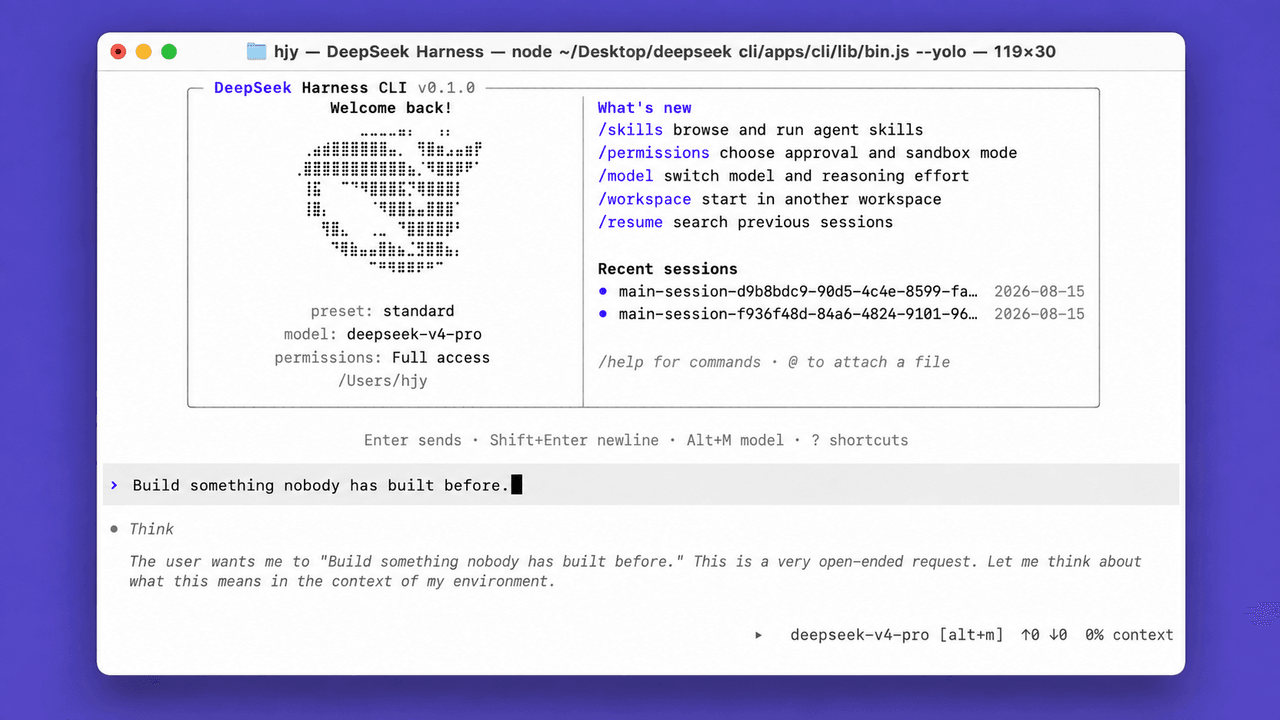
peiyuwang54/deepseek-harness-cli
DeepSeek CLI is an open-source coding agent powered by DeepSeek that runs locally in your terminal.
catalog 简介 / catalog descriptioncatalog description:DeepSeek CLI (UnOfficial)
项目介绍Project Overview
DeepSeek CLI 是 DSH 平台的本地终端编码代理,由 DeepSeek 模型驱动。它支持代码读写、Shell 工具、Web 搜索、MCP 服务与子代理,并提供持久会话、断点续传、计划模式与自动上下文压缩。Codex 风格 TUI 包含六套主题与九种界面语言,涵盖简繁中、英、阿、法、俄、西、日、韩。安装后通过 deepseek 或 dsh 启动,exec 子命令可用于 CI 脚本和自动化流水线,插件系统支持终端、无头和 Web UI 三种配置。注意:--yolo 模式会禁用沙箱与确认提示,仅限隔离环境使用。
DeepSeek CLI is a local terminal coding agent for the DSH platform, powered by DeepSeek models. It provides code reading and editing, shell tools, web search, MCP servers, and subagents, with persistent sessions, resume, plan mode, and automatic context compaction. The Codex-style TUI ships with six theme palettes and nine interface languages. Launch it via deepseek or dsh; use deepseek exec for CI and scripting, and switch permission modes such as --full-auto or --yolo. Note: --yolo disables sandboxing and approval prompts, so use it only in isolated environments.
安装Install
dsh plugin --profile web add github:peiyuwang54/deepseek-harness-cli把 peiyuwang54/deepseek-harness-cli 加入你的 DSH 配置(web profile)即可启用。
READMEREADME
DeepSeek CLI is an open-source coding agent powered by DeepSeek that runs locally in your terminal.
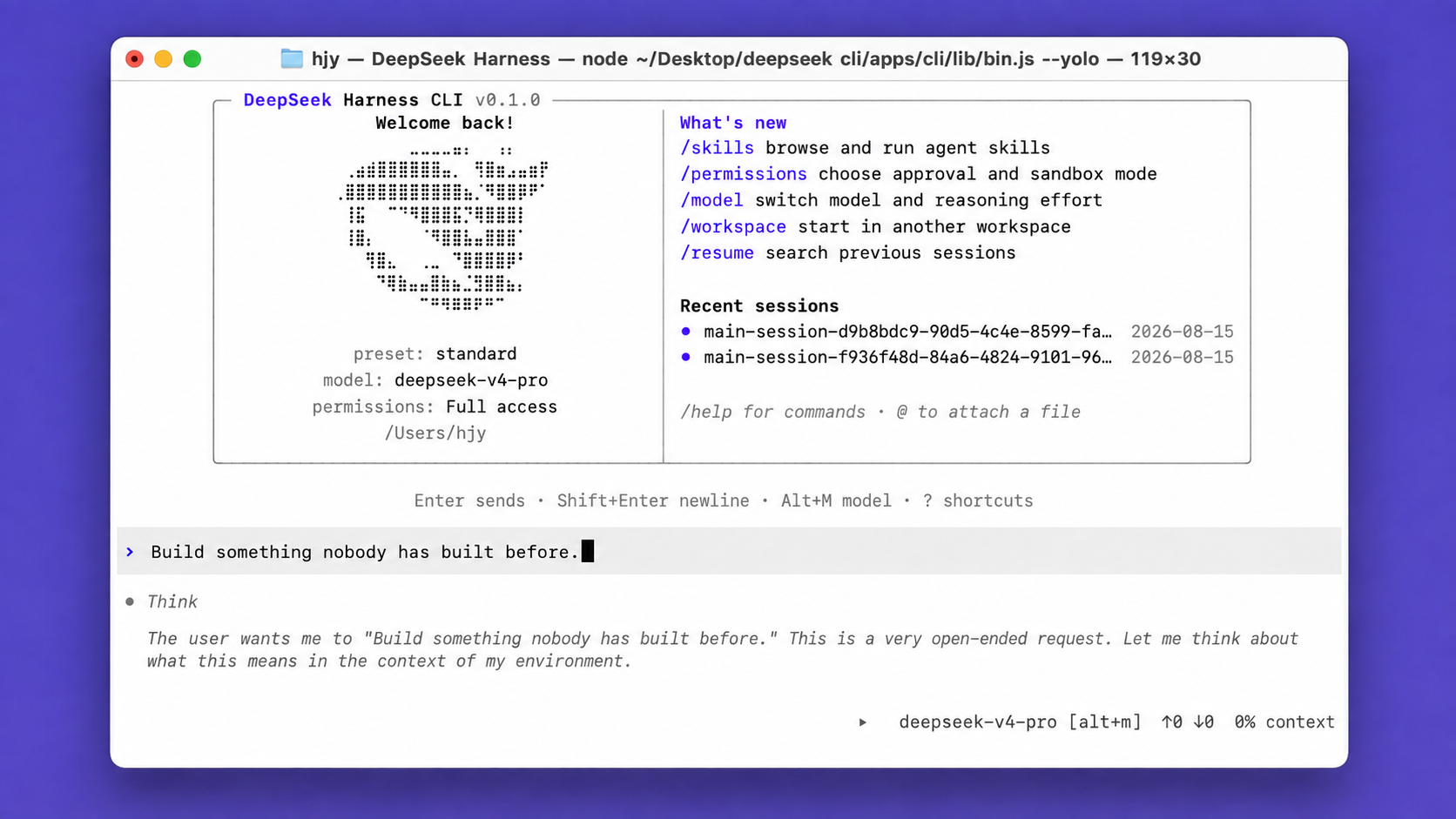
9 interface languages · 6 theme palettes · Agentic coding from plan to execution

Note: This is DeepSeek Harness CLI. We keep iterating in sync with the official DeepSeek Harness, and we look forward to your forks and stars.
Quickstart
Install
macOS or Linux:
curl -fsSL https://raw.githubusercontent.com/peiyuwang54/deepseek-harness-cli/master/apps/cli/install/install.sh | sh
The command starts the Web UI at http://127.0.0.1:3080 by default and opens it in the default browser for a local launch. An SSH launch only prints the host URL because the SSH client or editor owns the local forwarded address. Pass --no-open to run the server without opening a browser. See Web UI guide.
Windows:
powershell -ExecutionPolicy Bypass -c "irm https://raw.githubusercontent.com/peiyuwang54/deepseek-harness-cli/master/apps/cli/install/install.ps1 | iex"
You can also install DeepSeek CLI with the following package managers:
# Install using npm
npm install -g @peiyu_wang/deepseek-harness-cli
# Install using Homebrew
brew install --cask peiyuwang54/dsh/deepseek-harness-cli
Then open a project directory and run deepseek to get started. The shorter dsh alias is also available:
deepseek
# or
dsh
Run a non-interactive task for scripts and CI with deepseek exec:
deepseek exec "run the tests"
deepseek exec --json "review this repository"
deepseek exec resume --last "continue"
On first launch, paste your DeepSeek API key into the masked prompt. The key is stored by the shared credential provider and never added to chat history. Use /credentials to inspect its source, replace it, or remove the saved value.
For automation, set DEEPSEEK_API_KEY before launch ($env:DEEPSEEK_API_KEY="your-key" in PowerShell). An inherited environment value is read-only inside the CLI.
Permission modes
deepseek
deepseek --full-auto
deepseek --yolo
Use /permissions during a session, or pass --sandbox and --ask-for-approval for exact controls. --yolo disables both confinement and approval prompts, so use it only in an isolated environment. See the CLI behavior reference and permission presets.
MCP servers
deepseek mcp add filesystem -- npx -y @modelcontextprotocol/server-filesystem .
deepseek mcp list
Use /mcp in a running session to inspect connected servers. For HTTP OAuth, run deepseek mcp auth <name>. See MCP server management and the MCP client reference for transports, credentials, reloads, and capability details.
Diagnose an installation without starting a profile, or install shell completion for both command names:
deepseek doctor
deepseek doctor --json
deepseek completion zsh > ~/.zsh/completions/_deepseek
doctor also checks shipped profile overlays and presets, the optional Web frontend asset, installation channel, sandbox runner, truecolor, mouse input, clipboard support, and every enabled managed MCP connection. MCP probes start the configured server with a 5000 ms per-request timeout; --mcp-timeout-ms changes it. Optional server failures and host capability checks are warnings; a required MCP server failure, missing runtime asset, or unsupported Node version is blocking.
Inspect and validate a profile's installed plugin bundles without starting it:
deepseek plugin --profile tui list
deepseek plugin --profile tui verify --json
deepseek plugin --profile tui source <package>
deepseek plugin --profile tui disable <package>
deepseek plugin --profile tui enable <package>
deepseek plugin --profile tui install <package>
deepseek plugin --profile tui update
source shows the package directory and declared repository. enable and disable change the active Cordis bundle list and take effect on the next launch; install, update, and remove use pnpm for dependency resolution.
What it includes
- Code reading, editing, shell tools, web search, skills, MCP, and subagents.
- Persistent sessions with resume, plan, goal, queued messages, and automatic context compaction.
- A Codex-style terminal UI with six theme palettes and English, Simplified Chinese, Traditional Chinese, Arabic, French, Russian, Spanish, Japanese, and Korean.
- Plugin-based profiles for terminal, headless automation, and the Web UI.
Run from source
git clone https://github.com/peiyuwang54/deepseek-harness-cli.git
cd deepseek-harness-cli
pnpm install --frozen-lockfile
pnpm run build
pnpm dsh
Source builds require Node.js ^22.19 or >=24 and pnpm 11.7.0.
pnpm run build prepares the repository artifacts. pnpm dsh web uses those built artifacts without rebuilding.
Docs
- CLI commands and profiles
- Terminal UI and slash commands
- Configuration reference
- Architecture
- Development
Report bugs in GitHub Issues.
License
This project is licensed under MIT. Restored TUI code retains its BSD-3-Clause notice; see THIRD_PARTY_NOTICES.md.
Community
- LinuxDo — https://linux.do
相关推荐Related
-
 ruvnet/ruflo
🌊 The original agent meta-harness. Deploy intelligent multi-player swarms, coordinate autonomous workflows, and build c…
ruvnet/ruflo
🌊 The original agent meta-harness. Deploy intelligent multi-player swarms, coordinate autonomous workflows, and build c…
-
 amruthpillai/reactive-resume
A one-of-a-kind resume builder that keeps your privacy in mind. Completely secure, customizable, portable, open-source a…
amruthpillai/reactive-resume
A one-of-a-kind resume builder that keeps your privacy in mind. Completely secure, customizable, portable, open-source a…
-
 volcengine/OpenViking
Self-evolving Context Database for AI Agents. Unify Agent Memory, Knowledge RAG and Skills.
volcengine/OpenViking
Self-evolving Context Database for AI Agents. Unify Agent Memory, Knowledge RAG and Skills.
-
 Molunerfinn/PicGo
:rocket: The Ultimate Image Uploader for Efficient Creators. Supports Obsidian, Typora, VS Code etc. and 60+ image hosti…
Molunerfinn/PicGo
:rocket: The Ultimate Image Uploader for Efficient Creators. Supports Obsidian, Typora, VS Code etc. and 60+ image hosti…
-
 titanwings/colleague-skill
将冰冷的离别化为温暖的 Skill,欢迎加入数字生命1.0!Transforming cold farewells into warm skills? It's giving rebirth era. Welcome to Digital …
titanwings/colleague-skill
将冰冷的离别化为温暖的 Skill,欢迎加入数字生命1.0!Transforming cold farewells into warm skills? It's giving rebirth era. Welcome to Digital …
-
 nocobase/nocobase
NocoBase is an open-source AI + no-code platform for building business systems fast. Instead of generating everything fr…
nocobase/nocobase
NocoBase is an open-source AI + no-code platform for building business systems fast. Instead of generating everything fr…
-
 Tencent/WeKnora
Open-source LLM knowledge platform: turn raw documents into a queryable RAG, an autonomous reasoning agent, and a self-m…
Tencent/WeKnora
Open-source LLM knowledge platform: turn raw documents into a queryable RAG, an autonomous reasoning agent, and a self-m…
- Nagi-ovo/voyager Enhancement suite for Gemini, AI Studio, Claude & ChatGPT — plus a prompt manager for any web UI, DeepSeek Harness inclu…