ph4310822/dsh-edex-ui
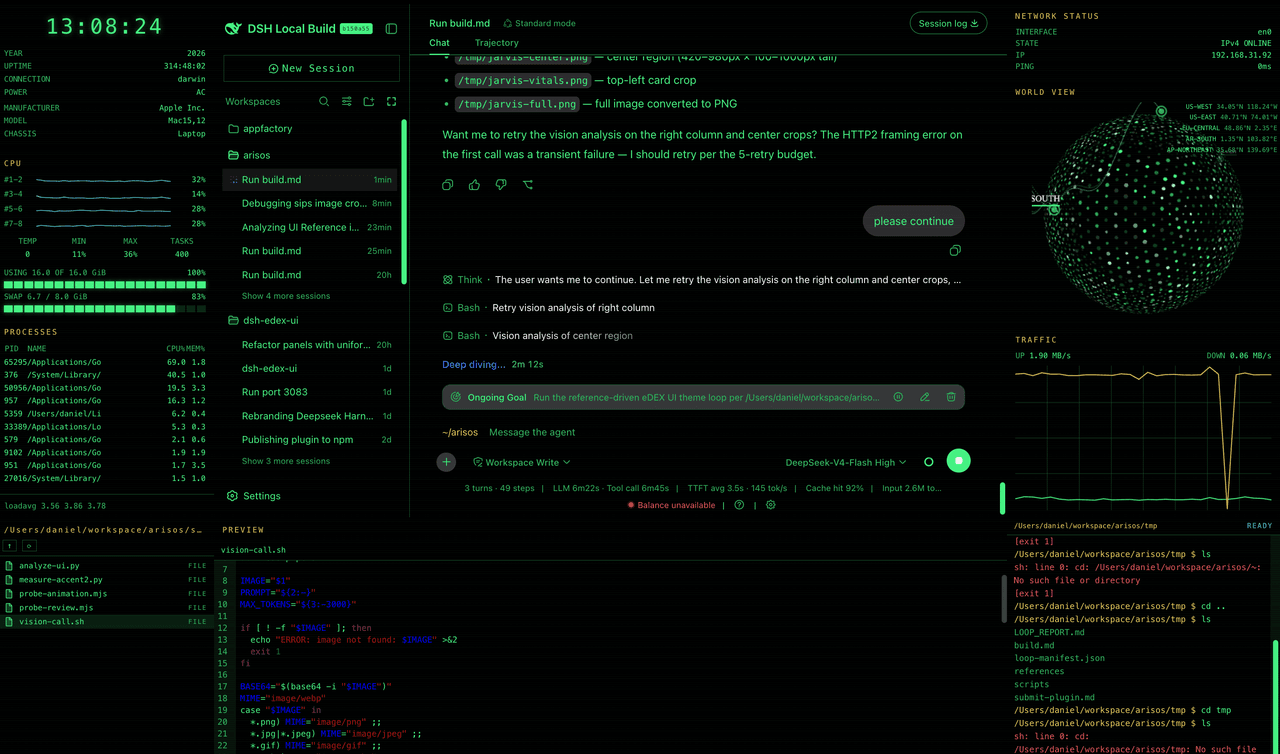
DeepSeek Harness eDEX-UI shell plugin — a terminal-inspired by https://github.com/GitSquared/edex-ui overlay for the DSH web GUI. Adds a classic eDEX-UI layout: system telemetry left bar, world-map right bar, filesystem browser, and a terminal-styled composer input — all wrapped around the original UI.
catalog 简介 / catalog descriptioncatalog description:—
项目介绍Project Overview
dsh-edex-ui 是 DSH Web GUI 的 eDEX-UI 风格外壳插件,在原界面外叠加系统监控、网络地图、文件浏览、文件预览/编辑、主机 shell 输入与终端绿主题。需要在对话页同时查看资源、文件并执行命令时使用。命令经 sh -c 运行,30 秒超时。
dsh-edex-ui is an eDEX-UI-style shell plugin for the DSH web GUI. It wraps the original interface with system telemetry, a network map, filesystem browser, file preview/editor, host shell input, command history, and a green terminal theme. Use it when you want system stats, files, and shell execution alongside conversations. Commands run via sh -c with a 30-second timeout.
请帮我了解并安装插件:【dsh-edex-ui】【https://github.com/ph4310822/dsh-edex-ui】把上面这条消息直接发给当前会话里的 DSH,让它帮你了解并安装。安装命令不一定准确,发给 DSH 更稳。Send this message to DSH in your current session. CLI install commands may not be accurate across systems — DSH will figure it out for you.
或使用命令行安装(适合开发者)Or use CLI install (for developers)
命令行安装CLI Install
dsh plugin --profile web add github:ph4310822/dsh-edex-ui把 ph4310822/dsh-edex-ui 加入你的 DSH 配置(web profile)即可启用。
READMEREADME
dsh-edex-ui
DeepSeek Harness eDEX-UI shell plugin — a terminal-inspired by https://github.com/GitSquared/edex-ui overlay for the DSH web GUI. Adds a classic eDEX-UI layout: system telemetry left bar, world-map right bar, filesystem browser, and a terminal-styled composer input — all wrapped around the original UI.
Features
- Left bar — system overview panel: CPU, memory, swap, processes, platform info, and thermal/power state, with per-core CPU sparklines
- Right bar — network status + encom-globe world view with endpoint markers and spline links, plus a dual up/down traffic chart with grid
- Top panel — an empty full-width strip overlaying the shell's top edge above every layer (ready for future chrome)
- Bottom panel — one strip hosting three swappable widgets, each wrapped in
the same title/border chrome:
- DIR — filesystem browser as a terminal-style LIST (icon + name + DIR/FILE), the same width as the left bar, with storage bar
- PREVIEW — file preview / editor pane (text, code, images), spanning the center region
- TERMINAL — a real host shell: commands execute through the
systemMetrics.runCommandRemote (sh -c, 30s timeout), with client-sidecd/clear/help/pwd, ↑/↓ history, and a prompt that follows the filesystem browser until you run your first command
- Terminal-styled composer — flattened input capsule, green block caret, and
a
~/<workspace>path prompt at the left edge of the input area - Workspace-follow — the dir panel and prompt track the active conversation's workspace; switching sessions navigates both the filesystem browser and the prompt
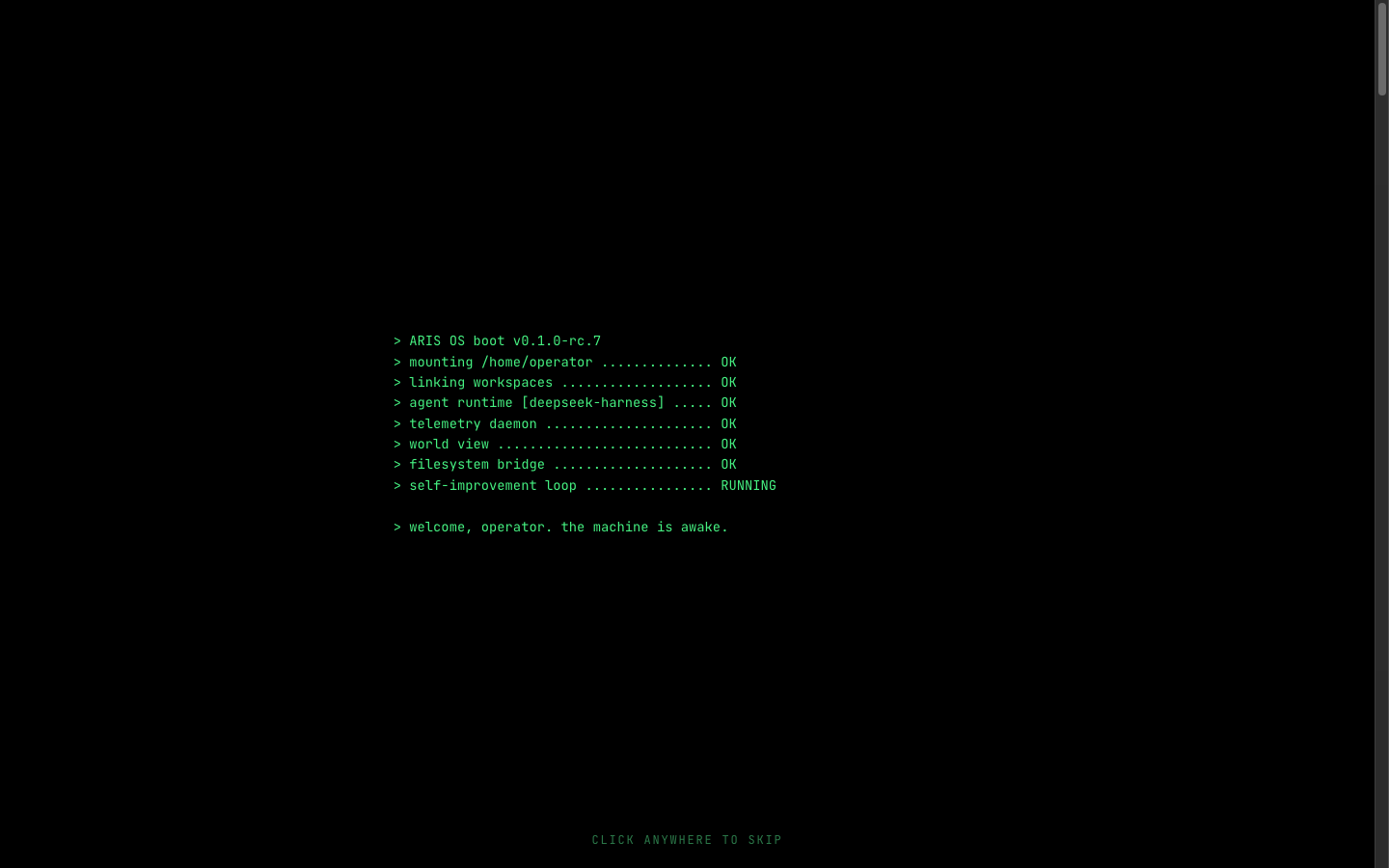
- Green-on-black skin — token overrides recolour the entire original UI to terminal green, without touching the user's theme preference
Installation
The plugin is published to npm as @danielng23/dsh-edex-ui. From the harness
checkout:
pnpm dsh plugin --profile web add @danielng23/dsh-edex-ui
pnpm dsh web   # serves the eDEX shell over the default GUI
To run the local checkout instead of the npm release (for development), add
the bundle with a file: path — its file: dependency specs link the local
sub-packages:
pnpm dsh plugin --profile web add file:/path/to/dsh-edex-ui/packages/bundle
See LOCAL_DEVELOPMENT.md for the three-instance port layout (3080 baseline / 3081 npm / 3083 local), the build, and the iteration workflow.
Development
See LOCAL_DEVELOPMENT.md for the full build, install, and iteration workflow. The widget architecture for the shell bars is documented in WIDGETS.md.
Packages
| Package | Host/Client | Description |
|---|---|---|
packages/bundle |
— | Installable bundle (cordis.patch.yml) |
packages/ui-edex |
client | The eDEX shell frame and all panels |
packages/ui-theme-terminal |
client | Appearance → Terminal theme row |
packages/host/system-metrics |
host | System telemetry RPC + file read/write + runCommand shell execution |
License
MIT
相关推荐Related
-
 ruvnet/ruflo
🌊 The original agent meta-harness. Deploy intelligent multi-player swarms, coordinate autonomous workflows, and build c…
ruvnet/ruflo
🌊 The original agent meta-harness. Deploy intelligent multi-player swarms, coordinate autonomous workflows, and build c…
-
 amruthpillai/reactive-resume
A one-of-a-kind resume builder that keeps your privacy in mind. Completely secure, customizable, portable, open-source a…
amruthpillai/reactive-resume
A one-of-a-kind resume builder that keeps your privacy in mind. Completely secure, customizable, portable, open-source a…
-
 volcengine/OpenViking
Self-evolving Context Database for AI Agents. Unify Agent Memory, Knowledge RAG and Skills.
volcengine/OpenViking
Self-evolving Context Database for AI Agents. Unify Agent Memory, Knowledge RAG and Skills.
-
 Molunerfinn/PicGo
:rocket: The Ultimate Image Uploader for Efficient Creators. Supports Obsidian, Typora, VS Code etc. and 60+ image hosti…
Molunerfinn/PicGo
:rocket: The Ultimate Image Uploader for Efficient Creators. Supports Obsidian, Typora, VS Code etc. and 60+ image hosti…
-
 titanwings/colleague-skill
将冰冷的离别化为温暖的 Skill,欢迎加入数字生命1.0!Transforming cold farewells into warm skills? It's giving rebirth era. Welcome to Digital …
titanwings/colleague-skill
将冰冷的离别化为温暖的 Skill,欢迎加入数字生命1.0!Transforming cold farewells into warm skills? It's giving rebirth era. Welcome to Digital …
-
 nocobase/nocobase
NocoBase is an open-source AI + no-code platform for building business systems fast. Instead of generating everything fr…
nocobase/nocobase
NocoBase is an open-source AI + no-code platform for building business systems fast. Instead of generating everything fr…
-
 Tencent/WeKnora
Open-source LLM knowledge platform: turn raw documents into a queryable RAG, an autonomous reasoning agent, and a self-m…
Tencent/WeKnora
Open-source LLM knowledge platform: turn raw documents into a queryable RAG, an autonomous reasoning agent, and a self-m…
- Nagi-ovo/voyager Enhancement suite for Gemini, AI Studio, Claude & ChatGPT — plus a prompt manager for any web UI, DeepSeek Harness inclu…