Porphyrioon/ironlaw
IronLaw is not a new coding assistant, and it is not a re-implementation of OpenCode. It is an efficiency-engineering component that sits outside the coding assistant:
catalog descriptioncatalog 简介 / catalog description:IronLaw: evidence-backed completion and repair layer for coding agents
Project Overview项目介绍
IronLaw is a host-agnostic delivery governance layer that works across multiple coding assistants including DeepSeek Harness, OpenCode, Claude, Grok, Codex, and more. It adds task constraints, factual logging, completion auditing, and bounded repair to existing coding workflows without requiring users to switch their current tools, GUI, model provider, or workspace. To install IronLaw for your host, you can run the simple one-line npx command npx @ironlaw/cli install --host <your-host>, which sets up the unified sidecar kernel and host-specific adapter automatically. After installation, you can continue using your coding assistant as normal, while IronLaw runs in the background to enforce process rules and catch common failure patterns that occur in long engineering tasks.
IronLaw runs as a plugin inside the host coding assistant's lifecycle, rather than as an in-context skill or an MCP tool. Unlike skills that live inside the model's context window and can be dropped or ignored by the model, IronLaw operates outside the model's context to enforce hard constraints. It can check and block dangerous actions before a tool executes, record real return values after a tool runs, inject task anchors during message compaction, and trigger completion audits after session idle. All task facts are stored in an independent sidecar rather than being self-graded by the model, which eliminates the common problem of fake "done" tasks claimed by the model. This design makes it far more reliable than skills or MCP tools for enforcing delivery governance.
The current open-source release is a monorepo managed with npm workspaces, containing three packages: the CLI package for installation and host management, a Git-versioned shared memory MCP package, and a native Cordis adapter package for DeepSeek Harness. All publicly released code passes 257 automated tests covering core protocol, local sidecar, and the DSH adapter. The project is released under the permissive MIT license, and only the core plugin, CLI prototype, and necessary local sidecar are currently open-sourced. IronLaw does not guarantee successful outcomes for all hosts, models, or tasks, and project success is measured by improved delivery metrics like lower fake-completion rate and reduced rework.
IronLaw是一个独立的工程交付流程管控层,为各类编码助手添加任务约束、事实记录、完成审核和边界修复能力,本身并不是全新的编码助手实现。它支持DeepSeek Harness、OpenCode、Claude、Grok、Codex等多个主流编码代理平台,通过统一的CLI命令完成安装,提供独立侧车内核和各平台适配层,用户无需更换原有的工作区和工具链就能使用。
它作为插件层运行在宿主编码助手的生命周期中,能够在工具执行前检查拦截、执行后记录真实返回值,在消息压缩时注入任务锚点,空闲时触发完成审核,所有事实都存储在独立侧车中,不由模型自行评分。IronLaw不替代用户原有的技能、MCP工具或路由逻辑,只是填补了交付控制环节的空白,适合需要完成长期工程任务的开发人员使用。
当前开源版本是一个npm工作区管理的单体仓库,包含CLI包、Git版本控制共享内存MCP包,以及DeepSeek Harness原生Cordis适配包,所有公开部分共通过257项测试。项目采用MIT许可证开源,仅开放核心插件、CLI原型和必要本地侧车,其他关联组件暂未公开,不保证对所有宿主、任务和模型的适配效果。
请帮我安装这个 DSH 插件。安装前先完成【兼容性检查 + 安全性检查】,检查通过再动手。

插件:ironlaw(Porphyrioon/ironlaw)
仓库:https://github.com/Porphyrioon/ironlaw
本站详情页:https://www.yhbd.top/plugins/porphyrioon-ironlaw/
本站登记:类型 plugin · 归类 多平台兼容工具(非 DSH 原生) · 许可证 MIT · ⭐ 2 · 最近提交 2026-09-16 · 主语言 JavaScript · 未检测到 DSH 插件清单

按下面顺序执行,每步先把结论告诉我,再进入下一步:

【1 兼容性检查】
① 我这边:DSH 版本、Node 版本、操作系统、当前 profile(web / desktop)。
② 读它的 README、package.json、插件 manifest,列出它要求的 DSH 版本 / Node 版本 / 操作系统 / 外部依赖 / 需要另外先装的运行时。
③ 逐条比对,结论只写「满足 / 不满足 / 未知」三种;不满足的给出可行替代方案。
④ 检查是否和我已装的插件冲突:命令名重复、skill / tool 重名、端口占用、重复注册的 MCP server。

【2 安全性检查】
① 仓库可信度:和上面「本站登记」是否一致;star / fork 数、创建时间、最近提交,是否归档或长期停更。
② 安装脚本:逐行看 package.json 的 preinstall / install / postinstall,以及 install.sh、setup.ps1 之类脚本。出现 curl|bash、下载后直接执行、混淆代码、访问与插件功能无关的域名,立刻停下来告诉我,不要继续装。
③ 依赖:列出新增依赖,标出无人维护、或与知名包拼写近似的可疑包(typosquatting)。
④ 权限与副作用:它会读写哪些目录、访问哪些域名、需要哪些 DSH 权限(filesystem / network / shell / clipboard 等),以及怎么卸载和回滚。
⑤ 如果它要求 sudo / 管理员权限,或权限明显超出功能所需,先停下来问我。

【3 安装】
上面两步没有「不满足」和「高危项」时才执行;用官方推荐方式安装,不要自行提权。

【4 汇报】
用表格输出:检查项 / 结论 / 依据 / 是否需要我决策。拿不准的一律写「未知」并说明要我怎么确认——不要猜,也不要替我决定。
Send this message to DSH in your current session: it verifies compatibility and security first (answering met / not met / unknown item by item) and only installs once everything checks out — it will stop and ask you if it finds a high-risk item. The box scrolls; the copy is the full prompt. CLI install commands may not be accurate across systems, so DSH is the safer route.把上面这条消息直接发给当前会话里的 DSH:它会先核对兼容性与安全性(逐条给「满足 / 不满足 / 未知」),确认没问题再安装,有高危项会停下来问你。框内可滚动,复制到的是完整提示词;安装命令不一定准确,发给 DSH 更稳。
- Only 2 stars - very few users, little community feedback星标只有 2,几乎没人在用,遇到问题缺少社区反馈
- No DSH plugin manifest detected - it may only carry the dsh-plugin topic, so the install method must be confirmed on the spot未检测到 DSH 插件清单:可能只是打了 dsh-plugin 话题,安装方式要现场确认
- Not DSH-native: a multi-platform tool that may require Node / Electron or another runtime first非 DSH 原生,是多平台兼容工具:可能要先装 Node / Electron 等运行时
DSH walks through these 9 checksDSH 会逐条核对这 9 项
Compatibility兼容性
- DSH, Node, OS and profile requirementsDSH 版本 / Node 版本 / 操作系统 / profile 是否满足要求
- External dependencies and runtimes (Electron / Python / Docker, ...)外部依赖与运行时(Electron / Python / Docker 等)是否齐备
- Conflicts with installed plugins: command names, skill / tool names, ports, duplicate MCP registration与已装插件是否冲突:命令名、skill / tool 重名、端口占用、重复 MCP 注册
Security安全性
- Repo matches the facts registered here; archived or abandoned?仓库是否与页面登记一致,是否归档或长期停更
- Safety of preinstall / install / postinstall and install.sh / setup.ps1preinstall / install / postinstall 与 install.sh、setup.ps1 是否安全
- curl|bash, download-then-execute, obfuscation, unrelated domains → stop immediatelycurl|bash、下载即执行、混淆代码、无关域名 → 立刻停止
- Typosquatting or unmaintained packages among the new dependencies新增依赖里有没有 typosquatting 或无人维护的包
- Requested permissions vs. what the feature actually needs申请了哪些权限、是否超出功能所需(filesystem / network / shell / clipboard)
- Any sudo / admin requirement, plus uninstall and rollback是否要求 sudo / 管理员权限,以及卸载与回滚方式
Anything uncertain must be marked unknown with a note on how to confirm it. This site's signal screen is a static snapshot, not a security audit.拿不准的必须标「未知」并说明要我怎么确认。本站的信号筛查是静态快照,不能替代安全审计。
Or use CLI install (for developers)或使用命令行安装(适合开发者)
CLI Install命令行安装
dsh plugin --profile web add github:Porphyrioon/ironlaw把 Porphyrioon/ironlaw 加入你的 DSH 配置(web profile)即可启用。
READMEREADME
IronLaw Plugin
Turn tens of thousands of hard-won lessons from real engineering sessions into delivery discipline, enforced outside the coding assistant.
One host-agnostic layer for every coding assistant; it only cares about three things: less rework, no drift, no reward-hacked fake "done".
What it is
IronLaw is not a new coding assistant, and it is not a re-implementation of OpenCode. It is an efficiency-engineering component that sits outside the coding assistant:
DeepSeek Harness / OpenCode / Claude / Grok / Zcode / Codex / Qoder / other thin-shell assistants
          │
          └── IronLaw layer: task constraints, factual evidence, completion gate, bounded repair
It starts from failure patterns that recur across tens of thousands of engineering sessions: the model is usually capable, but often lacks an external mechanism that keeps constraining it through a long task. IronLaw does not try to turn one model into another; it turns the task process into a verifiable engineering process.
Users keep their original GUI, provider, model, tools, and workspace. IronLaw does not require switching workbenches or understanding MCP; the launch shape is a unified CLI installer, a unified sidecar kernel, and thin per-host plugin/hook adapters.
npx @ironlaw/cli install --host opencode
After install, the user keeps using the host normally. IronLaw records facts, checks task state, and reminds, blocks, or requests a minimal repair when needed. What is described here is an observable mechanism, not a guarantee about any model, host, or task outcome.
Why it is a Plugin, not a Skill or an MCP server
To understand IronLaw's integration shape, first separate the responsibilities of Router, Skill, MCP, and Plugin:
User input
   │
   ▼
Router: choose Agent / Provider / Model / Skill
   │
   ▼
Agent + Skill: understand the task, plan steps, propose tool calls
   │
   ▼
OpenCode Runtime: actually executes tools, writes files, runs commands, ends the session
   │
   └──── IronLaw Plugin: observe, constrain, audit, repair
                         │
                         ▼
                    ironlawd sidecar
Skill: a carrier of methodology, not an enforcement boundary
Showing the opening section of the README — the full document lives in the repository以上为 README 开头摘要,完整文档在仓库内 · View the full README on GitHub →在 GitHub 查看完整 README →
Related相关推荐
-
 esengine/DeepSeek-Reasonix
A reliable coding agent for complex software engineering tasks.
esengine/DeepSeek-Reasonix
A reliable coding agent for complex software engineering tasks.
-
 chuspeeism/dashi-taskboard
现代化可灵活嵌入的任务面板,支持 Codex、DeepSeek Harness
chuspeeism/dashi-taskboard
现代化可灵活嵌入的任务面板,支持 Codex、DeepSeek Harness
-
 Aisland-SJL/dsh-worktable
🖥️ Agent-project workbench for DeepSeek Harness — sidebar app drawer + dockable split workspace + a live control room w…
Aisland-SJL/dsh-worktable
🖥️ Agent-project workbench for DeepSeek Harness — sidebar app drawer + dockable split workspace + a live control room w…
-
 gitroomhq/postiz-agent
Postiz Agents CLI - connect it to Claude / OpenClaw / etc, to schedule social media posts 🤖
gitroomhq/postiz-agent
Postiz Agents CLI - connect it to Claude / OpenClaw / etc, to schedule social media posts 🤖
- ericshang98/Perfect-Web-Clone Pixel-perfect clones of any webpage. Paste a URL, get a measured Vite + React replica.
-
 GraySilver/dsh-evolve-modes
让 Agent 的工作方式可组合、可审查、可持续改进,最终实现 Agent Self Evoling。 DeepSeek Harness Web plugin with composable task controls and isolat…
GraySilver/dsh-evolve-modes
让 Agent 的工作方式可组合、可审查、可持续改进,最终实现 Agent Self Evoling。 DeepSeek Harness Web plugin with composable task controls and isolat…
-
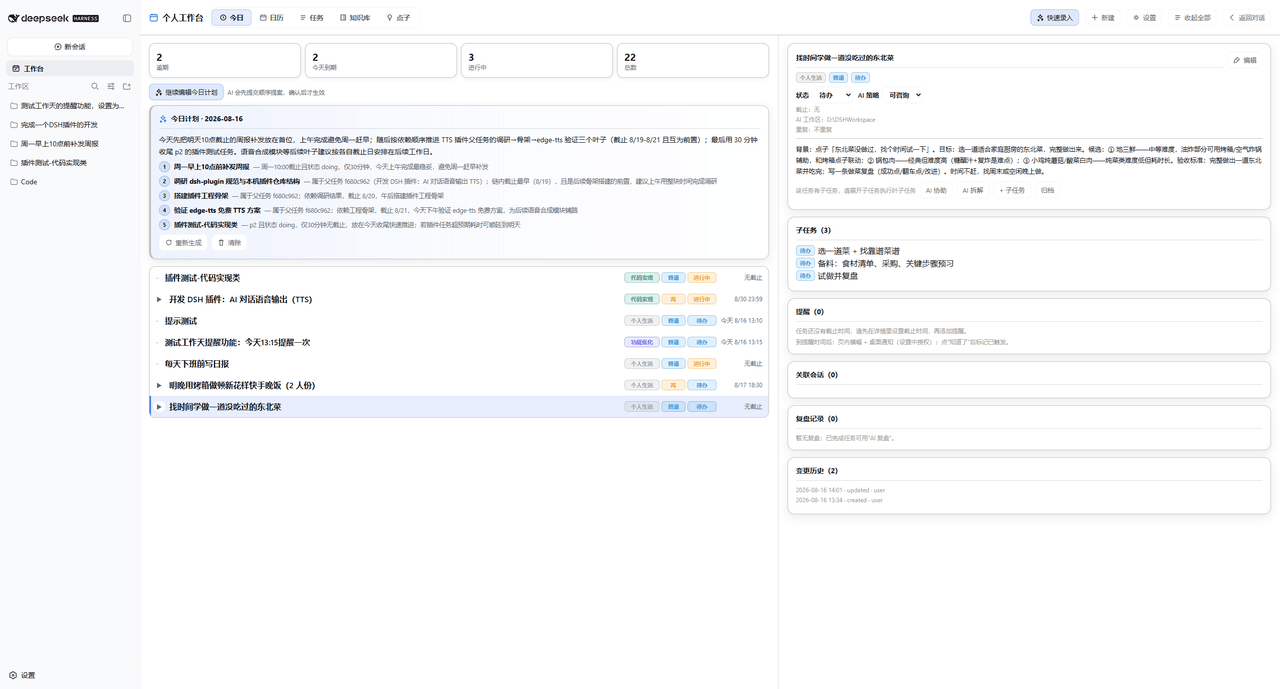 Dely0/dsh-personal-workbench
DSH 个人工作台:日历 + 任务列表 + AI 澄清/拆解/执行/复盘 | Personal workbench for DeepSeek Harness Web: calendar + task list + AI assistant
Dely0/dsh-personal-workbench
DSH 个人工作台:日历 + 任务列表 + AI 澄清/拆解/执行/复盘 | Personal workbench for DeepSeek Harness Web: calendar + task list + AI assistant
-
 naodeng/dsh-qa
dsh-qa · QA Workbench — A local software testing workbench plugin for DeepSeek Harness. Zero-dependency test project & i…
naodeng/dsh-qa
dsh-qa · QA Workbench — A local software testing workbench plugin for DeepSeek Harness. Zero-dependency test project & i…