riesbri/dshline
The terminal-native frontend for the DeepSeek Harness plugin ecosystem.
项目介绍Project Overview
dshline 是 DeepSeek Harness 插件生态的终端原生前端。它通过标准能力契约接入插件,在终端内呈现会话、任务、子代理、模型、插件与配置文件等能力,并保留真实滚动回滚。适合想在命令行使用 Harness 已挂载能力、浏览会话或切换代理组合时使用。注意:沙箱与工具权限由当前 Harness 配置决定,普通工具调用可能不会逐次确认。
dshline is a terminal-native frontend for the DeepSeek Harness plugin ecosystem. It consumes standard Harness capability contracts and presents sessions, jobs, subagents, models, plugins, and profiles in a native terminal UI with real scrollback. Use it when working with mounted Harness capabilities from the command line. Caveat: sandbox and tool permissions are controlled by the active Harness profile, and ordinary tool calls may run without per-call review.
请帮我了解并安装插件:【dshline】【https://github.com/riesbri/dshline】把上面这条消息直接发给当前会话里的 DSH,让它帮你了解并安装。安装命令不一定准确,发给 DSH 更稳。Send this message to DSH in your current session. CLI install commands may not be accurate across systems — DSH will figure it out for you.
或使用命令行安装(适合开发者)Or use CLI install (for developers)
命令行安装CLI Install
dsh plugin --profile dshline add @dshline/dshline把 riesbri/dshline 加入你的 DSH 配置(web profile)即可启用。
READMEREADME
dshline
English | 中文
The terminal-native frontend for the DeepSeek Harness plugin ecosystem.


See it in action

Install
dsh plugin --profile dshline add @dshline/dshline
dsh --profile dshline
See Install for requirements, verification, the dshline launcher, and source installs.
[!WARNING] Sandbox and tool permissions are controlled by the active Harness profile; ordinary tool calls may run without per-call review. See Permissions and the sandbox before using dshline on important code.
Why dshline?
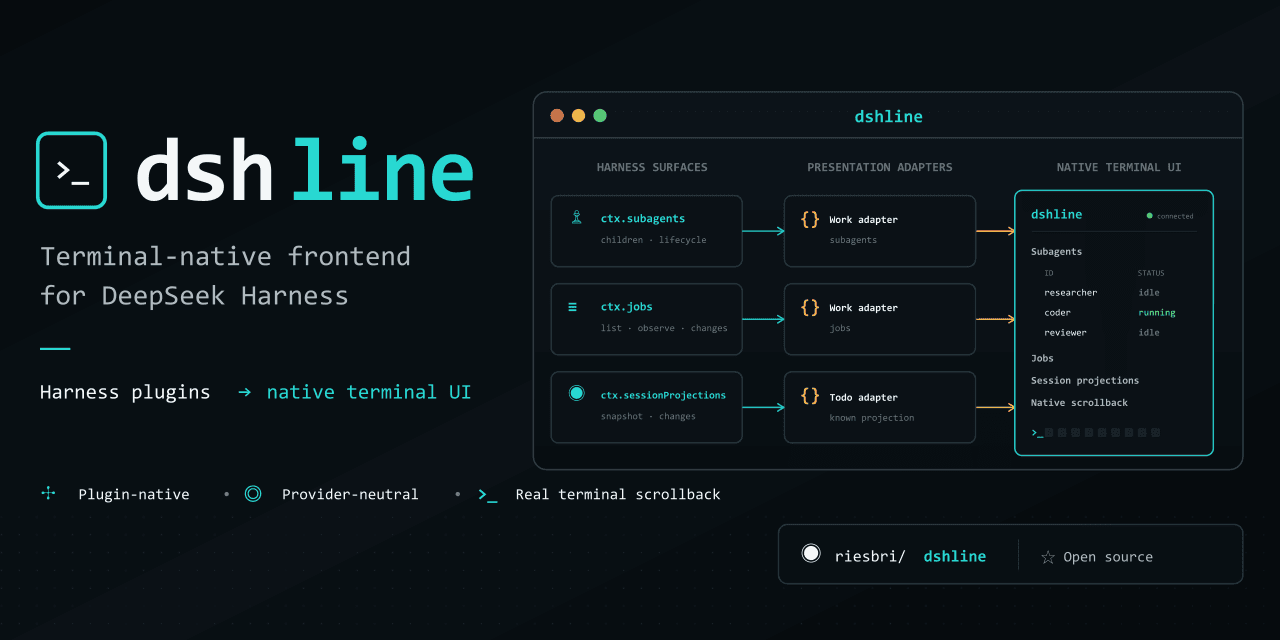
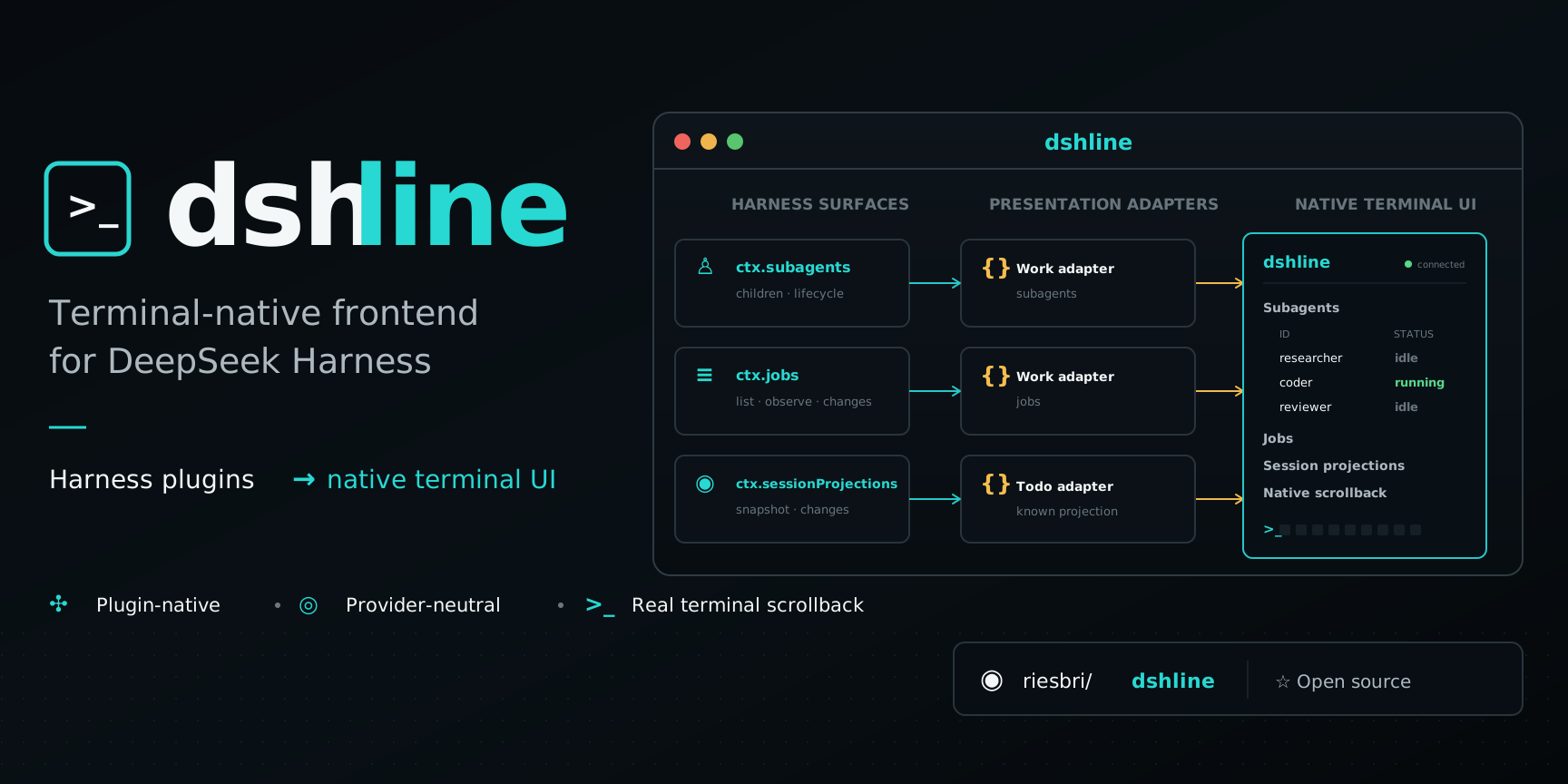
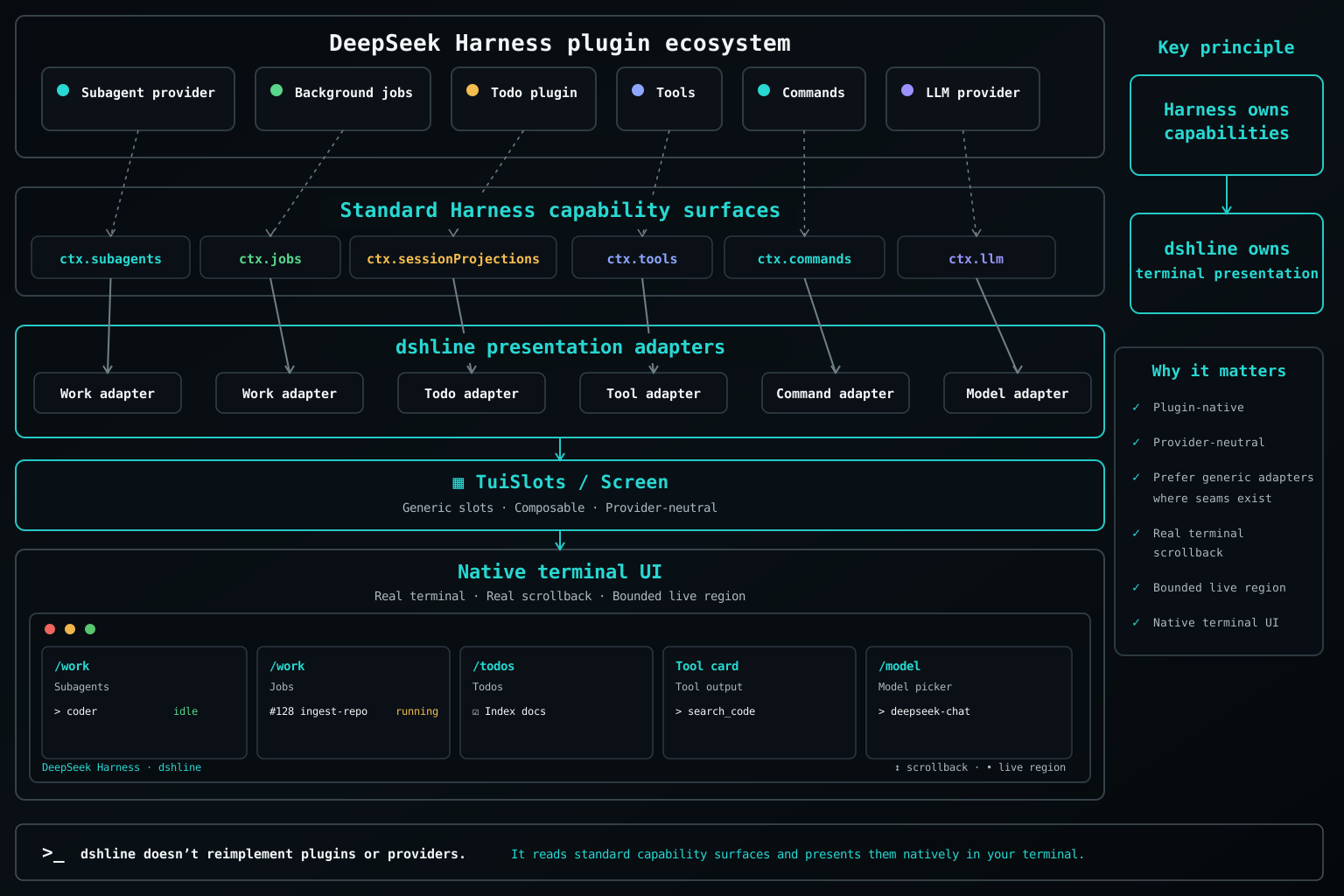
Harness plugins publish capabilities; dshline presents supported capabilities natively in the terminal. It runs in-process and consumes Harness contracts rather than creating separate provider runtimes, state stores, or policy.
Harness plugin → standard capability → dshline presentation adapter → native terminal UI
Harness owns capabilities, state, runtime, persistence, and policy. dshline owns terminal presentation.
Generic capability integration
dshline integrates through standard Harness capabilities instead of provider-specific code. Work consumes ctx.jobs and ctx.subagents; Sessions uses ctx.sessionQuery; /connect uses Harness's model, settings, credentials, and authorization services; /plugins reads and switches the running agent's composition through ctx.agentPresets; /profiles reads the profile roster through Harness's own home-path service and forwards every change to dsh plugin. New providers can therefore flow through existing interfaces without requiring a dedicated dshline implementation.
It ships no provider list and no login protocol: /connect offers whatever the mounted adapters declare configurable and runs whatever flows Harness has registered, so the same providers are reachable from the terminal and from the official web Models page, over one settings document and one credential store.
See Architecture for the capability model and current adapter boundaries.
Native terminal by design
Finished output is committed to real terminal scrollback and never rewritten. Normal scrolling, selection, and copying keep working while dshline redraws only a bounded live region. The Harness-independent renderer stays small, dependency-light, and focused on terminal correctness: widths, Unicode, escaping, keys, and safe redraws.
See Design for the terminal invariants and Comparison for the trade-offs.
Use dshline
Type / to discover the commands and capabilities available in the active Harness profile.
/new— start a fresh session in the current workspace; the previous one is reopenable when the active Harness profile provides session persistence/sessions— browse and resume Harness sessions/work— inspect jobs and subagents/connect— configure providers through Harness/plugins— browse, search, and customize the running agent's Harness preset composition/profiles— browse Harness profiles and the bundles each one composes; install, update, or remove one/todos— inspect projected Todo state/model— switch registered models/theme— choose the colour palette this window draws with
Usage covers keys, sessions, commands, and permission guidance.
Contributing
Contributions are welcome, especially generic capability adapters, terminal robustness, cross-platform verification, Unicode/CJK correctness, sessions, attachments, and focused UX improvements. Start with CONTRIBUTING.md, then read AGENTS.md and the canonical Roadmap.
Documentation
License
MIT. Not affiliated with or endorsed by DeepSeek.
相关推荐Related
-
 nexu-io/open-design
🎨 Best DeepSeek Harness Design Plugin. The open-source Claude Design alternative. 🖥️ Local-first desktop app. 🖼️ Your…
nexu-io/open-design
🎨 Best DeepSeek Harness Design Plugin. The open-source Claude Design alternative. 🖥️ Local-first desktop app. 🖼️ Your…
-
 ruvnet/ruflo
🌊 The original agent meta-harness. Deploy intelligent multi-player swarms, coordinate autonomous workflows, and build c…
ruvnet/ruflo
🌊 The original agent meta-harness. Deploy intelligent multi-player swarms, coordinate autonomous workflows, and build c…
-
 amruthpillai/reactive-resume
A one-of-a-kind resume builder that keeps your privacy in mind. Completely secure, customizable, portable, open-source a…
amruthpillai/reactive-resume
A one-of-a-kind resume builder that keeps your privacy in mind. Completely secure, customizable, portable, open-source a…
-
 esengine/DeepSeek-Reasonix
DeepSeek-native AI coding agent for your terminal. Engineered around prefix-cache stability — leave it running.
esengine/DeepSeek-Reasonix
DeepSeek-native AI coding agent for your terminal. Engineered around prefix-cache stability — leave it running.
-
 volcengine/OpenViking
Self-evolving Context Database for AI Agents. Unify Agent Memory, Knowledge RAG and Skills.
volcengine/OpenViking
Self-evolving Context Database for AI Agents. Unify Agent Memory, Knowledge RAG and Skills.
-
 Molunerfinn/PicGo
:rocket: The Ultimate Image Uploader for Efficient Creators. Supports Obsidian, Typora, VS Code etc. and 60+ image hosti…
Molunerfinn/PicGo
:rocket: The Ultimate Image Uploader for Efficient Creators. Supports Obsidian, Typora, VS Code etc. and 60+ image hosti…
-
 titanwings/distilly
Distilly — Distill how they think into reusable Skills for any Agent or Bot. Formerly Colleague Skill(原同事 Skill).
titanwings/distilly
Distilly — Distill how they think into reusable Skills for any Agent or Bot. Formerly Colleague Skill(原同事 Skill).
-
 titanwings/colleague-skill