Ruler4396/dsh-launcher
DeepSeek Harness(dsh)Windows 轻量启动器:双击即用,克制的原生体验 / Lightweight Windows launcher for DeepSeek Harness (dsh) — double-click to run, native & restrained
项目介绍Project Overview
dsh-launcher 是 DeepSeek Harness 的 Windows 轻量启动器,基于 WebView2 打包,安装包约 1.4MB,双击即用,支持开机自启、自动拉起服务并等待就绪,提供错误码弹窗、日志和 --diagnose 诊断包导出。适合需要桌面快捷启动 dsh 的 Windows 用户。需手动安装 Node.js 等依赖;首次启动失败时可运行 check-prereq.cmd 检测。
dsh-launcher is a lightweight Windows launcher for DeepSeek Harness, built on WebView2 with an installer of roughly 1.4MB. It starts the dsh service on double-click, supports auto-launch at login, waits for readiness, and surfaces error codes, logs, and a --diagnose package. Best for Windows users who want a desktop entry to dsh. Dependencies such as Node.js must be installed manually, and check-prereq.cmd helps diagnose missing prerequisites.
请帮我了解并安装插件:【dsh-launcher】【https://github.com/Ruler4396/dsh-launcher】把上面这条消息直接发给当前会话里的 DSH,让它帮你了解并安装。安装命令不一定准确,发给 DSH 更稳。Send this message to DSH in your current session. CLI install commands may not be accurate across systems — DSH will figure it out for you.
或使用命令行安装(适合开发者)Or use CLI install (for developers)
命令行安装CLI Install
dsh plugin --profile web add dsh-launcher-lifetime把 Ruler4396/dsh-launcher 加入你的 DSH 配置(web profile)即可启用。
READMEREADME
dsh-launcher


DeepSeek Harness 的 Windows 轻量启动器:双击即用,不用敲命令。
| 浅色模式 | 深色模式 |
|---|---|
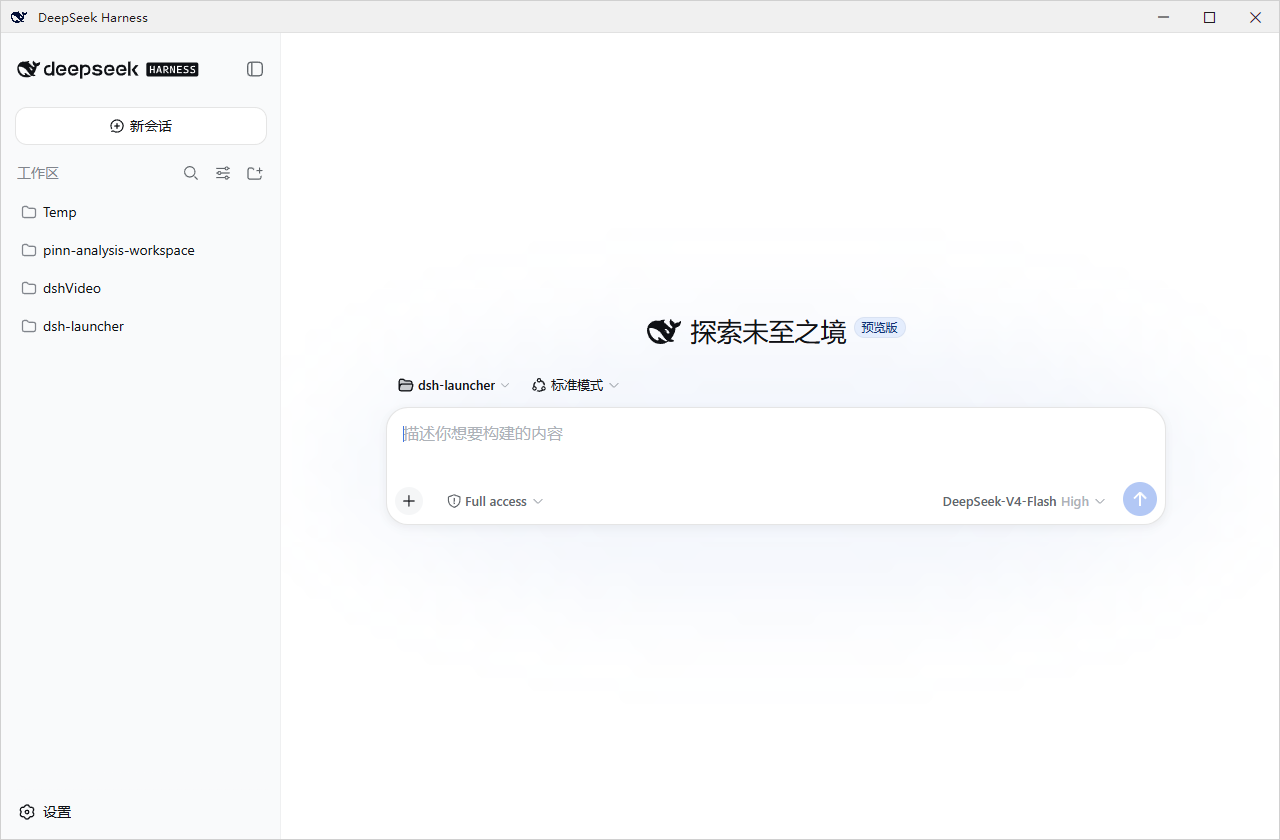 |
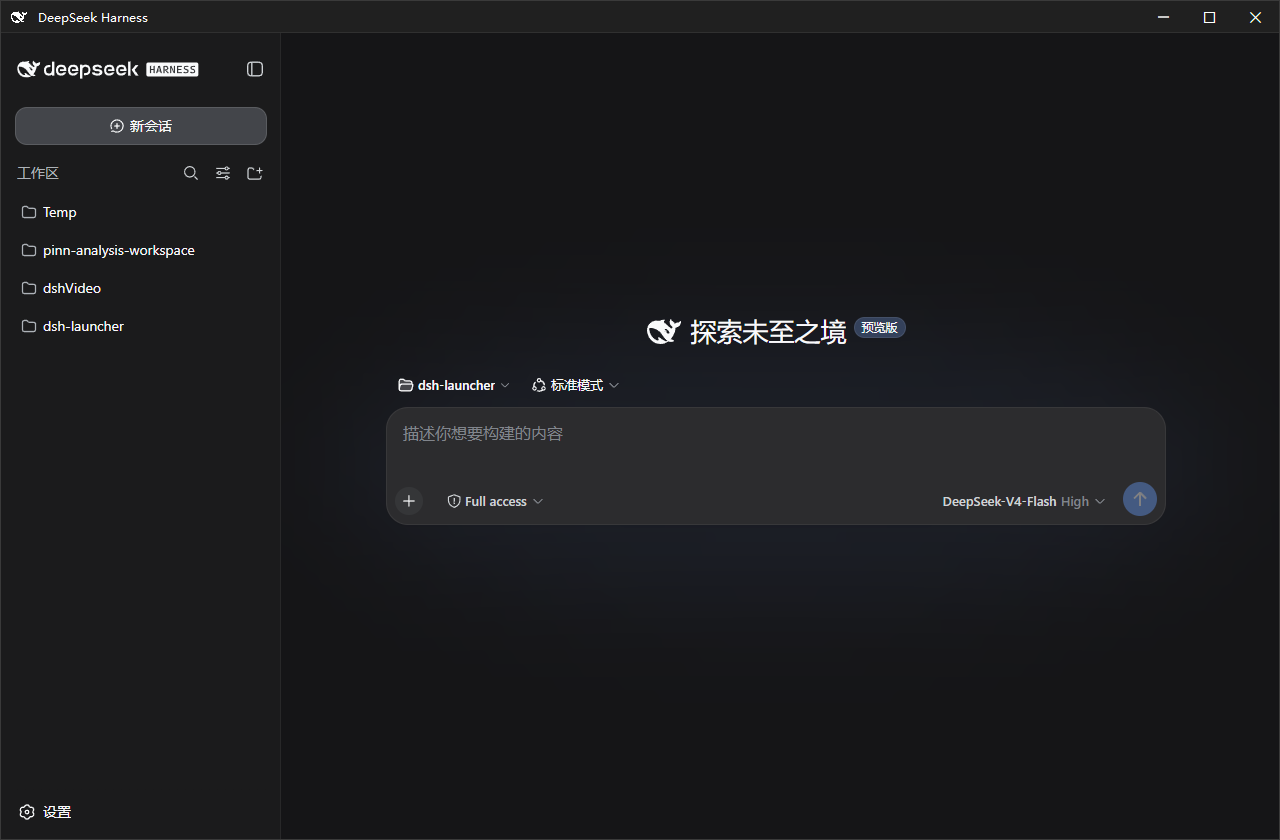 |
这是什么
一个 Windows 原生壳:双击启动 DeepSeek Harness(dsh)、可设置开机自启,高度重视服务生命周期与出错诊断。安装包大小仅为 ~1.4MB,不内置 dsh;缺失的依赖(Node.js 等)按需补齐,不改动系统环境。
克制:本项目意在打造一个舒适的 dsh 原版体验,不添加文件面板、内置终端等额外功能,一切交给dsh的插件,由用户自行决定。仅在推出安全性更新和dsh版本更新时弹出系统通知。
安装
MSI(推荐新手):从 Releases 下载 dsh-launcher-<版本>.msi,双击安装(向导里可勾选开机自启)。卸载:设置 → 应用 → dsh-launcher。
便携版 ZIP:下载 dsh-launcher-windows-<版本>.zip,解压后双击 DshWeb.exe;删文件夹即卸载。
双击没反应?先运行解压目录里的
check-prereq.cmd,它会检测 .NET / WebView2 / Node 并给出缺失项的安装命令。
特性
- 开机自启 · 独立小窗口(WebView2)· 自动拉起服务并等待就绪
- 出错弹窗带错误码,统一日志
~/.dsh\dsh-launcher\dsh.log DshWeb.exe --diagnose一键导出信息脱敏诊断包- 服务生命周期:跟随窗口 / 常驻 / 托盘驻留(见下"插件")
- 主题跟随 · 窗口位置记忆 · dsh 延迟更新(不打断会话)
配套插件
安装 dsh-launcher-lifetime 后,拥有三种node.js的驻留模式(随窗口驻留、常驻、随托盘驻留),可在 dsh 设置页“Node服务驻留”中切换:
dsh plugin --profile web add dsh-launcher-lifetime
常见问题
- MSI 和 ZIP 有区别吗? 内容相同;MSI 有标准安装/卸载流程。
- 卸载会删 dsh 数据和插件吗? 不会——只清启动器自有数据,
profiles/、settings.yaml等原样保留。 - 服务占内存? dsh 是完整服务,必须常驻node.js。
- 端口 3080 被占用? 设置
DSH_WEB_PORT=3090后重启。 - 遇到问题? 运行
check-prereq.cmd;仍不行用DshWeb.exe --diagnose导出诊断包,提交至 Issue(模板)。日志在~/.dsh\dsh-launcher\dsh.log。
更多
技术实现 / 安全 / 构建:docs/DETAILS.md · 更新日志:CHANGELOG.md
面向开发者 / AI Agent(必读):修改代码前,请先阅读架构与工程维护铁律(Hard Constraints)→ docs/00-ARCHITECTURE-GUARDRAILS-MANDATORY.md,并遵守 AGENTS.md 中的合规清单。违反铁律的提交会被 Code Review 驳回或 CI 拦截。
免责声明
独立的第三方工具,与 DeepSeek / DeepSeek AI 官方无关。窗口图标使用 DeepSeek 品牌标识,版权归 DeepSeek 所有。
许可证
MIT © dsh-launcher contributors
友情链接


相关推荐Related
-
 nexu-io/open-design
🎨 Best DeepSeek Harness Design Plugin. The open-source Claude Design alternative. 🖥️ Local-first desktop app. 🖼️ Your…
nexu-io/open-design
🎨 Best DeepSeek Harness Design Plugin. The open-source Claude Design alternative. 🖥️ Local-first desktop app. 🖼️ Your…
-
 ruvnet/ruflo
🌊 The original agent meta-harness. Deploy intelligent multi-player swarms, coordinate autonomous workflows, and build c…
ruvnet/ruflo
🌊 The original agent meta-harness. Deploy intelligent multi-player swarms, coordinate autonomous workflows, and build c…
-
 amruthpillai/reactive-resume
A one-of-a-kind resume builder that keeps your privacy in mind. Completely secure, customizable, portable, open-source a…
amruthpillai/reactive-resume
A one-of-a-kind resume builder that keeps your privacy in mind. Completely secure, customizable, portable, open-source a…
-
 esengine/DeepSeek-Reasonix
DeepSeek-native AI coding agent for your terminal. Engineered around prefix-cache stability — leave it running.
esengine/DeepSeek-Reasonix
DeepSeek-native AI coding agent for your terminal. Engineered around prefix-cache stability — leave it running.
-
 volcengine/OpenViking
Self-evolving Context Database for AI Agents. Unify Agent Memory, Knowledge RAG and Skills.
volcengine/OpenViking
Self-evolving Context Database for AI Agents. Unify Agent Memory, Knowledge RAG and Skills.
-
 Molunerfinn/PicGo
:rocket: The Ultimate Image Uploader for Efficient Creators. Supports Obsidian, Typora, VS Code etc. and 60+ image hosti…
Molunerfinn/PicGo
:rocket: The Ultimate Image Uploader for Efficient Creators. Supports Obsidian, Typora, VS Code etc. and 60+ image hosti…
-
 titanwings/distilly
Distilly — Distill how they think into reusable Skills for any Agent or Bot. Formerly Colleague Skill(原同事 Skill).
titanwings/distilly
Distilly — Distill how they think into reusable Skills for any Agent or Bot. Formerly Colleague Skill(原同事 Skill).
-
 titanwings/colleague-skill