saitamahang/dsh-skill-importer
导入、验证、管理并迁移适用于DeepSeek Harness(DSH)、Claude Code、Codex及其他AI编码代理的Agent Skills。
项目介绍Project Overview
dsh-skill-importer 是 DeepSeek Harness 的 Web UI 插件,将技能管理纳入界面。核心能力:从磁盘、URL 或 Claude Code、Codex 等代理目录导入、校验、去重并迁移 Markdown 技能,并在不消耗模型令牌的情况下通过撰写器选择器、/skills 或 /skill-name 调用。适用场景:统一跨代理技能库、需要零令牌即时发现时。注意:单文件上限 256 KB,批量扫描最多 200 项,不接受符号链接。
dsh-skill-importer is a DeepSeek Harness Web UI plugin that brings skill management into the interface. Core capability: import, validate, deduplicate, and migrate Markdown skills from disk, URLs, or full skill directories from Claude Code, Codex, and similar agents, then invoke them via a composer picker, /skills, or /skill-name without consuming model tokens. Use it to unify cross-agent skill libraries with instant, session-free discovery. Caveat: single files cap at 256 KB, batch scans accept up to 200 skills, and symlinks are refused.
请帮我了解并安装插件:【dsh-skill-importer】【https://github.com/saitamahang/dsh-skill-importer】把上面这条消息直接发给当前会话里的 DSH,让它帮你了解并安装。安装命令不一定准确,发给 DSH 更稳。Send this message to DSH in your current session. CLI install commands may not be accurate across systems — DSH will figure it out for you.
或使用命令行安装(适合开发者)Or use CLI install (for developers)
命令行安装CLI Install
npx @deepseek-ai/dsh plugin --profile web add dsh-skill-importer@latest把 saitamahang/dsh-skill-importer 加入你的 DSH 配置(web profile)即可启用。
READMEREADME
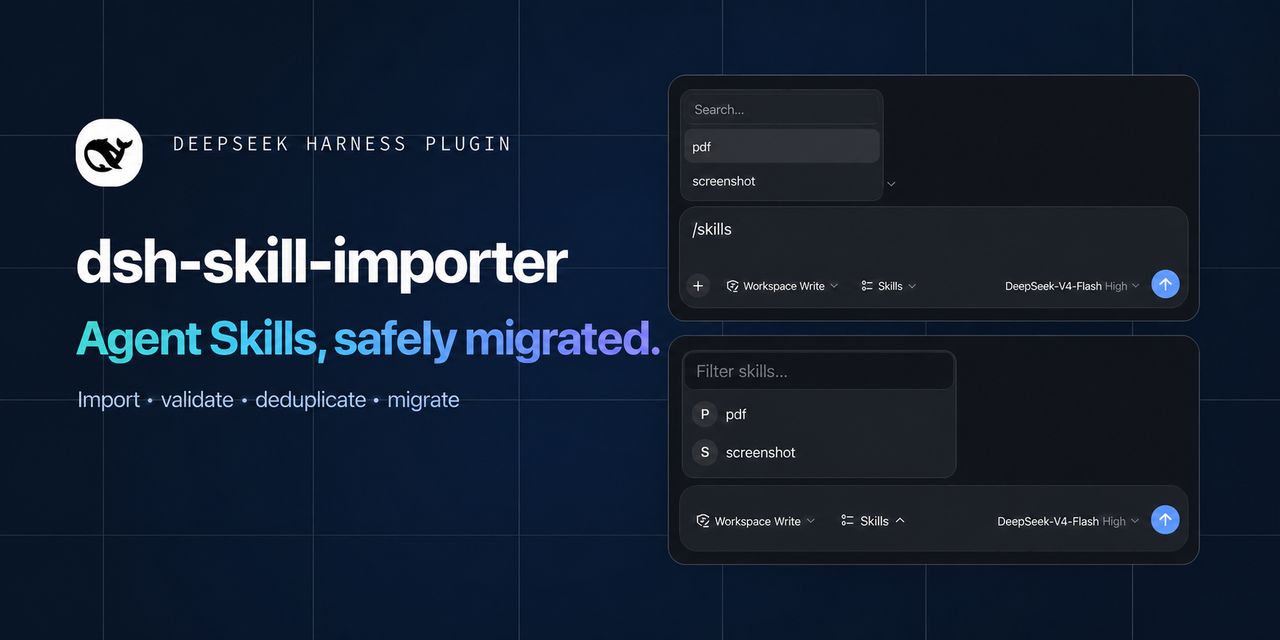
Bring skill management into the DeepSeek Harness Web UI.
Import, validate, deduplicate, and migrate Agent Skills across DeepSeek Harness, Claude Code, Codex, and other AI coding agents.
Discover and invoke them without a session, model tokens, or approval round-trips.




English · 简体中文 · Install · How it works · Development
Your skill library, one click away
dsh-skill-importer is a lightweight plugin for DeepSeek Harness (dsh). It turns skills into a first-class part of the Web UI: bring in Markdown from disk or a URL, see every installed copy, and insert a skill into the composer without breaking your flow.
| Import | Organize | Invoke |
|---|---|---|
Upload SKILL.md, paste a URL, or migrate a complete skills directory from Claude Code, Codex, and similar agents. |
Browse skills grouped across project and global roots. Remove any copy individually. | Use the composer picker, run /skills, or type /skill-name directly. |
See it in action
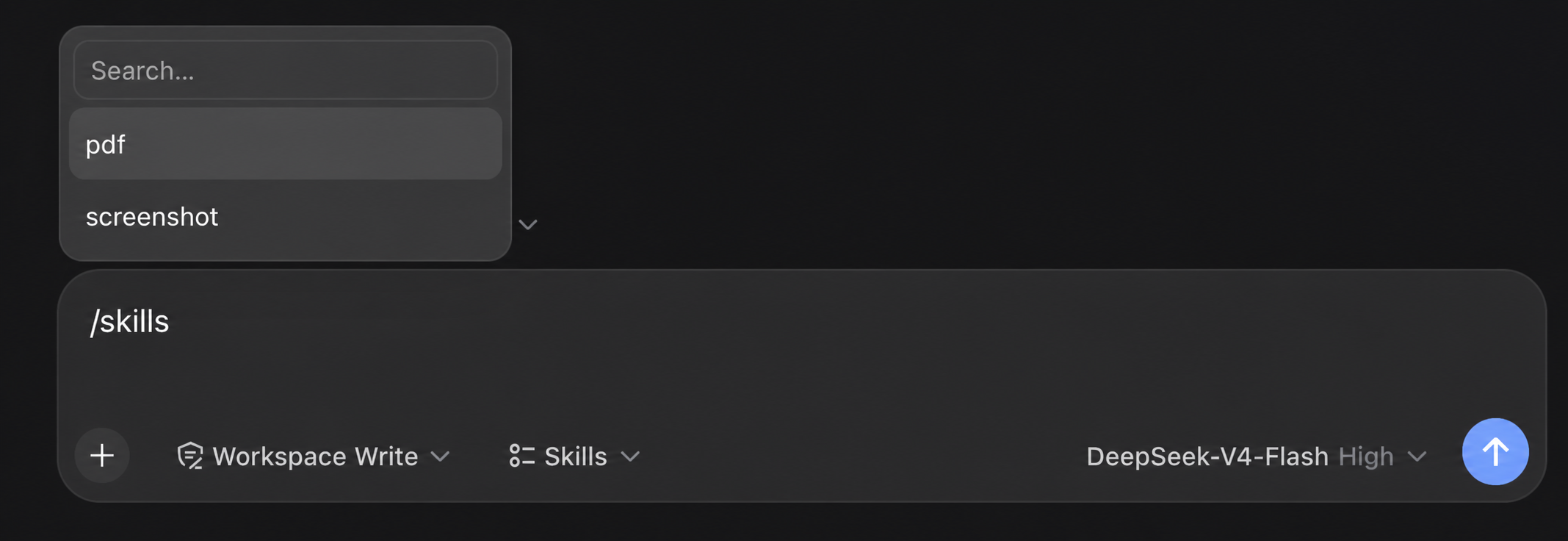
/skills command |
Composer picker |
|---|---|
 |
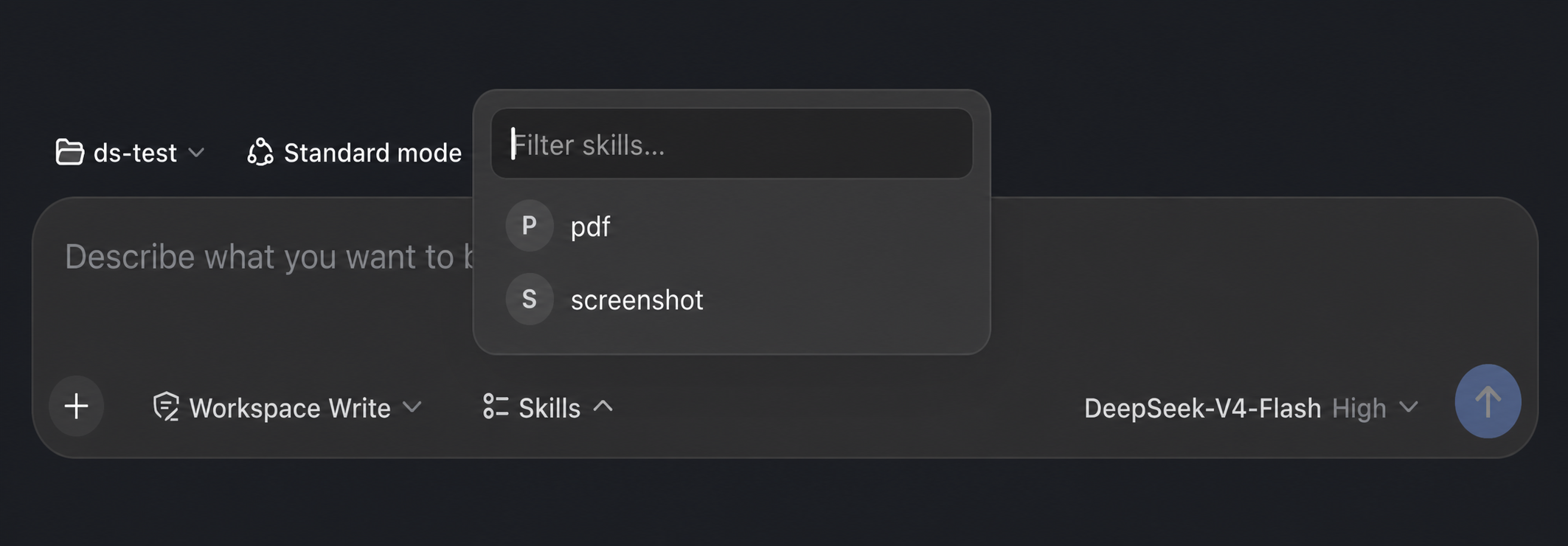 |
| Choose a skill from the command palette without leaving the composer. | Open the skill library from the composer footer and insert it in one click. |
Built for a fast loop
- No agent or session — the host writes skill files directly.
- Zero model tokens — imports never enter a model context.
- Instant discovery — the harness watcher hot-refreshes skills after they land.
- Workspace-aware — project skills always target the active registered workspace.
- Bilingual UI — English and Chinese copy follows the harness locale.
- Safe by design — fixed skill roots, 256 KB limit, and same-origin POST checks.
Batch migration with a real preflight
The third import entry accepts a local skills root such as ~/.claude/skills, ~/.codex/skills, or another .agents/skills directory. It scans before it writes, validates every SKILL.md, preserves each skill's scripts, references, assets, and other resources, and reports invalid entries without touching the destination.
Destination name conflicts are skipped by default. Choose Replace per skill, review the add/replace/skip summary, then confirm. Each accepted skill is copied through a same-root staging directory; replacements keep a temporary backup and roll back if the swap fails. A preflight is single-use, expires after ten minutes, and verifies source-content fingerprints again at commit time.
Three natural ways to use a skill
- Composer picker — open the pill beside the access-mode selector, search by name, and choose.
/skillscommand — use a familiar command palette, modeled after/model.- Direct invocation — type
/skill-nameand keep moving.
All three fill the composer with the same highlighted /name gesture; sending injects the skill instructions through dsh's native flow.
Installation
First install
npx @deepseek-ai/dsh plugin --profile web add dsh-skill-importer@latest
The plugin registers itself with the Web profile through dsh.bundle; do not edit cordis.patch.yml manually.
Restart dsh Web after installation:
npx @deepseek-ai/dsh web
Update to the latest version
Existing users can run the same command to update:
npx @deepseek-ai/dsh plugin --profile web add dsh-skill-importer@latest
Updating replaces only the plugin package. It does not remove skills from .dsh/skills, .agents/skills, ~/.dsh/skills, or ~/.agents/skills. Restart dsh Web after updating.
Check the latest published version:
npm view dsh-skill-importer version
List the plugins installed in the Web profile:
npx @deepseek-ai/dsh plugin --profile web list
Supply-chain waiting period for new releases
DSH profiles use pnpm to manage plugins. pnpm's minimumReleaseAge policy delays newly published versions; during that window, @latest may still resolve to the previous mature release. This is an intentional supply-chain safeguard, not a download failure. The recommended path is to wait for the profile's configured window, then rerun the @latest command above.
Pre-1.0 semver ranges also stop at the next minor: for example, ^0.1.2 does not include 0.2.0. After the waiting period, specify the target version when crossing a minor:
npx @deepseek-ai/dsh plugin --profile web add dsh-skill-importer@X.Y.Z
If you have verified the release and must install it immediately, add a temporary exception for that exact version to $DSH_HOME/profiles/web/pnpm-workspace.yaml, then run the exact-version command:
minimumReleaseAgeExclude:
  - dsh-skill-importer@X.Y.Z
Replace both X.Y.Z placeholders with the same target version. This opts that version out of the supply-chain waiting period. Do not permanently exempt the package name; remove the exact-version exception after the release matures.
Open Settings → Skills. Import a Markdown file or URL, or choose Batch import to migrate another agent's complete skills directory. Choose a target and the imported skills will appear as soon as the filesystem watcher discovers them.
Requires DeepSeek Harness
>= 0.1.0-rc.6.
Duplicate plugin after upgrading
If startup fails with duplicate loader entry id: skill-importer, the profile still contains the old manual configuration. Remove the manually added skill-importer entry from $DSH_HOME/profiles/web/cordis.patch.yml, then restart dsh Web. Current releases register automatically and do not need that entry.
How it works
The dsh client-to-host RPC is a fixed allowlist with no file-write channel. This plugin uses the official ctx.webServer.register extension point exposed by dsh-host-webserver and registers same-origin /skill-importer/* routes on the harness server.
Markdown file or URL
        │  same-origin fetch
        ▼
/skill-importer/import
        │  host filesystem write
        ▼
<skill-root>/<name>/SKILL.md
        │  watcher event
        ▼
skills/change → hot refresh
POST routes verify the Origin header and only accept loopback sources (127.0.0.1 or localhost). Writes are restricted to four default writable DSH roots:
| Writable target order | Scope | Directory |
|---|---|---|
| 1/4 | DSH project | .dsh/skills |
| 2/4 | Shared project | .agents/skills |
| 3/4 | DSH global | ~/.dsh/skills |
| 4/4 | Shared global | ~/.agents/skills |
Lower numbers win among these four writable import targets. DSH-configured customSkillDirs sit between project and global roots in the full discovery order, but have no single stable write destination and therefore are not import targets. Bundled skills ship with DSH and cannot be overwritten by the plugin.
Development
npm install
npm run build
| Area | Source |
|---|---|
| Host plugin and route registration | src/index.ts |
| Filesystem, URL import, and HTTP logic | src/server.ts |
| Shared wire types | src/types.ts |
Browser plugin and /skills command |
src/client/index.ts |
| Composer picker | src/client/SkillsPicker.tsx |
| Settings experience | src/client/SkillImporterSection.tsx |
Available routes: GET /skill-importer/health · GET /skill-importer/list · POST /skill-importer/import · POST /skill-importer/import-url · POST /skill-importer/delete · POST /skill-importer/batch/scan · POST /skill-importer/batch/commit
Local checkout
npm install
npm run build
dsh plugin --profile web add /path/to/dsh-skill-importer
If dsh is not installed globally, replace the last line with npx @deepseek-ai/dsh plugin --profile web add /path/to/dsh-skill-importer. The plugin registers automatically; restart dsh Web afterward.
Notes
- A single imported file may be up to 256 KB.
- Batch import accepts any agent directory named
skills(for example.claude/skills,.codex/skills, or a customagent/skills) or one skill directory directly below it. A scan accepts up to 200 skills; each skill may contain up to 2,000 files and 10 MB of resources. Symbolic links are refused. - URL import is HTTPS-only and refuses loopback, private, link-local, and reserved addresses; every redirect is validated again.
.mdsources are preserved, while HTML pages use lightweight text extraction, so direct Markdown URLs work best. - The installed list polls briefly after import (every 2 seconds for up to 20 seconds). Refresh syncs external changes immediately.
License
Released under the MIT License.
相关推荐Related
-
 nexu-io/open-design
🎨 Best DeepSeek Harness Design Plugin. The open-source Claude Design alternative. 🖥️ Local-first desktop app. 🖼️ Your…
nexu-io/open-design
🎨 Best DeepSeek Harness Design Plugin. The open-source Claude Design alternative. 🖥️ Local-first desktop app. 🖼️ Your…
-
 ruvnet/ruflo
🌊 The original agent meta-harness. Deploy intelligent multi-player swarms, coordinate autonomous workflows, and build c…
ruvnet/ruflo
🌊 The original agent meta-harness. Deploy intelligent multi-player swarms, coordinate autonomous workflows, and build c…
-
 amruthpillai/reactive-resume
A one-of-a-kind resume builder that keeps your privacy in mind. Completely secure, customizable, portable, open-source a…
amruthpillai/reactive-resume
A one-of-a-kind resume builder that keeps your privacy in mind. Completely secure, customizable, portable, open-source a…
-
 esengine/DeepSeek-Reasonix
DeepSeek-native AI coding agent for your terminal. Engineered around prefix-cache stability — leave it running.
esengine/DeepSeek-Reasonix
DeepSeek-native AI coding agent for your terminal. Engineered around prefix-cache stability — leave it running.
-
 volcengine/OpenViking
Self-evolving Context Database for AI Agents. Unify Agent Memory, Knowledge RAG and Skills.
volcengine/OpenViking
Self-evolving Context Database for AI Agents. Unify Agent Memory, Knowledge RAG and Skills.
-
 Molunerfinn/PicGo
:rocket: The Ultimate Image Uploader for Efficient Creators. Supports Obsidian, Typora, VS Code etc. and 60+ image hosti…
Molunerfinn/PicGo
:rocket: The Ultimate Image Uploader for Efficient Creators. Supports Obsidian, Typora, VS Code etc. and 60+ image hosti…
-
 titanwings/distilly
Distilly — Distill how they think into reusable Skills for any Agent or Bot. Formerly Colleague Skill(原同事 Skill).
titanwings/distilly
Distilly — Distill how they think into reusable Skills for any Agent or Bot. Formerly Colleague Skill(原同事 Skill).
-
 titanwings/colleague-skill