
sakanamaru/dsh-minato
dsh-minato — 社区版本机部署运维套件 for DeepSeek Harness (dsh): install / start / monitor, backup & restore, diagnose and quarantine broken plugins (unofficial) · 安装 / 启动监控 / 备份恢复 / 插件诊断与隔离
Project Overview项目介绍
dsh-minato, formerly DeepSeek-Harness-Toolkit, is a third-party, unofficial operations utility for the DeepSeek Harness (dsh) Web UI that bundles install, start, monitor, uninstall, and data backup/restore flows. The current V2.x line ships as a Windows-only WinForms panel with seven pages, while the in-progress V3 is a cross-platform rewrite built on Avalonia, ships with a complete CLI, runs as a self-contained binary (no system .NET required), installs via a self-extracting installer on Windows or a POSIX script on Linux, verifies its own fingerprints at startup and refuses to run when tampered with, refuses to delete directories that do not look like an install, and exposes an Update Center that surfaces web, desktop-app, this tool, and installed-plugin status. Releases are MIT-licensed and distributed solely through this repository's Releases page, and any binary elsewhere must be checked against the CI-generated SHA-256 manifest and GPG signature.
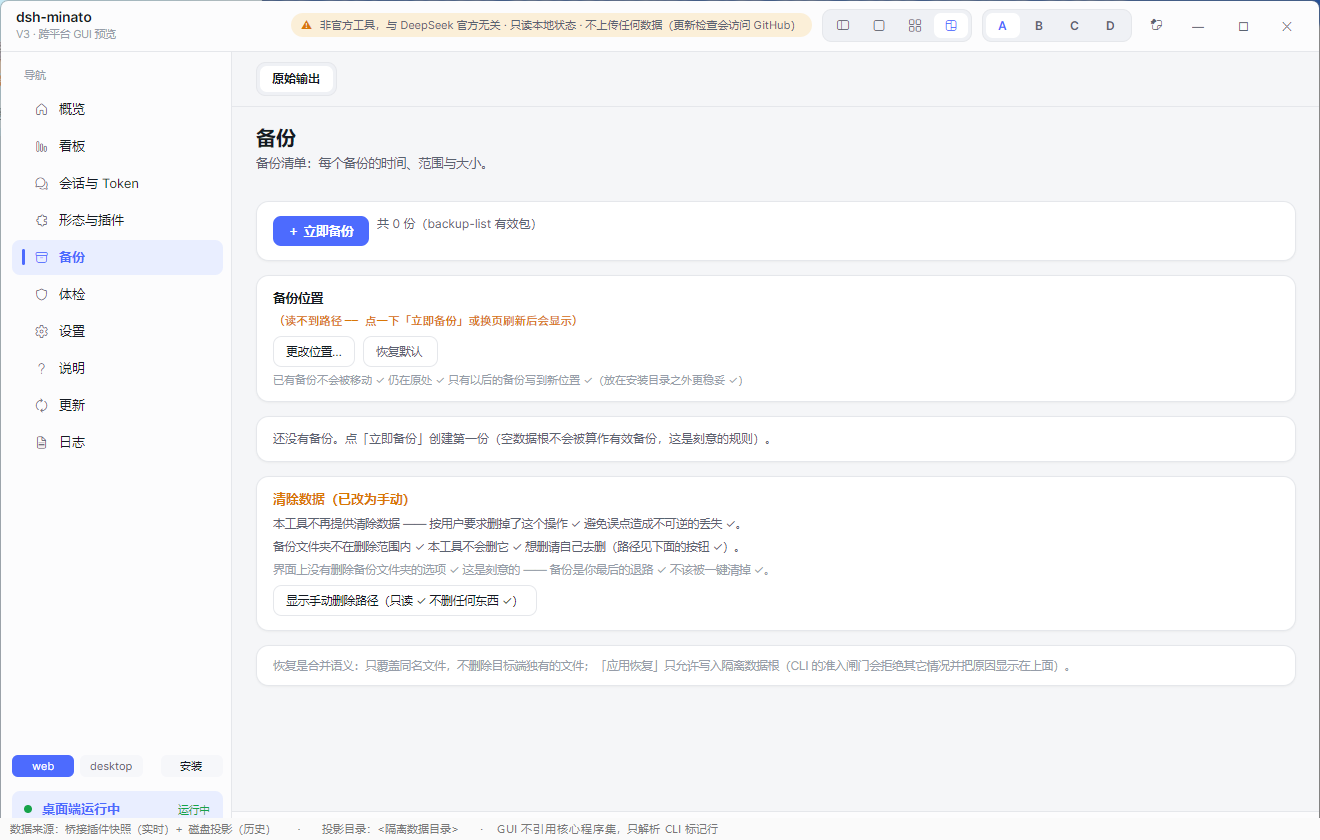
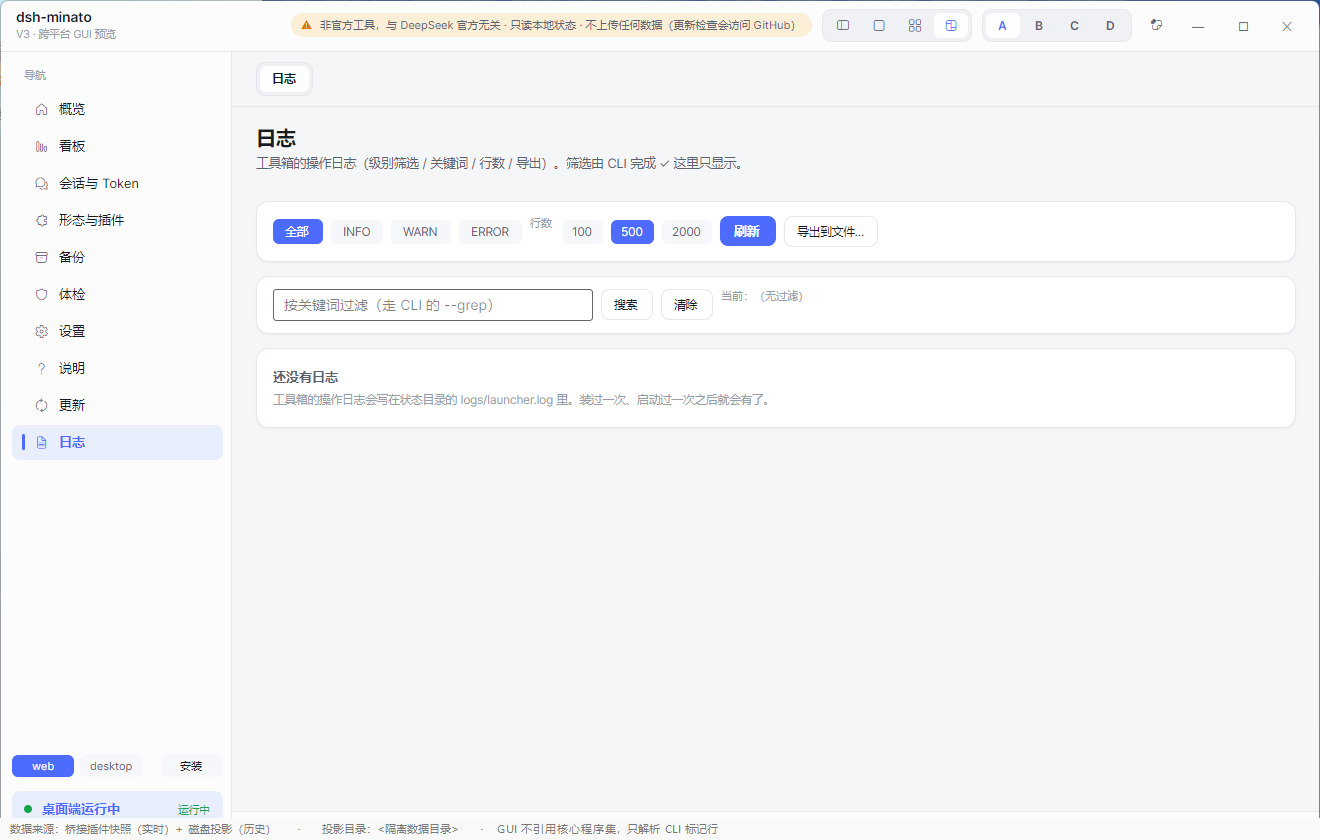
The intended workflow is download the package, unzip, and double-click the GUI: the Home page reports dsh service state (running / starting / stopped) and exposes the install / start / stop / uninstall actions, the Backups page lists archives with restore / export / delete, the Update Center shows the update picture read-only, the Settings page covers four configuration groups, the Log Center filters structured logs by level with search and export, and the About page prints the version plus the "Unofficial" notice. Power users can drive the same operations through the CLI's install, start --bg, backup, restore, doctor, verify, and status --detail subcommands, so the whole GUI is scriptable; the package also refuses to start if .dsh_launcher_root is missing from the install folder, refusing to delete a directory that does not look like an install, and refusing to wipe data while dsh is still running. The target audience is anyone who wants to deploy or maintain a local dsh installation without touching the terminal, plus sysadmins who need repeatable, scriptable backups and restores.
V2 depends on the system .NET Framework; V3 is self-contained and targets Windows plus Linux with a single binary. Backups are best-effort file copies rather than transaction snapshots, so stopping dsh before backup is recommended for the most consistent result, and the "Wipe all data" uninstall path automatically archives ~/.dsh (sessions and credentials included) before removal. Built-in integrity checks only compare an executable against a co-shipped hashes.txt, which proves consistency, not publisher identity; genuine provenance requires the GPG-signed manifest plus verify.ps1, optionally reinforced by the independent GitHub artifact attestation (gh attestation verify <file> --repo sakanamaru/DeepSeek-Harness-Toolkit), and the two checks are complementary rather than substitutes. All integrity operations are read-only, HTTPS requests explicitly enable TLS 1.2, and redistribution under MIT must keep the contributor credits and "Unofficial" notice intact.
dsh-minato(原名 DeepSeek-Harness-Toolkit)是一款面向 DeepSeek Harness(dsh)Web UI 的第三方非官方运维工具,提供安装、启动、监控、卸载、数据备份与恢复等功能。V2.x 为 Windows 专属 WinForms 面板(七页),V3 重写为基于 Avalonia 的跨平台 GUI 并附带完整 CLI,运行时自包含无需系统 .NET,安装时 Windows 用自解压安装包、Linux 用 POSIX 脚本。项目以 MIT 协议开源,仅通过仓库 Releases 页分发官方二进制,第三方网盘或付费版本均不被授权。
典型使用流程:用户从 Releases 下载并解压,双击启动 GUI 首页即可查看 dsh 服务状态、调用安装/启动/卸载、执行备份或恢复,全部操作无需打开终端;高级用户可直接调用 CLI 的 install、start --bg、backup、restore、doctor、verify、status --detail 等子命令完成脚本化运维,V3 还会在启动时校验自身指纹并在被篡改时拒绝运行。该工具适合希望简化 dsh 本地部署、降低命令行门槛的个人开发者与运维人员,同时也能满足需要可重复脚本化操作的进阶用户。
依赖方面,V2 需系统预装 .NET Framework,V3 为自包含运行时(Windows + Linux),同时支持 GUI 与 CLI。备份为尽力而为的文件复制而非事务快照,强烈建议备份前先停止 dsh 以保证一致性;卸载"擦除全部数据"会自动备份 ~/.dsh 后再删除,且删除受到三重保护(服务未运行、目录需含 .dsh_launcher_root 与 settings.yaml 等 dsh 数据标记)。身份与来源校验需通过 GPG 签名的 hashes.txt 或仓库 verify.ps1 完成,内置哈希比对仅证明一致性、不证明发布者身份;GitHub artifact attestation 是独立补充,与 GPG 互不替代,建议同时运行。
请帮我安装这个 DSH 插件。安装前先完成【兼容性检查 + 安全性检查】,检查通过再动手。

插件:dsh-minato(sakanamaru/dsh-minato)
仓库:https://github.com/sakanamaru/dsh-minato
本站详情页:https://www.yhbd.top/plugins/sakanamaru-dsh-minato/
本站登记:类型 plugin · 归类 原生 DSH 插件 · 许可证 MIT · ⭐ 3 · 最近提交 2026-10-02 · 主语言 C#

按下面顺序执行,每步先把结论告诉我,再进入下一步:

【1 兼容性检查】
① 我这边:DSH 版本、Node 版本、操作系统、当前 profile(web / desktop)。
② 读它的 README、package.json、插件 manifest,列出它要求的 DSH 版本 / Node 版本 / 操作系统 / 外部依赖 / 需要另外先装的运行时。
③ 逐条比对,结论只写「满足 / 不满足 / 未知」三种;不满足的给出可行替代方案。
④ 检查是否和我已装的插件冲突:命令名重复、skill / tool 重名、端口占用、重复注册的 MCP server。

【2 安全性检查】
① 仓库可信度:和上面「本站登记」是否一致;star / fork 数、创建时间、最近提交,是否归档或长期停更。
② 安装脚本:逐行看 package.json 的 preinstall / install / postinstall,以及 install.sh、setup.ps1 之类脚本。出现 curl|bash、下载后直接执行、混淆代码、访问与插件功能无关的域名,立刻停下来告诉我,不要继续装。
③ 依赖:列出新增依赖,标出无人维护、或与知名包拼写近似的可疑包(typosquatting)。
④ 权限与副作用:它会读写哪些目录、访问哪些域名、需要哪些 DSH 权限(filesystem / network / shell / clipboard 等),以及怎么卸载和回滚。
⑤ 如果它要求 sudo / 管理员权限,或权限明显超出功能所需,先停下来问我。

【3 安装】
上面两步没有「不满足」和「高危项」时才执行;用官方推荐方式安装,不要自行提权。

【4 汇报】
用表格输出:检查项 / 结论 / 依据 / 是否需要我决策。拿不准的一律写「未知」并说明要我怎么确认——不要猜,也不要替我决定。
Send this message to DSH in your current session: it verifies compatibility and security first (answering met / not met / unknown item by item) and only installs once everything checks out — it will stop and ask you if it finds a high-risk item. The box scrolls; the copy is the full prompt. CLI install commands may not be accurate across systems, so DSH is the safer route.把上面这条消息直接发给当前会话里的 DSH:它会先核对兼容性与安全性(逐条给「满足 / 不满足 / 未知」),确认没问题再安装,有高危项会停下来问你。框内可滚动,复制到的是完整提示词;安装命令不一定准确,发给 DSH 更稳。
- Only 3 stars - very few users, little community feedback星标只有 3,几乎没人在用,遇到问题缺少社区反馈
DSH walks through these 9 checksDSH 会逐条核对这 9 项
Compatibility兼容性
- DSH, Node, OS and profile requirementsDSH 版本 / Node 版本 / 操作系统 / profile 是否满足要求
- External dependencies and runtimes (Electron / Python / Docker, ...)外部依赖与运行时(Electron / Python / Docker 等)是否齐备
- Conflicts with installed plugins: command names, skill / tool names, ports, duplicate MCP registration与已装插件是否冲突:命令名、skill / tool 重名、端口占用、重复 MCP 注册
Security安全性
- Repo matches the facts registered here; archived or abandoned?仓库是否与页面登记一致,是否归档或长期停更
- Safety of preinstall / install / postinstall and install.sh / setup.ps1preinstall / install / postinstall 与 install.sh、setup.ps1 是否安全
- curl|bash, download-then-execute, obfuscation, unrelated domains → stop immediatelycurl|bash、下载即执行、混淆代码、无关域名 → 立刻停止
- Typosquatting or unmaintained packages among the new dependencies新增依赖里有没有 typosquatting 或无人维护的包
- Requested permissions vs. what the feature actually needs申请了哪些权限、是否超出功能所需(filesystem / network / shell / clipboard)
- Any sudo / admin requirement, plus uninstall and rollback是否要求 sudo / 管理员权限,以及卸载与回滚方式
Anything uncertain must be marked unknown with a note on how to confirm it. This site's signal screen is a static snapshot, not a security audit.拿不准的必须标「未知」并说明要我怎么确认。本站的信号筛查是静态快照,不能替代安全审计。
Or use CLI install (for developers)或使用命令行安装(适合开发者)
CLI Install命令行安装
dsh plugin --profile web add github:sakanamaru/dsh-minato把 sakanamaru/dsh-minato 加入你的 DSH 配置(web profile)即可启用。
READMEREADME
DeepSeek Harness Toolkit — dsh-minato
A no-terminal-needed installer, monitor, backup and repair toolbox for DeepSeek Harness (dsh). Windows and Linux. Runs locally. No telemetry, no accounts, no uploads.
⚠️ Unofficial. This project is not affiliated with, endorsed by, or connected to DeepSeek. It is a third-party helper that drives the
dshcommand line you already have.

Screenshots
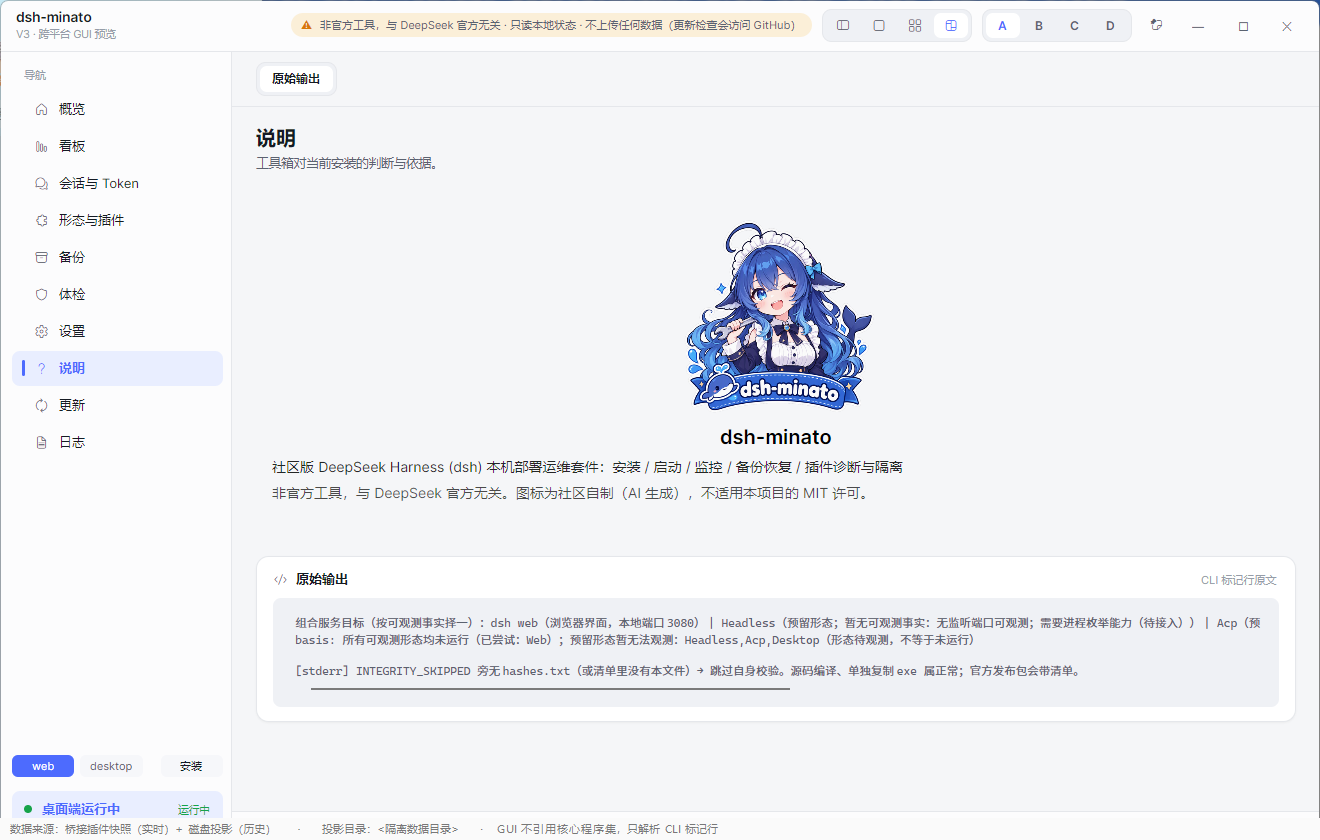
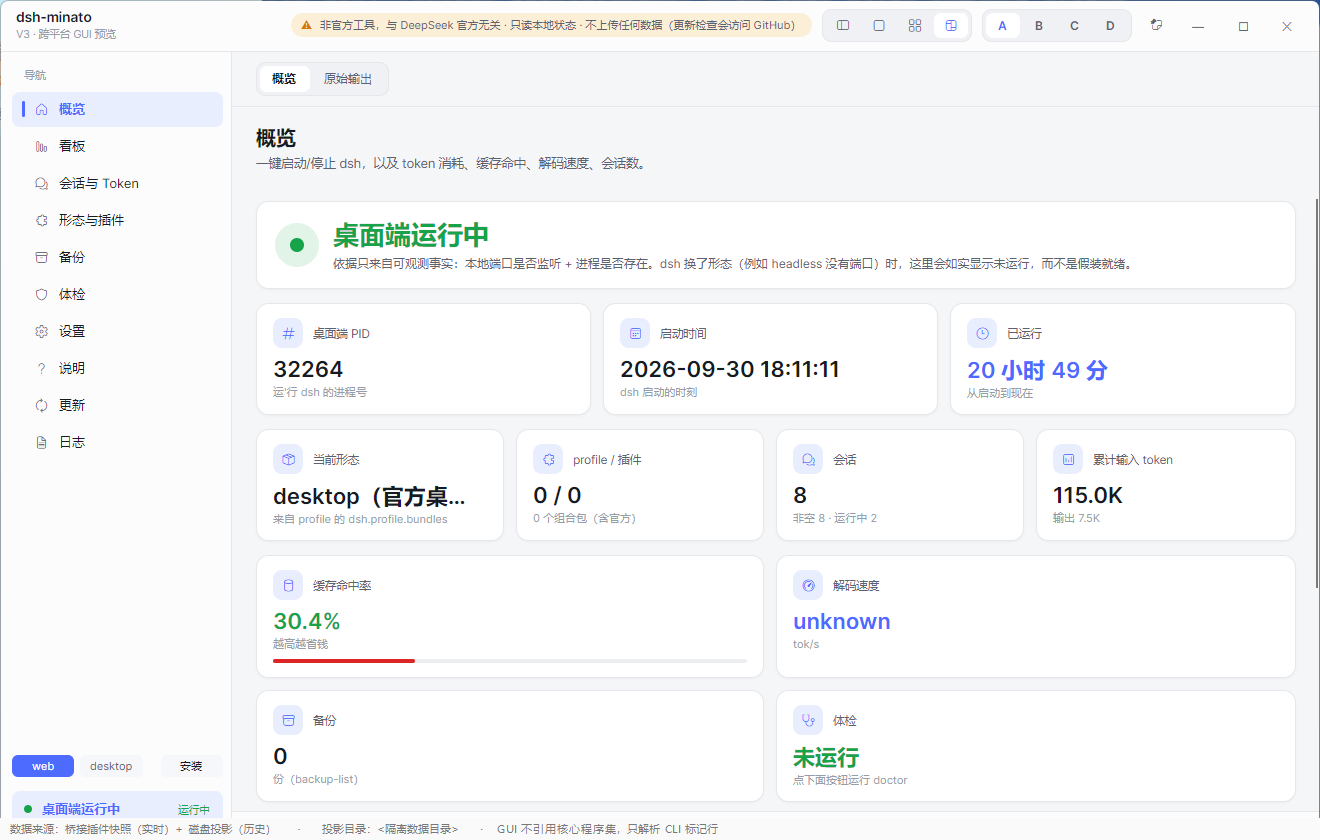
Everything below is the real interface, captured against a fixture data directory — no real session, path or figure appears in these images.
| Dashboard | Sessions & tokens | Backup |
|---|---|---|
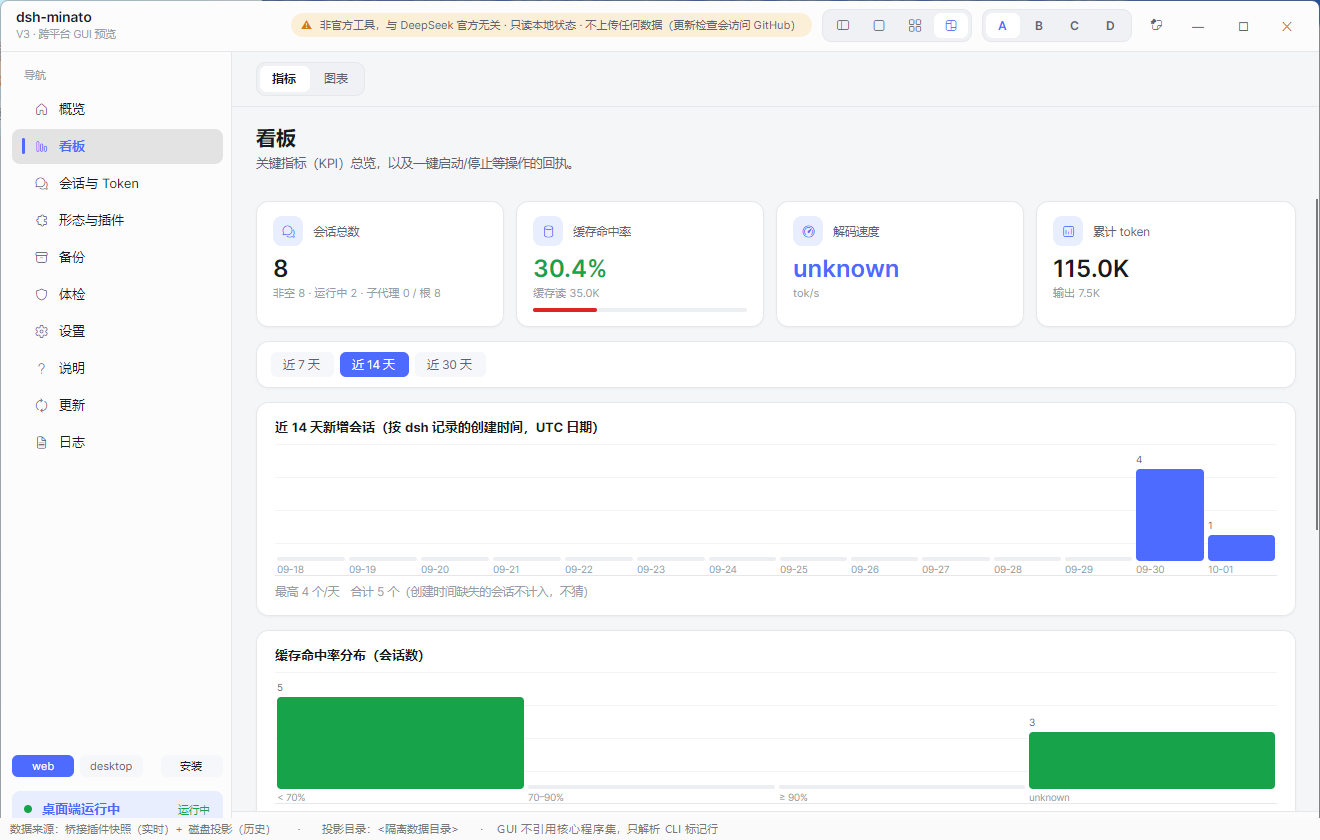 |
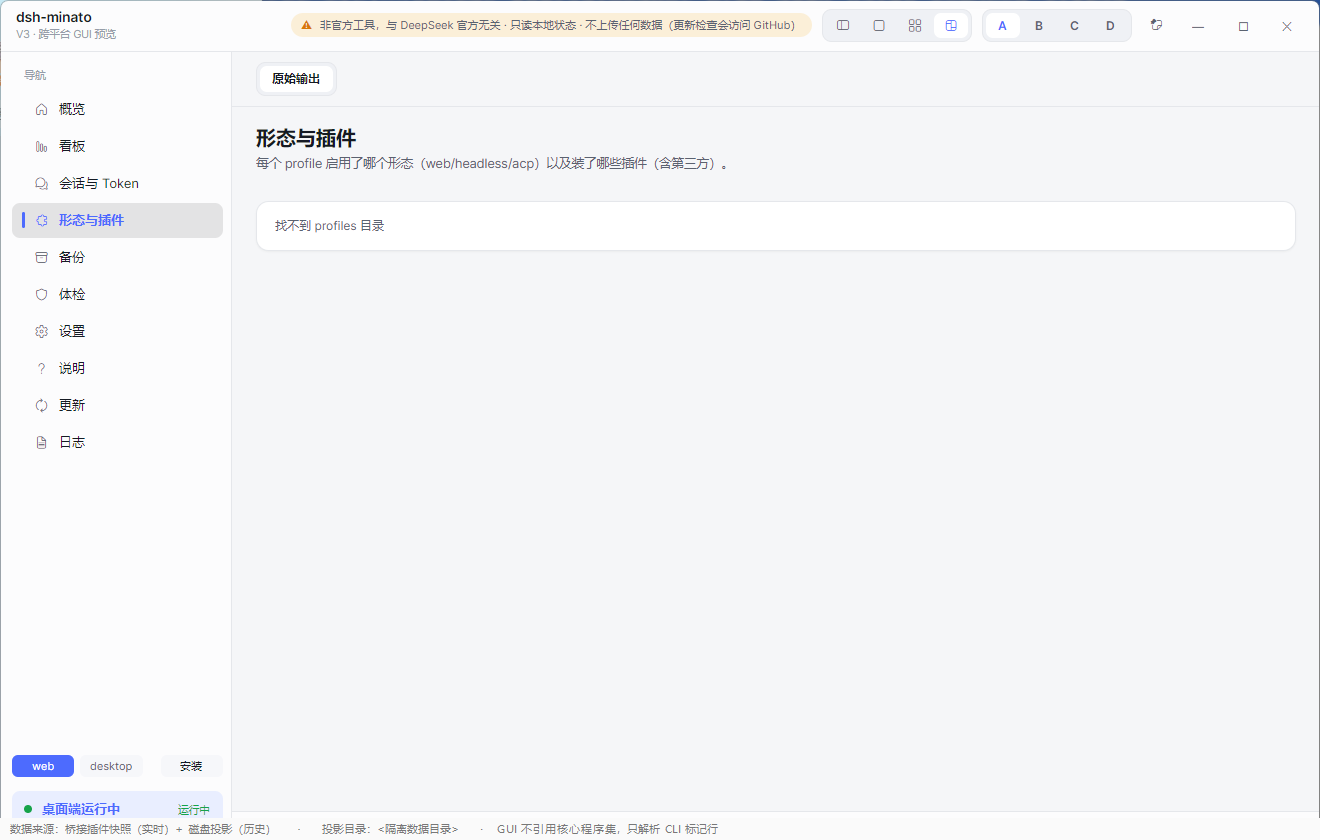 |
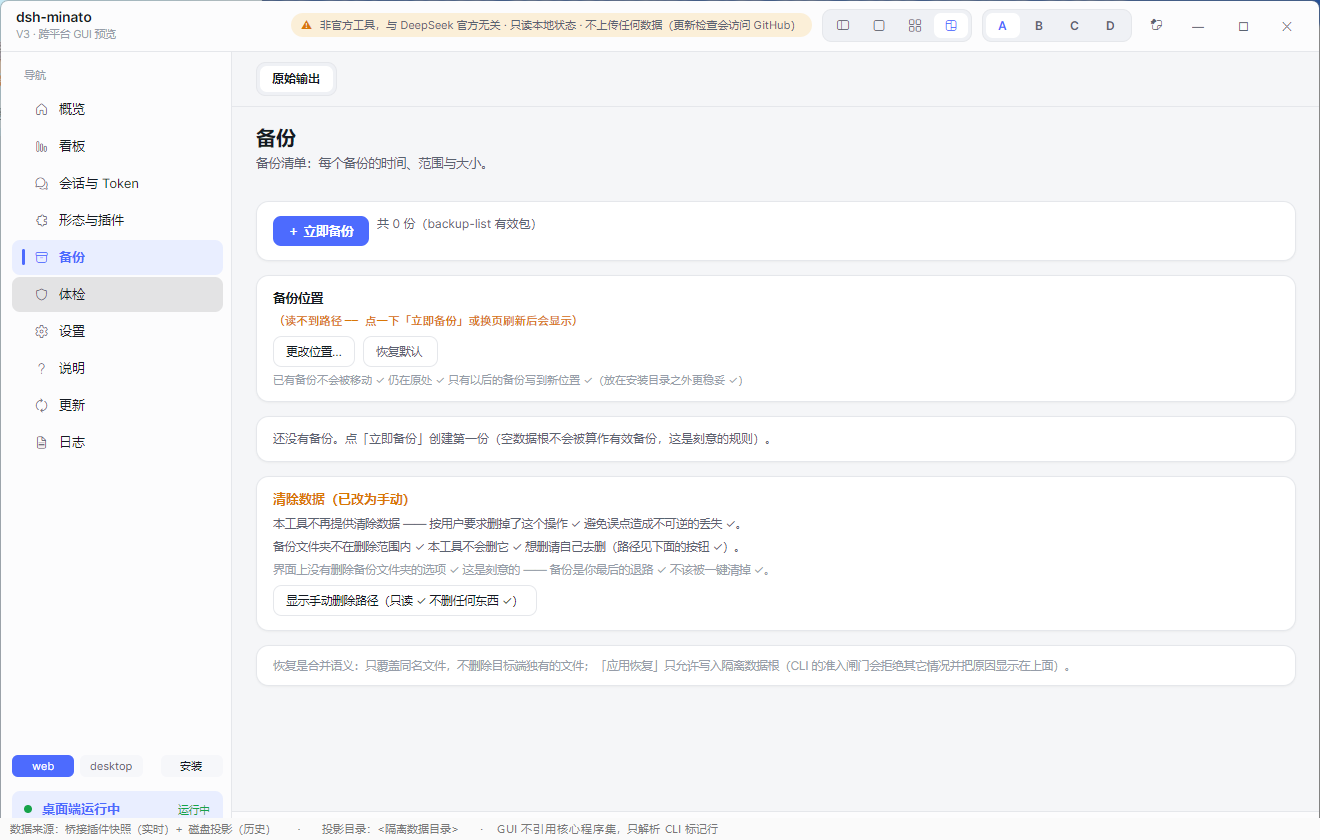 |
| Health check | Settings | Update centre |
|---|---|---|
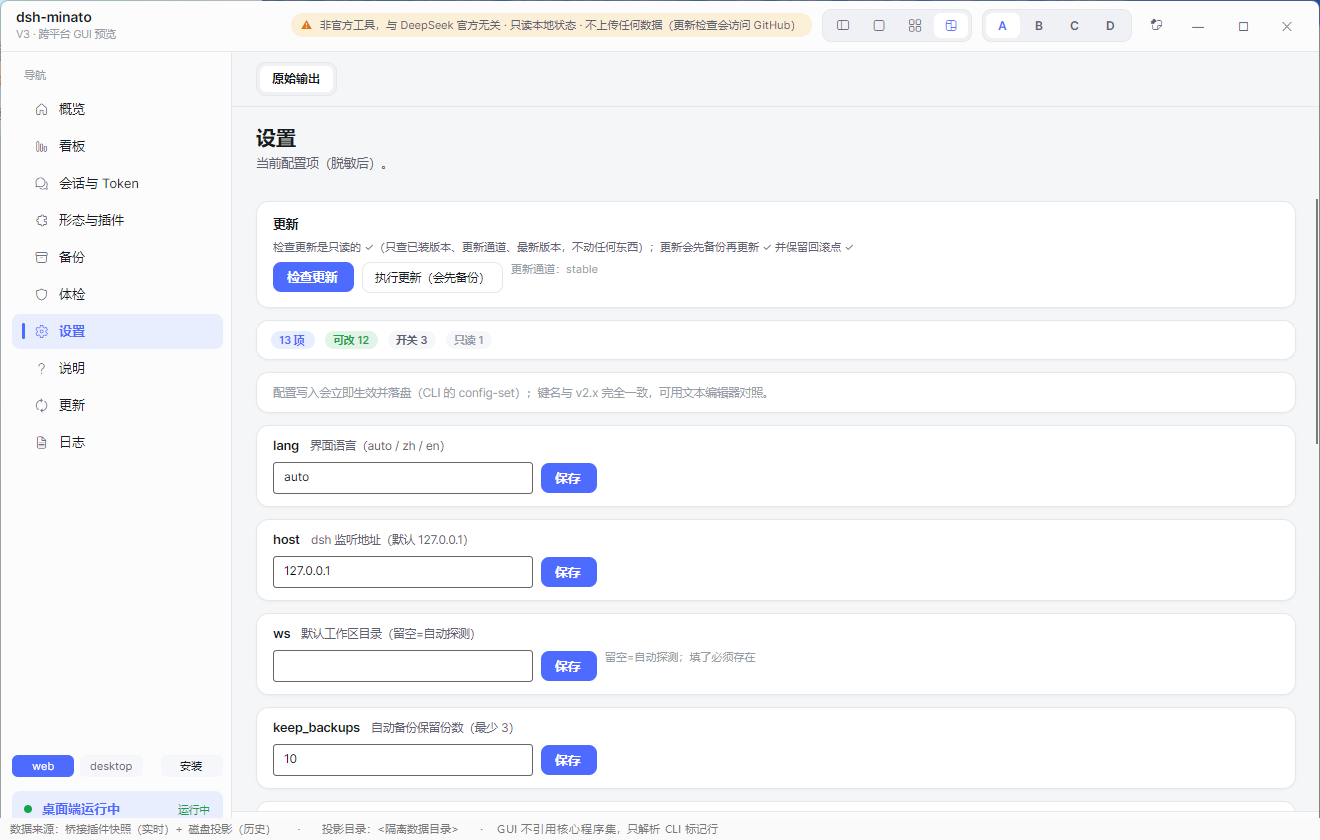 |
 |
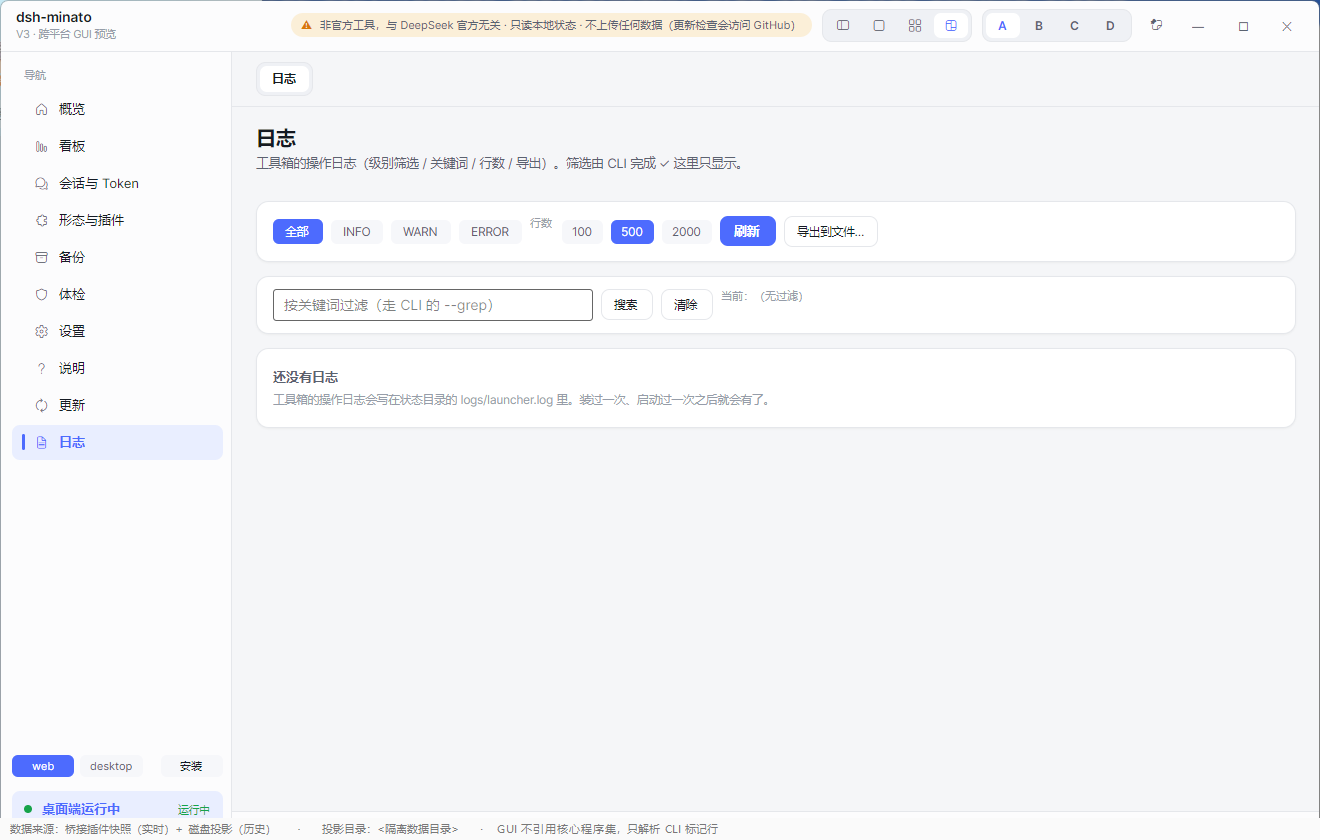 |
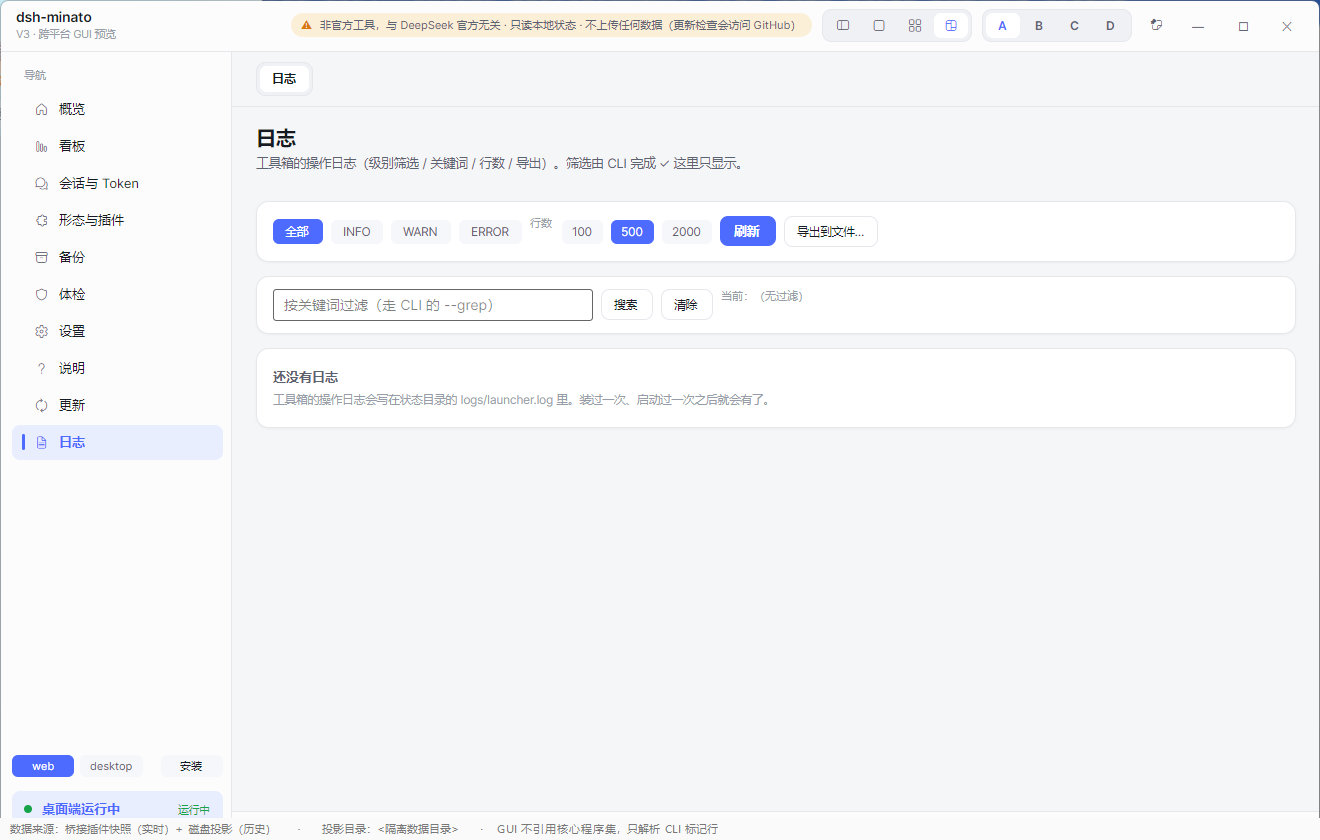
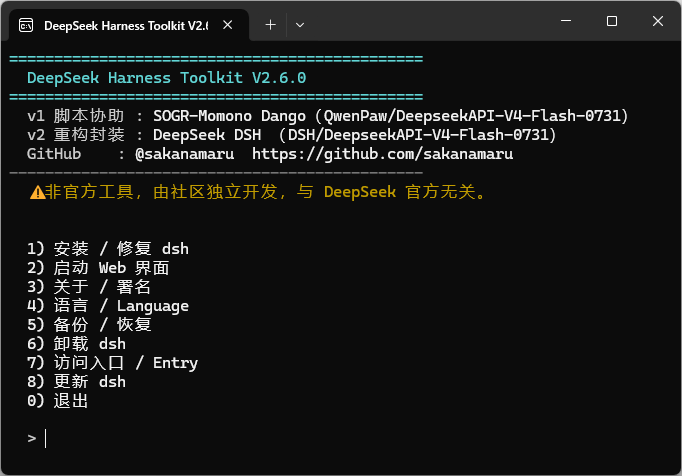
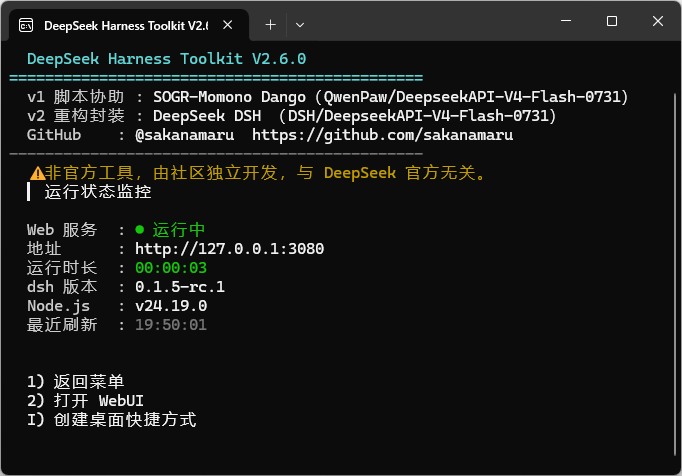
The remaining pages (overview, plugins, about, logs) and the CLI
| Overview | Plugins | About | Logs |
|---|---|---|---|
 |
 |
 |
 |
| CLI menu | CLI status |
|---|---|
 |
 |
Why this exists
dsh is a command-line tool. Installing it, starting it, backing it up and working out why it will not boot are all
terminal jobs — and the Web UI itself has no entry point for any of them.
This toolkit puts those jobs behind a window you can double-click:
- No terminal needed — install, start, stop, update and uninstall from a GUI.
- A backup you can trust — packages carry a completion marker and a content hash, so a truncated one is refused instead of silently restored.
- A straight answer when something breaks — the health check names the failing piece and prints the one line that fixes it, instead of leaving you with a stack trace.
Showing the opening section of the README — the full document lives in the repository以上为 README 开头摘要,完整文档在仓库内 · View the full README on GitHub →在 GitHub 查看完整 README →
Related相关推荐
-
 esengine/DeepSeek-Reasonix
A reliable coding agent for complex software engineering tasks.
esengine/DeepSeek-Reasonix
A reliable coding agent for complex software engineering tasks.
-
 strukto-ai/mirage
The World's First Virtual Terminal for AI Agents
strukto-ai/mirage
The World's First Virtual Terminal for AI Agents
-
 chuspeeism/dashi-taskboard
现代化可灵活嵌入的任务面板,支持 Codex、DeepSeek Harness
chuspeeism/dashi-taskboard
现代化可灵活嵌入的任务面板,支持 Codex、DeepSeek Harness
-
 Aisland-SJL/dsh-worktable
🖥️ Agent-project workbench for DeepSeek Harness — sidebar app drawer + dockable split workspace + a live control room w…
Aisland-SJL/dsh-worktable
🖥️ Agent-project workbench for DeepSeek Harness — sidebar app drawer + dockable split workspace + a live control room w…
-
 ccch1mneyyy/working-activity
Lively Working-line extension for pi CLI and DSH
ccch1mneyyy/working-activity
Lively Working-line extension for pi CLI and DSH
-
 zhoushoujianwork/easyeda-agent
嘉立创EDA专业版(EasyEDA Pro)自动化:给 AI harness 装上画板的「手」—— 一套 typed 原理图/PCB 动作,CLI / Agent Skill / stdio MCP 三形态融合接入。承接嘉立创「不以卖板赚钱…
zhoushoujianwork/easyeda-agent
嘉立创EDA专业版(EasyEDA Pro)自动化:给 AI harness 装上画板的「手」—— 一套 typed 原理图/PCB 动作,CLI / Agent Skill / stdio MCP 三形态融合接入。承接嘉立创「不以卖板赚钱…
-
 pulseaiclub/phi
a coding agent, rpc plugin, sub-agents, hashline edits, and mcp
pulseaiclub/phi
a coding agent, rpc plugin, sub-agents, hashline edits, and mcp
-
 Ikalus1988/MisakaNet
📚 A zero-dependency, git-backed micro-lesson library for AI Agents to asynchronously share and search verified debuggin…
Ikalus1988/MisakaNet
📚 A zero-dependency, git-backed micro-lesson library for AI Agents to asynchronously share and search verified debuggin…