sanshanya/better-model-provider
DeepSeek Harness的按模型能力声明:推理努力级别(wire拼写)+请求模态(视觉),适用于兼容OpenAI的提供商。设置部分,零运行时harness依赖,无YAML。
Project Overview项目介绍
better-model-provider is a DSH-native plugin that adds per-model capability editing functionality to DeepSeek Harness. The plugin lets users adjust reasoning effort levels, input modalities, and token capacity parameters for any model in the DSH model catalog. It supports full configuration for custom user-added models, and sparse overrides for existing models in the official DSH catalog, while leaving the core provider configuration logic untouched. The simplest install uses the dsh CLI to pull pre-built artifacts from the master branch, no local building or dependency installation is required for this method.
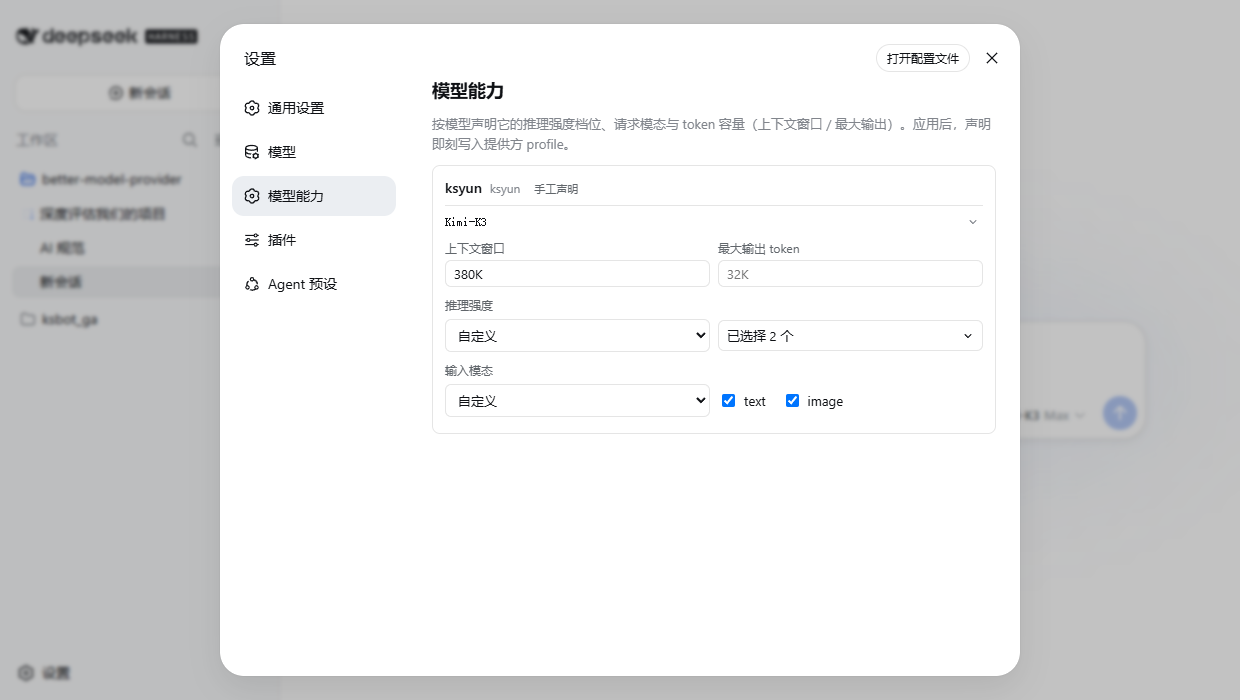
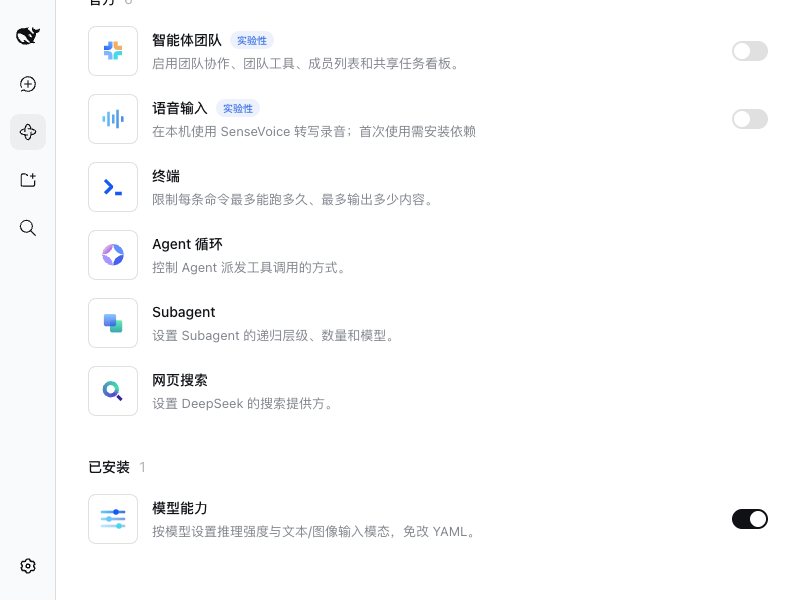
Before using the plugin, you must first configure your provider and API key on DSH’s official Models page, because the plugin does not handle or store API keys or manage route lifecycles. After installing the plugin and restarting dsh web, you will see a new “Model capabilities” section in the DSH Settings sidebar. You can expand any model row to edit its capabilities, and changes take effect immediately after you tap the Apply button. Overrides for official catalog models only store differences, so you still get all upstream updates from the official catalog. You can reset any model’s edits back to official defaults with a single click.
The plugin is officially compatible with the entire dsh 0.1.x version line, with a version constraint that requires @deepseek-ai/dsh-api-remotes between 0.1.0-rc.7 and 0.2.0. It has been verified to work on multiple dsh versions including rc.7, rc.8, 0.1.1-rc.2, and 0.1.2-alpha.1 to alpha.2. A daily CI canary test checks compatibility against the latest npm dist-tags for both the stable and alpha release channels of DSH. The plugin is released under the open source MIT license, and any surfaces outside the compatibility contract degrade gracefully instead of causing hard crashes. Local development requires npm dependencies to be installed before building the plugin package.
这是一款专为DeepSeek Harness开发的原生插件,支持用户对每个模型的能力配置进行可视化编辑调整。它允许修改推理 effort 等级、输入模态、token容量参数,既支持自定义自建模型的完整声明,也支持官方目录模型的稀疏覆盖,同时不会改动原有官方提供方的配置逻辑。
用户需要先在官方模型页面完成提供方和API密钥的配置,插件本身不管理这些密钥和路由生命周期信息。打开侧边栏设置中插件提供的「模型能力」面板后,就可以展开对应模型行编辑各项参数,修改后点击应用即可立即生效,适合需要自定义非官方模型能力或调整官方模型参数的用户。
可通过dsh命令行直接安装,指定master分支可获得预构建产物,无需本地编译构建。如果从默认分支源码安装,需要先配置pnpm允许构建后再执行安装。插件完全兼容dsh 0.1.x全版本,采用MIT开源许可协议,日常CI会持续验证兼容性。
请帮我安装这个 DSH 插件。安装前先完成【兼容性检查 + 安全性检查】,检查通过再动手。

插件:better-model-provider(sanshanya/better-model-provider)
仓库:https://github.com/sanshanya/better-model-provider
本站详情页:https://www.yhbd.top/plugins/sanshanya-better-model-provider/
本站登记:类型 plugin · 归类 原生 DSH 插件 · 许可证 MIT · ⭐ 12 · 最近提交 2026-10-02 · 主语言 TypeScript

按下面顺序执行,每步先把结论告诉我,再进入下一步:

【1 兼容性检查】
① 我这边:DSH 版本、Node 版本、操作系统、当前 profile(web / desktop)。
② 读它的 README、package.json、插件 manifest,列出它要求的 DSH 版本 / Node 版本 / 操作系统 / 外部依赖 / 需要另外先装的运行时。
③ 逐条比对,结论只写「满足 / 不满足 / 未知」三种;不满足的给出可行替代方案。
④ 检查是否和我已装的插件冲突:命令名重复、skill / tool 重名、端口占用、重复注册的 MCP server。

【2 安全性检查】
① 仓库可信度:和上面「本站登记」是否一致;star / fork 数、创建时间、最近提交,是否归档或长期停更。
② 安装脚本:逐行看 package.json 的 preinstall / install / postinstall,以及 install.sh、setup.ps1 之类脚本。出现 curl|bash、下载后直接执行、混淆代码、访问与插件功能无关的域名,立刻停下来告诉我,不要继续装。
③ 依赖:列出新增依赖,标出无人维护、或与知名包拼写近似的可疑包(typosquatting)。
④ 权限与副作用:它会读写哪些目录、访问哪些域名、需要哪些 DSH 权限(filesystem / network / shell / clipboard 等),以及怎么卸载和回滚。
⑤ 如果它要求 sudo / 管理员权限,或权限明显超出功能所需,先停下来问我。

【3 安装】
上面两步没有「不满足」和「高危项」时才执行;用官方推荐方式安装,不要自行提权。

【4 汇报】
用表格输出:检查项 / 结论 / 依据 / 是否需要我决策。拿不准的一律写「未知」并说明要我怎么确认——不要猜,也不要替我决定。
Send this message to DSH in your current session: it verifies compatibility and security first (answering met / not met / unknown item by item) and only installs once everything checks out — it will stop and ask you if it finds a high-risk item. The box scrolls; the copy is the full prompt. CLI install commands may not be accurate across systems, so DSH is the safer route.把上面这条消息直接发给当前会话里的 DSH:它会先核对兼容性与安全性(逐条给「满足 / 不满足 / 未知」),确认没问题再安装,有高危项会停下来问你。框内可滚动,复制到的是完整提示词;安装命令不一定准确,发给 DSH 更稳。
- 12 stars - an early-stage project星标 12,属于早期项目
DSH walks through these 9 checksDSH 会逐条核对这 9 项
Compatibility兼容性
- DSH, Node, OS and profile requirementsDSH 版本 / Node 版本 / 操作系统 / profile 是否满足要求
- External dependencies and runtimes (Electron / Python / Docker, ...)外部依赖与运行时(Electron / Python / Docker 等)是否齐备
- Conflicts with installed plugins: command names, skill / tool names, ports, duplicate MCP registration与已装插件是否冲突:命令名、skill / tool 重名、端口占用、重复 MCP 注册
Security安全性
- Repo matches the facts registered here; archived or abandoned?仓库是否与页面登记一致,是否归档或长期停更
- Safety of preinstall / install / postinstall and install.sh / setup.ps1preinstall / install / postinstall 与 install.sh、setup.ps1 是否安全
- curl|bash, download-then-execute, obfuscation, unrelated domains → stop immediatelycurl|bash、下载即执行、混淆代码、无关域名 → 立刻停止
- Typosquatting or unmaintained packages among the new dependencies新增依赖里有没有 typosquatting 或无人维护的包
- Requested permissions vs. what the feature actually needs申请了哪些权限、是否超出功能所需(filesystem / network / shell / clipboard)
- Any sudo / admin requirement, plus uninstall and rollback是否要求 sudo / 管理员权限,以及卸载与回滚方式
Anything uncertain must be marked unknown with a note on how to confirm it. This site's signal screen is a static snapshot, not a security audit.拿不准的必须标「未知」并说明要我怎么确认。本站的信号筛查是静态快照,不能替代安全审计。
Or use CLI install (for developers)或使用命令行安装(适合开发者)
CLI Install命令行安装
dsh plugin --profile web add github:sanshanya/better-model-provider把 sanshanya/better-model-provider 加入你的 DSH 配置(web profile)即可启用。
READMEREADME
better-model-provider
Sparse, non-destructive per-model overrides on official-catalog routes — including reasoning-effort levels and their wire spellings — without replacing the catalog.
Custom models: edit declarations. Official models: edit overrides. Provider configuration remains official.
Why
The official Models page edits a model's input types and token capacities, but it does so by rewriting that route's whole models array: one field touched, and every other model on the route stops following the catalog — and sparse modelOverrides becomes illegal there. It also has no control for per-model reasoning effort.
This page is the other seam. On an official-catalog route it writes only the difference for the model you touched — including reasoningEfforts levels and their wire spellings — and leaves the rest of the catalog following upstream. On your own declared routes it edits the declarations directly.
Install
dsh plugin --profile web add better-model-provider
The npm package ships ready-built, so this path never builds locally. Alternates: github:sanshanya/better-model-provider#master (CI republishes ready-built artifacts to the master branch on every green main push), or the default branch (github:sanshanya/better-model-provider), which builds from source and prints one pnpm allowBuilds key to add, then rerun add; a local link: install must npm install && npm run build first. Restart dsh web, and the Settings sidebar gains Model capabilities.
dsh plugin --profile web rm better-model-provider
Use
- Configure the provider and API key on the official Models page first — keys and route lifecycle are always managed there; this page does not repeat them.
- Expand a model row and edit its capabilities:
- Reasoning effort: pick Custom, check the levels you need; to offer "off" too, check
off(its wire value may stay blank). - Vision models: check
imageunder input modalities — otherwise sending an image to this model gets refused. - Capacities: K/M spelling reads best (
380K,1M). Tap Apply and the change takes effect at once.
- Reasoning effort: pick Custom, check the levels you need; to offer "off" too, check
- Official-catalog routes: tap Manage official models and edit. Every change here stores only the difference from the official default — everything else keeps following catalog updates; Reset to official defaults undoes all of one model's edits at once.
- Manage official providers (N) unfolds installed-but-unconfigured routes: pick one, apply the first change, and the route comes into being (its API key still goes on the official page).
Showing the opening section of the README — the full document lives in the repository以上为 README 开头摘要,完整文档在仓库内 · View the full README on GitHub →在 GitHub 查看完整 README →
Related相关推荐
-
 Alisa0808/vox-director
Turn one topic into a finished Vox-style paper-collage explainer/ad video — automated end to end on Atlas Cloud + ffmpeg…
Alisa0808/vox-director
Turn one topic into a finished Vox-style paper-collage explainer/ad video — automated end to end on Atlas Cloud + ffmpeg…
-
 ysr666/dsh-vision-router
Eyes for text-only DeepSeek Harness agents: built-in free vision chain (no key) + pixel-level vision tools (Q&A, groundi…
ysr666/dsh-vision-router
Eyes for text-only DeepSeek Harness agents: built-in free vision chain (no key) + pixel-level vision tools (Q&A, groundi…
-
 Mars-Sea/dsh-commandcode-provider
Command Code provider plugin for DeepSeek Harness (dsh). Adds Command Code model access, live model catalog, plan-aware …
Mars-Sea/dsh-commandcode-provider
Command Code provider plugin for DeepSeek Harness (dsh). Adds Command Code model access, live model catalog, plan-aware …
-
 volcengine/ark-cli
The fastest way to put Volcengine Ark in your terminal and your AI agent — go from prompt to generated media, multimod…
volcengine/ark-cli
The fastest way to put Volcengine Ark in your terminal and your AI agent — go from prompt to generated media, multimod…
-
 franksong2702/dsh-codex-connect
Use openai-codex models and image generation via ChatGPT OAuth for DeepSeek Harness.
franksong2702/dsh-codex-connect
Use openai-codex models and image generation via ChatGPT OAuth for DeepSeek Harness.
-
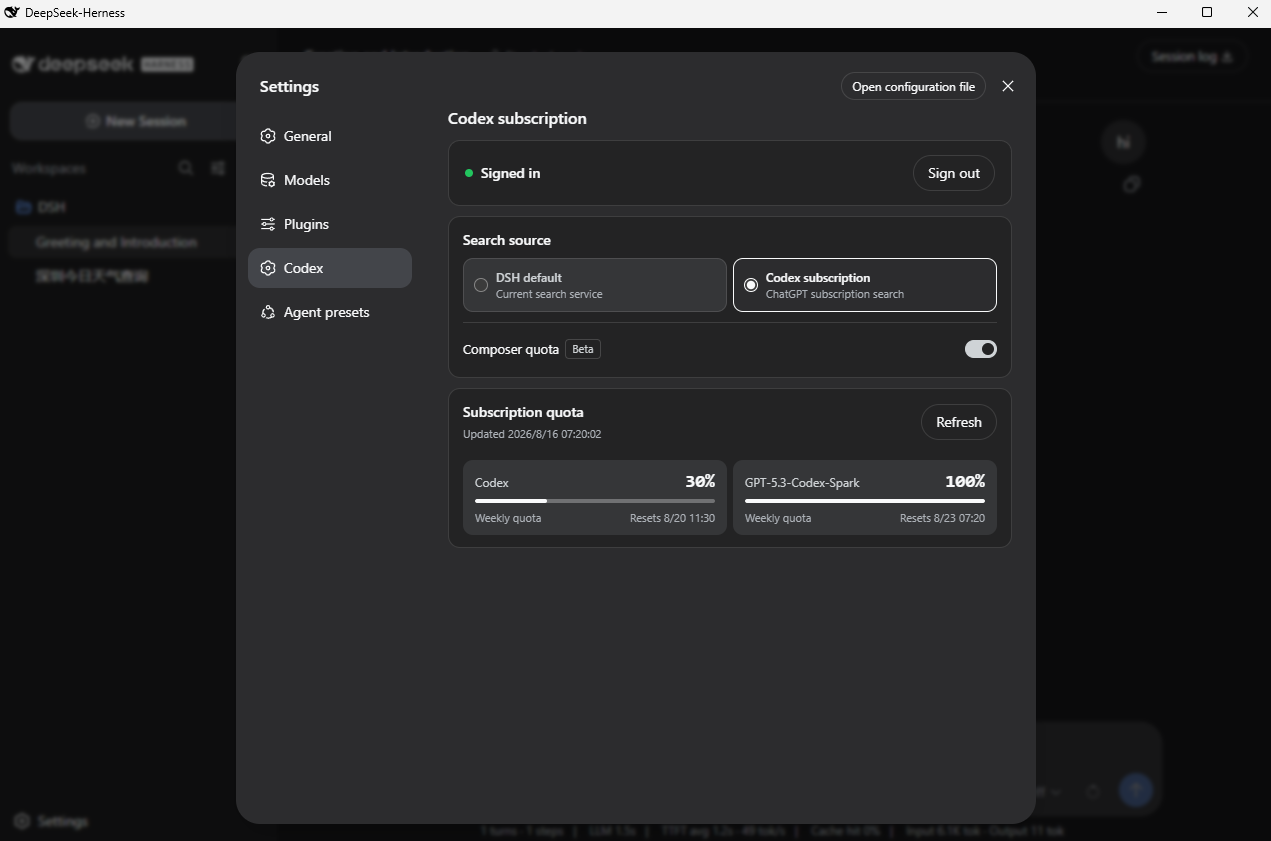 WSL043/dsh-codex-subscription
Use your ChatGPT / Codex subscription with DeepSeek Harness via OAuth, with model access, usage quotas, search, and imag…
WSL043/dsh-codex-subscription
Use your ChatGPT / Codex subscription with DeepSeek Harness via OAuth, with model access, usage quotas, search, and imag…
-
 Stormycry-cryp/dsh-AuthInOne
Self-contained DeepSeek Harness (DSH) plugin for Provider/Auth login, model switching, image fallback, token/cost analyt…
Stormycry-cryp/dsh-AuthInOne
Self-contained DeepSeek Harness (DSH) plugin for Provider/Auth login, model switching, image fallback, token/cost analyt…
-
 labring/sealos-skills
AI agent skills for Sealos — deploy any project, provision databases, object storage & more with one command. Works with…
labring/sealos-skills
AI agent skills for Sealos — deploy any project, provision databases, object storage & more with one command. Works with…