shenkonghui/dsh-llm-acp
DeepSeek Harness 的 ACP 客户端 LLM 适配器 + ACP 服务设置界面。通过外部 [Agent Client Protocol](https://agentclientprotocol.com) 服务器作为模型提供方接入 harness 的 LLM 层,并提供一个 Web 设置页面用于浏览 ACP 注册表和管理已配置的服务器。
Project Overview项目介绍
This is a native plugin for DeepSeek Harness (DSH) that adds an LLM adapter for the Agent Client Protocol (ACP), plus a built-in web UI for managing ACP servers. It enables DSH to connect to external ACP-compliant LLM agent servers as model providers, expanding the range of available models beyond DSH's built-in options. Users can add any agent listed on the official ACP registry, including popular options like Claude, Codex, Devin, and OpenCode. To install the plugin, run dsh plugin add github:shenkonghui/dsh-llm-acp via DSH CLI, no extra build steps are required.
The plugin is split into two separate components: a host-side component running on the DSH backend, and a client-side component running in the DSH web UI. The host component spawns a long-lived child process for each configured ACP server, establishes a JSON-RPC connection over stdin/stdout, and registers a matching LLM provider route in DSH's LLM layer. The client component adds a new "ACP Services" section to DSH's settings page, where users can browse the registry, add/remove servers, set API keys for authentication, and select which models to expose to DSH. Users can also manually configure servers directly in DSH's settings.yaml file if they prefer.
The plugin is released under the open source MIT license. There are some known limitations users should be aware of before use: it does not support DSH's native tool ecosystem, all tool calls are handled entirely by the connected ACP server, and DSH's tool configuration is ignored. Authentication is handled lazily: if no API key is configured, the plugin will only attempt authentication if the initial session/new request fails, and will only prompt for auth method selection when multiple options are available. You can enable debug logging for ACP interactions by setting the DSH_LLM_ACP_DEBUG_DIR environment variable.
这是DeepSeek Harness(DSH)的原生插件,实现了Agent Client Protocol(ACP)客户端的LLM适配器,同时附带ACP服务管理的Web设置界面。它可以让DSH接入符合ACP协议的外部LLM Agent服务器,为DSH扩展模型来源,支持从官方ACP注册表添加服务器,包括Claude、Codex、Devin、OpenCode等主流Agent服务。
插件分为宿主端和客户端两部分,宿主端负责为每个配置好的ACP服务器启动常驻子进程,通过标准输入输出建立JSON-RPC连接,并在DSH的LLM层注册对应路由。客户端则在DSH的Web设置界面添加「ACP服务」配置入口,支持浏览注册表、添加删除服务器、配置认证信息和选择需要启用的模型。
安装方式非常简单,可直接通过DSH CLI从GitHub仓库或本地目录安装,无需额外构建步骤。支持直接在Web UI配置,也可通过settings.yaml手动编写配置。插件采用MIT许可证开源,已知不支持DSH原生工具生态,所有工具调用都由ACP服务器自行处理。
请帮我安装这个 DSH 插件。安装前先完成【兼容性检查 + 安全性检查】,检查通过再动手。

插件:dsh-llm-acp(shenkonghui/dsh-llm-acp)
仓库:https://github.com/shenkonghui/dsh-llm-acp
本站详情页:https://www.yhbd.top/plugins/shenkonghui-dsh-llm-acp/
本站登记:类型 client · 归类 原生 DSH 插件 · 许可证未声明 · ⭐ 2 · 最近提交 2026-09-20 · 主语言 TypeScript

按下面顺序执行,每步先把结论告诉我,再进入下一步:

【1 兼容性检查】
① 我这边:DSH 版本、Node 版本、操作系统、当前 profile(web / desktop)。
② 读它的 README、package.json、插件 manifest,列出它要求的 DSH 版本 / Node 版本 / 操作系统 / 外部依赖 / 需要另外先装的运行时。
③ 逐条比对,结论只写「满足 / 不满足 / 未知」三种;不满足的给出可行替代方案。
④ 检查是否和我已装的插件冲突:命令名重复、skill / tool 重名、端口占用、重复注册的 MCP server。

【2 安全性检查】
① 仓库可信度:和上面「本站登记」是否一致;star / fork 数、创建时间、最近提交,是否归档或长期停更。
② 安装脚本:逐行看 package.json 的 preinstall / install / postinstall,以及 install.sh、setup.ps1 之类脚本。出现 curl|bash、下载后直接执行、混淆代码、访问与插件功能无关的域名,立刻停下来告诉我,不要继续装。
③ 依赖:列出新增依赖,标出无人维护、或与知名包拼写近似的可疑包(typosquatting)。
④ 权限与副作用:它会读写哪些目录、访问哪些域名、需要哪些 DSH 权限(filesystem / network / shell / clipboard 等),以及怎么卸载和回滚。
⑤ 如果它要求 sudo / 管理员权限,或权限明显超出功能所需,先停下来问我。

【3 安装】
上面两步没有「不满足」和「高危项」时才执行;用官方推荐方式安装,不要自行提权。

【4 汇报】
用表格输出:检查项 / 结论 / 依据 / 是否需要我决策。拿不准的一律写「未知」并说明要我怎么确认——不要猜,也不要替我决定。
Send this message to DSH in your current session: it verifies compatibility and security first (answering met / not met / unknown item by item) and only installs once everything checks out — it will stop and ask you if it finds a high-risk item. The box scrolls; the copy is the full prompt. CLI install commands may not be accurate across systems, so DSH is the safer route.把上面这条消息直接发给当前会话里的 DSH:它会先核对兼容性与安全性(逐条给「满足 / 不满足 / 未知」),确认没问题再安装,有高危项会停下来问你。框内可滚动,复制到的是完整提示词;安装命令不一定准确,发给 DSH 更稳。
- No license declared - all rights reserved by default; ask the author before commercial use or redistribution未声明开源许可证 —— 默认「保留所有权利」,商用或再分发前先问作者
- Only 2 stars - very few users, little community feedback星标只有 2,几乎没人在用,遇到问题缺少社区反馈
- Desktop client: installation downloads an executable - verify the publisher and checksums桌面客户端:安装会下载可执行文件,请核对发布者与校验和
DSH walks through these 9 checksDSH 会逐条核对这 9 项
Compatibility兼容性
- DSH, Node, OS and profile requirementsDSH 版本 / Node 版本 / 操作系统 / profile 是否满足要求
- External dependencies and runtimes (Electron / Python / Docker, ...)外部依赖与运行时(Electron / Python / Docker 等)是否齐备
- Conflicts with installed plugins: command names, skill / tool names, ports, duplicate MCP registration与已装插件是否冲突:命令名、skill / tool 重名、端口占用、重复 MCP 注册
Security安全性
- Repo matches the facts registered here; archived or abandoned?仓库是否与页面登记一致,是否归档或长期停更
- Safety of preinstall / install / postinstall and install.sh / setup.ps1preinstall / install / postinstall 与 install.sh、setup.ps1 是否安全
- curl|bash, download-then-execute, obfuscation, unrelated domains → stop immediatelycurl|bash、下载即执行、混淆代码、无关域名 → 立刻停止
- Typosquatting or unmaintained packages among the new dependencies新增依赖里有没有 typosquatting 或无人维护的包
- Requested permissions vs. what the feature actually needs申请了哪些权限、是否超出功能所需(filesystem / network / shell / clipboard)
- Any sudo / admin requirement, plus uninstall and rollback是否要求 sudo / 管理员权限,以及卸载与回滚方式
Anything uncertain must be marked unknown with a note on how to confirm it. This site's signal screen is a static snapshot, not a security audit.拿不准的必须标「未知」并说明要我怎么确认。本站的信号筛查是静态快照,不能替代安全审计。
Or use CLI install (for developers)或使用命令行安装(适合开发者)
CLI Install命令行安装
dsh plugin --profile my-acp add github:shenkonghui/dsh-llm-acp把 shenkonghui/dsh-llm-acp 加入你的 DSH 配置(web profile)即可启用。
READMEREADME
@deepseek-ai/dsh-llm-acp
中文 | English
DeepSeek Harness 的 ACP 客户端 LLM 适配器 + ACP 服务设置界面。通过外部 Agent Client Protocol 服务器作为模型提供方接入 harness 的 LLM 层,并提供一个 Web 设置页面用于浏览 ACP 注册表和管理已配置的服务器。
本包是一个双面 dsh 插件:宿主端(lib/index.js)是传输适配器,在 ctx.llm 上注册 provider 路由;客户端(lib/client.js)是浏览器设置页面,让用户从 Web UI 浏览 ACP 注册表并添加/删除 ACP agent 服务器。
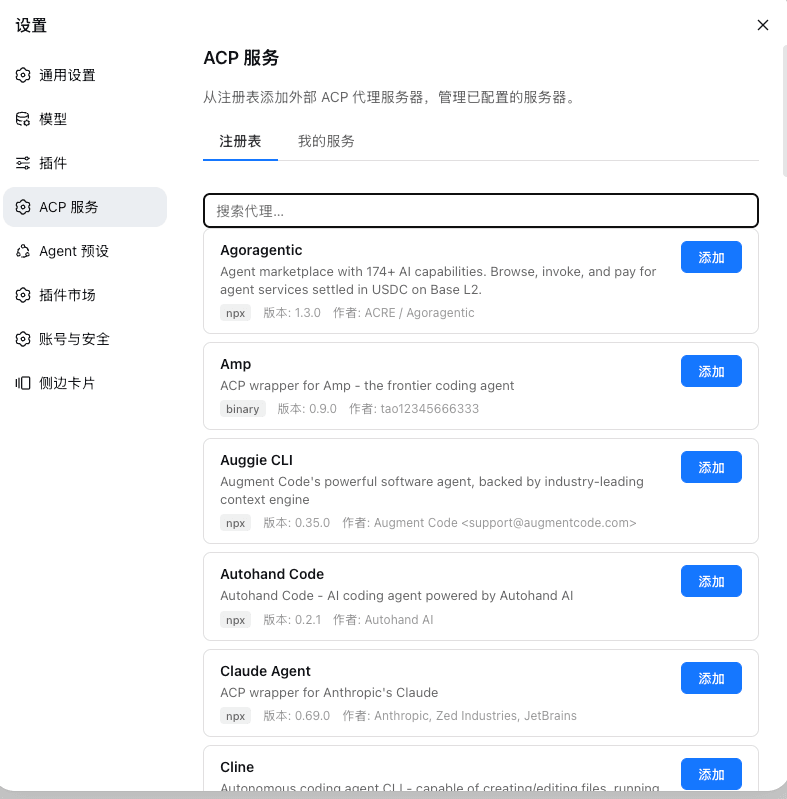
界面
ACP注册表添加acp-server
支持acp registry上的所有acp-server[https://agentclientprotocol.com/get-started/registry]
如claude,codex,opencode等
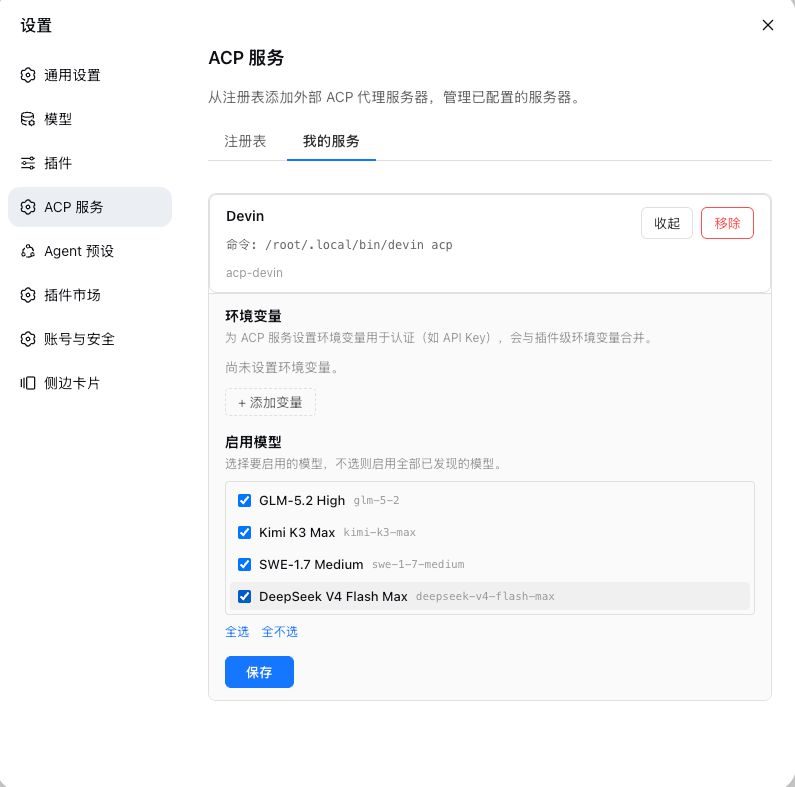
ACP服务管理
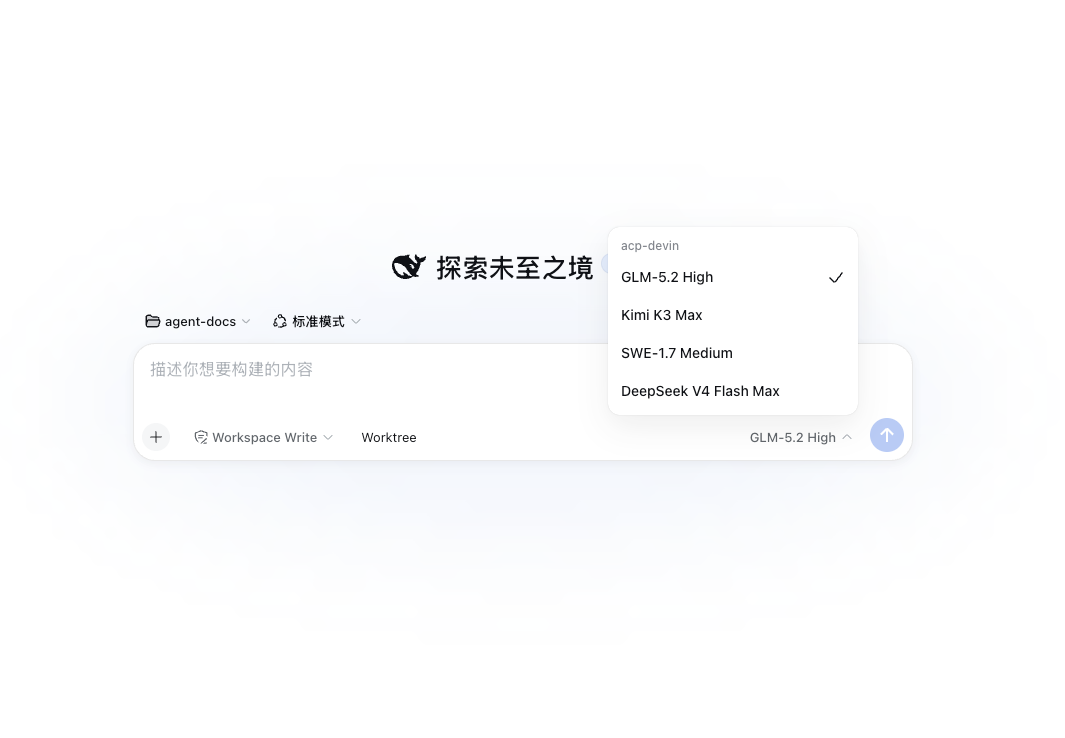
使用acp-server进行交互
安装
dsh plugin --profile my-acp add github:shenkonghui/dsh-llm-acp
或从本地目录安装:
dsh plugin --profile my-acp add ./dsh-llm-acp
构建产物(lib/)已提交到仓库,安装时无需运行任何构建脚本。
卸载
dsh plugin --profile my-acp remove @deepseek-ai/dsh-llm-acp
这会从 profile 中移除依赖和 bundle 层。
配置
安装后,在 Web UI 中打开 设置 → ACP 服务。浏览 ACP 注册表,在任意 agent(如 Devin、Codex、Claude Agent)上点击 添加,即可将其配置为 ACP 服务器。每个已配置的服务器会创建一个独立的 provider 路由 acp-<server-id>。
在 我的服务 标签页中,点击任意已配置服务器上的 编辑 按钮,可以:
- 设置环境变量用于认证(如
DEEPSEEK_API_KEY、OPENAI_API_KEY)。每个服务器的环境变量会与插件级env合并,服务级优先。 - 选择要启用的模型。从服务器发现的模型目录中多选要暴露的模型,不选则启用全部已发现的模型。
ACP server 不单独保存权限策略。它复用会话输入框中的权限列表:read-only 和 workspace-write 将敏感操作转发到 harness 审批界面,danger-full-access 自动允许。
也可以直接在 settings.yaml 中配置:
llm-acp:
  servers:
    devin:
      command: devin
      args:
        - acp
      name: Devin
      env:
        DEEPSEEK_API_KEY: sk-xxx
      models:
        - deepseek-chat
        - deepseek-reasoner
工作原理
整体流程
1. 插件加载阶段(apply(),src/index.ts)
dsh harness 启动
  └─ apply(ctx, config)
       ├─ 读取 llm-acp 设置命名空间 + 内联 config.servers,合并成服务器列表
       ├─ 对每个服务器 createServer():
       │    ├─ resolveNpxShortcut():npx -y <pkg> 若 bin 已在 PATH 则直接用 bin
       │    ├─ new AcpConnection():spawn 长生命周期子进程(stdin/stdout JSON-RPC)
       │    │    └─ initialize() 握手 → 仅配置了 API key 时才 authenticate()
       │    │       (无 key 直接走 env/缓存登录;session/new 失败才惰性补一次 authenticate;
       │    │         广告多种方式且未选 authMethod 时不猜、不起轮,交给 UI 选择)
       │    ├─ new AcpAdapter():构造时 discoverModels() 探测模型目录
       │    └─ ctx.llm.registerAdapter(['acp-<server-id>'], adapter)
       └─ reconcileDirectory():向设置页注册可配置 provider 目录
Showing the opening section of the README — the full document lives in the repository以上为 README 开头摘要,完整文档在仓库内 · View the full README on GitHub →在 GitHub 查看完整 README →
Related相关推荐
-
 reactive-resume/reactive-resume
A one-of-a-kind resume builder that keeps your privacy in mind. Completely secure, customizable, portable, open-source a…
reactive-resume/reactive-resume
A one-of-a-kind resume builder that keeps your privacy in mind. Completely secure, customizable, portable, open-source a…
-
 ningbainb/deepseek-harness-desktop
Open-source Windows desktop client and GUI for DeepSeek Harness — zero-setup installer with Codex, plugins, skills, SSH,…
ningbainb/deepseek-harness-desktop
Open-source Windows desktop client and GUI for DeepSeek Harness — zero-setup installer with Codex, plugins, skills, SSH,…
-
 elysia395/dsh-wallpaper-engine
把本机 Wallpaper Engine 的壁纸搬进 DSH 网页界面:场景壁纸由内置 MIT 开源引擎 WebWallGL 实时 WebGL 渲染(粒子 / puppet 骨骼 / SceneScript / 音频反应 / 鼠标交互),失…
elysia395/dsh-wallpaper-engine
把本机 Wallpaper Engine 的壁纸搬进 DSH 网页界面:场景壁纸由内置 MIT 开源引擎 WebWallGL 实时 WebGL 渲染(粒子 / puppet 骨骼 / SceneScript / 音频反应 / 鼠标交互),失…
-
 ChisaAlter/Deepseek-Harness-Desktop
DSH桌面端,支持主题和背景图等多种个性化配置。Electron desktop shell for DeepSeek Harness web UI
ChisaAlter/Deepseek-Harness-Desktop
DSH桌面端,支持主题和背景图等多种个性化配置。Electron desktop shell for DeepSeek Harness web UI
-
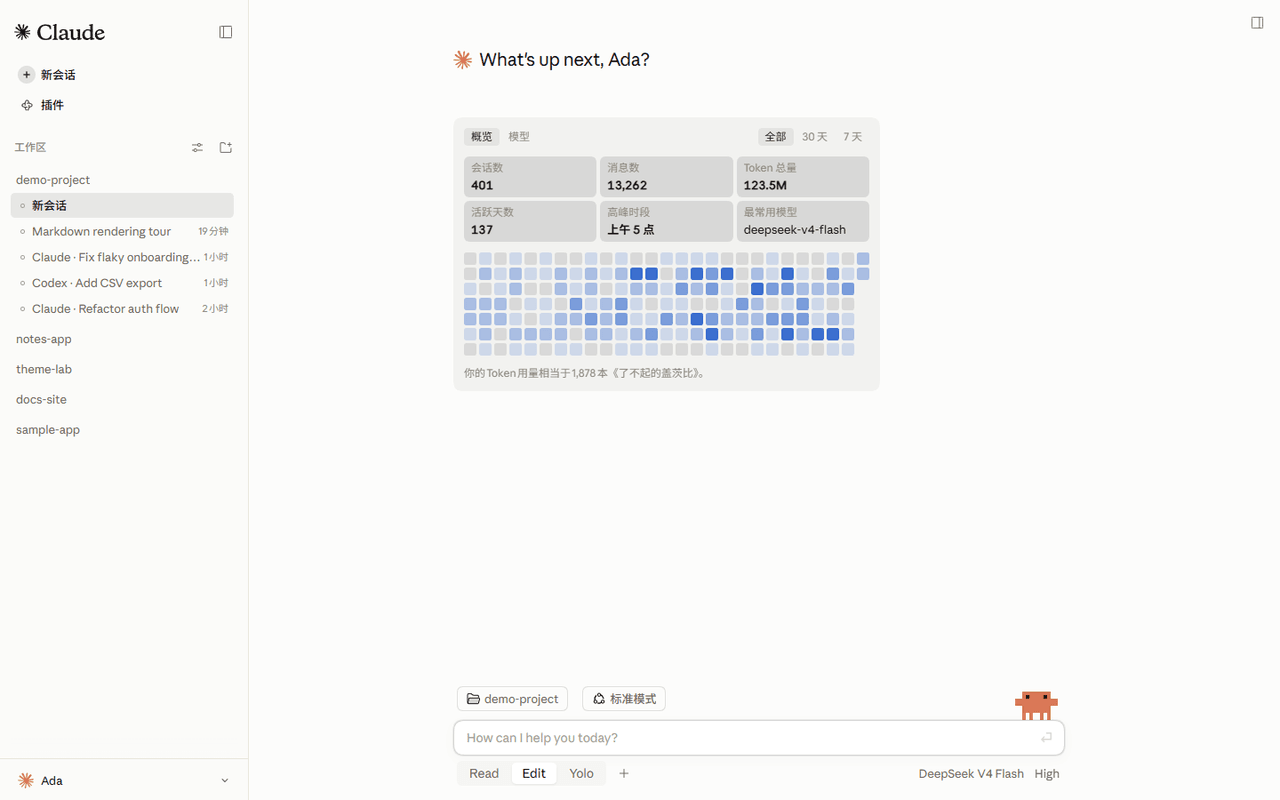 Nwflower/dsh-claude-style
Claude Code Desktop theme for DeepSeek Harness| 为 DeepSeek Harness 网页 GUI 打造的 Claude Code 桌面主题
Nwflower/dsh-claude-style
Claude Code Desktop theme for DeepSeek Harness| 为 DeepSeek Harness 网页 GUI 打造的 Claude Code 桌面主题
-
 rison114514/dsh-endfield-ui
Endfield-inspired industrial UI shell for DeepSeek Harness (dsh) — non-official fan theme. Install: dsh plugin --profile…
rison114514/dsh-endfield-ui
Endfield-inspired industrial UI shell for DeepSeek Harness (dsh) — non-official fan theme. Install: dsh plugin --profile…
-
 Links2008/DeepSeek-Harness-Desktop
Windows 桌面版 DeepSeek Harness 发行版,支持原生通知、流畅的窗口控制、捆绑运行时和自动更新。追踪官方主分支。针对官方版本进行了桌面美化和功能补充
Links2008/DeepSeek-Harness-Desktop
Windows 桌面版 DeepSeek Harness 发行版,支持原生通知、流畅的窗口控制、捆绑运行时和自动更新。追踪官方主分支。针对官方版本进行了桌面美化和功能补充
-
 XCNXNXNX/dsh-portable-tavern
DeepSeek Harness 的「便携酒馆」插件:RPG 式 SillyTavern V2/V3 角色卡生成器 + 酒馆角色扮演聊天。支持世界书、角色卡 JSON/PNG 导入导出、面板主题与本地音乐。独立插件,仅依赖官方 @deeps…
XCNXNXNX/dsh-portable-tavern
DeepSeek Harness 的「便携酒馆」插件:RPG 式 SillyTavern V2/V3 角色卡生成器 + 酒馆角色扮演聊天。支持世界书、角色卡 JSON/PNG 导入导出、面板主题与本地音乐。独立插件,仅依赖官方 @deeps…