sixtysevenlf/dsh-opencode-go-monitor
DSH(DeepSeek Harness)Web UI 悬浮面板插件:四标签页 实时显示 DeepSeek / Command Code GOAT / OpenCode Go / Charm Hyper 的余额(标签切换带滑动+淡入动画)。
catalog descriptioncatalog 简介 / catalog description:DSH web UI 悬浮面板:OpenCode Go 月度/滚动/每周额度余额 + 用量监控(key 本地读取,各自显示自己的余额)
Project Overview项目介绍
This is a native DSH plugin that adds a floating monitoring panel to the DSH web UI, designed to track API balance and usage for three LLM platforms: DeepSeek, Alibaba Bailian, and OpenCode Go. The panel is split into three tabs, each for one platform, with smooth slide and fade animations when switching between tabs. Users can drag the panel anywhere on the screen and resize it from the bottom right corner, and the plugin remembers the last position and size automatically. It polls the official APIs of each platform on a fixed interval: every 30 seconds for DeepSeek, and every 60 seconds for the other two platforms.
This plugin is built for DSH users who work with multiple LLM APIs and want to actively control their API usage costs. It includes multiple targeted cost-saving features: it automatically displays DeepSeek's peak and off-peak pricing periods, shows the current period status and a countdown to the next price switch, and lets users set custom hard and soft limits for daily spending and token usage. It can also generate reasonable recommended limits based on DeepSeek's official monthly usage data, and users can apply these recommendations to their custom limits with a single click. Additional optional features include request truncation after limits are exceeded, and compression of repeated tool outputs to reduce unnecessary token consumption.
The plugin is released under the open-source BSD-3-Clause license, and it runs exclusively within the DSH environment. Users need to configure the corresponding API keys or tokens for each platform in DSH's built-in credential system to unlock all of its monitoring and cost-saving features. All credentials are only used in the local process memory, never written to disk, logged, or sent to any third-party server, so users’ private account data remains completely secure on their own device. Installation can be done via extracting a shared zip file to the correct DSH directory, or cloning the repository directly from GitHub, and it activates after a hot reload without needing to restart the entire DSH service.
这是一款原生的DeepSeek Harness(DSH)Web UI悬浮面板插件,核心功能是实时监控DeepSeek、阿里百炼与OpenCode Go三个平台的API额度余额,分三标签页展示数据,点击切换带有滑动淡入动画,支持自由拖动位置、右下角调整大小,位置和尺寸会自动记忆。它按固定间隔轮询各平台官方接口获取最新数据,其中DeepSeek每30秒轮询一次,阿里百炼和OpenCode Go每60秒轮询一次。
本插件面向需要同时使用多个大模型API的DSH用户,主打省钱和成本控制功能。它会自动展示DeepSeek官方的高低价时段,显示当前时段状态和距下次切换的倒计时,支持设置金额和token额度的超限告警,还能基于DeepSeek官网的用量数据给出每日和每小时的限额建议,用户点击采纳即可一键套用生成的限额配置。额外支持超限后断点截断请求、低耗压缩工具结果减少token消耗的功能。
本插件遵循BSD-3-Clause开源许可,运行依赖DSH环境,用户需要在DSH凭据系统中分别配置对应平台的API密钥或令牌才能使用全部功能。所有密钥仅在进程内存中使用,不落盘、不写日志、也不会发送给第三方,每个用户需要在自己的设备上配置个人凭据,才能查看自己的账户数据。安装可通过zip包解压复制或Git克隆完成,配置注册后热加载即可生效。
请帮我安装这个 DSH 插件。安装前先完成【兼容性检查 + 安全性检查】,检查通过再动手。

插件:dsh-opencode-go-monitor(sixtysevenlf/dsh-opencode-go-monitor)
仓库:https://github.com/sixtysevenlf/dsh-opencode-go-monitor
本站详情页:https://www.yhbd.top/plugins/sixtysevenlf-dsh-opencode-go-monitor/
本站登记:类型 plugin · 归类 原生 DSH 插件 · 许可证 BSD-3-Clause · ⭐ 6 · 最近提交 2026-09-18 · 主语言 JavaScript

按下面顺序执行,每步先把结论告诉我,再进入下一步:

【1 兼容性检查】
① 我这边:DSH 版本、Node 版本、操作系统、当前 profile(web / desktop)。
② 读它的 README、package.json、插件 manifest,列出它要求的 DSH 版本 / Node 版本 / 操作系统 / 外部依赖 / 需要另外先装的运行时。
③ 逐条比对,结论只写「满足 / 不满足 / 未知」三种;不满足的给出可行替代方案。
④ 检查是否和我已装的插件冲突:命令名重复、skill / tool 重名、端口占用、重复注册的 MCP server。

【2 安全性检查】
① 仓库可信度:和上面「本站登记」是否一致;star / fork 数、创建时间、最近提交,是否归档或长期停更。
② 安装脚本:逐行看 package.json 的 preinstall / install / postinstall,以及 install.sh、setup.ps1 之类脚本。出现 curl|bash、下载后直接执行、混淆代码、访问与插件功能无关的域名,立刻停下来告诉我,不要继续装。
③ 依赖:列出新增依赖,标出无人维护、或与知名包拼写近似的可疑包(typosquatting)。
④ 权限与副作用:它会读写哪些目录、访问哪些域名、需要哪些 DSH 权限(filesystem / network / shell / clipboard 等),以及怎么卸载和回滚。
⑤ 如果它要求 sudo / 管理员权限,或权限明显超出功能所需,先停下来问我。

【3 安装】
上面两步没有「不满足」和「高危项」时才执行;用官方推荐方式安装,不要自行提权。

【4 汇报】
用表格输出:检查项 / 结论 / 依据 / 是否需要我决策。拿不准的一律写「未知」并说明要我怎么确认——不要猜,也不要替我决定。
Send this message to DSH in your current session: it verifies compatibility and security first (answering met / not met / unknown item by item) and only installs once everything checks out — it will stop and ask you if it finds a high-risk item. The box scrolls; the copy is the full prompt. CLI install commands may not be accurate across systems, so DSH is the safer route.把上面这条消息直接发给当前会话里的 DSH:它会先核对兼容性与安全性(逐条给「满足 / 不满足 / 未知」),确认没问题再安装,有高危项会停下来问你。框内可滚动,复制到的是完整提示词;安装命令不一定准确,发给 DSH 更稳。
- Only 6 stars - very few users, little community feedback星标只有 6,几乎没人在用,遇到问题缺少社区反馈
DSH walks through these 9 checksDSH 会逐条核对这 9 项
Compatibility兼容性
- DSH, Node, OS and profile requirementsDSH 版本 / Node 版本 / 操作系统 / profile 是否满足要求
- External dependencies and runtimes (Electron / Python / Docker, ...)外部依赖与运行时(Electron / Python / Docker 等)是否齐备
- Conflicts with installed plugins: command names, skill / tool names, ports, duplicate MCP registration与已装插件是否冲突:命令名、skill / tool 重名、端口占用、重复 MCP 注册
Security安全性
- Repo matches the facts registered here; archived or abandoned?仓库是否与页面登记一致,是否归档或长期停更
- Safety of preinstall / install / postinstall and install.sh / setup.ps1preinstall / install / postinstall 与 install.sh、setup.ps1 是否安全
- curl|bash, download-then-execute, obfuscation, unrelated domains → stop immediatelycurl|bash、下载即执行、混淆代码、无关域名 → 立刻停止
- Typosquatting or unmaintained packages among the new dependencies新增依赖里有没有 typosquatting 或无人维护的包
- Requested permissions vs. what the feature actually needs申请了哪些权限、是否超出功能所需(filesystem / network / shell / clipboard)
- Any sudo / admin requirement, plus uninstall and rollback是否要求 sudo / 管理员权限,以及卸载与回滚方式
Anything uncertain must be marked unknown with a note on how to confirm it. This site's signal screen is a static snapshot, not a security audit.拿不准的必须标「未知」并说明要我怎么确认。本站的信号筛查是静态快照,不能替代安全审计。
Or use CLI install (for developers)或使用命令行安装(适合开发者)
CLI Install命令行安装
dsh plugin --profile web add github:sixtysevenlf/dsh-opencode-go-monitor把 sixtysevenlf/dsh-opencode-go-monitor 加入你的 DSH 配置(web profile)即可启用。
READMEREADME
余额悬浮窗(dsh-opencode-go-monitor)
DSH(DeepSeek Harness)Web UI 悬浮面板插件:四标签页 实时显示 DeepSeek / Command Code GOAT / OpenCode Go / Charm Hyper 的余额(标签切换带滑动+淡入动画)。
功能
- 四标签页:DeepSeek 余额 / Command Code GOAT 余额 / OpenCode Go 额度 / Charm Hyper 余额,点击切换,带方向滑动 + 淡入动画
- OpenCode Go 页:官方订阅额度三窗口(滚动 / 每周 / 每月):剩余 %(绿≥50% / 橙≥25% / 红<25%)+ 进度条 + 已用 % + 重置倒计时,外加最近一次窗口重置倒计时
- Command Code GOAT 页:5 小时 / 每周 两档滚动窗口:剩余 %(绿≥50% / 橙≥25% / 红<25%)+ 进度条 + 已用 % + 重置倒计时,外加 月度余额(美元:月度+已购+免费三池合计)
- DeepSeek 页:余额、预计剩余 tokens(按官方现行价 + 本账户用量结构折算的有效单价估算,尾注当前空闲/高峰时段与单价)、当前模型
- Charm Hyper 页:余额(hypercredits)+ 约合美元(官方 balance_usd,或按 20 hc ≈ $1 折算)
- 可拖动(位置记忆)、右下角调整大小(尺寸记忆)
- 轮询:DeepSeek 每 30s、Command Code GOAT 每 60s、OpenCode Go 每 60s、Charm Hyper 每 30s
已移除原「省钱」功能:限额、超限断点截断、低耗压缩、官网用量分析、语音提醒、时段建议等。
预计剩余估算口径(2026-09 官方调价后)
官方现行价(¥/百万 tokens,空闲时段价;高峰时段 = 空闲 × 2):
| 模型 | 输入·缓存命中 | 输入·缓存未命中 | 输出 |
|---|---|---|---|
deepseek-flash(旧名 deepseek-v4-flash / deepseek-v4-flash-vision-exp 现由 V4.1-Flash 提供服务,按 Flash 计费) |
0.02 | 1 | 4 |
| deepseek-v4-pro | 0.15 | 4.5 | 13.5 |
- 高峰时段:北京时间周一至周五 09:00-12:00、14:00-18:00;其余时间(含周末全天)为空闲时段
- 有效单价=输入侧(缓存命中率加权)× 输入占比 + 输出价 × 输出占比;命中率与占比取本账户 2026-08 官网平台实测(命中 721.98M / 未命中 6.84M / 输出 4.69M → 命中率 99.1%、输出占比 0.6%)
- 推算结果:Flash 空闲 ≈ ¥0.0546/百万、高峰 ≈ ¥0.1092/百万;Pro 空闲 ≈ ¥0.2759/百万、高峰 ≈ ¥0.5518/百万
- 面板「预计剩余」= 余额 ÷ 当前时段有效单价,行尾标注「空闲/高峰 + 单价」;鼠标悬浮可看完整口径(官方三档价、命中率、另一时段估算)
- 对照 2026-09 调价前(Flash 命中 0.05 / 未命中 1.5 / 输出 4.5):同余额下预计剩余约为调价前的 2.2 倍
- 价格来源:DeepSeek 官方「模型 & 价格」页
估算仅为参考:实际花费取决于缓存命中率、输出占比与所用模型;切换模型(Flash ↔ Pro)后按对应价目重算。命中率与占比是本账户实测常数(其他部署请按自己账号的平台月报改
DS_USAGE_SAMPLE),改价只改DS_PRICE_OFFPEAK一处即可。未建模:法定节假日(官方公告里也按空闲计价,影响 <1%);若 V4 Pro 后续改由 Flash 提供服务,按模型名仍走 Pro 价目(估算偏保守)。
前置条件
| 依赖 | 说明 |
|---|---|
| DeepSeek Harness(web 或桌面端) | 插件运行在 DSH 内 |
| DeepSeek API key | DSH 设置 → 凭据 添加 DEEPSEEK_API_KEY(DeepSeek 余额标签页用) |
| Command Code GOAT 订阅 + API key | DSH 设置 → 凭据 添加 COMMANDCODE_API_KEY(在 commandcode.ai/settings 创建,user_ 开头;也兼容 COMMAND_CODE_API_KEY 命名或环境变量 COMMAND_CODE_API_KEY,未配置时尽力而为读取 Command Code CLI 登录凭据 ~/.commandcode/auth.json) |
| Charm Hyper 订阅 + API key | DSH 设置 → 凭据 添加 HYPER_API_KEY(兼容 HYPERCHARM_API_KEY 命名或环境变量) |
| OpenCode Go 订阅 | DSH 设置 → 凭据 添加 OPENCODE_GO_API_KEY(兼容 OPENCODE_API_KEY / 同名环境变量);未配置时自动读 opencode 登录凭据 ~/.local/share/opencode/auth.json 的 opencode-go 条目,WSL 下还会探测 Windows 用户目录 /mnt/c/Users/<用户>/.local/share/opencode/auth.json |
Showing the opening section of the README — the full document lives in the repository以上为 README 开头摘要,完整文档在仓库内 · View the full README on GitHub →在 GitHub 查看完整 README →
Related相关推荐
-
 Xenia0922/dsh-opencode-go-usage
DeepSeek Harness 插件:OpenCode Go 用量与花费悬浮仪表盘(配额、逐请求成本、模型/来源分布)
Xenia0922/dsh-opencode-go-usage
DeepSeek Harness 插件:OpenCode Go 用量与花费悬浮仪表盘(配额、逐请求成本、模型/来源分布)
-
 GLFzr/dsh-opencode-go-quota
DSH 插件:OpenCode Go 额度圆环 —— 输入框模型选择器左侧的进度圆环,点击切换 5小时/每周/每月用量(OpenCode Go quota ring for DeepSeek Harness Web)
GLFzr/dsh-opencode-go-quota
DSH 插件:OpenCode Go 额度圆环 —— 输入框模型选择器左侧的进度圆环,点击切换 5小时/每周/每月用量(OpenCode Go quota ring for DeepSeek Harness Web)
-
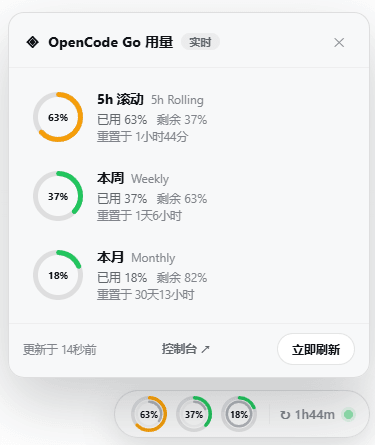 xueayi/dsh-opencode-go-usage
OpenCode Go plan usage monitor for DeepSeek Harness: real-time 5h-rolling / weekly / monthly quota in a floating web doc…
xueayi/dsh-opencode-go-usage
OpenCode Go plan usage monitor for DeepSeek Harness: real-time 5h-rolling / weekly / monthly quota in a floating web doc…
-
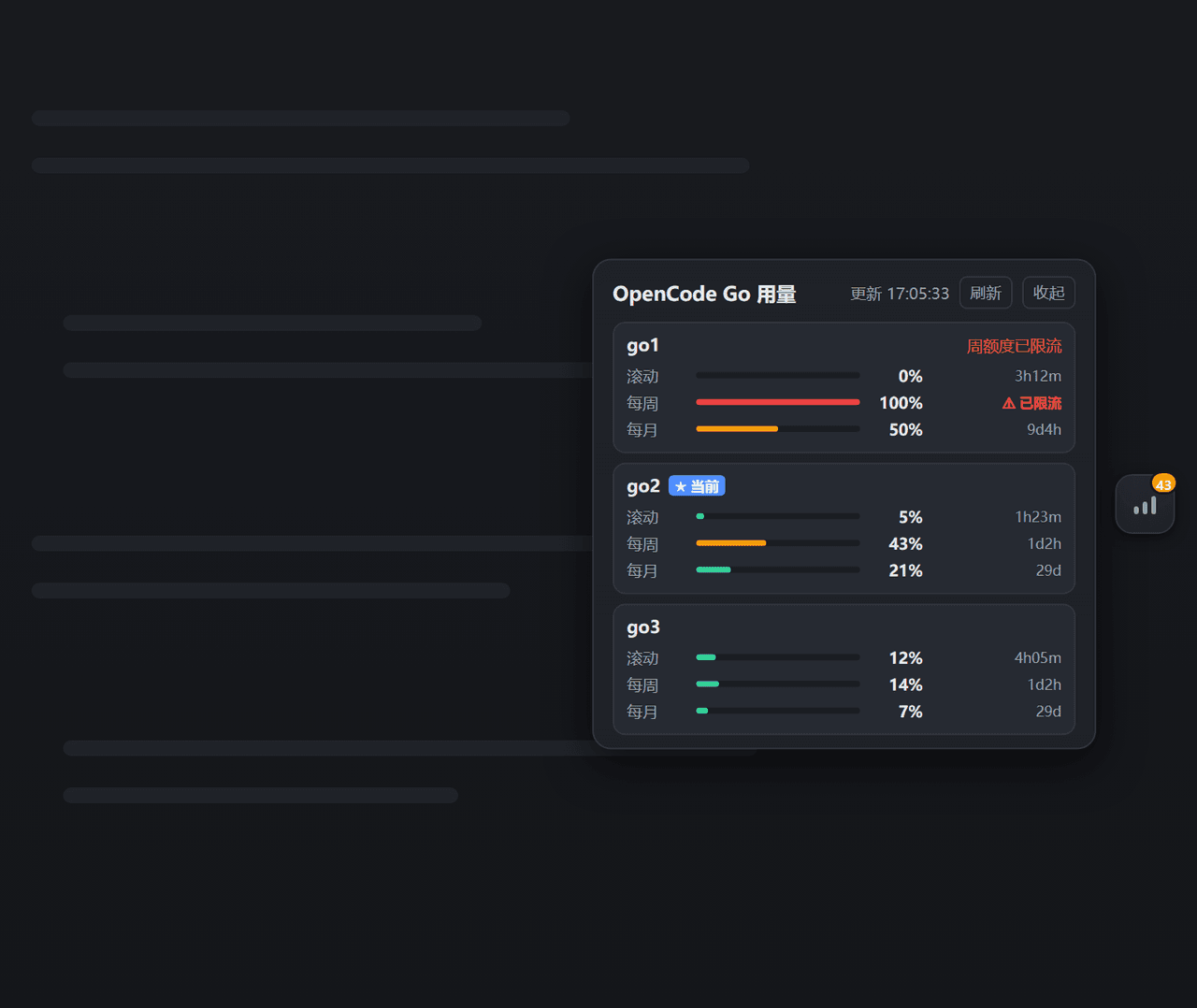 xiaweiliang060035/dsh-opencode-go-usage
DSH (DeepSeek Harness) web plugin — floating widget showing real-time OpenCode Go subscription usage (rolling / weekly /…
xiaweiliang060035/dsh-opencode-go-usage
DSH (DeepSeek Harness) web plugin — floating widget showing real-time OpenCode Go subscription usage (rolling / weekly /…
- whitelonng/dsh-opencode-go-pool DeepSeek Harness plugin: multi-key pool with automatic quota failover and a usage dashboard for the OpenCode Go plan
-
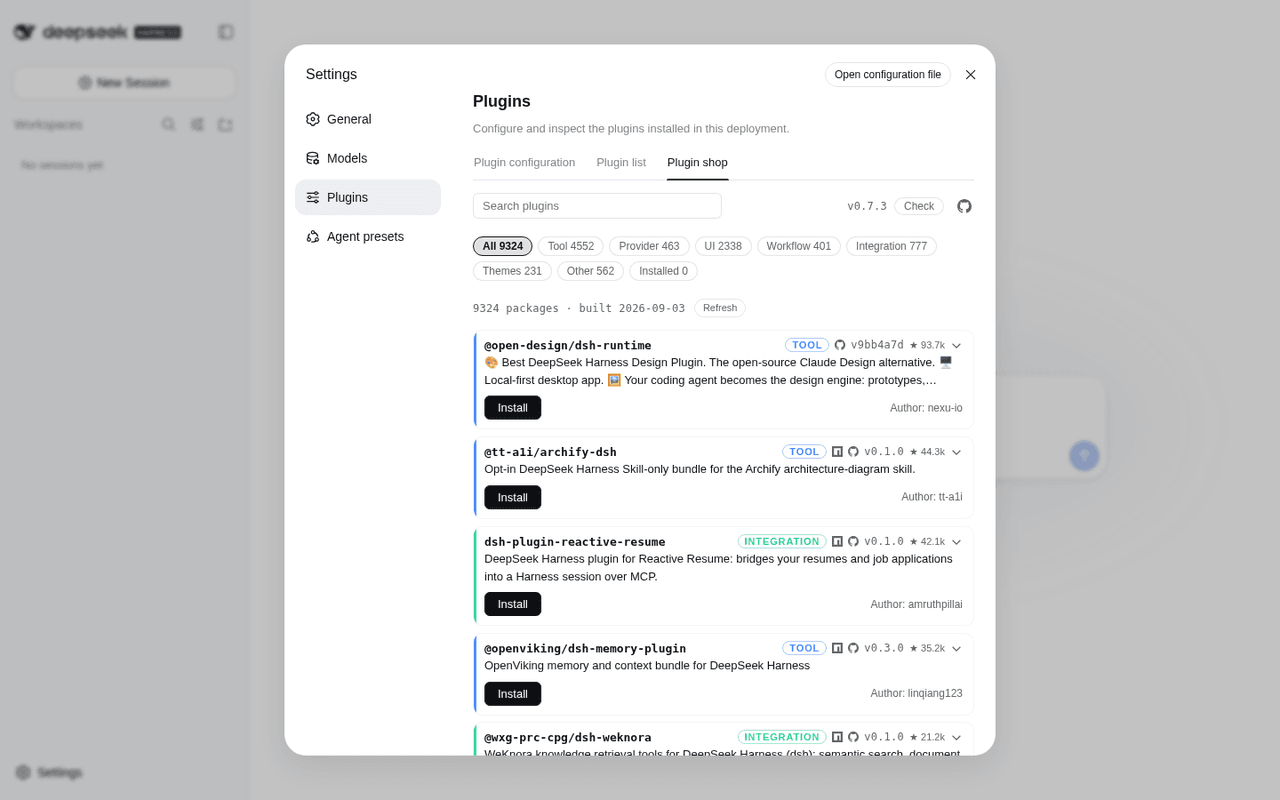 LivXue/dsh-plugin-shop
The most comprehensive DeepSeek Harness plugin market — refreshed daily, sourced across the Internet, reviewed before pu…
LivXue/dsh-plugin-shop
The most comprehensive DeepSeek Harness plugin market — refreshed daily, sourced across the Internet, reviewed before pu…
-
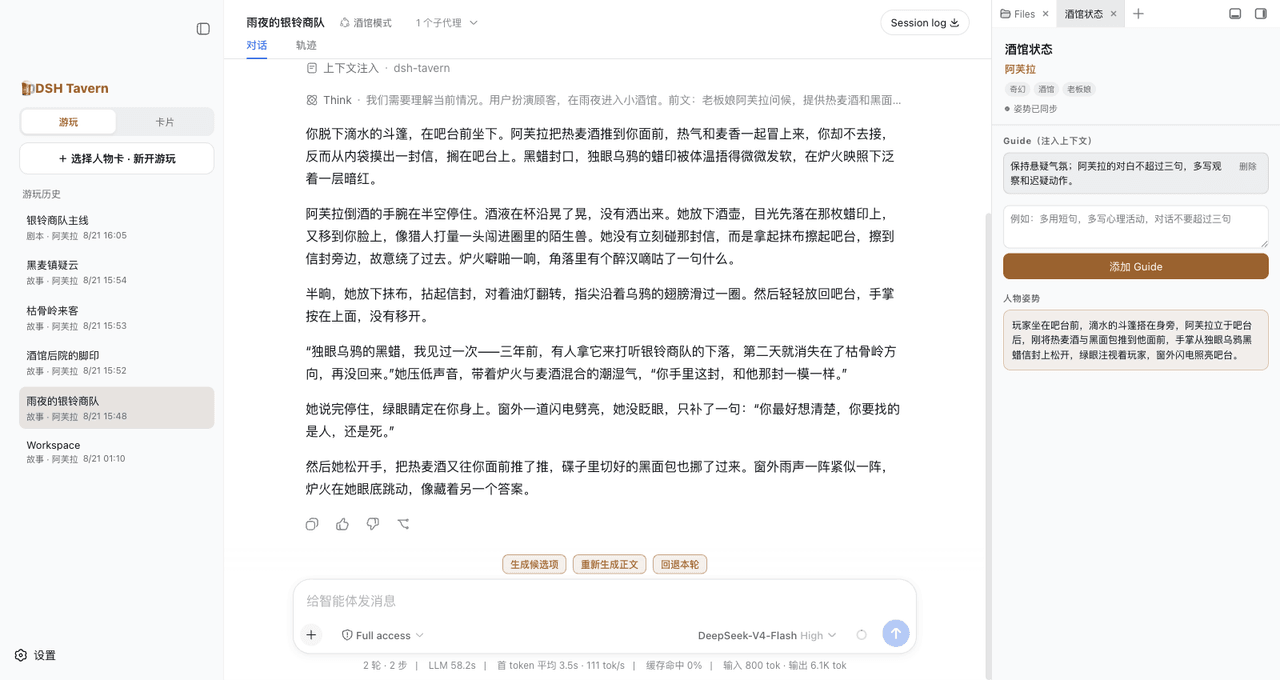 flizzywine/dsh-tavern
基于DSH的Agent酒馆。兼容SillyTavern生态,人物卡直接导入就能玩。更快、更稳、更鲜活。所有模型都能用。手机也能玩。
flizzywine/dsh-tavern
基于DSH的Agent酒馆。兼容SillyTavern生态,人物卡直接导入就能玩。更快、更稳、更鲜活。所有模型都能用。手机也能玩。
-
 weijiafu14/pi2dsh
Bridge the Pi and DeepSeek Harness ecosystems: one Pi Host ABI runs unmodified Pi extensions as native DSH plugins. 打通 P…
weijiafu14/pi2dsh
Bridge the Pi and DeepSeek Harness ecosystems: one Pi Host ABI runs unmodified Pi extensions as native DSH plugins. 打通 P…