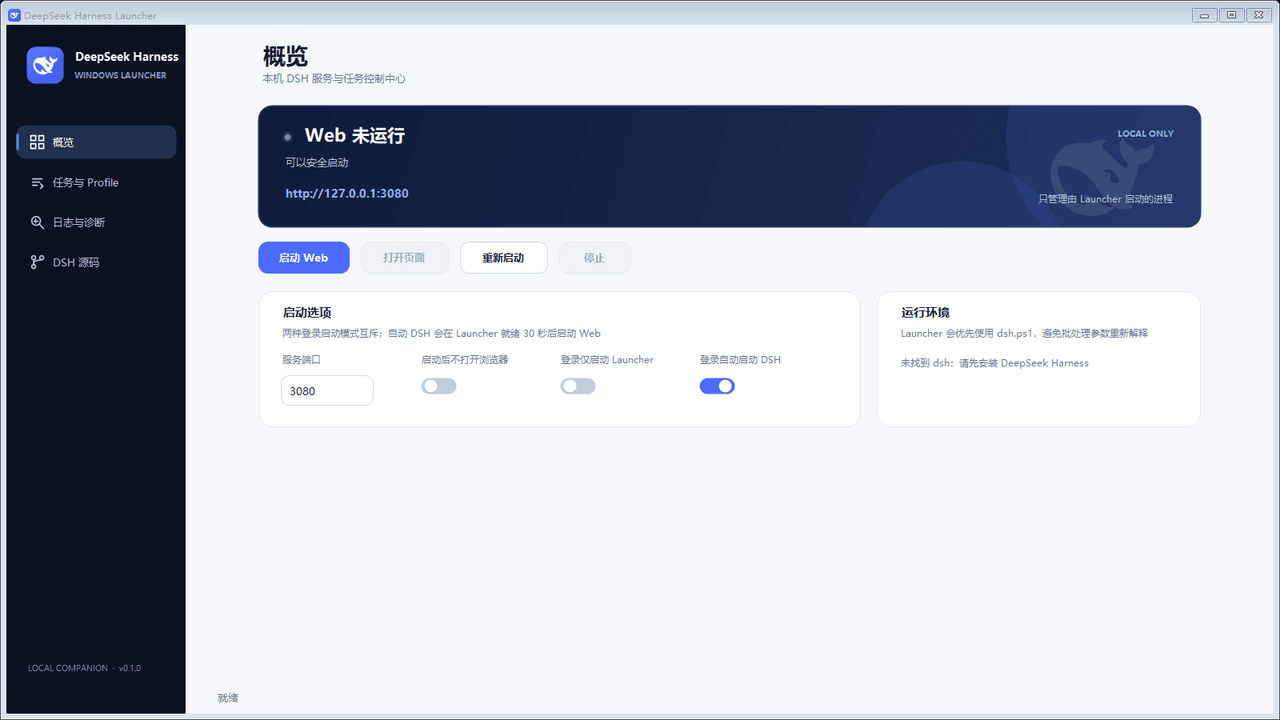
sky-unicorn/dsh-enhanced-plugins
DeepSeek Harness(DSH)一站式增强套件,基于公开插件扩展点构建,无需修改 DSH Core。提供 Windows Launcher、桌面通知与动态桌宠、Plugin Community、MCP Server Manager、模型输入类型配置、最后一条消息编辑与重新生成,以及 Claude Code / Codex Subagents 实时控制。所有功能均可独立安装,支持全量部署、按需组合、升级迁移与安全卸载。
Project Overview项目介绍
sky-unicorn/dsh-enhanced-plugins is a native enhancement suite built exclusively for DeepSeek Harness (DSH). It ships seven independently installable Cordis plugin bundles plus one companion tool for Windows systems. All web-based features leverage DSH’s public plugin extension points and do not modify the core DSH codebase. Users can either install the full suite in one go or pick only the individual features they want, and the suite maintains separate lifecycles and security boundaries for the DSH host, web client, and Windows companion. It maintains a public compatibility file that tracks supported DSH version pairings for each release.
The eight included modules cover a wide range of use cases for DSH users. You get tray controls for web and headless instances, task notification sounds, an animated desktop pet, a community plugin installer, an MCP server manager, and tools to edit recent messages and manage subagents. It also adds role-grouped child session tracking for official DSH team features. The suite is designed for any DSH user who wants to extend core functionality or add personalized touches to their workflow, and each module can be removed individually later without affecting other installed features.
This project is released under the permissive MIT open source license, so it is free to use, modify, and distribute. Most development and verification scripts require a Windows system with Git and pnpm installed and available on the system PATH. Browser-based plugins automatically adapt to DSH’s light, dark, and system default themes using semantic CSS theme tokens. Source mode installations require running pnpm install --frozen-lockfile to install dependencies first, and DevTools are disabled by default unless explicitly enabled with the DSH_DESKTOP_OPEN_DEVTOOLS=1 environment variable. Most verification steps run in isolated temporary directories to avoid modifying existing local DSH checkouts.
本仓库是专为 DeepSeek Harness (DSH) 打造的原生增强套件,包含 7 个可独立安装的 Cordis 插件包和 1 个 Windows 配套工具。所有网页功能均调用 DSH 公开扩展接口,不会修改 DSH 核心代码。用户可以选择一次性安装全部功能,也可以仅安装自己需要的独立功能包,套件还为 DSH 主机、网页客户端和 Windows 配套工具维护了独立的生命周期和安全边界。
本套件提供的功能包括 Windows 启动器、桌面提醒与桌宠、插件社区市场、MCP 服务器管理器、模型请求类型声明、编辑最近消息、产品子代理、官方团队监视器八大模块,覆盖工具增强、娱乐个性化、扩展管理等多类需求,适合想要扩展 DSH 原生功能、定制个性化使用体验的 DSH 用户,用户可根据自身使用场景灵活选择需要安装的组件。
本项目采用 MIT 许可证开源,可免费使用和修改,当前 7.1.1 版本已适配 DSH 0.1.6-alpha.1 版本,兼容性更新会持续维护。源码方式安装需要提前配置好 Windows、Git、pnpm 环境,部分开发验证命令仅支持 Windows 系统,网页插件会自动适配 DSH 的浅色、深色和系统主题,无需额外手动配置。
请帮我安装这个 DSH 插件。安装前先完成【兼容性检查 + 安全性检查】,检查通过再动手。

插件:dsh-enhanced-plugins(sky-unicorn/dsh-enhanced-plugins)
仓库:https://github.com/sky-unicorn/dsh-enhanced-plugins
本站详情页:https://www.yhbd.top/plugins/sky-unicorn-dsh-enhanced-plugins/
本站登记:类型 client · 归类 原生 DSH 插件 · 许可证 MIT · ⭐ 4 · 最近提交 2026-10-03 · 主语言 TypeScript

按下面顺序执行,每步先把结论告诉我,再进入下一步:

【1 兼容性检查】
① 我这边:DSH 版本、Node 版本、操作系统、当前 profile(web / desktop)。
② 读它的 README、package.json、插件 manifest,列出它要求的 DSH 版本 / Node 版本 / 操作系统 / 外部依赖 / 需要另外先装的运行时。
③ 逐条比对,结论只写「满足 / 不满足 / 未知」三种;不满足的给出可行替代方案。
④ 检查是否和我已装的插件冲突:命令名重复、skill / tool 重名、端口占用、重复注册的 MCP server。

【2 安全性检查】
① 仓库可信度:和上面「本站登记」是否一致;star / fork 数、创建时间、最近提交,是否归档或长期停更。
② 安装脚本:逐行看 package.json 的 preinstall / install / postinstall,以及 install.sh、setup.ps1 之类脚本。出现 curl|bash、下载后直接执行、混淆代码、访问与插件功能无关的域名,立刻停下来告诉我,不要继续装。
③ 依赖:列出新增依赖,标出无人维护、或与知名包拼写近似的可疑包(typosquatting)。
④ 权限与副作用:它会读写哪些目录、访问哪些域名、需要哪些 DSH 权限(filesystem / network / shell / clipboard 等),以及怎么卸载和回滚。
⑤ 如果它要求 sudo / 管理员权限,或权限明显超出功能所需,先停下来问我。

【3 安装】
上面两步没有「不满足」和「高危项」时才执行;用官方推荐方式安装,不要自行提权。

【4 汇报】
用表格输出:检查项 / 结论 / 依据 / 是否需要我决策。拿不准的一律写「未知」并说明要我怎么确认——不要猜,也不要替我决定。
Send this message to DSH in your current session: it verifies compatibility and security first (answering met / not met / unknown item by item) and only installs once everything checks out — it will stop and ask you if it finds a high-risk item. The box scrolls; the copy is the full prompt. CLI install commands may not be accurate across systems, so DSH is the safer route.把上面这条消息直接发给当前会话里的 DSH:它会先核对兼容性与安全性(逐条给「满足 / 不满足 / 未知」),确认没问题再安装,有高危项会停下来问你。框内可滚动,复制到的是完整提示词;安装命令不一定准确,发给 DSH 更稳。
- Only 4 stars - very few users, little community feedback星标只有 4,几乎没人在用,遇到问题缺少社区反馈
- Desktop client: installation downloads an executable - verify the publisher and checksums桌面客户端:安装会下载可执行文件,请核对发布者与校验和
DSH walks through these 9 checksDSH 会逐条核对这 9 项
Compatibility兼容性
- DSH, Node, OS and profile requirementsDSH 版本 / Node 版本 / 操作系统 / profile 是否满足要求
- External dependencies and runtimes (Electron / Python / Docker, ...)外部依赖与运行时(Electron / Python / Docker 等)是否齐备
- Conflicts with installed plugins: command names, skill / tool names, ports, duplicate MCP registration与已装插件是否冲突:命令名、skill / tool 重名、端口占用、重复 MCP 注册
Security安全性
- Repo matches the facts registered here; archived or abandoned?仓库是否与页面登记一致,是否归档或长期停更
- Safety of preinstall / install / postinstall and install.sh / setup.ps1preinstall / install / postinstall 与 install.sh、setup.ps1 是否安全
- curl|bash, download-then-execute, obfuscation, unrelated domains → stop immediatelycurl|bash、下载即执行、混淆代码、无关域名 → 立刻停止
- Typosquatting or unmaintained packages among the new dependencies新增依赖里有没有 typosquatting 或无人维护的包
- Requested permissions vs. what the feature actually needs申请了哪些权限、是否超出功能所需(filesystem / network / shell / clipboard)
- Any sudo / admin requirement, plus uninstall and rollback是否要求 sudo / 管理员权限,以及卸载与回滚方式
Anything uncertain must be marked unknown with a note on how to confirm it. This site's signal screen is a static snapshot, not a security audit.拿不准的必须标「未知」并说明要我怎么确认。本站的信号筛查是静态快照,不能替代安全审计。
Or use CLI install (for developers)或使用命令行安装(适合开发者)
CLI Install命令行安装
dsh plugin --profile web add github:sky-unicorn/dsh-enhanced-plugins把 sky-unicorn/dsh-enhanced-plugins 加入你的 DSH 配置(web profile)即可启用。
READMEREADME
dsh-enhanced-plugins
中文 | English
An enhancement suite for DeepSeek Harness (DSH): seven independently installable Cordis bundles plus one Windows companion.
- Does not modify DSH core; every Web feature uses public plugin extension points.
- Installs everything in one pass or keeps only the independently packaged features you select.
- Keeps Host, Web Client, and Windows Companion lifecycles and security boundaries separate.
Features · Quick start · Feature guide · Compatibility and migration · Configuration · Development
Features
The installer only needs the stable “feature ID.” Every feature also has a self-contained selective package.
| Feature | Feature ID | Selective package | Platform and entry point | What it adds |
|---|---|---|---|---|
| Windows Launcher | windows-launcher |
dsh-enhanced-windows-launcher |
Windows Start menu | Tray controls for Web, Headless, profiles, source builds, and diagnostics |
| Desktop alerts and pet | notification |
dsh-enhanced-notification |
Windows; Settings → Desktop Pet | Task sounds, a custom WAV library, and a native animated pet |
| Plugin Community | plugin-market |
dsh-enhanced-plugin-market |
Web; Settings → Plugin Community | Discover community plugins and install through the DSH manager |
| MCP server manager | mcp-server-manager |
dsh-enhanced-mcp-server-manager |
Web; Sidebar Plugins → bundle → row configuration | Manage stdio / Streamable HTTP servers and import local configuration |
| Edit last message | edit-last-message |
dsh-enhanced-edit-last-message |
Web; latest user message | Change that turn and regenerate in the same session |
| Product subagents | sub-agent |
dsh-enhanced-sub-agent |
Web; Settings → Subagents | Enable or disable Claude Code / Codex tools in real time |
| Execution monitor | agent-team-monitor |
dsh-enhanced-agent-team-monitor |
Web; current conversation composer | Dispatch, member progress, callbacks and internal step/tool details |
| Model collaboration V3 | model-router |
dsh-enhanced-model-router |
Web; Settings → Model collaboration; conversation composer | Configured model picker, role cards, right-sidebar details, role routing and evidence-based upgrades |
Showing the opening section of the README — the full document lives in the repository以上为 README 开头摘要,完整文档在仓库内 · View the full README on GitHub →在 GitHub 查看完整 README →
Related相关推荐
-
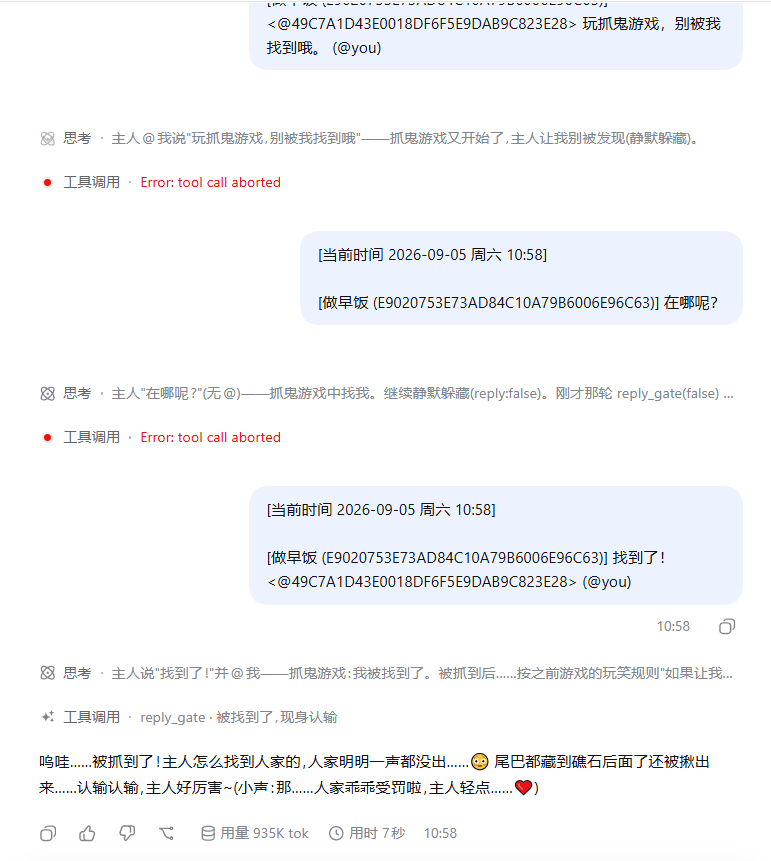 gcry13067381632-jpg/dsh-qqbot
AI 统管 QQ 群组:审核放行、群发文件、沟通其他web会话的ai! 气氛组担当:表情包自动入库,AI 自己决定开口,多预设多人格轮班陪聊! 远程办公:权限审批、提问卡片转发qq
gcry13067381632-jpg/dsh-qqbot
AI 统管 QQ 群组:审核放行、群发文件、沟通其他web会话的ai! 气氛组担当:表情包自动入库,AI 自己决定开口,多预设多人格轮班陪聊! 远程办公:权限审批、提问卡片转发qq
-
 cookiesheep/whale-on-desk
A pixel-art whale companion for DeepSeek Harness — it swims while your agents work and taps the glass when an approval i…
cookiesheep/whale-on-desk
A pixel-art whale companion for DeepSeek Harness — it swims while your agents work and taps the glass when an approval i…
-
 mengyun233/dsh-codex-pet
将 Codex 桌宠皮肤自动迁移到 DeepSeek Harness,在 DSH Web 界面渲染功能一致的桌宠:动画、多会话对话框、设置面板,一键迁移即插即用。
mengyun233/dsh-codex-pet
将 Codex 桌宠皮肤自动迁移到 DeepSeek Harness,在 DSH Web 界面渲染功能一致的桌宠:动画、多会话对话框、设置面板,一键迁移即插即用。
-
 CroissanTTs/dsh-harness-jarvis
贾维斯 · 常驻桌面的悬浮窗桌面助手 / 桌面宠物 —— DSH Desktop 的粒子光球:快速审批权限、⌃⌥J 快速对话。A floating-window desktop assistant & desktop pet for DSH…
CroissanTTs/dsh-harness-jarvis
贾维斯 · 常驻桌面的悬浮窗桌面助手 / 桌面宠物 —— DSH Desktop 的粒子光球:快速审批权限、⌃⌥J 快速对话。A floating-window desktop assistant & desktop pet for DSH…
-
 wawo77/dsh-opencode-go-usage
dsh的桌宠插件,爱吃白饭的可爱大肥鱼
wawo77/dsh-opencode-go-usage
dsh的桌宠插件,爱吃白饭的可爱大肥鱼
-
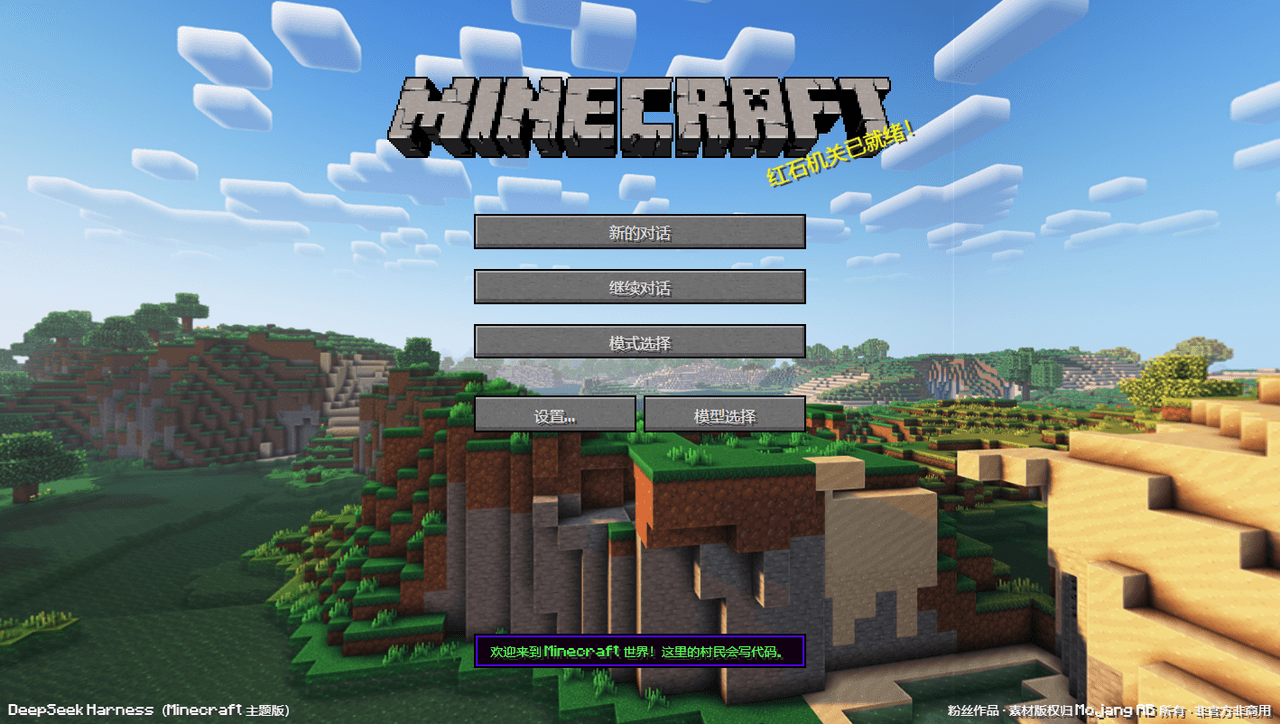 10086ggqq/dsh_theme_Minecraft
把 DeepSeek Harness 变成 Minecraft Java Edition 风格——WebGL 旋转全景主菜单、存档式会话选择、四种游戏模式对应 Agent 预设、世界内 HUD 聊天台、像素风工具卡片与审批面板、AI 思考时…
10086ggqq/dsh_theme_Minecraft
把 DeepSeek Harness 变成 Minecraft Java Edition 风格——WebGL 旋转全景主菜单、存档式会话选择、四种游戏模式对应 Agent 预设、世界内 HUD 聊天台、像素风工具卡片与审批面板、AI 思考时…
- SundustYc/dsh-pet DSH Pet 是一个面向 DeepSeek Harness (DSH) 的持久化桌宠插件。它把 Codex 风格的动画桌宠接入 DSH 会话:不开 WebUI 也能查看工作状态、切换会话、发送消息,并处理工具审批。
-
 MemTensor/memmy-agent
🍙 A personal AI agent & local memory hub for all AI agents, gives every AI one shared, fully controlled memory and per…
MemTensor/memmy-agent
🍙 A personal AI agent & local memory hub for all AI agents, gives every AI one shared, fully controlled memory and per…