Sparrived/DSH-Deeptop
Deeptop, a lightweight native desktop client for DeepSeek Harness.
安装Install
dsh plugin --profile web add github:Sparrived/DSH-Deeptop把 Sparrived/DSH-Deeptop 加入你的 DSH 配置(web profile)即可启用。
READMEREADME
English | 中文
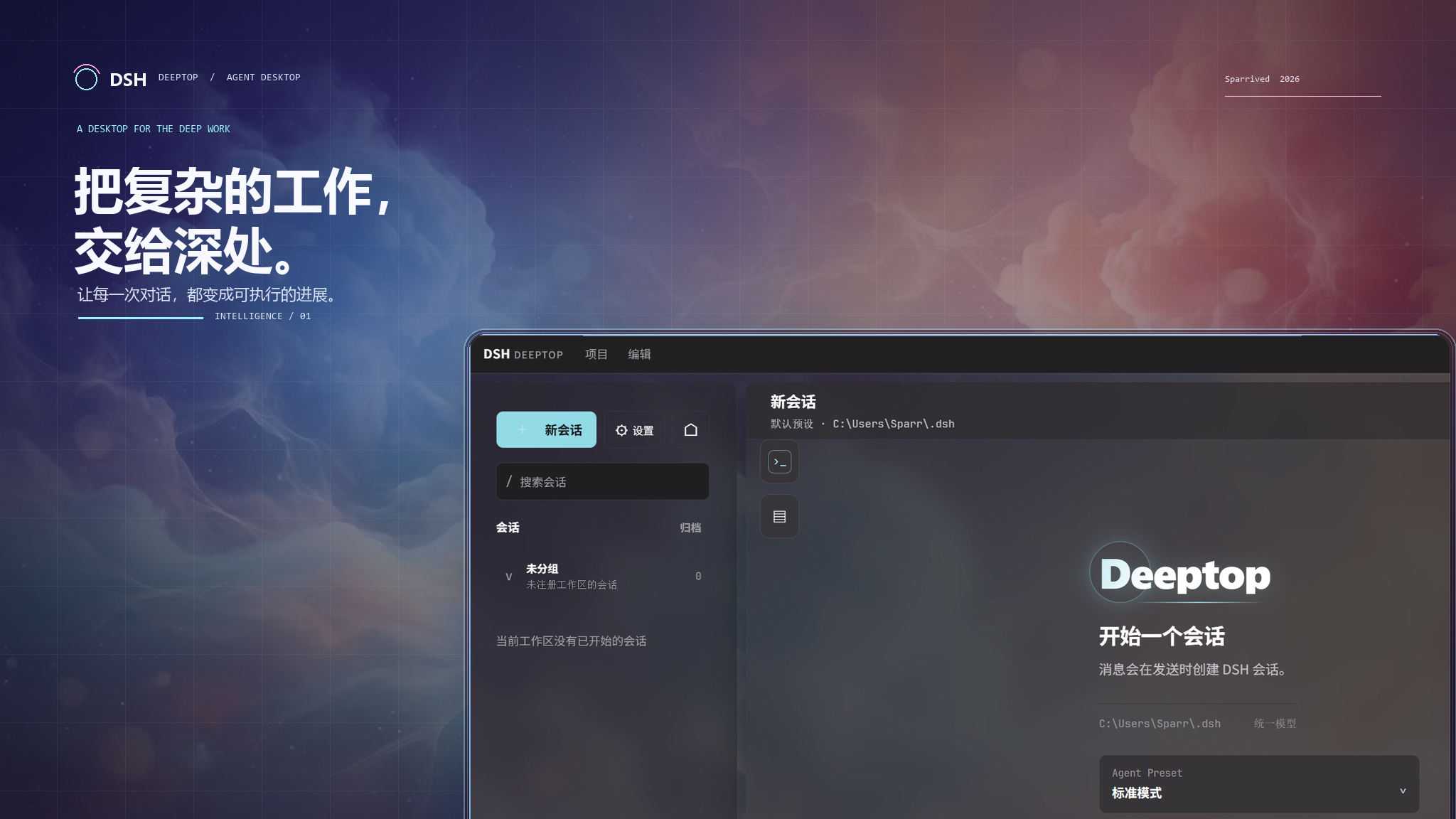
Deeptop
Hand the complex work to the depths.
A native desktop workbench built on DeepSeek Harness (DSH).



What is Deeptop · Quick start · Documentation · Download · Report an issue
What is Deeptop
Deeptop brings the agent capabilities of DSH into a native desktop environment built for deep work: organize tasks as sessions, ground them in workspaces, and handle tool calls, approvals, follow-up questions and diagnostics right where the work happens.
It does not put dsh web inside a desktop window, nor does it reimplement an agent in the app. DSH remains the source of truth for Agent, Session, Tool, Model, Workspace, Skill, Goal, Provider, persistence and event semantics; Tauri/Rust owns native windows, process supervision and system capabilities, and React renders a clear, actionable desktop interface.
Desktop first. Directory picking, file saving and log export go through native Tauri/Bridge capabilities; the interface never relies on browser downloads, browser dialogs or internal URLs to perform system operations.
Core experience
| Capability | What you can do |
|---|---|
| Workspaces & sessions | Attach working directories with the native directory picker; create, search, fork, archive, restore and export sessions. |
| Session tray | See unread and recent sessions in the system tray, reach the rest through “More”, and restore the window straight into a conversation; the Windows tray popup has a fixed width and follows Deeptop's light/dark and custom themes. |
| Continuous conversations | Stream answers and reasoning as they generate; attach images; queue or steer follow-up prompts while a task is running. |
| Agent interaction | Watch tool calls, Todos, Workflows, Jobs and execution trajectories in one place, and answer approvals plus single-choice, multi-choice or free-form questions. |
| Models & providers | Browse available providers and models, and pick the model and reasoning effort per session; credentials stay managed by the DSH API. |
| Native runtime console | Inspect Profiles, plugins, Skills, Agent Presets, Subagents, Goals and runtime state; missing optional capabilities are shown honestly instead of faked. |
| Traceable diagnostics | Aggregate errors from DSH, the Bridge and the frontend; filter them in Settings, open the log directory or export log snapshots. |
Native runtime model
┌───────────────────────────────────────────────────┐
│  Deeptop Desktop UI · Tauri + React               │
│  Sessions · Workspaces · Settings                 │
│  Runtime console · Interaction panels             │
└───────────────────────┬───────────────────────────┘
                        │ Tauri commands / events
┌───────────────────────▼───────────────────────────┐
│  Rust Bridge Manager                              │
│  Profile materialization · DSH subprocess         │
│  supervision · JSONL transport                    │
└───────────────────────┬───────────────────────────┘
                        │ deeptop/1 JSONL
┌───────────────────────▼───────────────────────────┐
│  DeepSeek Harness · one Cordis runtime tree       │
│  Agent · Session · Tool · Model · Storage · Host  │
└───────────────────────────────────────────────────┘
These boundaries let the desktop reuse DSH's domain contracts instead of dragging the WebUI's browser lifecycle, download machinery or client-side plugin runtime into a desktop app.
Quick start
Requirements
- Node.js 22.19+ or 24+, with
nodeandnpmon yourPATH; - Rust/Cargo and the Tauri desktop development environment;
- A working WebView2 runtime on Windows;
- Installers bundle a pinned DSH runtime built from pinned sources and never access the npm registry at launch.
Run locally
git clone https://github.com/Sparrived/DSH-Deeptop.git
cd DSH-Deeptop
npm ci
npm run tauri:dev
After launch, wait for the embedded DSH runtime to become ready, pick or create a workspace, configure a provider and credentials, then start your first session. Deeptop launches a pinned DSH build from the installer's compressed dsh-runtime.tar.gz resource and reuses an extraction cache named after the source commit, platform, architecture and runtime tree digest for subsequent starts and updates; the user's PATH, global npm, npm cache and registry never replace or install the runtime. Installers still execute the embedded JavaScript with the system Node.js and show a retryable native error when Node.js is missing.
npm run devonly starts a Vite preview without the Tauri Bridge or the DSH subprocess. It is meant for layout adjustments, not for verifying session, file or system-integration features.
Build & verify
| Target | Command |
|---|---|
| Frontend type-check & build | npm run build |
| Generate embedded DSH runtime | npm run dsh:sync |
| Verify embedded DSH runtime | npm run dsh:verify |
| Bridge route tests | npm run test:bridge |
| Full JavaScript test suite | npm test |
| Native app & installers | npm run tauri:build |
| Manifest version consistency | npm run version:check |
Documentation
| Document | When to read |
|---|---|
| Project guide | Installation, runtime directories, data flow, extension and troubleshooting. |
| DSH native coordination | Deciding whether a feature belongs in Tauri, the Bridge, the Profile or React. |
| Architecture | Dependency directions, the pure model layer and plugin boundaries. |
| Plugin compatibility | Host/Cordis versus WebUI Client compatibility layers. |
| WebUI parity checklist | Covered capabilities, work in progress and explicit exclusions. |
| CI/CD & release | Version sync, cross-platform builds, checksums and the GitHub Release flow. |
| Full Chinese reference | 完整功能清单、配置示例与常见问题(中文完整版)。 |
Extending Deeptop
Add user-defined capabilities to the DSH desktop Profile first instead of duplicating them in Rust or React. Persistence patches live at:
$DSH_HOME/profiles/desktop/cordis.patch.yml
Recommended order:
- Look for existing DSH Host/Cordis services, ApiProxy methods, Remote contracts or Projections;
- Mount and verify the capability in the Profile;
- When a desktop entry point is needed, add a minimal, explicitly validated allowlist route in
deeptop-bridge; - Handle native boundaries such as directory access, file saving and system notifications in the Tauri layer;
- Let React map state and trigger semantic actions last, covering success, cancellation, failure and missing-capability paths.
Do not edit generated files under $DSH_HOME/profiles/node_modules/deeptop-bridge; the app re-materializes them at startup. For more examples see the project guide.
Contributing
Issues and pull requests are welcome. Before submitting:
- Keep DSH the source of truth for agent, permission, session and plugin domain semantics;
- Never introduce web-native downloads, browser dialogs or platform checks scattered across React components;
- Cover protocol, cancellation and failure paths for every new Bridge command;
- Run the tests related to your change; run at least
npm run buildfor frontend changes andnpm testbefore submitting; - Use Conventional Commits, for example
feat(workspace): support workspace templates.
The complete development and release conventions live in the project guide and CI/CD & release.
Release
Pushing a SemVer tag (for example v0.2.0) triggers GitHub Actions to build Windows, Linux and macOS installers, generate SHA-256 checksums, and create or update a GitHub Release with auto-categorized Chinese notes. Before releasing, run:
npm run version:check
npm run build
npm test
Installers and upgrade notes are published on Releases.
License
Deeptop is released under the MIT License.
相关推荐Related
-
 nexu-io/open-design
🎨 Best DeepSeek Harness Design Plugin. The open-source Claude Design alternative. 🖥️ Local-first desktop app. 🖼️ Your…
nexu-io/open-design
🎨 Best DeepSeek Harness Design Plugin. The open-source Claude Design alternative. 🖥️ Local-first desktop app. 🖼️ Your…
-
 esengine/DeepSeek-Reasonix
DeepSeek-native AI coding agent for your terminal. Engineered around prefix-cache stability — leave it running.
esengine/DeepSeek-Reasonix
DeepSeek-native AI coding agent for your terminal. Engineered around prefix-cache stability — leave it running.
-
 Molunerfinn/PicGo
:rocket: The Ultimate Image Uploader for Efficient Creators. Supports Obsidian, Typora, VS Code etc. and 60+ image hosti…
Molunerfinn/PicGo
:rocket: The Ultimate Image Uploader for Efficient Creators. Supports Obsidian, Typora, VS Code etc. and 60+ image hosti…
-
 titanwings/colleague-skill
将冰冷的离别化为温暖的 Skill,欢迎加入数字生命1.0!Transforming cold farewells into warm skills? It's giving rebirth era. Welcome to Digital …
titanwings/colleague-skill
将冰冷的离别化为温暖的 Skill,欢迎加入数字生命1.0!Transforming cold farewells into warm skills? It's giving rebirth era. Welcome to Digital …
-
 anywhere-labs/deepseek-harness-desktop
为 DeepSeek Harness (DSH) 插件生态打造的现代化桌面端解决方案。万物皆「插件」,桌面本身也是「插件」。
anywhere-labs/deepseek-harness-desktop
为 DeepSeek Harness (DSH) 插件生态打造的现代化桌面端解决方案。万物皆「插件」,桌面本身也是「插件」。
-
 tt-a1i/archify
Agent skill for beautiful, verifiable architecture, workflow, sequence, data-flow, and lifecycle diagrams—self-contained…
tt-a1i/archify
Agent skill for beautiful, verifiable architecture, workflow, sequence, data-flow, and lifecycle diagrams—self-contained…
-
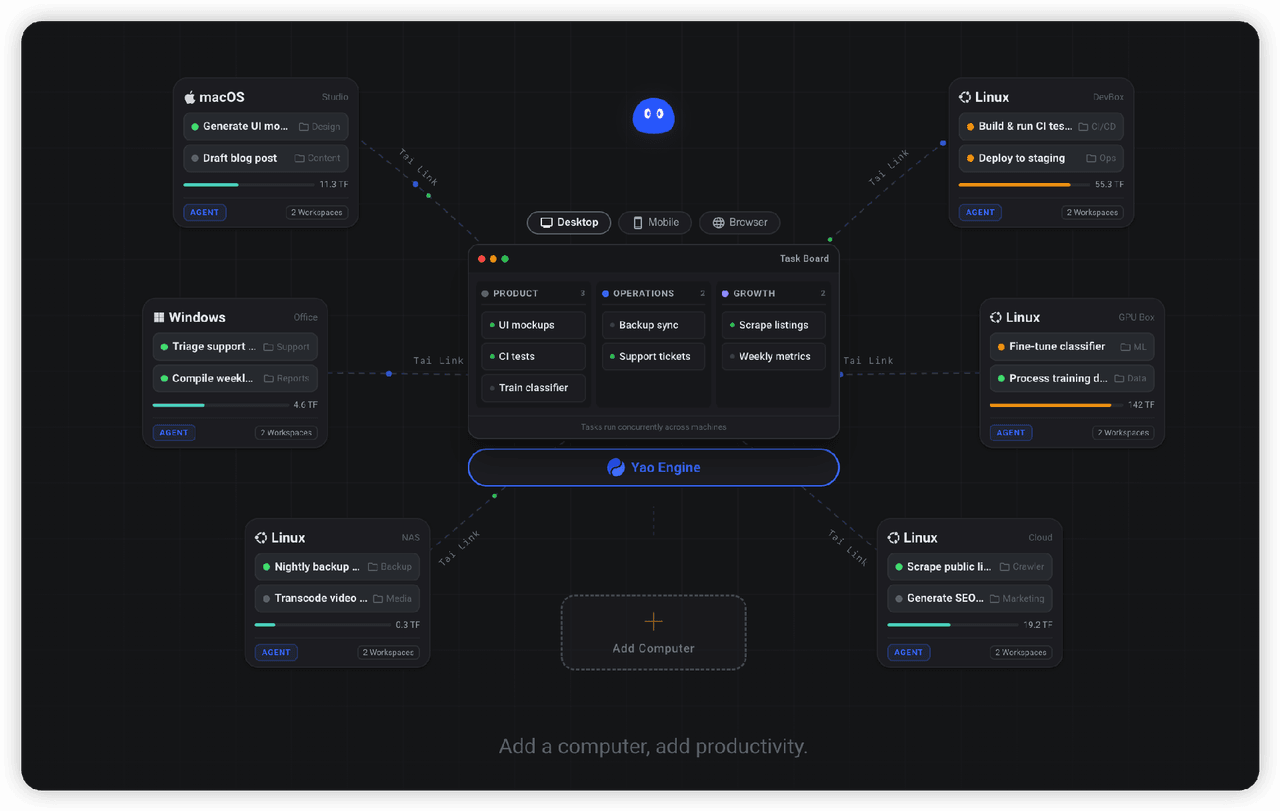 YaoApp/yao
✨ All your agents and workspaces in one place, on every device you own. Track tasks on a board, accessible from desktop,…
YaoApp/yao
✨ All your agents and workspaces in one place, on every device you own. Track tasks on a board, accessible from desktop,…
-
 Q00/ouroboros
Agent OS: the agent gets smarter on its own. We just hold the line: the grading command and expected result never make i…
Q00/ouroboros
Agent OS: the agent gets smarter on its own. We just hold the line: the grading command and expected result never make i…