SpookySandwich/dsh-plugin-smooth-stream
为DeepSeek Harness(DSH)添加更出色的文字动画效果。
项目介绍Project Overview
dsh-plugin-smooth-stream 是一款 DSH Web UI 工具插件,用于把逐字流式输出改写为按段落分批、淡入呈现的阅读体验,回复攒够一批再整段出现。流式期间支持平滑滚动跟随,思考块实时显示单行摘要并附渐隐过渡。它适用于追求更安静、流畅阅读节奏的长时间会话。注意:插件接管 assistant 消息渲染槽位,与同接管该槽位的其他插件互斥,且依赖 dsh 0.1.0-rc.6。
dsh-plugin-smooth-stream is a DSH Web UI plugin that replaces per-token streaming with paragraph-batched fade-in rendering, buffering text until a batch is ready before displaying it. It adds smooth auto-scroll during streaming and a single-line scrolling summary in the collapsed thinking block with edge fades. Use it for long sessions that need calmer, more readable output pacing. Note: it overrides the assistant message render slot, conflicts with other plugins claiming the same slot, and requires dsh 0.1.0-rc.6.
请帮我了解并安装插件:【dsh-plugin-smooth-stream】【https://github.com/SpookySandwich/dsh-plugin-smooth-stream】把上面这条消息直接发给当前会话里的 DSH,让它帮你了解并安装。安装命令不一定准确,发给 DSH 更稳。Send this message to DSH in your current session. CLI install commands may not be accurate across systems — DSH will figure it out for you.
或使用命令行安装(适合开发者)Or use CLI install (for developers)
命令行安装CLI Install
dsh plugin --profile web add dsh-plugin-smooth-stream把 SpookySandwich/dsh-plugin-smooth-stream 加入你的 DSH 配置(web profile)即可启用。
READMEREADME
dsh-plugin-smooth-stream
简体中文 | English




把逐字抖动的流式输出,换成按段落分批、淡入呈现的阅读体验。流式期间平滑跟随滚动,思考块显示实时单行摘要。
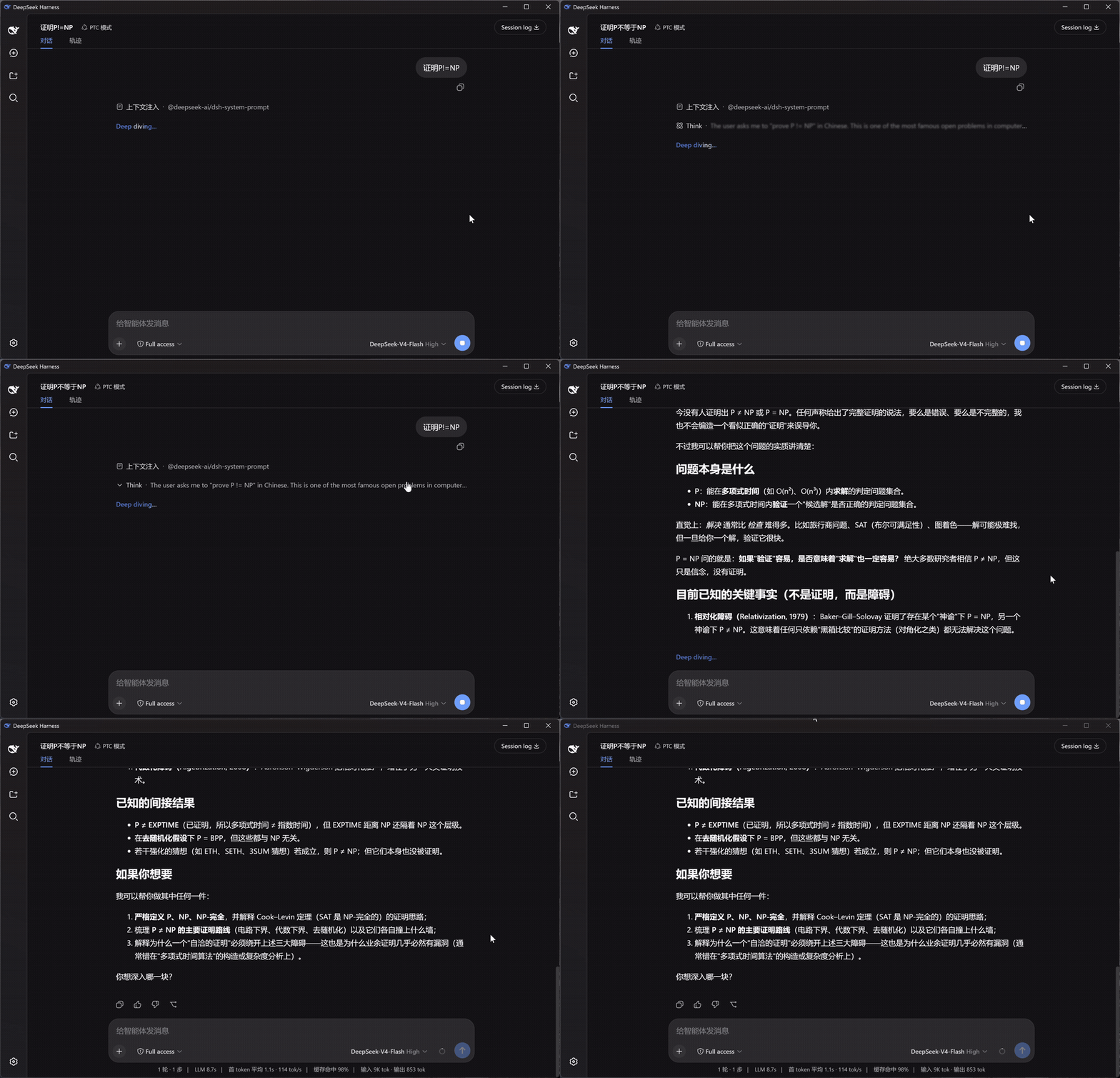
左:DSH 原生渲染 · 右:Smooth Stream —— 同一个问题,同时开始:
安装
dsh plugin --profile web add dsh-plugin-smooth-stream
打开任意会话即可生效。设置入口:设置面板 → Smooth Stream。
它改变了什么
- 按段落呈现 — 回复不再一个字一个字地蹦,而是攒满一段,整段淡入。断句时自动避开没写完的代码块和表格,Markdown 不会渲染到一半。
- 平滑滚动 — 流式输出时页面匀速滑向底部,长回复也不会猛地一跳;往上滚就交还给你,滚回底部自动继续跟随。
- 思考摘要 — 模型思考时,折叠行里实时滚动最新一句,两端渐隐过渡;回合结束时下划线缓缓收起,示意"想完了"。
- Markdown 与公式 — 正文走 DSH 自带的渲染器:代码高亮、复制按钮、表格、KaTeX 公式都和原生一模一样。
设置
设置面板中的 Smooth Stream 分区,改动即时生效并持久保存:
| 设置项 | 默认 | 说明 |
|---|---|---|
| 启用 Smooth Stream | 开 | 关闭后即时恢复 DSH 内置渲染,方便对比 |
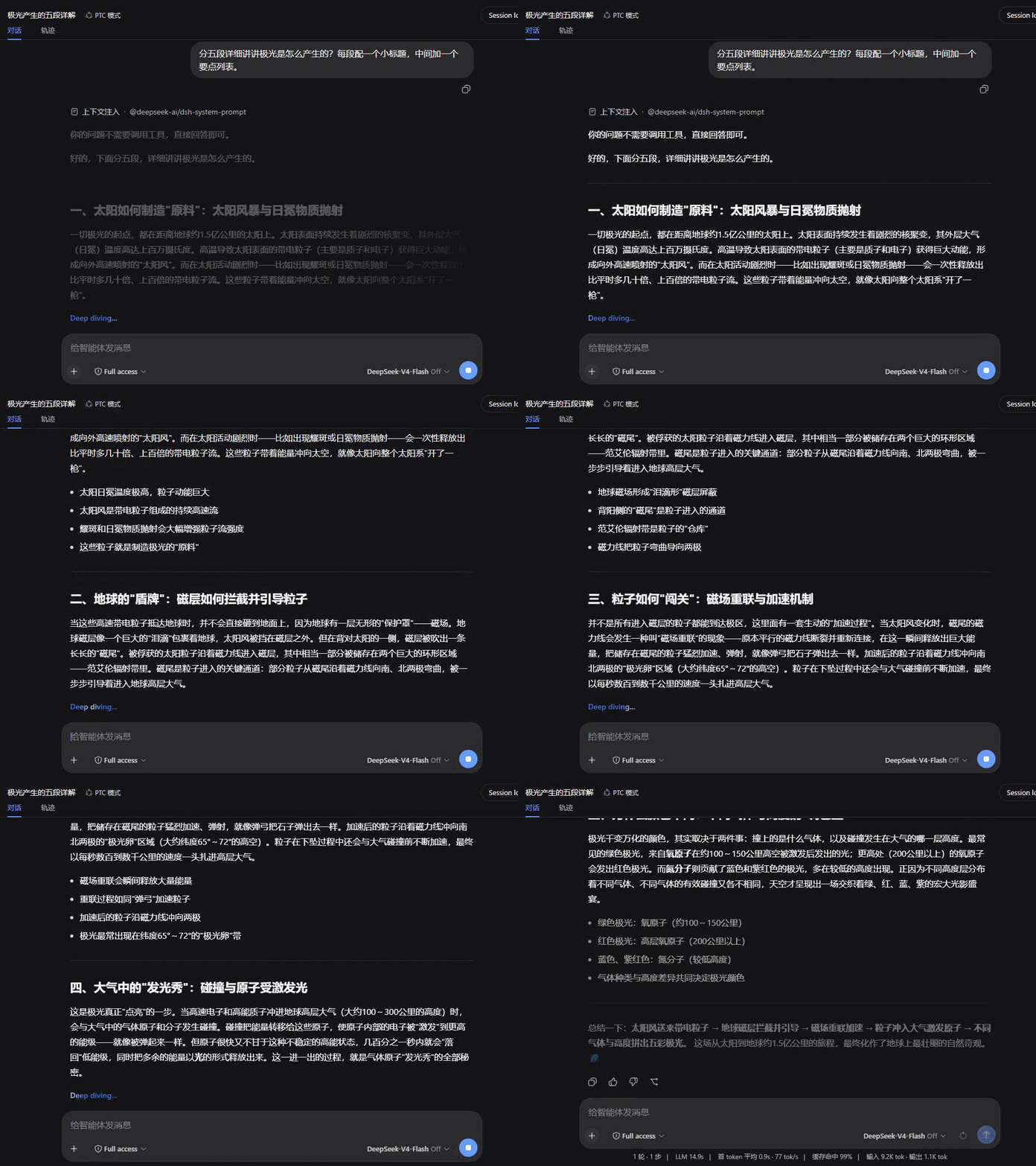
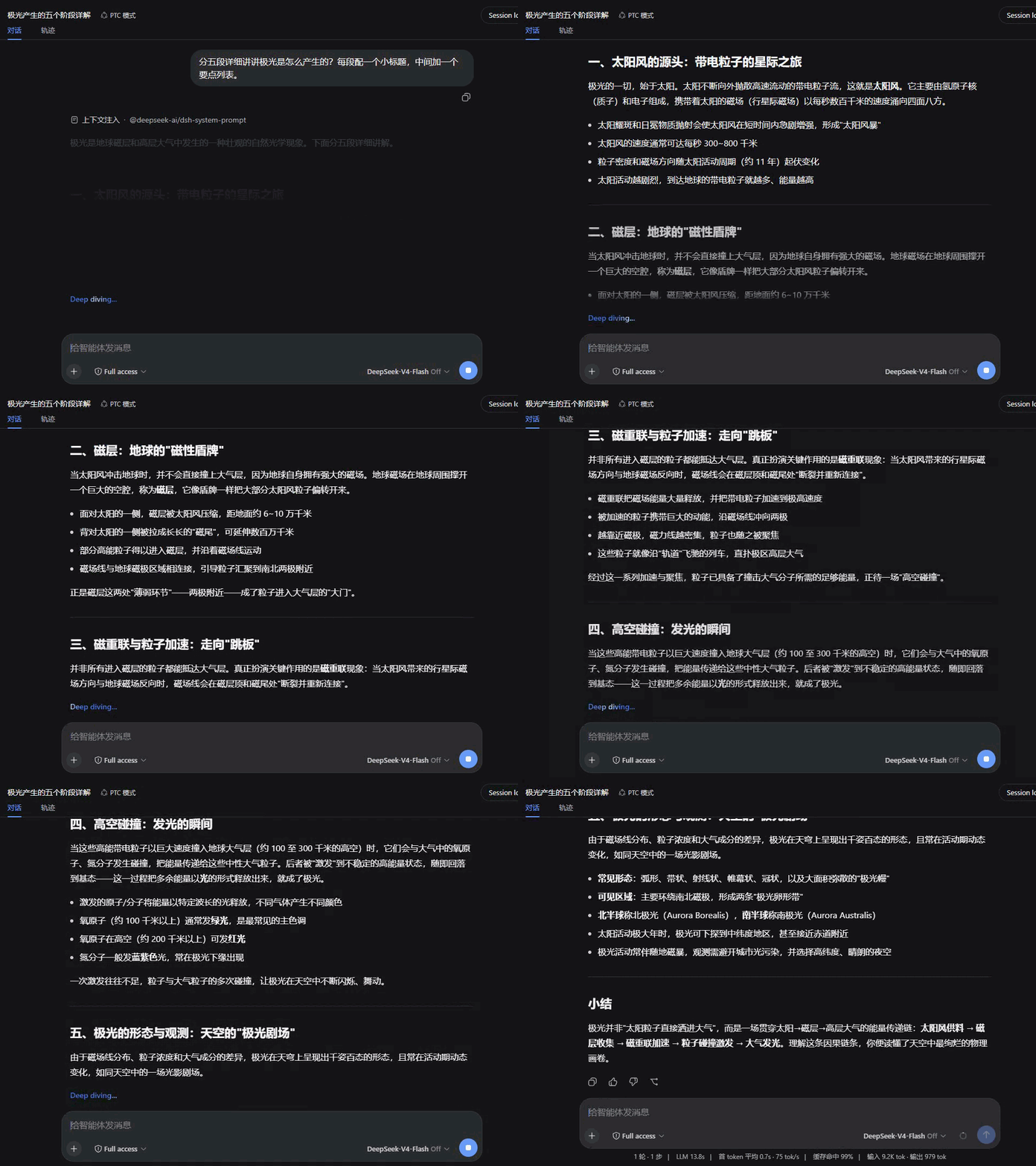
| 入场动画 | 淡入 | 淡入 / 上升 / 浮现 / 拂过 / 聚焦 / 映亮 / 晕开 / 洇染 |
| 动画时长 | 520 ms | 入场动画时长(120–1200 ms) |
| 分批大小 | 500 字符 | 攒多少文字呈现一批;越小越"实时",越大越安静 |
| 平滑滚动跟随 | 开 | 流式期间的平滑滚动跟随 |
带实时预览,可一键恢复默认。设置界面跟随 DSH 的显示语言。
动画风格
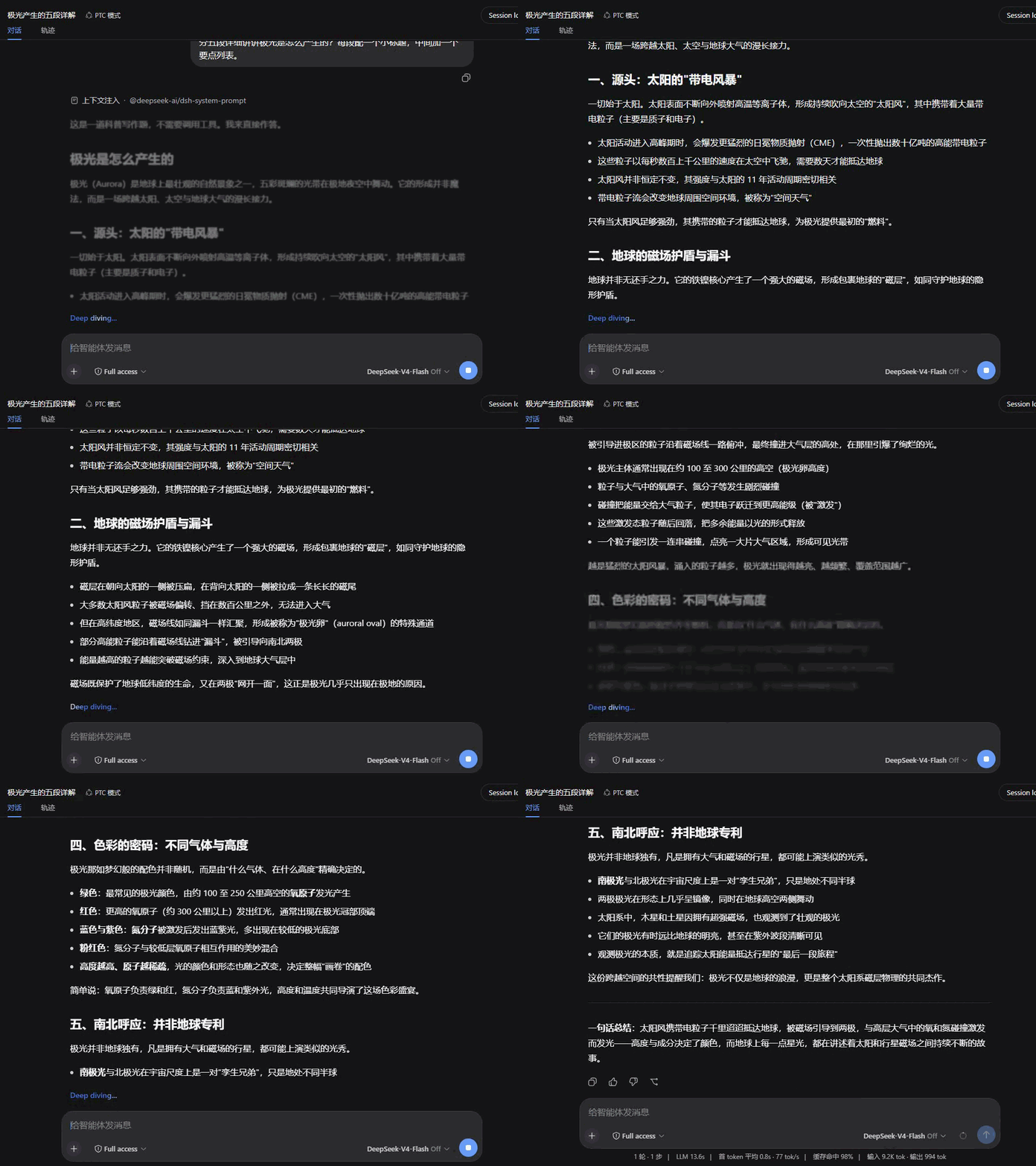
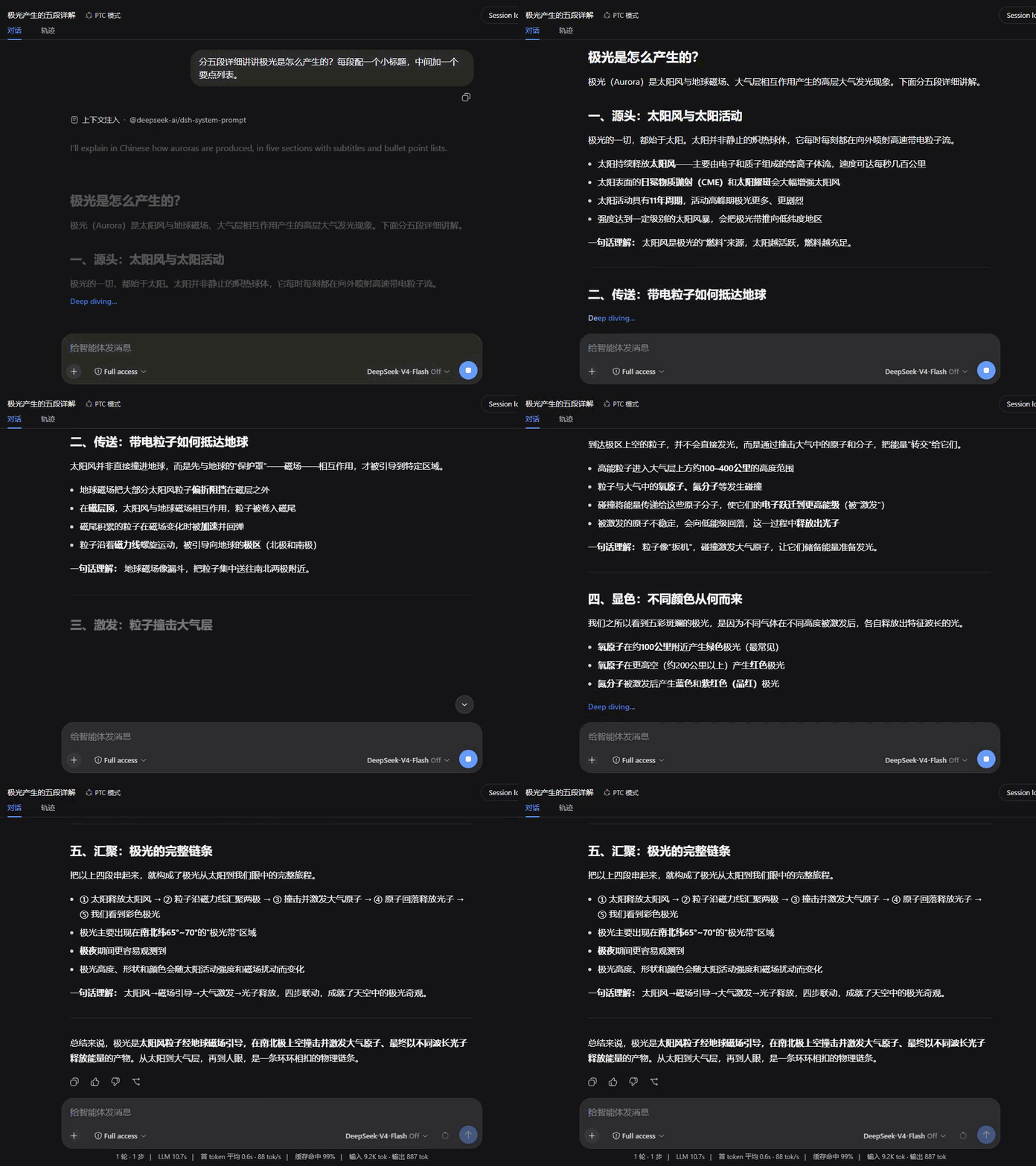
八种入场动画,默认节奏各自按风格调校;下面全部用同一段回复录制,便于直接对比。
| 淡入 Fade | 上升 Rise |
|---|---|
 |
 |
| 浮现 Dissolve | 拂过 Wipe |
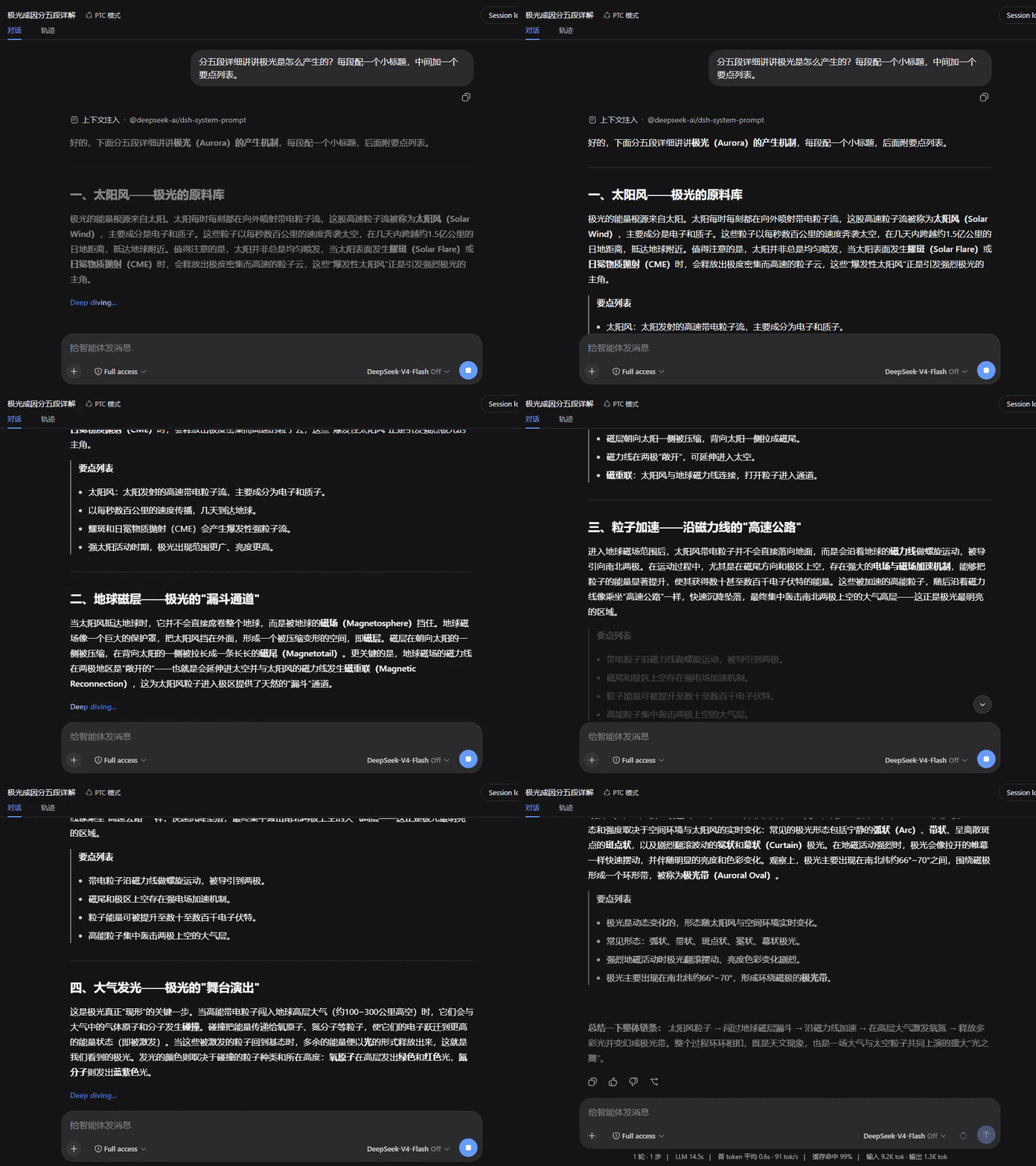 |
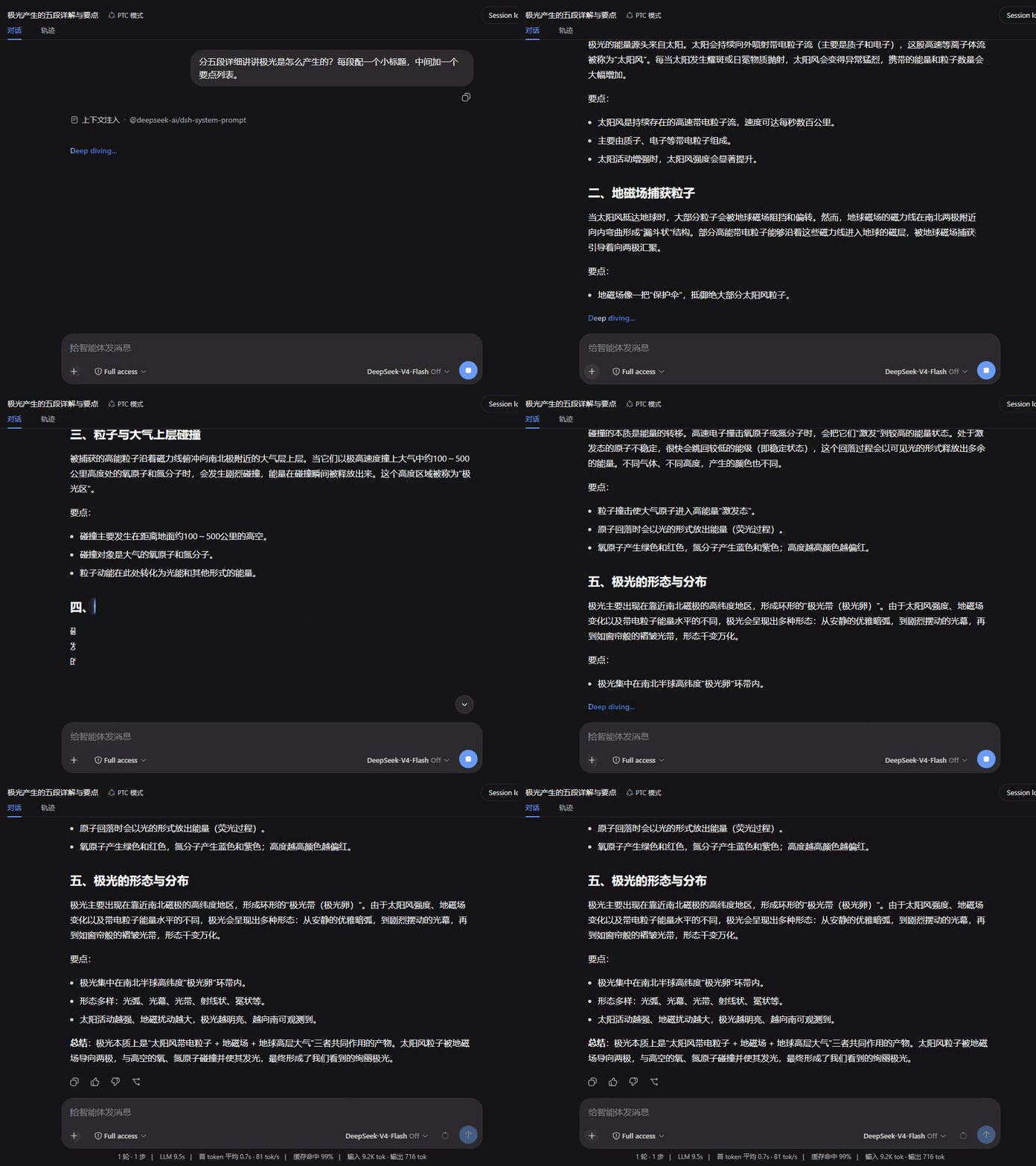 |
| 聚焦 Focus | 映亮 Glow |
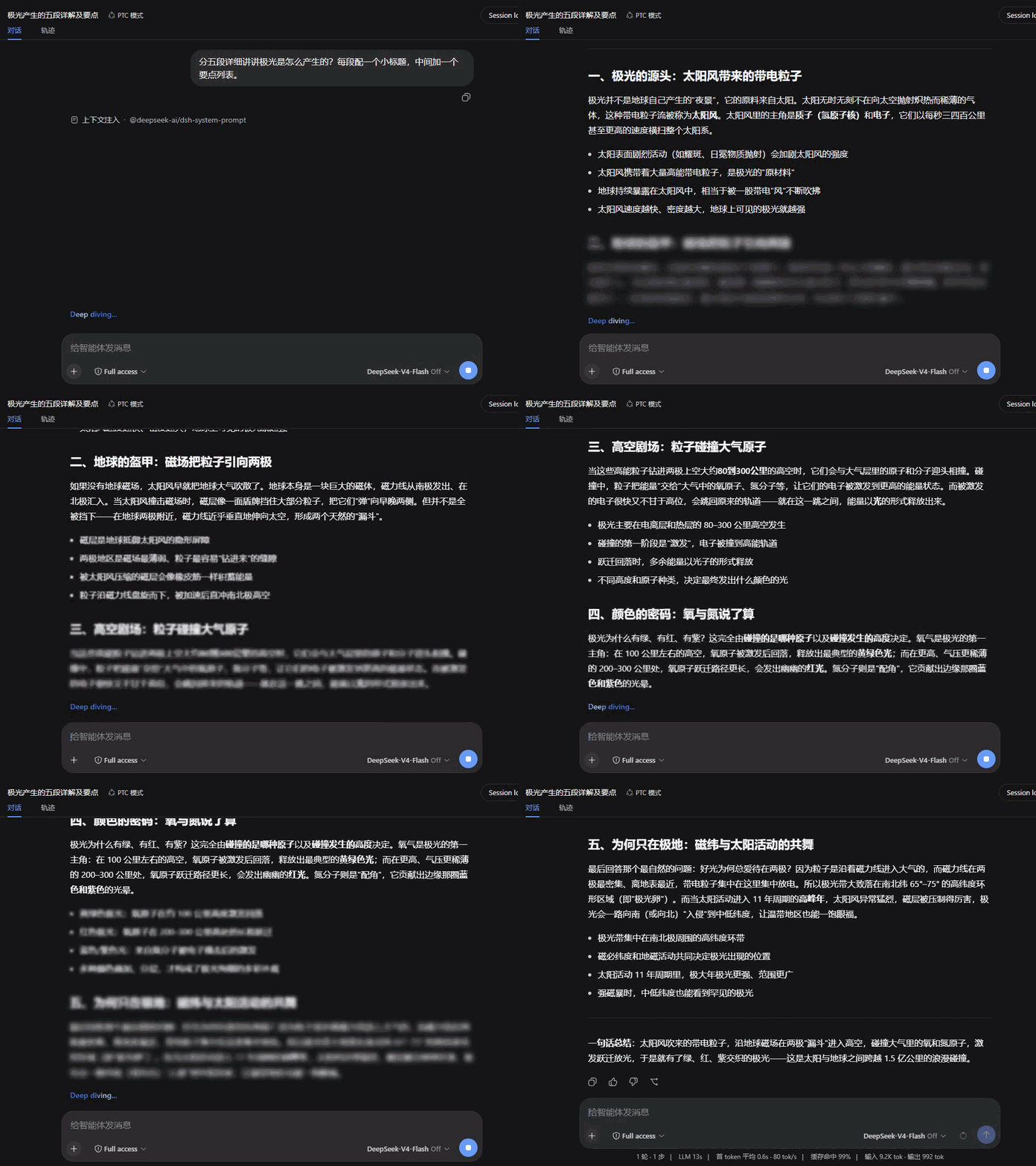 |
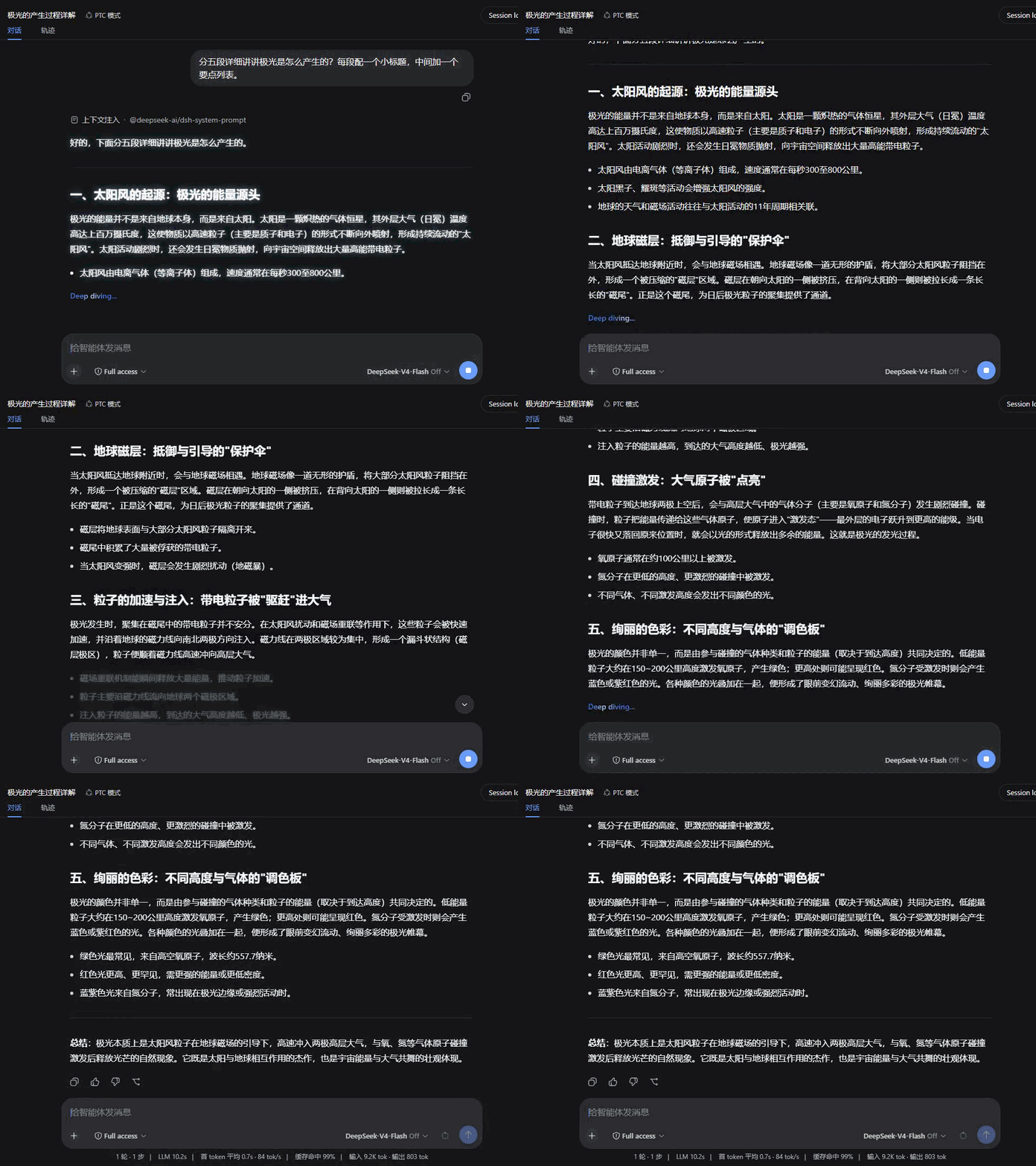 |
| 晕开 Iris | 洇染 Soak |
 |
 |
兼容性
- 在 dsh
0.1.0-rc.6上验证。 - 本插件接管对话视图的 assistant 消息渲染(
conversation.chat.node的assistant-step槽位),与其他同样接管该渲染的插件互斥——同装时只有一个生效。 - 遵循
prefers-reduced-motion:系统开启减少动态效果时,所有动画与平滑滚动自动关闭。 - 渲染出错时自动降级为纯文本显示,不影响会话其余部分。
License
相关推荐Related
-
 ruvnet/ruflo
🌊 The original agent meta-harness. Deploy intelligent multi-player swarms, coordinate autonomous workflows, and build c…
ruvnet/ruflo
🌊 The original agent meta-harness. Deploy intelligent multi-player swarms, coordinate autonomous workflows, and build c…
-
 amruthpillai/reactive-resume
A one-of-a-kind resume builder that keeps your privacy in mind. Completely secure, customizable, portable, open-source a…
amruthpillai/reactive-resume
A one-of-a-kind resume builder that keeps your privacy in mind. Completely secure, customizable, portable, open-source a…
-
 esengine/DeepSeek-Reasonix
DeepSeek-native AI coding agent for your terminal. Engineered around prefix-cache stability — leave it running.
esengine/DeepSeek-Reasonix
DeepSeek-native AI coding agent for your terminal. Engineered around prefix-cache stability — leave it running.
-
 volcengine/OpenViking
Self-evolving Context Database for AI Agents. Unify Agent Memory, Knowledge RAG and Skills.
volcengine/OpenViking
Self-evolving Context Database for AI Agents. Unify Agent Memory, Knowledge RAG and Skills.
-
 Molunerfinn/PicGo
:rocket: The Ultimate Image Uploader for Efficient Creators. Supports Obsidian, Typora, VS Code etc. and 60+ image hosti…
Molunerfinn/PicGo
:rocket: The Ultimate Image Uploader for Efficient Creators. Supports Obsidian, Typora, VS Code etc. and 60+ image hosti…
-
 titanwings/colleague-skill
将冰冷的离别化为温暖的 Skill,欢迎加入数字生命1.0!Transforming cold farewells into warm skills? It's giving rebirth era. Welcome to Digital …
titanwings/colleague-skill
将冰冷的离别化为温暖的 Skill,欢迎加入数字生命1.0!Transforming cold farewells into warm skills? It's giving rebirth era. Welcome to Digital …
-
 nocobase/nocobase
NocoBase is an open-source AI + no-code platform for building business systems fast. Instead of generating everything fr…
nocobase/nocobase
NocoBase is an open-source AI + no-code platform for building business systems fast. Instead of generating everything fr…
-
 Tencent/WeKnora
Open-source LLM knowledge platform: turn raw documents into a queryable RAG, an autonomous reasoning agent, and a self-m…
Tencent/WeKnora
Open-source LLM knowledge platform: turn raw documents into a queryable RAG, an autonomous reasoning agent, and a self-m…