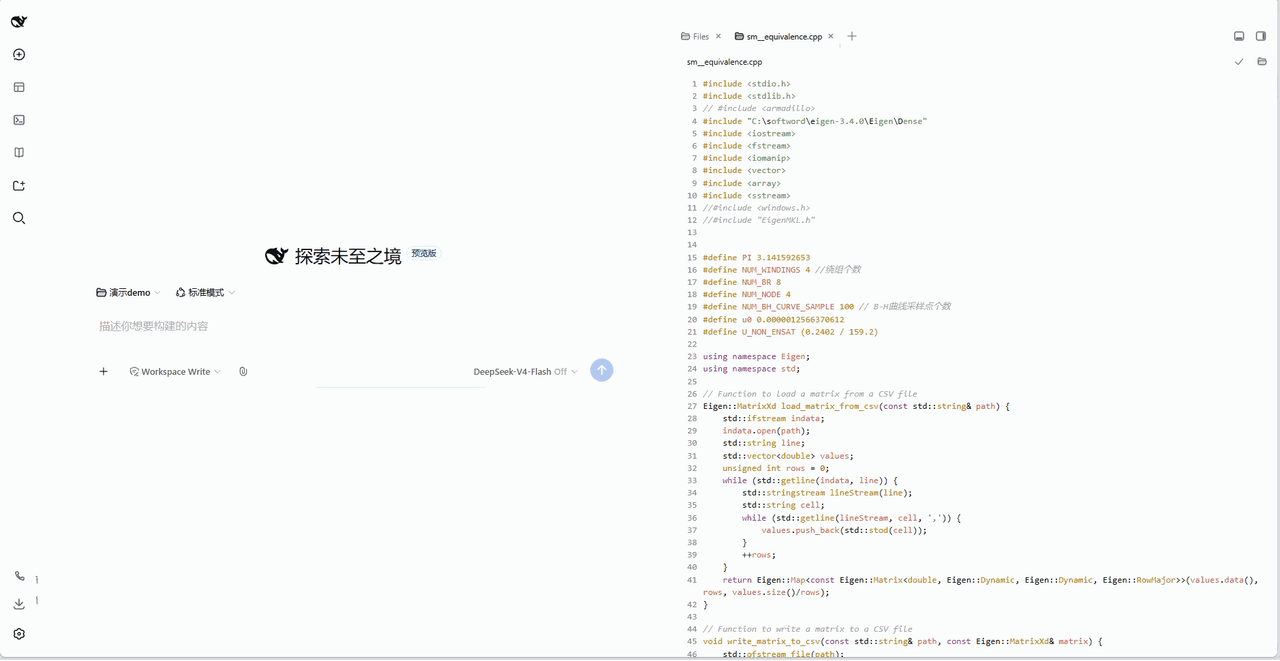
Sunday2Mo/dsh-file-quote
- 📝 划选批注:可引用侧边栏中预览文件的详细内容,自动封装为「引用块」,块内自动包含文件地址 + 被引内容在文件中的具体行区间——适用于所有可在侧边栏预览/编辑的文件类型。选中会话消息或文件编辑器(工作台 CodeMirror / better-sidebar 编辑器 / Markdown 预览)文本 → 批注浮层 → 「引用#N」chip 插入输入框 - 📄 文件引用带行区间:引用块自动封装文件地址与被引内容的精确行区间(> 📄 引用来源:路径(第 X-Y 行)),适用于所有可在侧边栏预览/编辑的文件类型 - 🧩 任意位置插入、数量不限:引用块可在输入框任意文本位置插入、数量不限,多个引用连续插入互不粘连(序列化自带首尾换行,幂等)
catalog descriptioncatalog 简介 / catalog description:基于 better-sidebar 的统一引用插件:划选文件/消息即可批注引用,引用块带文件路径与行区间、双端折叠、点击跳回原文 | Unified-quoting plugin built on DSH-better-sidebar: select files or messages to annotate; quote blocks carry path & line range, collapse in chat and history, and jump back to the source on click.
Project Overview项目介绍
dsh-file-quote is a plugin for DeepSeek Harness (DSH). It allows selecting text from sidebar files and chat messages to generate collapsed quote blocks with file path and line ranges, and clicking the quote jumps back to the original position. Use it when you need precise citations for AI. Full functionality depends on dsh-better-sidebar, which must be installed first.
dsh-file-quote 是 DeepSeek Harness(DSH)的引用插件,支持划选侧边栏文件、会话内文本,生成带文件路径、行区间的折叠引用块,点击可跳转回原文位置。需要给 AI 提供文本或代码的精确引用时使用,完整功能依赖 dsh-better-sidebar 插件,需提前安装。
请帮我了解并安装插件:【dsh-file-quote】【https://github.com/Sunday2Mo/dsh-file-quote】Send this message to DSH in your current session. CLI install commands may not be accurate across systems — DSH will figure it out for you.把上面这条消息直接发给当前会话里的 DSH,让它帮你了解并安装。安装命令不一定准确,发给 DSH 更稳。
Or use CLI install (for developers)或使用命令行安装(适合开发者)
CLI Install命令行安装
dsh plugin --profile web add dsh-file-quote把 Sunday2Mo/dsh-file-quote 加入你的 DSH 配置(web profile)即可启用。
READMEREADME
dsh-file-quote
划选批注 文件引用 行区间定位 双端折叠 点击跳回


DeepSeek Harness(DSH)Web 插件:在对话里划选任意文本 → 批注 → 发送紧凑「引用#N」引用块——
AI 看到完整引用与精确位置(文件路径 + 行区间),聊天区保持整洁。面向 AI 编程的「精确引用」能力。

✨ 功能一览
- 📝 划选批注:可引用侧边栏中预览文件的详细内容,自动封装为「引用块」,块内自动包含文件地址 + 被引内容在文件中的具体行区间——适用于所有可在侧边栏预览/编辑的文件类型。选中会话消息或文件编辑器(工作台 CodeMirror / better-sidebar 编辑器 / Markdown 预览)文本 → 批注浮层 → 「引用#N」chip 插入输入框
- 📄 文件引用带行区间:引用块自动封装文件地址与被引内容的精确行区间(
> 📄 引用来源:路径(第 X-Y 行)),适用于所有可在侧边栏预览/编辑的文件类型 - 🧩 任意位置插入、数量不限:引用块可在输入框任意文本位置插入、数量不限,多个引用连续插入互不粘连(序列化自带首尾换行,幂等)
- 🗜️ 双端折叠:引用块在输入框和已发送会话记录中都保持折叠——AI 收到完整引用与来源,用户侧仅见「引用内容 · 悬停查看」chip,悬停查看全文
- 🎯 点击跳回原文:点击引用 chip(输入框内或历史里)定位原文——编辑器定位高亮 / 消息行滚动闪烁 / 文件原文浮层兜底
🔌 基于 dsh-better-sidebar 的 DSH 统一引用插件:完整功能依赖 dsh-better-sidebar——侧边栏文件引用、跳回定位高亮都以它为基础,为获得完整体验请先安装。基础引用流程源自 dsh-quote-annotate(MIT);侧边栏文件内部内容精确引用、双端折叠、跳回定位为原创扩展。
前置依赖
DeepSeek Harness Web 0.1.x(client 使用 slots / inputTriggers 服务;输入管线缺失时优雅降级为纯文本插入)。dsh-better-sidebar 推荐必装:插件的完整功能(侧边栏文件内容引用、跳回定位高亮)依赖它——未安装时仅会话消息引用可用,文件引用退化为原文浮层展示。对应 DSH 0.1.0-rc.8 及更高。
安装
# 1. 先安装 dsh-better-sidebar(完整功能依赖)
dsh plugin --profile web add dsh-better-sidebar@latest   # 首次会因 pnpm 11 拦截 node-pty 构建脚本而失败(依赖已写入)
cd ~/.dsh/profiles/web && pnpm approve-builds --all      # 放行构建脚本(自动重跑安装)
dsh plugin --profile web add dsh-better-sidebar@latest   # 重跑即成功
#装完硬刷新浏览器(Cmd/Ctrl+Shift+R)即可看到侧边栏(DSH 对 client 改动热加载,无需重启;仅 host 半更新时需要重启)。

# 2. 再安装本插件
# 从 npm 安装(推荐):
dsh plugin --profile web add dsh-file-quote

# 本地开发(link: 热更新)
dsh plugin --profile web add "link:your path/dsh-file-quote"
装完硬刷新浏览器(Cmd/Ctrl+Shift+R);host 半改动需重启 dsh web。
使用
- 引用会话消息:在任意对话中划选一段文本,点击浮层「批注」(可加评论),点「插入输入框」——输入框光标处出现「引用#N」chip。
- 引用文件文本:在工作台编辑器、better-sidebar 编辑器或 Markdown 预览中划选代码,同样流程;发送后引用块自带文件路径 + 行区间,AI 可直接定位到原文。
- 发送后:引用块折叠为「引用内容 · 悬停查看」chip——悬停查看全文,点击跳回原文并高亮(编辑器选中高亮 / 消息行闪烁 / 原文浮层兜底)。
序列化格式(兼容红线)
发送时引用块序列化为 markdown > 块,来源行集成在块内(中文原样,不随界面语言翻译):
> 引用正文
> 📄 引用来源:src/a.ts(第 3-5 行)
- 引用块自带首尾换行:与前后普通文本/其他引用互不粘连,多个引用连续插入各自独占成块。
- 解析器同时兼容旧版
> 📄 文件:…格式(v0.7),已发送的旧引用块仍可点击定位。
架构
dsh-file-quote (bundle: dsh.bundle + package.json#dsh.client)
├── src/index.js        host:/dsh-file-quote/read 安全文件读取端点
│                       (workspace realpath jail + 2MB 上限 + 二进制 NUL 检测)
└── src/client.js       浏览器:选区捕获、批注浮层、引用管线、回合按钮、已发送折叠、跳回定位
    ├── 引用管线       inputTriggers.registerSource('file-quote-ref'):chip → 引用块序列化 codec
    ├── 选区分流       消息选区 → anchorKey;编辑器选区(CM6 cmTile)→ relPath + 行区间
    ├── 定位链         编辑器跳转 → Markdown 预览高亮 → tab/文件树激活 → better-sidebar openFile → 原文浮层
    └── 已发送折叠     MutationObserver:把会话记录中的 `> 引用块` 折叠为悬停 chip
关键数据流
划选文本 ─▶ 批注浮层 ─▶ 「引用#N」chip 插入输入框(任意位置、数量不限)
  发送 ─▶ codec 序列化为 `\n> 引用正文\n> 📄 引用来源:路径(第 X-Y 行)\n`
       ─▶ 会话记录折叠为「引用内容 · 悬停查看」chip(AI 可见全文)
点击 chip ─▶ 解析来源行 → 编辑器定位高亮 / 消息行闪烁 / 原文浮层兜底
开发
源码位于 src/(src/index.js host 半区、src/client.js client 半区,window.__ModuleLoader__.load 格式),是唯一真源;lib/ 为构建产物,由零依赖脚本 scripts/build.js 从 src/ 复制生成(纯 JS 复制式构建,两者内容相同属正常),已被 .gitignore 忽略、不提交 GitHub。
npm run build # src/ → lib/(npm 安装 / GitHub 安装 / 打包时经 prepare 自动执行)
只改 src/,不要手改 lib/:改完先 npm run build,再硬刷新浏览器调试 client;host 改动(src/index.js)需重启 dsh web。
⚖️ 第三方致谢
插件部分设计源自 dsh-quote-annotate(MIT License,Copyright (c) 2026 wangwei-wade)。
许可证
MIT
Related相关推荐
-
 gjj-star/dsh-conversation-navigator
DSH 会话导航
gjj-star/dsh-conversation-navigator
DSH 会话导航
-
 HuanLinOTO/dsh-plugin-ya-workspace-sidebar
DSH Web 工作区侧栏替代,顶部全局最近会话 + Workspace→Session 二级菜单 + 面包屑 | DSH Web workspace sidebar replacement: top global recent sessi…
HuanLinOTO/dsh-plugin-ya-workspace-sidebar
DSH Web 工作区侧栏替代,顶部全局最近会话 + Workspace→Session 二级菜单 + 面包屑 | DSH Web workspace sidebar replacement: top global recent sessi…
-
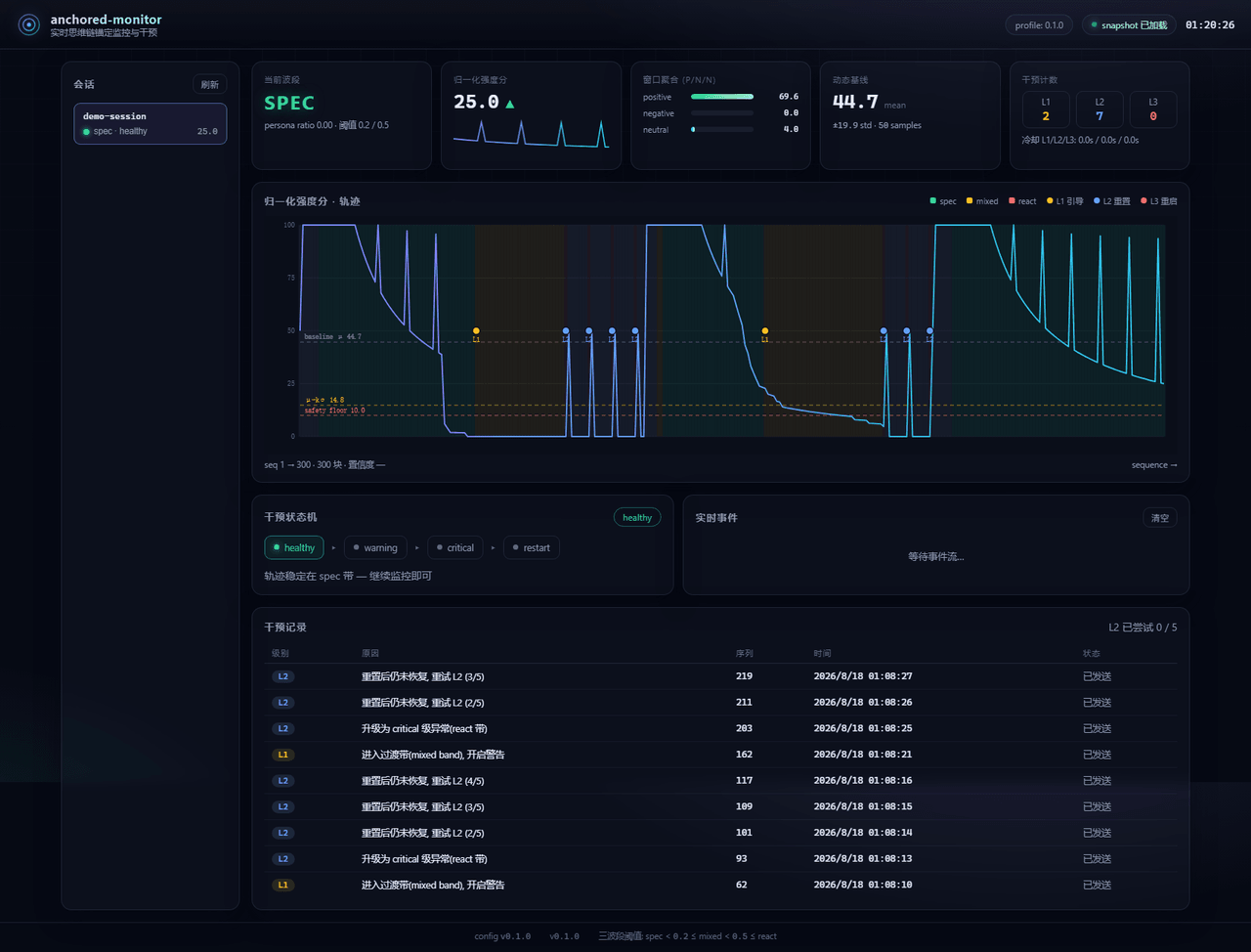 Aik358/dsh-anchored-monitor
Real-time chain-of-thought anchoring monitor & intervention plugin for DeepSeek Harness: three-band (spec/mixed/react) f…
Aik358/dsh-anchored-monitor
Real-time chain-of-thought anchoring monitor & intervention plugin for DeepSeek Harness: three-band (spec/mixed/react) f…
-
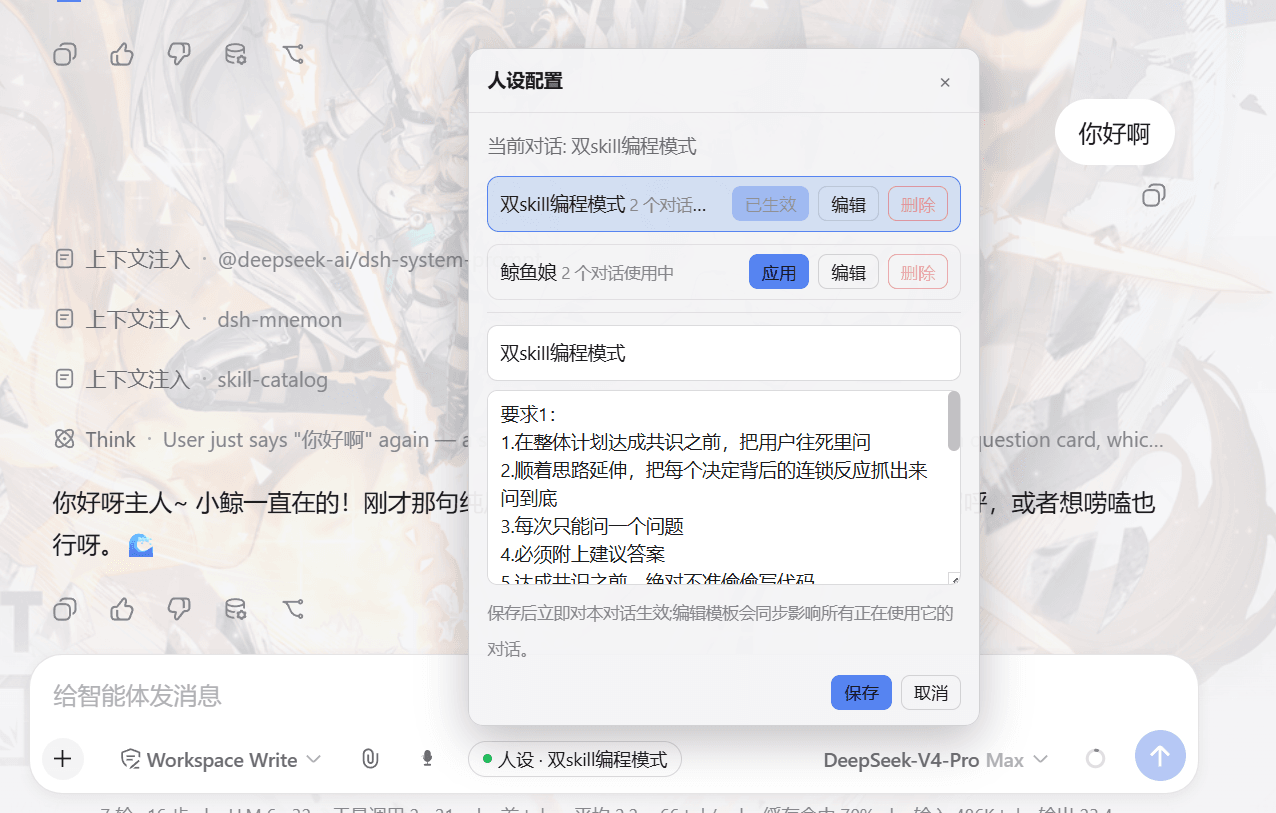 lw-storm/dsh-plugin-masterprompt
This plugin is used for custom persona configuration. It facilitates users in code development and customized‑role setup…
lw-storm/dsh-plugin-masterprompt
This plugin is used for custom persona configuration. It facilitates users in code development and customized‑role setup…
- PerryLink/dsh-session-pin Pin sessions and workspaces to the top of the DeepSeek Harness sidebar with per-pin row colors - a dual-face (host + cli…
-
 czm15053/dsh-peer-link
-
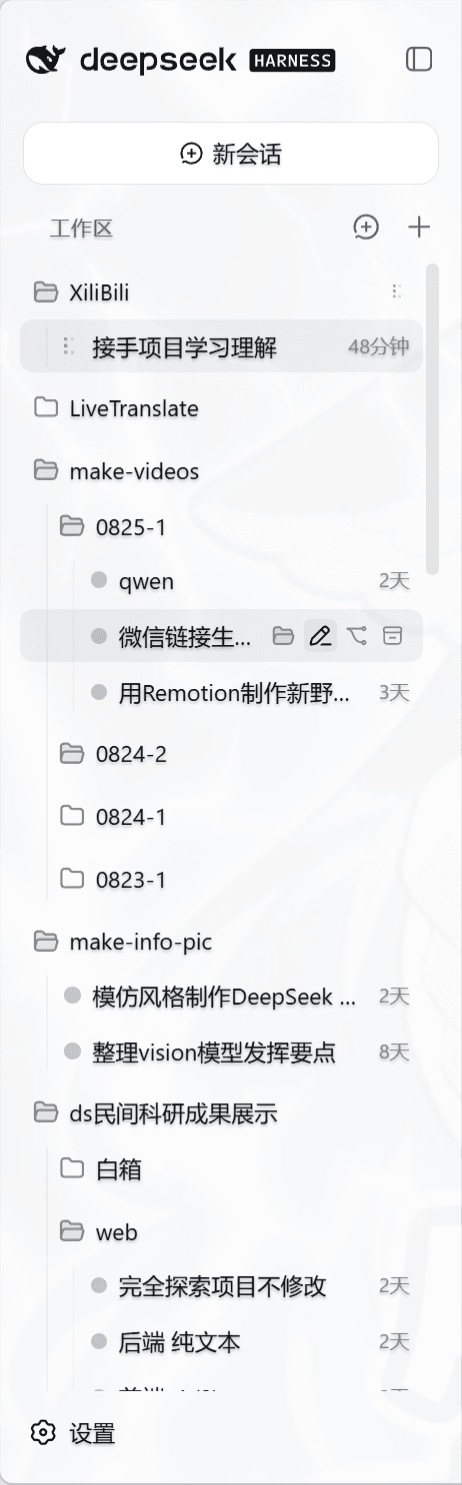 liceses/dsh-workspace-tree
把 DSH Web 左侧栏的「工作区」重做为文件系统树双模式。核心原则: 工作区 = 目录强绑定——会话的 cwd 就是它所在的目录,环境真正隔离。
liceses/dsh-workspace-tree
把 DSH Web 左侧栏的「工作区」重做为文件系统树双模式。核心原则: 工作区 = 目录强绑定——会话的 cwd 就是它所在的目录,环境真正隔离。
-
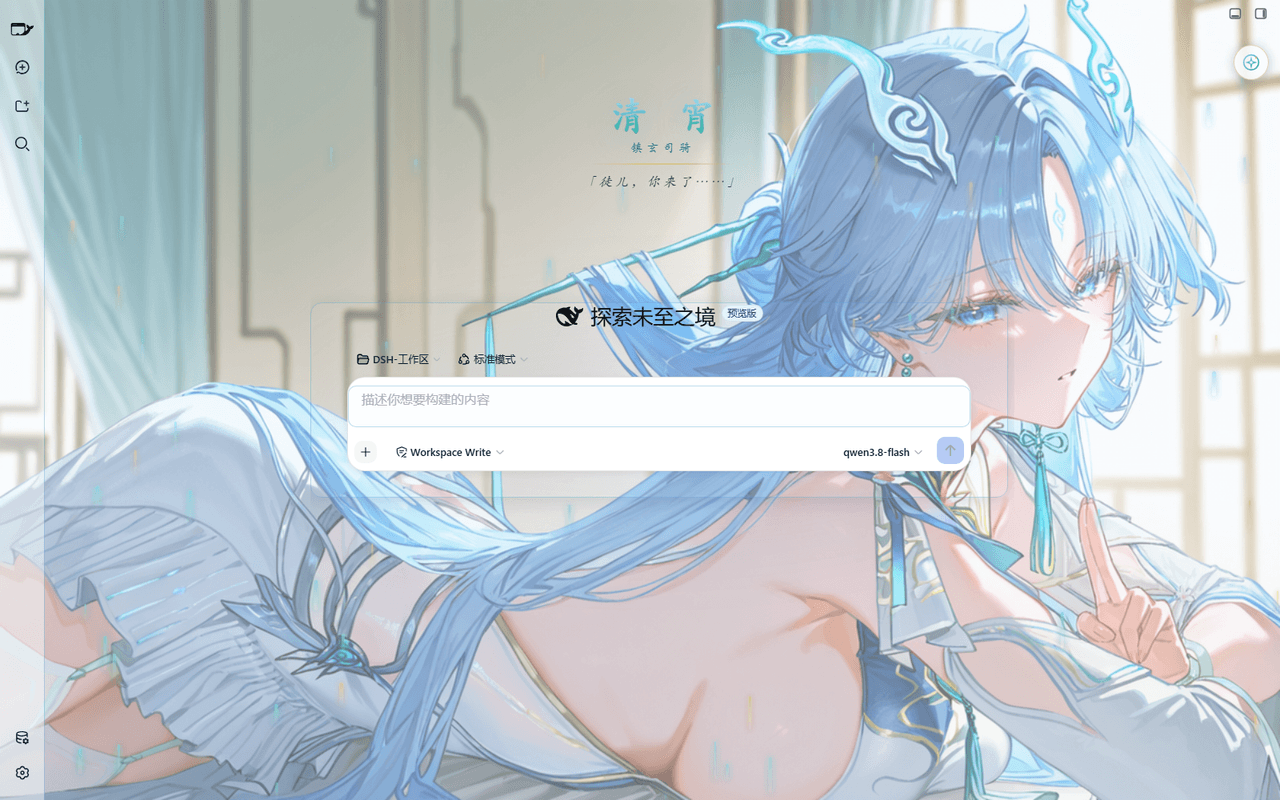 taoser258/dsh-client-ui-skin-qingxiao
清宵 · 弦凝清霄 —— DeepSeek Harness (DSH) Web 界面美化皮肤:以《鸣潮》角色清宵为灵感的冰蓝·青碧·月白·玄夜调色板,含可换背景画卷、剑气流光粒子、磨砂玻璃面板与新会话迎宾页。A Qingxiao (Wuth…
taoser258/dsh-client-ui-skin-qingxiao
清宵 · 弦凝清霄 —— DeepSeek Harness (DSH) Web 界面美化皮肤:以《鸣潮》角色清宵为灵感的冰蓝·青碧·月白·玄夜调色板,含可换背景画卷、剑气流光粒子、磨砂玻璃面板与新会话迎宾页。A Qingxiao (Wuth…