superdesigndev/treg
适用于智能体工具的OpenRouter。加入社区:https://discord.gg/6mQYYfFMAn
Project Overview项目介绍
Treg is a tool registry and proxy service built for AI agents, aggregating over 3,000 tool endpoints from more than 60 providers across use cases like SEO, social trend analysis, data enrichment, advertising, scraping, and media generation. It offers pay-per-use pricing that eliminates the need for users to sign up for individual provider accounts, and it can be used via the official hosted service at treg.to or self-hosted by any user. It supports integration as a skill across multiple AI agent platforms, and can be installed via a one-line shell script for the command line interface.
The core feature of Treg is centralized credential management for teams. Teams can register their own API keys, OAuth connections, and vendor CLIs to the registry, and all callers only need a single unified token to access any registered tool. Credentials stay on the server side and are never exposed to the calling agent, which reduces security risk for shared team tooling. Users can search for tools by task description instead of needing prior knowledge of specific providers. New eligible teams get $1 in free credit when they sign up for the official hosted service.
Treg is licensed under Apache 2.0, allowing free commercial use and self-hosting, with only one restriction: you may not redistribute the code as a competing hosted managed registry service without written permission. It supports multiple AI agent platforms including Claude Code, MiniMax Code, and MiniMax Agent, and it also supports integration with DSH. After installation, new users can run treg login to authenticate, then immediately search for tools and make calls with no additional setup. All tool calls to the hosted service are transparently billed per use.
Treg 是一个面向 AI 代理的工具注册与转发服务,它聚合了来自 60 多个提供商的超过 3000 个工具端点,覆盖 SEO、社交趋势、企业数据 enrichment、广告、爬虫、音视频生成等多种场景,支持按调用付费,无需用户单独注册各个提供商的账号。它既可以使用官方公开托管的 treg.to 服务,也支持用户自行部署,可通过 CLI 或技能包方式集成到各类 AI 代理。
它的核心能力是统一管理各类工具凭证,团队可以把自有 API 密钥、OAuth 连接、厂商 CLI 都注册到 Treg,所有调用方只需要一个统一令牌即可调用所有工具,凭证始终留在服务端,不会泄露给调用的代理。用户可以按任务需求搜索工具,直接发起调用,不需要提前了解具体的工具提供商信息。
它使用 Apache 2.0 许可,允许免费商业使用和自托管,仅禁止未授权将其作为竞争性质的托管服务重新分发。新用户注册合格团队可以获得 1 美元的免费额度,公开匿名调用不需要付费。它支持 Claude Code、MiniMax 系列代理等多个平台,也兼容 DSH,可通过一键脚本安装 CLI。
请帮我安装这个 DSH 插件。安装前先完成【兼容性检查 + 安全性检查】,检查通过再动手。

插件:treg(superdesigndev/treg)
仓库:https://github.com/superdesigndev/treg
本站详情页:https://www.yhbd.top/plugins/superdesigndev-treg/
本站登记:类型 plugin · 归类 原生 DSH 插件 · 许可证 NOASSERTION · ⭐ 4093 · 最近提交 2026-10-03 · 主语言 Python

按下面顺序执行,每步先把结论告诉我,再进入下一步:

【1 兼容性检查】
① 我这边:DSH 版本、Node 版本、操作系统、当前 profile(web / desktop)。
② 读它的 README、package.json、插件 manifest,列出它要求的 DSH 版本 / Node 版本 / 操作系统 / 外部依赖 / 需要另外先装的运行时。
③ 逐条比对,结论只写「满足 / 不满足 / 未知」三种;不满足的给出可行替代方案。
④ 检查是否和我已装的插件冲突:命令名重复、skill / tool 重名、端口占用、重复注册的 MCP server。

【2 安全性检查】
① 仓库可信度:和上面「本站登记」是否一致;star / fork 数、创建时间、最近提交,是否归档或长期停更。
② 安装脚本:逐行看 package.json 的 preinstall / install / postinstall,以及 install.sh、setup.ps1 之类脚本。出现 curl|bash、下载后直接执行、混淆代码、访问与插件功能无关的域名,立刻停下来告诉我,不要继续装。
③ 依赖:列出新增依赖,标出无人维护、或与知名包拼写近似的可疑包(typosquatting)。
④ 权限与副作用:它会读写哪些目录、访问哪些域名、需要哪些 DSH 权限(filesystem / network / shell / clipboard 等),以及怎么卸载和回滚。
⑤ 如果它要求 sudo / 管理员权限,或权限明显超出功能所需,先停下来问我。

【3 安装】
上面两步没有「不满足」和「高危项」时才执行;用官方推荐方式安装,不要自行提权。

【4 汇报】
用表格输出:检查项 / 结论 / 依据 / 是否需要我决策。拿不准的一律写「未知」并说明要我怎么确认——不要猜,也不要替我决定。
Send this message to DSH in your current session: it verifies compatibility and security first (answering met / not met / unknown item by item) and only installs once everything checks out — it will stop and ask you if it finds a high-risk item. The box scrolls; the copy is the full prompt. CLI install commands may not be accurate across systems, so DSH is the safer route.把上面这条消息直接发给当前会话里的 DSH:它会先核对兼容性与安全性(逐条给「满足 / 不满足 / 未知」),确认没问题再安装,有高危项会停下来问你。框内可滚动,复制到的是完整提示词;安装命令不一定准确,发给 DSH 更稳。
- This site's static screen found no obvious risk signal (stars, license, activity, manifest)本站静态筛查没发现明显风险信号(星标、许可证、更新活跃度、清单完整度)
DSH walks through these 9 checksDSH 会逐条核对这 9 项
Compatibility兼容性
- DSH, Node, OS and profile requirementsDSH 版本 / Node 版本 / 操作系统 / profile 是否满足要求
- External dependencies and runtimes (Electron / Python / Docker, ...)外部依赖与运行时(Electron / Python / Docker 等)是否齐备
- Conflicts with installed plugins: command names, skill / tool names, ports, duplicate MCP registration与已装插件是否冲突:命令名、skill / tool 重名、端口占用、重复 MCP 注册
Security安全性
- Repo matches the facts registered here; archived or abandoned?仓库是否与页面登记一致,是否归档或长期停更
- Safety of preinstall / install / postinstall and install.sh / setup.ps1preinstall / install / postinstall 与 install.sh、setup.ps1 是否安全
- curl|bash, download-then-execute, obfuscation, unrelated domains → stop immediatelycurl|bash、下载即执行、混淆代码、无关域名 → 立刻停止
- Typosquatting or unmaintained packages among the new dependencies新增依赖里有没有 typosquatting 或无人维护的包
- Requested permissions vs. what the feature actually needs申请了哪些权限、是否超出功能所需(filesystem / network / shell / clipboard)
- Any sudo / admin requirement, plus uninstall and rollback是否要求 sudo / 管理员权限,以及卸载与回滚方式
Anything uncertain must be marked unknown with a note on how to confirm it. This site's signal screen is a static snapshot, not a security audit.拿不准的必须标「未知」并说明要我怎么确认。本站的信号筛查是静态快照,不能替代安全审计。
Or use CLI install (for developers)或使用命令行安装(适合开发者)
CLI Install命令行安装
dsh plugin --profile web add github:superdesigndev/treg把 superdesigndev/treg 加入你的 DSH 配置(web profile)即可启用。
READMEREADME
Treg (OpenRouter for Tools)
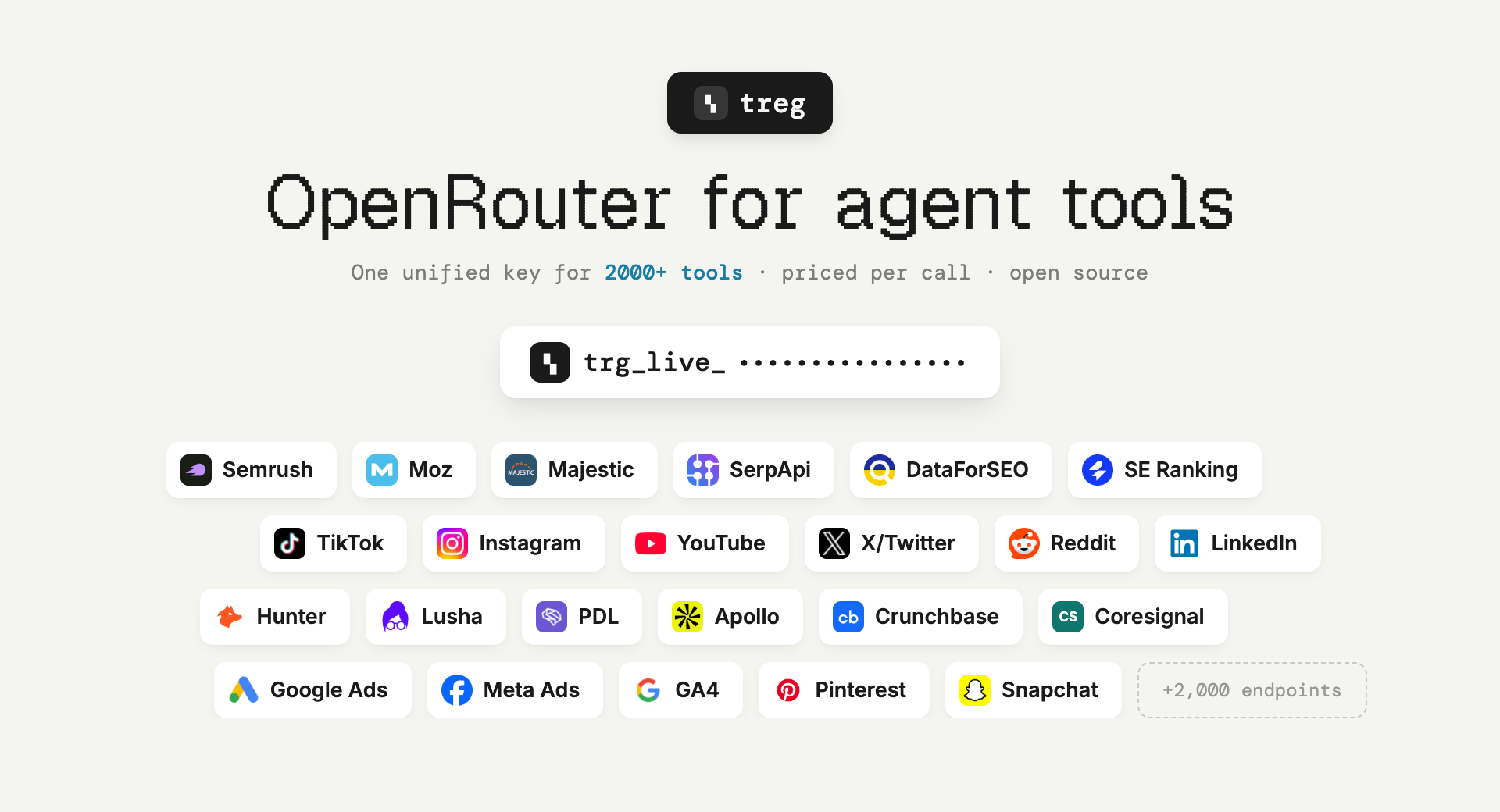
OpenRouter, but for agent tools instead of models. Point an agent at one base URL with one token and it can do the job: a curated catalog of thousands of endpoints across many providers — SEO and backlinks, social and trends, people and company enrichment, ads, scraping, image and video generation — priced per call, from a cent, with no provider signup. Plus your own team's keys, skills and CLIs, callable by every teammate's agent without the credential ever leaving the server.
Ask for the task, not the tool. You do not need to know which vendor sells backlink data, or to hold an account with them. Search for what you want to do, read the price, call it.
Built for the Superdesign team, live at treg.to — anyone can self-host.
Why it exists
The tools an agent needs for real work sit behind subscriptions nobody buys for a single run — Semrush $139/mo, Moz $99/mo, Crunchbase $99/mo, Apollo $59/seat — behind signup walls, or behind no public API at all (invite-only, partner-only, app-review-only). treg carries those accounts and bills fractions of a cent per call.
Two kinds of tool, one token
- The catalog — external endpoints treg can serve with its own key or through a verified public route that needs no provider key. Own-key calls use the team's prepaid balance; anonymous calls are free. No account with the provider is needed. New verified accounts receive $1.00 free once, when they create an eligible team.
- Your own tools — anything a teammate registered: a paid API account, an OAuth connection, a
vendor CLI, a
SKILL.md. Your own key always wins over treg's, and those calls are never metered.
The vocabulary for the second half:
- tool = something the registry calls for you with the org's credential. Two kinds:
- endpoint — an upstream
base_url+ credential bindings (each binding injects one secret into the request; a request can carry several, e.g. an OAuth bearer and adeveloper-tokenheader). - CLI — a vendor binary (
stripe,gh,vercel, ...) run with the credential injected.
- endpoint — an upstream
- skill / bundle = a recipe (
SKILL.md) + its secrets + its tool(s), registered together.
Showing the opening section of the README — the full document lives in the repository以上为 README 开头摘要,完整文档在仓库内 · View the full README on GitHub →在 GitHub 查看完整 README →
Related相关推荐
-
 bradeGithub/DSH-Plugins-Marketplace
DSH插件市场 / DSH Plugin Marketplace: 在 DeepSeek Harness Web GUI 中一键浏览、安装与更新 GitHub topic:dsh-plugin 的全部插件 | browse, install…
bradeGithub/DSH-Plugins-Marketplace
DSH插件市场 / DSH Plugin Marketplace: 在 DeepSeek Harness Web GUI 中一键浏览、安装与更新 GitHub topic:dsh-plugin 的全部插件 | browse, install…
-
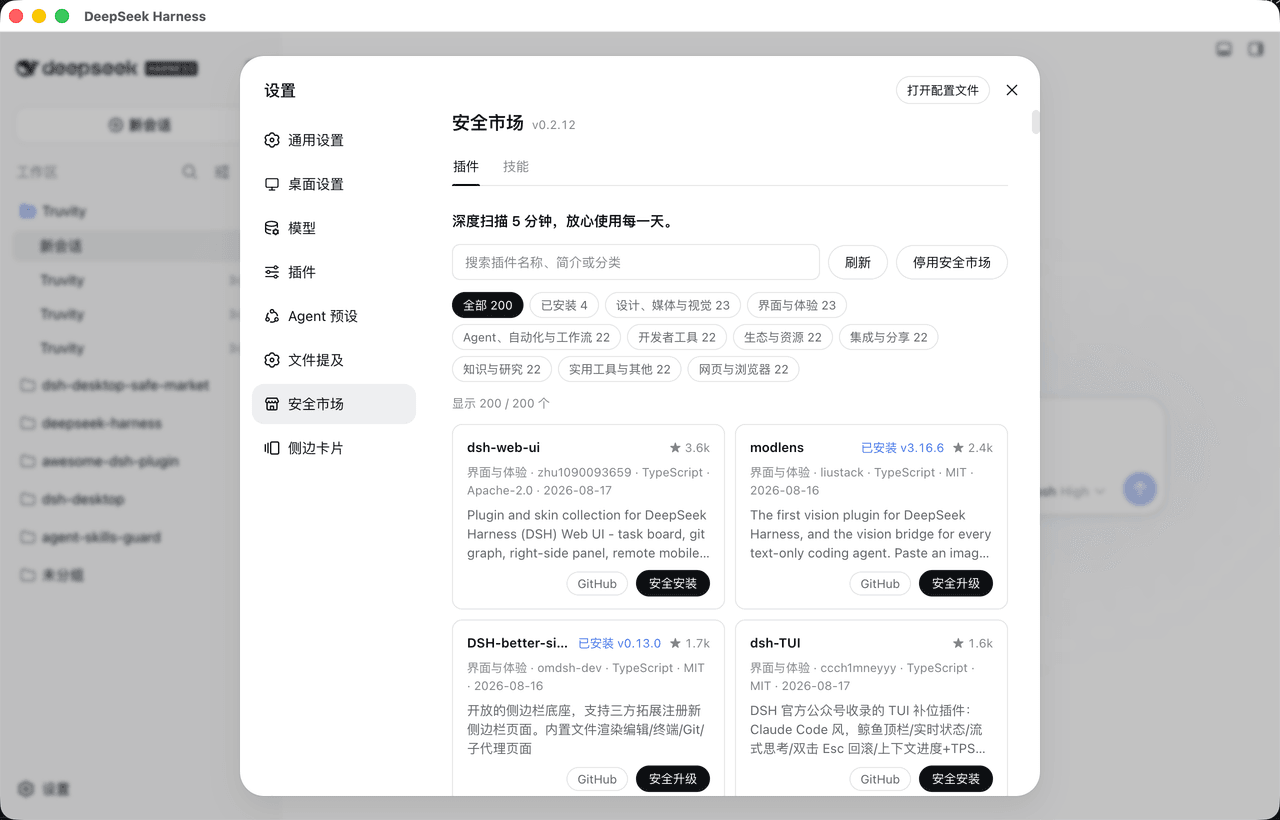 bruc3van/awesome-dsh-plugin
30 秒找到真正适合你的 DeepSeek Harness插件。每天自动抓取 GitHub 上的 `dsh-plugin` 项目并逐个复核:真实插件分类收录,蹭标签项目剔除。通过场景化分类、精选推荐、热度排行和图文导览,帮你快速看懂每个插件…
bruc3van/awesome-dsh-plugin
30 秒找到真正适合你的 DeepSeek Harness插件。每天自动抓取 GitHub 上的 `dsh-plugin` 项目并逐个复核:真实插件分类收录,蹭标签项目剔除。通过场景化分类、精选推荐、热度排行和图文导览,帮你快速看懂每个插件…
-
 awesome-dsh-plugin/dsh-find-plugin
Find DSH plugins inside the agent — live GitHub dsh-plugin topic search, star-ranked / 会话内搜索发现 DSH 插件
awesome-dsh-plugin/dsh-find-plugin
Find DSH plugins inside the agent — live GitHub dsh-plugin topic search, star-ranked / 会话内搜索发现 DSH 插件
- dshplugin/dsh-plugin-hub DeepSeek Harness 社区内置插件市场(dsh-plugin)— 搜索插件、下载并安装 10000+ 人工精选社区插件,每日更新、完全免费。内置在 Harness「设置 → 插件中心」,无需离开应用即可浏览、搜索、安装各类 AI…
-
 hyqibot/A-share-Ai
幻银量化A股阿法狗AlphaHYQi,100%由ai自主驱动的实盘交易机器。接入自产龙虾iClaw,手机端一句话控制四大模型同时干活。获取方法:前往https://hyqibot.com/card-shop.html 捐赠相应期限的服务卡即…
hyqibot/A-share-Ai
幻银量化A股阿法狗AlphaHYQi,100%由ai自主驱动的实盘交易机器。接入自产龙虾iClaw,手机端一句话控制四大模型同时干活。获取方法:前往https://hyqibot.com/card-shop.html 捐赠相应期限的服务卡即…
-
 Sanqi-normal/dsh-webui-market-plugin
dsh Web GUI 社区插件市场:浏览 awesome-dsh-plugin.com 插件目录,一键安装/卸载到 profile。Community plugin market for the DeepSeek Harness (dsh…
Sanqi-normal/dsh-webui-market-plugin
dsh Web GUI 社区插件市场:浏览 awesome-dsh-plugin.com 插件目录,一键安装/卸载到 profile。Community plugin market for the DeepSeek Harness (dsh…
- Alex-Yanggg/awesome-DSH-plugin A meticulously curated list of useful plugins, extensions, tools and development resources built for DSH, covering produ…
-
 T-Auto/dsh-ecosystem-spec
DSH Community Consensus & Implementation Specifications / DSH 社区共识与实施规范
T-Auto/dsh-ecosystem-spec
DSH Community Consensus & Implementation Specifications / DSH 社区共识与实施规范