sz1698/dsh-bg-new
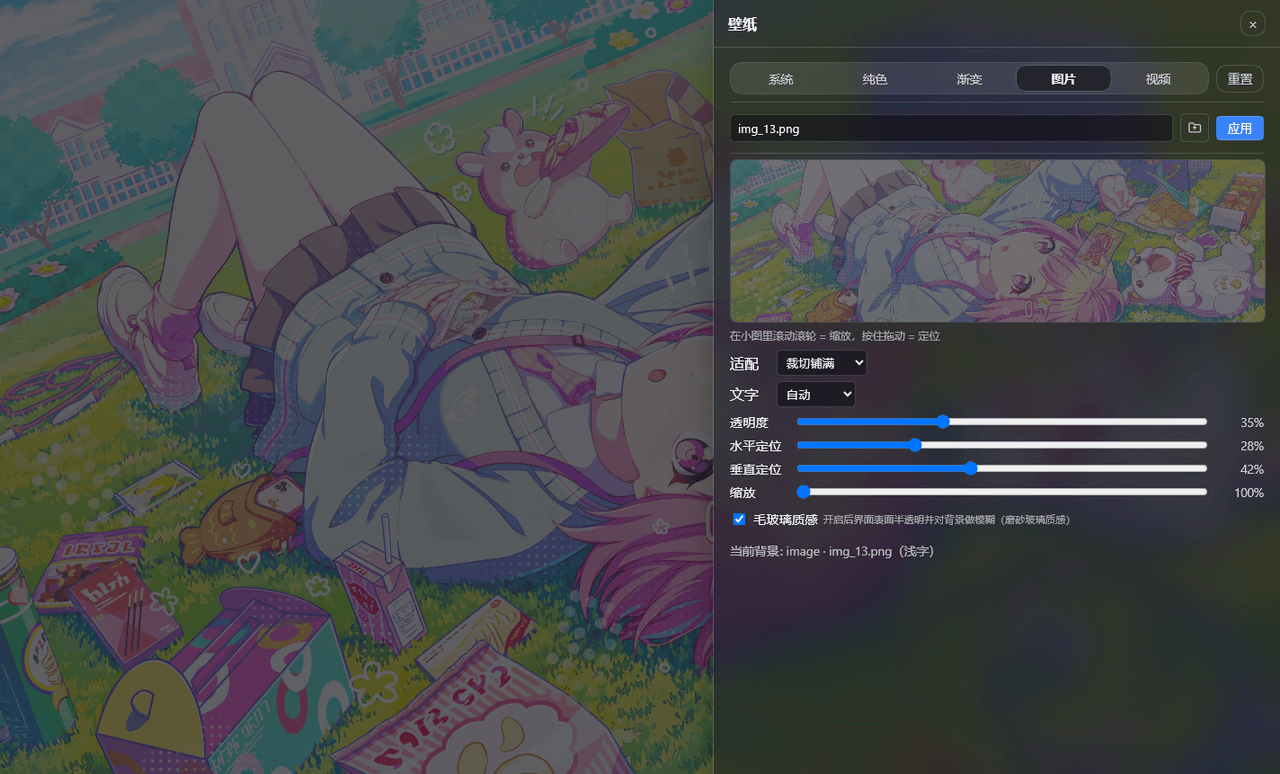
DSH 网页界面换背景:侧栏「壁纸」按钮弹出右侧抽屉,支持系统预设/纯色/渐变/图片/视频,滚轮+拖动小图同时管缩放与定位,毛玻璃质感,本地媒体伺服不走云端。DSH web background & wallpaper plugin with drawer UI, glassmorphism and local media serving.
Project Overview项目介绍
This is a background replacement plugin for DeepSeek Harness (DSH) web interface. It supports 5 types of backgrounds, allows adjustable scaling and positioning, optional frosted glass effect, and supports model commands to change background. Use it when you want to customize DSH web background. It is an unofficial plugin not published on npm, install via git.
这是DeepSeek Harness(DSH)网页界面换背景插件,支持系统预设、纯色、渐变、图片、视频五种背景,可调整缩放定位,可选毛玻璃效果,也支持模型指令修改,修改即时生效,重启后保留设置。适合想要自定义DSH网页背景的用户。注意:本插件为非官方社区插件,未发布到npm,需通过git安装。
请帮我了解并安装插件:【dsh-bg-new】【https://github.com/sz1698/dsh-bg-new】Send this message to DSH in your current session. CLI install commands may not be accurate across systems — DSH will figure it out for you.把上面这条消息直接发给当前会话里的 DSH,让它帮你了解并安装。安装命令不一定准确,发给 DSH 更稳。
Or use CLI install (for developers)或使用命令行安装(适合开发者)
CLI Install命令行安装
dsh plugin --profile web add github:sz1698/dsh-bg-new把 sz1698/dsh-bg-new 加入你的 DSH 配置(web profile)即可启用。
READMEREADME
dsh-bg-new
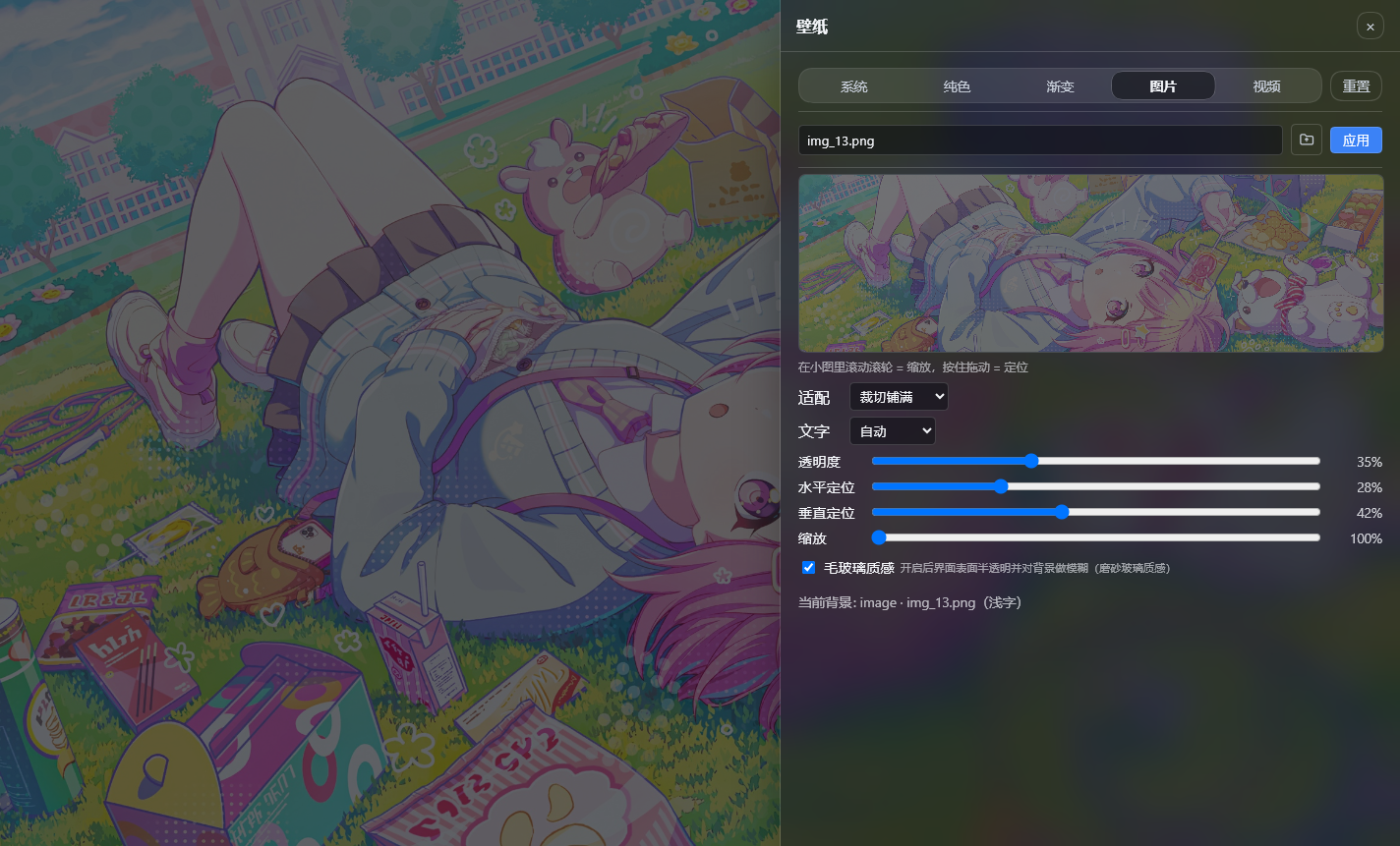
DSH(DeepSeek Harness)网页界面换背景插件:点左侧栏(Settings 上方)的**「壁纸」按钮**,右侧弹出抽屉,可换系统预设 / 纯色 / 渐变 / 图片 / 视频五种背景,滚轮 + 拖动的小图同时管缩放与定位,可选毛玻璃质感。桌面端即时生效、无需刷新,重启后仍在。
也可以直接对模型说「把背景换成深蓝」「用这张图做壁纸」,由 bg_apply 工具完成。
非官方社区插件,MIT。逐版变更见 CHANGELOG.md。
功能
- 🎨 五种背景:系统预设 / 纯色 / 渐变 / 图片 / 视频(本地文件或远程链接)
- 🗂️ 侧栏入口 + 右侧抽屉:不用进设置页;抽屉打开时自动收起左侧栏与聊天区并降透明,专注调参,点抽屉外即关闭
- 🖱️ 小图同时管缩放与定位:滚轮缩放、拖动定位;指针拖到小图外有 2 秒宽限,超时才释放
- 📐 适配与焦点:fill / cover / contain 等 5 种适配,水平与垂直焦点可调,另有自由缩放与放大聚焦
- 🪟 毛玻璃质感:可选让面板、气泡、输入框变成半透明磨砂表面
- 🎞️ 动态壁纸:本地 MP4 循环播放,可静音、可调音量;视频不设体积上限
- 🤖 模型也能换:
bg_apply工具支持颜色 / 渐变 / 图片 / 视频 / 本地文件 / 关闭 - 🌗 文字方案:按背景亮度自动推断,也可手动指定亮 / 暗文字方案
- 🔒 媒体只在本机:上传的图片与视频保存在本机数据目录,由插件自己的路由伺服(支持 Range,视频可拖动进度),不会上传到任何云端服务
安装
前置:已装好 DSH(dsh web 能正常运行)。
方式一:git 通道(推荐)
dsh plugin --profile web add github:sz1698/dsh-bg-new
装完重启应用(或重启 dsh web),再刷新浏览器。
dsh 不在 PATH 时:
npx -y --package @deepseek-ai/dsh dsh plugin --profile web add github:sz1698/dsh-bg-new
仓库里已提交构建产物(lib/client.js 与 lib/index.js),安装时不需要任何构建授权 —— pnpm 不会要求你写 allowBuilds。
注意:npm 上的
dsh-bg是另一个作者的同类插件,与本项目无关,别装错;本项目目前没有发布到 npm,请用上面的 git 通道。
方式二:本地 clone(开发 / 自用)
git clone https://github.com/sz1698/dsh-bg-new.git
cd dsh-bg-new
npm install && npm run build
dsh plugin --profile web add .
国内镜像:https://gitee.com/iuniko/dsh-bg/tree/main
装完确认
dsh --profile web --dump-config # 应能看到 "# == dsh-bg-new" 这一层
更新
装了之后想升到最新版,在任何目录执行:
dsh plugin --profile web update dsh-bg-new
然后重启应用(或重启 dsh web),再刷新浏览器 —— 客户端那一半要等重启后才会换成新版本;浏览器如果还显示旧界面,硬刷新一次(Ctrl+Shift+R)。
两点说明:
- 走 git 通道安装时按提交解析,不依赖版本号:上游有新提交,
update就会拉到最新的那一个(已实测)。 - 仓库里已提交构建产物,所以更新同样不需要构建授权,pnpm 不会要求你写
allowBuilds。
卸载
dsh plugin --profile web remove dsh-bg-new
许可
Related相关推荐
- jean3690/dsh-drawio DSH drawio 插件:AI 驱动画图(validate/render/edit/template 工具)+ 侧栏实时 SVG 画板,内嵌 diagrams.net 官方编辑器
-
 liustack/modlens
The first vision plugin for DeepSeek Harness, and the vision bridge for every text-only coding agent. Paste an image, ge…
liustack/modlens
The first vision plugin for DeepSeek Harness, and the vision bridge for every text-only coding agent. Paste an image, ge…
-
 Anionex/dsh-vision-toolkit
[dsh]为纯文本模型设计更强大的视觉工具箱:一行安装使用、粘贴图片直接识别、多张图片问答、截图到前端UI 还原等|DeepSeek Harness-native integration for agent-vision-toolkit: …
Anionex/dsh-vision-toolkit
[dsh]为纯文本模型设计更强大的视觉工具箱:一行安装使用、粘贴图片直接识别、多张图片问答、截图到前端UI 还原等|DeepSeek Harness-native integration for agent-vision-toolkit: …
-
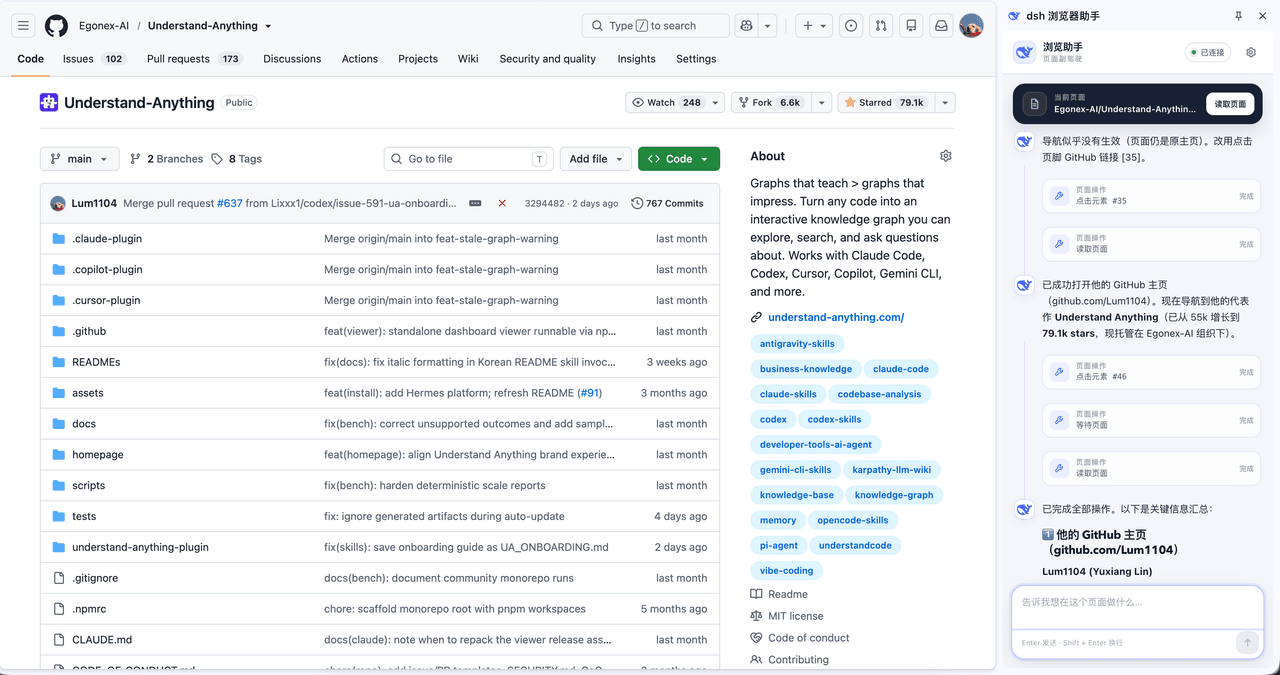 Lum1104/dsh-browser
Chrome sidebar extension that lets DeepSeek Harness operate your browser directly, no vision capabilities required. 一款 C…
Lum1104/dsh-browser
Chrome sidebar extension that lets DeepSeek Harness operate your browser directly, no vision capabilities required. 一款 C…
-
 shanliuling/dsh-image-gen
AI image studio for DeepSeek Harness — generate, edit & compare images in chat, with 500+ prompts, gallery, multi-model …
shanliuling/dsh-image-gen
AI image studio for DeepSeek Harness — generate, edit & compare images in chat, with 500+ prompts, gallery, multi-model …
-
 elysia395/dsh-wallpaper-engine
把本机 Wallpaper Engine 的壁纸变成 DSH 网页界面的背景:Video 动态播放、Web 以 iframe 加载、Scene 壁纸提取主纹理作为静态帧;iOS 液态玻璃设置窗口(配色 / 玻璃颜色 / 透明度)、内容分级与…
elysia395/dsh-wallpaper-engine
把本机 Wallpaper Engine 的壁纸变成 DSH 网页界面的背景:Video 动态播放、Web 以 iframe 加载、Scene 壁纸提取主纹理作为静态帧;iOS 液态玻璃设置窗口(配色 / 玻璃颜色 / 透明度)、内容分级与…
-
 zhaoolee/notes
开源版锤子便签,复刻锤科美学,一键Docker私有化部署,支持skill调用,支持dsh plugin,支持多租户,一键生成公众号格式,支持导出便签为图片
zhaoolee/notes
开源版锤子便签,复刻锤科美学,一键Docker私有化部署,支持skill调用,支持dsh plugin,支持多租户,一键生成公众号格式,支持导出便签为图片
- beiyege-01/dsh-voice-ai-girlfriend 语音 AI 女友(Voice AI girlfriend for DeepSeek Harness):Whisper 语音输入 + Qwen3-TTS 声音克隆 + 句子级流式朗读 + 数字人动画窗。插话/排队双模式,说话即打断。