tdyangbo/PianpianUI
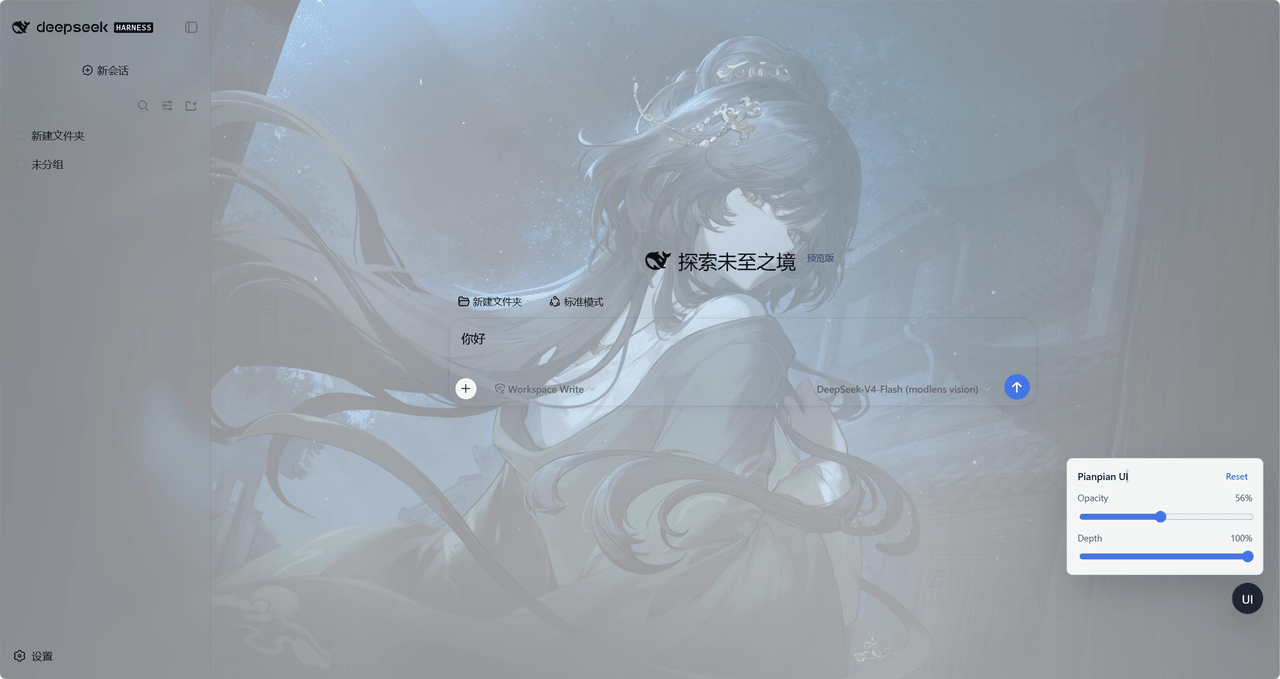
用于DeepSeek Harness的林翩翩主题UI插件。使用《哀鸿:城破十日记》的角色林翩翩作为页面半透明背景,并支持透明度和深度调节。
项目介绍Project Overview
PianpianUI 是 DeepSeek Harness 的 Web UI 主题插件,将聊天主页背景改为《哀鸿:城破十日记》角色林翩翩的半透明图片,同时保持侧边栏、输入框、按钮和聊天内容可读。适合想个性化聊天界面时使用;右下角 UI 按钮可调节透明度、深度并重置,设置保存在浏览器中。注意非聊天页面调节按钮会隐藏,更新或停用后需 Ctrl+F5 强制刷新清除缓存。
PianpianUI is a DeepSeek Harness Web UI theme plugin that replaces the chat home background with a semi-transparent image of Lin Pianpian from *Aihong: Ten Days After the City Fell*, while keeping the sidebar, input box, buttons, and chat content readable. Use it to personalize the chat interface; a bottom-right UI button adjusts opacity and depth and resets settings, saved in the browser. The button hides on non-chat pages, and Ctrl+F5 is needed after updates or removal to clear cache.
请帮我了解并安装插件:【PianpianUI】【https://github.com/tdyangbo/PianpianUI】把上面这条消息直接发给当前会话里的 DSH,让它帮你了解并安装。安装命令不一定准确,发给 DSH 更稳。Send this message to DSH in your current session. CLI install commands may not be accurate across systems — DSH will figure it out for you.
或使用命令行安装(适合开发者)Or use CLI install (for developers)
命令行安装CLI Install
dsh plugin --profile web add github:tdyangbo/PianpianUI把 tdyangbo/PianpianUI 加入你的 DSH 配置(web profile)即可启用。
READMEREADME
PianpianUI for DeepSeek Harness
PianpianUI 是一个 DeepSeek Harness Web UI 插件。安装后,它会改变聊天主页面样式,使用《哀鸿:城破十日记》中的角色林翩翩作为半透明背景,并保留正常聊天界面的可读性。
安装
使用 DSH 命令安装:
dsh plugin --profile web add github:tdyangbo/PianpianUI
启动 DSH Web UI:
dsh web
如果页面仍显示旧效果,请在浏览器中按 Ctrl + F5 强制刷新。
效果预览
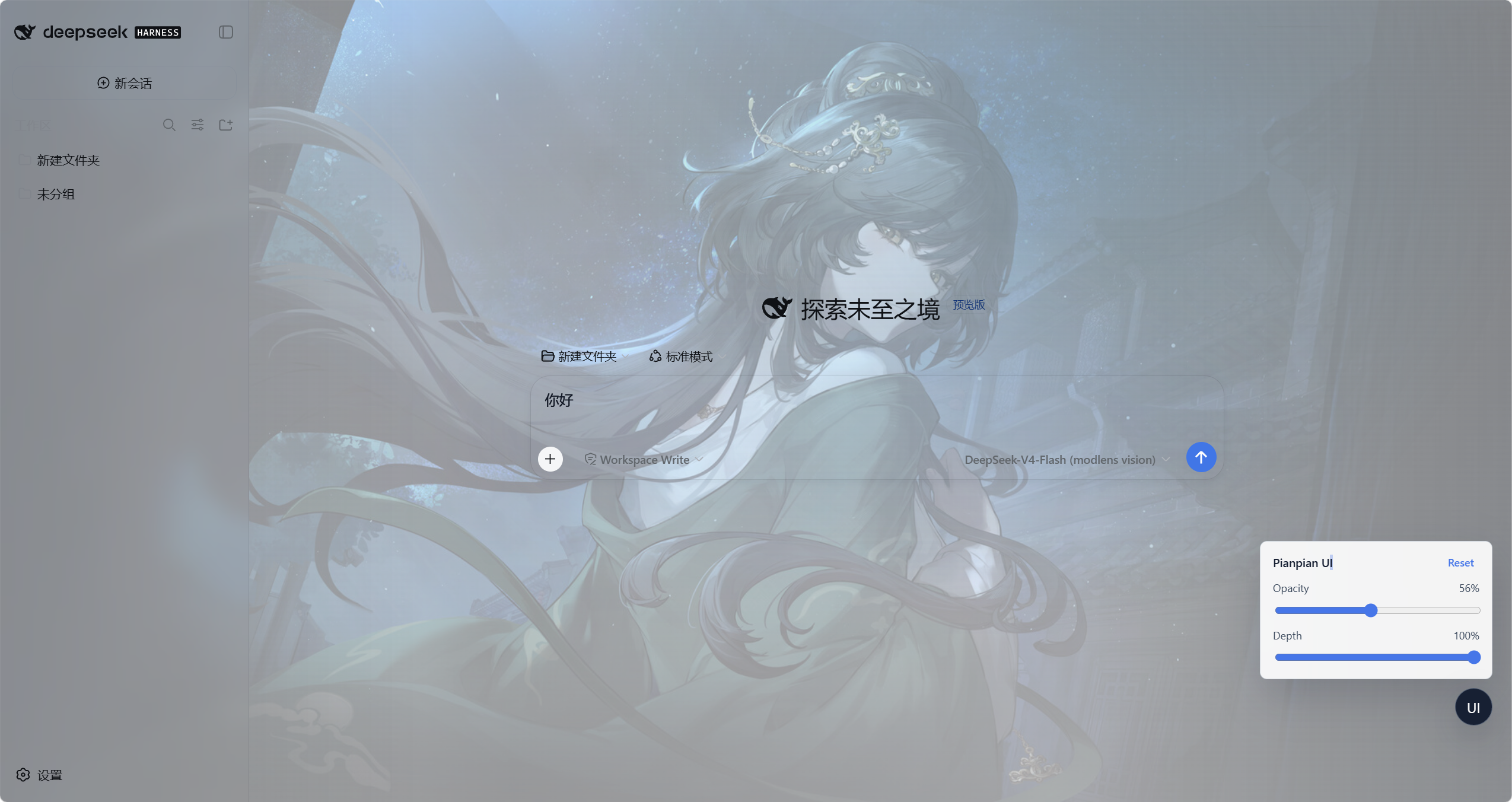
安装后的效果
- 聊天主页面会显示林翩翩半透明背景。
- 侧边栏、输入框、按钮和聊天内容仍保持清晰可读。
- 页面右下角会出现一个
UI调节按钮。 - 打开设置弹窗等非聊天页面时,调节按钮会自动隐藏。
调节背景效果
在聊天页面点击右下角 UI 按钮,可以打开调节面板。
Opacity:调节图片透明度。向右拖动,图片更明显;向左拖动,图片更淡。Depth:调节背景深度。向右拖动,背景更深、更有层次;向左拖动,界面更亮、更柔和。Reset:恢复默认显示效果。
调节结果会保存在当前浏览器中,刷新页面后仍会保留。
更新插件
如果插件已有新版本,先移除旧版本,再重新安装:
dsh plugin --profile web remove dsh-pianpian-ui
dsh plugin --profile web add github:tdyangbo/PianpianUI
dsh web
然后在浏览器中按 Ctrl + F5。
停用插件
如果不想继续使用该 UI 插件,执行:
dsh plugin --profile web remove dsh-pianpian-ui
dsh web
如果页面仍有缓存效果,请按 Ctrl + F5 或重新打开浏览器页面。
相关推荐Related
-
 nexu-io/open-design
🎨 Best DeepSeek Harness Design Plugin. The open-source Claude Design alternative. 🖥️ Local-first desktop app. 🖼️ Your…
nexu-io/open-design
🎨 Best DeepSeek Harness Design Plugin. The open-source Claude Design alternative. 🖥️ Local-first desktop app. 🖼️ Your…
-
 ruvnet/ruflo
🌊 The original agent meta-harness. Deploy intelligent multi-player swarms, coordinate autonomous workflows, and build c…
ruvnet/ruflo
🌊 The original agent meta-harness. Deploy intelligent multi-player swarms, coordinate autonomous workflows, and build c…
-
 amruthpillai/reactive-resume
A one-of-a-kind resume builder that keeps your privacy in mind. Completely secure, customizable, portable, open-source a…
amruthpillai/reactive-resume
A one-of-a-kind resume builder that keeps your privacy in mind. Completely secure, customizable, portable, open-source a…
-
 esengine/DeepSeek-Reasonix
DeepSeek-native AI coding agent for your terminal. Engineered around prefix-cache stability — leave it running.
esengine/DeepSeek-Reasonix
DeepSeek-native AI coding agent for your terminal. Engineered around prefix-cache stability — leave it running.
-
 volcengine/OpenViking
Self-evolving Context Database for AI Agents. Unify Agent Memory, Knowledge RAG and Skills.
volcengine/OpenViking
Self-evolving Context Database for AI Agents. Unify Agent Memory, Knowledge RAG and Skills.
-
 Molunerfinn/PicGo
:rocket: The Ultimate Image Uploader for Efficient Creators. Supports Obsidian, Typora, VS Code etc. and 60+ image hosti…
Molunerfinn/PicGo
:rocket: The Ultimate Image Uploader for Efficient Creators. Supports Obsidian, Typora, VS Code etc. and 60+ image hosti…
-
 titanwings/distilly
Distilly — Distill how they think into reusable Skills for any Agent or Bot. Formerly Colleague Skill(原同事 Skill).
titanwings/distilly
Distilly — Distill how they think into reusable Skills for any Agent or Bot. Formerly Colleague Skill(原同事 Skill).
-
 titanwings/colleague-skill