
text2future/flowix
Notes for you, Memory for your agents. / 内置 Deepseek harness Agent / 适用 办公 & 写作 & Coding
项目介绍Project Overview
Flowix 是一款开源 Markdown 笔记应用,可将笔记转化为 AI 代理的工作记忆。它提供 dsh-flowix-memory 插件,通过内置的 flowix-cli MCP 服务器让任意 Harness 代理搜索、读取、创建和编辑本地备忘录(含思维导图)。适用于产品、研发、研究及个人知识管理场景,让 Codex、Claude Code、OpenCode 等代理共享同一份上下文。需安装 Flowix 桌面端并将 flowix CLI 加入 PATH(每次启动会话需同步打开应用),当前插件尚未发布到 npm,仅支持 macOS 14+ 与 Windows 10+。
Flowix is an open-source Markdown notebook that turns notes into durable working memory for AI agents. The dsh-flowix-memory plugin wires any DeepSeek Harness agent to local Flowix memos via a bundled flowix-cli MCP server, exposing search, read, create, and edit operations (including mind maps). It fits product, development, research, and personal knowledge workflows where Codex, Claude Code, OpenCode, or similar agents need shared context. The plugin is not yet on npm and must be installed from a local checkout, and the desktop Flowix app must be running so the CLI can access notebook data.
请帮我了解并安装插件:【flowix】【https://github.com/text2future/flowix】把上面这条消息直接发给当前会话里的 DSH,让它帮你了解并安装。安装命令不一定准确,发给 DSH 更稳。Send this message to DSH in your current session. CLI install commands may not be accurate across systems — DSH will figure it out for you.
或使用命令行安装(适合开发者)Or use CLI install (for developers)
命令行安装CLI Install
dsh plugin --profile web add github:text2future/flowix把 text2future/flowix 加入你的 DSH 配置(web profile)即可启用。
READMEREADME

Notes for you,
Memory for your agents.
The Markdown notebook where your words seamlessly become durable context for AI agents.
Markdown · Open Source · Multi Agent · MCP & CLI
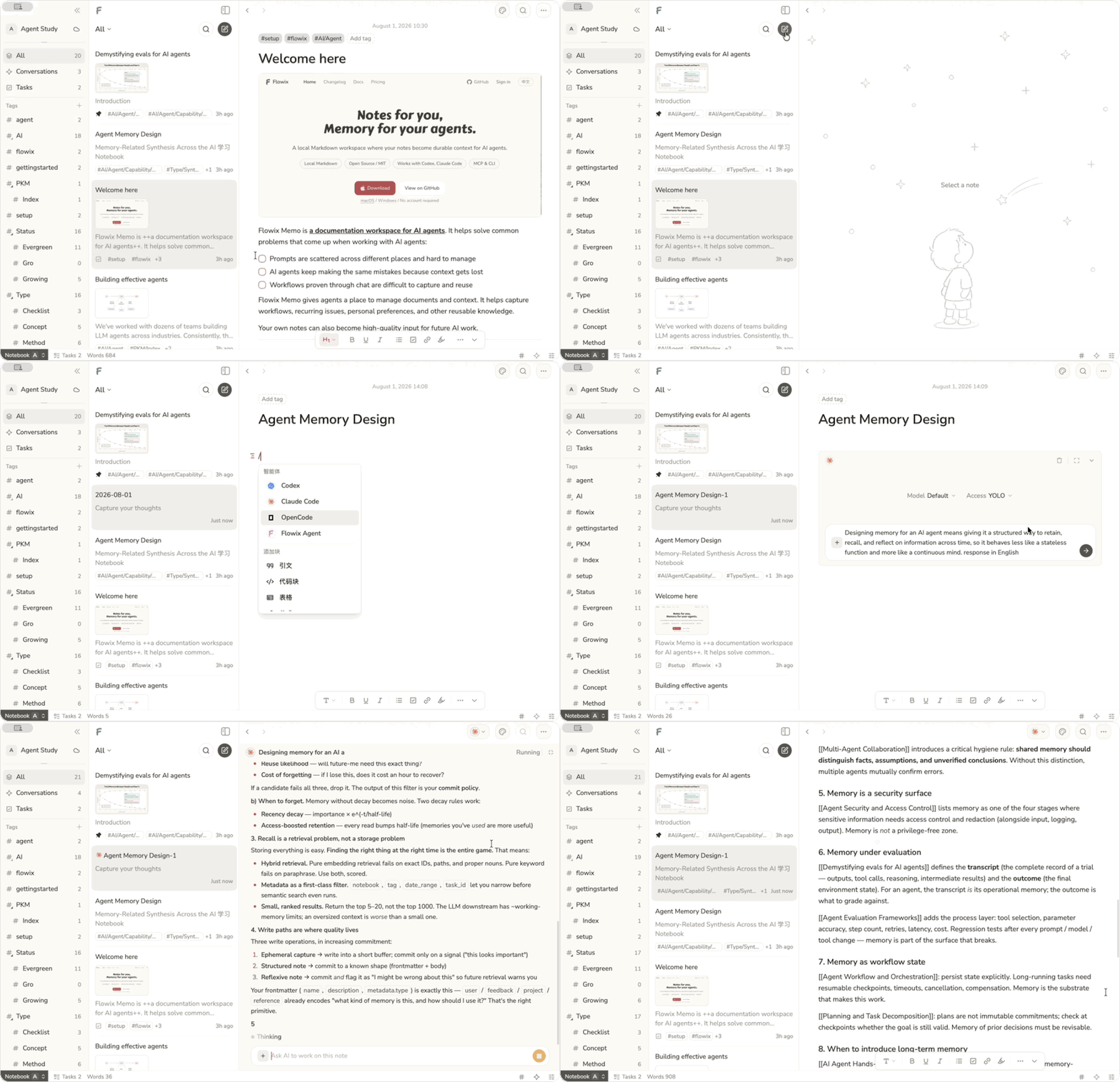
Flowix turns notes into working memory
Write in Markdown, point an agent to the context it needs, and save the result back to the same note — ready to review, edit, and reuse next time.
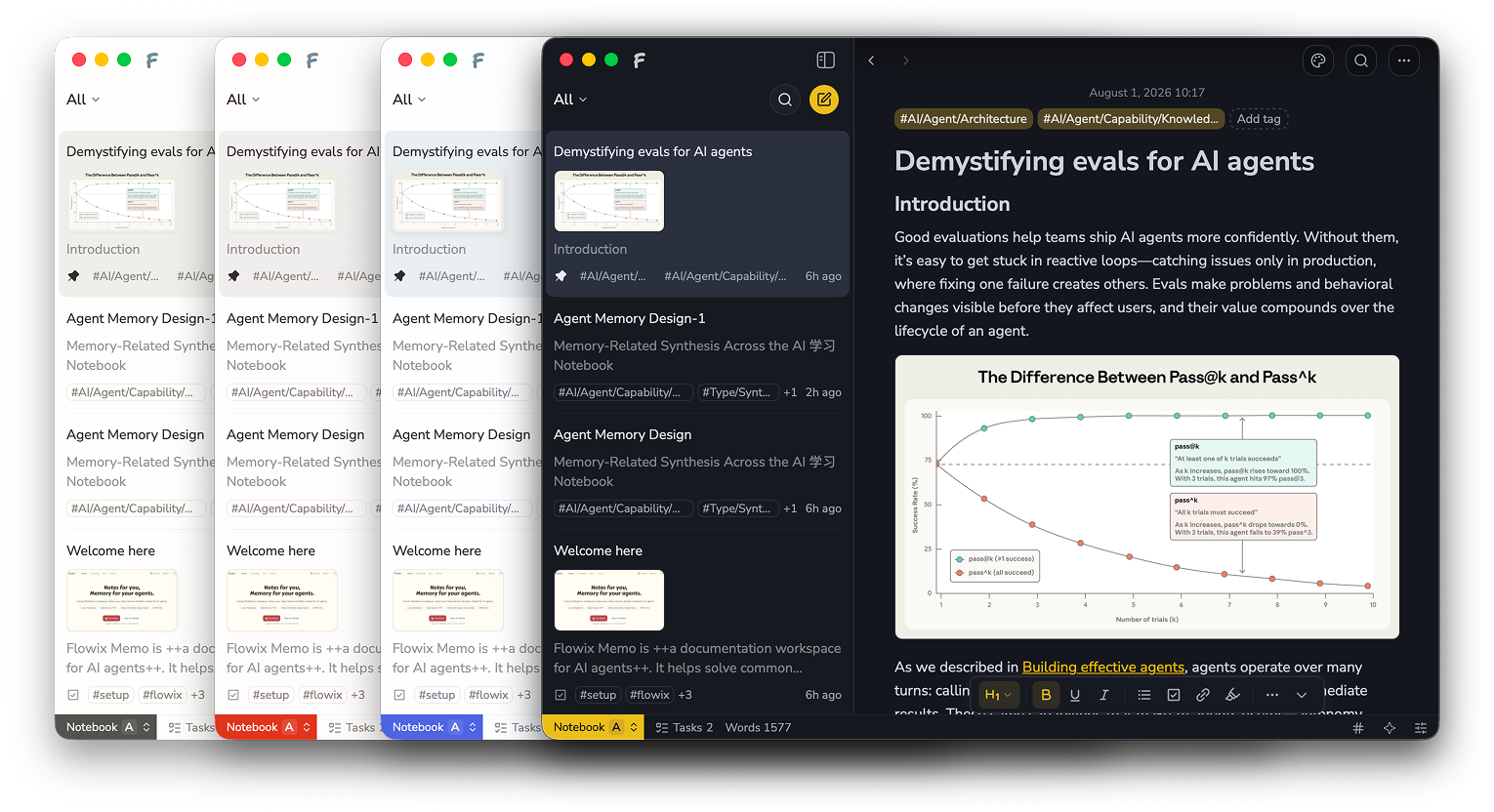
Keep work moving
Keep product work, development, research, and personal knowledge together, so agents can continue without starting over.
| Use case | What it does |
|---|---|
| Product work | Keep requirements, feedback, decisions, and PRDs up to date. |
| Software development | Give coding agents the context to continue your project. |
| Research | Keep sources, analysis, and conclusions together and reusable. |
| Personal knowledge | Turn notes, plans, and preferences into useful agent context. |
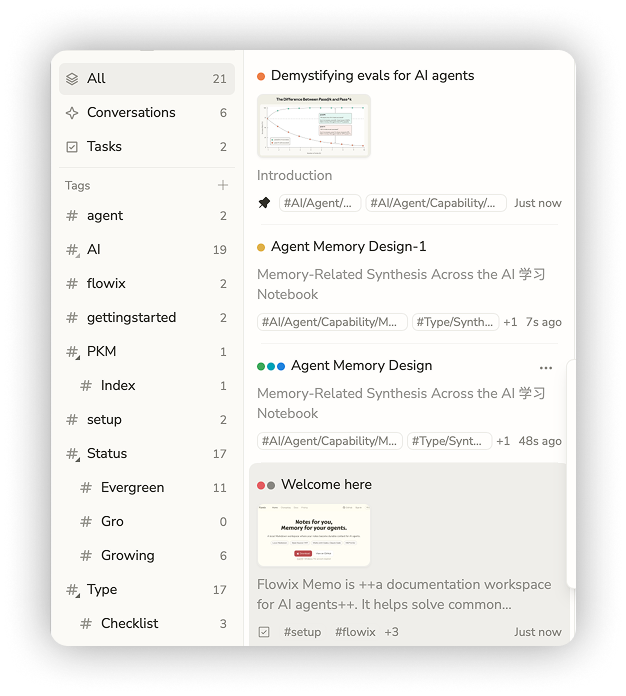
Connect every agent to the same memory
Use agents inside Flowix or connect Codex, Claude Code, OpenCode, Hermes, and other MCP or CLI tools — all working from the same notes and context.
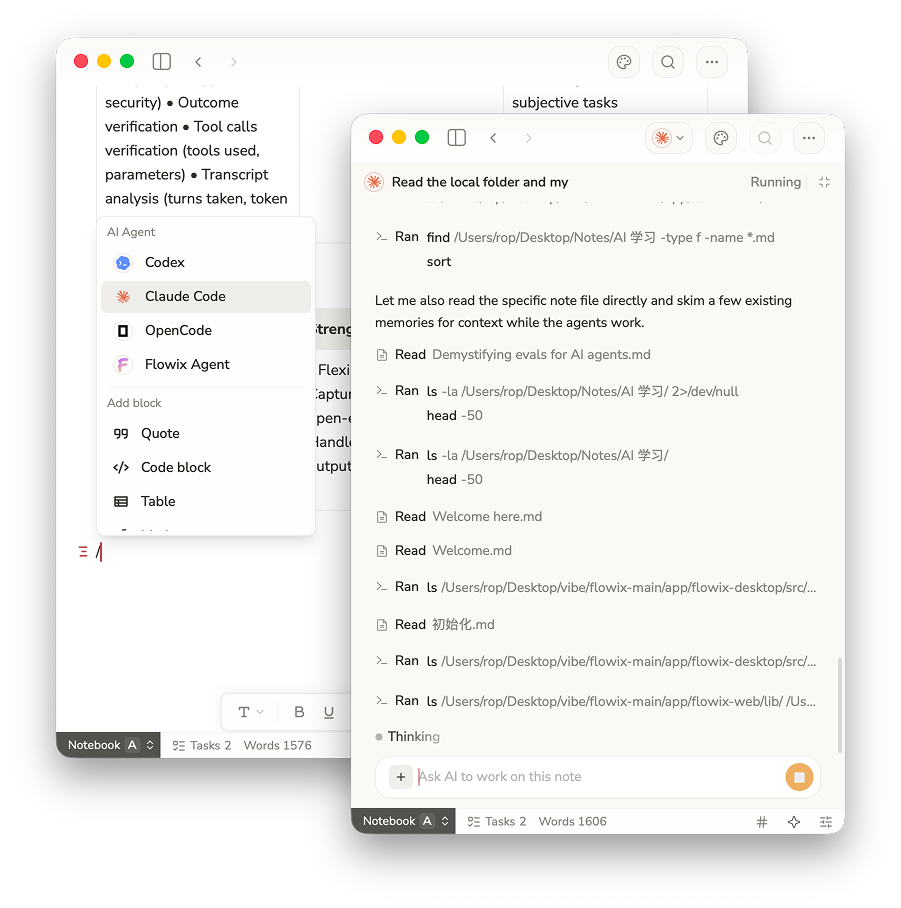
dsh-flowix-memory plugin
dsh-flowix-memory is a DeepSeek Harness plugin that connects any Harness agent to your local Flowix notes through the bundled flowix-cli MCP server: the agent gets the mcp__flowix__memo tool to search, read, create, and edit Flowix memos (including mind maps).
Install it into the flowix Harness profile from the flowix-main checkout (not yet published to npm). In other DSH clients, flowix is an ordinary custom profile name:
dsh plugin --profile flowix add ./dsh-flowix-memory
Requires the flowix CLI on PATH (or set FLOWIX_CLI_PATH) with access to your notebook data (~/.flowix). See the plugin README for details.
Your notes stay local and under your control
Flowix keeps your work as plain Markdown files on your device. You choose what agents can access, when context is sent, and how your files are synced, backed up, or versioned.
- Files you can open anywhere — Your notes are saved as plain Markdown on your device, so you can read and edit them with other apps.
- Agents see only what you choose — Share a single note, a folder, or a whole notebook — only when you want an agent to use it.
- Use the agents you already trust — Connect Codex, Claude Code, OpenCode, or another external agent. Flowix shares only the context you choose, when you start a task.
- Sync and back up your way — Use the sync, backup, or version-control tools you already trust. There's nothing to export.
Product preview
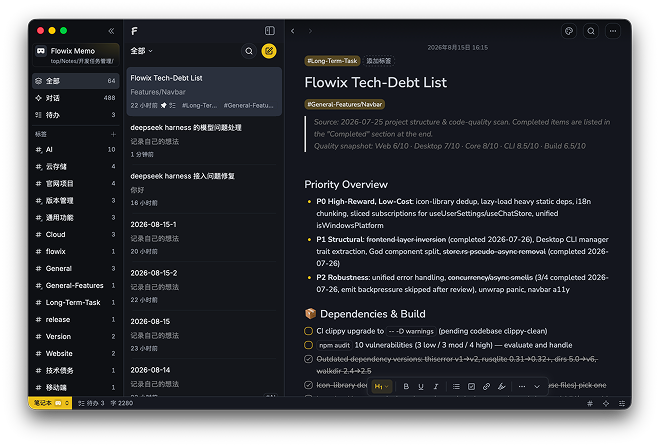 Note library with tags |
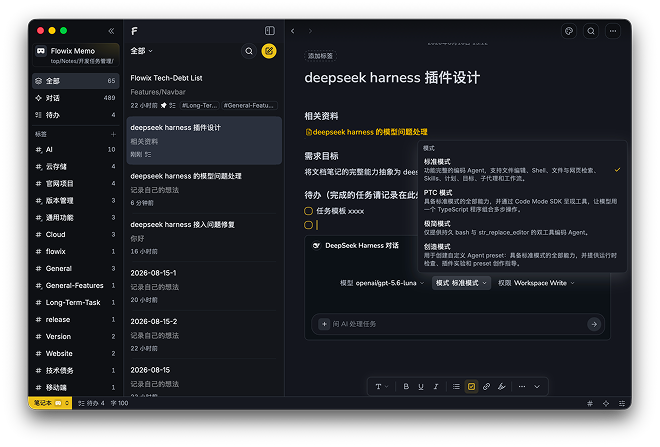 Note detail with agent presets |
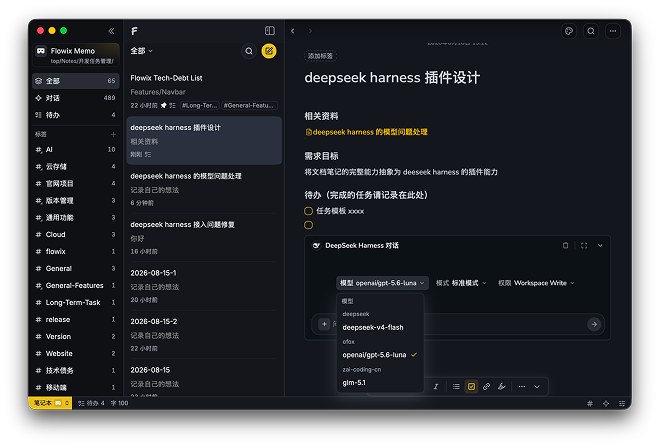 Agent model picker |
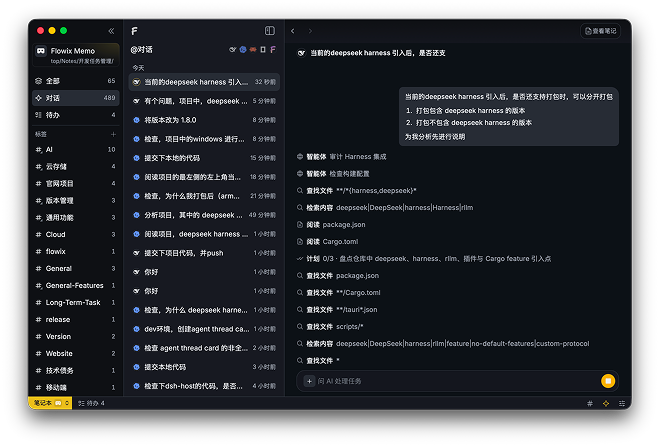 Full-text and file search |
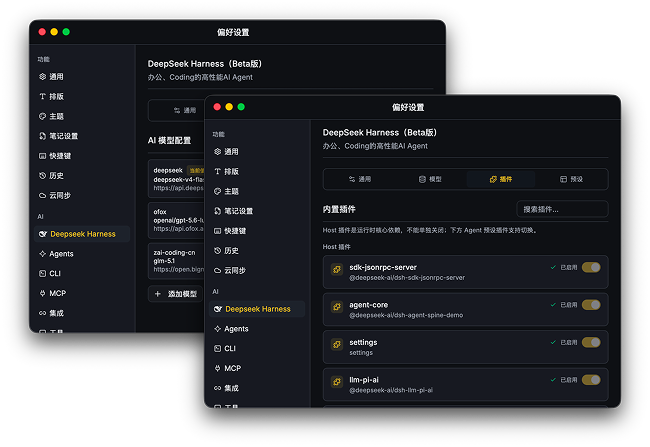 Provider and MCP configuration |
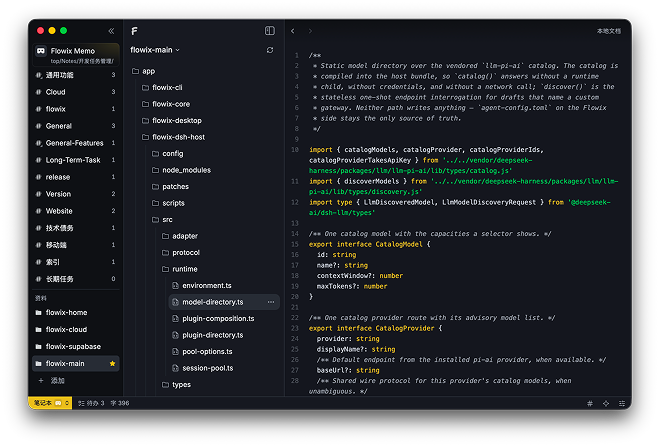 Code file browsing and editing |
Quick start
- Download and install Flowix from the website.
- Create a new local folder, or register an existing folder as a notebook.
- Create a document and write down the task background, reference materials, goals and constraints.
- Call an agent from within the document, or keep organizing content with tags and properties.
Local development
git clone https://github.com/text2future/flowix.git
cd flowix
npm install

npm run tauri dev
npm run dev
npm run tauri build
The development environment requires Node.js 20+, Rust 1.75+ and Tauri v2; the desktop app supports macOS 14+ and Windows 10+.
License
Flowix is open source under the MIT License.
相关推荐Related
-
 nexu-io/open-design
🎨 Best DeepSeek Harness Design Plugin. The open-source Claude Design alternative. 🖥️ Local-first desktop app. 🖼️ Your…
nexu-io/open-design
🎨 Best DeepSeek Harness Design Plugin. The open-source Claude Design alternative. 🖥️ Local-first desktop app. 🖼️ Your…
-
 ruvnet/ruflo
🌊 The original agent meta-harness. Deploy intelligent multi-player swarms, coordinate autonomous workflows, and build c…
ruvnet/ruflo
🌊 The original agent meta-harness. Deploy intelligent multi-player swarms, coordinate autonomous workflows, and build c…
-
 amruthpillai/reactive-resume
A one-of-a-kind resume builder that keeps your privacy in mind. Completely secure, customizable, portable, open-source a…
amruthpillai/reactive-resume
A one-of-a-kind resume builder that keeps your privacy in mind. Completely secure, customizable, portable, open-source a…
-
 esengine/DeepSeek-Reasonix
DeepSeek-native AI coding agent for your terminal. Engineered around prefix-cache stability — leave it running.
esengine/DeepSeek-Reasonix
DeepSeek-native AI coding agent for your terminal. Engineered around prefix-cache stability — leave it running.
-
 volcengine/OpenViking
Self-evolving Context Database for AI Agents. Unify Agent Memory, Knowledge RAG and Skills.
volcengine/OpenViking
Self-evolving Context Database for AI Agents. Unify Agent Memory, Knowledge RAG and Skills.
-
 Molunerfinn/PicGo
:rocket: The Ultimate Image Uploader for Efficient Creators. Supports Obsidian, Typora, VS Code etc. and 60+ image hosti…
Molunerfinn/PicGo
:rocket: The Ultimate Image Uploader for Efficient Creators. Supports Obsidian, Typora, VS Code etc. and 60+ image hosti…
-
 titanwings/distilly
Distilly — Distill how they think into reusable Skills for any Agent or Bot. Formerly Colleague Skill(原同事 Skill).
titanwings/distilly
Distilly — Distill how they think into reusable Skills for any Agent or Bot. Formerly Colleague Skill(原同事 Skill).
-
 titanwings/colleague-skill