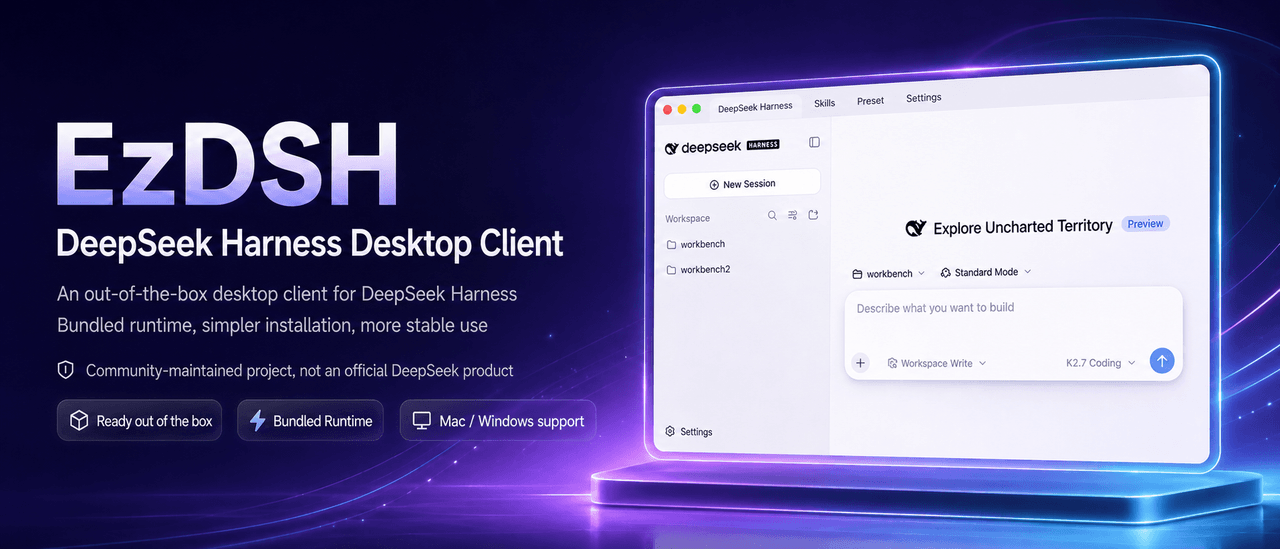
Tiee7/EzDSH
Easy Way to the DeepSeek‑Harness.
项目介绍Project Overview
EzDSH 是一款面向 macOS 和 Windows 的开源 DeepSeek Harness 桌面客户端。它捆绑固定版本 Runtime 并管理其完整生命周期,支持自动启动、健康检查、端口冲突处理与崩溃恢复,并提供插件市场、远程操作与本地工作区。数据本地存储,API 密钥不进入渲染层。适用于希望开箱即用、保持模型调用与工作数据本地控制的用户。注意:桌面端 provider 配置页面暂未开放,需在 Harness Web UI 中完成设置。
EzDSH is an open DeepSeek Harness desktop client for macOS and Windows. It bundles a pinned Runtime and manages its full lifecycle, including automatic startup, health checks, port conflict retries, and crash recovery, while offering a plugin marketplace, remote operation, and local workspaces. Data stays on-device and API keys never reach the renderer. It suits users who want a ready-to-run desktop entry point while keeping model calls and work data local. Caveat: the in-app provider configuration page is currently hidden; providers must be set up via the Harness Web UI in this release.
请帮我了解并安装插件:【EzDSH】【https://github.com/Tiee7/EzDSH】把上面这条消息直接发给当前会话里的 DSH,让它帮你了解并安装。安装命令不一定准确,发给 DSH 更稳。Send this message to DSH in your current session. CLI install commands may not be accurate across systems — DSH will figure it out for you.
或使用命令行安装(适合开发者)Or use CLI install (for developers)
命令行安装CLI Install
dsh plugin --profile web add github:Tiee7/EzDSH把 Tiee7/EzDSH 加入你的 DSH 配置(web profile)即可启用。
READMEREADME
EzDSH
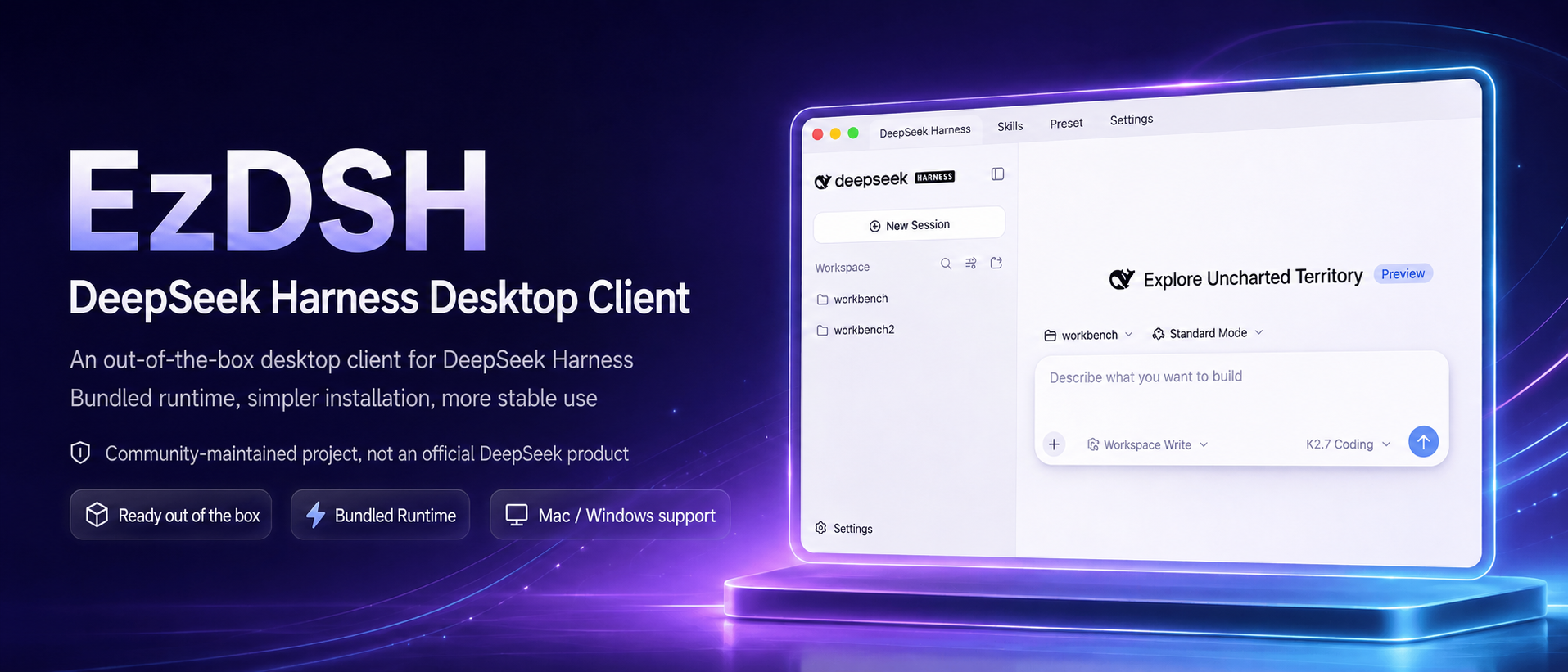
An open DeepSeek Harness distribution for macOS and Windows.
A personal AI entry point with a bundled Runtime, an extensible plugin ecosystem, remote operation, and integrated workspaces.
Mission & Values • Why EzDSH • Local Use • Build from Source • 中文版
Mission, Vision, and Values
Mission
Make technology equitable.
Vision
Give everyone an AI entry point for work and life, turning frontier technology into capabilities that are directly usable, composable, and continuously improving.
Values
- Do no harm: Technology must serve people. We do not profit from information gaps, technical gaps, or user trust, and never at the expense of users' safety, privacy, or autonomy.
- Value before technology: We measure ourselves by the real problems we solve and the real value we create—not by how impressive the technology looks.
- Usable by everyone: Users should not have to become technical experts first. Complex capabilities should feel natural to use.
- Open and composable: Models, plugins, tools, and workflows should be freely connected, replaced, and extended.
- Autonomous and trustworthy: Users retain control over their data, configuration, tools, and final decisions.
- Co-build with users: We grow through real-world use and continuous feedback.
Why EzDSH
DeepSeek Harness is a powerful open agent foundation, but using it locally can mean installing runtimes, starting services from the terminal, managing ports, editing provider configs, and keeping processes alive. EzDSH is more than a desktop wrapper: it is a user-facing distribution built around DeepSeek Harness.
EzDSH packages the Runtime, curates a plugin ecosystem, connects remote operation and integrated workspaces, and turns complex capabilities into tools people can use in everyday work and life.
EzDSH brings DeepSeek Harness out of the repository and into a usable entry point for real life.
What you get
Install and run, no environment setup
EzDSH ships with a fixed-version DeepSeek Harness Runtime. You do not need to install Node.js, pnpm, or the Harness CLI yourself. The app creates the workspace, picks a local port, starts the runtime, and loads the Harness Web UI automatically.
Full runtime lifecycle management
EzDSH is not a browser wrapper. It manages the complete Runtime lifecycle:
- Automatic startup and graceful shutdown
- Health checks and readiness detection
- Port conflict detection and retry
- Startup timeout handling
- Crash recovery and restart
- Runtime log collection and viewing
- No orphaned background processes
You see a stable desktop app, not a collection of terminal windows.
An extensible distribution layer
EzDSH makes DeepSeek Harness more than a runtime. It provides a place to discover, install, combine, and use capabilities built around DSH:
- Plugin marketplace and curated capabilities
- Remote operation
- Integrated workspaces for connecting tools, workflows, and services
- A growing ecosystem that can evolve with users' needs
DSH-native configuration
EzDSH starts the DSH Runtime directly and leaves provider configuration to the Harness Web UI. EzDSH's own provider setup page is currently hidden so the first release can focus on reliable startup and packaging; the desktop configuration flow will be added in a later version.
Local-first and security-minded
Your keys, sessions, profiles, plugins, and logs stay on your machine.
- API keys never enter renderer storage
- API keys never appear in ordinary logs
- Credentials are saved with restricted permissions
- Renderer is isolated from the file system and Node.js APIs
- Runtime only listens on
127.0.0.1
EzDSH is built for users who want to keep their model calls and work data under their own control.
Upgrades that respect your data
App code, Runtime, and user data are kept separate. Updating EzDSH replaces the client and runtime without touching your:
- Configuration
- Sessions
- Profiles
- Plugins
- Logs
- Local workspace data
You do not rebuild your environment every time the app updates.
A user-facing distribution for Harness
DeepSeek Harness provides the agent runtime, model calls, tool execution, and core Web UI. EzDSH adds the distribution and product layer that makes those capabilities approachable:
- Installer and first-run onboarding
- Visual provider and profile management
- Process supervision and error recovery
- Local data and log management
- Built-in update delivery
- Security boundaries
- Plugin discovery and installation
- Remote access and integrated workspaces
Harness provides the core. EzDSH makes it usable, extensible, and accessible.
Who it is for
- Developers who want to run DeepSeek Harness locally
- AI users who prefer not to live in the terminal
- People who want to use frontier AI without becoming infrastructure experts
- Users who switch between multiple model providers
- Anyone who wants API keys and project data kept local
- Professionals who need a stable entry point for agent, tool, plugin, and workspace workflows
Local use
Option A: Use the installed app
These steps are for users who only want to use EzDSH. You do not need Node.js, pnpm, or a terminal.
Open the Releases page.
Download the installer for your platform:
- macOS Apple Silicon:
.dmg - Windows x64:
.exe
Download these files from the release asset list. GitHub Actions'
Artifactsare build archives wrapped in ZIP format and are intended for CI inspection, not normal installation.- macOS Apple Silicon:
Install EzDSH:
- On macOS, open the
.dmgand dragEzDSH.apptoApplications. - On Windows, run the
.exeinstaller and follow the prompts.
- On macOS, open the
Open EzDSH from
Applicationsor the Start menu.Configure your model provider in the Harness Web UI.
Start working. EzDSH launches the Runtime and opens the Harness workspace automatically.
Option B: Run from source
These steps are for developers who want to run the project locally from a source checkout. This is different from building an installer.
Install Node.js
24.18.0(or a version accepted bypackage.json).Open a terminal and enter the project directory:
cd /Users/snake/Documents/ChatGPT/ezdshInstall project dependencies. Run this once after cloning, or whenever dependencies change:
npm cinpm ciinstalls the pinned published@deepseek-ai/dsh@0.1.1-rc.2Runtime and its production dependency closure. No separate DSH workspace install or staging step is required.To explicitly develop against the vendored DSH source instead, build that source checkout and set
EZDSH_DSH_SOURCEto its built CLI package:npm run dsh:source:install npm run dsh:source:build EZDSH_DSH_SOURCE="$PWD/vendor/deepseek-harness/apps/cli" npm run devStart the local development app:
npm run devUse the Harness Web UI opened by EzDSH. Press
Ctrl+Cin the terminal to stop the development app.
Build from source
macOS (Apple Silicon)
These steps are for developers who need to create a distributable installer or release package.
Use a macOS Apple Silicon machine and install Node.js
24.18.0(or a version accepted bypackage.json).Open a terminal and enter the project directory:
cd /Users/snake/Documents/ChatGPT/ezdshInstall project dependencies:
npm ci
- Create the signed release packages:
npm run package:mac:release
This builds the bundled DSH Runtime, creates a signed DMG, and verifies the packaged Runtime. A valid Developer ID Application certificate is required. The artifacts are written to dist/.
- To install the DMG, open it and drag
EzDSH.appintoApplications. Openingdist/mac-arm64/EzDSH.appdirectly is useful for local development, but does not test the DMG installation or Gatekeeper flow.
Windows (x64)
Use a native Windows x64 machine and install Node.js
24.18.0.Open PowerShell and enter the project directory:
cd C:\path\to\ezdshInstall project dependencies:
npm ci
- Create the Windows installer:
npm run package:win
This stages the Windows Node Runtime, builds the DSH Runtime with Windows-native dependencies, creates an NSIS installer, and verifies the unpacked bundle. The installer is written to dist/.
- For a signed release build, configure a Windows code-signing certificate and run:
npm run package:win:release
Windows packaging is prepared for x64 only. It is not executed on the current macOS development machine.
Download
| Platform | Package |
|---|---|
| macOS (Apple Silicon) | .dmg |
| Windows | .exe installer |
EzDSH checks for updates automatically and notifies you when a new release is available.
For normal installation, download the .dmg or .exe directly from a GitHub Release.
License
EzDSH is released under the MIT License.
Built for the DeepSeek Harness community.
相关推荐Related
-
 nexu-io/open-design
🎨 Best DeepSeek Harness Design Plugin. The open-source Claude Design alternative. 🖥️ Local-first desktop app. 🖼️ Your…
nexu-io/open-design
🎨 Best DeepSeek Harness Design Plugin. The open-source Claude Design alternative. 🖥️ Local-first desktop app. 🖼️ Your…
-
 amruthpillai/reactive-resume
A one-of-a-kind resume builder that keeps your privacy in mind. Completely secure, customizable, portable, open-source a…
amruthpillai/reactive-resume
A one-of-a-kind resume builder that keeps your privacy in mind. Completely secure, customizable, portable, open-source a…
-
 esengine/DeepSeek-Reasonix
DeepSeek-native AI coding agent for your terminal. Engineered around prefix-cache stability — leave it running.
esengine/DeepSeek-Reasonix
DeepSeek-native AI coding agent for your terminal. Engineered around prefix-cache stability — leave it running.
-
 anywhere-labs/deepseek-harness-desktop
为 DeepSeek Harness (DSH) 插件生态打造的现代化桌面端解决方案。万物皆「插件」,桌面本身也是「插件」。
anywhere-labs/deepseek-harness-desktop
为 DeepSeek Harness (DSH) 插件生态打造的现代化桌面端解决方案。万物皆「插件」,桌面本身也是「插件」。
-
 walkinglabs/learn-harness-engineering
Harness engineering beginner tutorial, from 0 to 1
walkinglabs/learn-harness-engineering
Harness engineering beginner tutorial, from 0 to 1
-
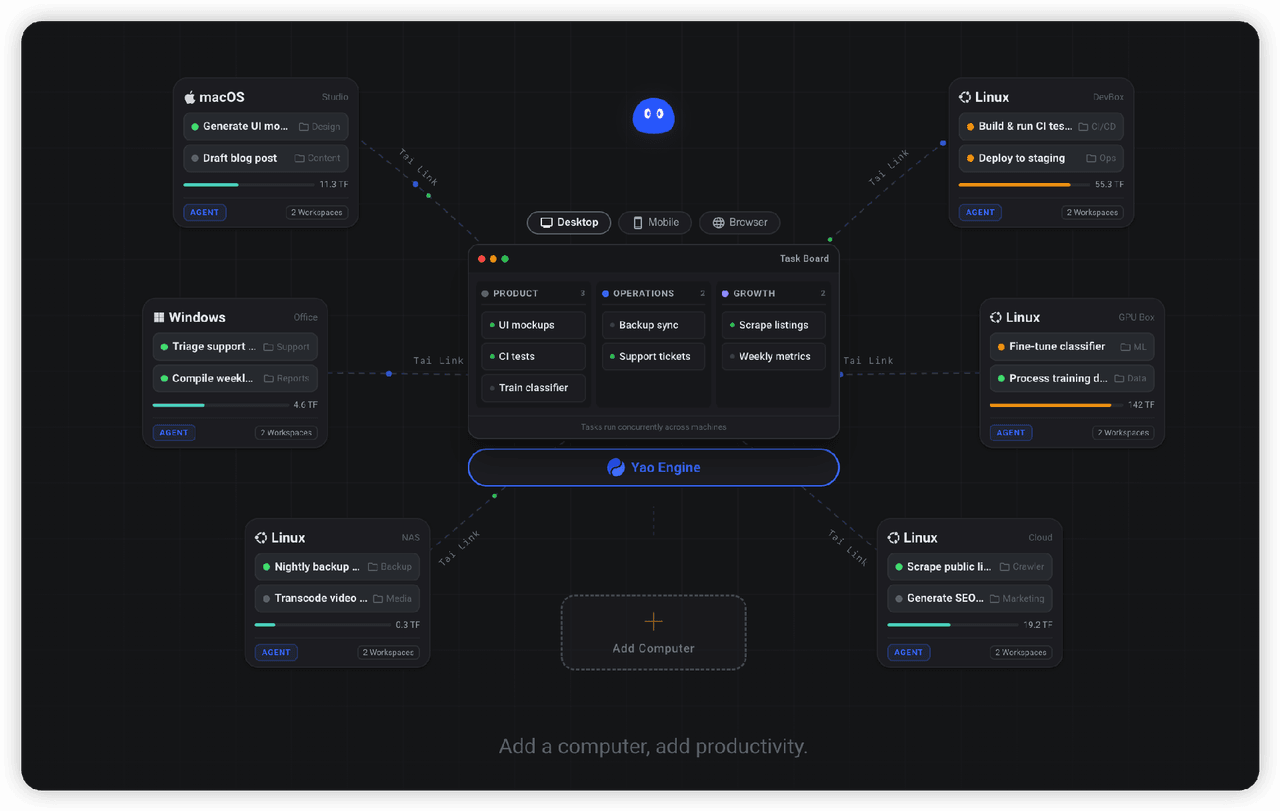 YaoApp/yao
✨ All your agents and workspaces in one place, on every device you own. Track tasks on a board, accessible from desktop,…
YaoApp/yao
✨ All your agents and workspaces in one place, on every device you own. Track tasks on a board, accessible from desktop,…
- yjh051108/dsh-routing-suite dsh-routing-suite — injector + router-standard kit: install the runtime injector first, then the task-aware reasoning-mo…
-
 Devin-AXIS/iPolloWork
Enterprise-grade, local-first Agent Workbench for people and agent teams. A unified multi-engine workspace for Codex Har…
Devin-AXIS/iPolloWork
Enterprise-grade, local-first Agent Workbench for people and agent teams. A unified multi-engine workspace for Codex Har…